Actions
Overview
An Identity and Access Management system is a highly interactive environment. ZITADEL includes a powerful feature called Actions, which allows you to programmatically react to specific events within the system.
Actions allow you to define custom scripts (JavaScript) that are executed based on specific triggers (Flows). This enables advanced customization, such as modifying tokens, calling external APIs during login, or customizing authentication flows.

How Actions Work
The Actions architecture consists of three main components:
- Action: The JavaScript code containing your business logic.
- Trigger Type: The specific event in ZITADEL (e.g., "Post Authentication") where code execution is allowed.
- Flow: The settings that links an Action to a Trigger Type.
The JavaScript Runtime
ZITADEL interprets your Action scripts as JavaScript.
- Compliance: Scripts must be ECMAScript 5.1(+) compliant.
- Engine: The underlying engine is goja. Refer to their documentation for detailed references about the underlying library features and limitations.
Structure of an Action Script
The script of an action must contain a function that matches the Action's name. ZITADEL calls this function at runtime.
The function receives two primary objects:
ctx(Context): Provides readable information about the current request (User, Request Info, etc.).api(API): Provides methods to mutate state (Set Claims, Deny Access, etc.).
Example: If your action is named doSomething, your script must look like this:
function doSomething(ctx, api){
    // read from ctx and manipulate with api
}
Available Modules
You can use the following built-in modules inside your JavaScript code:
- HTTP module: To call external APIs / Webhooks.
- Logging module: To log information to stdout (useful for debugging).
- UUID module: To generate UUIDs.
Stuck customizing ZITADEL actions? Find samples for setting OIDC claims, SAML attributes, extending JIT provisioning data, calling external APIs, and more in this repository.
Managing Actions in Management Console
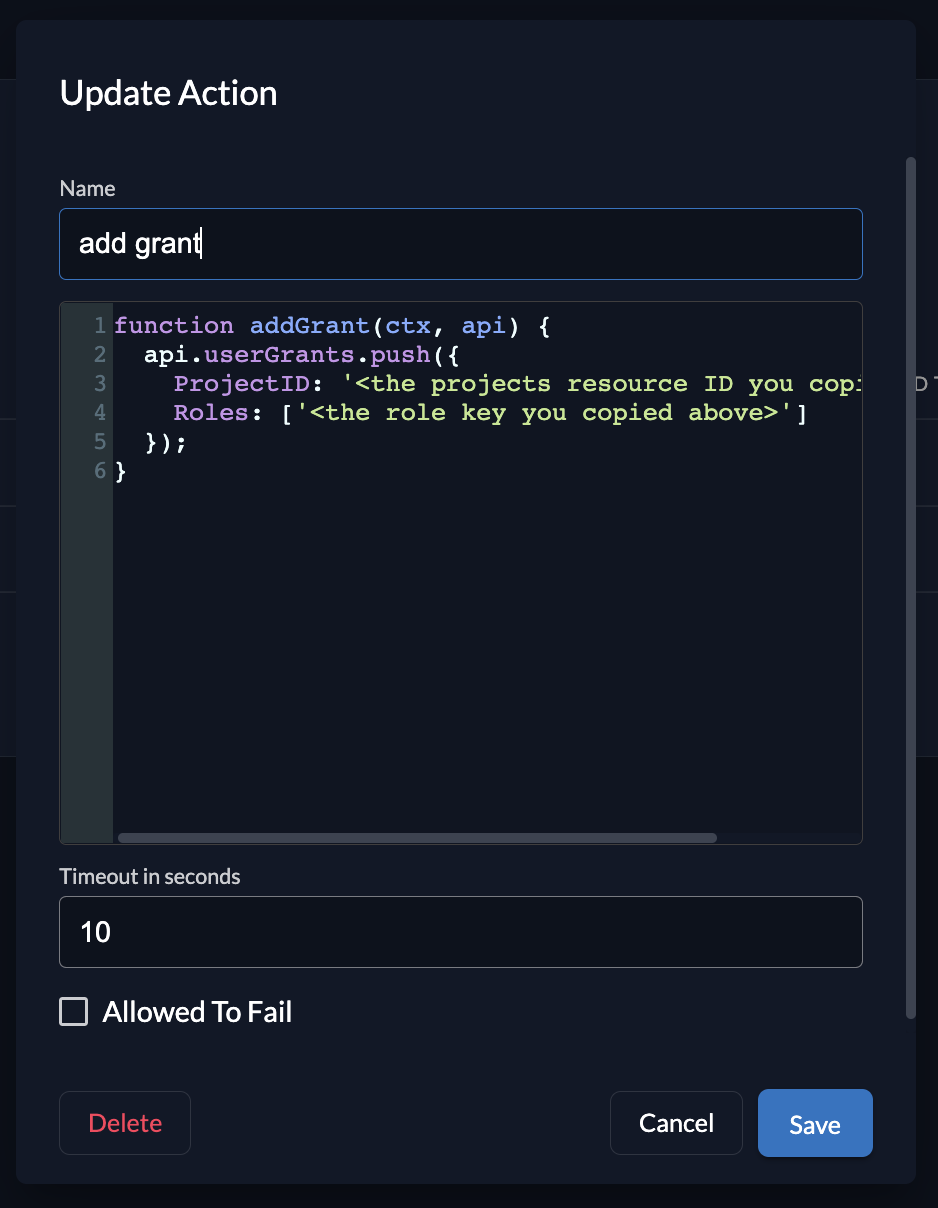
1. Create an Action
To add an action, navigate to your Organization's top navigation and select Actions. Click the New button and provide:
- Name: Must match the function name in your script.
- Script: Your JavaScript code.
- Timeout: How long the script is allowed to run before being terminated.
- Allowed to Fail: If checked, the flow will continue even if the script throws an error.
2. Create a Flow (Link Action to Trigger)
Merely creating an Action does not run it. You must create a Flow to define when it runs.
- Select the Flow Type (e.g., External Authentication).
- Select the Trigger (e.g., Post Authentication).
- Add your Action to the list of executed scripts.
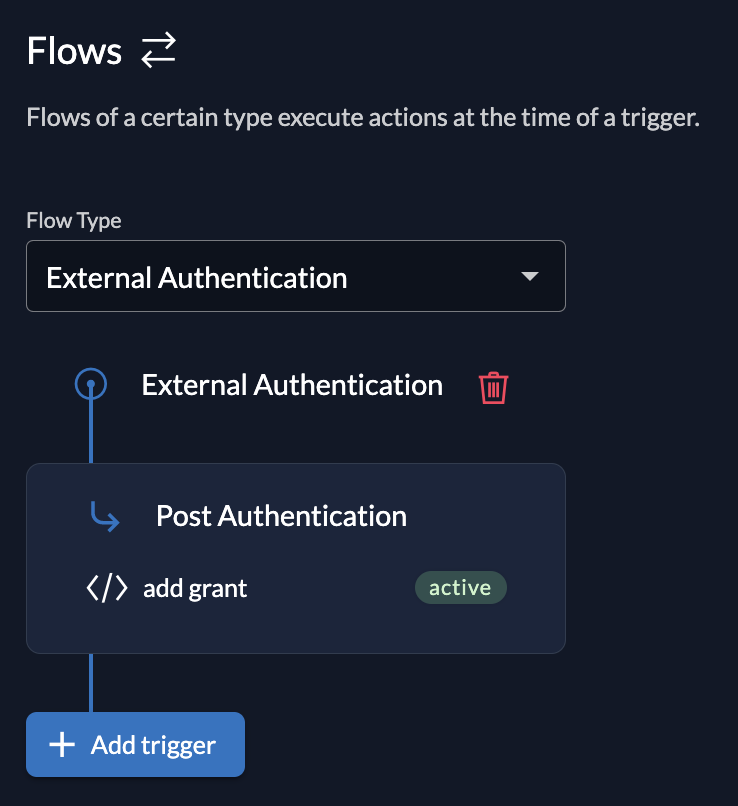
Example Scenario: You create an External Authentication Flow with a Post Authentication trigger. Now, whenever a user authenticates via an external IDP (like Google or Azure AD), your Action is triggered immediately after the authentication step but before the session is finalized.
Available Flow Types
Trigger types define the point during the execution of a request. Each trigger defines which readable information (ctx) and mutable properties (api) are passed into the called function.
Currently, ZITADEL supports the following flows:
- Internal Authentication: Triggers during login with ZITADEL (username/password).
- External Authentication: Triggers during login with an external Identity Provider.
- Complement Token: Triggers when tokens (ID Token / Access Token) are created, allowing you to add custom claims.
- Customize SAML Response: Triggers when a SAML response is generated.
References
Was this page helpful?
