# ZITADEL Documentation import { Card, Cards } from 'fumadocs-ui/components/card'; import { Rocket, Laptop, BookOpen, Book, Server, ShieldCheck, Terminal, MessageCircle, Calendar, Heart, HelpCircle } from 'lucide-react'; **ZITADEL is the Identity Infrastructure for Developers.** We provide a hardened, extensible turnkey solution for all your authentication and authorization needs. Instead of building your own login system, use ZITADEL to accelerate your project with features that work out of the box: * **Secure Login**: Multi-factor authentication (OTP, U2F, Passkeys) and single sign-on (OIDC, SAML, OAuth2). * **B2B Ready**: First-class multi-tenancy with branding customization and self-service. * **Auditable**: Exhaustive audit trail of all events. * **Extensible**: Execute custom code on events (Actions) to fit your unique workflows. Get Started [#get-started] Explore our guides to get up and running with ZITADEL quickly. } description="Learn how to set up ZITADEL in minutes." /> } description="Explore our libraries for your favorite languages." /> } description="Sample applications to help you get started." /> } description="Find answers to common ZITADEL questions and issues." /> Deployment Options [#deployment-options] You can use ZITADEL in two ways: * **ZITADEL Cloud**: This is our public cloud service. Use the free tier to start in minutes. * **Self-hosted ZITADEL**: For full control, deploy ZITADEL wherever you prefer. If you're unsure, consider the generous free tier of [ZITADEL Cloud](/guides/manage/cloud/start). }> Choose if you want: * A turnkey solution that's ready to go * Global scalability without the hassle * Data-residency compliance }> Choose if you want: * Total control over all components * Air-gapped or regulated environments * Flexibility when deploying updates Explore Components [#explore-components] Deep dive into the architecture and capabilities of ZITADEL. } description="Understand the core principles of ZITADEL." /> } description="Reference documentation for our REST and gRPC APIs." /> } description="Learn how to deploy and manage ZITADEL yourself." /> } description="Terms of service, privacy policy, and more." /> Community & Support [#community-support] Join the community and get help. } description="Join our Discord chat to get help from the community and the ZITADEL team." /> } description="Open a discussion on Github." /> } description="Join our bi-weekly community calls." /> } description="Help us improve ZITADEL and its documentation." /> # ZITADEL API Reference Overview import { ApiCard } from "@/components/apicard"; import Column from "@/components/column"; ZITADEL exposes all features via different gRPC and REST APIs and provides SDKs for popular languages and frameworks. The [OpenID Connect & OAuth endpoints](/apis/openidoauth/endpoints) and [SAML 2.0 endpoints](/apis/saml/endpoints) are implemented and exposed according to the specific standards. Managing resources such as users, organizations, instances, or settings must be done with the different [ZITADEL APIs](#zitadel-apis-resource-based). [Actions](/guides/manage/console/actions-overview) allow extending ZITADEL with custom code to change default behaviors or calling external systems. Authentication & Authorization [#authentication-authorization] In this section, “authorization” refers to protocol- and API-level authorization (for example OAuth scopes and claims, OIDC, SAML assertions, and API access) and is distinct from the “authorization” term used in ZITADEL role-assignment APIs. Authentication for users (interactive) [#authentication-for-users-interactive] ZITADEL implements industry standards such as OpenID Connect, OAuth 2.0, or SAML for authentication. Please refer to our guides on how to [authenticate users](/guides/integrate/login/login-users) through an interactive authentication process. For user authentication on devices with limited accessibility (eg, SmartTV, Smartwatch, etc.) use the [device authorization grant](/guides/integrate/login/oidc/device-authorization). Additionally, you can use the [session API](/reference/api/session) to authenticate users, for example, by building a [custom login UI](/guides/integrate/login-ui). Authenticate service accounts [#authenticate-service-accounts] Service accounts allow for machine-to-machine (M2M) communication. Follow the guides to learn how to [authenticate service accounts](/guides/integrate/service-accounts/authenticate-service-accounts). Accessing the ZITADEL APIs through a service account might require additional steps, please follow the guide on how to [access ZITADEL APIs](../guides/integrate/zitadel-apis/access-zitadel-apis) to include the correct audience scope in your requests. OpenID Connect & OAuth [#open-id-connect-o-auth] * [OpenID Connect endpoints](/apis/openidoauth/endpoints) definition * Standard and reserved [scopes reference](/apis/openidoauth/scopes) * Standard, custom, and reserved [claims reference](/apis/openidoauth/claims) The [OIDC Playground](https://zitadel.com/playgrounds/oidc) is for testing OpenID authentication requests and their parameters. SAML 2.0 [#saml-2-0] * [SAML 2.0 endpoints](/apis/saml/endpoints) definition * [Custom attributes](https://github.com/zitadel/actions/blob/main/examples/set_custom_attribute.js) can be added with an action Custom [#custom] ZITADEL allows authenticating users by creating a session with the [Session API](/reference/api/session/zitadel.session.v2.SessionService.CreateSession), get OIDC authentication request details with the [OIDC service API](/reference/api/oidc/zitadel.oidc.v2.OIDCService.GetAuthRequest) or get SAML request details with the [SAML service API](/reference/api/saml/zitadel.saml.v2.SAMLService.GetSAMLRequest). User role assignments can be [retrieved as roles from our APIs](/guides/integrate/retrieve-user-roles). Refer to our guide to learn how to [build your own login UI](/guides/integrate/login-ui) ZITADEL APIs (resource-based) [#zitadel-ap-is-resource-based] ZITADEL provides APIs for each [core resource](/apis/v2): * [User](/reference/api/user) * [Session](/reference/api/session) * [Settings](/reference/api/settings) We are migrating to a resource-based API approach. You might need to use the existing [service-based](#zitadel-apis-service-based) APIs for now to manage Organizations, Instances, Assets etc. ZITADEL APIs (service-based) [#zitadel-ap-is-service-based] ZITADEL APIs were organized by UseCase/Context, such as Auth API for authenticated users and Management API for organization administrators. This led to confusion about which API to use, particularly for requests that could be useful across multiple APIs but with different filters. For instance, SearchUsers on an Instance Level or on an Organization Level. To address this issue, ZITADEL is migrating to a [resource-based API](#zitadel-apis-resource-based).
Authentication [#authentication] The authentication API (aka Auth API) is used for all operations on the currently logged in user. The user id is taken from the sub claim in the token.
Auth GRPC [#auth-grpc] Endpoint: `${CUSTOM_DOMAIN}/zitadel.auth.v1.AuthService/` Definition: [Auth Proto](https://github.com/zitadel/zitadel/blob/main/proto/zitadel/auth.proto) Auth REST [#auth-rest] Endpoint: `${CUSTOM_DOMAIN}/auth/v1/` API Reference: [OpenAPI Docs](/reference/api/auth)
Management [#management] The management API is as the name states the interface where systems can mutate instance objects like, organizations, projects, applications, users and so on if they have the necessary access rights. To identify the current organization you can send a header `x-zitadel-orgid` or if no header is set, the organization of the authenticated user is set.
Mgmt GRPC [#mgmt-grpc] Endpoint: `${CUSTOM_DOMAIN}/zitadel.management.v1.ManagementService/` Definition: [Management Proto](https://github.com/zitadel/zitadel/blob/main/proto/zitadel/management.proto) Mgmt REST [#mgmt-rest] Endpoint: `${CUSTOM_DOMAIN}/management/v1/` API Reference: [OpenAPI Docs](/reference/api/management)
Administration [#administration] This API is intended to configure and manage one ZITADEL instance itself.
Admin GRPC [#admin-grpc] Endpoint: `${CUSTOM_DOMAIN}/zitadel.admin.v1.AdminService/` Definition: [Admin Proto](https://github.com/zitadel/zitadel/blob/main/proto/zitadel/admin.proto) Admin REST [#admin-rest] Endpoint: `${CUSTOM_DOMAIN}/admin/v1/` API Reference: [OpenAPI Docs](/reference/api/admin)
System [#system] This API is intended to manage the different ZITADEL instances within the system. Checkout the guide how to [access the ZITADEL System API](/guides/integrate/zitadel-apis/access-zitadel-system-api).
System GRPC [#system-grpc] Endpoint: `${CUSTOM_DOMAIN}/zitadel.system.v1.SystemService/` Definition: [System Proto](https://github.com/zitadel/zitadel/blob/main/proto/zitadel/system.proto) System REST [#system-rest] Endpoint: `${CUSTOM_DOMAIN}/system/v1/` API Reference: [OpenAPI Docs](/reference/api/system)
Assets [#assets] The Assets API allows you to up- and download all kinds of assets. This can be files such as logos, fonts or user avatar.
Assets REST [#assets-rest] Endpoint: `${CUSTOM_DOMAIN}/assets/v1/` Definition: [Assets](./assets/assets)
API definitions [#api-definitions] Each service's proto definition is located in the source control on GitHub. As we generate the REST services and Swagger file out of the proto definition we recommend that you rely on the proto file. We annotate the corresponding REST methods on each possible call as well as the AuthN and AuthZ requirements. The last API (assets) is only a REST API because ZITADEL uses multipart form data for certain elements. SDKs [#sd-ks] ZITADEL provides some [official and community supported SDKs](/sdk-examples/introduction) for multiple languages and frameworks. Most languages allow you to build a client from proto definitions, which allows you to build your own client in case an SDK is missing. Proto [#proto] All of our APIs are generated by proto definitions. You can find all the proto definitions in the [Proto API Definitions](https://github.com/zitadel/zitadel/tree/main/proto/zitadel). > More about [Protocol Buffer](https://developers.google.com/protocol-buffers) Example [#example] See below for an example with the call **GetMyUser**. ```go //User rpc GetMyUser(google.protobuf.Empty) returns (UserView) { option (google.api.http) = { get: "/users/me" }; option (zitadel.v1.auth_option) = { permission: "authenticated" }; } ``` As you can see the `GetMyUser` function is also available as a REST service under the path `/users/me`. In the table below you can see the URI of those calls. | Service | URI | | :------ | :------------------------------------------------------- | | REST | `${CUSTOM_DOMAIN}/auth/v1/users/me` | | GRPC | `${CUSTOM_DOMAIN}/zitadel.auth.v1.AuthService/GetMyUser` | Domains [#domains] ZITADEL hosts everything under a single domain: `{instance}.zitadel.cloud` or your Custom Domain `${CUSTOM_DOMAIN}` The domain is used as the OIDC issuer and as the base url for the gRPC and REST APIs, the Login and Management Console UI, which you'll find under `${CUSTOM_DOMAIN}/ui/console/`. Are you self-hosting and having troubles with *Instance not found* errors? [Check out this page](/self-hosting/manage/custom-domain). API path prefixes [#api-path-prefixes] If you run ZITADEL on a Custom Domain, you may want to reuse that domain for other applications. For easy copying to your reverse proxy configuration, here is the list of URL path prefixes, ZITADEL uses. ```yaml /zitadel.admin.v1.AdminService/ /admin/v1/ /zitadel.auth.v1.AuthService/ /auth/v1/ /zitadel.management.v1.ManagementService/ /management/v1/ /zitadel.system.v1.SystemService/ /system/v1/ /assets/v1/ /ui/ /oidc/v1/ /saml/v2/ /oauth/v2/ /device /.well-known/openid-configuration /openapi/ /idps/callback /v2beta/ /zitadel.user.v2beta.UserService/ /zitadel.session.v2beta.SessionService/ /zitadel.settings.v2beta.SettingsService/ /zitadel.oidc.v2beta.OIDCService/ /zitadel.org.v2beta.OrganizationService/ /v2/ /zitadel.user.v2.UserService/ /zitadel.session.v2.SessionService/ /zitadel.settings.v2.SettingsService/ /zitadel.oidc.v2.OIDCService/ /zitadel.org.v2.OrganizationService/ ``` Postman Collection (Beta) [#postman-collection-beta] We published an official Postman collection to help you explore and test the ZITADEL APIs. The collection is organized by services and includes a script to automatically authenticate requests. Before using it, make sure to configure the required environment variables in Postman: | Variable Name | Description | | ----------------------- | ------------------------------------------------------------------------------- | | `protocol` | **http** for local testing, or **https** for cloud/self hosted instances | | `custom_domain` | The domain of your Zitadel instance. | | `service_client_id` | Client ID of service account with **IAM\_OWNER** role in your Zitadel instance. | | `service_client_secret` | Client secret for the service account. | | `api_client_id` | Client ID of an API application. | | `api_client_secret` | Client secret for the API application. | | `project_id` | A project ID within your Zitadel instance. | [Fork the Postman Collection](https://app.getpostman.com/run-collection/44392838-6417c238-b9b9-4334-bef0-233ae38cbc51?action=collection%2Ffork\&source=rip_markdown\&collection-url=entityId%3D44392838-6417c238-b9b9-4334-bef0-233ae38cbc51%26entityType%3Dcollection%26workspaceId%3D54ef8cdd-5ea3-4f31-89f6-20720b45528c) This release is currently in **beta**, and we welcome your feedback to improve it. # Migrate from v1 APIs to v2 APIs This guide gives you an overview for migrating from our v1 API to the new and improved v2 API. This upgrade introduces some significant architectural changes designed to make your development experience smoother, more intuitive, and efficient. The v1 Approach: Use-Case Based APIs [#the-v-1-approach-use-case-based-ap-is] Our v1 API was structured around use cases, meaning we provided distinct APIs tailored to different user roles: * Auth API: For authenticated users. * Management API: For administrators of an organization. * Admin API: For administrators of an instance. * System API: For managing multiple instances. While this approach served its initial purpose, it presented a few challenges. Developers often found it difficult to determine which specific API endpoint to use for their needs. Additionally, this model sometimes led to redundant implementations of similar functionalities across different APIs – for example, listing users might have existed in slightly different forms for an instance context versus an organization context. This often required more extensive reading of documentation and further explanation to ensure correct usage. The v2 Approach: A Resource-Based API [#the-v-2-approach-a-resource-based-api] With our v2 API, we introduce a resource-based architecture. This means instead of organizing by user type, we now structure our API around logical resources, such as: * Users API * Instance API * Organization API * And more... A key improvement in v2 is how context and permissions are handled. The data you receive from an endpoint will now automatically be scoped based on the role and permissions of the authenticated user. For example: * An instance administrator calling a GET /users endpoint will receive a list of all users within that instance. * An organization administrator calling the exact same GET /users endpoint will receive a list of users belonging only to their specific organization. Why the Change [#why-the-change] The primary goals behind this architectural shift are to make our API: * More Intuitive: Finding the right endpoint should feel natural. If you want to interact with users, you look at the Users API. * Self-Explanatory: The structure itself guides you, reducing the need to sift through extensive documentation to understand which API "hat" you need to wear. * Developer-Friendly: A cleaner, more consistent API surface means faster integration and less room for confusion. We're confident that these changes will significantly enhance your experience working with our platform. The following sections will detail the specific resources that have been migrated and outline any changes you'll need to be aware of. Resource Migration [#resource-migration] This section details the migrated resources, including any breaking changes and other important considerations for your transition from v1 to v2. General Changes [#general-changes] Sunsetting OpenAPI/REST Support in Favor of Connect RPC [#sunsetting-open-api-rest-support-in-favor-of-connect-rpc] While our v1 API already offered gRPC, it also provided a parallel REST/OpenAPI interface for applications who preferred making traditional HTTP calls. In our v2 API, we are consolidating our efforts to provide a more streamlined and efficient development experience. The primary change is the removal of the OpenAPI/REST interface. We will now exclusively support interaction with our gRPC services directly or through [Connect RPC](https://connectrpc.com/). Connect RPC is being introduced as the new, official way to interact with our gRPC services using familiar, plain HTTP/1.1. It effectively replaces the previous REST gateway. For teams already using gRPC, your transition will be minimal. For teams who were using the v1 REST API, migrating to v2 will involve adopting one of the following methods: * Native gRPC: For the highest performance and to leverage features like bidirectional streaming. * Connect RPC: For making CRUD-like (Create, Read, Update, Delete) calls over HTTP. This is the recommended path for most applications migrating from our v1 REST API. A significant advantage of this new architecture remains the automatic generation of client libraries. Based on our .proto service definitions, you can generate type-safe applications for your specific programming language, whether you use native gRPC or Connect RPC. This eliminates the need to write boilerplate code for handling HTTP requests and parsing responses, leading to a more streamlined and less error-prone development process. Contextual Information in the Request Body [#contextual-information-in-the-request-body] A key change in v2 is that contextual data, like organization\_id, must now be sent in the request body. Previously, this was sent in the request headers. **v1 (Header)** ``` x-zitadel-orgid: 1234567890 ``` **v2 (Request Body)** ``` { "organization_id": "1234567890" } ``` Instances [#instances] No major changes have been made to the organization requests. Organizations [#organizations] No major changes have been made to the organization requests. Users [#users] When migrating your user management from v1 to v2, the most significant updates involve user states and the initial onboarding process: * **Unified User Creation Endpoint**: * A significant simplification in v2 is the consolidation of user creation. There is now one primary endpoint for creating users, regardless of whether they are User (Human) or service accounts. * You can use this single endpoint to provision both users (individuals interacting with your application) and service accounts (i.e. API clients), typically by specifying the user type in the request payload. * **No More "Initial" State**: * In v1, new users without a password or verified email were automatically assigned an initial state. This default assumption wasn't always ideal. * In v2, this initial state has been removed. All newly created users are now active by default, regardless of their initial attributes. * **New Onboarding Process**: * To enable users to set up their accounts, you can now send them an invitation code. This allows them to securely add their authentication methods. * **Flexible Email Verification**: * v2 provides more control over email verification: * You can choose at user creation whether an email verification code should be sent automatically. * Alternatively, the API can return the verification code directly to you, empowering you to send a customized verification email. [Users API v2 Documentation](/reference/api/user) Projects [#projects] We've simplified how you interact with projects by unifying projects and granted\_projects into a single resource. From a consumer's perspective, it no longer matters if you own a project or if it was granted to you by another organization; it's all just a project. The main difference now is your level of permission. Your permissions determine whether you have administrative rights (like updating the project's details) or if you can only view the project and manage authorizations for your users. This change significantly streamlines API calls. For example, where you previously had to make two separate requests to see all projects, you now make one. **v1 (Separate Requests):** ``` - ListProjects - ListGrantedProjects ``` **v2 (Single Request with Filter):** ``` - ListProjects (returns all projects you have access to) ``` You can now use filters within the single ListProjects request if you need to differentiate between project types, such as filtering by projects you own versus those that have been granted to you. Update your code to use this new unified ListProjects endpoint. Applications [#applications] We have streamlined the creation and management of applications. In v1, each application type had its own unique endpoints. In v2, we have unified these into a single set of endpoints for all application types. The biggest change is in how you create/update applications. Instead of calling a specific endpoint for each type (e.g., CreateOidcApp, CreateSamlApp), you will now use a single CreateApp endpoint. To specify the type of application, you will include its specific settings object within the request body. For example, to create a OIDC app, you will provide an oidc object in the request. All properties that are common to every application, such as name, are now top-level fields in the request body, consistent across all types. This approach simplifies client-side logic, as you no longer need to route requests to different endpoints. **v1 (Multiple, Type-Specific Endpoints):** ``` - AddOIDCApp - AddSAMLApp - AddAPIApp ``` **v2 (Single Endpoint with Type-Specific Body):** ``` - CreateApplication - ProjectID - Name - Type - OIDC - SAML - API ``` # SCIM v2.0 (Preview) The Zitadel [SCIM v2](https://scim.cloud/) service provider interface enables integration of identity and access management (instance) systems with Zitadel, following the System for Cross-domain Identity Management (SCIM) v2.0 specification. This interface allows standardized management of instance resources, making it easier to automate user provisioning and deprovisioning. Supported endpoints [#supported-endpoints] The Zitadel SCIM v2.0 service provider implementation supports the following endpoints. The base URL for the SCIM endpoint in Zitadel is: `https://${CUSTOM_DOMAIN}/scim/v2/{orgId}`. | Endpoint | Remarks | | ----------------------------------------------------------------------- | ----------------------------------------------------- | | `GET /scim/v2/{orgId}/ServiceProviderConfig` | Retrieve the settings of the Zitadel service provider | | `GET /scim/v2/{orgId}/Schemas` | Retrieve all supported schemas | | `GET /scim/v2/{orgId}/Schemas/{id}` | Retrieve a known supported schema | | `GET /scim/v2/{orgId}/ResourceTypes` | Retrieve all supported resource types | | `GET /scim/v2/{orgId}/ResourceTypes/{name}` | Retrieve a known supported resource type | | `GET /scim/v2/{orgId}/Users/{id}` | Retrieve a known user | | `GET /scim/v2/{orgId}/Users`
`POST /scim/v2/{orgId}/Users/.search` | Query users (including filtering, sorting, paging) | | `POST /scim/v2/{orgId}/Users` | Create a user | | `PUT /scim/v2/{orgId}/Users/{id}` | Replace a user | | `PATCH /scim/v2/{orgId}/Users/{id}` | Modify a user | | `DELETE /scim/v2/{orgId}/Users/{id}` | Delete a user | | `POST /scim/v2/{orgId}/Bulk` | Apply multiple operations in a single request | Authentication [#authentication] The SCIM interface adheres to Zitadel's standard API authentication methods. For detailed instructions on authenticating with the SCIM interface, refer to the [Authenticate Service Accounts Guide](/guides/integrate/service-accounts/authenticate-service-accounts). Query [#query] The list users endpoint supports sorting and filtering for both `GET /scim/v2/{orgId}/Users` and `POST /scim/v2/{orgId}/Users/.search` requests. By default, the response includes up to 100 users, with a maximum allowable value for `count` set to 100. Sort [#sort] The following attributes are supported in the `SortBy` attribute. * `meta.created` * `meta.lastModified` * `id` * `username` * `name.familyName` * `name.givenName` * `emails` and `emails.value` Filter [#filter] The following filter attributes and operators are supported: | Attribute | Supported operators | | ---------------------------- | ---------------------------- | | `meta.created` | `EQ`, `GT`, `GE`, `LT`, `LE` | | `meta.lastModified` | `EQ`, `GT`, `GE`, `LT`, `LE` | | `id` | `EQ`, `NE`, `CO`, `SW`, `EW` | | `externalId` | `EQ`, `NE` | | `username` | `EQ`, `NE`, `CO`, `SW`, `EW` | | `name.familyName` | `EQ`, `NE`, `CO`, `SW`, `EW` | | `name.givenName` | `EQ`, `NE`, `CO`, `SW`, `EW` | | `emails`
`emails.value` | `EQ`, `NE`, `CO`, `SW`, `EW` | | `active` | `EQ`, `NE` | Filters can have a maximum length of 1000 characters. Examples [#examples] Here are practical examples demonstrating how to interact with the SCIM API, providing clear guidance on common use cases such as creating a user. Make sure to replace any placeholder values (`${}`) with the actual values from your environment.
`POST /Users` : Create a minimal user ```bash curl -X POST "https://${DOMAIN}/scim/v2/${ORG_ID}/Users" \ -H 'Content-Type: application/scim+json' \ -H 'Accept: application/scim+json' \ -H "Authorization: Bearer ${ACCESS_TOKEN}" \ --data-raw ' { "schemas": ["urn:ietf:params:scim:schemas:core:2.0:User"], "userName": "john.doe", "name": { "familyName": "Doe", "givenName": "John" }, "password": "Password1!", "emails": [ { "value": "john.doe@example.com", "primary": true } ] } ' ``` **Response (`201 Created`)** ```json { "schemas": [ "urn:ietf:params:scim:schemas:core:2.0:User" ], "meta": { "resourceType": "User", "created": "2025-01-27T15:30:27.651321Z", "lastModified": "2025-01-27T15:30:27.651321Z", "version": "2", "location": "https://${DOMAIN}/scim/v2/${ORG_ID}/Users/304499468865155777" }, "id": "304499468865155777", "userName": "john.doe", "name": { "familyName": "Doe", "givenName": "John" }, "preferredLanguage": "en", "emails": [ { "value": "john.doe@example.com", "primary": true } ] } ```
`POST /Users` : Create a full user ```bash curl -X POST "https://${DOMAIN}/scim/v2/${ORG_ID}/Users" \ -H 'Content-Type: application/scim+json' \ -H 'Accept: application/scim+json' \ -H "Authorization: Bearer ${ACCESS_TOKEN}" \ --data-raw ' { "schemas": ["urn:ietf:params:scim:schemas:core:2.0:User"], "externalId": "8d4b51c0-51bd-4386-ae17-79ce5fd36517", "userName": "john.doe@example.com", "name": { "formatted": "Mr. John J Doe, III", "familyName": "Doe", "givenName": "John", "middleName": "Jim", "honorificPrefix": "Mr.", "honorificSuffix": "III" }, "displayName": "John Doe", "nickName": "Johnny", "profileUrl": "https://login.example.com/john.doe", "emails": [ { "value": "john.doe@example.com", "type": "work", "primary": true } ], "addresses": [ { "type": "work", "streetAddress": "100 Universal City Plaza", "locality": "Hollywood", "region": "CA", "postalCode": "91608", "country": "USA", "formatted": "100 Universal City Plaza\nHollywood, CA 91608 USA", "primary": true } ], "phoneNumbers": [ { "value": "+1 555-555-5555", "type": "work", "primary": true } ], "ims": [ { "value": "@j.doe", "type": "X" } ], "photos": [ { "value": "https://photos.example.com/profilephoto/john.doe/F", "type": "photo" } ], "roles": [ { "value": "user-admin", "display": "User administrator" } ], "entitlements": [ { "value": "read-passports", "display": "Read Passports" } ], "userType": "Employee", "title": "Tour Guide", "preferredLanguage": "en-US", "locale": "en-US", "timezone": "America/Los_Angeles", "active": true, "password": "Password1!" }' ``` **Response (`201 Created`)** ```json { "schemas": [ "urn:ietf:params:scim:schemas:core:2.0:User" ], "meta": { "resourceType": "User", "created": "2025-01-27T15:31:47.84572Z", "lastModified": "2025-01-27T15:31:47.84572Z", "version": "16", "location": "https://localhost:8080/scim/v2/303879575732073153/Users/304499603368096449" }, "id": "304499603368096449", "externalId": "8d4b51c0-51bd-4386-ae17-79ce5fd36517", "userName": "john.doe@example.com", "name": { "formatted": "John Doe", "familyName": "Doe", "givenName": "John", "middleName": "Jim", "honorificPrefix": "Mr.", "honorificSuffix": "III" }, "displayName": "John Doe", "nickName": "Johnny", "profileUrl": "https://login.example.com/john.doe", "title": "Tour Guide", "preferredLanguage": "en-US", "locale": "en-US", "timezone": "America/Los_Angeles", "active": true, "emails": [ { "value": "john.doe@example.com", "primary": true } ], "phoneNumbers": [ { "value": "+15555555555", "primary": true } ], "ims": [ { "value": "@j.doe", "type": "X" } ], "addresses": [ { "type": "work", "streetAddress": "100 Universal City Plaza", "locality": "Hollywood", "region": "CA", "postalCode": "91608", "country": "USA", "formatted": "100 Universal City Plaza\nHollywood, CA 91608 USA", "primary": true } ], "photos": [ { "value": "https://photos.example.com/profilephoto/john.doe/F", "type": "photo" } ], "entitlements": [ { "value": "read-passports", "display": "Read Passports" } ], "roles": [ { "value": "user-admin", "display": "User administrator" } ] } ```
`GET /Users/{id}` : Retrieve a known user ```bash curl -G "https://${DOMAIN}/scim/v2/${ORG_ID}/Users/${USER_ID}" \ -H 'Accept: application/scim+json' \ -H "Authorization: Bearer ${ACCESS_TOKEN}" ``` **Response (`200 OK`)** ```json { "schemas": [ "urn:ietf:params:scim:schemas:core:2.0:User" ], "meta": { "resourceType": "User", "created": "2025-01-27T15:31:47.84572Z", "lastModified": "2025-01-27T15:31:47.84572Z", "version": "16", "location": "https://localhost:8080/scim/v2/303879575732073153/Users/304499603368096449" }, "id": "304499603368096449", "externalId": "8d4b51c0-51bd-4386-ae17-79ce5fd36517", "userName": "john.doe@example.com", "name": { "formatted": "John Doe", "familyName": "Doe", "givenName": "John", "middleName": "Jim", "honorificPrefix": "Mr.", "honorificSuffix": "III" }, "displayName": "John Doe", "nickName": "Johnny", "profileUrl": "https://login.example.com/john.doe", "title": "Tour Guide", "preferredLanguage": "en-US", "locale": "en-US", "timezone": "America/Los_Angeles", "active": true, "emails": [ { "value": "john.doe@example.com", "primary": true } ], "phoneNumbers": [ { "value": "+15555555555", "primary": true } ], "ims": [ { "value": "@j.doe", "type": "X" } ], "addresses": [ { "type": "work", "streetAddress": "100 Universal City Plaza", "locality": "Hollywood", "region": "CA", "postalCode": "91608", "country": "USA", "formatted": "100 Universal City Plaza\nHollywood, CA 91608 USA", "primary": true } ], "photos": [ { "value": "https://photos.example.com/profilephoto/john.doe/F", "type": "photo" } ], "entitlements": [ { "value": "read-passports", "display": "Read Passports" } ], "roles": [ { "value": "user-admin", "display": "User administrator" } ] } ```
`GET /Users` : List users created after a given date sorted by the creation date ```bash curl -G "https://${DOMAIN}/scim/v2/${ORG_ID}/Users" \ -H 'Accept: application/scim+json' \ -H "Authorization: Bearer ${ACCESS_TOKEN}" \ --data-urlencode "sortBy=meta.created" \ --data-urlencode "sortOrder=descending" \ --data-urlencode "filter=meta.created gt \"2025-01-24T09:22:35.695245Z\"" ``` **Response (`200 OK`)** ```json { "schemas": ["urn:ietf:params:scim:api:messages:2.0:ListResponse"], "itemsPerPage": 100, "totalResults": 1, "startIndex": 1, "Resources": [ { "schemas": [ "urn:ietf:params:scim:schemas:core:2.0:User" ], "meta": { "resourceType": "User", "created": "2025-01-27T15:31:47.84572Z", "lastModified": "2025-01-27T15:31:47.84572Z", "version": "3", "location": "https://localhost:8080/scim/v2/303879575732073153/Users/304499603368096449" }, "id": "304499603368096449", "externalId": "8d4b51c0-51bd-4386-ae17-79ce5fd36517", "userName": "john.doe@example.com", "name": { "formatted": "John Doe", "familyName": "Doe", "givenName": "John", "middleName": "Jim", "honorificPrefix": "Mr.", "honorificSuffix": "III" }, "displayName": "John Doe", "nickName": "Johnny", "profileUrl": "https://login.example.com/john.doe", "title": "Tour Guide", "preferredLanguage": "und", "locale": "en-US", "timezone": "America/Los_Angeles", "active": true, "emails": [ { "value": "john.doe@example.com", "primary": true } ], "phoneNumbers": [ { "value": "+15555555555", "primary": true } ], "ims": [ { "value": "@j.doe", "type": "X" } ], "addresses": [ { "type": "work", "streetAddress": "100 Universal City Plaza", "locality": "Hollywood", "region": "CA", "postalCode": "91608", "country": "USA", "formatted": "100 Universal City Plaza\nHollywood, CA 91608 USA", "primary": true } ], "photos": [ { "value": "https://photos.example.com/profilephoto/john.doe/F", "type": "photo" } ], "entitlements": [ { "value": "read-passports", "display": "Read Passports" } ], "roles": [ { "value": "user-admin", "display": "User administrator" } ] } ] } ```
`PATCH /Users/{id}` : Set a user inactive ```bash curl -X PATCH "https://${DOMAIN}/scim/v2/${ORG_ID}/Users/${USER_ID}" \ -H 'Content-Type: application/scim+json' \ -H 'Accept: application/scim+json' \ -H "Authorization: Bearer ${ACCESS_TOKEN}" \ --data-raw ' { "schemas": ["urn:ietf:params:scim:api:messages:2.0:PatchOp"], "Operations": [ { "op": "replace", "path": "active", "value": false } ] } ' ``` **Response**: `204 No Content`
`PATCH /Users/{id}` : Set the password of a user ```bash curl -X PATCH "https://${DOMAIN}/scim/v2/${ORG_ID}/Users/${USER_ID}" \ -H 'Content-Type: application/scim+json' \ -H "Authorization: Bearer ${ACCESS_TOKEN}" \ --data-raw ' { "schemas": ["urn:ietf:params:scim:api:messages:2.0:PatchOp"], "Operations": [ { "op": "replace", "path": "password", "value": "Password2!" } ] } ' ``` **Response**: `204 No Content`
`PUT /Users/{id}` : Replace a full user ```bash curl -X PUT "https://${DOMAIN}/scim/v2/${ORG_ID}/Users/${USER_ID}" \ -H 'Content-Type: application/scim+json' \ -H 'Accept: application/scim+json' \ -H "Authorization: Bearer ${ACCESS_TOKEN}" \ --data-raw ' { "schemas": ["urn:ietf:params:scim:schemas:core:2.0:User"], "externalId": "8d4b51c0-51bd-4386-ae17-79ce5fd36517", "userName": "john.doe@example.com", "name": { "formatted": "Mr. John J Doe, III", "familyName": "Doe", "givenName": "John", "middleName": "Jim", "honorificPrefix": "Mr.", "honorificSuffix": "III" }, "displayName": "John Doe", "nickName": "Johnny", "profileUrl": "https://login.example.com/john.doe", "emails": [ { "value": "john.doe@example.com", "type": "work", "primary": true } ], "addresses": [ { "type": "work", "streetAddress": "100 Universal City Plaza", "locality": "Hollywood", "region": "CA", "postalCode": "91608", "country": "USA", "formatted": "100 Universal City Plaza\nHollywood, CA 91608 USA", "primary": true } ], "phoneNumbers": [ { "value": "+1 555-555-5555", "type": "work", "primary": true } ], "ims": [ { "value": "@j.doe", "type": "X" } ], "photos": [ { "value": "https://photos.example.com/profilephoto/john.doe/F", "type": "photo" } ], "roles": [ { "value": "user-admin", "display": "User administrator" } ], "entitlements": [ { "value": "read-passports", "display": "Read Passports" } ], "userType": "Employee", "title": "Tour Guide", "preferredLanguage": "en-US", "locale": "en-US", "timezone": "America/Los_Angeles", "active": true, "password": "Password1!" }' ``` **Response (`200 OK`)** ```json { "schemas": [ "urn:ietf:params:scim:schemas:core:2.0:User" ], "meta": { "resourceType": "User", "created": "2025-01-27T15:31:47.84572Z", "lastModified": "2025-01-27T15:31:47.84572Z", "version": "16", "location": "https://localhost:8080/scim/v2/303879575732073153/Users/304499603368096449" }, "id": "304499603368096449", "externalId": "8d4b51c0-51bd-4386-ae17-79ce5fd36517", "userName": "john.doe@example.com", "name": { "formatted": "John Doe", "familyName": "Doe", "givenName": "John", "middleName": "Jim", "honorificPrefix": "Mr.", "honorificSuffix": "III" }, "displayName": "John Doe", "nickName": "Johnny", "profileUrl": "https://login.example.com/john.doe", "title": "Tour Guide", "preferredLanguage": "en-US", "locale": "en-US", "timezone": "America/Los_Angeles", "active": true, "emails": [ { "value": "john.doe@example.com", "primary": true } ], "phoneNumbers": [ { "value": "+15555555555", "primary": true } ], "ims": [ { "value": "@j.doe", "type": "X" } ], "addresses": [ { "type": "work", "streetAddress": "100 Universal City Plaza", "locality": "Hollywood", "region": "CA", "postalCode": "91608", "country": "USA", "formatted": "100 Universal City Plaza\nHollywood, CA 91608 USA", "primary": true } ], "photos": [ { "value": "https://photos.example.com/profilephoto/john.doe/F", "type": "photo" } ], "entitlements": [ { "value": "read-passports", "display": "Read Passports" } ], "roles": [ { "value": "user-admin", "display": "User administrator" } ] } ```
`DELETE /Users/{id}` : Delete a user ```bash curl -X DELETE "https://${DOMAIN}/scim/v2/${ORG_ID}/Users/${USER_ID}" \ -H "Authorization: Bearer ${ACCESS_TOKEN}" ``` **Response**: `204 No Content`
`POST /Bulk` : Update the password of one user and delete another one ```bash curl -X POST "https://${DOMAIN}/scim/v2/${ORG_ID}/Bulk" \ -H 'Content-Type: application/scim+json' \ -H 'Accept: application/scim+json' \ -H "Authorization: Bearer ${ACCESS_TOKEN}" \ --data-raw ' { "schemas": ["urn:ietf:params:scim:api:messages:2.0:BulkRequest"], "Operations": [ { "method": "PATCH", "path": "/Users/${USER_ID}", "data": { "schemas": ["urn:ietf:params:scim:api:messages:2.0:PatchOp"], "Operations": [ { "op": "replace", "path": "password", "value": "Password2!" } ] } }, { "method": "DELETE", "path": "/Users/${USER_ID2}" } ] }' ``` **Response**: `200 OK` ```json { "schemas": ["urn:ietf:params:scim:api:messages:2.0:BulkResponse"], "Operations": [ { "method": "PATCH", "location": "https://${DOMAIN}/scim/v2/${ORG_ID}/Users/${USER_ID}", "status": "204" }, { "method": "DELETE", "location": "https://${DOMAIN}/scim/v2/${ORG_ID}/Users/${USER_ID2}", "status": "204" } ] } ```
`GET /ServiceProviderConfig` : Get service provider settings ```bash curl -G "https://${DOMAIN}/scim/v2/${ORG_ID}/ServiceProviderConfig" \ -H 'Accept: application/scim+json' ``` **Response**: `200 OK` ```json { "schemas": [ "urn:ietf:params:scim:schemas:core:2.0:ServiceProviderConfig" ], "meta": { "resourceType": "ServiceProviderConfig", "location": "https://${DOMAIN}/scim/v2/${ORG_ID}/ServiceProviderConfig" }, "documentationUri": "https://zitadel.com/docs/guides/manage/user/scim2", "patch": { "supported": true }, "bulk": { "supported": true, "maxOperations": 100, "maxPayloadSize": 1000000 }, "filter": { "supported": true, "maxResults": 100 }, "changePassword": { "supported": true }, "sort": { "supported": true }, "etag": { "supported": false }, "authenticationSchemes": [ { "name": "Zitadel authentication token", "description": "Authentication scheme using the OAuth Bearer Token Standard", "specUri": "https://www.rfc-editor.org/info/rfc6750", "documentationUri": "https://zitadel.com/docs/guides/integrate/service-accounts/authenticate-service-accounts", "type": "oauthbearertoken", "primary": false } ] } ```
Error handling [#error-handling] The SCIM interface uses standard HTTP status codes and error messages to indicate the success or failure of API requests following the error handling guidelines of [RFC7644](https://datatracker.ietf.org/doc/html/rfc7644#section-3.12). In addition to the default SCIM error schema (`urn:ietf:params:scim:api:messages:2.0:Error`), Zitadel extends the error response with a custom schema, `urn:ietf:params:scim:api:zitadel:messages:2.0:ErrorDetail`. This schema includes additional attributes, such as the untranslated error message and an error id, which aids pinpointing the source of the error in the system. Resources [#resources] * **[Zitadel SCIM Documentation](/guides/manage/user/scim2)**: Documentation of Zitadel's SCIM implementation, including settings and known limitations. * **[SCIM](https://scim.cloud/)**: The Webpage of SCIM. * **[RFC7643](https://tools.ietf.org/html/rfc7643) Core Schema**: The Core Schema provides a platform-neutral schema and extension model for representing users and groups. * **[RFC7644](https://tools.ietf.org/html/rfc7644) Protocol**: The SCIM Protocol is an application-level, REST protocol for provisioning and managing identity data on the web. * **[RFC7642](https://tools.ietf.org/html/rfc7642) Definitions, Overview, Concepts, and Requirements**: This document lists the user scenarios and use cases of System for Cross-domain Identity Management (SCIM). # GRPC Status Codes in ZITADEL | GRPC Number | GRPC Code | HTTP Status Code | HTTP Status Text | Description | | :---------- | :------------------- | ---------------- | ------------------- | --------------------------------------------------------------------------------------------------------------------------------------------------------------------------------------------------------------------------- | | 0 | OK | 200 | OK | Not an error; returned on success. | | 2 | UNKNOWN | 500 | Internal | Unknown error, this is sent if the error could not be identified as one of the errors described below | | 3 | INVALID\_ARGUMENT | 400 | Bad Request | The client specified an invalid argument. Note that this differs from FAILED\_PRECONDITION. INVALID\_ARGUMENT indicates arguments that are problematic regardless of the state of the system (e.g., a malformed file name). | | 4 | DEADLINE\_EXCEEDED | 504 | Gateway Timeout | The deadline expired before the operation could complete. | | 5 | NOT\_FOUND | 404 | Not found | Some requested entity (e.g. user or project) was not found. | | 6 | ALREADY\_EXISTS | 409 | Conflict | The entity that a client attempted to create (e.g. user or project) already exists. | | 7 | PERMISSION\_DENIED | 403 | Forbidden | The caller does not have permission to execute the specified operation. | | 9 | FAILED\_PRECONDITION | 400 | Bad Request | The operation was rejected because the system is not in a state required for the operation's execution. e.g a project that is already deactivated, should be deactivated | | 12 | UNIMPLEMENTED | 501 | Not Implemented | The operation is not implemented or is not supported/enabled in this service. | | 13 | INTERNAL | 500 | Internal | Internal errors. This means that some invariants expected by the underlying system have been broken. This error code is reserved for serious errors. | | 14 | UNAVAILABLE | 503 | Service Unavailable | The service is currently unavailable. | | 16 | UNAUTHENTICATED | 401 | Unauthorized | The request does not have valid authentication credentials for the operation. | # APIs V2 (Generally Available) import DocCardList from '@/components/docusaurus/doc-card-list'; APIs V2 organize access by resources (users, settings, etc.), unlike context-specific V1 APIs. This simplifies finding the right API, especially for multi-organization resources. Users created with the V2 API have no initial state anymore, so new users are immediately active. Requesting ZITADEL to send a verification email on user creation is still possible. # Key Concepts {/* THIS FILE IS AUTO-GENERATED FROM SIDEBAR-DATA. ANY MANUAL CHANGES WILL BE OVERWRITTEN. */} import { Card, Cards } from 'fumadocs-ui/components/card'; import { FileText, Folder, Link as LinkIcon } from 'lucide-react'; } /> } /> } /> } /> } /> } /> # Principles ZITADEL engineering and design principles [#zitadel-engineering-and-design-principles] * Be transparent about your decisions * Embrace stateless application design * System of records is the event store * Everything else needs to be able to be regenerated * Try not to solve complex problems outside the IAM Domain * Use a scalable storage for the event store and read models * Try to be idempotent whenever possible * Reduce necessity of external systems or dependencies as much as possible * Embrace automation * Design API first * Optimize all components for day-two operations * Use only open source projects with permissive licenses * Don't roll your own crypto algorithm * Embrace (industry) standard as much as possible * Make use of platform features * Be able to run with a CDN and WAF * Releases utilized semantic versioning and release whenever feasible # Release Cycle We release a new major version of our software every three months. This predictable schedule allows us to introduce significant features and enhancements in a structured way. This cadence provides enough time for thorough development and rigorous testing. Before each stable release, we engage with our community and customers to test and stabilize the new version. This ensures high quality and reliability. For our customers, this approach creates a clear and manageable upgrade path. While major changes are reserved for these three-month releases, we address urgent needs by backporting smaller updates, such as critical bug and security fixes, to earlier versions. This allows us to provide essential updates without altering the predictable rhythm of our major release cycle. Preparation [#preparation] The first quarter of our cycle is for Preparation and Planning, where we create the blueprint for the upcoming major release. During this time, we define the core architecture, map out the implementation strategy, and finalize the design for the new features. Implementation [#implementation] The second month is the Implementation and Development Phase, where our engineers build the features defined in the planning stage. During this period, we focus on writing the code for the new enhancements. We also integrate accepted contributions from our community and create the necessary documentation alongside the development work. This phase concludes when the new version is feature-complete and ready to enter the testing phase. Release Candidate (RC) [#release-candidate-rc] The first month of the third quarter is for the Release Candidate (RC) and Stabilization Phase. At the beginning of this month, we publish a Release Candidate version. This is a feature-complete version that we believe is ready for public release, made available to our customers and community for widespread testing. This phase is critical for ensuring the quality of the final release. We have two main objectives: * **Community Feedback and Bug Fixing**: This is when we rely on your feedback. By testing the RC in your own environments, you help us find and fix bugs and other issues we may have missed. Your active participation is crucial for stabilizing the new version. * **Enhanced Internal Testing**: While the community provides feedback, our internal teams conduct enhanced quality assurance. This includes in-depth feature validation, rigorous testing of upgrade paths from previous versions, and comprehensive performance and benchmark testing. The goal of this phase is to use both community feedback and internal testing to ensure the new release is robust, bug-free, and performs well, so our customers can upgrade with confidence. General Availability (GA) / Stable [#general-availability-ga-stable] Following the month-long Release Candidate and Stabilization phase, we publish the official General Availability (GA) / Stable Release. This is the final, production-ready version of our software that has been thoroughly tested by both our internal teams and the community. This release is available to everyone, and we recommend that customers begin reviewing the official upgrade path for their production environments. The deployment of this new major version to our cloud services also happens at this time. **Ongoing Maintenance: Minor and Patch Releases** Once a major version becomes stable, we provide ongoing support through back-porting. This means we carefully select and apply critical updates from our main development track to the stable release, ensuring it remains secure and reliable. These updates are delivered in two ways: * Minor Releases: These include simple features and enhancements from the next release cycle that are safe to add, requiring no major refactoring or large database migrations. * Patch Releases: These are focused exclusively on high-priority bug and security fixes to address critical issues promptly. This process ensures that you can benefit from the stability of a major release while still receiving important updates and fixes in a timely manner. Deprecated [#deprecated] Each major version is actively supported for a full release cycle after its launch. This means that approximately six months after its initial stable release, a version enters its deprecation period. Once a version is deprecated, we strongly encourage all self-hosted customers to upgrade to a newer version as soon as possible to continue receiving the latest features, improvements, and bug fixes. For our enterprise customers, we may offer extended support by providing critical security fixes for a deprecated version beyond the standard six-month lifecycle. This extended support is evaluated on a case-by-case basis to ensure a secure and manageable transition for large-scale deployments. # Zitadel Release Versions and Roadmap import NewFeature from './_new-feature.mdx'; import BreakingChanges from './_breaking-changes.mdx'; import Deprecated from './_deprecated.mdx'; import BetaToGA from './_beta-ga.mdx'; import SDKv3 from './_sdk_v3.mdx'; Timeline and Overview [#timeline-and-overview]
2025 2026
Q1 Q2 Q3 Q4 Q1 Q2 Q3 Q4
Jan Feb Mar Apr May Jun Jul Aug Sep Oct Nov Dec Jan Feb Mar Apr May Jun Jul Aug Sep Oct Nov Dec
Zitadel Versions
[v2.x](/product/roadmap#v2-x) GA / Stable Deprecated
[v3.x](/product/roadmap#v3-x) Implementation RC GA / Stable Deprecated
[v4.x](/product/roadmap#v4-x) Implementation RC GA / Stable Deprecated
[v5.x](/product/roadmap#v5-x) TBC
For more detailed description about the different stages and the release cycle check out the following Page: [Release Cycle](/product/release-cycle)
25-Q1 25-Q2 25-Q3 25-Q4
Zitadel Core
[v2.x](/product/roadmap#v2-x) [v3.x](/product/roadmap#v3-x)
  • Actions V2
  • Removed CockroachDB Support
  • License Change
  • Login v2
    • Initial Release
    • All standard authentication methods
    • OIDC & SAML
[v4.x](/product/roadmap#v4-x)
  • Resource API
  • Login v2 as default
    • Device Authorization Flow
    • LDAP IDP
    • JWT IDP
    • Custom Login UI Texts
[v5.x](/product/roadmap#v5-x) Release: TBC
  • Analytics
  • User Groups
  • User Uniqueness on Instance Level
  • Remove Required Fields from User
Zitadel SDKs
  • [Initial Version of PHP SDK](/product/roadmap#v-3-x-php)
  • [Initial Version of Java SDK](/product/roadmap#v-3-x-java)
  • [Initial Version of Ruby SDK](/product/roadmap#v-3-x-ruby)
  • [Initial Version of Python SDK](/product/roadmap#v-3-x-python)
Zitadel Core [#zitadel-core] Check out all [Zitadel Release Versions](https://github.com/zitadel/zitadel/releases) v2-x [#v-2-x] **Current State**: General Availability / Stable **Release**: [v2.x](https://github.com/zitadel/zitadel/releases?q=v2.\&expanded=true) In Zitadel versions 2.x and earlier, new releases were deployed with a minimum frequency of every two weeks. This practice resulted in a significant number of individual versions. To review the features and bug fixes for these releases, please consult the linked release information provided above. v3-x [#v-3-x] ZITADEL v3 is here, bringing key changes designed to empower your identity management experience. This release transitions our licensing to AGPLv3, reinforcing our commitment to open and collaborative development. We've streamlined our database support by removing CockroachDB. Excitingly, v3 introduces the foundational elements for Actions V2, opening up a world of possibilities for tailoring and extending ZITADEL to perfectly fit your unique use cases. **Current State**: General Availability / Stable **Release**: [v3.x](https://github.com/zitadel/zitadel/releases?q=v3.\&expanded=true) **Blog**: [Zitadel v3: AGPL License, Streamlined Releases, and Platform Updates](https://zitadel.com/blog/zitadel-v3-announcement)
New Features
Actions V2 Zitadel Actions V2 empowers you to customize Zitadel's workflows by executing your own logic at specific points. You define external Endpoints containing your code and configure Targets and Executions within Zitadel to trigger them based on various conditions and events. Why we built it: To provide greater flexibility and control, allowing you to implement custom business rules, automate tasks, enrich user data, control access, and integrate with other systems seamlessly. Actions V2 enables you to tailor Zitadel precisely to your unique needs. Read more in our [documentation](https://zitadel.com/docs/concepts/features/actions_v2)
License Change Apache 2.0 to AGPL3 Zitadel is switching to the AGPL 3.0 license to ensure the project's sustainability and encourage community contributions from commercial users, while keeping the core free and open source. Read more about our [decision](https://zitadel.com/blog/apache-to-agpl)
Breaking Changes
CockroachDB Support removed After careful consideration, we have made the decision to discontinue support for CockroachDB in Zitadel v3 and beyond. While CockroachDB is an excellent distributed SQL database, supporting multiple database backends has increased our maintenance burden and complicated our testing matrix. Check out our [migration guide](https://zitadel.com/docs/self-hosting/manage/cli/mirror) to migrate from CockroachDB to PostgreSQL. More details can be found [here](https://github.com/zitadel/zitadel/issues/9414)
Actions API v3 alpha removed With the current release we have published the Actions V2 API as a beta version, and got rid of the previously published alpha API. Check out the [new API](/reference/api/action)
v4-x [#v-4-x] **Current State**: General Availability / Stable
New Features
Resource API (v2) We are revamping our APIs to improve the developer experience. Currently, our use-case-based APIs are complex and inconsistent, causing confusion and slowing down integration. To fix this, we're shifting to a resource-based approach. This means developers will use consistent endpoints (e.g., /users) to manage resources, regardless of their own role. This change, along with standardized naming and improved documentation, will simplify integration, accelerate development, and create a more intuitive experience for our customers and community. Resources integrated in this release: * Applications (in beta) * Authorizations (in beta) * Instances (in beta) * Organizations * Permissions (in beta) * Projects (in beta) * Settings (beta) now includes 3 new endpoints: `ListOrganizationSettings()`, `SetOrganizationSettings()` and `DeleteOrganizationSettings()` * Users For more details read the [Github Issue](https://github.com/zitadel/zitadel/issues/6305)
Login V2 Our new login UI has been enhanced with additional features, bringing it to feature parity with Version 1.
Device Authorization Flow The Device Authorization Grant is an OAuth 2.0 flow designed for devices that have limited input capabilities (like smart TVs, gaming consoles, or IoT devices) or lack a browser. Read our docs about how to integrate your application using the [Device Authorization Flow](https://zitadel.com/docs/guides/integrate/login/oidc/device-authorization)
LDAP IDP This feature enables users to log in using their existing LDAP (Lightweight Directory Access Protocol) credentials. It integrates your system with an LDAP directory, allowing it to act as an Identity Provider (IdP) solely for authentication purposes. This means users can securely access the service with their familiar LDAP username and password, streamlining the login process.
JWT IDP This "JSON Web Token Identity Provider (JWT IdP)" feature allows you to use an existing JSON Web Token (JWT) from another system (like a Web Application Firewall managing a session) as a federated identity for authentication in new applications managed by ZITADEL. Essentially, it enables session reuse by letting ZITADEL trust and validate a JWT issued by an external source. This allows users already authenticated in an existing system to seamlessly access new applications without re-logging in. Read more in our docs about how to login users with [JWT IDP](https://zitadel.com/docs/guides/integrate/identity-providers/jwt_idp)
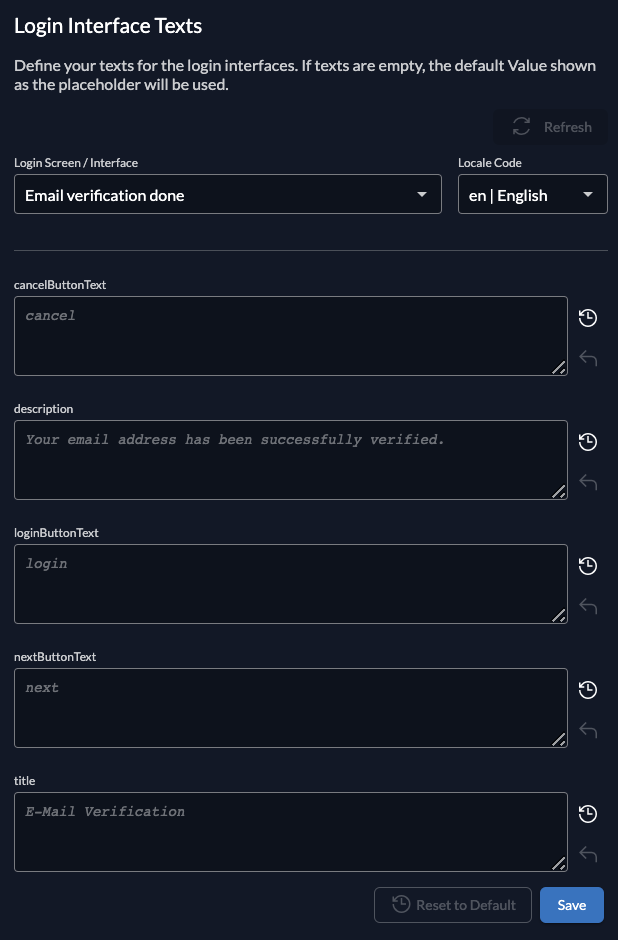
Custom Login UI Texts This feature provides customers with the flexibility to personalize the user experience by customizing various text elements across different screens of the login UI. Administrators can modify default messages, labels, and instructions to align with their branding, provide specific guidance, or cater to unique regional or organizational needs, ensuring a more tailored and intuitive authentication process for their users.
General Availability
Hosted Login v2 We're officially moving our new Login UI v2 from beta to General Availability. Starting now, it will be the default login experience for all new customers. With this release, 8.0 we are also focused on implementing previously missing features, such as device authorization and LDAP IDP support, to make the new UI fully feature-complete. * [Hosted Login V2](../guides/integrate/login/hosted-login#hosted-login-version-2)
Actions v2 This API enables you to manage custom executions and targets—formerly known as actions—across your entire ZITADEL instance. With Actions V2, you gain significantly more flexibility to tailor ZITADEL’s behavior compared to previous versions. Actions are now available instance-wide, eliminating the need to configure them for each organization individually. ZITADEL no longer restricts the implementation language, tooling, or runtime for action executions. Instead, you define external endpoints that are called by ZITADEL and maintained by you. * [Actions V2](/reference/api/action)
Deprecated endpoints
Organization Objects V1 > Users V1 * `AddMachineKey()` * `AddMachineUser()` * `AddPersonalAccessToken()` * `BulkRemoveUserMetadata()` * `BulkSetUserMetadata()` * `GenerateMachineSecret()` * `GetMachineKeyByIDs()` * `GetOrgByDomainGlobal()` * `GetPersonalAccessTokenByIDs()` * `GetUserMetadata()` * `ListAppKeys()` * `ListMachineKeys()` * `ListPersonalAccessTokens()` * `ListUserMetadata()` * `RemoveMachineKey()` * `RemoveMachineSecret()` * `RemovePersonalAccessToken()` * `RemoveUserMetadata()` * `SetUserMetadata()` * `UpdateHumanPhone()` * `UpdateMachine()` * `UpdateUserName()`
Projects V1 * `AddProject()` * `AddProjectGrant()` * `AddProjectRole()` * `BulkAddProjectRoles()` * `DeactivateProject()` * `DeactivateProjectGrant()` * `GetGrantedProjectByID()` * `GetProjectByID()` * `GetProjectGrantByID()` * `ListAllProjectGrants()` * `ListGrantedProjectRoles()` * `ListGrantedProjects()` * `ListProjectGrants()` * `ListProjectRoles()` * `ListProjects()` * `ReactivateProject()` * `ReactivateProjectGrant()` * `RemoveProject()` * `RemoveProjectGrant()` * `RemoveProjectRole()` * `UpdateProject()` * `UpdateProjectGrant()` * `UpdateProjectRole()`
Members V1 * `AddIAMMember()` * `AddOrgMember()` * `AddProjectGrantMember()` * `AddProjectMember()` * `ListIAMMembers()` * `ListOrgMembers()` * `ListProjectGrantMembers()` * `ListProjectMembers()` * `ListUserMemberships()` * `RemoveIAMMember()` * `RemoveOrgMember()` * `RemoveProjectGrantMember()` * `RemoveProjectMember()` * `UpdateIAMMember()` * `UpdateOrgMember()` * `UpdateProjectGrantMember()` * `UpdateProjectMember()`
Instance Lifecycle V1 > System Service V1 * `AddInstanceTrustedDomain()` * `GetMyInstance()` * `ListInstanceDomains()` * `ListInstanceTrustedDomains()` * `RemoveInstanceTrustedDomain()`
Instance Objects V1 > Organizations V1 * `GetDefaultOrg()` * `GetOrgByID()` * `IsOrgUnique()`
v5-x [#v-5-x] **Current State**: Planning **Release**: TBC
New Features
Analytics We provide comprehensive and insightful analytics capabilities that empower you with the information needed to understand platform usage, monitor system health, and make data-driven decisions.
Daily Active Users (DAU) & Monthly Active Users (MAU) Administrators need to track user activity to understand platform usage and identify trends. This feature provides basic metrics for daily and monthly active users, allowing for filtering by date range and scope (instance-wide or within a specific organization). The metrics should ensure that each user is counted only once per day or month, respectively, regardless of how many actions they performed. This minimal feature serves as a foundation for future expansion into more detailed analytics. For more details track our [github issue](https://github.com/zitadel/zitadel/issues/7506).
Resource Count Metrics To effectively manage a Zitadel instance, administrators need to understand resource utilization. This feature provides metrics for resource counts, including organizations, users (with filtering options), projects, applications, and authorizations. For users, we will offer filters to retrieve the total count, counts per organization, and counts by user type (human or machine). These metrics will provide administrators with valuable insights into the scale and complexity of their Zitadel instance. For more details track our [github issue](https://github.com/zitadel/zitadel/issues/9709).
Operational Metrics To empower customers to better manage and optimize their Zitadel instances, we will provide access to detailed operational metrics. This data will help customers identify potential issues, optimize performance, and ensure the stability of their deployments. The provided data will encompass basic system information, infrastructure details, settings, error reports, and the health status of various Zitadel components, accessible via a user interface or an API. For more details track our [github issue](https://github.com/zitadel/zitadel/issues/9476).
User Groups Administrators will be able to define groups within an organization and assign users to these groups. More details about the feature can be found [here](https://github.com/zitadel/zitadel/issues/9702)
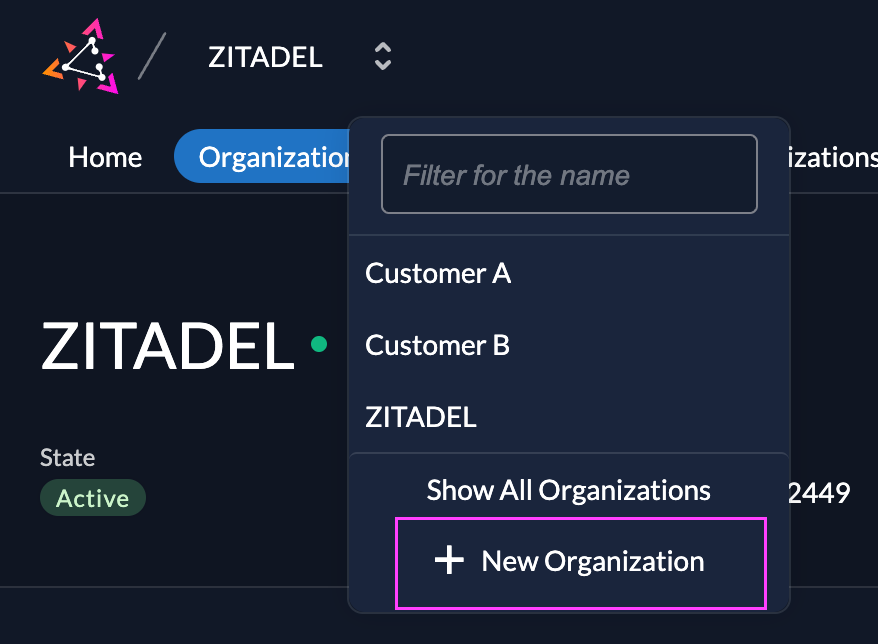
User Uniqueness on Organization Level Administrators will be able to define weather users should be unique across the instance or within an organization. This allows managing users independently and avoids conflicts due to shared user identifiers. Example: The user with the username [user@gmail.com](mailto:user@gmail.com) can be created in the Organization "Customer A" and "Customer B" if uniqueness is defined on the organization level. Stay updated on the progress and details on our [GitHub Issue](https://github.com/zitadel/zitadel/issues/9535)
Remove Required Fields Currently, the user creation process requires several fields, such as email, first name, and last name, which can be restrictive in certain scenarios. This feature allows administrators to create users with only a username, making other fields optional. This provides flexibility for systems that don't require complete user profiles upon initial creation for example simplified onboarding flows. For more details check out our [GitHub Issue](https://github.com/zitadel/zitadel/issues/4386)
Feature Deprecation
Actions V1
Breaking Changes
Hosted Login v1 will be removed
Zitadel APIs v1 will be removed
v6-x [#v-6-x]
New Features
Basic Threat Detection Framework This initial version of our Threat Detection Framework is designed to enhance the security of your account by identifying and challenging potentially anomalous user behavior. When the system detects unusual activity, it will present a challenge, such as a reCAPTCHA, to verify that the user is legitimate and not a bot or malicious actor. Security administrators will also have the ability to revoke user sessions based on the output of the threat detection model, providing a crucial tool to mitigate potential security risks in real-time. We are beginning with a straightforward reCAPTCHA-style challenge to build and refine the core framework. This foundational step will allow us to gather insights into how the system performs and how it can be improved. Future iterations will build upon this groundwork to incorporate more sophisticated detection methods and a wider range of challenge and response mechanisms, ensuring an increasingly robust and intelligent security posture for all users. More details can be found in the (GitHub Issue]\([https://github.com/zitadel/zitadel/issues/9707](https://github.com/zitadel/zitadel/issues/9707))
SCIM Outbound Automate user provisioning to your external applications with our new SCIM Client. This feature ensures users are automatically created in downstream systems before their first SSO login, preventing access issues and streamlining onboarding. It also synchronizes user lifecycle events, so changes like deactivations or deletions are instantly reflected across all connected applications for consistent and secure access management. The initial release will focus on provisioning the user resource. More details can be found in the (GitHub Issue]\([https://github.com/zitadel/zitadel/issues/6601](https://github.com/zitadel/zitadel/issues/6601))
Analytics We provide comprehensive and insightful analytics capabilities that empower you with the information needed to understand platform usage, monitor system health, and make data-driven decisions.
Login Insights: Successful and Failed Login Metrics To enhance security monitoring and gain insights into user authentication patterns, administrators need access to login metrics. This feature provides data on successful and failed login attempts, allowing for filtering by time range and level (overall instance, within a specific organization, or for a particular application). This will enable administrators to detect suspicious login activity, analyze authentication trends, and proactively address potential security concerns. For more details track our [GitHub issue](https://github.com/zitadel/zitadel/issues/9711).
Impersonation: External Token Exchange This feature expands our existing impersonation capabilities to support seamless and secure integration with external, third-party applications. Currently, our platform supports impersonation for internal use cases, allowing administrators or support staff to obtain a temporary token for an end-user to troubleshoot issues or provide assistance within applications that already use ZITADEL for authentication. (You can find more details in our [existing documentation](/guides/integrate/token-exchange)). The next evolution of this feature will focus on external applications. This enables scenarios where a user, already authenticated in a third-party system (like their primary e-banking portal), can seamlessly access a connected application that is secured by ZITADEL without needing to log in again. For example, a user in their e-banking app could click to open an integrated "Budget Planning" tool that relies on ZITADEL for access. Using a secure token exchange, the budget app will grant the user a valid session on their behalf, creating a smooth, uninterrupted user experience while maintaining a high level of security. This enhancement bridges the authentication gap between external platforms and ZITADEL-powered applications.
Future Vision / Upcoming Features [#future-vision-upcoming-features] Fine Grained Authorization [#fine-grained-authorization] We're planning the future of Zitadel and fine-grained authorization is high on our list. While Zitadel already offers strong role-based access (RBAC), we know many of you need more granular control. **What is Fine-Grained Authorization?** It's about moving beyond broad roles to define precise access based on: * Attributes (ABAC): User details (department, location), resource characteristics (sensitivity), or context (time of day). * Relationships (ReBAC): Connections between users and resources (e.g., "owner" of a document, "manager" of a team). * Policies (PBAC): Explicit rules combining attributes and relationships. **Why Explore This?** Fine-grained authorization can offer: * Tighter Security: Minimize access to only what's essential. * Greater Flexibility: Adapt to complex and dynamic business rules. * Easier Compliance: Meet strict regulatory demands. * Scalable Permissions: Manage access effectively as you grow. **We Need Your Input!** 🗣️ As we explore the best way to bring this to Zitadel, tell us: * Your Use Cases: Where do you need more detailed access control than standard roles provide? * Preferred Models: Are you thinking attribute-based, relationship-based, or something else? * Integration Preferences: * A fully integrated solution within Zitadel? * Or integration with existing authorization vendors (e.g. openFGA, cerbos, etc.)? Your feedback is crucial for shaping our roadmap. 🔗 Share your thoughts and needs in our [discussion forum](https://discord.com/channels/927474939156643850/1368861057669533736) Threat Detection [#threat-detection] We're taking the next step in securing your applications by exploring a new Threat Detection framework for Zitadel. Our goal is to proactively identify and stop malicious activity in real-time. **Our First Step: A Modern reCAPTCHA Alternative** We will begin by building a system to detect and mitigate malicious bots, serving as a smart, privacy-focused alternative to CAPTCHA. This initial use case will help us combat credential stuffing, spam registrations, and other automated attacks, forming the foundation of our larger framework. **How We Envision It** Our exploration is focused on creating an intelligent system that: * **Analyzes Signals**: Gathers data points like IP reputation, device characteristics, and user behavior to spot suspicious activity. * **Uses AI/**: Trains models to distinguish between legitimate users and bots, reducing friction for real users. * **Mitigates Threats**: Enables flexible responses when a threat is detected, such as blocking the attempt, requiring MFA, or sending an alert. **Help Us Shape the Future** 🤝 As we design this framework, we need to know: * What are your biggest security threats today? * What kind of automated responses (e.g., block, notification) would be most useful for you? * What are your key privacy or compliance concerns regarding threat detection? Your feedback will directly influence our development and ensure we build a solution that truly meets your needs. 🔗 Join the conversation and share your insights [here](https://discord.com/channels/927474939156643850/1375383775164235806) The Role of AI in Zitadel [#the-role-of-ai-in-zitadel] As we look to the future, we believe Artificial Intelligence will be a critical tool for enhancing both user experience and security within Zitadel. Our vision for AI is focused on two key areas: providing intelligent, contextual assistance and building a collective defense against emerging threats. 1. **AI-Powered Support** We want you to get fast, accurate answers to your questions without ever having to leave your workflow. To achieve this, we are integrating an AI-powered support assistant trained on our knowledge base, including our documentation, tutorials, and community discussions. Our rollout is planned in phases to ensure we deliver a helpful experience: * **Phase 1 (Happening Now)**: We are currently testing a preliminary version of our AI bot within our [community channels](https://discord.com/channels/927474939156643850/1357076488825995477). This allows us to gather real-world questions and answers, refining the AI's accuracy and helpfulness based on direct feedback. * **Phase 2 (Next Steps)**: Once we are confident in its capabilities, we will integrate this AI assistant directly into our documentation. You'll be able to ask complex questions and get immediate, well-sourced answers. * **Phase 3 (The Ultimate Goal)**: The final step is to embed the assistant directly into the ZITADEL Management Console/Customer Portal. Imagine getting help based on the exact context of what you're doing—whether you're configuring an action, setting up a new organization, or integrating social login. 2. **Decentralized AI for Threat Detection** Security threats are constantly evolving. A threat vector that targets one customer today might target another tomorrow. We believe in the power of collective intelligence to provide proactive security for everyone. This leads to our second major AI initiative: **decentralized model training** for our Threat Detection framework. Here’s how it would work: * **Collective Data, Anonymously**: Customers across our cloud and self-hosted environments experience different user behaviors and threat vectors. We plan to offer an opt-in system where anonymized, non-sensitive data (like behavioral patterns and threat signals) can be collected from participating instances. * **Centralized Training**: This collective, anonymized data will be used to train powerful, next-generation AI security models. With a much larger and more diverse dataset, these models can learn to identify subtle and emerging threats far more effectively than a model trained on a single instance's data. * **Shared Protection**: These constantly improving models would then be distributed to all participating Zitadel instances. The result is a powerful security network effect. You could receive protection from a threat vector you haven't even experienced yet, simply because the system learned from an attack on another member of the community. Zitadel Ecosystem [#zitadel-ecosystem] PHP SDK [#php-sdk] GitHub Repository: [PHP SDK](https://github.com/zitadel/client-php) v3.x (PHP) [#v-3-x-php] Java SDK [#java-sdk] GitHub Repository: [Java SDK](https://github.com/zitadel/client-java) v3.x (Java) [#v-3-x-java] Ruby SDK [#ruby-sdk] GitHub Repository: [Ruby SDK](https://github.com/zitadel/client-ruby) v3.x (Ruby) [#v-3-x-ruby] Python SDK [#python-sdk] GitHub Repository: [Python SDK](https://github.com/zitadel/client-python) v3.x (Python) [#v-3-x-python] # Annex for ZITADEL Enterprise and Support Services Last updated on November 15, 2023 This annex of the [Framework Agreement](./terms-of-service) describes the commercial support services (**Support Services**, **Enterprise License**, or **Enterprise Agreement**) for units of ZITADEL software products (**Unit**), if not otherwise defined a Unit refers to a is a single, dedicated setup of an application or service covered under an Enterprise agreement. The customer relationship (**Framework Agreement** or **The Agreement**) is created by the **Customer** (**"you"**) by accepting a **Purchase Order** (**"PO"**) for the specified Support Services (**Booking**). Jointly you and ZITADEL will be referred to as **the Parties**. The terms of service (**"TOS"**) outlined in this document establish the most important points of this Framework Agreement – independently of the use of any other services. Term [#term] Coverage under this Agreement will start with Booking of Support Services, for a minimum period of 12 months. Support Services agreements will automatically renew for additional one-year term upon submission of a purchase order for renewal, unless either you or ZITADEL provides written notice (E-Mail sufficient) of termination of any such term. Each renewal will be at ZITADEL's then-current rate. In the event that you accesses ZITADEL Support services in any way after the Agreement has expired or been terminated, you will continue to be bound by this Agreement, which will continue to apply to the services after such expiration or termination. Service review [#service-review] If not otherwise agreed, ZITADEL offers a yearly review meeting with you to discuss the service quality and any feedback you might have. We are not required to participate in the meeting after the term has expired. Your obligations [#your-obligations] Maintenance of units [#maintenance-of-units] You will ensure that units eligible for Support Service are maintained and upgraded frequently. If you operate units with a release date older than 180 days since our latest stable release, the term is continued but ZITADEL is not required to handle any support request for that unit until the units are upgraded and re-certified. Support Process [#support-process] You will ensure to follow the support process, especially provide all required initial information to the issue, as outlined in the [Annex](./service-description/support-services) to this document. Training of support staff [#training-of-support-staff] You will ensure regular training of your support staff. Your support staff must be able to provide the required information for support issues to us, and thus requires access and up-to-date knowledge of the services. Initial know-how transfer for the services will be organized in training sessions conducted by us. We can provide knowledge sessions throughout the term to train newly onboarded staff, update your support staff about important updates, or refresh knowledge in specified areas. In case we notice insufficient quality of support requests from Customers, we will propose appropriate training sessions. Financial [#financial] Lapsed Service Fee [#lapsed-service-fee] In case the term of the Support Service contract has expired within 1 to 180 days, you will be required to pay a Lapsed Service fee in addition to purchasing and activating a one-year renewal contract term at the then-current fee and conditions. The renewal term's start date will also be backdated to begin coverage from the service's original expiration date. Please contact us for current fees. Recertification Fee [#recertification-fee] Recertification of a unit, to be covered under Support Services, is required for: * units for which Support Services have been expired for more than 180 days * units that run a release that is older than 180 days from the products most recent stable release * requests for support on products and services purchased or supported from non-authorized resellers Recertification of a unit requires payment of a Recertification Fee which results in a checkup of the unit by ZITADEL. The unit will be inspected to assess its condition and eligibility for service coverage. Please contact us for current fees. Disaster recovery [#disaster-recovery] You are solely responsible to ensure appropriate backup and disaster recovery of Units managed by you. Any liability for damages, indirect or direct, in case of data loss is explicitly rejected. Amendments [#amendments] We are entitled to unilaterally amend these TOS at any time. The current version is accessible via our website. We will inform you of any amendments via email. These amendments shall be considered as accepted upon booking additional services or at the latest after 30 days. In the case of a rejection on your part we reserve the right to terminate the Framework Agreement. # Data Processing Agreement import { PiiTable } from "@/components/pii_table"; Last updated on May 8, 2025 This Data Protection Agreement and its annexes (“**DPA**”) are part of the [Framework Agreement](./terms-of-service) between Zitadel, Inc. and it's affiliates ("**Zitadel**") and the Customer in respect of the provision of certain services, including any applicable statement of work, booking, purchase order (PO) or any agreed upon instructions (the "**Agreement**") and applies where, and to the extent that, Zitadel processes Personal Data as a Processor on behalf of the Customer under the Framework Agreement (each a “**Party**” and together the “**Parties**”). All capitalized terms not defined in this DPA will have the meanings set forth in the Agreement. Any privacy or data protection related clauses or agreement previously entered into by Zitadel and the Customer, with regards to the subject matter of this DPA, will be superseded and replaced by this DPA. No one other than a Party to this DPA, their successors and permitted assignees will have any right to enforce any of its terms. This DPA shall become legally binding upon Customer entering into the Agreement. Definitions [#definitions] "**Applicable Data Protection Law**" means all worldwide data protection and privacy laws and regulations applicable to the Personal Data, including, where applicable, EU/UK Data Protection Law and US Data Protection Laws (in each case, as amended, adopted, or superseded from time to time). “**Controller**,” “**collecting**,” “**processor**,” and “**processing**,” shall have the meanings given to them under Applicable Data Protection Law. “**Business**,” “**service provider**,” “**contractor**,” “**selling**,” “**sharing**” and “**third party**” shall have the meanings given to them under applicable US Data Protection Laws. "**Customer Data**" means information, data and other content, in any form or medium, that is submitted, posted or otherwise transmitted by or on behalf of the Customer through the Zitadel Cloud or Services. For the avoidance of doubt, Customer Data includes Customer Personal Data. “**Customer Personal Data**” means, in any form or medium, all Personal Data that is processed by Zitadel or its sub-processors on behalf of Customer in connection with the Agreement. “**EU/UK Data Protection Law**” means: (i) Regulation 2016/679 of the European Parliament and of the Council on the protection of natural persons with regard to the processing of Personal Data and on the free movement of such data, also known as the General Data Protection Regulation (“**GDPR**”); (ii) the GDPR as saved into United Kingdom law by virtue of section 3 of the United Kingdom’s European Union (Withdrawal) Act 2018 (“**UK GDPR**”); (iii) the EU e-Privacy Directive (Directive 2002/58/EC); (iv) the Swiss Federal Act on Data Protection of 2020 and its Ordinance (“**Swiss FADP**”) and (v) any and all applicable national data protection laws and regulatory requirements made under, pursuant to or that apply in conjunction with any of (i), (ii) or (iii); in each case as may be amended or superseded from time to time. “**Personal Data**” shall have the meaning given to it, or to the terms “personally identifiable information” and “personal information” under applicable Data Protection Law, but shall include, at a minimum, any information related to an identified or identifiable natural person. “**Restricted Transfer**” means: (i) where the GDPR applies, a transfer of Personal Data from the EEA to a country outside of the EEA which is not subject to an adequacy determination by the European Commission; and (ii) where UK-GDPR applies, a transfer of Personal Data from the United Kingdom to any other country which is not subject to adequacy regulations pursuant to Section 17A of the United Kingdom Data Protection Act 2018, in each case whether such transfer is direct or via onward transfer. “**Security Incident**” means any unauthorized or unlawful breach of security leading to, or reasonably believed to have led to, the accidental or unlawful destruction, loss, or alteration of, or unauthorized disclosure or access to, Personal Data transmitted, stored or otherwise processed by Zitadel under or in connection with the Agreement. “**Standard Contractual Clauses**” or “**SCCs**” means the contractual clauses annexed to the European Commission’s Implementing Decision 2021/914 of 4 June 2021 on standard contractual clauses for the transfer of personal data to third countries pursuant to Regulation (EU) 2016/679 of the European Parliament and of the Council. “**sub-processor**” means any third-party processor engaged by Zitadel to process Customer Data (but shall not include Zitadel employees, contractors or consultants). “**UK Addendum**” means the International Data Transfer Addendum (version B1.0) issued by the Information Commissioner’s Office under S119(A) of the UK Data Protection Act 2018, as updated or amended from time to time. “**US Data Protection Laws**” means any relevant U.S. federal and state privacy laws (and any implementing regulations and amendment thereto) effective as of the date of this DPA and that applies to the processing of Customer Personal Data under the Agreement, which may include, depending on the circumstances and without limitation, (i) the California Consumer Privacy Act (Cal. Civ. Code §§ 1798.100 et seq.), as amended by the California Privacy Rights Act of 2020 along with its implementing regulations (“**CCPA**”), (ii) the Colorado Privacy Act (Colo. Rev. Stat. §§ 6-1-1301 et seq.) (CPA), (iii) Connecticut’s Data Privacy Act (CTDPA), (iv) the Utah Consumer Privacy Act (Utah Code Ann. §§ 13-61-101 et seq.) (UCPA) and (v) the Virginia Consumer Data Protection Act VA Code Ann. §§ 59.1-575 et seq. (VCDPA). Processing of Personal Data [#processing-of-personal-data] This DPA applies where and only to the extent that Zitadel processes Customer Personal Data in connection with the provision of the Services under the Agreement involving the processing of Personal Data protected by Applicable Data Protection Law. This DPA reflects the commitment of both Parties to abide by Applicable Data Protection Law for the processing of Personal Data by Zitadel as a processor for the purpose of the Zitadel's provision of the Services and its execution of the Agreement. This DPA will become effective on the date the Agreement enters into effect and will remain in force for the term of the Agreement, unless otherwise provided for in this DPA or unless individual provisions obviously result in obligations going beyond this. For the avoidance of doubt, the terms of the Framework Agreement will continue in full force and effect; however, to the extent any term in any Agreement regarding either Party’s obligations with respect to Customer Data is less restrictive than or is inconsistent with this DPA, the terms of this DPA shall supersede and control. The Parties acknowledge that the following Customer Data will be processed as part of the Services: Scope [#scope] Under this Agreement, Zitadel shall process Customer Personal Data to perform its obligations under the Agreement and and strictly in accordance with the documented instructions of Customer (the “**Permitted Purpose**”), except where otherwise required by law(s) that are not incompatible with Applicable Data Protection Law. The Parties acknowledge and agree that for the purposes of this DPA, the Customer is the controller and appoints Zitadel as a processor to process the Customer Personal Data. To the extent that the Parties are subject to the California Consumer Privacy Act (CCPA), the Customer is the business whereas Zitadel is a service provider to the Customer. Each Party shall comply with the obligations that apply to it under Applicable Data Protection Law. Each Party shall comply with its own obligations under Applicable Data Protection Law in respect of any Customer Personal Data processed under the Agreement. Customer's Responsibilities [#customers-responsibilities] The Customer’s instructions to Zitadel shall comply with Applicable Data Protection Law. The Customer will have sole responsibility for the accuracy, quality and legality of the Customer Data, the means by which the Customer acquired the Customer Data, and the Customer's permissions to process the Customer Data pursuant to this DPA. As required under Applicable Data Protection Law, the Customer will provide all necessary notices to data subjects and secure the applicable lawful grounds for processing Data under the DPA, including where applicable, all necessary permissions and consents from them. To the extent required under Applicable Data Protection Law, the Customer will receive and document the appropriate consent from the data subject(s). The Customer represents and warrants that (i) it complies with Applicable Data Protection Law as relevant to the lawful processing by Zitadel of Customer Personal Data for the purposes contemplated by this DPA and the Agreement; and (ii) to the knowledge of the Customer, the processing of Customer Personal Data by Zitadel in accordance with the Customer’s instructions will not cause Zitadel to be in breach of any Applicable Data Protection Law. The Customer shall not disclose any special categories of Personal Data or sensitive personal information (as these terms are defined under Applicable Data Protection Law) to Zitadel for processing. Obligations of the processor [#obligations-of-the-processor] Bound by the Customer's directions and instructions [#bound-by-the-customers-directions-and-instructions] Customer hereby instructs Zitadel to process Customer Data for the Permitted Purpose. Zitadel processes Personal Data in accordance with its privacy policy (cf. [Privacy Policy](./policies/privacy-policy)) and upon the documented directions of the Customer (which includes the Agreement). Subsequent instructions shall be given either in writing, whereby e-mail shall suffice, or orally with immediate written confirmation. Zitadel shall promptly inform Customer if it becomes aware that such processing instructions infringe Applicable Data Protection Law (but without obligation to actively monitor compliance with Applicable Data Protection Law). In such case, Zitadel shall be entitled to suspend the processing until the infringing instruction is withdrawn or confirmed. Confidentiality obligations [#confidentiality-obligations] Zitadel shall ensure that any person that it authorizes to process Customer Data (including Zitadel’s staff, agents and sub-processors) (an “Authorized Person”) shall be subject to a strict duty of confidentiality (whether a contractual duty or a statutory duty) and shall not permit any person to process the Customer Data that is not under such a duty of confidentiality. Zitadel shall ensure that all Authorized Persons process the Customer Data only as necessary for the Permitted Purpose. Technical and organizational measures [#technical-and-organizational-measures] Zitadel shall implement appropriate technical and organizational measures to protect the Customer Data from a Security Incident, as described in Annex II to this DPA. Such measures shall comply with all Applicable Data Protection Law and shall further have regard to the state of the art, the costs of implementation and the nature, scope, context and purposes of processing as well as the risk of varying likelihood and severity for the rights and freedoms of natural persons. The Customer acknowledges that such measures are subject to technical progress and development and that Zitadel may update or modify such measures from time to time, provided that such updates and modifications do not degrade or diminish overall security of the Customer Data, or of the Services under the Agreement. Involvement of subcontracted processors [#involvement-of-subcontracted-processors] Customer agrees that Zitadel may engage sub-processors to process Customer Data on Customer’s behalf. A current and complete [list of involved and approved sub-processors](https://zitadel.com/trust) can be found on our [Trust Center](https://zitadel.com/trust) (as may be updated from time to time in accordance with this DPA). Zitadel will notify Customer by updating the list of sub-processors and, if Customer has subscribed to notices, via email. If, within five (5) calendar days after such notice, Customer notifies Zitadel in writing that Customer objects to Zitadel's appointment of a new sub-processor based on reasonable data protection concerns, the parties will discuss such concerns in good faith with a view to achieving a commercially reasonable resolution. If the parties are not able to mutually agree to a resolution of such concerns, Customer, as its sole and exclusive remedy, may terminate the Agreement for convenience with no refunds and Customer will remain liable to pay any committed fees in an order form, order, statement of work or other similar ordering document. Zitadel shall inform the Customer if it adds or replaces any sub-processor at least fifteen (15) days prior to any such change (including details of the processing it performs or will perform). The Customer may object in writing to Zitadel’s engagement of a new sub-processor on reasonable grounds relating to the protection of Customer Personal Data by notifying Zitadel promptly in writing within fifteen (15) calendar days of receipt of Zitadel’s notice. In such case, the parties shall discuss Customer’s concerns in good faith with a view to achieving a commercially reasonable resolution. If such objection right is not exercised by Customer, silence shall be deemed to constitute an approval of the relevant sub-processor engagement. Where Zitadel appoints a sub-processor, Zitadel shall: (i) enter into an agreement with each sub-processor containing data protection terms that provide at least the same level of protection for Customer Data as those contained in this DPA, to the extent applicable to the nature of the services provided by such sub-processor; and (ii) remain responsible to the Customer for Zitadel’s sub-processors’ failure to perform their obligations with respect to the processing of Customer Data. Taking into account the safeguards set forth in this DPA, Customer Data may be processed outside of Switzerland or the EU/EAA, such as in the United States or any country in which Zitadel or is sub-processors operate. Our [list of involved and approved sub-processors](https://zitadel.com/trust) provides additional details. Assistance in responding to requests [#assistance-in-responding-to-requests] Zitadel shall provide all reasonable and timely assistance (which may include by appropriate technical and organizational measures) to the Customer to enable the Customer to respond to: (i) any request from a data subject to exercise any of their rights under Applicable Data Protection Law ("**Data Subject Request**"); and (ii) any other correspondence, enquiry or complaint received from a data subject, regulator or other third party in connection with the processing of Customer Personal Data. In the event that any such request, correspondence, enquiry or complaint is made directly to Zitadel, Zitadel shall promptly inform the Customer providing full details of the same. Zitadel will not respond to a Data Subject Request, however the Customer acknowledges and agrees that Zitadel may at its discretion respond to confirm that such request relates to the Customer. The Customer hereby acknowledges and agrees that the Services include features which will allow the Customer to manage Data Subject Requests directly through the Services without additional assistance from the Processor. If the Customer does not have the ability to address a Data Subject Request, Zitadel will, upon the Customer’s written request, provide reasonable assistance to facilitate the Customer’s response to such Data Subject Request to the extent such assistance is consistent with Applicable Data Protection Law; provided that the Customer will be responsible for paying for any reasonable costs incurred or fees charged by Zitadel for providing such assistance. Zitadel, unless prohibited from doing so by applicable law, will promptly notify the Customer of any requests from a regulator, law enforcement authority or any other relevant and competent authority in relation to the Customer Personal Data that is being processed on behalf of the Customer, to the extent that the request may result in the disclosure of Customer Personal Data to such regulator, law enforcement authority or any other relevant and competent authority. Cooperation and support for the Customer [#cooperation-and-support-for-the-customer] Zitadel shall provide the Customer with all such reasonable and timely assistance as Customer may require in order to enable it to conduct a data protection impact assessment (or equivalent document) where required by Applicable Data Protection Law, including, if necessary, to assist Customer to consult with its relevant data protection or other regulatory authority. Security incidents [#security-incidents] Upon becoming aware of a Security Incident, Zitadel shall inform Customer without undue delay and provide all such timely information and cooperation as Customer may require for the Customer to fulfil its data breach or cybersecurity incident reporting obligations under (and in accordance with the timescales required by) Applicable Data Protection Law. Customer shall further take all such measures and actions as are reasonable and necessary to investigate, contain, and remediate or mitigate the effects of the Security Incident, to the extent that the remediation is within Zitadel's control, and shall keep Customer informed of all material developments in connection with the Security Incident. Notwithstanding anything to the contrary, Zitadel's notification of or response to a Security Incident under this section will not be construed as an acknowledgment by Zitadel of any fault or liability with respect to such Security Incident. Deletion or destruction after termination [#deletion-or-destruction-after-termination] Upon termination or expiry of the Agreement, Zitadel shall (at the Customer’s election) destroy or return to the Customer all Customer Data (including all copies of the Customer Data) in its possession or control (including any Customer Data subcontracted to a third party for processing). This requirement shall not apply to the extent that Zitadel is required by any applicable law to retain some or all Customer Data, in which case Zitadel shall isolate and protect the Customer Data from any further processing except to the extent required by such law until deletion is possible. Customer's information and audit rights [#customers-information-and-audit-rights] To the extent required under Applicable Data Protection Law and on written request from the Customer, Zitadel shall provide written responses (which may include audit report summaries/extracts) to all reasonable requests for information made by the Customer related to its processing of Customer Personal Data as necessary to confirm Zitadel's compliance with this DPA. The Customer shall not exercise this right more than once in any twelve (12)-month rolling period, except (i) if and when required by instruction of a competent data protection or other regulatory authority; or (ii) if Zitadel has experienced a Security Incident where Customer was directly impacted. Nothing in this section shall be construed to require Zitadel to document or provide: (i) trade secrets or any proprietary information; (ii) any information that would violate Zitadel’s confidentiality obligations, contractual obligations, or applicable law; or (iii) any information, the disclosure of which could threaten, compromise, or otherwise put at risk the security, confidentiality, or integrity of Zitadel’s infrastructure, networks, systems, algorithms or data. Service Optimization [#service-optimization] Where permitted by Applicable Data Protection Law, Zitadel may process Customer Data: (i) for its internal uses to build or improve the quality of its services; (ii) to detect Security Incidents; and (iii) to protect against fraudulent or illegal activity. Zitadel may: (i) compile aggregated and/or de-identified information in connection with the provision of the Services, provided that such information cannot reasonably be used to identify Customer or any data subject to whom Customer Personal Data relates (“Aggregated and/or De-Identified Data”); and (ii) use such Aggregated and/or De-Identified Data for its lawful business purposes in accordance with Applicable Data Protection Law. Data Transfers [#data-transfers] Where either Party intends to transfer Personal Data cross-border and Applicable Data Protection Law requires certain measures to be implemented prior to such transfer, each Party agrees to implement such measures to ensure compliance with Applicable Data Protection Law. To the extent that the transfer of Personal Data from Customer to Zitadel involves a transfer of Personal Data outside the European Economic Area (EEA), Switzerland, or the United Kingdom to a jurisdiction which is not subject to an adequacy determination by the European Commission, United Kingdom or Swiss authorities (as applicable) that covers such transfer, then the SCCs are hereby incorporated by reference and form an integral part of the DPA. EEA Transfers [#eea-transfers] To the extent that Customer Personal Data is subject to the GDPR, and the transfer would be a Restricted Transfer, the SCCs apply as follows: 1. the Customer is the ‘data exporter’ and Zitadel is the ‘data importer’; 2. the Module Two terms (Transfer controller to processor) apply; 3. in Clause 7, the optional docking clause does not apply; 4. in Clause 9, Option 2 (General Authorization) applies and the time period for prior notice of sub-processor changes is set out in this DPA; 5. in Clause 11, the optional language does not apply; 6. in Clause 17, Option 1 applies, and the SCCs are governed by German law; 7. in Clause 18(b), disputes will be resolved before the courts of Hamburg in Germany; 8. in Annex I, the details of the parties and the transfer are set out in the Agreement; 9. in Clause 13(a) and Annex I, the Hamburg data protection authority will act as competent supervisory authority; 10. in Annex II, the description of the technical and organizational security measures is set out in Annex 2 of this DPA or, if not set out therein, the applicable statement of work; and 11. in Annex III, the list of sub-processors is set out at the address [https://zitadel.com/trust](https://zitadel.com/trust) or, if not set out therein, applicable statement of work. Swiss Transfers [#swiss-transfers] To the extent that Customer Personal Data is subject to Swiss law, and the transfer would be a Restricted Transfer, the SCCs apply as set out above with the following modifications: 1. references to ‘Regulation (EU) 2016/679’ are interpreted as references to the Swiss FADP or any successor thereof; 2. references to specific articles of ‘Regulation (EU) 2016/679’ are replaced with the equivalent article or section of the Swiss FADP, 3. references to ‘EU’, ‘Union’ and ‘Member State’ are replaced with ‘Switzerland’, 4. Clause 13(a) and Part C of Annex 2 is not used and the ‘competent supervisory authority’ is the Swiss Federal Data Protection Information Commissioner (“**FDPIC**”) or, if the transfer is subject to both the Swiss FADP and the GDPR, the FDPIC (insofar as the transfer is governed by the Swiss FADP) or the DPC (insofar as the transfer is governed by the GDPR), 5. references to the ‘competent supervisory authority’ and ‘competent courts’ are replaced with the FDPIC and ‘competent Swiss courts’, 6. in Clause 17, the SCCs are governed by the laws of Switzerland, 7. in Clause 18(b), disputes will be resolved before the competent Swiss courts, and 8. the SCCs also protect the data of legal entities until entry into force of the revised Swiss FADP. UK Transfers [#uk-transfers] To the extent that Customer Personal Data is subject to Applicable Data Protection Law of the United Kingdom, and the transfer would be a Restricted Transfer, the SCCs as set out above shall apply as amended by Part 2 of the UK Addendum, and Part 1 of the UK Addendum is deemed completed as follows: 1. in Table 1, the details of the parties are set out in the Agreement or, if not set out therein, the applicable statement of work; 2. in Table 2, the selected modules and clauses are set out in Section 6.3 of this DPA; 3. in Table 3, the appendix information is set out in the annexes to this DPA or, if not set out therein, the applicable statement of work; and 4. in Table 4, the ‘Exporter’ is selected. Alternative Transfer Mechanism [#alternative-transfer-mechanism] In the event that a court of competent jurisdiction or supervisory authority orders (for whatever reason) that the measures described in this DPA cannot be relied on to lawfully transfer Customer Personal Data, or Zitadel adopts an alternative data transfer mechanism to the mechanisms described in this DPA, including any new version of or successor to the standard contractual clauses (“Alternative Transfer Mechanism”), the Customer agrees to fully co-operate with Zitadel to agree an amendment to this DPA and/or execute such other documents and take such other actions as may be necessary to remedy such non-compliance or give legal effect to such Alternative Transfer Mechanism. Additional Provisions under US Data Protection Laws [#additional-provisions-under-us-data-protection-laws] The Parties agree that all Customer Personal Data that is subject to US Data Protection Laws (including the CCPA) is disclosed to Zitadel by the Customer for the Permitted Purpose and its use or sharing by the Customer with Zitadel is necessary to perform such Permitted Purpose. Zitadel agrees that it will not: 1. sell or share any Customer Personal Data to a third party for any purpose other than than for the Permitted Purpose; 2. retain, use, or disclose any Customer Personal Data (i) for any purpose other than for the Permitted Purpose, including for any commercial purpose, or (ii) outside of the direct business relationship between the Parties, except as necessary to perform the Permitted Purpose or as otherwise permitted by US Data Protection Laws; or 3. combine Customer Personal Data received from or on behalf of Customer with Personal Data received from or on behalf of any third party or collected from Zitadel’s own interaction with individuals or data subjects, except to perform a Permitted Purpose in accordance with the CCPA, the Agreement and this DPA. The Parties acknowledge that the Customer Personal Data that Customer discloses to Zitadel is provided only for the limited and specified purposes set forth as the Permitted Purpose in the Agreement and this DPA. Zitadel shall provide the same level of protection to Customer Personal Data as required by the CCPA and will: (i) assist the Customer in responding to any request from a data subject to exercise rights under US Data Protection Laws; and (ii) immediately notify the Customer if it is not able to meet the requirements under the CCPA. The Customer may take such reasonable and appropriate steps as may be necessary (a) to ensure that the Customer Personal Data collected is used in a manner consistent with the business’s obligations under the CCPA; and (b) to stop and remediate any unauthorized use of Customer Personal Data, and (b) to ensure that Customer Personal Data is used in a manner consistent with the CCPA. Miscellaneous [#miscellaneous] This DPA shall be governed by and construed in accordance with the governing law and jurisdiction provisions set out in the Agreement, unless required otherwise by Applicable Data Protection Law. Any liability owed by one party to the other under this DPA shall be subject to the limitations of liability set forth in the Agreement. This DPA shall terminate upon the earlier of (i) the termination or expiry of all Agreement under which Customer Data may be processed, or (ii) the written agreement of the Parties. Any notices shall be delivered to a Party in accordance with the notice provisions of the Agreement, unless otherwise specified hereunder. Annex 1: Description of Processing Activities / Transfer [#annex-1-description-of-processing-activities-transfer] List of Parties [#list-of-parties] | Data Exporter | Data Importer | | :----------------------------------------------------------------------------------- | :----------------------------------------------------------------------------------- | | Name: The Party identified as the Customer in the Agreement. | Name: The Party identified as Zitadel in the Agreement. | | Address: As identified in the Agreement. | Address: As identified in the Agreement. | | Contact Person's Name, position and contact details: As identified in the Agreement. | Contact Person's Name, position and contact details: As identified in the Agreement. | | Activities relevant to the transfer: See below | Activities relevant to the transfer: See below | | Role: Controller | Role: Processor | Description of processing / transfer [#description-of-processing-transfer] | | Description | | :--------------------------------------------------------------------------------------------------- | :------------------------------------------------------------------------ | | **Categories of data subjects:** | As described in the section "Processing of Personal Data" of the DPA | | **Categories of personal data:** | As described in the section "Processing of Personal Data" of the DPA | | **Sensitive data:** | None. | | **If sensitive data, the applied restrictions or safeguards** | N/A | | **Frequency of the transfer:** | Continuous | | **Nature and subject matter of processing:** | The Services described in the Agreement. | | **Purpose(s) of the data transfer and further processing:** | As set forth in the Agreement. | | **Retention period (or, if not possible to determine, the criteria used to determine that period):** | The personal data may be retained until termination or expiry of the DPA. | Competent supervisory authority [#competent-supervisory-authority] The competent supervisory authority in connection with Customer Personal Data protected by the GDPR, is the Hamburg data protection authority. If this is not possible, then as otherwise agreed by the parties consistent with the conditions set forth in Clause 13. In connection with Customer Personal Data that is protected by UK-GDPR, the competent supervisory authority is the Information Commissioners Office (the "ICO"). Annex 2: Technical and organizational measures [#annex-2-technical-and-organizational-measures] Zitadel has implemented an information security program, that is designed to protect the confidentiality, integrity and availability of Customer Data. Zitadel's information security program includes the following organizational and technical security measures to ensure a level of protection of the Personal Data processed that is appropriate to the risk: Pseudonymization / Encryption [#pseudonymization-encryption] The following measures for pseudonymization and encryption exist: 1. All communication is encrypted with TLS >1.2 with PFS 2. Critical data is exclusively stored in encrypted form 3. Storage media that store customer data are always encrypted 4. Passwords are irreversibly stored with a hash function 5. Data for web analytics are pseudonymized and do not contain any personal data Ensuring certain properties of the systems and services [#ensuring-certain-properties-of-the-systems-and-services] Confidentiality [#confidentiality] The following confidentiality measures exist: 1. Information security policies 2. Authentication policies 3. Vendor management policies 4. Technical measures in this annex Integrity [#integrity] The following integrity measures exist: 1. Code and container images are automatically checked for vulnerabilities 2. An automated system is used to keep dependencies up to date 3. Secrets are automatically rotated whenever possible and are short-lived (for example, signing keys) 4. Changes to code or infrastructure require mandatory review by at least one other employee Availability [#availability] The following measures of availability exist: 1. Operation of the systems in combination with a CDN/DDoS mitigation service 2. High availability operation 3. Geo-redundant operation over at least two data centers Load capacity [#load-capacity] The following measures of availability exist: 1. Automatic scaling of resources 2. Monitoring, logging, tracing and alerting Restoring availability and access [#restoring-availability-and-access] The following measures exist to restore availability and access: 1. Implementation of a backup concept 2. Emergency plan 3. Testing of the emergency plan Regular review, assessment and evaluation of effectiveness [#regular-review-assessment-and-evaluation-of-effectiveness] The following measures exist for regular review, assessment and evaluation of effectiveness: 1. At least annual audit and evaluation of processes within the framework of an information security management system 2. Responsible Disclosure and Bug Bounty policies 3. External audit of system security ("penetration testing") # Legal Agreements {/* THIS FILE IS AUTO-GENERATED FROM SIDEBAR-DATA. ANY MANUAL CHANGES WILL BE OVERWRITTEN. */} import { Card, Cards } from 'fumadocs-ui/components/card'; import { FileText, Folder, Link as LinkIcon } from 'lucide-react'; } /> } /> } /> } /> } /> } /> # Third party sub-processors for ZITADEL Last updated on December 5, 2025. In order to achieve the best possible transparency we publish which sub-processors and services we use to provide ZITADEL and related services. The table shows what activity each entity performs. More information about each activity is provided directly below. This explains the limited processing of customer data the entity is authorized to perform. We regularly audit all data processing agreements that we have with our sub-processors to guarantee that they adhere to the same level of privacy as ours to protect your personal data. You can find [the full list of sub-processors in our trust center](https://trust.zitadel.com/subprocessors). We try to minimize the number of sub-processors that handle end-user data on our behalf to reduce any vendor related risks. Some providers are used by default, but you can opt out of the default provider and replace the sub-processor by a provider of your choice. # Terms of Service Agreement Last updated on November 15, 2023 General [#general] Introduction [#introduction] CAOS Ltd. (**"We"**, **ZITADEL**, **CAOS AG**, or simply **CAOS**), with head office in Lerchenfeldstrasse 3, 9014 St. Gallen, Switzerland, offers "Identity and Access Management as service" with the brand name "ZITADEL Cloud Services" and all of our Websites (**Services** or **ZITADEL Cloud**). The customer relationship (**Framework Agreement** or **The Agreement**) is created by the **Customer** (**"you"**) by creating a user or organization within the ZITADEL Cloud Service or with signature of a purchase order between you and ZITADEL (jointly referred to as **Parties**). On the basis of this Framework Agreement you may then choose to make use of payable services (**Subscription**) as you wish, i.e. you may book services, options and packages yourself at any time (**Booking**, **Purchase Order**, **PO**) and subsequently terminate them. The terms of service (**"TOS"**) outlined in this document establish the most important points of this Framework Agreement – independently of the use of any services. This Agreement has the following appendices. When you enter the Agreement with us, you accept these agreements. * [**Data Processing Agreement**](./data-processing-agreement) - How we process personal data on behalf of you * [**Service Descriptions**](./service-description) - How we provide services to you * [**Policies**](./policies) - Policies that apply for use of our services * [**Enterprise Agreement**](./annex-support-services) - Annex for Enterprise Agreement and Support Services The outlined policies complement these terms of service. When accepting the TOS, you accept these policies. Alterations [#alterations] Any provisions which deviate from these TOS must be agreed in writing between the Customer and us. Such agreements shall take precedence over the TOS outlined in this document. Transfer [#transfer] You may only transfer the Framework Agreement or Services used in the context of the Framework Agreement to third parties with our prior written consent. Our Services [#our-services] Type and scope of the services [#type-and-scope-of-the-services] We provide the Services under the conditions stated on our websites, or the latest customer specific purchase order, at the time of booking. Modifications of services offered [#modifications-of-services-offered] We are entitled to offer new services, to withdraw existing services (**Termination**) or to modify the specifications and prices of existing services (**Modification**) at any time. If the modification or termination affects a service that you are using at that time, we will inform you via email that said service will be automatically modified and/or is no longer available after a period of 30 days. If such modification would have a disadvantageous impact on the Customer use of service, ZITADEL and Customer must discuss the change with the Customer first and, to the best of its ability, find a solution that is acceptable to both Parties. If such a solution cannot be found, ZITADEL may implement the modification and Customer may submit notice of termination of the relevant Service (email is sufficient) before the modification becomes effective without being obliged to pay contractual penalties or termination fees. ZITADEL may modify the prices for a service after the minimum term of the agreement. Modification of services booked by you [#modification-of-services-booked-by-you] You may change or terminate Services or Subscriptions booked by you at any time. You may, where applicable, add more Services (e.g. add-ons) to your existing Services at any time. Modifications will take effect in the next billing period, or as agreed otherwise between the Parties. Changing services booked by you requires a new purchase order, stating the new conditions of the services after Modification, to be accepted by the Parties. Due care [#due-care] We take all appropriate physical and electronic precautions to ensure the security and availability of our infrastructure and the service offered thereupon, in particular to protect against unauthorized access to data, data loss, failures and misuse. The [Annex of the data processing agreement](./data-processing-agreement#annex-2-technical-and-organizational-measures) outlines the measures we take in more detail. Support [#support] We offer Support Services directly related to the use of our Services. The Description of Support Services is available as [Annex](./service-description/support-services) to this document. Customers without a subscription can contact us via the official [communication channels](https://zitadel.com/contact). The parties may enter a service level agreement, as specified in our [Support Service Description](./service-description/support-services), for booked Support Services. Only named persons in the Purchase Order, or as agreed in writing (email is sufficient) may use the Support Services to interact with ZITADEL. Service level [#service-level] Customers with a Subscription may be eligible for a SLA as outlined in our [Service Level Description](./service-description/service-level-description). Service credit [#service-credit] Failure to provide the agreed service level objectives during the term of the Agreement results in compensation via service credits, as outlined in the [Annex](./service-description/support-services) per service level objective. Customer must request service credit and must notify ZITADEL in writing (email sufficient) within 30 days of becoming eligible for service credit and must prove failure of ZITADEL to meet the stated objective. ZITADEL will confirm or reject the claim with reasons for a refusal within 10 days. Service credit will in no case be paid as a cash equivalent. No further guarantees are provided. Limited influence [#limited-influence] Be advised that the scope of our influence is limited. For example, the actual accessibility of a service is also dependent on the connection to and between various Internet Service Providers ("ISPs"). Portions of our services, i.e. software components, may also be beyond our influence and be subject to their own contractual conditions. You accept that in such cases we reject any responsibility. Inclusion of third parties [#inclusion-of-third-parties] We may include third parties in the provision of our services. See our [Privacy Policy](./policies/privacy-policy), [Third Party Sub-Processor List](./subprocessors), and our [Data Processing Agreement](./data-processing-agreement) for more information. Your obligations [#your-obligations] Contact information [#contact-information] At our request you will provide your truthful contact information and keep it updated at all times. You must also ensure that you actually receive messages, in particular emails, intended for you. Use [#use] You will ensure that the use of our Websites and Services by you or third parties complies with all applicable legislation, this Agreement, any Annexes and policies, specifically the [Acceptable Use Policy](./policies/acceptable-use-policy), at all times. Security [#security] You will take appropriate measures to prevent any misuse of the services you booked. These include, for example, securing the software used and the prompt installation of security updates as well as using suitably secure passwords. Disaster recovery [#disaster-recovery] We take care of the necessary disaster recovery measures. The goal is to maintain a maximum 24h old restore point off all the vital data. Any liability for damages, indirect or direct, in case of data loss is explicitly rejected. Reporting obligations [#reporting-obligations] You will immediately report any knowledge of a misuse of your booked services. Cooperation [#cooperation] If the maintenance of service quality requires your cooperation, for example to remedy errors in the services you use, you will provide said cooperation promptly and free of charge. Third party obligations [#third-party-obligations] You will ensure that your vicarious agents, customers and third parties fulfill these obligations as well. Financial [#financial] Credit and payment [#credit-and-payment] Signup to our Services does not require you to open a payment account. However, a payment account is required for the purchase of our Subscriptions. The costs for the services you have purchased will be debited periodically from your payment account or must be paid according to the purchase order. Payment procedure [#payment-procedure] If payment upon invoice is agreed, the payment deadline shall be 30 days after receipt of the invoice, or as stated in the purchase order. Offsetting [#offsetting] Offsetting against a counterclaim is prohibited. Collection [#collection] In the event of default we reserve the right to transfer our claim to a collections agency. You will bear any resulting costs insofar as legally permissible. Termination [#termination] Termination by you [#termination-by-you] You may terminate the Framework Agreement at any time by ceasing your use of the services and deleting your customer account on our website. For purchase orders, the term must be terminated by providing written notice (email is sufficient) of termination at least 30 days prior to the end of the term. Termination by us [#termination-by-us] We may terminate the Framework Agreement at any time via email message with a notice period of 90 days. Any use of the services will cease at the end of this period and the Framework Agreement will be terminated. Automatic termination [#automatic-termination] If you have neither used services nor made payment for a period of 180 days, the Framework Agreement will be considered automatically terminated at the end of this period. If you have a Subscription to any free plans, that don't require payment, we automatically the Framework Agreement will be considered automatically terminated after 30 days without any Daily Active User on the Unit. No reimbursement [#no-reimbursement] Any remaining credit shall automatically expire upon termination of the Framework Agreement. Termination of services [#termination-of-services] We are entitled to suspend and terminate services used by you if * Your credit has been used up by services and/or any applicable credit limit has been reached; * You are in default in the payment of open invoices and/or prompt payment seems unlikely (i.e. in the event of insolvency proceedings); * Your services were used illegally or in breach of contract, or if there is reasonable suspicion of such use (i.e. in the event of complaints or abuse reports); * Other customers' services are being negatively affected in breach of the fair use provision, including in the event of your services being subject to attacks by third parties (i.e. DoS/DDoS attacks); * We consider the suspension or termination of the services to be necessary for the protection of ourselves, our infrastructure or other customers. We reserve the right to immediately terminate the Framework Agreement in such cases. Deletion of data [#deletion-of-data] In the event of the termination of the contract, we reserve the right to irrevocably delete all of your data. Data protection [#data-protection] Please consult the annex to this Framework Agreement, specifically our [Privacy Policy](./policies/privacy-policy), [Data Processing Agreement](./data-processing-agreement), [Third Party Sub-Processors](./subprocessors), and or our [Trust Site](https://zitadel.com/trust/) for more information about how we process and protect your data. Liability [#liability] Our liability [#our-liability] We and/or third parties which we involve are only liable for demonstrably willful or grossly negligent damages. Our liability per damage event is limited to the value of the services used during the previous contractual year. Any liability in other cases, for consequential damages or lost profits is hereby excluded. Your liability [#your-liability] You are liable for all damages and costs arising from the illegal or non-contractual use of the services which you have booked. We in particular reserve the right to invoice you for any additional costs incurred by us in this context. Force majeure [#force-majeure] You acknowledge that we may be partially or entirely unable to provide our services during and/or as a result of events beyond our influence. These include events such as natural disasters, war, terrorism, sabotage, attacks on our infrastructure (i.e. DoS/DDoS attacks), failure of electrical or data connections and unexpected official requirements. We are not liable for any damages in such cases. Final provision [#final-provision] Applicable law [#applicable-law] The Framework Agreement is subject to Swiss law. Place of jurisdiction [#place-of-jurisdiction] The exclusive place of jurisdiction is St. Gallen, Switzerland. Severability clause [#severability-clause] Should any provision of these TOS be or become invalid, this shall not affect the validity of the remaining TOS. The invalid provision will be replaced by a valid one which approximates the invalid one as much as possible. Amendments [#amendments] We are entitled to unilaterally amend this Agreement at any time. The current version is accessible via our website. We will inform you of any amendments via email. These amendments shall be considered as accepted upon booking additional services or at the latest after 30 days. In the case of a rejection on your part we reserve the right to terminate the Framework Agreement. # Angular Overview [#overview] [Angular](https://angular.dev) is a TypeScript-based framework for building web applications. This example demonstrates how to integrate **Zitadel** using the **[OAuth 2.0 PKCE flow](https://oauth.net/2/pkce/)** to authenticate users securely and maintain sessions across your Angular application. Auth library [#auth-library] This example uses **[@edgeflare/ngx-oidc](https://www.npmjs.com/package/@edgeflare/ngx-oidc)** (built on **[oidc-client-ts](https://www.npmjs.com/package/oidc-client-ts)**) to implement the [OpenID Connect (OIDC)](https://zitadel.com/docs/apis/openidoauth/endpoints) protocol, manage [PKCE](https://oauth.net/2/pkce/) code challenge generation, perform secure token exchange, and provide session management helpers. *** What this example demonstrates [#what-this-example-demonstrates] This Angular application showcases a complete authentication pattern using [Zitadel](https://zitadel.com/docs) with [PKCE](https://oauth.net/2/pkce/). Users begin on a public landing page where they can initiate sign-in with Zitadel's authorization server. After successful authentication, the app handles the OAuth callback and redirects users to a protected profile page displaying their [user information and claims](https://zitadel.com/docs/apis/openidoauth/claims). The application integrates authentication logic into Angular routing: protected routes use router guards to automatically redirect unauthenticated users to the sign-in flow, and callback routes complete the PKCE exchange and restore session state. The example requests standard OIDC scopes (`openid`, `profile`, `email`), `offline_access` for refresh tokens, and Zitadel-specific scopes for metadata and role information. The example includes secure sign-out functionality implementing **[federated logout](https://zitadel.com/docs/guides/integrate/login/oidc/logout)** through Zitadel's end-session endpoint, which terminates both the local application session and the Zitadel session, then redirects the user back to the application. *** Getting started [#getting-started] Prerequisites [#prerequisites] Before running this example, you need to create and configure a PKCE application in the [Zitadel Console](https://zitadel.com/docs/guides/manage/console/console-overview). Follow the PKCE application setup guide to: 1. Create a new Web application in your [Zitadel project](https://zitadel.com/docs/guides/manage/console/projects-overview) 2. Configure it to use the PKCE authentication method 3. Set up your redirect URIs (e.g., `http://localhost:3000/auth/callback` for development) 4. Configure post-logout redirect URIs (e.g., `http://localhost:3000/auth/logout/callback`) 5. Copy your **Client ID** for use in the next steps 6. Optionally enable [refresh tokens](https://zitadel.com/docs/apis/openidoauth/grant-types#refresh-token) in Token Settings for long-lived sessions > **Note:** Make sure to enable **Dev Mode** in the [Zitadel Console](https://zitadel.com/docs/guides/manage/console/console-overview) if you're using HTTP URLs during local development. For production deployments, always use HTTPS URLs and disable Dev Mode. Run the example [#run-the-example] Once you have your [Zitadel application configured](https://zitadel.com/docs/guides/integrate/login/oidc/login-users): 1. Clone the [repository](https://github.com/zitadel/example-auth-angular). 2. Create a `.env` file (copy from `.env.example`) and configure it with the values from your [Zitadel application](https://zitadel.com/docs/guides/manage/console/applications-overview). Use these environment variable names exactly as shown: ``` NODE_ENV=development PORT=3000 NG_APP_ZITADEL_DOMAIN=https://your-zitadel-domain NG_APP_ZITADEL_CLIENT_ID=your-zitadel-application-client-id NG_APP_ZITADEL_CLIENT_SECRET= NG_APP_ZITADEL_CALLBACK_URL=http://localhost:3000/auth/callback NG_APP_ZITADEL_POST_LOGIN_URL=/profile NG_APP_ZITADEL_POST_LOGOUT_URL=http://localhost:3000/auth/logout/callback ``` Replace these values with: * Your actual [Zitadel instance URL](https://zitadel.com/docs/guides/manage/console/default-settings) (the **NG\_APP\_ZITADEL\_DOMAIN**) * The **Client ID** you copied when creating the application * The **redirect URIs** you configured in the PKCE setup (must match exactly) * The **post-logout redirect URIs** you configured (must match exactly) 3. Install dependencies using [npm](https://www.npmjs.com) and start the development server to verify the authentication flow end-to-end. *** Learn more and resources [#learn-more-and-resources] * [PKCE concept](https://oauth.net/2/pkce/) * [Federated logout](https://zitadel.com/docs/guides/integrate/login/oidc/logout) * [OIDC integration guide](https://zitadel.com/docs/guides/integrate/login/oidc/login-users) * [Angular documentation](https://angular.dev) * [@edgeflare/ngx-oidc package](https://www.npmjs.com/package/@edgeflare/ngx-oidc) * [oidc-client-ts package](https://www.npmjs.com/package/oidc-client-ts) * [Example repository](https://github.com/zitadel/example-auth-angular) # Astro Overview [#overview] [Astro](https://astro.build) is a modern web framework that delivers lightning-fast performance with server-first architecture and seamless client-side hydration. This example demonstrates how to integrate **[Zitadel](https://zitadel.com/docs)** authentication using the **[OAuth 2.0 PKCE flow](https://oauth.net/2/pkce/)** to secure your Astro application with professional identity management. Auth library [#auth-library] This example uses **[Auth.js](https://authjs.dev)** (specifically the **[@auth/core](https://www.npmjs.com/package/@auth/core)** package and **[auth-astro](https://www.npmjs.com/package/auth-astro)** adapter), a comprehensive authentication library that implements the [OpenID Connect](https://openid.net/connect/) protocol. Auth.js handles [PKCE](https://oauth.net/2/pkce/) code generation and verification, token exchange, session management, and automatic [token refresh](https://zitadel.com/docs/apis/openidoauth/grant-types#refresh-token) to maintain long-lived user sessions. *** What this example demonstrates [#what-this-example-demonstrates] This Astro application showcases a complete authentication workflow with [Zitadel](https://zitadel.com/docs) using [Auth.js](https://zitadel.com/docs) using [Auth.js](https://authjs.dev). Users start on a public landing page and click a login button to authenticate through Zitadel's [authorization endpoint](https://zitadel.com/docs) using [Auth.js](https://authjs.dev). Users start on a public landing page and click a login button to authenticate through Zitadel's [authorization endpoint](https://zitadel.com/docs/apis/openidoauth/endpoints) using the secure [PKCE flow](https://zitadel.com/docs). After successful authentication, users are redirected to a protected profile page displaying their [user information and claims](https://zitadel.com/docs) using [Auth.js](https://authjs.dev). Users start on a public landing page and click a login button to authenticate through Zitadel's [authorization endpoint](https://zitadel.com/docs/apis/openidoauth/endpoints) using the secure [PKCE flow](https://oauth.net/2/pkce/). After successful authentication, users are redirected to a protected profile page displaying their [user information and claims](https://zitadel.com/docs/apis/openidoauth/claims) retrieved from the [ID token](https://zitadel.com/docs/apis/openidoauth/endpoints#token_endpoint). The example implements server-side session management with encrypted [JWT tokens](https://zitadel.com/docs/apis/openidoauth/endpoints#token_endpoint), ensuring secure authentication state across Astro's [server-rendered pages](https://zitadel.com/docs). Protected routes automatically redirect unauthenticated users to the login flow using [Astro's middleware](https://zitadel.com/docs), preventing unauthorized access to sensitive areas. The application includes complete [logout functionality](https://zitadel.com/docs/guides/integrate/login/oidc/logout) that performs [federated single sign-out](https://zitadel.com/docs/guides/integrate/login/oidc/logout), terminating both the local session and the remote Zitadel session through the [end-session endpoint](https://zitadel.com/docs) using [Auth.js](https://authjs.dev). Users start on a public landing page and click a login button to authenticate through Zitadel's [authorization endpoint](https://zitadel.com/docs/apis/openidoauth/endpoints). It demonstrates [token refresh](https://zitadel.com/docs/guides/integrate/login/oidc/logout) that performs [federated single sign-out](https://zitadel.com/docs/guides/integrate/login/oidc/logout), terminating both the local session and the remote Zitadel session through the [end-session endpoint](https://zitadel.com/docs/apis/openidoauth/endpoints). It demonstrates [token refresh](https://zitadel.com/docs/apis/openidoauth/grant-types#refresh-token) capabilities using [refresh tokens](https://zitadel.com/docs/apis/openidoauth/endpoints#token_endpoint) with the `offline_access` [scope](https://zitadel.com/docs/guides/integrate/login/oidc/logout) that performs [federated single sign-out](https://zitadel.com/docs/guides/integrate/login/oidc/logout), terminating both the local session and the remote Zitadel session through the [end-session endpoint](https://zitadel.com/docs/apis/openidoauth/endpoints). It demonstrates [token refresh](https://zitadel.com/docs/apis/openidoauth/grant-types#refresh-token) capabilities using [refresh tokens](https://zitadel.com/docs/apis/openidoauth/endpoints#token-endpoint) with the `offline_access` [scope](https://zitadel.com/docs/apis/openidoauth/scopes), allowing users to maintain authenticated sessions without repeated logins. The example also shows how to request additional [OIDC scopes](https://zitadel.com/docs/guides/integrate/login/oidc/logout) that performs [federated single sign-out](https://zitadel.com/docs/guides/integrate/login/oidc/logout), terminating both the local session and the remote Zitadel session through the [end-session endpoint](https://zitadel.com/docs/apis/openidoauth/endpoints). It demonstrates [token refresh](https://zitadel.com/docs/apis/openidoauth/grant-types#refresh-token) capabilities using [refresh tokens](https://zitadel.com/docs/apis/openidoauth/endpoints#token-endpoint) with the `offline_access` [scope](https://zitadel.com/docs/apis/openidoauth/scopes) like `profile`, `email`, and Zitadel-specific scopes for [user metadata](https://zitadel.com/docs/guides/integrate/login/oidc/logout) that performs [federated single sign-out](https://zitadel.com/docs/guides/integrate/login/oidc/logout), terminating both the local session and the remote Zitadel session through the [end-session endpoint](https://zitadel.com/docs/apis/openidoauth/endpoints). It demonstrates [token refresh](https://zitadel.com/docs/apis/openidoauth/grant-types#refresh-token) capabilities using [refresh tokens](https://zitadel.com/docs/apis/openidoauth/endpoints#token-endpoint) with the `offline_access` [scope](https://zitadel.com/docs/apis/openidoauth/scopes), allowing users to maintain authenticated sessions without repeated logins. The example also shows how to request additional [OIDC scopes](https://zitadel.com/docs/apis/openidoauth/scopes) like `profile`, `email`, and Zitadel-specific scopes for [user metadata](https://zitadel.com/docs/guides/manage/customize/user-metadata), [organization information](https://zitadel.com/docs/guides/integrate/login/oidc/logout) that performs [federated single sign-out](https://zitadel.com/docs/guides/integrate/login/oidc/logout), terminating both the local session and the remote Zitadel session through the [end-session endpoint](https://zitadel.com/docs/apis/openidoauth/endpoints). It demonstrates [token refresh](https://zitadel.com/docs/apis/openidoauth/grant-types#refresh-token) capabilities using [refresh tokens](https://zitadel.com/docs/apis/openidoauth/endpoints#token-endpoint) with the `offline_access` [scope](https://zitadel.com/docs/apis/openidoauth/scopes), allowing users to maintain authenticated sessions without repeated logins. The example also shows how to request additional [OIDC scopes](https://zitadel.com/docs/apis/openidoauth/scopes) like `profile`, `email`, and Zitadel-specific scopes for [user metadata](https://zitadel.com/docs/guides/manage/customize/user-metadata), [organization information](https://zitadel.com/docs/guides/manage/console/organizations-overview), and [role assignments](https://zitadel.com/docs/guides/integrate/login/oidc/logout) that performs [federated single sign-out](https://zitadel.com/docs/guides/integrate/login/oidc/logout), terminating both the local session and the remote Zitadel session through the [end-session endpoint](https://zitadel.com/docs/apis/openidoauth/endpoints). It demonstrates [token refresh](https://zitadel.com/docs/apis/openidoauth/grant-types#refresh-token) capabilities using [refresh tokens](https://zitadel.com/docs/apis/openidoauth/endpoints#token-endpoint) with the `offline_access` [scope](https://zitadel.com/docs/apis/openidoauth/scopes), allowing users to maintain authenticated sessions without repeated logins. The example also shows how to request additional [OIDC scopes](https://zitadel.com/docs/apis/openidoauth/scopes) like `profile`, `email`, and Zitadel-specific scopes for [user metadata](https://zitadel.com/docs/guides/manage/customize/user-metadata), [organization information](https://zitadel.com/docs/guides/manage/console/organizations-overview), and [role assignments](https://zitadel.com/docs/guides/manage/console/roles). *** Getting started [#getting-started] Prerequisites [#prerequisites] Before running this example, you need to create and configure a PKCE application in the [ZITADEL Management Console](https://zitadel.com/docs/guides/manage/console/console-overview). Follow the PKCE application setup guide to: 1. Create a new Web application in your [Zitadel project](https://zitadel.com/docs/guides/manage/console/projects-overview) 2. Configure it to use the PKCE authentication method 3. Set up your redirect URIs (e.g., `http://localhost:3000/api/auth/callback/zitadel` for development) 4. Configure post-logout redirect URIs (e.g., `http://localhost:3000/api/auth/logout/callback`) 5. Copy your **Client ID** from the application details > **Note:** Make sure to enable **Dev Mode** in the [ZITADEL Management Console](https://zitadel.com/docs/guides/manage/console/console-overview) if you're using HTTP URLs during local development. For production deployments, always use HTTPS URLs and disable Dev Mode. Run the example [#run-the-example] Once you have your [Zitadel application configured](https://zitadel.com/docs/guides/integrate/login/oidc/login-users): 1. Clone the [repository](https://github.com/zitadel/example-auth-astro). 2. Create a `.env` file based on `.env.example` and configure it with the values from your [Zitadel application](https://zitadel.com/docs/guides/manage/console/applications-overview). Use these environment variable names exactly as shown: ``` PORT=3000 SESSION_DURATION=3600 SESSION_SECRET=your-very-secret-and-strong-session-key ZITADEL_DOMAIN=https://your-zitadel-domain ZITADEL_CLIENT_ID=your_client_id_from_console ZITADEL_CLIENT_SECRET=your-randomly-generated-client-secret ZITADEL_CALLBACK_URL=http://localhost:3000/api/auth/callback/zitadel ZITADEL_POST_LOGOUT_URL=http://localhost:3000/api/auth/logout/callback AUTH_TRUST_HOST=true NEXTAUTH_URL=http://localhost:3000 ``` Replace these values with: * Your actual [Zitadel instance URL](https://zitadel.com/docs/guides/manage/console/default-settings) (the **ZITADEL\_DOMAIN**) * The **Client ID** you copied when creating the application * A randomly generated **SESSION\_SECRET** using: `node -e "console.log(require('crypto').randomBytes(32).toString('hex'))"` * A randomly generated **ZITADEL\_CLIENT\_SECRET** (required by Auth.js even though PKCE doesn't require it) * The **redirect URIs** you configured in the PKCE setup (must match exactly) 3. Install dependencies using [npm](https://www.npmjs.com) by running `npm install`, then start the development server with `npm run dev` to verify the authentication flow end-to-end at `http://localhost:3000`. *** Learn more and resources [#learn-more-and-resources] * [PKCE concept](https://oauth.net/2/pkce/) * [Federated logout](https://zitadel.com/docs/guides/integrate/login/oidc/logout) * [OIDC integration guide](https://zitadel.com/docs/guides/integrate/login/oidc/login-users) * [Astro documentation](https://astro.build) * [Auth.js documentation](https://authjs.dev) * [@auth/core package](https://www.npmjs.com/package/@auth/core) * [auth-astro adapter](https://www.npmjs.com/package/auth-astro) * [Example repository](https://github.com/zitadel/example-auth-astro) # Django Overview [#overview] [Django](https://www.djangoproject.com) is a high-level Python web framework that encourages rapid development and clean, pragmatic design. It provides a robust set of features for web applications, making it one of the most popular choices for building server-side applications. This example demonstrates how to integrate **Zitadel** using the **[OAuth 2.0 PKCE flow](https://oauth.net/2/pkce/)** to authenticate users securely and maintain sessions across your application. Auth library [#auth-library] This example uses **[Authlib](https://authlib.org)**, the standard authentication library for Python web frameworks. Authlib implements the [OpenID Connect (OIDC)](https://zitadel.com/docs/apis/openidoauth/endpoints) flow, manages [PKCE](https://oauth.net/2/pkce/), performs secure token exchange, and provides session management helpers. The integration uses Authlib's Django client which seamlessly handles OAuth 2.0 flows within Django applications. *** What this example demonstrates [#what-this-example-demonstrates] This example shows a complete authentication implementation using [Django](https://www.djangoproject.com) with [Zitadel](https://zitadel.com/docs). Users start on a public landing page, click a login button to authenticate with Zitadel using the secure [PKCE flow](https://oauth.net/2/pkce/), and are redirected to a protected profile page displaying their [user information](https://zitadel.com/docs/apis/openidoauth/claims) after successful authentication. The application implements server-side session management with Django's built-in session framework, storing authentication state securely in signed cookies. Protected routes use the `@require_auth` decorator to automatically redirect unauthenticated users to the sign-in flow, ensuring only authenticated users can access sensitive areas. The profile page displays comprehensive user information including [OIDC claims](https://zitadel.com/docs/apis/openidoauth/claims) and [session metadata](https://zitadel.com/docs/apis/openidoauth/endpoints#token_endpoint). The application demonstrates proper **[federated logout](https://zitadel.com/docs/guides/integrate/login/oidc/logout)** by terminating sessions both locally and with Zitadel's [end-session endpoint](https://zitadel.com/docs/guides/integrate/login/oidc/logout), complete with CSRF protection using state parameters. Additionally, it includes automatic [token refresh](https://zitadel.com/docs/apis/openidoauth/endpoints) using [refresh tokens](https://zitadel.com/docs/apis/openidoauth/grant-types#refresh-token) to maintain long-lived sessions without requiring users to re-authenticate. The example uses [Zitadel-specific scopes](https://zitadel.com/docs/apis/openidoauth/scopes) like `urn:zitadel:iam:user:metadata` and `urn:zitadel:iam:org:projects:roles` to access extended user attributes and role information for implementing [role-based access control (RBAC)](https://zitadel.com/docs/guides/manage/console/roles). *** Getting started [#getting-started] Prerequisites [#prerequisites] Before running this example, you need to create and configure a PKCE application in the [ZITADEL Management Console](https://zitadel.com/docs/guides/manage/console/console-overview). Follow the PKCE application setup guide to: 1. Create a new Web application in your [Zitadel project](https://zitadel.com/docs/guides/manage/console/projects-overview) 2. Configure it to use the PKCE authentication method 3. Set up your redirect URIs (e.g., `http://localhost:3000/auth/callback` for development) 4. Configure post-logout redirect URIs (e.g., `http://localhost:3000/auth/logout/callback`) 5. Copy your **Client ID** for use in the next steps 6. Optionally enable [refresh tokens](https://zitadel.com/docs/apis/openidoauth/grant-types#refresh-token) in Token Settings for long-lived sessions > **Note:** Make sure to enable **Dev Mode** in the [ZITADEL Management Console](https://zitadel.com/docs/guides/manage/console/console-overview) if you're using HTTP URLs during local development. For production, always use HTTPS URLs and disable Dev Mode. Run the example [#run-the-example] Once you have your [Zitadel application](https://zitadel.com/docs/guides/manage/console/applications-overview) configured: 1. Clone the [repository](https://github.com/zitadel/example-auth-django). 2. Create a `.env` file (copy from `.env.example`) and configure it with the values from your [Zitadel application](https://zitadel.com/docs/guides/manage/console/applications-overview). **Use these exact environment variable names:** ``` PORT=3000 SESSION_SECRET=your-very-secret-and-strong-session-key ZITADEL_DOMAIN=https://your-zitadel-domain ZITADEL_CLIENT_ID=your-zitadel-application-client-id ZITADEL_CLIENT_SECRET=your-randomly-generated-client-secret ZITADEL_CALLBACK_URL=http://localhost:3000/auth/callback ZITADEL_POST_LOGIN_URL=/profile ZITADEL_POST_LOGOUT_URL=http://localhost:3000/auth/logout/callback ``` Replace these values with: * Your actual [Zitadel instance URL](https://zitadel.com/docs/guides/manage/console/default-settings) for `ZITADEL_DOMAIN` (the issuer) * The **Client ID** you copied when creating the application for `ZITADEL_CLIENT_ID` * The **redirect URI** you configured in the PKCE setup for `ZITADEL_CALLBACK_URL` (must match exactly) * The **post-logout redirect URI** for `ZITADEL_POST_LOGOUT_URL` * A strong random string for `SESSION_SECRET` (generate using: `python -c "import secrets; print(secrets.token_hex(32))"`) * A randomly generated string for `ZITADEL_CLIENT_SECRET` (generate using: `python -c "import secrets; print(secrets.token_hex(32))"`) 3. Install dependencies using [Poetry](https://python-poetry.org) with `poetry install` and start the development server with `poetry run python manage.py runserver localhost:3000` to verify the authentication flow end-to-end. *** Learn more and resources [#learn-more-and-resources] * [PKCE concept](https://oauth.net/2/pkce/) * [Federated logout](https://zitadel.com/docs/guides/integrate/login/oidc/logout) * [OIDC integration guide](https://zitadel.com/docs/guides/integrate/login/oidc/login-users) * [Django documentation](https://www.djangoproject.com) * [Authlib documentation](https://authlib.org) * [Example repository](https://github.com/zitadel/example-auth-django) # ASP.NET Core Overview [#overview] [ASP.NET Core](https://learn.microsoft.com/aspnet/core/) is a production-ready framework for building web applications. This example integrates **Zitadel** with the built-in **OpenID Connect handler** using the **Authorization Code Flow + PKCE** to authenticate users securely and manage sessions. Auth library [#auth-library] This example uses **[Microsoft.AspNetCore.Authentication.OpenIdConnect](https://learn.microsoft.com/aspnet/core/security/authentication/openid-connect)**. The middleware handles the PKCE dance, exchanges authorization codes for tokens, keeps tokens available on the request, and plugs into the standard ASP.NET Core authentication/authorization pipeline. *** What this example demonstrates [#what-this-example-demonstrates] * Public landing page with “Sign in with Zitadel”. * PKCE login handled by the ASP.NET Core OIDC middleware. * Route protection via the auth/authorization middleware; profile page renders OIDC claims. * Cookie-based session management with configurable idle timeout. * Federated logout that clears the local session and redirects through Zitadel’s RP-initiated logout. *** Getting started [#getting-started] Prerequisites [#prerequisites] * .NET SDK 8 or later Account setup [#account-setup] Create a Web application in Zitadel configured for Authorization Code + PKCE, then set: > **Redirect URIs:** `http://localhost:3000/auth/callback`\ > **Post Logout Redirect URIs:** `http://localhost:3000/auth/logout/callback` These values must match the sample configuration. Run the example [#run-the-example] 1. Clone the repository: ```bash git clone https://github.com/zitadel/example-auth-dotnet.git cd example-auth-dotnet ``` 2. Copy `.env.example` to `.env` and fill in your values: ```dotenv PORT=3000 SESSION_DURATION=3600 ZITADEL_DOMAIN="https://your-zitadel-domain" ZITADEL_CLIENT_ID="your-zitadel-application-client-id" ZITADEL_CLIENT_SECRET="your-randomly-generated-client-secret" ZITADEL_POST_LOGOUT_URL="http://localhost:3000/auth/logout/callback" ``` 3. Start the dev server (restores dependencies automatically): ```bash make start ``` The app will be available at `http://localhost:3000`. *** Learn more and resources [#learn-more-and-resources] * [PKCE concept](https://oauth.net/2/pkce/) * [ASP.NET Core OIDC handler](https://learn.microsoft.com/aspnet/core/security/authentication/openid-connect) * [Zitadel OIDC guide](https://zitadel.com/docs/guides/integrate/login/oidc/login-users) * [Federated logout](https://zitadel.com/docs/guides/integrate/login/oidc/logout) * [Example repository](https://github.com/zitadel/example-auth-dotnet) # Express.js Overview [#overview] [Express.js](https://expressjs.com) is a fast, unopinionated, minimalist web framework for [Node.js](https://nodejs.org) that provides a robust set of features for building web and mobile applications. This example demonstrates how to integrate **Zitadel** using the **[OAuth 2.0 PKCE flow](https://oauth.net/2/pkce/)** to authenticate users securely and maintain sessions across your Express application. Auth library [#auth-library] This example uses **[@auth/express](https://www.npmjs.com/package/@auth/express)** ([GitHub](https://github.com/nextauthjs/next-auth)), the Express.js adapter for [Auth.js](https://authjs.dev). This library implements the [OpenID Connect (OIDC)](https://zitadel.com/docs/apis/openidoauth/endpoints) protocol with [PKCE](https://oauth.net/2/pkce/) support, manages [token exchange](https://zitadel.com/docs/apis/openidoauth/grant-types), performs automatic [token refresh](https://zitadel.com/docs/apis/openidoauth/grant-types#refresh-token), and provides session management with secure cookie-based storage. *** What this example demonstrates [#what-this-example-demonstrates] This Express.js example provides a complete authentication implementation using [Zitadel](https://zitadel.com/docs) as the identity provider. The application starts with a public landing page featuring a login button that initiates the [PKCE authentication flow](https://oauth.net/2/pkce/). When users click login, [@auth/express](https://www.npmjs.com/package/@auth/express) generates a cryptographic code verifier and challenge, then redirects to Zitadel's authorization endpoint. After successful authentication at Zitadel, users return to the application's [callback URL](https://zitadel.com/docs/guides/integrate/login/oidc/login-users) where the authorization code is exchanged for [access tokens](https://zitadel.com/docs/apis/openidoauth/endpoints) and an [ID token](https://zitadel.com/docs/apis/openidoauth/claims). The example includes protected routes using [Express middleware](https://expressjs.com/en/guide/using-middleware.html) that automatically verify session state and redirect unauthenticated users to the sign-in page. Authenticated users can access their profile page displaying user information including email, name, and custom [metadata claims](https://expressjs.com/en/guide/using-middleware.html) that automatically verify session state and redirect unauthenticated users to the sign-in page. Authenticated users can access their profile page displaying user information including email, name, and custom [metadata claims](https://zitadel.com/docs/apis/openidoauth/claims) from Zitadel. The application maintains long-lived sessions through automatic [token refresh](https://expressjs.com/en/guide/using-middleware.html) that automatically verify session state and redirect unauthenticated users to the sign-in page. Authenticated users can access their profile page displaying user information including email, name, and custom [metadata claims](https://zitadel.com/docs/apis/openidoauth/claims) from Zitadel. The application maintains long-lived sessions through automatic [token refresh](https://zitadel.com/docs/apis/openidoauth/grant-types#refresh-token) using [refresh tokens](https://zitadel.com/docs/apis/openidoauth/endpoints#token_endpoint), ensuring users remain authenticated without repeated logins. Sign-out functionality implements **[federated logout](https://zitadel.com/docs/guides/integrate/login/oidc/logout)** by redirecting to Zitadel's end-session endpoint with the ID token hint, terminating both the local session and the Zitadel session. The logout flow includes [CSRF protection](https://authjs.dev/guides/basics/securing-pages-and-api-routes) through state parameter validation, and users are redirected to a success page after logout completion. All authentication flows use secure HTTP-only cookies for [session storage](https://authjs.dev/concepts/session-strategies) and implement proper security headers. *** Getting started [#getting-started] Prerequisites [#prerequisites] Before running this example, you need to create and configure a PKCE application in the [ZITADEL Management Console](https://zitadel.com/docs/guides/manage/console/console-overview). Follow the PKCE application setup guide to: 1. Create a new Web application in your [Zitadel project](https://zitadel.com/docs/guides/manage/console/projects-overview) 2. Configure it to use the PKCE authentication method 3. Set up your redirect URIs (e.g., `http://localhost:3000/auth/callback/zitadel` for development) 4. Configure post-logout redirect URIs (e.g., `http://localhost:3000/auth/logout/callback`) 5. Copy your **Client ID** for use in the next steps > **Note:** Make sure to enable **Dev Mode** in the [ZITADEL Management Console](https://zitadel.com/docs/guides/manage/console/console-overview) if you're using HTTP URLs during local development. For production, always use HTTPS URLs and disable Dev Mode. Run the example [#run-the-example] Once you have your [Zitadel application configured](https://zitadel.com/docs/guides/integrate/login/oidc/login-users): 1. Clone the [repository](https://github.com/zitadel/example-auth-expressjs). 2. Create a `.env.local` file and configure it with the values from your [Zitadel application](https://zitadel.com/docs/guides/manage/console/applications-overview). Use the exact environment variable names from the repository: ``` NODE_ENV=development PORT=3000 SESSION_SECRET=your-very-secret-and-strong-session-key SESSION_DURATION=3600 ZITADEL_DOMAIN=https://your-instance.zitadel.cloud ZITADEL_CLIENT_ID=your_client_id_from_console ZITADEL_CLIENT_SECRET=your-randomly-generated-client-secret ZITADEL_CALLBACK_URL=http://localhost:3000/auth/callback/zitadel ZITADEL_POST_LOGIN_URL=/profile ZITADEL_POST_LOGOUT_URL=http://localhost:3000/auth/logout/callback ``` Replace these values with: * Your actual Zitadel instance URL (the **Issuer** from the PKCE setup guide) * The **Client ID** you copied when creating the application * A randomly generated client secret (generate using: `node -e "console.log(require('crypto').randomBytes(32).toString('hex'))"`) * The **redirect URI** you configured in the PKCE setup (must match exactly) * A strong session secret (generate using: `node -e "console.log(require('crypto').randomBytes(32).toString('hex'))"`) 3. Install dependencies using [npm](https://www.npmjs.com) and start the development server: ```bash npm install npm run dev ``` The application will be running at `http://localhost:3000`. *** Learn more and resources [#learn-more-and-resources] * [PKCE concept](https://oauth.net/2/pkce/) * [Federated logout](https://zitadel.com/docs/guides/integrate/login/oidc/logout) * [OIDC integration guide](https://zitadel.com/docs/guides/integrate/login/oidc/login-users) * [Framework docs](https://expressjs.com) * [Auth library](https://www.npmjs.com/package/@auth/express) * [Auth.js documentation](https://authjs.dev) * [Example repository](https://github.com/zitadel/example-auth-expressjs) # FastAPI Overview [#overview] [FastAPI](https://fastapi.tiangolo.com) is a modern, fast (high-performance) web framework for building APIs with Python based on standard Python type hints. This example demonstrates how to integrate **[Zitadel](https://zitadel.com/docs)** using the **[OAuth 2.0 PKCE flow](https://oauth.net/2/pkce/)** to authenticate users securely and maintain sessions across your application. Auth library [#auth-library] This example uses **[Authlib](https://authlib.org)**, the standard authentication library for Python web frameworks. Authlib implements the [OpenID Connect (OIDC)](https://zitadel.com/docs/apis/openidoauth/endpoints) flow, manages [PKCE](https://oauth.net/2/pkce/), performs secure token exchange, and provides session management helpers. The integration uses Authlib's Starlette client which seamlessly handles OAuth 2.0 flows within FastAPI applications built on [Starlette](https://www.starlette.io). *** What this example demonstrates [#what-this-example-demonstrates] This example shows a complete authentication implementation using [FastAPI](https://fastapi.tiangolo.com) with [Zitadel](https://zitadel.com/docs). Users start on a public landing page, click a login button to authenticate with Zitadel using the secure [PKCE flow](https://oauth.net/2/pkce/), and are redirected to a protected profile page displaying their [user information](https://zitadel.com/docs/apis/openidoauth/claims) after successful authentication. The application implements server-side session management with Starlette's session middleware, storing authentication state securely in encrypted cookies. Protected routes use the `require_auth` dependency to automatically redirect unauthenticated users to the sign-in flow, ensuring only authenticated users can access sensitive areas. The profile page displays comprehensive user information including [OIDC claims](https://zitadel.com/docs/apis/openidoauth/claims) and [session metadata](https://zitadel.com/docs/apis/openidoauth/endpoints#token_endpoint). The application demonstrates proper **[federated logout](https://zitadel.com/docs/guides/integrate/login/oidc/logout)** by terminating sessions both locally and with Zitadel's [end-session endpoint](https://zitadel.com/docs/guides/integrate/login/oidc/logout), complete with CSRF protection using state parameters. Additionally, it includes automatic [token refresh](https://zitadel.com/docs/apis/openidoauth/endpoints) using [refresh tokens](https://zitadel.com/docs/apis/openidoauth/grant-types#refresh-token) to maintain long-lived sessions without requiring users to re-authenticate. The example uses [Zitadel-specific scopes](https://zitadel.com/docs/apis/openidoauth/scopes) like `urn:zitadel:iam:user:metadata` and `urn:zitadel:iam:org:projects:roles` to access extended user attributes and role information for implementing [role-based access control (RBAC)](https://zitadel.com/docs/guides/manage/console/roles). *** Getting started [#getting-started] Prerequisites [#prerequisites] Before running this example, you need to create and configure a PKCE application in the [ZITADEL Management Console](https://zitadel.com/docs/guides/manage/console/console-overview). Follow the PKCE application setup guide to: 1. Create a new Web application in your [Zitadel project](https://zitadel.com/docs/guides/manage/console/projects-overview) 2. Configure it to use the PKCE authentication method 3. Set up your redirect URIs (e.g., `http://localhost:3000/auth/callback` for development) 4. Configure post-logout redirect URIs (e.g., `http://localhost:3000/auth/logout/callback`) 5. Copy your **Client ID** for use in the next steps 6. Optionally enable [refresh tokens](https://zitadel.com/docs/apis/openidoauth/grant-types#refresh-token) in Token Settings for long-lived sessions > **Note:** Make sure to enable **Dev Mode** in the [ZITADEL Management Console](https://zitadel.com/docs/guides/manage/console/console-overview) if you're using HTTP URLs during local development. For production, always use HTTPS URLs and disable Dev Mode. Run the example [#run-the-example] Once you have your [Zitadel application](https://zitadel.com/docs/guides/manage/console/applications-overview) configured: 1. Clone the [repository](https://github.com/zitadel/example-auth-fastapi). 2. Create a `.env` file (copy from `.env.example`) and configure it with the values from your [Zitadel application](https://zitadel.com/docs/guides/manage/console/applications-overview). **Use these exact environment variable names:** ``` PY_ENV=development PORT=3000 SESSION_SECRET=your-very-secret-and-strong-session-key ZITADEL_DOMAIN=https://your-zitadel-domain ZITADEL_CLIENT_ID=your-zitadel-application-client-id ZITADEL_CLIENT_SECRET=your-randomly-generated-client-secret ZITADEL_CALLBACK_URL=http://localhost:3000/auth/callback ZITADEL_POST_LOGIN_URL=/profile ZITADEL_POST_LOGOUT_URL=http://localhost:3000/auth/logout/callback ``` Replace these values with: * Your actual [Zitadel instance URL](https://zitadel.com/docs/guides/manage/console/default-settings) for `ZITADEL_DOMAIN` (the issuer) * The **Client ID** you copied when creating the application for `ZITADEL_CLIENT_ID` * The **redirect URI** you configured in the PKCE setup for `ZITADEL_CALLBACK_URL` (must match exactly) * The **post-logout redirect URI** for `ZITADEL_POST_LOGOUT_URL` * A strong random string for `SESSION_SECRET` (generate using: `python -c "import secrets; print(secrets.token_hex(32))"`) * A randomly generated string for `ZITADEL_CLIENT_SECRET` (generate using: `python -c "import secrets; print(secrets.token_hex(32))"`) 3. Install dependencies using [Poetry](https://python-poetry.org) with `poetry install` and start the development server with `poetry run python run.py` to verify the authentication flow end-to-end. *** Learn more and resources [#learn-more-and-resources] * [PKCE concept](https://oauth.net/2/pkce/) * [Federated logout](https://zitadel.com/docs/guides/integrate/login/oidc/logout) * [OIDC integration guide](https://zitadel.com/docs/guides/integrate/login/oidc/login-users) * [FastAPI documentation](https://fastapi.tiangolo.com) * [Authlib documentation](https://authlib.org) * [Example repository](https://github.com/zitadel/example-auth-fastapi) # Fastify Overview [#overview] [Fastify](https://fastify.dev) is a fast and low overhead web framework for Node.js, designed for building efficient server-side applications. This example demonstrates how to integrate **[Zitadel](https://zitadel.com/docs)** using the **[OAuth 2.0 PKCE flow](https://oauth.net/2/pkce/)** to authenticate users securely and maintain sessions across your application. Auth library [#auth-library] This example uses **[@mridang/fastify-auth](https://www.npmjs.com/package/@mridang/fastify-auth)**, a [Fastify](https://fastify.dev) plugin that wraps **[@auth/core](https://www.npmjs.com/package/@auth/core)** (formerly Auth.js). The underlying [@auth/core](https://authjs.dev) library implements the [OpenID Connect (OIDC)](https://zitadel.com/docs/apis/openidoauth/endpoints) flow, manages [PKCE](https://oauth.net/2/pkce/), performs secure token exchange, and provides session management helpers. This integration leverages the **[@auth/core/providers/zitadel](https://authjs.dev/reference/core/providers/zitadel)** provider specifically designed for Zitadel authentication. *** What this example demonstrates [#what-this-example-demonstrates] This example shows a complete authentication implementation using [Fastify](https://fastify.dev) with [server-side rendering](https://fastify.dev) via [@fastify/view](https://www.npmjs.com/package/@fastify/view) and [Handlebars](https://handlebarsjs.com) templates. The application implements secure user authentication through [Zitadel](https://zitadel.com/docs) using the industry-standard [PKCE flow](https://oauth.net/2/pkce/), which prevents authorization code interception attacks without requiring client secrets. The example includes a custom sign-in page that initiates the [OAuth 2.0](https://zitadel.com/docs/guides/integrate/login/oidc/oauth-recommended-flows) authentication flow, automatic [callback handling](https://zitadel.com/docs/guides/integrate/login/oidc/oauth-recommended-flows) authentication flow, automatic [callback handling](https://zitadel.com/docs/guides/integrate/login/oidc/login-users) with secure token exchange, and [JWT-based session management](https://zitadel.com/docs/apis/openidoauth/endpoints#token_endpoint) with [@fastify/cookie](https://zitadel.com/docs/guides/integrate/login/oidc/oauth-recommended-flows) authentication flow, automatic [callback handling](https://zitadel.com/docs/guides/integrate/login/oidc/login-users) with secure token exchange, and [JWT-based session management](https://zitadel.com/docs/apis/openidoauth/endpoints#token-endpoint) with [@fastify/cookie](https://www.npmjs.com/package/@fastify/cookie). Protected routes use the `requireAuth` middleware to automatically redirect unauthenticated users to the sign-in flow, ensuring only authenticated users can access sensitive areas. The profile page displays comprehensive user information including [OIDC claims](https://zitadel.com/docs/guides/integrate/login/oidc/oauth-recommended-flows) authentication flow, automatic [callback handling](https://zitadel.com/docs/guides/integrate/login/oidc/login-users) with secure token exchange, and [JWT-based session management](https://zitadel.com/docs/apis/openidoauth/endpoints#token-endpoint) with [@fastify/cookie](https://www.npmjs.com/package/@fastify/cookie). Protected routes use the `requireAuth` middleware to automatically redirect unauthenticated users to the sign-in flow, ensuring only authenticated users can access sensitive areas. The profile page displays comprehensive user information including [OIDC claims](https://zitadel.com/docs/apis/openidoauth/claims) and [session metadata](https://zitadel.com/docs/apis/openidoauth/endpoints#token_endpoint). The application also demonstrates proper **[federated logout](https://zitadel.com/docs/guides/integrate/login/oidc/logout)** by terminating sessions both locally and with Zitadel's [end-session endpoint](https://zitadel.com/docs/guides/integrate/login/oidc/logout), complete with CSRF protection using state parameters. Additionally, it includes automatic [token refresh](https://zitadel.com/docs/apis/openidoauth/endpoints) using [refresh tokens](https://zitadel.com/docs/apis/openidoauth/grant-types#refresh-token) to maintain long-lived sessions without requiring users to re-authenticate. The example uses [Zitadel-specific scopes](https://zitadel.com/docs/apis/openidoauth/scopes) like `urn:zitadel:iam:user:metadata` and `urn:zitadel:iam:org:projects:roles` to access extended user attributes and role information for implementing [role-based access control (RBAC)](https://zitadel.com/docs/guides/manage/console/roles). *** Getting started [#getting-started] Prerequisites [#prerequisites] Before running this example, you need to create and configure a PKCE application in the [ZITADEL Management Console](https://zitadel.com/docs/guides/manage/console/console-overview). Follow the PKCE application setup guide to: 1. Create a new Web application in your [Zitadel project](https://zitadel.com/docs/guides/manage/console/projects-overview) 2. Configure it to use the PKCE authentication method 3. Set up your redirect URIs (e.g., `http://localhost:3000/auth/callback/zitadel` for development) 4. Configure post-logout redirect URIs (e.g., `http://localhost:3000/auth/logout/callback`) 5. Copy your **Client ID** for use in the next steps 6. Optionally enable [refresh tokens](https://zitadel.com/docs/apis/openidoauth/grant-types#refresh-token) in Token Settings for long-lived sessions > **Note:** Make sure to enable **Dev Mode** in the [ZITADEL Management Console](https://zitadel.com/docs/guides/manage/console/console-overview) if you're using HTTP URLs during local development. For production, always use HTTPS URLs and disable Dev Mode. Run the example [#run-the-example] Once you have your [Zitadel application](https://zitadel.com/docs/guides/manage/console/applications-overview) configured: 1. Clone the [repository](https://github.com/zitadel/example-auth-fastify). 2. Create a `.env` file (copy from `.env.example`) and configure it with the values from your [Zitadel application](https://zitadel.com/docs/guides/manage/console/applications-overview). **Use these exact environment variable names:** ``` NODE_ENV=development PORT=3000 SESSION_SECRET=your-very-secret-and-strong-session-key SESSION_DURATION=3600 ZITADEL_DOMAIN=https://your-zitadel-domain ZITADEL_CLIENT_ID=your-zitadel-application-client-id ZITADEL_CLIENT_SECRET= ZITADEL_CALLBACK_URL=http://localhost:3000/auth/callback/zitadel ZITADEL_POST_LOGIN_URL=/profile ZITADEL_POST_LOGOUT_URL=http://localhost:3000/auth/logout/callback ``` Replace these values with: * Your actual [Zitadel instance URL](https://zitadel.com/docs/guides/manage/console/default-settings) for `ZITADEL_DOMAIN` (the issuer) * The **Client ID** you copied when creating the application for `ZITADEL_CLIENT_ID` * The **redirect URI** you configured in the PKCE setup for `ZITADEL_CALLBACK_URL` (must match exactly) * The **post-logout redirect URI** for `ZITADEL_POST_LOGOUT_URL` * A strong random string for `SESSION_SECRET` (generate using: `node -e "console.log(require('crypto').randomBytes(32).toString('hex'))"`) 3. Install dependencies using [npm](https://www.npmjs.com) with `npm install` and start the development server with `npm run dev` to verify the authentication flow end-to-end. *** Learn more and resources [#learn-more-and-resources] * [PKCE concept](https://oauth.net/2/pkce/) * [Federated logout](https://zitadel.com/docs/guides/integrate/login/oidc/logout) * [OIDC integration guide](https://zitadel.com/docs/guides/integrate/login/oidc/login-users) * [Fastify documentation](https://fastify.dev) * [Auth.js (Auth/Core)](https://www.npmjs.com/package/@auth/core) * [Fastify Auth plugin](https://www.npmjs.com/package/@mridang/fastify-auth) * [Example repository](https://github.com/zitadel/example-auth-fastify) # Flask Overview [#overview] [Flask](https://flask.palletsprojects.com) is a lightweight WSGI web application framework for Python. It's designed to make getting started quick and easy, with the ability to scale up to complex applications. This example demonstrates how to integrate **Zitadel** using the **[OAuth 2.0 PKCE flow](https://oauth.net/2/pkce/)** to authenticate users securely and maintain sessions across your application. Auth library [#auth-library] This example uses **[Authlib](https://authlib.org)**, the standard authentication library for Python web frameworks. Authlib implements the [OpenID Connect (OIDC)](https://zitadel.com/docs/apis/openidoauth/endpoints) flow, manages [PKCE](https://oauth.net/2/pkce/), performs secure token exchange, and provides session management helpers. The integration uses Authlib's Flask client which seamlessly handles OAuth 2.0 flows within Flask applications. *** What this example demonstrates [#what-this-example-demonstrates] This example shows a complete authentication implementation using [Flask](https://flask.palletsprojects.com) with [Zitadel](https://zitadel.com/docs). Users start on a public landing page, click a login button to authenticate with Zitadel using the secure [PKCE flow](https://oauth.net/2/pkce/), and are redirected to a protected profile page displaying their [user information](https://zitadel.com/docs/apis/openidoauth/claims) after successful authentication. The application implements server-side session management with Flask's built-in session handling, storing authentication state securely in encrypted cookies. Protected routes use the `@require_auth` decorator to automatically redirect unauthenticated users to the sign-in flow, ensuring only authenticated users can access sensitive areas. The profile page displays comprehensive user information including [OIDC claims](https://zitadel.com/docs/apis/openidoauth/claims) and [session metadata](https://zitadel.com/docs/apis/openidoauth/endpoints#token_endpoint). The application demonstrates proper **[federated logout](https://zitadel.com/docs/guides/integrate/login/oidc/logout)** by terminating sessions both locally and with Zitadel's [end-session endpoint](https://zitadel.com/docs/guides/integrate/login/oidc/logout), complete with CSRF protection using state parameters. Additionally, it includes automatic [token refresh](https://zitadel.com/docs/apis/openidoauth/endpoints) using [refresh tokens](https://zitadel.com/docs/apis/openidoauth/grant-types#refresh-token) to maintain long-lived sessions without requiring users to re-authenticate. The example uses [Zitadel-specific scopes](https://zitadel.com/docs/apis/openidoauth/scopes) like `urn:zitadel:iam:user:metadata` and `urn:zitadel:iam:org:projects:roles` to access extended user attributes and role information for implementing [role-based access control (RBAC)](https://zitadel.com/docs/guides/manage/console/roles). *** Getting started [#getting-started] Prerequisites [#prerequisites] Before running this example, you need to create and configure a PKCE application in the [ZITADEL Management Console](https://zitadel.com/docs/guides/manage/console/console-overview). Follow the PKCE application setup guide to: 1. Create a new Web application in your [Zitadel project](https://zitadel.com/docs/guides/manage/console/projects-overview) 2. Configure it to use the PKCE authentication method 3. Set up your redirect URIs (e.g., `http://localhost:3000/auth/callback` for development) 4. Configure post-logout redirect URIs (e.g., `http://localhost:3000/auth/logout/callback`) 5. Copy your **Client ID** for use in the next steps 6. Optionally enable [refresh tokens](https://zitadel.com/docs/apis/openidoauth/grant-types#refresh-token) in Token Settings for long-lived sessions > **Note:** Make sure to enable **Dev Mode** in the [ZITADEL Management Console](https://zitadel.com/docs/guides/manage/console/console-overview) if you're using HTTP URLs during local development. For production, always use HTTPS URLs and disable Dev Mode. Run the example [#run-the-example] Once you have your [Zitadel application](https://zitadel.com/docs/guides/manage/console/applications-overview) configured: 1. Clone the [repository](https://github.com/zitadel/example-auth-flask). 2. Create a `.env` file (copy from `.env.example`) and configure it with the values from your [Zitadel application](https://zitadel.com/docs/guides/manage/console/applications-overview). **Use these exact environment variable names:** ``` PY_ENV=development PORT=3000 SESSION_SECRET=your-very-secret-and-strong-session-key ZITADEL_DOMAIN=https://your-zitadel-domain ZITADEL_CLIENT_ID=your-zitadel-application-client-id ZITADEL_CLIENT_SECRET=your-randomly-generated-client-secret ZITADEL_CALLBACK_URL=http://localhost:3000/auth/callback ZITADEL_POST_LOGIN_URL=/profile ZITADEL_POST_LOGOUT_URL=http://localhost:3000/auth/logout/callback ``` Replace these values with: * Your actual [Zitadel instance URL](https://zitadel.com/docs/guides/manage/console/default-settings) for `ZITADEL_DOMAIN` (the issuer) * The **Client ID** you copied when creating the application for `ZITADEL_CLIENT_ID` * The **redirect URI** you configured in the PKCE setup for `ZITADEL_CALLBACK_URL` (must match exactly) * The **post-logout redirect URI** for `ZITADEL_POST_LOGOUT_URL` * A strong random string for `SESSION_SECRET` (generate using: `python -c "import secrets; print(secrets.token_hex(32))"`) * A randomly generated string for `ZITADEL_CLIENT_SECRET` (generate using: `python -c "import secrets; print(secrets.token_hex(32))"`) 3. Install dependencies using [Poetry](https://python-poetry.org) with `poetry install` and start the development server with `poetry run python run.py` to verify the authentication flow end-to-end. *** Learn more and resources [#learn-more-and-resources] * [PKCE concept](https://oauth.net/2/pkce/) * [Federated logout](https://zitadel.com/docs/guides/integrate/login/oidc/logout) * [OIDC integration guide](https://zitadel.com/docs/guides/integrate/login/oidc/login-users) * [Flask documentation](https://flask.palletsprojects.com) * [Authlib documentation](https://authlib.org) * [Example repository](https://github.com/zitadel/example-auth-flask) # Flutter
flutter logo Flutter is a cross-platform mobile app development framework that allows developers to build native iOS and Android apps using a single codebase. Integrate authentication to your Flutter App easily by using the zitadel-flutter Example.
Resources [#resources] * [Flutter Example Application Repository](https://github.com/zitadel/zitadel_flutter) * [Step-By-Step Guide](/examples/login/flutter) to create your Flutter App with ZITADEL Login * [Dart Client Library for ZITADEL](https://github.com/smartive/zitadel-dart) Flutter SDK [#flutter-sdk] ZITADEL doesn't provide a specific Flutter SDK for authentication in your Web/Mobile App. You can use any OIDC Library such as [package:oidc](https://pub.dev/packages/oidc). For Mobile Apps we recommend [Flutter AppAuth](https://pub.dev/packages/flutter_appauth). Check out our [Example Application](/sdk-examples/flutter#example-application). Additionally, you can use [smartive/zitadel-dart](https://github.com/smartive/zitadel-dart) for user and resource management. * Manage Resources through ZITADEL APIs * Authenticate Service Account * Generated gRPC Clients for integrating ZITADEL API * User, Organization, Project, etc. Management This library is built by our community. Example Application [#example-application] The [zitadel-flutter](https://github.com/zitadel/zitadel_flutter) repository includes an Example Application ready to start and show how a Flutter application looks like with integrated ZITADEL Login. What does the Example include: * Home Page with Login Button * Authenticating user with OIDC PKCE Flow * Private Page: Only accessible after login Step-By-Step Guide [#step-by-step-guide] The [Step-By-Step Guide](/examples/login/flutter) leads you through the whole process from configuring the right application in ZITADEL to a ready application with integrated Login. After completing the Step-By-Step Guide you will have: 1. Example Mobile App with integrated ZITADEL Login 2. Example page accessible by authenticated user 3. Correct setup for your application in ZITADEL
Unauthenticated Flutter Authenticated
# Go
go logo Go is an open-source, compiled programming language that is known for its simplicity, efficiency, and concurrency capabilities. Get started integrating authentication to your Go Application by checking out our zitadel-go SDK.
Resources [#resources] * [Example App Repository](https://github.com/zitadel/zitadel-go) * [Go SDK](https://github.com/zitadel/zitadel-go) * [Web APP Step-By-Step Guide](/examples/login/go) * [API APP Step-By-Step Guide](/examples/secure-api/go) * [Go OIDC Library](https://github.com/zitadel/oidc) Go SDK [#go-sdk] The [zitadel-go](https://github.com/zitadel/zitadel-go) SDK is a wrapper around the [zitadel/oidc](https://github.com/zitadel/oidc) to integrate Login into your Web App and abstracts the handling of specific settings for ZITADEL. Additionally secure your business APIs and handle permission checks for your users. Last part is the integration of the ZITADEL APIs to handle user and resource management. The following features are covered by the SDK: * Authentication in your Web App * Authenticate your user with ZITADEL using OIDC * Requesting ZITADEL userinfo endpoint to get user data * Refresh Token * Requesting User Roles from userinfo * Check if user has specified role * Logout * Secure your APIs * Authorization Check using OAuth2 Introspection * Check User Roles on Endpoint * Manage Resources through ZITADEL APIs * Authenticate Service Account * Generated gRPC Clients for integrating ZITADEL API * User, Organization, Project, etc. Management The goal is to extend the SDK over the time with the following features: * Build your own login UI using our Session API Go Examples [#go-examples] You can find different examples for building your Go application in the following package of the repository: [zitadel-go/example](https://github.com/zitadel/zitadel-go/tree/next/example) Web Application Example [#web-application-example] What does the Web Application Example include: * Home Page with Login Button * Authenticating user with OIDC PKCE Flow * Public Page: Accessible without authentication * Private Page: Shows user information of authenticated user, only accessible after login * Logout [Example Web App](https://github.com/zitadel/zitadel-go/tree/next/example/app) API Application Example [#api-application-example] What does the API Application Example include: * REST API Application secured with Spring Security and OAuth2 * Public Endpoint: Accessible without authentication * Private Endpoint: Accessible with a token * Administrator Endpoint: Accessible with a token of a user with an administrator role [Example API App](https://github.com/zitadel/zitadel-go/tree/next/example/api/http) Step-By-Step Guide [#step-by-step-guide] For Go, we do have two different Step-By-Step Guides. One to create your web application with integrated login and one to create your API with permission checks for calling users. The guides lead you through the whole process from configuring the right application in ZITADEL to a ready application with integrated login or authentication checks. Web Application Guide [#web-application-guide] After completing the Step-By-Step Guide you will have: 1. Example Web Application with integrated ZITADEL Login 2. Example page accessible by authenticated user showing retrieved user information 3. Logout 4. Correct setup for your application in ZITADEL [Web APP Step-By-Step Guide](/examples/login/go) API Application Guide [#api-application-guide] After completing the Step-By-Step Guide you will have: 1. Example REST API checking tokens against ZITADEL with OAuth2 2. Public Endpoint accessible by any user 3. Private Endpoint accessible by authenticated user 4. Private Endpoint accessible by user with role 'admin' 5. Correct setup for your application in ZITADEL [API APP Step-By-Step Guide](/examples/secure-api/go) # Hono Overview [#overview] [Hono](https://hono.dev) is a small, simple, and ultra-fast web framework for the Edges that works on Cloudflare Workers, Fastly Compute, Deno, Bun, Vercel, Netlify, AWS Lambda, Lambda\@Edge, and Node.js. This example demonstrates how to integrate **Zitadel** using the **[OAuth 2.0 PKCE flow](https://oauth.net/2/pkce/)** to authenticate users securely and maintain sessions across your Hono application. Auth library [#auth-library] This example uses **[Auth.js](https://authjs.dev)** (formerly NextAuth.js), the standard authentication library for modern web frameworks. Auth.js implements the [OpenID Connect](https://openid.net/connect/) (OIDC) protocol with [PKCE](https://oauth.net/2/pkce/), performs secure token exchange, and provides session management helpers. The integration uses **[@hono/auth-js](https://www.npmjs.com/package/@hono/auth-js)**, the official Hono adapter for Auth.js, along with **[@auth/core](https://www.npmjs.com/package/@auth/core)** which handles the core OIDC flows and the **[Zitadel provider](https://authjs.dev/reference/core/providers/zitadel)**. *** What this example demonstrates [#what-this-example-demonstrates] This example showcases a complete web application authentication pattern with [Hono](https://hono.dev) and [Zitadel](https://zitadel.com/docs). Users start on a public landing page, initiate authentication with Zitadel using the secure [PKCE flow](https://oauth.net/2/pkce/), and are redirected to a protected profile page displaying their [user information](https://zitadel.com/docs/apis/openidoauth/claims) after successful authentication. The application demonstrates several key features including sign-in with [authorization code flow + PKCE](https://oauth.net/2/pkce/), OAuth callback handling with secure [session storage](https://authjs.dev/concepts/session-strategies) using [JWT strategy](https://authjs.dev/concepts/session-strategies#jwt-session), route protection through [authentication middleware](https://hono.dev/docs/guides/middleware) that guards sensitive pages, automatic [token refresh](https://authjs.dev/guides/refresh-token-rotation) to maintain long-lived sessions without requiring re-authentication, access to user profile information including [OIDC standard claims](https://zitadel.com/docs/apis/openidoauth/claims) and [Zitadel-specific claims](https://zitadel.com/docs/apis/openidoauth/claims#reserved-claims) such as organization roles and metadata, and secure sign-out with [federated logout](https://zitadel.com/docs/guides/integrate/login/oidc/logout) that terminates both the local session and the Zitadel session through the end-session endpoint. The implementation uses [Handlebars templates](https://handlebarsjs.com/) for server-side rendering, [@hono/node-server](https://www.npmjs.com/package/@hono/node-server) for running on Node.js, secure [HTTP-only cookies](https://developer.mozilla.org/en-US/docs/Web/HTTP/Cookies#security) for session management, and [CSRF protection](https://authjs.dev/concepts/session-strategies#csrf-protection) through Auth.js built-in tokens. The authentication flow follows OAuth 2.0 best practices with [Proof Key for Code Exchange](https://zitadel.com/docs/guides/integrate/login/oidc/oauth-recommended-flows) to prevent authorization code interception attacks. *** Getting started [#getting-started] Prerequisites [#prerequisites] Before running this example, you need to create and configure a PKCE application in the [ZITADEL Management Console](https://zitadel.com/docs/guides/manage/console/console-overview). Follow the PKCE application setup guide to: 1. Create a new Web application in your [Zitadel project](https://zitadel.com/docs/guides/manage/console/projects-overview) 2. Configure it to use the PKCE authentication method 3. Set up your redirect URIs (e.g., `http://localhost:3000/auth/callback/zitadel` for development) 4. Configure post-logout redirect URIs (e.g., `http://localhost:3000/auth/logout/callback`) 5. Copy your **Client ID** for use in the next steps > **Note:** Make sure to enable **Dev Mode** in the [ZITADEL Management Console](https://zitadel.com/docs/guides/manage/console/console-overview) if you're using HTTP URLs during local development. For production, always use HTTPS URLs and disable Dev Mode. Run the example [#run-the-example] Once you have your Zitadel application configured: 1. Clone the [repository](https://github.com/zitadel/example-auth-hono). 2. Create a `.env` file (copy from `.env.example`) and configure it with the values from your [Zitadel application](https://zitadel.com/docs/guides/manage/console/applications-overview). **Use the exact environment variable names from the repository:** ``` NODE_ENV=development PORT=3000 SESSION_SECRET=your-very-secret-and-strong-session-key SESSION_DURATION=3600 ZITADEL_DOMAIN=https://your-instance.zitadel.cloud ZITADEL_CLIENT_ID=your_client_id_from_console ZITADEL_CLIENT_SECRET= ZITADEL_CALLBACK_URL=http://localhost:3000/auth/callback/zitadel ZITADEL_POST_LOGIN_URL=/profile ZITADEL_POST_LOGOUT_URL=http://localhost:3000/auth/logout/callback ``` Replace these values with: * Your actual **Zitadel instance URL** (the Issuer from your [instance settings](https://zitadel.com/docs/guides/manage/console/default-settings)) * The **Client ID** you copied when creating the application in the PKCE setup * The **redirect URI** you configured in the PKCE setup (must match exactly) * The **post-logout redirect URI** for handling logout callbacks * A strong random **session secret** (generate using: `node -e "console.log(require('crypto').randomBytes(32).toString('hex'))"`) > **Note:** While PKCE doesn't require a client secret for public clients, Auth.js requires a value for internal settings. You can leave `ZITADEL_CLIENT_SECRET` empty or provide a random string. 3. Install dependencies using [npm](https://www.npmjs.com) and start the development server: ```bash npm install npm run dev ``` The application will be running at `http://localhost:3000`. Visit the homepage to test the authentication flow. *** Learn more and resources [#learn-more-and-resources] * [PKCE concept](https://oauth.net/2/pkce/) * [Federated logout](https://zitadel.com/docs/guides/integrate/login/oidc/logout) * [OIDC integration guide](https://zitadel.com/docs/guides/integrate/login/oidc/login-users) * [OAuth recommended flows](https://zitadel.com/docs/guides/integrate/login/oidc/oauth-recommended-flows) * [Framework docs](https://hono.dev) * [Auth.js](https://authjs.dev) * [Auth.js Hono adapter](https://www.npmjs.com/package/@hono/auth-js) * [Example repository](https://github.com/zitadel/example-auth-hono) # Examples and SDKs for ZITADEL import { Frameworks } from "@/components/frameworks"; You can integrate Zitadel quickly into your application and be up and running within minutes. To achieve your goals as fast as possible, we provide you with SDKs, Example Repositories and Guides. The SDKs and integration depend on the framework and language you are using. In addition to our officially maintained examples, we also list community-contributed implementations. These examples are provided by external developers and are not maintained by us. While we believe they can be valuable resources and showcase diverse approaches, we cannot guarantee their completeness, functionality, or continued support. If you encounter issues with a community-contributed example, please contact the respective maintainers directly. We provide this list for informational purposes and to foster community engagement, but we do not assume responsibility for these external implementations. Clients [#clients] framework.client === true } /> SDKs [#sd-ks] framework.sdk === true } /> Resources [#resources] framework.client === false || framework.client == null} /> To further streamline your setup, simply visit the management console in Zitadel where you can select one of the languages or frameworks. This will allow you to instantly set up the settings for that specific sample in Zitadel, ensuring you have everything you need to get started right away. To begin configuring login for any of these samples, start [here](/guides/manage/console/console-overview). OIDC Libraries [#oidc-libraries] OIDC is a standard for authentication and most languages and frameworks do provide a OIDC library which can be easily integrated to your application. If we do not provide a specific example, SDK or guide, we strongly recommend using existing authentication libraries for your language or framework instead of building your own. Certified libraries have undergone rigorous testing and validation to ensure high security and reliability. There are many recommended libraries available, this saves time and ensures that users' data is well-protected. You might want to check out the following links to find a good library: * [awesome-auth](https://github.com/casbin/awesome-auth) * [OpenID General References](https://openid.net/developers/libraries/) * [OpenID certified developer tools](https://openid.net/certified-open-id-developer-tools/) Other example applications [#other-example-applications] * [B2B customer portal](https://github.com/zitadel/zitadel-nextjs-b2b): Showcase the use of personal access tokens in a B2B environment. Uses Next.js Framework. * [Frontend with backend API](https://github.com/zitadel/example-quote-generator-app): A simple web application using a React front-end and a Python back-end API, both secured using Zitadel * [Introspection](https://github.com/zitadel/examples-api-access-and-token-introspection): Python examples for securing an API and invoking it as a service account * [Fine-grained authorization](https://github.com/zitadel/example-fine-grained-authorization): Leverage actions, custom metadata, and claims for attribute-based access control Search for the "example" tag in our repository to [explore all examples](https://github.com/search?q=topic%3Aexamples+org%3Azitadel\&type=repositories). Missing SDK [#missing-sdk] Is your language/framework missing? Fear not, you can generate your gRPC API Client with ease. 1. Make sure to install [buf](https://buf.build/docs/installation/) 2. Create a `buf.gen.yaml` and configure the [plugins](https://buf.build/plugins) you need 3. Run `buf generate https://github.com/zitadel/zitadel#format=git,tag=v2.23.1` (change the versions to your needs) Let us make an example with Ruby. Any other supported language by buf will work as well. Consult the [buf plugin registry](https://buf.build/plugins) for more ideas. Example with Ruby [#example-with-ruby] With gRPC, we usually need to generate the client stub and the messages/types. This is why we need two plugins. The plugin `grpc/ruby` generates the client stub and the plugin `protocolbuffers/ruby` takes care of the messages/types. ```yaml version: v1 plugins: - plugin: buf.build/grpc/ruby out: gen - plugin: buf.build/protocolbuffers/ruby out: gen ``` If you now run `buf generate https://github.com/zitadel/zitadel#format=git,tag=v2.23.1` in the folder where your `buf.gen.yaml` is located you should see the folder `gen` appear. If you run `ls -la gen/zitadel/` you should see something like this: ```bash ffo@ffo-pc:~/git/zitadel/ruby$ ls -la gen/zitadel/ total 704 drwxr-xr-x 2 ffo ffo 4096 Apr 11 16:49 . drwxr-xr-x 3 ffo ffo 4096 Apr 11 16:49 .. -rw-r--r-- 1 ffo ffo 4397 Apr 11 16:49 action_pb.rb -rw-r--r-- 1 ffo ffo 141097 Apr 11 16:49 admin_pb.rb -rw-r--r-- 1 ffo ffo 25151 Apr 11 16:49 admin_services_pb.rb -rw-r--r-- 1 ffo ffo 6537 Apr 11 16:49 app_pb.rb -rw-r--r-- 1 ffo ffo 1134 Apr 11 16:49 auth_n_key_pb.rb -rw-r--r-- 1 ffo ffo 32881 Apr 11 16:49 auth_pb.rb -rw-r--r-- 1 ffo ffo 6896 Apr 11 16:49 auth_services_pb.rb -rw-r--r-- 1 ffo ffo 1571 Apr 11 16:49 change_pb.rb -rw-r--r-- 1 ffo ffo 2488 Apr 11 16:49 event_pb.rb -rw-r--r-- 1 ffo ffo 14782 Apr 11 16:49 idp_pb.rb -rw-r--r-- 1 ffo ffo 5031 Apr 11 16:49 instance_pb.rb -rw-r--r-- 1 ffo ffo 223348 Apr 11 16:49 management_pb.rb -rw-r--r-- 1 ffo ffo 44402 Apr 11 16:49 management_services_pb.rb -rw-r--r-- 1 ffo ffo 3020 Apr 11 16:49 member_pb.rb -rw-r--r-- 1 ffo ffo 855 Apr 11 16:49 message_pb.rb -rw-r--r-- 1 ffo ffo 1445 Apr 11 16:49 metadata_pb.rb -rw-r--r-- 1 ffo ffo 2370 Apr 11 16:49 object_pb.rb -rw-r--r-- 1 ffo ffo 621 Apr 11 16:49 options_pb.rb -rw-r--r-- 1 ffo ffo 4425 Apr 11 16:49 org_pb.rb -rw-r--r-- 1 ffo ffo 8538 Apr 11 16:49 policy_pb.rb -rw-r--r-- 1 ffo ffo 8223 Apr 11 16:49 project_pb.rb -rw-r--r-- 1 ffo ffo 1022 Apr 11 16:49 quota_pb.rb -rw-r--r-- 1 ffo ffo 5872 Apr 11 16:49 settings_pb.rb -rw-r--r-- 1 ffo ffo 20985 Apr 11 16:49 system_pb.rb -rw-r--r-- 1 ffo ffo 4784 Apr 11 16:49 system_services_pb.rb -rw-r--r-- 1 ffo ffo 28759 Apr 11 16:49 text_pb.rb -rw-r--r-- 1 ffo ffo 24170 Apr 11 16:49 user_pb.rb -rw-r--r-- 1 ffo ffo 13568 Apr 11 16:49 v1_pb.rb ``` Import these files into your project to start interacting with Zitadel's APIs. # Java Spring Boot
java logo Java is a general-purpose programming language designed for object-oriented programming. Spring Security is used to protect your applications from unauthorized access, protect sensitive data, and enforce access control policies. Get started integrating authentication to your Java Web App or API by checking out our zitadel-java Example
Resources [#resources] * [Example App Repository with Spring Security](https://github.com/zitadel/zitadel-java) * [Example Web App with Spring Security](https://github.com/zitadel/zitadel-java/tree/main/web) * [Example API App with Spring Security](https://github.com/zitadel/zitadel-java/tree/main/api) * [Web APP Step-By-Step Guide](/examples/login/java-spring) * [API APP Step-By-Step Guide](/examples/secure-api/java-spring) Java SDK [#java-sdk] Java Spring Security is a widely used and common framework to integrate Authentication and Authorization into your Applications. As of this at the moment there is no specific ZITADEL SDK, but we do show you how to integrate ZITADEL with Java Spring Security. You can use this for both your Web as for your API Applications. The following features are covered by Java Spring Security: * Authenticate your user using OIDC * Requesting ZITADEL userinfo endpoint to get user data * Refresh Token * Requesting User Roles from userinfo * Check if user has specified role * Logout The goal is to have a ZITADEL Java SDK in the future which will cover the following: * Wrapper around Java Spring Security * Authentication with OIDC * Authorization and checking Roles * Integrate ZITADEL APIs to read and manage resources * Integrate ZITADEL Session API to create your own login UI Java Examples [#java-examples] Web Application Example [#web-application-example] What does the Web Application Example include: * Home Page with Login Button * Authenticating user with OIDC PKCE Flow * Public Page: Accessible without authentication * Private Page: Shows user information of authenticated user, only accessible after login * Task Page: Only accessible after login and uses the API example. Requires the administrator role for the application for some interaction. * Logout [Example Web App with Spring Security](https://github.com/zitadel/zitadel-java/web) API Application Example [#api-application-example] What does the API Application Example include: * REST API Application secured with Spring Security and OAuth2 * Public Endpoint: Accessible without authentication * Private Endpoint: Accessible with a token * Administrator Endpoint: Accessible with a token of a user with an administrator role [Example API App with Spring Security](https://github.com/zitadel/zitadel-java/api) Step-By-Step Guide [#step-by-step-guide] For Java Spring we do have two different Step-By-Step Guides. One to create your web application with integrated login and one to create your API with permission checks for calling users. The guides lead you through the whole process from configuring the right application in ZITADEL to a ready application with integrated login or authentication checks. Web Application Guide [#web-application-guide] After completing the Step-By-Step Guide, you will have: 1. Example Web Application with integrated ZITADEL Login 2. Example page accessible by authenticated user showing retrieved user information 3. Example page accessible by an authenticated user showing a task list * Task list can be read by an authenticated user * New tasks can be created by a user with an administrator role 4. Logout 5. Correct setup for your application in ZITADEL [Web APP Step-By-Step Guide](/examples/login/java-spring) API Application Guide [#api-application-guide] After completing the Step-By-Step Guide, you will have: 1. Example REST API checking tokens against ZITADEL with OAuth2 2. Public Endpoint accessible by any user 3. Private Endpoint accessible by authenticated user 4. Private Endpoint accessible by the user with the role 'admin' 5. Correct setup for your application in ZITADEL [API APP Step-By-Step Guide](/examples/secure-api/java-spring) # Laravel Overview [#overview] [Laravel](https://laravel.com) is a web application framework with expressive, elegant syntax. It provides a robust set of features for web applications, making it one of the most popular choices for building server-side applications. This example demonstrates how to integrate **[Zitadel](https://zitadel.com/docs)** using the **[OAuth 2.0 PKCE flow](https://oauth.net/2/pkce/)** to authenticate users securely and maintain sessions across your application. Auth library [#auth-library] This example uses **[Laravel Socialite](https://laravel.com/docs/socialite)**, the standard authentication library for Laravel applications. Laravel Socialite implements the [OpenID Connect (OIDC)](https://zitadel.com/docs/apis/openidoauth/endpoints) flow through a custom Zitadel provider, manages [PKCE](https://oauth.net/2/pkce/), performs secure token exchange, and provides session management through Laravel's authentication system. *** What this example demonstrates [#what-this-example-demonstrates] This example shows a complete authentication implementation using [Laravel](https://laravel.com) with [Zitadel](https://zitadel.com/docs). Users start on a public landing page, click a login button to authenticate with Zitadel using the secure [PKCE flow](https://oauth.net/2/pkce/), and are redirected to a protected profile page displaying their [user information](https://zitadel.com/docs/apis/openidoauth/claims) after successful authentication. The application implements server-side session management with Laravel's built-in session handling, storing authentication state securely in encrypted cookies. Protected routes use Laravel middleware to automatically redirect unauthenticated users to the sign-in flow, ensuring only authenticated users can access sensitive areas. The profile page displays comprehensive user information including [OIDC claims](https://zitadel.com/docs/apis/openidoauth/claims) and [session metadata](https://zitadel.com/docs/apis/openidoauth/endpoints#token_endpoint). The application demonstrates proper **[federated logout](https://zitadel.com/docs/guides/integrate/login/oidc/logout)** by terminating sessions both locally and with Zitadel's [end-session endpoint](https://zitadel.com/docs/guides/integrate/login/oidc/logout), complete with CSRF protection using state parameters. Additionally, it includes automatic [token refresh](https://zitadel.com/docs/apis/openidoauth/endpoints) using [refresh tokens](https://zitadel.com/docs/apis/openidoauth/grant-types#refresh-token) to maintain long-lived sessions without requiring users to re-authenticate. The example uses [Zitadel-specific scopes](https://zitadel.com/docs/apis/openidoauth/scopes) like `urn:zitadel:iam:user:metadata` and `urn:zitadel:iam:org:projects:roles` to access extended user attributes and role information for implementing [role-based access control (RBAC)](https://zitadel.com/docs/guides/manage/console/roles). *** Getting started [#getting-started] Prerequisites [#prerequisites] Before running this example, you need to create and configure a PKCE application in the [ZITADEL Management Console](https://zitadel.com/docs/guides/manage/console/console-overview). Follow the PKCE application setup guide to: 1. Create a new Web application in your [Zitadel project](https://zitadel.com/docs/guides/manage/console/projects-overview) 2. Configure it to use the PKCE authentication method 3. Set up your redirect URIs (e.g., `http://localhost:3000/auth/callback` for development) 4. Configure post-logout redirect URIs (e.g., `http://localhost:3000/auth/logout/callback`) 5. Copy your **Client ID** for use in the next steps 6. Optionally enable [refresh tokens](https://zitadel.com/docs/apis/openidoauth/grant-types#refresh-token) in Token Settings for long-lived sessions > **Note:** Make sure to enable **Dev Mode** in the [ZITADEL Management Console](https://zitadel.com/docs/guides/manage/console/console-overview) if you're using HTTP URLs during local development. For production, always use HTTPS URLs and disable Dev Mode. Run the example [#run-the-example] Once you have your [Zitadel application](https://zitadel.com/docs/guides/manage/console/applications-overview) configured: 1. Clone the [repository](https://github.com/zitadel/example-auth-laravel). 2. Create a `.env` file (copy from `.env.example`) and configure it with the values from your [Zitadel application](https://zitadel.com/docs/guides/manage/console/applications-overview). **Use these exact environment variable names:** ``` APP_KEY=your-app-key APP_ENV=local APP_DEBUG=true SERVER_URL=http://localhost:3000 SERVER_PORT=3000 DB_CONNECTION=sqlite ZITADEL_DOMAIN=https://your-zitadel-domain ZITADEL_CLIENT_ID=your-zitadel-application-client-id ZITADEL_CLIENT_SECRET=your-randomly-generated-client-secret ZITADEL_POST_LOGOUT_URL=http://localhost:3000/auth/logout/callback ``` Replace these values with: * Your actual [Zitadel instance URL](https://zitadel.com/docs/guides/manage/console/default-settings) for `ZITADEL_DOMAIN` (the issuer) * The **Client ID** you copied when creating the application for `ZITADEL_CLIENT_ID` * The **post-logout redirect URI** for `ZITADEL_POST_LOGOUT_URL` * A strong random string for `APP_KEY` (generate using: `php artisan key:generate`) * A randomly generated string for `ZITADEL_CLIENT_SECRET` (generate using: `php -r "echo bin2hex(random_bytes(32));"`) 3. Install dependencies using [Composer](https://getcomposer.org) with `composer install` and start the development server with `composer run dev` to verify the authentication flow end-to-end. *** Learn more and resources [#learn-more-and-resources] * [PKCE concept](https://oauth.net/2/pkce/) * [Federated logout](https://zitadel.com/docs/guides/integrate/login/oidc/logout) * [OIDC integration guide](https://zitadel.com/docs/guides/integrate/login/oidc/login-users) * [Laravel documentation](https://laravel.com/docs) * [Laravel Socialite documentation](https://laravel.com/docs/socialite) * [Example repository](https://github.com/zitadel/example-auth-laravel) # NestJS Overview [#overview] [NestJS](https://nestjs.com) is a progressive Node.js framework for building efficient, reliable, and scalable server-side applications using [TypeScript](https://www.typescriptlang.org). This example demonstrates how to integrate **Zitadel** using the **[OAuth 2.0 PKCE flow](https://oauth.net/2/pkce/)** to authenticate users securely and maintain sessions across your NestJS application. Auth library [#auth-library] This example uses **[@auth/core](https://www.npmjs.com/package/@auth/core)**, the core authentication library powering [Auth.js](https://authjs.dev), which implements the [OpenID Connect (OIDC)](https://openid.net/connect/) flow, manages [PKCE](https://oauth.net/2/pkce/), performs token exchange, and exposes helpers for [session state](https://zitadel.com/docs/guides/integrate/login/oidc/login-users). The example integrates this through the **[@mridang/nestjs-auth](https://www.npmjs.com/package/@mridang/nestjs-auth)** [NestJS module](https://docs.nestjs.com/modules), which provides [decorators](https://docs.nestjs.com/custom-decorators), [guards](https://docs.nestjs.com/guards), and middleware for seamless authentication within the NestJS ecosystem. *** What this example demonstrates [#what-this-example-demonstrates] This example implements a complete authentication flow using [PKCE](https://oauth.net/2/pkce/) with [Zitadel](https://zitadel.com/docs) as the identity provider. Users begin on a public landing page and click a login button to authenticate through Zitadel's authorization server. After successful authentication, they're redirected to a protected profile page displaying their user information retrieved from the [ID token](https://oauth.net/2/pkce/) with [Zitadel](https://zitadel.com/docs) as the identity provider. Users begin on a public landing page and click a login button to authenticate through Zitadel's authorization server. After successful authentication, they're redirected to a protected profile page displaying their user information retrieved from the [ID token](https://zitadel.com/docs/apis/openidoauth/claims) and [access token](https://zitadel.com/docs/apis/openidoauth/endpoints#token_endpoint). The application leverages [NestJS controllers](https://docs.nestjs.com/controllers) to handle authentication routes and [@mridang/nestjs-auth guards](https://docs.nestjs.com/controllers) to handle authentication routes and [@mridang/nestjs-auth guards](https://www.npmjs.com/package/@mridang/nestjs-auth) to protect routes requiring authentication. [Session management](https://docs.nestjs.com/controllers) to handle authentication routes and [@mridang/nestjs-auth guards](https://www.npmjs.com/package/@mridang/nestjs-auth) to protect routes requiring authentication. [Session management](https://zitadel.com/docs/guides/integrate/login/oidc/login-users) is handled through encrypted [JWT-based sessions](https://docs.nestjs.com/controllers) to handle authentication routes and [@mridang/nestjs-auth guards](https://www.npmjs.com/package/@mridang/nestjs-auth) to protect routes requiring authentication. [Session management](https://zitadel.com/docs/guides/integrate/login/oidc/login-users) is handled through encrypted [JWT-based sessions](https://authjs.dev/concepts/session-strategies#jwt-session) stored in secure, HTTP-only cookies. The example includes automatic [token refresh](https://docs.nestjs.com/controllers) to handle authentication routes and [@mridang/nestjs-auth guards](https://www.npmjs.com/package/@mridang/nestjs-auth) to protect routes requiring authentication. [Session management](https://zitadel.com/docs/guides/integrate/login/oidc/login-users) is handled through encrypted [JWT-based sessions](https://authjs.dev/concepts/session-strategies#jwt-session) stored in secure, HTTP-only cookies. The example includes automatic [token refresh](https://zitadel.com/docs/apis/openidoauth/grant-types#refresh-token) functionality using [refresh tokens](https://oauth.net/2/pkce/), ensuring users maintain their sessions without interruption when access tokens expire. The logout implementation demonstrates [federated logout](https://zitadel.com/docs/guides/integrate/login/oidc/logout) by redirecting users to Zitadel's end-session endpoint, terminating both the local application session and the Zitadel session. [CSRF protection](https://zitadel.com/docs/guides/integrate/login/oidc/logout) by redirecting users to Zitadel's end-session endpoint, terminating both the local application session and the Zitadel session. [CSRF protection](https://owasp.org/www-community/attacks/csrf) during logout is achieved through a state parameter validated in the callback. The example also showcases accessing Zitadel's [UserInfo endpoint](https://zitadel.com/docs/apis/openidoauth/endpoints#userinfo_endpoint) to fetch real-time user data, including [custom claims](https://oauth.net/2/pkce/) with [Zitadel](https://zitadel.com/docs) as the identity provider. Users begin on a public landing page and click a login button to authenticate through Zitadel's authorization server. After successful authentication, they're redirected to a protected profile page displaying their user information retrieved from the [ID token](https://zitadel.com/docs/apis/openidoauth/claims), [roles](https://zitadel.com/docs/guides/integrate/login/oidc/logout) by redirecting users to Zitadel's end-session endpoint, terminating both the local application session and the Zitadel session. [CSRF protection](https://owasp.org/www-community/attacks/csrf) during logout is achieved through a state parameter validated in the callback. The example also showcases accessing Zitadel's [UserInfo endpoint](https://zitadel.com/docs/apis/openidoauth/endpoints#userinfo-endpoint) to fetch real-time user data, including [custom claims](https://zitadel.com/docs/apis/openidoauth/claims), [roles](https://zitadel.com/docs/guides/manage/console/roles), and organization membership. All protected routes are secured using the [@mridang/nestjs-auth global guard](https://www.npmjs.com/package/@mridang/nestjs-auth), with the `@Public()` decorator marking routes that don't require authentication. The application uses [Handlebars templates](https://handlebarsjs.com) for server-side rendering and [Tailwind CSS](https://tailwindcss.com) for styling, providing a complete reference implementation for NestJS developers. *** Getting started [#getting-started] Prerequisites [#prerequisites] Before running this example, you need to create and configure a PKCE application in the [ZITADEL Management Console](https://zitadel.com/docs/guides/manage/console/console-overview). Follow the PKCE application setup guide to: 1. Create a new Web application in your [Zitadel project](https://zitadel.com/docs/guides/manage/console/projects-overview) 2. Configure it to use the PKCE authentication method 3. Set up your redirect URIs (e.g., `http://localhost:3000/auth/callback/zitadel` for development) 4. Configure post-logout redirect URIs (e.g., `http://localhost:3000/auth/logout/callback`) 5. Copy your **Client ID** for use in the next steps > **Note:** Make sure to enable **Dev Mode** in the [ZITADEL Management Console](https://zitadel.com/docs/guides/manage/console/console-overview) if you're using HTTP URLs during local development. For production, always use HTTPS URLs and disable Dev Mode. Run the example [#run-the-example] Once you have your Zitadel application configured: 1. Clone the [repository](https://github.com/zitadel/example-auth-nestjs). 2. Create a `.env` file in the project root and configure it with the values from your [Zitadel application](https://zitadel.com/docs/guides/manage/console/applications-overview). **Use the exact environment variable names from the repository:** ``` NODE_ENV=development PORT=3000 SESSION_SECRET=your-very-secret-and-strong-session-key SESSION_SALT=your-cryptographic-salt SESSION_DURATION=3600 ZITADEL_DOMAIN=https://your-instance.zitadel.cloud ZITADEL_CLIENT_ID=your_client_id_from_console ZITADEL_CLIENT_SECRET=your_randomly_generated_secret ZITADEL_CALLBACK_URL=http://localhost:3000/auth/callback/zitadel ZITADEL_POST_LOGIN_URL=/profile ZITADEL_POST_LOGOUT_URL=http://localhost:3000/auth/logout/callback ``` Replace these values with: * Your actual Zitadel instance URL (the **Issuer**) * The **Client ID** you copied when creating the application * A randomly generated **Client Secret** (generate using: `node -e "console.log(require('crypto').randomBytes(32).toString('hex'))"`) * A secure **Session Secret** (generate using the same command) * A cryptographic **Session Salt** for cookie encryption * The **redirect URI** you configured in the PKCE setup (must match exactly) * The **post-logout redirect URI** for the logout callback 3. Install dependencies using [npm](https://www.npmjs.com) and start the development server: ```bash npm install npm run dev ``` The application will be running at `http://localhost:3000`. Visit the URL to verify the authentication flow end-to-end. *** Learn more and resources [#learn-more-and-resources] * [PKCE concept](https://oauth.net/2/pkce/) * [Federated logout](https://zitadel.com/docs/guides/integrate/login/oidc/logout) * [OIDC integration guide](https://zitadel.com/docs/guides/integrate/login/oidc/login-users) * [Framework docs](https://nestjs.com) * [Auth library (@auth/core)](https://www.npmjs.com/package/@auth/core) * [NestJS auth module](https://www.npmjs.com/package/@mridang/nestjs-auth) * [Example repository](https://github.com/zitadel/example-auth-nestjs) # Next.js Overview [#overview] [Next.js](https://nextjs.org) is a React framework for building full-stack web applications. This example demonstrates how to integrate **Zitadel** using the **[OAuth 2.0 PKCE flow](https://oauth.net/2/pkce/)** to authenticate users securely and maintain sessions across your Next.js application. Auth library [#auth-library] This example uses **[next-auth](https://www.npmjs.com/package/next-auth)** with **[openid-client](https://www.npmjs.com/package/openid-client)** to implement the [OpenID Connect (OIDC)](https://zitadel.com/docs/apis/openidoauth/endpoints) protocol, manage [PKCE](https://oauth.net/2/pkce/) code challenge generation, perform secure token exchange, and provide session management helpers. *** What this example demonstrates [#what-this-example-demonstrates] This Next.js application demonstrates a secure authentication flow using Zitadel with the industry-standard [PKCE flow](https://oauth.net/2/pkce/). Users start on a public landing page, initiate login via the Zitadel authorization server, and after successful authentication are redirected back to a protected profile page displaying their [user information and claims](https://zitadel.com/docs/apis/openidoauth/claims). The application implements session management using NextAuth.js with a JWT-based session strategy. It includes automatic callback handling with secure token exchange, route protection for authenticated-only pages, and an example of requesting additional [OIDC scopes](https://zitadel.com/docs/apis/openidoauth/scopes) (including `offline_access` for refresh tokens and Zitadel-specific scopes for metadata and roles). The logout flow implements **[federated logout](https://zitadel.com/docs/guides/integrate/login/oidc/logout)** via the end-session endpoint, terminating both the local session and the Zitadel session before redirecting the user back to the application. It also demonstrates automatic token refresh to maintain long-lived sessions without requiring users to re-authenticate. *** Getting started [#getting-started] Prerequisites [#prerequisites] Before running this example, you need to create and configure a PKCE application in the [Zitadel Console](https://zitadel.com/docs/guides/manage/console/console-overview). Follow the PKCE application setup guide to: 1. Create a new Web application in your [Zitadel project](https://zitadel.com/docs/guides/manage/console/projects-overview) 2. Configure it to use the PKCE authentication method 3. Set up your redirect URIs (e.g., `http://localhost:3000/api/auth/callback/zitadel` for development) 4. Configure post-logout redirect URIs (e.g., `http://localhost:3000/api/auth/logout/callback`) 5. Copy your **Client ID** for use in the next steps 6. Optionally enable [refresh tokens](https://zitadel.com/docs/apis/openidoauth/grant-types#refresh-token) in Token Settings for long-lived sessions > **Note:** Make sure to enable **Dev Mode** in the [Zitadel Console](https://zitadel.com/docs/guides/manage/console/console-overview) if you're using HTTP URLs during local development. For production deployments, always use HTTPS URLs and disable Dev Mode. Run the example [#run-the-example] Once you have your [Zitadel application configured](https://zitadel.com/docs/guides/integrate/login/oidc/login-users): 1. Clone the [repository](https://github.com/zitadel/example-auth-nextjs). 2. Create a `.env.local` file (copy from `.env.example`) and configure it with the values from your [Zitadel application](https://zitadel.com/docs/guides/manage/console/applications-overview). Use these environment variable names exactly as shown: ``` NODE_ENV=development PORT=3000 SESSION_SECRET=your-very-secret-and-strong-session-key SESSION_DURATION=3600 ZITADEL_DOMAIN=https://your-zitadel-domain ZITADEL_CLIENT_ID=your-zitadel-application-client-id ZITADEL_CLIENT_SECRET=your-randomly-generated-client-secret ZITADEL_CALLBACK_URL=http://localhost:3000/api/auth/callback/zitadel ZITADEL_POST_LOGIN_URL=/profile ZITADEL_POST_LOGOUT_URL=http://localhost:3000/api/auth/logout/callback NEXTAUTH_URL=http://localhost:3000 ``` Replace these values with: * Your actual [Zitadel instance URL](https://zitadel.com/docs/guides/manage/console/default-settings) (the **ZITADEL\_DOMAIN**) * The **Client ID** you copied when creating the application * A randomly generated **SESSION\_SECRET** using: `node -e "console.log(require('crypto').randomBytes(32).toString('hex'))"` * A randomly generated **ZITADEL\_CLIENT\_SECRET** (required by Auth.js / NextAuth.js even though PKCE doesn't require it) * The **redirect URIs** you configured in the PKCE setup (must match exactly) 3. Install dependencies using [npm](https://www.npmjs.com) by running `npm install`, then start the development server with `npm run dev` to verify the authentication flow end-to-end at `http://localhost:3000`. *** Learn more and resources [#learn-more-and-resources] * [PKCE concept](https://oauth.net/2/pkce/) * [Federated logout](https://zitadel.com/docs/guides/integrate/login/oidc/logout) * [OIDC integration guide](https://zitadel.com/docs/guides/integrate/login/oidc/login-users) * [Next.js documentation](https://nextjs.org) * [NextAuth.js documentation](https://next-auth.js.org/) * [Example repository](https://github.com/zitadel/example-auth-nextjs) # Nuxt.js Overview [#overview] [Nuxt.js](https://nuxt.com) is the intuitive [Vue.js](https://vuejs.org) framework that enables you to create full-stack web applications with server-side rendering, file-based routing, and auto-imports. This example demonstrates how to integrate **Zitadel** using the **[OAuth 2.0 PKCE flow](https://oauth.net/2/pkce/)** to authenticate users securely and maintain sessions across your application. Auth library [#auth-library] This example uses **[@sidebase/nuxt-auth](https://www.npmjs.com/package/@sidebase/nuxt-auth)**, a Nuxt module that wraps **[NextAuth.js/Auth.js](https://next-auth.js.org)** for seamless authentication integration. Under the hood, it leverages **[next-auth](https://www.npmjs.com/package/next-auth)** with the **[openid-client](https://www.npmjs.com/package/openid-client)** library to implement the [OpenID Connect (OIDC)](https://zitadel.com/docs/apis/openidoauth/endpoints) protocol, manage [PKCE](https://oauth.net/2/pkce/), perform token exchange, and handle [session management](https://authjs.dev/concepts/session-strategies). *** What this example demonstrates [#what-this-example-demonstrates] This [Nuxt.js](https://nuxt.com) application showcases a complete authentication pattern using [Zitadel](https://zitadel.com/docs) with the **[PKCE flow](https://oauth.net/2/pkce/)**. Users begin on a public landing page where they can initiate sign-in with Zitadel through the **[@sidebase/nuxt-auth](https://www.npmjs.com/package/@sidebase/nuxt-auth)** module. After successful authentication, they're redirected to a protected profile page displaying their [user information and claims](https://zitadel.com/docs/apis/openidoauth/claims). The example implements secure [session management](https://authjs.dev/concepts/session-strategies) using [JWT tokens](https://zitadel.com/docs/apis/openidoauth/endpoints#token_endpoint) with automatic [token refresh](https://authjs.dev/concepts/session-strategies) using [JWT tokens](https://zitadel.com/docs/apis/openidoauth/endpoints#token-endpoint) with automatic [token refresh](https://zitadel.com/docs/apis/openidoauth/endpoints) capabilities through [refresh tokens](https://authjs.dev/concepts/session-strategies) using [JWT tokens](https://zitadel.com/docs/apis/openidoauth/endpoints#token-endpoint) with automatic [token refresh](https://zitadel.com/docs/apis/openidoauth/endpoints) capabilities through [refresh tokens](https://zitadel.com/docs/apis/openidoauth/grant-types#refresh-token). Protected routes automatically redirect unauthenticated users to the sign-in flow using [Nuxt middleware](https://authjs.dev/concepts/session-strategies) using [JWT tokens](https://zitadel.com/docs/apis/openidoauth/endpoints#token-endpoint) with automatic [token refresh](https://zitadel.com/docs/apis/openidoauth/endpoints) capabilities through [refresh tokens](https://zitadel.com/docs/apis/openidoauth/grant-types#refresh-token). Protected routes automatically redirect unauthenticated users to the sign-in flow using [Nuxt middleware](https://nuxt.com/docs/guide/directory-structure/middleware), ensuring sensitive areas remain secure. The application also includes complete \*\*[federated logout](https://authjs.dev/concepts/session-strategies) using [JWT tokens](https://zitadel.com/docs/apis/openidoauth/endpoints#token-endpoint) with automatic [token refresh](https://zitadel.com/docs/apis/openidoauth/endpoints) capabilities through [refresh tokens](https://zitadel.com/docs/apis/openidoauth/grant-types#refresh-token). Protected routes automatically redirect unauthenticated users to the sign-in flow using [Nuxt middleware](https://nuxt.com/docs/guide/directory-structure/middleware), ensuring sensitive areas remain secure. The application also includes complete **[federated logout](https://zitadel.com/docs/guides/integrate/login/oidc/logout)** functionality that properly terminates both the local session and the Zitadel session through the [end-session endpoint](https://authjs.dev/concepts/session-strategies) using [JWT tokens](https://zitadel.com/docs/apis/openidoauth/endpoints#token-endpoint) with automatic [token refresh](https://zitadel.com/docs/apis/openidoauth/endpoints) capabilities through [refresh tokens](https://zitadel.com/docs/apis/openidoauth/grant-types#refresh-token). Protected routes automatically redirect unauthenticated users to the sign-in flow using [Nuxt middleware](https://nuxt.com/docs/guide/directory-structure/middleware), ensuring sensitive areas remain secure. The application also includes complete \*\*[federated logout](https://zitadel.com/docs/guides/integrate/login/oidc/logout), redirecting users back to the application with proper CSRF protection using state parameters. *** Getting started [#getting-started] Prerequisites [#prerequisites] Before running this example, you need to create and configure a PKCE application in the [ZITADEL Management Console](https://zitadel.com/docs/guides/manage/console/console-overview). Follow the PKCE application setup guide to: 1. Create a new Web application in your [Zitadel project](https://zitadel.com/docs/guides/manage/console/projects-overview) 2. Configure it to use the PKCE authentication method 3. Set up your redirect URIs (e.g., `http://localhost:3000/api/auth/callback/zitadel` for development) 4. Configure post-logout redirect URIs (e.g., `http://localhost:3000`) 5. Copy your **Client ID** for use in the next steps > **Note:** Make sure to enable **Dev Mode** in the ZITADEL Management Console if you're using HTTP URLs during local development. For production, always use HTTPS URLs and disable Dev Mode. Run the example [#run-the-example] Once you have your Zitadel application configured: 1. Clone the [repository](https://github.com/zitadel/example-auth-nuxtjs). 2. Create a `.env` file and configure it with the values from your [Zitadel application](https://zitadel.com/docs/guides/manage/console/applications-overview). **Use these exact environment variable names:** ``` PORT=3000 SESSION_DURATION=3600 NUXT_AUTH_SECRET=your-very-secret-and-strong-session-key ZITADEL_DOMAIN=https://your-zitadel-domain ZITADEL_CLIENT_ID=your-client-id ZITADEL_CLIENT_SECRET=your-randomly-generated-client-secret ZITADEL_CALLBACK_URL=http://localhost:3000/api/auth/callback/zitadel ZITADEL_POST_LOGOUT_URL=http://localhost:3000 AUTH_ORIGIN=http://localhost:3000 ``` Replace these values with: * Your actual Zitadel instance URL (the **Issuer** from your [Zitadel instance settings](https://zitadel.com/docs/guides/manage/console/console-overview)) * The **Client ID** you copied when creating the application * A randomly generated **NUXT\_AUTH\_SECRET** for session encryption (generate using: `node -e "console.log(require('crypto').randomBytes(32).toString('hex'))"`) * The **callback URI** you configured in the PKCE setup (must match exactly) * The **post-logout redirect URI** you configured in the PKCE setup 3. Install dependencies using [npm](https://www.npmjs.com) and start the development server: ```bash npm install npm run dev ``` The application will be running at `http://localhost:3000` where you can test the complete authentication flow. *** Learn more and resources [#learn-more-and-resources] * [PKCE concept](https://oauth.net/2/pkce/) * [Federated logout](https://zitadel.com/docs/guides/integrate/login/oidc/logout) * [OIDC integration guide](https://zitadel.com/docs/guides/integrate/login/oidc/login-users) * [Framework docs](https://nuxt.com) * [@sidebase/nuxt-auth](https://www.npmjs.com/package/@sidebase/nuxt-auth) * [NextAuth.js/Auth.js](https://next-auth.js.org) * [Example repository](https://github.com/zitadel/example-auth-nuxtjs) # Qwik Overview [#overview] [Qwik](https://qwik.dev) is a framework for building resumable web applications with instant-on interactivity and optimal performance. This example demonstrates how to integrate **Zitadel** using the **[OAuth 2.0 PKCE flow](https://oauth.net/2/pkce/)** to authenticate users securely and maintain sessions across the app. Auth library [#auth-library] This example uses **[@auth/qwik](https://www.npmjs.com/package/@auth/qwik)**, a Qwik adapter for **[@auth/core](https://www.npmjs.com/package/@auth/qwik)**, a Qwik adapter for **[@auth/core](https://www.npmjs.com/package/@auth/core)** (formerly Auth.js/NextAuth.js), which implements the [OpenID Connect (OIDC)](https://www.npmjs.com/package/@auth/qwik)**, a Qwik adapter for **[@auth/core](https://www.npmjs.com/package/@auth/core)** (formerly Auth.js/NextAuth.js), which implements the [OpenID Connect (OIDC)](https://zitadel.com/docs/apis/openidoauth/endpoints) flow, manages [PKCE](https://www.npmjs.com/package/@auth/qwik), performs token exchange, and exposes helpers for session state. The core library handles authentication across multiple frameworks and provides secure [token storage](https://zitadel.com/docs/apis/openidoauth/endpoints#token_endpoint) with automatic [token refresh](https://www.npmjs.com/package/@auth/qwik)**, a Qwik adapter for **[@auth/core](https://www.npmjs.com/package/@auth/core)** (formerly Auth.js/NextAuth.js), which implements the [OpenID Connect (OIDC)](https://zitadel.com/docs/apis/openidoauth/endpoints) flow, manages [PKCE](https://oauth.net/2/pkce/), performs token exchange, and exposes helpers for session state. The core library handles authentication across multiple frameworks and provides secure [token storage](https://zitadel.com/docs/apis/openidoauth/endpoints#token-endpoint) with automatic [token refresh](https://zitadel.com/docs/apis/openidoauth/grant-types#refresh-token) capabilities. *** What this example demonstrates [#what-this-example-demonstrates] This [Qwik](https://qwik.dev) application showcases a complete authentication implementation using [Zitadel](https://qwik.dev) application showcases a complete authentication implementation using [Zitadel](https://zitadel.com/docs) with the [Authorization Code Flow with PKCE](https://qwik.dev). The example includes secure sign-in functionality that redirects users to Zitadel's hosted login page, handles the OAuth callback to exchange authorization codes for [access tokens](https://zitadel.com/docs/apis/openidoauth/endpoints#token_endpoint), and manages sessions with [JWT tokens](https://qwik.dev) application showcases a complete authentication implementation using [Zitadel](https://zitadel.com/docs) with the [Authorization Code Flow with PKCE](https://oauth.net/2/pkce/). The example includes secure sign-in functionality that redirects users to Zitadel's hosted login page, handles the OAuth callback to exchange authorization codes for [access tokens](https://zitadel.com/docs/apis/openidoauth/endpoints#token-endpoint), and manages sessions with [JWT tokens](https://zitadel.com/docs/apis/openidoauth/endpoints#token-jwt-response) stored in encrypted server-side cookies. Route protection is implemented using [Qwik City's](https://qwik.dev/docs/qwikcity) `onRequest` handler, which performs server-side authentication checks before rendering protected pages. Unauthenticated users attempting to access secured routes are automatically redirected to the login page with a callback URL to return them to their intended destination after successful authentication. The application displays comprehensive user profile information including standard [OIDC claims](https://zitadel.com/docs/apis/openidoauth/claims) like name and email, as well as Zitadel-specific claims such as [organization membership](https://zitadel.com/docs/guides/manage/console/organizations-overview) and [project roles](https://zitadel.com/docs/guides/manage/console/projects-overview). Sign-out functionality implements **[federated logout](https://zitadel.com/docs/guides/integrate/login/oidc/logout)** through Zitadel's end-session endpoint, ensuring that users are logged out from both the application and Zitadel's single sign-on session. The logout process includes [CSRF protection](https://zitadel.com/docs/guides/integrate/login/oidc/logout#csrf-protection) using state parameters validated through secure cookies, followed by proper cleanup of session data and redirection back to the application. *** Getting started [#getting-started] Prerequisites [#prerequisites] Before running this example, you need to create and configure a PKCE application in the [ZITADEL Management Console](https://zitadel.com/docs/guides/manage/console/console-overview). Follow the PKCE application setup guide to: 1. Create a new Web application in your [Zitadel project](https://zitadel.com/docs/guides/manage/console/projects-overview) 2. Configure it to use the PKCE authentication method 3. Set up your redirect URIs (e.g., `http://localhost:3000/auth/callback/zitadel` for development) 4. Configure post-logout redirect URIs (e.g., `http://localhost:3000/api/auth/logout/callback`) 5. Copy your **Client ID** for use in the next steps > **Note:** Make sure to enable **Dev Mode** in the [ZITADEL Management Console](https://zitadel.com/docs/guides/manage/console/console-overview) if you're using HTTP URLs during local development. For production, always use HTTPS URLs and disable Dev Mode. Run the example [#run-the-example] Once you have your [Zitadel application](https://zitadel.com/docs/guides/manage/console/applications-overview) configured: 1. Clone the [repository](https://github.com/zitadel/example-auth-qwik). 2. Create a `.env.local` file and configure it with the values from your [Zitadel application](https://zitadel.com/docs/guides/manage/console/applications-overview): ``` VITE_PORT=3000 VITE_SESSION_SECRET=your-very-secret-and-strong-session-key VITE_SESSION_DURATION=3600 VITE_ZITADEL_DOMAIN=https://your-instance.zitadel.cloud VITE_ZITADEL_CLIENT_ID=your_client_id_from_console VITE_ZITADEL_CLIENT_SECRET=your-randomly-generated-client-secret VITE_ZITADEL_CALLBACK_URL=http://localhost:3000/auth/callback/zitadel VITE_ZITADEL_POST_LOGOUT_URL=http://localhost:3000/api/auth/logout/callback ``` Replace these values with: * Your actual Zitadel instance URL (the **Issuer** from your [application settings](https://zitadel.com/docs/guides/integrate/login/oidc/login-users)) * The **Client ID** you copied when creating the application * A randomly generated session secret (generate using: `node -e "console.log(require('crypto').randomBytes(32).toString('hex'))"`) * A randomly generated client secret value (Auth.js requires this for internal settings) * The **redirect URI** you configured in the PKCE setup (must match exactly) * The **post-logout redirect URI** you configured (must match exactly) 3. Install dependencies using [npm](https://www.npmjs.com) and start the development server: ```bash npm install npm run dev ``` The application will be available at `http://localhost:3000`. *** Learn more and resources [#learn-more-and-resources] * [PKCE concept](https://oauth.net/2/pkce/) * [Federated logout](https://zitadel.com/docs/guides/integrate/login/oidc/logout) * [OIDC integration guide](https://zitadel.com/docs/guides/integrate/login/oidc/login-users) * [Framework docs](https://qwik.dev) * [Auth library (@auth/core)](https://www.npmjs.com/package/@auth/core) * [Qwik adapter (@auth/qwik)](https://www.npmjs.com/package/@auth/qwik) * [Example repository](https://github.com/zitadel/example-auth-qwik) # React Overview [#overview] [React](https://react.dev) is a JavaScript library for building user interfaces with component composition, declarative views, and a rich ecosystem. This example demonstrates how to integrate **Zitadel** using the **[OAuth 2.0 PKCE flow](https://oauth.net/2/pkce/)** to authenticate users securely and maintain sessions across your React application. Auth library [#auth-library] This example uses **[react-oidc-context](https://www.npmjs.com/package/react-oidc-context)**, a React wrapper around **[oidc-client-ts](https://www.npmjs.com/package/react-oidc-context)**, a React wrapper around **[oidc-client-ts](https://www.npmjs.com/package/oidc-client-ts)**. The underlying [oidc-client-ts](https://www.npmjs.com/package/react-oidc-context)\*\*, a React wrapper around **[oidc-client-ts](https://www.npmjs.com/package/oidc-client-ts) library implements the [OpenID Connect (OIDC)](https://www.npmjs.com/package/react-oidc-context)**, a React wrapper around **[oidc-client-ts](https://www.npmjs.com/package/oidc-client-ts)**. The underlying [oidc-client-ts](https://github.com/authts/oidc-client-ts) library implements the [OpenID Connect (OIDC)](https://zitadel.com/docs/apis/openidoauth/endpoints) protocol, manages [PKCE](https://www.npmjs.com/package/react-oidc-context) code challenge generation, performs secure [token exchange](https://zitadel.com/docs/apis/openidoauth/endpoints#token_endpoint), and exposes React hooks for managing authentication state throughout your application. *** What this example demonstrates [#what-this-example-demonstrates] This [React](https://react.dev) application showcases a complete authentication flow using [Zitadel](https://react.dev) application showcases a complete authentication flow using [Zitadel](https://zitadel.com/docs) with the secure [PKCE](https://react.dev) standard. Users begin on a public landing page where they can initiate login through [react-oidc-context](https://react.dev) application showcases a complete authentication flow using [Zitadel](https://zitadel.com/docs) with the secure [PKCE](https://oauth.net/2/pkce/) standard. Users begin on a public landing page where they can initiate login through [react-oidc-context](https://www.npmjs.com/package/react-oidc-context), which redirects them to [Zitadel's authorization endpoint](https://react.dev) application showcases a complete authentication flow using [Zitadel](https://zitadel.com/docs) with the secure [PKCE](https://oauth.net/2/pkce/) standard. Users begin on a public landing page where they can initiate login through [react-oidc-context](https://www.npmjs.com/package/react-oidc-context), which redirects them to [Zitadel's authorization endpoint](https://zitadel.com/docs/apis/openidoauth/endpoints) for authentication. After successful authentication, the application handles the OAuth callback, exchanges the authorization code for [access tokens](https://zitadel.com/docs/apis/openidoauth/endpoints#token_endpoint), and establishes a secure [session](https://react.dev) application showcases a complete authentication flow using [Zitadel](https://zitadel.com/docs) with the secure [PKCE](https://oauth.net/2/pkce/) standard. Users begin on a public landing page where they can initiate login through [react-oidc-context](https://www.npmjs.com/package/react-oidc-context), which redirects them to [Zitadel's authorization endpoint](https://zitadel.com/docs/apis/openidoauth/endpoints). Protected routes are secured using [react-oidc-context's](https://react.dev) application showcases a complete authentication flow using [Zitadel](https://zitadel.com/docs) with the secure [PKCE](https://oauth.net/2/pkce/) standard. Users begin on a public landing page where they can initiate login through [react-oidc-context](https://www.npmjs.com/package/react-oidc-context) `withAuthenticationRequired` higher-order component, which automatically redirects unauthenticated users to the login flow. The profile page displays user information retrieved from [OIDC claims](https://www.npmjs.com/package/react-oidc-context) `withAuthenticationRequired` higher-order component, which automatically redirects unauthenticated users to the login flow. The profile page displays user information retrieved from [OIDC claims](https://zitadel.com/docs/apis/openidoauth/claims), including profile details, email, and metadata. The application implements complete [federated logout](https://www.npmjs.com/package/react-oidc-context) `withAuthenticationRequired` higher-order component, which automatically redirects unauthenticated users to the login flow. The profile page displays user information retrieved from [OIDC claims](https://zitadel.com/docs/apis/openidoauth/claims), including profile details, email, and metadata. The application implements complete [federated logout](https://zitadel.com/docs/guides/integrate/login/oidc/logout) functionality, properly terminating both the local session and the Zitadel session through the end-session endpoint. The example leverages [React Router](https://reactrouter.com) for client-side navigation and [Vite](https://reactrouter.com) for client-side navigation and [Vite](https://vite.dev) as the build tool, demonstrating modern React development patterns with [TypeScript](https://reactrouter.com) for client-side navigation and [Vite](https://vite.dev) as the build tool, demonstrating modern React development patterns with [TypeScript](https://www.typescriptlang.org). All authentication state management, including [token refresh](https://zitadel.com/docs/apis/openidoauth/endpoints#token_endpoint) with offline access, is handled automatically by the [oidc-client-ts](https://reactrouter.com) for client-side navigation and [Vite](https://vite.dev) as the build tool, demonstrating modern React development patterns with [TypeScript](https://www.typescriptlang.org). All authentication state management, including [token refresh](https://zitadel.com/docs/apis/openidoauth/endpoints#token-endpoint) with offline access, is handled automatically by the [oidc-client-ts](https://www.npmjs.com/package/oidc-client-ts) library under the hood. *** Getting started [#getting-started] Prerequisites [#prerequisites] Before running this example, you need to create and configure a PKCE application in the [ZITADEL Management Console](https://zitadel.com/docs/guides/manage/console/console-overview). Follow the PKCE application setup guide to: 1. Create a new Web application in your [Zitadel project](https://zitadel.com/docs/guides/manage/console/projects-overview) 2. Configure it to use the PKCE authentication method 3. Set up your redirect URIs (e.g., `http://localhost:3000/auth/callback` for development) 4. Configure post-logout redirect URIs (e.g., `http://localhost:3000`) 5. Copy your **Client ID** for use in the next steps > **Note:** Make sure to enable **Dev Mode** in the [ZITADEL Management Console](https://zitadel.com/docs/guides/manage/console/console-overview) if you're using HTTP URLs during local development. For production, always use HTTPS URLs and disable Dev Mode. Run the example [#run-the-example] Once you have your Zitadel application configured: 1. Clone the [repository](https://github.com/zitadel/example-auth-react). 2. Create a `.env` file (copy from `.env.example`) and configure it with the values from your [Zitadel application](https://zitadel.com/docs/guides/manage/console/applications-overview). **Use these exact environment variable names:** ``` VITE_ZITADEL_DOMAIN=https://your-instance.zitadel.cloud VITE_ZITADEL_CLIENT_ID=your_client_id_from_console VITE_ZITADEL_CALLBACK_URL=http://localhost:3000/auth/callback VITE_ZITADEL_POST_LOGOUT_URL=http://localhost:3000 VITE_POST_LOGIN_URL=/profile VITE_PORT=3000 ``` Replace these values with: * Your actual Zitadel instance URL (the **Issuer** from your [Zitadel application settings](https://zitadel.com/docs/guides/integrate/login/oidc/login-users)) * The **Client ID** you copied when creating the application * The **redirect URI** you configured in the PKCE setup (must match exactly) * The **post-logout redirect URI** you configured 3. Install dependencies using [npm](https://www.npmjs.com) and start the development server: ```bash npm install npm run dev ``` The application will be running at `http://localhost:3000` where you can test the complete authentication flow. *** Learn more and resources [#learn-more-and-resources] * [PKCE concept](https://oauth.net/2/pkce/) * [Federated logout](https://zitadel.com/docs/guides/integrate/login/oidc/logout) * [OIDC integration guide](https://zitadel.com/docs/guides/integrate/login/oidc/login-users) * [React documentation](https://react.dev) * [react-oidc-context](https://www.npmjs.com/package/react-oidc-context) * [oidc-client-ts](https://www.npmjs.com/package/oidc-client-ts) * [React Router](https://reactrouter.com) * [Example repository](https://github.com/zitadel/example-auth-react) # SolidStart Overview [#overview] [SolidStart](https://start.solidjs.com) is a full-stack web framework built on top of [SolidJS](https://solidjs.com) that enables you to create performant web applications with a modern development experience. This example demonstrates how to integrate **[Zitadel](https://zitadel.com/docs)** using the **[OAuth 2.0 PKCE flow](https://oauth.net/2/pkce/)** to authenticate users securely and maintain [sessions](https://authjs.dev/concepts/session-strategies) across the app. Auth library [#auth-library] This example uses **[@auth/solid-start](https://www.npmjs.com/package/@auth/solid-start)**, the SolidStart adapter for [Auth.js](https://authjs.dev), which builds on **[@auth/core](https://www.npmjs.com/package/@auth/core)**. Auth.js implements the [OpenID Connect (OIDC)](https://zitadel.com/docs/apis/openidoauth/endpoints) flow, manages [PKCE](https://oauth.net/2/pkce/), performs [token exchange](https://zitadel.com/docs/apis/openidoauth/grant-types), and exposes helpers for [session state](https://authjs.dev/concepts/session-strategies). The example also uses **[openid-client](https://www.npmjs.com/package/openid-client)** ([GitHub](https://github.com/panva/node-openid-client)) for manual token refresh operations and logout URL construction. *** What this example demonstrates [#what-this-example-demonstrates] This example shows a complete authentication implementation using [SolidStart](https://start.solidjs.com) with [Zitadel](https://zitadel.com/docs). Users start on a public landing page and click a login button to authenticate with Zitadel using the secure **[PKCE flow](https://oauth.net/2/pkce/)**. The [Auth.js](https://authjs.dev) library handles the [OAuth 2.0](https://zitadel.com/docs/guides/integrate/login/oidc/oauth-recommended-flows) authorization code exchange and manages secure [session storage](https://authjs.dev/concepts/session-strategies) using encrypted [JWT tokens](https://zitadel.com/docs/apis/openidoauth/endpoints#token-endpoint). After successful authentication, users are redirected to a protected profile page displaying their user information including [OIDC claims](https://zitadel.com/docs/apis/openidoauth/claims) like name, email, and custom [Zitadel metadata](https://zitadel.com/docs/apis/openidoauth/claims#reserved-claims). The application implements automatic [token refresh](https://zitadel.com/docs/apis/openidoauth/grant-types#refresh-token) to maintain long-lived sessions without requiring users to re-authenticate. When an [access token](https://zitadel.com/docs/apis/openidoauth/endpoints#token-endpoint) expires, the refresh logic seamlessly exchanges the [refresh token](https://zitadel.com/docs/apis/openidoauth/grant-types#refresh-token) for new tokens in the background. [Route protection](https://start.solidjs.com/api/createAsync) is implemented using [SolidStart's server functions](https://start.solidjs.com/api/server$), ensuring only authenticated users can access sensitive areas. The logout flow implements [federated logout](https://zitadel.com/docs/guides/integrate/login/oidc/logout) with CSRF protection using state parameters, properly terminating both the local session and the Zitadel session before redirecting users back to the application. *** Getting started [#getting-started] Prerequisites [#prerequisites] Before running this example, you need to create and configure a PKCE application in the [Zitadel Console](https://zitadel.com/docs/guides/manage/console/console-overview). Follow the PKCE application setup guide to: 1. Create a new Web application in your [Zitadel project](https://zitadel.com/docs/guides/manage/console/projects-overview) 2. Configure it to use the PKCE authentication method 3. Set up your redirect URIs (e.g., `http://localhost:3000/api/auth/callback/zitadel` for development) 4. Configure post-logout redirect URIs (e.g., `http://localhost:3000/api/auth/logout/callback`) 5. Copy your **Client ID** for use in the next steps > **Note:** Make sure to enable **Dev Mode** in the [Zitadel Console](https://zitadel.com/docs/guides/manage/console/console-overview) if you're using HTTP URLs during local development. For production, always use HTTPS URLs and disable Dev Mode. Run the example [#run-the-example] Once you have your [Zitadel application](https://zitadel.com/docs/guides/manage/console/applications-overview) configured: 1. Clone the [repository](https://github.com/zitadel/example-auth-solidstart). 2. Create a `.env` file and configure it with the values from your [Zitadel application](https://zitadel.com/docs/guides/manage/console/applications-overview). Use the exact environment variable names from the repository: ``` NODE_ENV=development PORT=3000 SESSION_SECRET="your-very-secret-and-strong-session-key" SESSION_DURATION=3600 ZITADEL_DOMAIN="https://your-zitadel-domain" ZITADEL_CLIENT_ID="your-client-id" ZITADEL_CLIENT_SECRET="your-randomly-generated-client-secret" ZITADEL_CALLBACK_URL="http://localhost:3000/api/auth/callback/zitadel" ZITADEL_POST_LOGIN_URL="/profile" ZITADEL_POST_LOGOUT_URL="http://localhost:3000/api/auth/logout/callback" NEXTAUTH_URL="http://localhost:3000" ``` Replace these values with: * Your actual [Zitadel instance URL](https://zitadel.com/docs/guides/manage/console/default-settings) (the **Issuer**) * The **Client ID** you copied when creating the application * The **redirect URIs** you configured in the PKCE setup (must match exactly) * A secure random string for `SESSION_SECRET` (generate using: `node -e "console.log(require('crypto').randomBytes(32).toString('hex'))"`) * A secure random string for `ZITADEL_CLIENT_SECRET` for [Auth.js](https://authjs.dev) configuration compatibility 3. Install dependencies using [npm](https://www.npmjs.com) and start the development server to verify the authentication flow end-to-end: ```bash npm install npm run dev ``` *** Learn more and resources [#learn-more-and-resources] * [PKCE concept](https://oauth.net/2/pkce/) * [Federated logout](https://zitadel.com/docs/guides/integrate/login/oidc/logout) * [OIDC integration guide](https://zitadel.com/docs/guides/integrate/login/oidc/login-users) * [SolidStart documentation](https://start.solidjs.com) * [Auth.js documentation](https://authjs.dev) * [@auth/solid-start](https://www.npmjs.com/package/@auth/solid-start) * [@auth/core](https://www.npmjs.com/package/@auth/core) * [openid-client](https://www.npmjs.com/package/openid-client) * [Example repository](https://github.com/zitadel/example-auth-solidstart) # Spring Boot Overview [#overview] [Spring Boot](https://spring.io/projects/spring-boot) is a powerful, production-ready framework for building Java applications. This example shows how to integrate **Zitadel** into a Spring Boot web application using **OpenID Connect (OIDC)** and the **Authorization Code Flow + PKCE**. It demonstrates a common web app pattern: users start on a public landing page, authenticate with Zitadel via a login button, and are then redirected to a protected profile page that displays user information. Logout is also implemented to end both the local session and the Zitadel session. Auth library [#auth-library] This example uses **[Spring Security](https://spring.io/projects/spring-security)**, the standard framework for authentication and access control in Spring applications. Spring Security supports OIDC natively and manages the PKCE flow for you. *** What this example demonstrates [#what-this-example-demonstrates] This example shows a complete authentication implementation using Spring Security’s OAuth 2.0 / OIDC support: * **Public landing page** (`/`) accessible without authentication. * **Sign-in with Zitadel** via Spring Security’s OAuth2 login entrypoint. * **Route protection** so authenticated access is required for protected routes (e.g. `/profile`). * **Profile page** that renders the authenticated user’s OIDC claims. * **Server-side session management** handled by the servlet container + Spring Security. * **Federated logout** that clears the local session and triggers RP-initiated logout against Zitadel, returning the user to a post-logout callback route. *** Getting started [#getting-started] Prerequisites [#prerequisites] Before you begin, ensure you have the following: System Requirements [#system-requirements] * Java Development Kit (JDK) 17 or later * Maven (or use the included `mvnw` wrapper) Account Setup [#account-setup] You’ll need a Zitadel account and an application configured for a Web app using Authorization Code + PKCE. > **Important:** Configure the following URLs in your Zitadel application settings: > > * **Redirect URIs:** `http://localhost:3000/auth/callback` > * **Post Logout Redirect URIs:** `http://localhost:3000/auth/logout/callback` > > These URLs must exactly match what your Spring Boot application uses. For production, add your production URLs. Run the example [#run-the-example] 1. Clone the repository. 2. Copy `.env.example` to `.env` and fill in your Zitadel details. ```dotenv # Port number where your Spring Boot server will listen for incoming HTTP requests. PORT=3000 # Session timeout in seconds. Users will be automatically logged out after this # duration of inactivity. 3600 seconds = 1 hour. SESSION_DURATION=3600 # Your Zitadel instance domain URL. Include the full https:// URL. ZITADEL_DOMAIN="https://your-zitadel-domain" # Application Client ID from your Zitadel application settings. ZITADEL_CLIENT_ID="your-client-id" # Provide a randomly generated string here. ZITADEL_CLIENT_SECRET="your-randomly-generated-client-secret" ``` 3. Build and start the server: ```bash # 1. Clone the repository git clone git@github.com:zitadel/example-auth-spring.git cd example-auth-spring # 2. Build the project and download dependencies mvn clean install # 3. Start the development server mvn spring-boot:run ``` 4. Open `http://localhost:3000` and walk through login → profile → logout. *** Learn more and resources [#learn-more-and-resources] * [PKCE concept](https://oauth.net/2/pkce/) * [Federated logout](https://zitadel.com/docs/guides/integrate/login/oidc/logout) * [OIDC integration guide](https://zitadel.com/docs/guides/integrate/login/oidc/login-users) * [Spring Boot documentation](https://spring.io/projects/spring-boot) * [Spring Security documentation](https://spring.io/projects/spring-security) * [Example repository](https://github.com/zitadel/example-auth-spring) # SvelteKit Overview [#overview] [SvelteKit](https://kit.svelte.dev) is a framework for building web applications with flexible filesystem-based routing and a unified approach to server-side and client-side logic. This example demonstrates how to integrate **Zitadel** using the **[OAuth 2.0 PKCE flow](https://oauth.net/2/pkce/)** to authenticate users securely and maintain sessions across your application. Auth library [#auth-library] This example uses **[@auth/sveltekit](https://www.npmjs.com/package/@auth/sveltekit)**, the SvelteKit integration of **[@auth/core](https://www.npmjs.com/package/@auth/core)** (formerly NextAuth.js). Auth.js provides a complete authentication solution that handles the [OpenID Connect](https://zitadel.com/docs/apis/openidoauth/endpoints) protocol, manages [PKCE](https://oauth.net/2/pkce/) code generation and verification, performs secure token exchange, and provides session management utilities across your SvelteKit application. *** What this example demonstrates [#what-this-example-demonstrates] This example provides a complete authentication implementation showing how to secure a [SvelteKit](https://kit.svelte.dev) application with [Zitadel](https://zitadel.com/docs). Users start on a public landing page and click a login button to authenticate through Zitadel's [authorization server](https://zitadel.com/docs/apis/openidoauth/endpoints) using the **[PKCE flow](https://oauth.net/2/pkce/)**. After successful authentication, they're redirected to a protected profile page that displays their [user information and claims](https://zitadel.com/docs/apis/openidoauth/claims). The example demonstrates route protection using [SvelteKit's server-side load functions](https://kit.svelte.dev/docs/load) that verify [session state](https://zitadel.com/docs/apis/openidoauth/endpoints#token_endpoint) before rendering protected pages. Authentication state is managed through [@auth/sveltekit hooks](https://kit.svelte.dev/docs/load) that verify [session state](https://zitadel.com/docs/apis/openidoauth/endpoints#token-endpoint) before rendering protected pages. Authentication state is managed through [@auth/sveltekit hooks](https://www.npmjs.com/package/@auth/sveltekit), which integrate with [SvelteKit's hooks system](https://kit.svelte.dev/docs/load) that verify [session state](https://zitadel.com/docs/apis/openidoauth/endpoints#token-endpoint) before rendering protected pages. Authentication state is managed through [@auth/sveltekit hooks](https://www.npmjs.com/package/@auth/sveltekit), which integrate with [SvelteKit's hooks system](https://kit.svelte.dev/docs/hooks) to provide session data throughout your application. The implementation includes automatic [access token refresh](https://kit.svelte.dev/docs/load) that verify [session state](https://zitadel.com/docs/apis/openidoauth/endpoints#token-endpoint) before rendering protected pages. Authentication state is managed through [@auth/sveltekit hooks](https://www.npmjs.com/package/@auth/sveltekit), which integrate with [SvelteKit's hooks system](https://kit.svelte.dev/docs/hooks) to provide session data throughout your application. The implementation includes automatic [access token refresh](https://zitadel.com/docs/apis/openidoauth/grant-types#refresh-token) to maintain long-lived sessions without requiring users to re-authenticate. The logout flow implements **[federated logout](https://zitadel.com/docs/guides/integrate/login/oidc/logout)** with proper CSRF protection, terminating both the local application session and the Zitadel session before redirecting users back to your application. Custom error pages provide user-friendly messages for authentication failures, and the example includes comprehensive security headers configured through [SvelteKit's hooks](https://kit.svelte.dev/docs/hooks). *** Getting started [#getting-started] Prerequisites [#prerequisites] Before running this example, you need to create and configure a PKCE application in the [ZITADEL Management Console](https://zitadel.com/docs/guides/manage/console/console-overview). Follow the PKCE application setup guide to: 1. Create a new Web application in your [Zitadel project](https://zitadel.com/docs/guides/manage/console/projects-overview) 2. Configure it to use the PKCE authentication method 3. Set up your redirect URIs (e.g., `http://localhost:3000/auth/callback/zitadel` for development) 4. Configure post-logout redirect URIs (e.g., `http://localhost:3000/auth/logout/callback`) 5. Copy your **Client ID** for use in the next steps > **Note:** Make sure to enable **Dev Mode** in the [ZITADEL Management Console](https://zitadel.com/docs/guides/manage/console/console-overview) if you're using HTTP URLs during local development. For production, always use HTTPS URLs and disable Dev Mode. Run the example [#run-the-example] Once you have your Zitadel application configured: 1. Clone the [repository](https://github.com/zitadel/example-auth-sveltekit). 2. Create a `.env.local` file in the project root and configure it with the values from your [Zitadel application](https://zitadel.com/docs/guides/manage/console/applications-overview). **Use these exact environment variable names:** ``` SESSION_SECRET=your-very-secret-and-strong-session-key SESSION_DURATION=3600 ZITADEL_DOMAIN=https://your-instance.zitadel.cloud ZITADEL_CLIENT_ID=your_client_id_from_console ZITADEL_CLIENT_SECRET=your-randomly-generated-client-secret ZITADEL_CALLBACK_URL=http://localhost:3000/auth/callback/zitadel ZITADEL_POST_LOGOUT_URL=http://localhost:3000/auth/logout/callback NEXTAUTH_URL=http://localhost:3000 ``` Replace these values with: * A secure random string for `SESSION_SECRET` (generate using: `node -e "console.log(require('crypto').randomBytes(32).toString('hex'))"`) * Your actual Zitadel instance URL for `ZITADEL_DOMAIN` (the issuer URL) * The **Client ID** you copied when creating the application * A random string for `ZITADEL_CLIENT_SECRET` (Auth.js requires this even though PKCE doesn't strictly need it) * The **redirect URI** you configured in the PKCE setup (must match exactly) * The **post-logout redirect URI** you configured 3. Install dependencies using [npm](https://www.npmjs.com) and start the development server: ```bash npm install npm run dev ``` 4. Navigate to `http://localhost:3000` to verify the authentication flow end-to-end. *** Learn more and resources [#learn-more-and-resources] * [PKCE concept](https://oauth.net/2/pkce/) * [Federated logout](https://zitadel.com/docs/guides/integrate/login/oidc/logout) * [OIDC integration guide](https://zitadel.com/docs/guides/integrate/login/oidc/login-users) * [SvelteKit documentation](https://kit.svelte.dev) * [Auth.js (SvelteKit)](https://www.npmjs.com/package/@auth/sveltekit) * [Auth.js Core](https://www.npmjs.com/package/@auth/core) * [Example repository](https://github.com/zitadel/example-auth-sveltekit) # Symfony Overview [#overview] [Symfony](https://symfony.com) is a set of reusable PHP components and a PHP framework for web projects. It provides a robust set of features for web applications, making it one of the most popular choices for building server-side applications. This example demonstrates how to integrate **[Zitadel](https://zitadel.com/docs)** using the **[OAuth 2.0 PKCE flow](https://oauth.net/2/pkce/)** to authenticate users securely and maintain sessions across your application. Auth library [#auth-library] This example uses **[Symfony Security](https://symfony.com/doc/current/security.html)**, the standard authentication component for Symfony applications. Symfony Security implements the [OpenID Connect (OIDC)](https://zitadel.com/docs/apis/openidoauth/endpoints) flow through a custom authenticator, manages [PKCE](https://oauth.net/2/pkce/), performs secure token exchange, and provides session management through Symfony's firewall system. *** What this example demonstrates [#what-this-example-demonstrates] This example shows a complete authentication implementation using [Symfony](https://symfony.com) with [Zitadel](https://zitadel.com/docs). Users start on a public landing page, click a login button to authenticate with Zitadel using the secure [PKCE flow](https://oauth.net/2/pkce/), and are redirected to a protected profile page displaying their [user information](https://zitadel.com/docs/apis/openidoauth/claims) after successful authentication. The application implements server-side session management with Symfony's security system, storing authentication state securely through the framework's user provider pattern. Protected routes use Symfony Security's firewall configuration to automatically redirect unauthenticated users to the sign-in flow, ensuring only authenticated users can access sensitive areas. The profile page displays comprehensive user information including [OIDC claims](https://zitadel.com/docs/apis/openidoauth/claims) and [session metadata](https://zitadel.com/docs/apis/openidoauth/endpoints#token-endpoint). The application demonstrates proper **[federated logout](https://zitadel.com/docs/guides/integrate/login/oidc/logout)** by terminating sessions both locally and with Zitadel's [end-session endpoint](https://zitadel.com/docs/guides/integrate/login/oidc/logout), complete with CSRF protection using state parameters. Additionally, it includes automatic [token refresh](https://zitadel.com/docs/apis/openidoauth/endpoints) using [refresh tokens](https://zitadel.com/docs/apis/openidoauth/grant-types#refresh-token) to maintain long-lived sessions without requiring users to re-authenticate. The example uses [Zitadel-specific scopes](https://zitadel.com/docs/apis/openidoauth/scopes) like `urn:zitadel:iam:user:metadata` and `urn:zitadel:iam:org:projects:roles` to access extended user attributes and role information for implementing [role-based access control (RBAC)](https://zitadel.com/docs/guides/manage/console/roles). *** Getting started [#getting-started] Prerequisites [#prerequisites] Before running this example, you need to create and configure a PKCE application in the [Zitadel Console](https://zitadel.com/docs/guides/manage/console/console-overview). Follow the PKCE application setup guide to: 1. Create a new Web application in your [Zitadel project](https://zitadel.com/docs/guides/manage/console/projects-overview) 2. Configure it to use the PKCE authentication method 3. Set up your redirect URIs (e.g., `http://localhost:3000/auth/callback` for development) 4. Configure post-logout redirect URIs (e.g., `http://localhost:3000/auth/logout/callback`) 5. Copy your **Client ID** for use in the next steps 6. Optionally enable [refresh tokens](https://zitadel.com/docs/apis/openidoauth/grant-types#refresh-token) in Token Settings for long-lived sessions > **Note:** Make sure to enable **Dev Mode** in the [Zitadel Console](https://zitadel.com/docs/guides/manage/console/console-overview) if you're using HTTP URLs during local development. For production, always use HTTPS URLs and disable Dev Mode. Run the example [#run-the-example] Once you have your [Zitadel application](https://zitadel.com/docs/guides/manage/console/applications-overview) configured: 1. Clone the [repository](https://github.com/zitadel/example-auth-symfony). 2. Create a `.env` file (copy from `.env.example`) and configure it with the values from your [Zitadel application](https://zitadel.com/docs/guides/manage/console/applications-overview). **Use these exact environment variable names:** ``` APP_SECRET=your-app-secret-key SERVER_URL=http://localhost:3000 SERVER_PORT=3000 ZITADEL_DOMAIN=https://your-zitadel-domain ZITADEL_CLIENT_ID=your-zitadel-application-client-id ZITADEL_CLIENT_SECRET=your-randomly-generated-client-secret ZITADEL_POST_LOGOUT_URL=http://localhost:3000/auth/logout/callback ``` Replace these values with: * Your actual [Zitadel instance URL](https://zitadel.com/docs/guides/manage/console/default-settings) for `ZITADEL_DOMAIN` (the issuer) * The **Client ID** you copied when creating the application for `ZITADEL_CLIENT_ID` * The **post-logout redirect URI** for `ZITADEL_POST_LOGOUT_URL` * A strong random string for `APP_SECRET` (generate using: `php -r "echo bin2hex(random_bytes(32));"`) * A randomly generated string for `ZITADEL_CLIENT_SECRET` (generate using: `php -r "echo bin2hex(random_bytes(32));"`) 3. Install dependencies using [Composer](https://getcomposer.org) with `composer install` and start the development server with `composer run dev` to verify the authentication flow end-to-end. *** Learn more and resources [#learn-more-and-resources] * [PKCE concept](https://oauth.net/2/pkce/) * [Federated logout](https://zitadel.com/docs/guides/integrate/login/oidc/logout) * [OIDC integration guide](https://zitadel.com/docs/guides/integrate/login/oidc/login-users) * [Symfony documentation](https://symfony.com/doc) * [Symfony Security documentation](https://symfony.com/doc/current/security.html) * [Example repository](https://github.com/zitadel/example-auth-symfony) # Vue.js Overview [#overview] [Vue.js](https://vuejs.org) is a progressive JavaScript framework for building user interfaces with reactive data binding, component composition, and a rich ecosystem. This example demonstrates how to integrate **Zitadel** using the **[OAuth 2.0 PKCE flow](https://oauth.net/2/pkce/)** to authenticate users securely and maintain sessions across your Vue.js application. Auth library [#auth-library] This example uses **[vue-oidc-context](https://www.npmjs.com/package/vue-oidc-context)**, a Vue 3 wrapper around **[oidc-client-ts](https://www.npmjs.com/package/vue-oidc-context)**, a Vue 3 wrapper around **[oidc-client-ts](https://www.npmjs.com/package/oidc-client-ts)**, which implements the [OpenID Connect](https://www.npmjs.com/package/vue-oidc-context) (OIDC) flow. The underlying [oidc-client-ts](https://www.npmjs.com/package/vue-oidc-context)\*\*, a Vue 3 wrapper around \*\*[oidc-client-ts](https://www.npmjs.com/package/oidc-client-ts) library manages [PKCE](https://www.npmjs.com/package/vue-oidc-context), performs token exchange, and exposes helpers for [session state](https://zitadel.com/docs/apis/openidoauth/endpoints#token_endpoint) management. *** What this example demonstrates [#what-this-example-demonstrates] This [Vue.js](https://vuejs.org) application showcases a complete authentication pattern using [Zitadel](https://zitadel.com/docs) with [PKCE](https://oauth.net/2/pkce/). Users begin on a public landing page where they can initiate sign-in with Zitadel's authorization server. After successful authentication, the app handles the [OAuth callback](https://zitadel.com/docs/apis/openidoauth/endpoints) and redirects users to a protected profile page displaying their [user information and claims](https://zitadel.com/docs/apis/openidoauth/claims). The application uses [vue-oidc-context](https://www.npmjs.com/package/vue-oidc-context) to wrap authentication logic around [Vue Router](https://www.npmjs.com/package/vue-oidc-context) to wrap authentication logic around [Vue Router](https://router.vuejs.org) navigation guards, automatically protecting routes and ensuring only authenticated users can access sensitive areas. The [withAuthenticationRequired](https://www.npmjs.com/package/vue-oidc-context) to wrap authentication logic around [Vue Router](https://router.vuejs.org) navigation guards, automatically protecting routes and ensuring only authenticated users can access sensitive areas. The [withAuthenticationRequired](https://github.com/authts/vue-oidc-context#protecting-routes) higher-order component secures individual routes by checking [session state](https://zitadel.com/docs/apis/openidoauth/endpoints#token_endpoint) before rendering protected views. The example includes secure sign-out functionality implementing **[federated logout](https://zitadel.com/docs/guides/integrate/login/oidc/logout)** through Zitadel's [end-session endpoint](https://zitadel.com/docs/apis/openidoauth/endpoints#end_session_endpoint), which terminates both the local application session and the Zitadel session. The app demonstrates proper handling of [refresh tokens](https://zitadel.com/docs/apis/openidoauth/endpoints#token_endpoint) using the `offline_access` [scope](https://zitadel.com/docs/guides/integrate/login/oidc/logout)\*\* through Zitadel's [end-session endpoint](https://zitadel.com/docs/apis/openidoauth/endpoints#end-session-endpoint), which terminates both the local application session and the Zitadel session. The app demonstrates proper handling of [refresh tokens](https://zitadel.com/docs/apis/openidoauth/endpoints#token-endpoint) using the `offline_access` [scope](https://zitadel.com/docs/apis/openidoauth/scopes), and includes comprehensive [error handling](https://zitadel.com/docs/guides/integrate/login/oidc/logout)\*\* through Zitadel's [end-session endpoint](https://zitadel.com/docs/apis/openidoauth/endpoints#end-session-endpoint), which terminates both the local application session and the Zitadel session. The app demonstrates proper handling of [refresh tokens](https://zitadel.com/docs/apis/openidoauth/endpoints#token-endpoint) using the `offline_access` [scope](https://zitadel.com/docs/apis/openidoauth/scopes), and includes comprehensive [error handling](https://github.com/authts/vue-oidc-context#error-handling) for authentication failures. *** Getting started [#getting-started] Prerequisites [#prerequisites] Before running this example, you need to create and configure a PKCE application in the [ZITADEL Management Console](https://zitadel.com/docs/guides/manage/console/console-overview). Follow the PKCE application setup guide to: 1. Create a new Web application in your [Zitadel project](https://zitadel.com/docs/guides/manage/console/projects-overview) 2. Configure it to use the PKCE authentication method 3. Set up your redirect URIs (e.g., `http://localhost:3000/auth/callback` for development) 4. Configure post-logout redirect URIs (e.g., `http://localhost:3000`) 5. Copy your **Client ID** for use in the next steps > **Note:** Make sure to enable **Dev Mode** in the [ZITADEL Management Console](https://zitadel.com/docs/guides/manage/console/console-overview) if you're using HTTP URLs during local development. For production, always use HTTPS URLs and disable Dev Mode. Run the example [#run-the-example] Once you have your [Zitadel application configured](https://zitadel.com/docs/guides/integrate/login/oidc/login-users), follow these steps: 1. Clone the [repository](https://github.com/zitadel/example-auth-vuejs). 2. Create a `.env` file in the project root and configure it with the values from your [Zitadel application](https://zitadel.com/docs/guides/manage/console/applications-overview): ``` VITE_ZITADEL_DOMAIN=https://your-instance.zitadel.cloud VITE_ZITADEL_CLIENT_ID=your_client_id_from_console VITE_ZITADEL_CALLBACK_URL=http://localhost:3000/auth/callback VITE_ZITADEL_POST_LOGOUT_URL=http://localhost:3000 VITE_POST_LOGIN_URL=/profile ``` Replace these values with: * Your actual [Zitadel instance URL](https://zitadel.com/docs/guides/manage/console/default-settings) (the **Issuer**) * The **Client ID** you copied when creating the application in the PKCE setup * The **redirect URI** you configured (must match exactly) * The **post-logout redirect URI** for [federated logout](https://zitadel.com/docs/guides/integrate/login/oidc/logout) 3. Install dependencies using [npm](https://www.npmjs.com) and start the development server: ```bash npm install npm run dev ``` *** Learn more and resources [#learn-more-and-resources] * [PKCE concept](https://oauth.net/2/pkce/) * [Federated logout](https://zitadel.com/docs/guides/integrate/login/oidc/logout) * [OIDC integration guide](https://zitadel.com/docs/guides/integrate/login/oidc/login-users) * [Vue.js documentation](https://vuejs.org) * [Vue Router documentation](https://router.vuejs.org) * [vue-oidc-context (wrapper)](https://www.npmjs.com/package/vue-oidc-context) * [oidc-client-ts (primary library)](https://www.npmjs.com/package/oidc-client-ts) * [oidc-client-ts GitHub](https://github.com/authts/oidc-client-ts) * [Example repository](https://github.com/zitadel/example-auth-vuejs) # ZITADEL Technical Advisories Technical advisories are notices that report major issues with ZITADEL Self-Hosted or the ZITADEL Cloud platform that could potentially impact security or stability in production environments. These advisories may include details about the nature of the issue, its potential impact, and recommended mitigation actions. Users are strongly encouraged to evaluate these advisories and consider the recommended mitigation actions independently of their version upgrade schedule. We understand that these advisories may include breaking changes, and we aim to provide clear guidance on how to address these changes.
Advisory Name Type Summary Affected versions Date
A-10000 Reusing user session Breaking Behavior Change The default behavior for users logging in is to be directed to the Select Account Page on the Login. With the upcoming changes, users will be automatically authenticated when logging into a second application, as long as they only have one active session. No action is required on your part if this is the intended behavior. 2.32.0 Calendar week 32
A-10001 Login Policy - Allow Register Breaking Behavior Change When disabling the option, users are currently not able to register locally and also not through an external IDP. With the upcoming change, the setting will only prevent local registration. Restriction to Identity Providers can be managed through the corresponding IDP Template. No action is required on your side if this is the intended behavior or if you already disabled registration on your IDP. 2.35.0 Calendar week 34
A-10002 Console - Branding Breaking Design Change Since Angular Material v15 many of the UI components have been refactored to be based on the official Material Design Components for Web (MDC). These refactored components do not support dynamic styling, so in order to keep the library up-to-date, the management console UI will loose its dynamic theming capability. If you need users to have your branding settings (background-, button-, link and text coloring) you should implement your own user facing UI yourself and not use ZITADEL's management console UI. ZITADEL hosted Login-UI is not affected by this change. 2.40.0 Calendar week 44
A-10003 Login-UI - Default Context Breaking Behavior Change When users are redirected to the ZITADEL Login-UI without any organizational context, they're currently presented a login screen, based on the default settings, e.g. available IDPs and possible login mechanisms. If the user will then register themselves, by the registration form or through an IDP, the user will always be created on the default organization. With the introduced change, the settings will no longer be loaded from the instance, but rather the default organization directly. 2.38.0 Calendar week 41
A-10004 Sequence uniqueness Breaking Behavior Change Due to storage optimizations ZITADEL changes the behavior of sequences. This change improves command (create, update, delete) performance of ZITADEL. Sequences are no longer unique inside an instance. From now on sequences are incrementing per aggregate id. For example sequences of newly created users begin at 1. Existing sequences remain untouched. 2.39.0 2023-10-14
A-10005 Expected downtime during upgrade Expected downtime during upgrade Migrating to versions >= 2.39 from \< 2.39 will cause down time during setup starts and the new version is started. This is caused by storage optimizations which replace the `eventstore.events` database table with the new `eventstore.events2` table. All existing events are migrated during the execution of the `zitadel setup` command. New events will be inserted into the new `eventstore.events2` table. The old table `eventstore.events` is renamed to `eventstore.events_old` and will be dropped in a future release of ZITADEL. 2.39.0 Calendar week 41/42 2023
A-10006 Additional grant to cockroach database user Breaking Behavior Change Versions >= 2.39.0 require the cockroach database user of ZITADEL to be granted to the `VIEWACTIVITY` grant. This can either be reached by grant the role manually or execute the `zitadel init` command. 2.39.0 Calendar week 41/42 2023
A-10007 Additional grant to cockroach database user Breaking Behavior Change Upcoming Versions require the SYSTEM\_OWNER role to be available in the permission role mappings. Self-hosting ZITADEL users who define custom permission role mappings need to make sure their system users don't lose access to the system API. Upcoming Upcoming
A-10008 New flag to prefill projections during setup instead of after start Feature description New flag `--init-projections` introduced to `zitadel setup` commands (`setup`, `start-from-setup`, `start-from-init`) 2.44.0, 2.43.6, 2.42.12 2024-01-25
A-10009 Ensure lock distribution for `FOR UPDATE` -statements on Cockroachdb Feature description Fixes rare cases where updating projections was blocked by a `WRITE_TOO_OLD`-error when using cockroachdb. 2.53.0 2024-05-28
A-10010 Event type of token added event changed Breaking Behavior Change Version 2.53.0 improves the token issuance. Due to this there are changes to the event types created on token creation. 2.53.0 2024-05-28
A-10011 Identity Provider options: allow "auto" only Breaking Behavior Change Version 2.59.0 allows more combinations in the identity provider options. Due to this there might be unexpected behavior changes. 2.59.0 2024-08-19
A-10012 Increased transaction duration for projections Breaking Behavior Change In version 2.63.0 we've increased the transaction duration for projections to resolve outdated projections or dead-locks. 2.63.0 2024-09-26
A-10013 Deprecation of "stable" version Breaking Behavior Change The "stable" version will no longer be published or updated, and the corresponding Docker image tag will not be maintained anymore. \- 2024-12-09
A-10014 Correction of project grant owner Breaking Behavior Change Correct project grant owners, ensuring they are correctly associated with the projects organization. \- 2025-01-10
A-10015 Drop CockroachDB support Breaking Behavior Change CockroachDB is no longer supported by Zitadel. 3.0.0 2025-03-31
A-10016 Position precision fix Manual Intervention 2.65.10 2025-05-14
Subscribe to our Mailing List [#subscribe-to-our-mailing-list] If you want to stay up to date on our technical advisories, we recommend subscribing to our [Technical Advisory mailing list](https://share-eu1.hsforms.com/1NAOUyAMmRzSnB7uP665xHA2dljbt) or visiting our [website](https://zitadel.com/technical-advisory). As ZITADEL Cloud customer, you can also log in to the ZITADEL Customer Portal and enable the Technical Advisory Notifications in your settings. Categories [#categories] Breaking Behavior Change [#breaking-behavior-change] A breaking behavior change refers to a modification or update that changes the behavior of ZITADEL. This change does not necessarily affect the APIs or any functions you are calling, so it may not require an update to your code. However, if you rely on specific results or behaviors, they may no longer be guaranteed after the change is implemented. Therefore, it is important to be aware of breaking behavior changes and their potential impact on your use of ZITADEL, and to take appropriate action if needed to ensure continued functionality. Expected downtime during upgrade [#expected-downtime-during-upgrade] Expected downtime during upgrade means that ZITADEL might become unavailable during an upgrade. ZITADEL is built for [zero downtime upgrades](/concepts/architecture/solution#zero-downtime-updates) at upgrades can be executed without downtime by just updating to a more recent version. When deploying certain changes a zero downtime upgrade might not be possible, for example to guarantee data integrity. In such cases we will issue a technical advisory to make you aware of this unexpected behavior. # Troubleshoot ZITADEL You will find some possible error messages here, what the problem is and what some possible solutions can be. Join or [Chat](https://zitadel.com/chat) or open a [Discussion](https://github.com/zitadel/zitadel/discussions). User agent does not correspond [#user-agent-does-not-correspond] This error appeared for some users as soon as they were redirected to the login page of ZITADEL. ZITADEL uses some cookies to identify the browser/user agent of the user, so it is able to store the active user sessions. By blocking the cookies the functions of ZITADEL will be affected. We only found this issue with iPhone users, and it was dependent on the settings of the device. Go to the settings of the app Safari and check in the "Experimental WebKit Features" if SameSite strict enforcement (ITP) is disabled Also check if "block all cookies" is active. If so please disable this setting. To make sure, that your new settings will trigger, please restart your mobile phone and try it again. **Settings > Safari > Advanced > Experimental Features > disable: "SameSite strict enforcement (ITP)"** Same Site Strict Enforcement **Settings > Safari > disable: "Block All cookies"** Do you still face this issue? Please contact us, and we will help you find out what the problem is. Invalid audience [#invalid-audience] `invalid audience (APP-Zxfako)` This error message refers to the audience claim (`aud`) of your token. This claim identifies the audience, i.e. the resource server, that this token is intended for. If a resource server does not identify itself with a value in the "aud" claim when this claim is present, then the must be rejected (see [RFC7519](https://www.rfc-editor.org/rfc/rfc7519#section-4.1.3) for more details). You might encounter this error message from ZITADEL, typically when you authenticated with an application in one project and trying to access an application in another project. You need add a specific [reserved scope](/apis/openidoauth/scopes#reserved-scopes) to add the projectID to the audience of the access token. The two scenarios should help you troubleshoot this issue: Frontend to Backend [#frontend-to-backend] You have one project for your frontend application and one project for your backend application. End-users authenticate to an application in your frontend project. The frontend then sends requests to the backend, validates the token with ZITADEL's introspection endpoint, and returns a payload to the frontend. The backend returns the error `invalid audience (APP-Zxfako)`. You must add the scope `urn:zitadel:iam:org:project:id:{projectId}:aud` to the auth request that is sent from the front end. Replace `projectId` with the projectId of your backend. Accessing ZITADEL's APIs [#accessing-zitade-ls-ap-is] You have a project for a frontend application. The application should also access the API of your ZITADEL, for example to pull a list of all users and display them on a user page. End-users authenticate to the application in the frontend project, but when calling the management API you get the error `invalid audience (APP-Zxfako)`. You must add the scope `urn:zitadel:iam:org:project:id:zitadel:aud` to the auth request that is sent from the front end. When accessing your ZITADEL instance's APIs they act as a resource server. You can check the Management Console or via API and see that when you open your default organization there exists a project "ZITADEL" that contains different applications for each API and the Console. Like in the scenario above the access token requires to have an `aud` claim that includes the "ZITADEL" project. Instead of `urn:zitadel:iam:org:project:id:zitadel:aud` you could also use `urn:zitadel:iam:org:project:id:{projectId}:aud`, where `projectId` is the projectId of the Project "ZITADEL". WebFinger requirement for Tailscale [#web-finger-requirement-for-tailscale] The WebFinger requirement and setup is a step a user has to take outside their IdP set-up. WebFinger is a protocol which supports the ability for OIDC issuer discovery, and we use it to prove that the user has administrative control over the domain and to retrieve the issuer. This is a requirement we have in place for all users, regardless of their IdP, who use custom OIDC with Tailscale. On their Custom Domain, e.g. example.com, users need to host a WebFinger endpoint at [https://example.com/.well-known/webfinger](https://example.com/.well-known/webfinger). When queried, this endpoint returns a JSON response detailing the issuer. Users would need to host the endpoint with the link to the ZITADEL issuer. Tailscale only looks up this endpoint once when a user signs up, and will only look up this endpoint again if the user needs to make a configuration change to their identity provider. The requirements and a set-up guide is detailed in the [Tailscale documentation](https://tailscale.com/kb/1240/sso-custom-oidc/). Login not possible. The organization of the user must be granted to the project [#login-not-possible-the-organization-of-the-user-must-be-granted-to-the-project] ZITADEL is not only capable of handling authentication but also authorization. This error message tells you, that a project grant is missing from the owner organization to the organization of the authenticating user. You do have two organizations, an owner (Organization A) and a customer (Organization B). The Organization A owns a Project, and has to grant it to Organization B, so users are allowed to authenticate. The error message is shown to users of Organization B that the permission is required, but the project is not granted to Organization B. You do have two possibilities. 1. Disable the permission check 2. Give the permission to the organization Disable the permission check [#disable-the-permission-check] 1. Go to the organization, who owns the project, where the user tries to authenticate. 2. Navigate to the general settings of the needed project 3. Disable "Check for Project on Authentication" Give the needed permission to the organization [#give-the-needed-permission-to-the-organization] 1. Go to the organization, who owns the project, where the user tries to authenticate. 2. Navigate to the Project Grants page of the needed project 3. Click on the "New" button 4. Search for the organization to which you want to grant the project (e.g. Organization B) 5. Select the roles you want to grant 6. Click save # Core Resources import DocCardList from '@/components/docusaurus/doc-card-list'; ZITADEL provides multiple APIs to manage the system, instances and resources such as users, projects and more. There are different versions and multiple services available: # Code examples Actions are a powerful tool to extend ZITADEL, and you might wonder what use cases actions can be used for. This page provides a non-exhaustive list of possibilities which is provided by [examples](https://github.com/zitadel/actions/tree/main/examples). If a use case is missing, feel free to contribute an issue or pull request to the repository, thanks in advance 🤗. Customize OIDC response [#customize-oidc-response] Append claims returned on OIDC requests. Triggers [#triggers] * Complement token * [Pre Userinfo creation](./complement-token#pre-userinfo-creation-id-token-userinfo-introspection-endpoint) * [Pre access token creation](./complement-token#pre-access-token-creation) Set a hardcoded claim [#set-a-hardcoded-claim] Extend the claims by a hardcoded value.
Code example ```js reference https://github.com/zitadel/actions/blob/main/examples/add_claim.js ```
Set dynamic claim from user metadata [#set-dynamic-claim-from-user-metadata] Extend the claims by dynamically reading metadata from a user and sets the picture-claim if idpPicture-metadata value is present.
{props.summary ? props.summary : 'Code example'} ```js reference https://github.com/zitadel/actions/blob/main/examples/add_picture_claim_from_idp_metadata.js ```
Set dynamic claim from organization metadata [#set-dynamic-claim-from-organization-metadata] Extend the claims by dynamically reading metadata from an organization and sets the present metadata.
Code example ```js reference https://github.com/zitadel/actions/blob/main/examples/org_metadata_claim.js ```
Custom role mapping in claims [#custom-role-mapping-in-claims] Some products require specific role mapping from ZITADEL, no worries we got you covered 😉
Code example ```js reference https://github.com/zitadel/actions/blob/main/examples/custom_roles.js ```
Custom role mapping including org metadata in claims [#custom-role-mapping-including-org-metadata-in-claims] There's even a possibility to use the metadata of organizations the user is granted to
Code example ```js reference https://github.com/zitadel/actions/blob/main/examples/custom_roles_org_metadata.js ```
Customize SAML response [#customize-saml-response] Append attributes returned on SAML requests. Triggers [#triggers] * Complement SAMLResponse * [Pre SAMLResponse creation](./customize-samlresponse#pre-saml-response-creation) Custom role mapping in attributes [#custom-role-mapping-in-attributes] Some products require specific role mapping from ZITADEL, no worries we got you covered 😉
Code example ```js reference https://github.com/zitadel/actions/blob/main/examples/set_custom_attribute.js ```
Set dynamic attribute from organization metadata [#set-dynamic-attribute-from-organization-metadata] Extend the attributes by dynamically reading metadata from an organization and sets the present metadata.
Code example ```js reference https://github.com/zitadel/actions/blob/main/examples/org_metadata_attribute.js ```
Manipulate user [#manipulate-user] You can automate manual tasks such as assigning default roles during user creation. Set email always verified [#set-email-always-verified] Useful if you trust the provided information or don't want the users to verify their e-mail addresses. Triggers [#triggers] * Internal Authentication * [Pre Creation](/apis/actions/internal-authentication#pre-creation) * External Authentication * [Pre Creation](/apis/actions/external-authentication#pre-creation)
Code example ```js reference https://github.com/zitadel/actions/blob/main/examples/verify_email.js ```
Assign roles to users [#assign-roles-to-users] Allows you to assign default roles to a user after the user was created or federated. Triggers [#triggers] * Internal Authentication * [Post Creation](/apis/actions/internal-authentication#post-creation) * External Authentication * [Post Creation](/apis/actions/external-authentication#post-creation)
Code example ```js reference https://github.com/zitadel/actions/blob/main/examples/add_user_grant.js ```
Add metadata to users [#add-metadata-to-users] Adding metadata to users allows you to set default metadata on users. Triggers [#triggers] * Internal Authentication * [Pre Creation](/apis/actions/internal-authentication#pre-creation) * [Post Authentication](/apis/actions/internal-authentication#post-authentication) * External Authentication * [Pre Creation](/apis/actions/internal-authentication#pre-creation) * [Post Authentication](/apis/actions/internal-authentication#post-authentication)
Code example ```js reference https://github.com/zitadel/actions/blob/main/examples/add_metadata.js ```
Use provided fields of identity providers [#use-provided-fields-of-identity-providers] If you want to ensure that the data of a user are always up to date, you can automatically update user fields during authentication and save time of your customers and your team. Trigger [#trigger] * External Authentication * [Post Authentication](./external-authentication#post-authentication) Fields provided by Okta as OIDC IdP [#fields-provided-by-okta-as-oidc-id-p] If you use [Okta as an identity provider](/guides/integrate/identity-providers/okta-oidc), you can improve the onboarding experience of new users by prefilling some basic information during authentication.
Code example ```js reference https://github.com/zitadel/actions/blob/main/examples/okta_identity_provider.js ```
Fields provided by Gitlab [#fields-provided-by-gitlab] If you use [Gitlab as an identity provider](/guides/integrate/identity-providers/gitlab), you can improve the onboarding experience of new users by prefilling some basic information during authentication.
Code example ```js reference https://github.com/zitadel/actions/blob/main/examples/gitlab_identity_provider.js ```
Fields provided by GitHub [#fields-provided-by-git-hub] If you use [GitHub as an identity provider](/guides/integrate/identity-providers/github), you can improve the onboarding experience of new users by prefilling some basic information during authentication.
Code example ```js reference https://github.com/zitadel/actions/blob/main/examples/github_identity_provider.js ```
Claims provided by a generic OIDC identity provider [#claims-provided-by-a-generic-oidc-identity-provider] If you use a [generic OIDC identity provider](/guides/integrate/identity-providers/migrate#migrate-generic-oidc-provider), you can improve the onboarding experience of new users by prefilling some basic information during authentication.
Code example ```js reference https://github.com/zitadel/actions/blob/main/examples/set_idp_picture_metadata.js ```
Attributes provided by Okta as SAML IDP [#attributes-provided-by-okta-as-saml-idp] If you use [Okta as an identity provider](/guides/integrate/identity-providers/okta_saml#add-attribute-statements), you can improve the onboarding experience of new users by prefilling some basic information during authentication.
Code example ```js reference https://github.com/zitadel/actions/blob/main/examples/okta_saml_prefil_register_form.js ```
Attributes provided by Microsoft Entra as SAML IDP [#attributes-provided-by-microsoft-entra-as-saml-idp] If you use [Microsoft Entra as SAML identity provider](/guides/integrate/identity-providers/azure-ad-saml), you can improve the onboarding experience of new users by prefilling some basic information during authentication.
Code example ```js reference https://github.com/zitadel/actions/blob/main/examples/entra_id_saml_prefil_register_form.js ```
Attributes provided by a generic SAML identity provider [#attributes-provided-by-a-generic-saml-identity-provider] If you use a [SAML identity provider like mocksaml](/guides/integrate/identity-providers/mocksaml), you can improve the onboarding experience of new users by prefilling some basic information during authentication.
Code example ```js reference https://github.com/zitadel/actions/blob/main/examples/post_auth_saml.js ```
Context-aware execution [#context-aware-execution] Based on the context, the execution path of an action can change. ZITADEL allows complex execution paths, of course. 😎 Based on auth request information [#based-on-auth-request-information] Execution paths might change based on the application initiating the authentication. Triggers [#triggers] * Internal Authentication * [Pre Creation](/apis/actions/internal-authentication#pre-creation) * [Post Creation](/apis/actions/internal-authentication#post-creation) * [Post Authentication](/apis/actions/internal-authentication#post-authentication) * External Authentication * [Pre Creation](/apis/actions/external-authentication#pre-creation) * [Post Creation](/apis/actions/external-authentication#post-creation) * [Post Authentication](/apis/actions/external-authentication#post-authentication)
Code example ```js reference https://github.com/zitadel/actions/blob/main/examples/execute_action_on_specific_app.js ```
This example uses [zitadel's log module](/apis/actions/modules#log) Check authentication error [#check-authentication-error] Your action can also check for errors during the login process. Triggers [#triggers] * Internal Authentication * [Post Authentication](/apis/actions/internal-authentication#post-authentication) * External Authentication * [Post Authentication](/apis/actions/external-authentication#post-authentication)
Code example ```js reference https://github.com/zitadel/actions/blob/main/examples/post_auth_log.js ```
This example uses [zitadel's log module](/apis/actions/modules#log) Throw an error [#throw-an-error] Allows you to limit the user interaction. The error thrown will be shown to the user if the action is not [allowed to fail](/concepts/features/actions#how-it-works).
Code example ```js reference https://github.com/zitadel/actions/blob/main/examples/throw_error.js ```
# Complement Token Flow This flow is executed during the creation of tokens and token introspection. The flow is represented by the following Ids in the API: `2` Pre Userinfo creation (id_token / userinfo / introspection endpoint) [#pre-userinfo-creation-id-token-userinfo-introspection-endpoint] This trigger is called before userinfo are set in the id\_token or userinfo and introspection endpoint response. The trigger is represented by the following Ids in the API: `4` Parameters of Pre Userinfo creation [#parameters-of-pre-userinfo-creation] * `ctx` The first parameter contains the following fields: * `v1` * `claims` [*Claims*](./objects#claims) * `getUser()` [*User*](./objects#user) * `user` * `getMetadata()` [*metadataResult*](./objects#metadata-result) * `grants` [*UserGrantList*](./objects#user-grant-list) * `org` * `getMetadata()` [*metadataResult*](./objects#metadata-result) * `api` The second parameter contains the following fields: * `v1` * `userinfo` This function is deprecated, please use `api.v1.claims` * `setClaim(string, Any)` Sets any value if the key is not already present. If it's already present there is a message added to `urn:zitadel:iam:action:${action.name}:log` Note that keys with prefix `urn:zitadel:iam` will be ignored. * `claims` * `setClaim(string, Any)` Sets any value if the key is not already present. If it's already present there is a message added to `urn:zitadel:iam:action:${action.name}:log` Note that keys with prefix `urn:zitadel:iam` will be ignored. * `user` * `setMetadata(string, Any)` Key of the metadata and any value Pre access token creation [#pre-access-token-creation] This trigger is called before the claims are set in the access token and the token type is `jwt`. The trigger is represented by the following Ids in the API: `5` Parameters of Pre access token creation [#parameters-of-pre-access-token-creation] * `ctx` The first parameter contains the following fields: * `v1` * `claims` [*Claims*](./objects#claims) * `getUser()` [*User*](./objects#user) * `user` * `getMetadata()` [*metadataResult*](./objects#metadata-result) * `grants` [*UserGrantList*](./objects#user-grant-list) * `org` * `getMetadata()` [*metadataResult*](./objects#metadata-result) * `api` The second parameter contains the following fields: * `v1` * `claims` * `setClaim(string, Any)` Sets any value if the key is not already present. If it's already present there is a message added to `urn:zitadel:iam:action:${action.name}:log` Note that keys with prefix `urn:zitadel:iam` will be ignored. * `appendLogIntoClaims(string)` Appends the entry into the claim `urn:zitadel:action:{action.name}:log` the value of the claim is an Array of *string* * `user` * `setMetadata(string, Any)` Key of the metadata and any value # Complement SAMLResponse This flow is executed before the return of the SAML Response. The flow is represented by the following Ids in the API: `4` Pre SAMLResponse creation [#pre-saml-response-creation] This trigger is called before attributes are set in the SAMLResponse. The trigger is represented by the following Ids in the API: `6`. Parameters of Pre SAMLResponse creation [#parameters-of-pre-saml-response-creation] * `ctx` The first parameter contains the following fields: * `v1` * `getUser()` [*User*](./objects#user) * `user` * `getMetadata()` [*metadataResult*](./objects#metadata-result) * `grants` [*UserGrantList*](./objects#user-grant-list) * `org` * `getMetadata()` [*metadataResult*](./objects#metadata-result) * `api` The second parameter contains the following fields: * `v1` * `attributes` * `setCustomAttribute(string, string, ...string)` Sets any value as attribute in addition to the default attributes, if the key is not already present. The parameters represent the key, nameFormat and the attributeValue(s). * `user` * `setMetadata(string, Any)` Key of the metadata and any value # External Authentication Flow This flow is executed if the user logs in using an [identity provider](/guides/integrate/identity-providers/introduction). The flow is represented by the following Ids in the API: `FLOW_TYPE_EXTERNAL_AUTHENTICATION` and `1` Post Authentication [#post-authentication] A user has authenticated externally. ZITADEL retrieved and mapped the external information. The trigger is represented by the following Ids in the API: `TRIGGER_TYPE_POST_AUTHENTICATION` or `1`. Parameters of Post Authentication Action [#parameters-of-post-authentication-action] * `ctx` The first parameter contains the following fields * `accessToken` *string* The access token returned by the identity provider. This can be an opaque token or a JWT * `refreshToken` *string* The refresh token returned by the identity provider if there is one. This is most likely to be an opaque token. * `claimsJSON()` [*idTokenClaims*](../openidoauth/claims) Returns all claims of the id token * `getClaim(key)` *Any* Returns the requested [id token claim](../openidoauth/claims) * `idToken` *string* The id token provided by the identity provider. * `v1` * `externalUser` [*externalUser*](./objects#external-user) * `authError` *string* This is a verification errors string representation. If the verification succeeds, this is "none" * `authRequest` [*auth request*](/apis/actions/objects#auth-request) * `httpRequest` [*http request*](/apis/actions/objects#http-request) * `providerInfo` *Any* Returns the response of the provider. In case the provider is a Generic OAuth Provider, the information is accessible through: * `rawInfo` *Any* * `org` * `getMetadata()` [*metadataResult*](./objects#metadata-result) * `api` The second parameter contains the following fields * `v1` * `user` * `appendMetadata(string, Any)` The first parameter represents the key and the second a value which will be stored * `setFirstName(string)` Sets the first name * `setLastName(string)` Sets the last name * `setNickName(string)` Sets the nickname * `setDisplayName(string)` Sets the display name * `setPreferredLanguage(string)` Sets the preferred language. Please use the format defined in [RFC 5646](https://www.rfc-editor.org/rfc/rfc5646) * `setPreferredUsername(string)` Sets the preferred username * `setEmail(string)` Sets the email address of the user * `setEmailVerified(boolean)` Sets the email address verified or unverified * `setPhone(string)` Sets the phone number of the user * `setPhoneVerified(boolean)` Sets the phone number verified or unverified * `metadata` Array of [*metadata*](./objects#metadata-with-value-as-bytes). This function is deprecated, please use `api.v1.user.appendMetadata` Pre Creation [#pre-creation] A user selected **Register** on the overview page after external authentication. ZITADEL did not create the user yet. The trigger is represented by the following Ids in the API: `TRIGGER_TYPE_PRE_CREATION` or `2`. Parameters of Pre Creation [#parameters-of-pre-creation] * `ctx` The first parameter contains the following fields * `v1` * `user` [*(human)*](./objects#human-user) * `authRequest` [*auth request*](/apis/actions/objects#auth-request) * `httpRequest` [*http request*](/apis/actions/objects#http-request) * `org` * `getMetadata()` [*metadataResult*](./objects#metadata-result) * `api` The second parameter contains the following fields * `metadata` Array of [*metadata*](./objects#metadata-with-value-as-bytes). This function is deprecated, please use `api.v1.user.appendMetadata` * `setFirstName(string)` Sets the first name * `setLastName(string)` Sets the last name * `setNickName(string)` Sets the nickname * `setDisplayName(string)` Sets the display name * `setPreferredLanguage(string)` Sets the preferred language, the string has to be a valid language tag as defined in [RFC 5646](https://www.rfc-editor.org/rfc/rfc5646) * `setGender(int)` Sets the gender.
  • 0: unspecified
  • 1: female
  • 2: male
  • 3: diverse
* `setUsername(string)` Sets the username * `setEmail(string)` Sets the email * `setEmailVerified(bool)` If true the email set is verified without user interaction * `setPhone(string)` Sets the phone number * `setPhoneVerified(bool)` If true the phone number set is verified without user interaction * `v1` * `user` * `appendMetadata(string, Any)` The first parameter represents the key and the second a value which will be stored Post Creation [#post-creation] A user selected **Register** on the overview page after external authentication and ZITADEL successfully created the user. The trigger is represented by the following Ids in the API: `TRIGGER_TYPE_POST_CREATION` or `3`. Parameters of Post Creation [#parameters-of-post-creation] * `ctx` The first parameter contains the following fields * `v1` * `getUser()` [*user*](./objects#user) * `authRequest` [*auth request*](/apis/actions/objects#auth-request) * `httpRequest` [*http request*](/apis/actions/objects#http-request) * `org` * `getMetadata()` [*metadataResult*](./objects#metadata-result) * `api` The second parameter contains the following fields * `userGrants` Array of [*userGrant*](./objects#user-grant)'s * `v1` * `appendUserGrant(`[`userGrant`](./objects#user-grant)`)` # Internal Authentication Flow This flow is executed if the user logs in using the login UI hosted by ZITADEL. The flow is represented by the following Ids in the API: `3` Post Authentication [#post-authentication] A user has authenticated directly at ZITADEL. ZITADEL validated the users inputs for password, OTP or passkey. Each validation step triggers the action. The trigger is represented by the following Ids in the API: `TRIGGER_TYPE_POST_AUTHENTICATION` or `1`. Parameters of Post Authentication Action [#parameters-of-post-authentication-action] * `ctx` The first parameter contains the following fields * `v1` * `authMethod` *string* This is one of "password", "OTP", "U2F" or "passwordless" * `authError` *string* This is a verification errors string representation. If the verification succeeds, this is "none" * `authRequest` [*auth request*](/apis/actions/objects#auth-request) * `httpRequest` [*http request*](/apis/actions/objects#http-request) * `api` The second parameter contains the following fields * `metadata` Array of [*metadata*](./objects#metadata-with-value-as-bytes). This function is deprecated, please use `api.v1.user.appendMetadata` * `v1` * `user` * `appendMetadata(string, Any)` The first parameter represents the key and the second a value which will be stored Pre Creation [#pre-creation] A user registers directly at ZITADEL. ZITADEL did not create the user yet. The trigger is represented by the following Ids in the API: `TRIGGER_TYPE_PRE_CREATION` or `2`. Parameters of Pre Creation [#parameters-of-pre-creation] * `ctx` The first parameter contains the following fields * `v1` * `user` [*human*](./objects#human-user) * `authRequest` [*auth request*](/apis/actions/objects#auth-request) * `httpRequest` [*http request*](/apis/actions/objects#http-request) * `api` The second parameter contains the following fields * `metadata` Array of [*metadata*](./objects#metadata-with-value-as-bytes). This function is deprecated, please use `api.v1.user.appendMetadata` * `setFirstName(string)` Sets the first name * `setLastName(string)` Sets the last name * `setNickName(string)` Sets the nickname * `setDisplayName(string)` Sets the display name * `setPreferredLanguage(string)` Sets the preferred language, the string has to be a valid language tag as defined in [RFC 5646](https://www.rfc-editor.org/rfc/rfc5646) * `setGender(int)` Sets the gender.
  • 0: unspecified
  • 1: female
  • 2: male
  • 3: diverse
* `setUsername(string)` Sets the username * `setEmail(string)` Sets the email * `setEmailVerified(bool)` If true the email set is verified without user interaction * `setPhone(string)` Sets the phone number * `setPhoneVerified(bool)` If true the phone number set is verified without user interaction * `v1` * `user` * `appendMetadata(string, Any)` The first parameter represents the key and the second a value which will be stored Post Creation [#post-creation] A user registers directly at ZITADEL. ZITADEL successfully created the user. The trigger is represented by the following Ids in the API: `TRIGGER_TYPE_POST_CREATION` or `3`. Parameters of Post Creation [#parameters-of-post-creation] * `ctx` The first parameter contains the following fields * `v1` * `getUser()` [*user*](./objects#user) * `authRequest` [*auth request*](/apis/actions/objects#auth-request) * `httpRequest` [*http request*](/apis/actions/objects#http-request) * `api` The second parameter contains the following fields * `userGrants` Array of [*userGrant*](./objects#user-grant)'s * `v1` * `appendUserGrant(`[`userGrant`](./objects#user-grant)`)` # Modules ZITADEL provides the following modules. HTTP [#http] This module provides functionality to call REST APIs. Import [#import] ```js let http = require('zitadel/http') ``` fetch() function [#fetch-function] This function allows to call HTTP servers. The function does NOT fulfil the [Fetch API specification](https://developer.mozilla.org/en-US/docs/Web/API/Fetch_API). Parameters [#parameters] * `url` *string* * `options` **Optional**, containing custom settings that you want to apply to the request. * `headers` Overwrites the default headers. One of the following types * *map\[string] string* The value is split into separate values after each comma `,`. * *map\[string] Array of string* The value is a string array * default: * `Content-Type`: `application/json` * `Accept`: `application/json` * `method` The request method. Allowed values are `GET`, `POST`, `PUT`, `DELETE` * `body` *Object* JSON representation Response [#response] If the request was invalid, an error will be thrown, otherwise a Response object will be returned. The object has the following fields and methods: * `status` *number* Status code of response * `body` *string* Return value * `json()` *Object* Returns the body as JSON object, or throws an error if the body is not a json object. * `text()` *string* Returns the body Example [#example] ```js reference https://github.com/zitadel/actions/blob/main/examples/make_api_call.js#L10-L20 ``` Log [#log] The log module provides you with the functionality to log to stdout. Import [#import] ```js let logger = require("zitadel/log") ``` log(), warn(), error() function [#log-warn-error-function] The logger offers three distinct log levels (info, warn, and error) to effectively communicate messages based on their severity, enhancing debugging and troubleshooting efficiency. Use the function that reflects your log level. * log() * warn() * error() Example [#example] ```js logger.log("This is an info log.") logger.warn("This is a warn log.") logger.error("This is an error log.") ``` Parameters [#parameters] * `msg` *string* The message you want to print out. UUID [#uuid] This module provides functionality to generate a UUID Import [#import] ```js let uuid = require("zitadel/uuid") ``` uuid.vX() function [#uuid-v-x-function] This function generates a UUID using [google/uuid](https://github.com/google/uuid). `vX` allows to define the UUID version: * `uuid.v1()` *string* Generates a UUID version 1, based on date-time and MAC address * `uuid.v3(namespace, data)` *string* Generates a UUID version 3, based on the provided namespace using MD5 * `uuid.v4()` *string* Generates a UUID version 4, which is randomly generated * `uuid.v5(namespace, data)` *string* Generates a UUID version 5, based on the provided namespace using SHA1 Parameters [#parameters] * `namespace` *UUID*/*string* Namespace to be used in the hashing function. Either provide one of defined [namespaces](#namespaces) or a string representing a UUID. * `data` *\[]byte*/*string* data to be used in the hashing function. Possible types are \[]byte or string. Namespaces [#namespaces] The following predefined namespaces can be used for `uuid.v3` and `uuid.v5`: * `uuid.namespaceDNS` *UUID* 6ba7b810-9dad-11d1-80b4-00c04fd430c8 * `uuid.namespaceURL` *UUID* 6ba7b811-9dad-11d1-80b4-00c04fd430c8 * `uuid.namespaceOID` *UUID* 6ba7b812-9dad-11d1-80b4-00c04fd430c8 * `uuid.namespaceX500` *UUID* 6ba7b814-9dad-11d1-80b4-00c04fd430c8 Example [#example] ```js let uuid = require("zitadel/uuid") function setUUID(ctx, api) { if (api.metadata === undefined) { return; } api.v1.user.appendMetadata('custom-id', uuid.v4()); } ``` # Objects External User [#external-user] * `externalId` *string* User id from the identity provider * `externalIdpId` *string* ID of the identity provider * `human` * `firstName` *string* * `lastName` *string* * `nickName` *string* * `displayName` *string* * `preferredLanguage` *string* In [RFC 5646](https://www.rfc-editor.org/rfc/rfc5646) format * `email` *string* * `isEmailVerified` *boolean* * `phone` *string* * `isPhoneVerified` *boolean* metadata with value as bytes [#metadata-with-value-as-bytes] * `key` *string* * `value` Array of *byte* metadata result [#metadata-result] * `count` *number* * `sequence` *number* * `timestamp` *Date* * `metadata` Array of [*metadata*](#metadata) metadata [#metadata] * `creationDate` *Date* * `changeDate` *Date* * `resourceOwner` *string* * `sequence` *number* * `key` *string* * `value` `Any` user grant [#user-grant] A user grant is a role assignment for a user. * `projectID` *string* Required. ID of the project for the role assignment. * `projectGrantID` *string* Optional. If the role assignment is for a project grant, include projectGrantID * `roles` Array of *string* Roles to assign to the user. user [#user] * `id` *string* * `creationDate` *Date* * `changeDate` *Date* * `resourceOwner` *string* * `sequence` *number* Unsigned 64-bit integer * `state` *number*
  • 0: unspecified
  • 1: active
  • 2: inactive
  • 3: deleted
  • 4: locked
  • 5: suspended
  • 6: initial
* `username` *string* * `loginNames` Array of *string* * `preferredLoginName` *string* * `human`\ Set if User (Human) * `firstName` *string* * `lastName` *string* * `nickName` *string* * `displayName` *string* * `avatarKey` *string* * `preferredLanguage` *string* In [RFC 5646](https://www.rfc-editor.org/rfc/rfc5646) format * `gender` *number*
  • 0: unspecified
  • 1: female
  • 2: male
  • 3: diverse
* `email` *string* * `isEmailVerified` *boolean* * `phone` *string* * `isPhoneVerified` *boolean* * `machine` Set if the user is a machine * `name` *string* * `description` *string* human user [#human-user] * `id` *string* * `creationDate` *Date* * `changeDate` *Date* * `resourceOwner` *string* * `sequence` *number* * `state` *number*
  • 0: unspecified
  • 1: active
  • 2: inactive
  • 3: deleted
  • 4: locked
  • 5: suspended
  • 6: initial
* `username` *string* * `loginNames` Array of *string* * `preferredLoginName` *string* * `profile` * `firstName` *string* * `lastName` *string* * `nickName` *string* * `displayName` *string* * `preferredLanguage` *string* In [RFC 5646](https://www.rfc-editor.org/rfc/rfc5646) format * `email` * `email` *string* * `isEmailVerified` *boolean* * `phone` * `phone` *string* * `isPhoneVerified` *boolean* Auth Request [#auth-request] This object contains context information about the request to the [authorization endpoint](/apis/openidoauth/endpoints#authorization-endpoint). * `id` *string* * `agentId` *string* * `creationDate` *Date* * `changeDate` *Date* * `browserInfo` *browserInfo* * `userAgent` *string* * `acceptLanguage` *string* * `remoteIp` *string* * `applicationId` *string* * `callbackUri` *string* * `transferState` *string* * `prompt` Array of *Number*
  • 0: not specified
  • 1: none
  • 2: login
  • 3: consent
  • 4: select\_account
  • 5: create
* `uiLocales` Array of *string* * `loginHint` *string* * `maxAuthAge` *Number* Duration in nanoseconds * `instanceId` *string* * `request` * `oidc` * `scopes` Array of *string* * `userId` *string* * `userName` *string* * `loginName` *string* * `displayName` *string* * `resourceOwner` *string* * `requestedOrgId` *string* * `requestedOrgName` *string* * `requestedPrimaryDomain` *string* * `requestedOrgDomain` *bool* * `applicationResourceOwner` *string* * `privateLabelingSetting` *Number*
  • 0: Unspecified
  • 1: Enforce project's policy
  • 2: Allow user's organization login policy
* `selectedIdpConfigId` *string* * `linkingUsers` Array of [*ExternalUser*](#external-user) * `passwordVerified` *bool* * `mfasVerified` Array of *Number*
  • 0: OTP
  • 1: U2F
  • 2: U2F User verification
* `audience` Array of *string* * `authTime` *Date* HTTP Request [#http-request] This object is based on the Golang struct [http.Request](https://pkg.go.dev/net/http#Request), some attributes are removed as not all provided information is usable in this context. * `method` *string* * `url` *string* * `proto` *string* * `contentLength` *number* * `host` *string* * `form` Map *string* of Array of *string* * `postForm` Map *string* of Array of *string* * `remoteAddr` *string* * `headers` Map *string* of Array of *string* Claims [#claims] This object represents [the claims](../openidoauth/claims) which will be written into the oidc token. * `sub` *string* * `name` *string* * `email` *string* * `locale` *string* * `given_name` *string* * `family_name` *string* * `preferred_username` *string* * `email_verified` *bool* * `updated_at` *Number* There could be additional fields depending on the settings of your [project](../../guides/manage/console/projects-overview#role-settings) and your [application](../../guides/manage/console/applications-overview#token-settings) user grant list [#user-grant-list] This object represents a list of user grants (role assignments) stored in ZITADEL. * `count` *Number* * `sequence` *Number* * `timestamp` *Date* * `grants` Array of * `id` *string* * `projectGrantId` *string* The id of the [project grant](/guides/solution-scenarios/saas#project-grant) * `state` *Number*
  • 0: unspecified
  • 1: active
  • 2: inactive
  • 3: removed
* `creationDate` *Date* * `changeDate` *Date* * `sequence` *Number* * `userId` *string* * `roles` Array of *string* * `userResourceOwner` *string* The id of the organization of the user * `userGrantResourceOwner` *string* The id of the organization, where the user was granted * `userGrantResourceOwnerName` *string* The name of the organization, where the user was granted * `projectId` *string* * `projectName` *string* * `getOrgMetadata()` [*metadataResult*](#metadata-result) Get the metadata of the organization where the user was granted # zitadel/assets {/* Code generated by assets generator. DO NOT EDIT. This file is checked in to support building docs without a Go environment. */} AssetsService [#assets-service] UploadDefaultLabelPolicyFont() [#upload-default-label-policy-font] > UploadDefaultLabelPolicyFont() POST: /instance/policy/label/font GetDefaultLabelPolicyFont() [#get-default-label-policy-font] > GetDefaultLabelPolicyFont() GET: /instance/policy/label/font GetPreviewDefaultLabelPolicyFont() [#get-preview-default-label-policy-font] > GetPreviewDefaultLabelPolicyFont() GET: /instance/policy/label/font/\_preview UploadDefaultLabelPolicyIcon() [#upload-default-label-policy-icon] > UploadDefaultLabelPolicyIcon() POST: /instance/policy/label/icon UploadDefaultLabelPolicyIconDark() [#upload-default-label-policy-icon-dark] > UploadDefaultLabelPolicyIconDark() POST: /instance/policy/label/icon/dark GetDefaultLabelPolicyIcon() [#get-default-label-policy-icon] > GetDefaultLabelPolicyIcon() GET: /instance/policy/label/icon GetDefaultLabelPolicyIconDark() [#get-default-label-policy-icon-dark] > GetDefaultLabelPolicyIconDark() GET: /instance/policy/label/icon/dark GetPreviewDefaultLabelPolicyIcon() [#get-preview-default-label-policy-icon] > GetPreviewDefaultLabelPolicyIcon() GET: /instance/policy/label/icon/\_preview GetPreviewDefaultLabelPolicyIconDark() [#get-preview-default-label-policy-icon-dark] > GetPreviewDefaultLabelPolicyIconDark() GET: /instance/policy/label/icon/dark/\_preview UploadDefaultLabelPolicyLogo() [#upload-default-label-policy-logo] > UploadDefaultLabelPolicyLogo() POST: /instance/policy/label/logo UploadDefaultLabelPolicyLogoDark() [#upload-default-label-policy-logo-dark] > UploadDefaultLabelPolicyLogoDark() POST: /instance/policy/label/logo/dark GetDefaultLabelPolicyLogo() [#get-default-label-policy-logo] > GetDefaultLabelPolicyLogo() GET: /instance/policy/label/logo GetDefaultLabelPolicyLogoDark() [#get-default-label-policy-logo-dark] > GetDefaultLabelPolicyLogoDark() GET: /instance/policy/label/logo/dark GetPreviewDefaultLabelPolicyLogo() [#get-preview-default-label-policy-logo] > GetPreviewDefaultLabelPolicyLogo() GET: /instance/policy/label/logo/\_preview GetPreviewDefaultLabelPolicyLogoDark() [#get-preview-default-label-policy-logo-dark] > GetPreviewDefaultLabelPolicyLogoDark() GET: /instance/policy/label/logo/dark/\_preview UploadOrgLabelPolicyFont() [#upload-org-label-policy-font] > UploadOrgLabelPolicyFont() POST: /org/policy/label/font GetOrgLabelPolicyFont() [#get-org-label-policy-font] > GetOrgLabelPolicyFont() GET: /org/policy/label/font GetPreviewOrgLabelPolicyFont() [#get-preview-org-label-policy-font] > GetPreviewOrgLabelPolicyFont() GET: /org/policy/label/font/\_preview UploadOrgLabelPolicyIcon() [#upload-org-label-policy-icon] > UploadOrgLabelPolicyIcon() POST: /org/policy/label/icon UploadOrgLabelPolicyIconDark() [#upload-org-label-policy-icon-dark] > UploadOrgLabelPolicyIconDark() POST: /org/policy/label/icon/dark GetOrgLabelPolicyIcon() [#get-org-label-policy-icon] > GetOrgLabelPolicyIcon() GET: /org/policy/label/icon GetOrgLabelPolicyIconDark() [#get-org-label-policy-icon-dark] > GetOrgLabelPolicyIconDark() GET: /org/policy/label/icon/dark GetPreviewOrgLabelPolicyIcon() [#get-preview-org-label-policy-icon] > GetPreviewOrgLabelPolicyIcon() GET: /org/policy/label/icon/\_preview GetPreviewOrgLabelPolicyIconDark() [#get-preview-org-label-policy-icon-dark] > GetPreviewOrgLabelPolicyIconDark() GET: /org/policy/label/icon/dark/\_preview UploadOrgLabelPolicyLogo() [#upload-org-label-policy-logo] > UploadOrgLabelPolicyLogo() POST: /org/policy/label/logo UploadOrgLabelPolicyLogoDark() [#upload-org-label-policy-logo-dark] > UploadOrgLabelPolicyLogoDark() POST: /org/policy/label/logo/dark GetOrgLabelPolicyLogo() [#get-org-label-policy-logo] > GetOrgLabelPolicyLogo() GET: /org/policy/label/logo GetOrgLabelPolicyLogoDark() [#get-org-label-policy-logo-dark] > GetOrgLabelPolicyLogoDark() GET: /org/policy/label/logo/dark GetPreviewOrgLabelPolicyLogo() [#get-preview-org-label-policy-logo] > GetPreviewOrgLabelPolicyLogo() GET: /org/policy/label/logo/\_preview GetPreviewOrgLabelPolicyLogoDark() [#get-preview-org-label-policy-logo-dark] > GetPreviewOrgLabelPolicyLogoDark() GET: /org/policy/label/logo/dark/\_preview UploadMyUserAvatar() [#upload-my-user-avatar] > UploadMyUserAvatar() POST: /users/me/avatar GetMyUserAvatar() [#get-my-user-avatar] > GetMyUserAvatar() GET: /users/me/avatar # Benchmarks import DocCardList from '@/components/docusaurus/doc-card-list'; Benchmarks are crucial to understand if ZITADEL fulfills your expected workload and what resources it needs to do so. This document explains the process and goals of load-testing zitadel in a cloud environment. The results can be found on sub-pages. Goals [#goals] The primary goal is to assess if ZITADEL can scale to required proportion. The goals might change over time and maturity of ZITADEL. At the moment the goal is to assess how the application’s performance scales. There are some concrete goals we have to meet: 1. [https://github.com/zitadel/zitadel/issues/8352](https://github.com/zitadel/zitadel/issues/8352) defines 1000 JWT profile auth/sec 2. [https://github.com/zitadel/zitadel/issues/4424](https://github.com/zitadel/zitadel/issues/4424) defines 1200 logins / sec. Procedure [#procedure] First we determine the “target” of our load-test. The target is expressed as a make recipe in the load-test [Makefile](https://github.com/zitadel/zitadel/blob/main/load-test/Makefile). See also the load-test [readme](https://github.com/zitadel/zitadel/blob/main/load-test/README.md) on how to configure and run load-tests. A target should be tested for longer periods of time, as it might take time for certain metrics to show up. For example, cloud SQL samples query insights. A runtime of at least **30 minutes** is advised at the moment. After each iteration of load-test, we should consult the [After test procedure](#after-test-procedure) to conclude an outcome: 1. Scale 2. Log potential issuer and scale 3. Terminate testing and resolve issues Methodology [#methodology] Benchmark definition [#benchmark-definition] Tests are implemented in the ecosystem of [k6](https://k6.io). The tests are publicly available in the [zitadel repository](https://github.com/zitadel/zitadel/tree/main/load-test). Custom extensions of k6 are implemented in the [xk6-modules repository](https://github.com/zitadel/xk6-modules). The tests must at least measure the request duration for each API call. This gives an indication on how zitadel behaves over the duration of the load test. Metrics [#metrics] The following metrics must be collected for each test iteration. The metrics are used to follow the decision path of the [After test procedure](https://drive.google.com/open?id=1WVr7aA8dGgV1zd2jUg1y1h_o37mkZF2O6M5Mhafn_NM): | Metric | Type | Description | Unit | | :------------------------------------ | :---------- | :-------------------------------------------------------------------------------------------------------------------------------------------------------------------------------------------------------------------------------------------------------- | :--------------------------------------------------------------------------------------------------------------------------------------------------------------------------------------------------------------------------------------------------- | | Baseline | Comparison | Defines the baseline the test is compared against. If not specified the baseline defined in this document is used. | Link to test result | | Purpose | Description | Description what should been proved with this test run | text | | Test start | Setup | Timestamp when the test started. This is useful for gathering additional data like metrics or logs later | Date | | Test duration | Setup | Duration of the test | Duration | | Executed test | Setup | Name of the make recipe executed. Further information about specific test cases can be found [here](?tab=t.0#heading=h.xav4f3s5r2f3). | Name of the make recipe | | k6 version | Setup | Version of the test client (k6) used | semantic version | | VUs | Setup | Virtual Users which execute the test scenario in parallel | Number | | Client location | Setup | Region or location of the machine which executed the test client. If not further specified the hoster is Google Cloud | Location / Region | | Client machine specification | Setup | Definition of the client machine the test client ran on. The resources of the machine could be maxed out during tests therefore we collect this metric as well. The description must at least clarify the following metrics: vCPU Memory egress bandwidth | **vCPU**: Amount of threads ([additional info](https://cloud.google.com/compute/docs/cpu-platforms)) **memory**: GB **egress bandwidth**:Gbps | | ZITADEL location | Setup | Region or location of the deployment of zitadel. If not further specified the hoster is Google Cloud | Location / Region | | ZITADEL container specification | Setup | As ZITADEL is mainly run in cloud environments it should also be run as a container during the load tests. The description must at least clarify the following metrics: vCPU Memory egress bandwidth Scale | **vCPU**: Amount of threads ([additional info](https://cloud.google.com/compute/docs/cpu-platforms)) **memory**: GB **egress bandwidth**:Gbps **scale**: The amount of containers running during the test. The amount must not vary during the tests | | ZITADEL Version | Setup | The version of zitadel deployed | Semantic version or commit | | ZITADEL Configuration | Setup | Configuration of zitadel which deviates from the defaults and is not secret | yaml | | ZITADEL feature flags | Setup | Changed feature flags | yaml | | Database | Setup | Database type and version | **type**: psql **version**: semantic version | | Database location | Setup | Region or location of the deployment of the database. If not further specified the hoster is Google Cloud SQL | Location / Region | | Database specification | Setup | The description must at least clarify the following metrics: vCPU, Memory and egress bandwidth (Scale) | **vCPU**: Amount of threads ([additional info](https://cloud.google.com/compute/docs/cpu-platforms)) **memory**: GB **egress bandwidth**:Gbps | | ZITADEL metrics during test | Result | This metric helps understanding the bottlenecks of the executed test. At least the following metrics must be provided: CPU usage Memory usage | **CPU usage** in percent **Memory usage** in percent | | Observed errors | Result | Errors worth mentioning, mostly unexpected errors | description | | Top 3 most expensive database queries | Result | The execution plan of the top 3 most expensive database queries during the test execution | database execution plan | | Database metrics during test | Result | This metric helps understanding the bottlenecks of the executed test. At least the following metrics must be provided: CPU usage Memory usage | **CPU usage** in percent **Memory usage** in percent | | k6 Iterations per second | Result | How many test iterations were done per second | Number | | k6 overview | Result | Shows some basic metrics aggregated over the test run At least the following metrics must be included: duration per request (min, max, avg, p50, p95, p99) VUS For simplicity just add the whole test result printed to the terminal | terminal output | | k6 output | Result | Trends and metrics generated during the test, this contains detailed information for each step executed during each iteration | csv | Test setup [#test-setup] Make recipes [#make-recipes] Details about the tests implemented can be found in [this readme](https://github.com/zitadel/zitadel/blob/main/load-test/README.md#test). Test conclusion [#test-conclusion] After each iteration of load-test, we should consult the [Flowchart](#after-test-procedure) to conclude an outcome: 1. [Scale](#scale) 2. [Log potential issue and scale](#potential-issues) 3. [Terminate testing](#termination) and resolve issues Scale [#scale] An outcome of scale means that the service hit some kind of resource limit, like CPU or RAM which can be increased. In such cases we increase the suggested parameter and rerun the load-test for the same target. On the next test we should analyze if the increase in scale resulted in a performance improvement proportional to the scale parameter. For example if we scale from 1 to 2 containers, it might be reasonable to expect a doubling of iterations / sec. If such an increase is not noticed, there might be another bottleneck or underlying issue, such as locking. Potential issues [#potential-issues] A potential issue has an impact on performance, but does not prevent us to scale. Such issues must be logged in GH issues and load-testing can continue. The issue can be resolved at a later time and the load-tests repeated when it is. This is primarily for issues which require big changes to ZITADEL. Termination [#termination] Scaling no longer improves iterations / second, or some kind of critical error or bug is experienced. The root cause of the issue must be resolved before we can continue with increasing scale. After test procedure [#after-test-procedure] This flowchart shows the procedure after running a test. Baseline [#baseline] Will be established as soon as the goal described above is reached. Test results [#test-results] This chapter provides a table linking to the detailed test results. # ZITADEL Ready and Health Endpoints ZITADEL exposes a `Ready`- and `Healthy` endpoint to allow external systems like load balancers, orchestration systems, uptime probes and others to check the status. Ready [#ready] The `Ready` endpoint is located on the path `/debug/ready` and allows systems to probe if a ZITADEL process is ready to serve and accept traffic. This endpoint is useful for operations like [zero downtime upgrade](../../concepts/architecture/solution#zero-downtime-updates) since it allows systems like Kubernetes to verify that ZITADEL is working on something (e.g. database schema migration) but is not yet ready to accept traffic. In Kubernetes this is called the `readinessProbe`. Healthy [#healthy] The `Health` endpoint is located on the path `/debug/healthz` and allows systems to probe if a ZITADEL process is still alive. This helps system like kubernetes or a load balancer to observe if the process is still alive to accept traffic. In Kubernetes this is called the `livenessProbe`. # ZITADEL Metrics ZITADEL provides a `metrics` endpoint with the help of the [opentelemetry-go](https://github.com/open-telemetry/opentelemetry-go) package. If you are self-hosting ZITADEL, you can access this endpoint with on the path `/debug/metrics`. For example when running ZITADEL locally the endpoint is accessible on `http://localhost:8080/debug/metrics`. The metrics endpoint can be scrubbed by any tool of choice that supports the `otel` format, e.g. an existing Prometheus. For our [Kubernetes/Helm](/self-hosting/deploy/kubernetes) users, we provide an out-of-the-box support for the [ServiceMonitor](https://github.com/zitadel/zitadel-charts/blob/main/charts/zitadel/templates/servicemonitor.yaml) custom resource. By default, metrics are enabled but can be turned off through ZITADEL's [settings](/self-hosting/manage/configure). The (default) settings are located in the [defaults.yaml](https://github.com/zitadel/zitadel/blob/main/cmd/defaults.yaml). # Authentication Methods in ZITADEL Client Secret Basic [#client-secret-basic] When using `client_secret_basic` on token or introspection endpoints, provide an`Authorization` header with a Basic auth value in the following form: ```markdown Authorization: "Basic " + base64( formUrlEncode(client_id) + ":" + formUrlEncode(client_secret) ) ``` Given the client\_id `78366401571920522@amce` and client\_secret `veryweaksecret!`, this would result in the following `Authorization` header: `Basic NzgzNjY0MDE1NzE5MjA1MjIlNDBhbWNlOnZlcnl3ZWFrc2VjcmV0JTIx` JWT with Private Key [#jwt-with-private-key] When using `private_key_jwt` (`urn:ietf:params:oauth:client-assertion-type:jwt-bearer`) for token or introspection endpoints, provide a JWT as assertion generated with the following structure and signed with a downloaded key: *** Key JSON | Key | Example | Description | | :------- | :------------------------------------------------------------------ | :----------------------------------------------------------------------------- | | type | `"application"` | The type of account, right now only application is valid | | keyId | `"81693565968962154"` | This is unique ID of the key | | key | `"-----BEGIN RSA PRIVATE KEY-----...-----END RSA PRIVATE KEY-----"` | The private key generated by ZITADEL, this can not be regenerated! | | clientId | `78366401571920522@acme` | The client\_id of the application, this is the same as the subject from tokens | | appId | `78366403256846242` | The id of the application (just for completeness, not used for JWT) | ```json { "type": "application", "keyId": "81693565968962154", "key": "-----BEGIN RSA PRIVATE KEY-----...-----END RSA PRIVATE KEY-----", "clientId": "78366401571920522@acme", "appId": "78366403256846242" } ``` *** JWT | Claim | Example | Description | | :---- | :--------------------------- | :-------------------------------------------------------------------------------------------------------------- | | aud | `"https://${CUSTOM_DOMAIN}"` | String or Array of intended audiences MUST include ZITADEL's issuing domain | | exp | `1605183582` | Unix timestamp of the expiry | | iat | `1605179982` | Unix timestamp of the creation singing time of the JWT, MUST NOT be older than 1h | | iss | `"78366401571920522@acme"` | String which represents the requesting party (owner of the key), normally the `clientID` from the json key file | | sub | `"78366401571920522@acme"` | The subject ID of the application, normally the `clientID` from the json key file | ```json { "iss": "78366401571920522@acme", "sub": "78366401571920522@acme", "aud": "https://${CUSTOM_DOMAIN}", "exp": 1605183582, "iat": 1605179982 } ``` > To identify your key, it is necessary that you provide a JWT with a `kid` header claim representing your keyId from the Key JSON: > > ```json > { > "alg": "RS256", > "kid": "81693565968962154" > } > ``` # ZITADEL OIDC Authentication Request Playground import { ExternalLink } from "lucide-react"; The OIDC Playground is for testing OpenID Authentication Requests, giving you more insight how OpenID Connect works and how you can customize ZITADEL behavior with different parameters. An OpenID Connect (OIDC) [authentication request](https://openid.net/specs/openid-connect-core-1_0.html) is an OAuth 2.0 Authorization Request using additional parameters and scopes to request that the end-user be authenticated by ZITADEL. Go to the OIDC Playground Why this OIDC playground? [#why-this-oidc-playground] Currently, ZITADEL requires human users to authenticate through the hosted login page. Your application should initiate a login by issuing an authentication request and redirecting the user to the login page. You can customize the behavior of ZITADEL by providing additional parameters and scopes in the request. This playground should help you to initially craft an authentication request and to explore the behavior of ZITADEL in more depth. Request parameters explained [#request-parameters-explained] Not all request parameters are available in the playground. Please refer to the full documentation of the [authorization endpoint](/apis/openidoauth/endpoints#authorization-endpoint). Your Domain [#your-domain] The Custom Domain to your ZITADEL instance. Use the base-path, the playground will add the required path to the request. Required Parameters [#required-parameters]

Client ID is the resource id of an application. It's the application where you want your users to login. You can find the Client ID in the Console. When using project grants, use the Client ID from the origin organization.

Redirect URI be one of the pre-configured redirect uris for your application. You must add the redirect uri for your application, else you will receive an error.

Response Type defines whether a code, id\_token token or just id\_token will be returned. Most use cases will need code.

More in the documentation about required Parameters. Authentication methods [#authentication-methods] Depending on the authentication and authorization flow of your application you might need to append some information to the authentication request. Authentication method "(none) PKCE" is recommended for most application types. The playground appends automatically a code challenge for PKCE flows. You need to append a "Code Challenge" by providing a random Code Verifier that is being hashed and encoded in the request to the token endpoint, please see our [guide](/guides/integrate/login/oidc/oauth-recommended-flows#our-recommended-authorization-flows) for more details. More in the [documentation](/apis/openidoauth/authn-methods) about authentication methods. Additional Parameters [#additional-parameters]
Prompt defines if and how the user should be prompted on login. For example:
  • select\_account: user is prompted to select one of the existing sessions or create a new one
  • create: present the register form
  • login: requires the user to re-authenticate
  • none: user must be authenticated without interaction, an error is returned otherwise; use for silent-refresh

Login hint must be a valid logon name of a user. You can skip the account picker by providing the Login hint.

There are many more additional parameters. Please refer to the [documentation](/apis/openidoauth/endpoints#additional-parameters) about additional parameters. Standard Scopes [#standard-scopes] Used to request additional information from ZITADEL. These scopes are defined in the OpenID Connect specification. The `openid` scope is mandatory. Not all scopes are available in the playground. Please refer to the full [documentation](/apis/openidoauth/scopes) for the exhaustive list of available standard and reserved scopes. Reserved Scopes [#reserved-scopes] You can request additional information that is specific to ZITADEL or customize the behavior of ZITADEL by including reserved scopes. Please refer to the [documentation](/apis/openidoauth/scopes#reserved-scopes) for a full list of available reserved scopes. Organization policies and branding [#organization-policies-and-branding] Enforce an organization's policies and branding as well as membership of the user by passing the scope `urn:zitadel:iam:org:id:{id}` with the required Organization ID. Please refer to the full [guide on branding](/guides/manage/customize/branding). Get user metadata [#get-user-metadata] Pass the scope `urn:zitadel:iam:user:metadata` to request a user's metadata. Please refer to the full [guide on user-metadata](/guides/manage/customize/user-metadata) for further details. Access core APIs [#access-core-ap-is] Calling the [core API](/apis/introduction) with the authenticated user, requires that the projectID of ZITADEL is included in the audience claim. This can be achieved by adding the scope `urn:zitadel:iam:org:project:id:zitadel:aud` to your applications authorization request. How to use ZITADEL in your project [#how-to-use-zitadel-in-your-project] Please refer to our [guide](/guides/integrate/login/oidc/login-users) on how to login users. OpenID Connect certified libraries should allow you to customize the parameters and define scopes for the authorization request. You can also continue by using one of our [example applications](/sdk-examples/introduction). # Claims in ZITADEL ZITADEL asserts claims on different places according to the corresponding specifications or project and applications settings. Please check below the matrix for an overview where which scope is asserted. | Claims | Userinfo | Introspection | ID Token | Access Token | | :------------------------------------------------- | :------------- | --------------------------------------- | ----------------------------------------------- | ---------------------------------------------------- | | acr | No | No | Yes | No | | act | No | After Token Exchange with `actor_token` | After Token Exchange with `actor_token` | When JWT and after Token Exchange with `actor_token` | | address | When requested | When requested | When requested and response\_type `id_token` | No | | amr | No | No | Yes | No | | aud | No | Yes | Yes | When JWT | | auth\_time | No | No | Yes | No | | azp (client\_id when Introspect) | No | Yes | Yes | When JWT | | email | When requested | When requested | When requested and response\_type `id_token` | No | | email\_verified | When requested | When requested | When requested and response\_type `id_token` | No | | exp | No | Yes | Yes | When JWT | | family\_name | When requested | When requested | When requested and response\_type `id_token` | No | | gender | When requested | When requested | When requested and response\_type `id_token` | No | | given\_name | When requested | When requested | When requested and response\_type `id_token` | No | | iat | No | Yes | Yes | When JWT | | iss | No | Yes | Yes | When JWT | | jti | No | Yes | No | When JWT | | locale | When requested | When requested | When requested and response\_type `id_token` | No | | name | When requested | When requested | When requested and response\_type `id_token` | No | | nbf | No | Yes | No | When JWT | | nonce | No | No | When provided in the authorization request [^1] | No | | phone | When requested | When requested | When requested and response\_type `id_token` | No | | phone\_verified | When requested | When requested | When requested and response\_type `id_token` | No | | preferred\_username (username when Introspect) | When requested | When requested | Yes | No | | sid | No | No | Yes | No | | sub | Yes | Yes | Yes | When JWT | | urn:zitadel:iam:org:domain:primary:\{domainname} | When requested | When requested | When requested | When JWT and requested | | urn:zitadel:iam:org:project:roles | When requested | When requested | When requested or configured | When JWT and requested or configured | | urn:zitadel:iam:user:metadata | When requested | When requested | When requested | When JWT and requested | | urn:zitadel:iam:user:resourceowner:id | When requested | When requested | When requested | When JWT and requested | | urn:zitadel:iam:user:resourceowner:name | When requested | When requested | When requested | When JWT and requested | | urn:zitadel:iam:user:resourceowner:primary\_domain | When requested | When requested | When requested | When JWT and requested | [^1]: The nonce can also be used to distinguish between an id\_token and a logout\_token as latter must never include a nonce. Standard Claims [#standard-claims] | Claims | Example | Description | | :------------------ | :------------------------------------------------------------- | -------------------------------------------------------------------------------------------------------------------------------------------------------------------------- | | acr | TBA | TBA | | act | `{"iss": "${CUSTOM_DOMAIN}","sub": "259241944654282754"}` | JSON object describing the actor from the `actor_token` after [token exchange](/guides/integrate/token-exchange#actor-token) | | address | `Lerchenfeldstrasse 3, 9014 St. Gallen` | TBA | | amr | `pwd mfa` | Authentication Method References as defined in [RFC8176](https://tools.ietf.org/html/rfc8176)
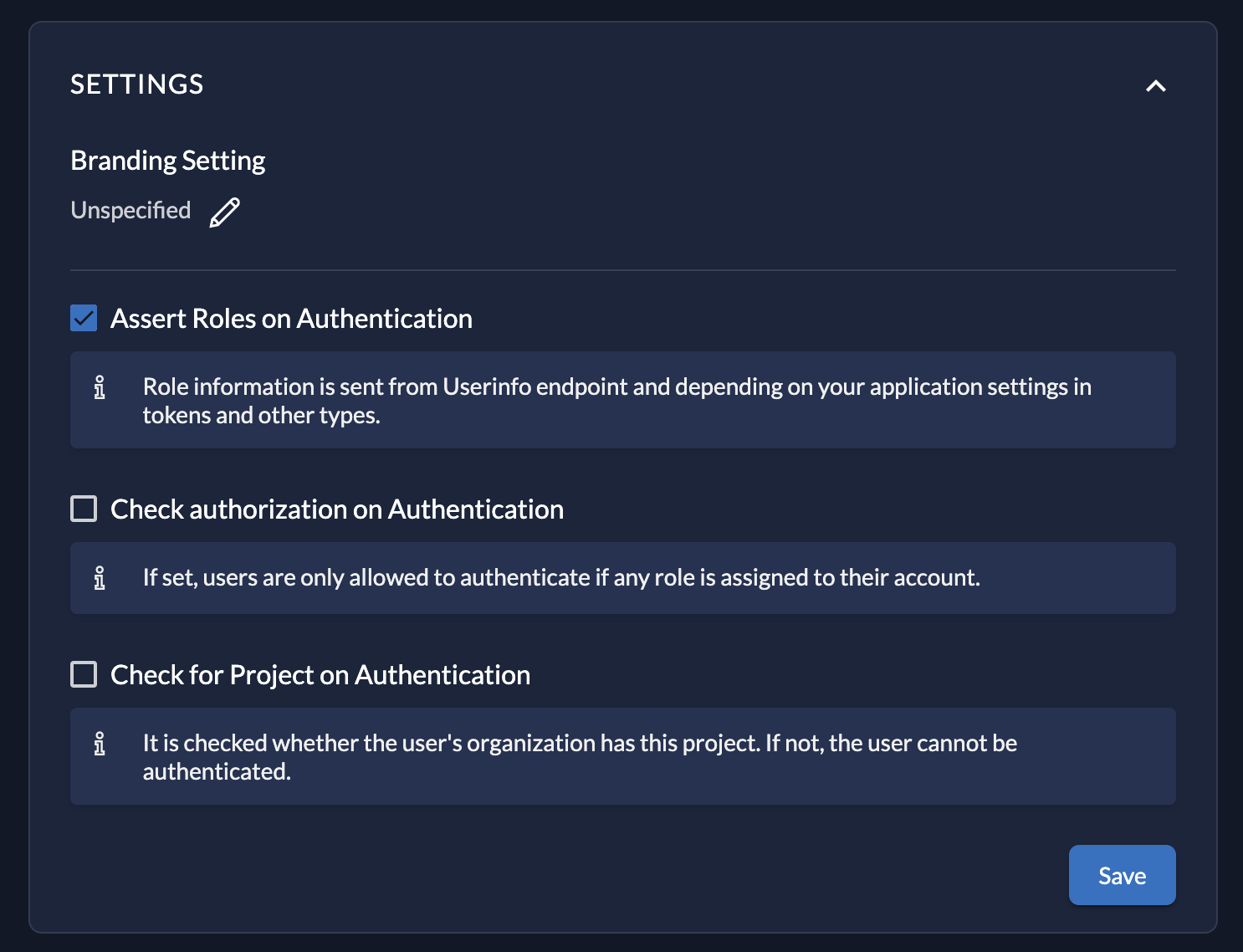
`password` value is deprecated, please check `pwd` | | aud | `69234237810729019` | The audience of the token, by default all client id's and the project id are included | | auth\_time | `1311280969` | Unix time of the authentication | | azp | `69234237810729234` | Client id of the client who requested the token | | email | `road.runner@acme.ch` | Email Address of the subject | | email\_verified | `true` | Boolean if the email was verified by ZITADEL | | events | `{ "http://schemas.openid.net/event/backchannel-logout": {} }` | Security Events such as Back-Channel Logout | | exp | `1311281970` | Time the token expires (as unix time) | | family\_name | `Runner` | Last name of the subject | | family\_name | `Runner` | Last name of the subject | | gender | `other` | Gender of the subject | | given\_name | `Road` | First name of the subject | | given\_name | `Road` | First name of the subject | | iat | `1311280970` | Time of the token was issued at (as unix time) | | iss | `${CUSTOM_DOMAIN}` | Issuing domain of a token | | jti | `69234237813329048` | Unique id of the token | | locale | `en` | Language from the subject | | name | `Road Runner` | The subjects full name | | nbf | `1311280970` | Time the token must not be used before (as unix time) | | nonce | `blQtVEJHNTF0WHhFQmhqZ0RqeHJsdzdkd2d...` | The nonce provided by the client | | phone | `+41 79 XXX XX XX` | Phone number provided by the user | | phone\_verified | `true` | Boolean if the phone was verified by ZITADEL | | preferred\_username | `road.runner@acme.caos.ch` | ZITADEL's login name of the user. Consist of `username@primarydomain` | | sid | `291693710356251044` | String identifier for a session. This represents a session of a user agent for a logged-in end-User. Different sid values are used to identify distinct sessions at an OP. | | sub | `77776025198584418` | Subject ID of the user | Custom Claims [#custom-claims] Custom claims are being inserted into user tokens in addition to the standard claims. Your app can use custom claims to handle more complex scenarios, such as restricting access based on these claims. You can add custom claims using the [complement token flow](/apis/actions/complement-token) of the [actions feature](/guides/manage/console/actions-overview). Multiple examples of Actions that result in custom claims can be found in our [Marketplace for ZITADEL Actions](https://github.com/zitadel/actions). Static values as custom claim [#static-values-as-custom-claim] ```javascript reference https://github.com/zitadel/actions/blob/de69b56f6d0463817953b59a52ffd6afc6a366fb/examples/add_claim.js#L9-L11 ``` Metadata as custom claim [#metadata-as-custom-claim] ```javascript reference https://github.com/zitadel/actions/blob/main/examples/add_metadata.js#L9-L15 ``` Format roles claims [#format-roles-claims] ```javascript reference https://github.com/zitadel/actions/blob/main/examples/custom_roles.js#L20-L33 ``` Reserved Claims [#reserved-claims] ZITADEL reserves some claims to assert certain data. Please check out the [reserved scopes](./scopes#reserved-scopes). | Claims | Example | Description | | :------------------------------------------------- | :------------------------------------------------------------------------------------------------------- | --------------------------------------------------------------------------------------------------------------------------------------------------------------------------------------------------------------------------------------------- | | urn:zitadel:iam:action:\{actionname}:log | `{"urn:zitadel:iam:action:appendCustomClaims:log": ["test log", "another test log"]}` | This claim is set during Actions as a log, e.g. if two custom claims with the same keys are set. | | urn:zitadel:iam:org:domain:primary:\{domainname} | `{"urn:zitadel:iam:org:domain:primary": "acme.ch"}` | This claim represents the Organization Domain the user belongs to. | | urn:zitadel:iam:org:project:roles | `{"urn:zitadel:iam:org:project:roles": [ {"user": {"id1": "acme.zitade.ch", "id2": "caos.ch"} } ] }` | When roles are asserted, ZITADEL does this by providing the `id` and `primaryDomain` below the role. This gives you the option to check in which organization a user has the role on the current project (where your application belongs to). | | urn:zitadel:iam:org:project:\{projectid}:roles | `{"urn:zitadel:iam:org:project:id3:roles": [ {"user": {"id1": "acme.zitade.ch", "id2": "caos.ch"} } ] }` | When roles are asserted, ZITADEL does this by providing the `id` and `primaryDomain` below the role. This gives you the option to check in which organization a user has the role on a specific project. | | urn:zitadel:iam:user:metadata | `{"urn:zitadel:iam:user:metadata": [ {"key": "VmFsdWU=" } ] }` | The metadata claim will include all metadata of a user. The values are base64 encoded. | | urn:zitadel:iam:user:resourceowner:id | `{"urn:zitadel:iam:user:resourceowner:id": "orgid"}` | This claim represents the user's organization ID. | | urn:zitadel:iam:user:resourceowner:name | `{"urn:zitadel:iam:user:resourceowner:name": "ACME"}` | This claim represents the user's organization's name. | | urn:zitadel:iam:user:resourceowner:primary\_domain | `{"urn:zitadel:iam:user:resourceowner:primary_domain": "acme.ch"}` | This claim represents the user's Organization Domain. | # OpenID Connect Endpoints in ZITADEL import TokenExchangeRequest from "./_token_exchange_request.mdx"; import TokenExchangeResponse from "./_token_exchange_response.mdx"; import TokenExchangeTypes from "./_token_exchange_types.mdx"; OpenID Connect 1.0 Discovery [#open-id-connect-1-0-discovery] The OpenID Connect Discovery Endpoint is located within the issuer domain. This would give us `${CUSTOM_DOMAIN}/.well-known/openid-configuration`. **Link to spec.** [OpenID Connect Discovery 1.0 incorporating errata set 1](https://openid.net/specs/openid-connect-discovery-1_0.html) authorization_endpoint [#authorization-endpoint] `${CUSTOM_DOMAIN}/oauth/v2/authorize` The authorization\_endpoint is located with the login page, due to the need of accessing the same cookie domain The authorization\_endpoint is the starting point for all initial user authentications. The user agent (browser) will be redirected to this endpoint to authenticate the user in exchange for an authorization\_code (authorization code flow) or tokens (implicit flow).
Links to specs
Required request parameters [#required-request-parameters] | Parameter | Description | | -------------- | ------------------------------------------------------------------------------------------------------------------------------------------------- | | client\_id | The id of your client as shown in Console. | | redirect\_uri | Callback uri of the authorization request where the code or tokens will be sent to. Must match exactly one of the preregistered in Console. | | response\_type | Determines whether a `code`, `id_token token` or just `id_token` will be returned. Most use cases will need `code`. See flow guide for more info. | | scope | `openid` is required, see [Scopes](./scopes) for more possible values. Scopes are space delimited, e.g. `openid email profile` | Following the [OIDC Core 1.0 specs](https://openid.net/specs/openid-connect-core-1_0.html#ScopeClaims) whenever an access\_token is issued, the id\_token will not contain any claims of the scopes `profile`, `email`, `phone` and `address`. Send the access\_token to the [userinfo\_endpoint](#userinfo-endpoint) or [introspection\_endpoint](#introspection-endpoint) the retrieve these claims or set the `id_token_userinfo_assertion` Option ("User Info inside ID Token" in Management Console) to true. Depending on your authorization method you will have to provide additional parameters or headers: no additional parameters required no additional parameters required | Parameter | Description | | ----------------------- | ----------------------------------------------------- | | code\_challenge | The SHA-256 value of the generated `code_verifier` | | code\_challenge\_method | Method used to generate the challenge, must be `S256` | see PKCE guide for more information no additional parameters required Additional parameters [#additional-parameters] | Parameter | Description | | --------------- | ---------------------------------------------------------------------------------------------------------------------------------------------------------------------------------------------------------------------------------------------------------------------------------------------------------------------------------------------------------------------------------------------------------------------------------------------------------------------------------------------- | | id\_token\_hint | Valid `id_token` (of an existing session) used to identity the subject. **SHOULD** be provided when using prompt `none`. | | login\_hint | A valid logon name of a user. Will be used for username inputs or preselecting a user on `select_account`. Be sure to encode the hint correctly using url encoding (especially when using `+` or alike in the loginname) | | max\_age | Seconds since the last active successful authentication of the user | | nonce | Random string value to associate the client session with the ID Token and for replay attacks mitigation. **MUST** be provided when using **implicit flow**. | | prompt | If the Auth Server prompts the user for (re)authentication.
no prompt: the user will have to choose a session if more than one session exists
`none`: user must be authenticated without interaction, an error is returned otherwise
`login`: user must reauthenticate / provide a user name
`select_account`: user is prompted to select one of the existing sessions or create a new one
`create`: the registration form will be displayed to the user directly | | state | Opaque value used to maintain state between the request and the callback. Used for Cross-Site Request Forgery (CSRF) mitigation as well, therefore highly **recommended**. | | ui\_locales | Spaces delimited list of preferred locales for the login UI, e.g. `de-CH de en`. If none is provided or matches the possible locales provided by the login UI, the `accept-language` header of the browser will be taken into account. | | response\_mode | The mechanism to be used for returning parameters to the application. See [response modes](#response-modes) for valid values. Invalid values are ignored. | Response modes [#response-modes] ZITADEL supports the following `response_mode` values. When no response mode is requested, the response mode is chosen based on the configured Response Type of the application. As per [OpenID Connect Core 1.0, Section 3.1.2.1](https://openid.net/specs/openid-connect-core-1_0.html#AuthRequest): > The use of this parameter is NOT RECOMMENDED when the Response Mode that would be requested is the default mode specified for the Response Type. | Response Mode | Description | | -------------- | ----------------------------------------------------------------------------------------------------------------------------------------------------------------------------------------------------------------------------------------------------------------------------------------------------------------------------------- | | query | Encode the returned parameters in the URL query string. This is the default when the Response type is `code`, for example [Web applications](/guides/manage/console/applications-overview#web). | | fragment | Encode the returned parameters in the URL fragment. This is the default when the Response Type is `id_token`, for example implicit [User Agent apps](/guides/manage/console/applications-overview#user-agent). This mode will not work for server-side applications, because fragments are never sent by the browser to the server. | | form\_post[^1] | ZITADEL serves a small JavaScript to the browser which will send the returned parameters to the `redirect_uri` using HTTP POST. This mode only works for server-side applications and user agents which support / allow JavaScript. | [^1]: Implements [OAuth 2.0 Form Post Response Mode](https://openid.net/specs/oauth-v2-form-post-response-mode-1_0.html) Successful code response [#successful-code-response] When your `response_type` was `code` and no error occurred, the following response will be returned: | Property | Description | | -------- | ----------------------------------------------------------------------------- | | code | Opaque string which will be necessary to request tokens on the token endpoint | | state | Unmodified `state` parameter from the request | Successful implicit response [#successful-implicit-response] When your `response_type` was either `id_token` or `id_token token` and no error occurred, the following response will be returned: | Property | Description | | ------------- | ------------------------------------------------------------------------------------- | | access\_token | Only returned if `response_type` included `token` | | expires\_in | Number of second until the expiration of the `access_token` | | id\_token | An `id_token` of the authorized user | | token\_type | Type of the `access_token`. Value is always `Bearer` | | scope | Scopes of the `access_token`. These might differ from the provided `scope` parameter. | | state | Unmodified `state` parameter from the request | Error response [#error-response] Regardless of the authorization flow chosen, if an error occurs the following response will be returned to the redirect\_uri. If the redirect\_uri is not provided, was not registered or anything other prevents the auth server form returning the response to the client, the error will be display directly to the user on the auth server | Property | Description | | ------------------ | -------------------------------------------------------------------- | | error | An OAuth / OIDC [error\_type](#authorize-errors) | | error\_description | Description of the error type or additional information of the error | | state | Unmodified `state` parameter from the request | Possible errors [#possible-errors] | error\_type | Possible reason | | --------------------------- | -------------------------------------------------------------------------------------------------------------------------------------------------------------------------------------------------------------------------------------------------------------------------------------------------- | | invalid\_request | The request is missing a required parameter, includes an invalid parameter value, includes a parameter more than once, or is otherwise malformed. | | invalid\_scope | The requested scope is invalid. Typically the required `openid` value is missing. | | unauthorized\_client | The client is not authorized to request an access\_token using this method. Check in Management Console that the requested `response_type` is allowed in your application settings. | | unsupported\_response\_type | The authorization server does not support the requested response\_type. | | server\_error | The authorization server encountered an unexpected condition that prevented it from fulfilling the request. | | interaction\_required | The authorization server requires end-user interaction of some form to proceed. This error MAY be returned when the prompt parameter value in the Authentication Request is none, but the Authentication Request cannot be completed without displaying a user interface for end-user interaction. | | login\_required | The authorization server requires end-user authentication. This error MAY be returned when the prompt parameter value in the Authentication Request is none, but the Authentication Request cannot be completed without displaying a user interface for end-user authentication. | token_endpoint [#token-endpoint] `${CUSTOM_DOMAIN}/oauth/v2/token` The token\_endpoint will as the name suggests return various tokens (access, id and refresh) depending on the used `grant_type`. When using [`authorization_code`](#authorization-code-grant-code-exchange) flow call this endpoint after receiving the code from the authorization\_endpoint. When using [`refresh_token`](#authorization-code-grant-code-exchange) or [`urn:ietf:params:oauth:grant-type:jwt-bearer` (JWT Profile)](#jwt-profile-grant) you will call this endpoint directly. Authorization code grant (Code Exchange) [#authorization-code-grant-code-exchange] As mention above, when using `authorization_code` grant, this endpoint will be your second request for authorizing a user with its user agent (browser). Required request parameters [#required-request-parameters] | Parameter | Description | | ------------- | -------------------------------------------------------------------------------------------------------------- | | code | Code that was issued from the authorization request. | | grant\_type | Must be `authorization_code` | | redirect\_uri | Callback uri where the code was be sent to. Must match exactly the redirect\_uri of the authorization request. | Depending on your authorization method you will have to provide additional parameters or headers: Send your `client_id` and `client_secret` as Basic Auth Header. Check [Client Secret Basic Auth Method](./authn-methods#client-secret-basic) on how to build it correctly. Send your `client_id` and `client_secret` as parameters in the body: | Parameter | Description | | -------------- | --------------------------------- | | client\_id | client\_id of the application | | client\_secret | client\_secret of the application | Send your `client_id` and `code_verifier` for us to recompute the `code_challenge` of the authorization request. | Parameter | Description | | -------------- | -------------------------------------------------------------- | | client\_id | client\_id of the application | | code\_verifier | code\_verifier previously used to generate the code\_challenge | Send a client assertion as JWT for us to validate the signature against the registered public key. | Parameter | Description | | ----------------------- | -------------------------------------------------------------------------------------------------------------- | | client\_assertion | JWT built and signed according to [Using JWTs for Client Authentication](./authn-methods#jwt-with-private-key) | | client\_assertion\_type | Must be `urn:ietf:params:oauth:client-assertion-type:jwt-bearer` | Successful code response [#successful-code-response] | Property | Description | | -------------- | ------------------------------------------------------------------------------------- | | access\_token | An `access_token` as JWT or opaque token | | expires\_in | Number of second until the expiration of the `access_token` | | id\_token | An `id_token` of the authorized user | | scope | Scopes of the `access_token`. These might differ from the provided `scope` parameter. | | refresh\_token | An opaque token. Only returned if `offline_access` scope was requested | | token\_type | Type of the `access_token`. Value is always `Bearer` | JWT profile grant [#jwt-profile-grant] Required request parameters [#required-request-parameters] | Parameter | Description | | ----------- | -------------------------------------------------------------------------------------------------------------------------- | | grant\_type | Must be `urn:ietf:params:oauth:grant-type:jwt-bearer` | | assertion | JWT built and signed according to [Using JWTs for Authorization Grants](./grant-types#using-jw-ts-as-authorization-grants) | | scope | [Scopes](./scopes) you would like to request from ZITADEL. Scopes are space delimited, e.g. `openid email profile` | ```bash curl --request POST \ --url ${CUSTOM_DOMAIN}/oauth/v2/token \ --header 'Content-Type: application/x-www-form-urlencoded' \ --data grant_type=urn:ietf:params:oauth:grant-type:jwt-bearer \ --data assertion=eyJhbGciOiJSUzI1Ni... ``` Successful JWT profile response [#successful-jwt-profile-response] | Property | Description | | ------------- | ------------------------------------------------------------------------------------- | | access\_token | An `access_token` as JWT or opaque token | | expires\_in | Number of second until the expiration of the `access_token` | | id\_token | An `id_token` of the authorized service account | | scope | Scopes of the `access_token`. These might differ from the provided `scope` parameter. | | token\_type | Type of the `access_token`. Value is always `Bearer` | Refresh token grant [#refresh-token-grant] To request a new `access_token` without user interaction, you can use the `refresh_token` grant. See [offline\_access Scope](./scopes#standard-scopes) for how to request a `refresh_token` in the authorization request. Required request parameters [#required-request-parameters] | Parameter | Description | | -------------- | ------------------------------------------------------------------------------------------------------------------------------------------------------------------------------------------------------------------------------------------------------------------------------------------------------------------ | | grant\_type | Must be `refresh_token` | | refresh\_token | The refresh\_token previously issued in the last authorization\_code or refresh\_token request. | | scope | [Scopes](./scopes) you would like to request from ZITADEL for the new access\_token. Must be a subset of the scope originally requested by the corresponding auth request. When omitted, the scopes requested by the original auth request will be reused. Scopes are space delimited, e.g. `openid email profile` | Depending on your authorization method you will have to provide additional parameters or headers: Send your `client_id` and `client_secret` as Basic Auth Header. Check [Client Secret Basic Auth Method](./authn-methods#client-secret-basic) on how to build it correctly. Send your `client_id` and `client_secret` as parameters in the body: | Parameter | Description | | -------------- | --------------------------------- | | client\_id | client\_id of the application | | client\_secret | client\_secret of the application | Send your `client_id` as parameter in the body. No authentication is required. Send a `client_assertion` as JWT for us to validate the signature against the registered public key. | Parameter | Description | | ----------------------- | -------------------------------------------------------------------------------------------------------------- | | client\_assertion | JWT built and signed according to [Using JWTs for Client Authentication](./authn-methods#jwt-with-private-key) | | client\_assertion\_type | Must be `urn:ietf:params:oauth:client-assertion-type:jwt-bearer` | Successful refresh token response [#successful-refresh-token-response] | Property | Description | | -------------- | ------------------------------------------------------------------------------------- | | access\_token | An `access_token` as JWT or opaque token | | expires\_in | Number of second until the expiration of the `access_token` | | id\_token | An `id_token` of the authorized user | | scope | Scopes of the `access_token`. These might differ from the provided `scope` parameter. | | refresh\_token | An new opaque refresh\_token. | | token\_type | Type of the `access_token`. Value is always `Bearer` | Client credentials grant [#client-credentials-grant] Required request parameters [#required-request-parameters] | Parameter | Description | | ----------- | ------------------------------------------------------------------------------------------------------------ | | grant\_type | Must be `client_credentials` | | scope | [Scopes](./scopes) you would like to request from ZITADEL. Scopes are space delimited, e.g. `openid profile` | Additionally, you need to authenticate your client by either sending `client_id` and `client_secret` as Basic Auth Header. Check [Client Secret Basic Auth Method](./authn-methods#client-secret-basic) on how to build it correctly. ```bash curl --request POST \ --url ${CUSTOM_DOMAIN}/oauth/v2/token \ --header 'Content-Type: application/x-www-form-urlencoded' \ --header 'Authorization: Basic ${BASIC_AUTH}' \ --data grant_type=client_credentials \ --data scope=openid profile ``` Or you can also send your `client_id` and `client_secret` as parameters in the body: | Parameter | Description | | -------------- | --------------------------------- | | client\_id | client\_id of the application | | client\_secret | client\_secret of the application | ```bash curl --request POST \ --url ${CUSTOM_DOMAIN}/oauth/v2/token \ --header 'Content-Type: application/x-www-form-urlencoded' \ --data grant_type=client_credentials \ --data client_id=${CLIENT_ID} \ --data client_secret=${CLIENT_SECRET} \ --data scope=openid profile ``` Successful client credentials response [#successful-client-credentials-response] | Property | Description | | ------------- | ------------------------------------------------------------------------------------- | | access\_token | An `access_token` as JWT or opaque token | | expires\_in | Number of second until the expiration of the `access_token` | | scope | Scopes of the `access_token`. These might differ from the provided `scope` parameter. | | token\_type | Type of the `access_token`. Value is always `Bearer` | Token Exchange grant [#token-exchange-grant] The Token Exchange grant implements [RFC 8693, OAuth 2.0 Token Exchange](https://www.rfc-editor.org/rfc/rfc8693) and can be used to exchange tokens to a different scope, audience or subject. Changing the subject of an authenticated token is called impersonation or delegation. ZITADEL also provides a [token exchange guide](/guides/integrate/token-exchange) with more details on using the Token Exchange Grant. Request parameters [#request-parameters] Depending on your authorization method you will have to provide additional parameters or headers: Send your `client_id` and `client_secret` as Basic Auth Header. Check [Client Secret Basic Auth Method](./authn-methods#client-secret-basic) on how to build it correctly. Send your `client_id` and `client_secret` as parameters in the body: | Parameter | Description | | -------------- | --------------------------------- | | client\_id | client\_id of the application | | client\_secret | client\_secret of the application | Send your `client_id` as parameter in the body. No authentication is required. Send a `client_assertion` as JWT for us to validate the signature against the registered public key. | Parameter | Description | | ----------------------- | -------------------------------------------------------------------------------------------------------------- | | client\_assertion | JWT built and signed according to [Using JWTs for Client Authentication](./authn-methods#jwt-with-private-key) | | client\_assertion\_type | Must be `urn:ietf:params:oauth:client-assertion-type:jwt-bearer` | Successful token exchange response [#successful-token-exchange-response] Token types [#token-types] Error response [#error-response] | error\_type | Possible reason | | ------------------------ | ------------------------------------------------------------------------------------------------------------------------------------------------------------------------------------------------------------------------------------------------------------ | | invalid\_request | The request is missing a required parameter, includes an unsupported parameter value (other than grant type), repeats a parameter, includes multiple credentials, utilizes more than one mechanism for authenticating the client, or is otherwise malformed. | | invalid\_scope | The requested scope is invalid, unknown, malformed, or exceeds the scope granted by the resource owner. | | unauthorized\_client | The authenticated client is not authorized to use this authorization grant type. | | unsupported\_grant\_type | The authorization grant type is not supported by the authorization server. | | server\_error | The authorization server encountered an unexpected condition that prevented it from fulfilling the request. | | invalid\_grant | The provided authorization grant (e.g., authorization code, resource owner credentials) or refresh token is invalid, expired, revoked, does not match the redirection URI used in the authorization request, or was issued to another client. | | invalid\_client | Client authentication failed (e.g., unknown client, no client authentication included, or unsupported authentication method). | introspection_endpoint [#introspection-endpoint] `${CUSTOM_DOMAIN}/oauth/v2/introspect` This endpoint enables clients to validate an `acccess_token`, either opaque or JWT. Unlike client side JWT validation, this endpoint will check if the token is not revoked (by client or logout). | Parameter | Description | | --------- | --------------- | | token | An access token | Depending on your authorization method you will have to provide additional parameters or headers: Send your `client_id` and `client_secret` as Basic Auth Header. Check [Client Secret Basic Auth Method](./authn-methods#client-secret-basic) on how to build it correctly. ```bash curl --request POST \ --url ${CUSTOM_DOMAIN}/oauth/v2/introspect \ --header 'Content-Type: application/x-www-form-urlencoded' \ --header 'Authorization: Basic {your_basic_auth_header}' \ --data token=VjVxyCZmRmWYqd3_F5db9Pb9mHR5fqzhn... ``` Send a `client_assertion` as JWT for us to validate the signature against the registered public key. | Parameter | Description | | ----------------------- | ------------------------------------------------------------------------------------------------------------- | | client\_assertion | JWT built and signed according to [Using JWTs for Client Authentication](./authn-methods#client-secret-basic) | | client\_assertion\_type | must be `urn:ietf:params:oauth:client-assertion-type:jwt-bearer` | ```bash curl --request POST \ --url ${CUSTOM_DOMAIN}/oauth/v2/introspect \ --header 'Content-Type: application/x-www-form-urlencoded' \ --data client_assertion_type=urn:ietf:params:oauth:client-assertion-type:jwt-bearer \ --data client_assertion=eyJhbGciOiJSUzI1Ni... \ --data token=VjVxyCZmRmWYqd3_F5db9Pb9mHR5fqzhn... ``` Successful introspection response [#successful-introspection-response] Upon successful authorization of the client a response with the boolean `active` is returned, indicating if the provided token is active and the requesting client is part of the token audience. If `active` is **true**, further information will be provided: | Property | Description | | ----------- | --------------------------------------------------------------------- | | aud | The audience of the token | | client\_id | The client\_id of the application the token was issued to | | exp | Time the token expires (as unix time) | | iat | Time of the token was issued at (as unix time) | | iss | Issuer of the token | | jti | Unique id of the token | | nbf | Time the token must not be used before (as unix time) | | scope | Space delimited list of scopes granted to the token | | token\_type | Type of the inspected token. Value is always `Bearer` | | username | ZITADEL's login name of the user. Consist of `username@primarydomain` | Additionally and depending on the granted scopes, information about the authorized user is provided. Check the [Claims](./claims) page if a specific claims might be returned and for detailed description. Error response [#error-response] If the authorization fails, an HTTP 401 with `invalid_client` will be returned. userinfo_endpoint [#userinfo-endpoint] `${CUSTOM_DOMAIN}/oidc/v1/userinfo` This endpoint will return information about the authorized user. Send the `access_token` of the **user** (not the client) as Bearer Token in the `authorization` header: ```bash curl --request GET \ --url ${CUSTOM_DOMAIN}/oidc/v1/userinfo --header 'Authorization: Bearer dsfdsjk29fm2as...' ``` Successful userinfo response [#successful-userinfo-response] If the `access_token` is valid, the information about the user depending on the granted scopes is returned. Check the [Claims](./claims) page if a specific claims might be returned and for detailed description. Error response [#error-response] If the token is invalid or expired, an HTTP 401 will be returned. revocation_endpoint [#revocation-endpoint] `${CUSTOM_DOMAIN}/oauth/v2/revoke` This endpoint enables clients to revoke an `access_token` or `refresh_token` they have been granted. If you revoke an `access_token` only the specific token will be revoked. When revoking a `refresh_token`, the corresponding `access_token` will be revoked as well. | Parameter | Description | | --------- | -------------------------------- | | token | An access token or refresh token | Depending on your authorization method you will have to provide additional parameters or headers: Send your `client_id` and `client_secret` as Basic Auth Header. Check [Client Secret Basic Auth Method](./authn-methods#client-secret-basic) on how to construct a request correctly. Send your `client_id` and `client_secret` as parameters in the body: | Parameter | Description | | -------------- | --------------------------------- | | client\_id | client\_id of the application | | client\_secret | client\_secret of the application | Send your `client_id` as parameters in the body: | Parameter | Description | | ---------- | ----------------------------- | | client\_id | client\_id of the application | Send a `client_assertion` as JWT for ZITADEL to verify the signature against the registered public key. | Parameter | Description | | ----------------------- | --------------------------------------------------------------------------------------------------------------- | | client\_assertion | JWT created and signed according to [Using JWTs for Client Authentication](./authn-methods#client-secret-basic) | | client\_assertion\_type | must be `urn:ietf:params:oauth:client-assertion-type:jwt-bearer` | ```bash curl --request POST \ --url ${CUSTOM_DOMAIN}/oauth/v2/revoke \ --header 'Content-Type: application/x-www-form-urlencoded' \ --data client_assertion_type=urn:ietf:params:oauth:client-assertion-type:jwt-bearer \ --data client_assertion=eyJhbGciOiJSUzI1Ni... \ --data token=VjVxyCZmRmWYqd3_F5db9Pb9mHR5fqzhn... ``` end_session_endpoint [#end-session-endpoint] `${CUSTOM_DOMAIN}/oidc/v1/end_session` The endpoint has to be opened in the user agent (browser) to terminate the user sessions. No parameters are needed apart from the user agent cookie, but you can provide the following to customize the behavior: | Parameter | Description | | --------------------------- | -------------------------------------------------------------------------------------------------------------------------------------------------------------------------------------------------------------------------------------- | | id\_token\_hint | the id\_token that was previously issued to the client | | client\_id | client\_id of the application | | post\_logout\_redirect\_uri | Callback uri of the logout where the user (agent) will be redirected to. Must match exactly one of the preregistered in Console. | | state | Opaque value used to maintain state between the request and the callback | | logout\_hint | A valid login name of a user. Will be used to select the user to logout. Only supported when using the login UI V2. | | ui\_locales | Spaces delimited list of preferred locales for the login UI, e.g. `de-CH de en`. If none is provided or matches the possible locales provided by the login UI, the `accept-language` header of the browser will be taken into account. | The `post_logout_redirect_uri` will be checked against the previously registered uris of the client provided by the `azp` claim of the `id_token_hint` or the `client_id` parameter. If both parameters are provided, they must be equal. If neither an `id_token_hint` nor a `client_id` parameter is provided, the `post_logout_redirect_uri` will be ignored. jwks_uri [#jwks-uri] `${CUSTOM_DOMAIN}/oauth/v2/keys` The endpoint returns a JSON Web Key Set (JWKS) containing the public keys that can be used to locally validate JWTs you received from ZITADEL. The alternative would be to validate tokens with the [introspection endpoint](#introspection-endpoint). Key rotation [#key-rotation] Keys are automatically rotated on a regular basis or on demand, meaning keys can change in irregular intervals. ZITADEL ensures that a proper `kid` is set with each key. Be aware that these keys can be rotated without any prior notice. Caching [#caching] You can optimize performance of your clients by caching the response from the keys endpoint. We recommend to regularly update the cached response, since the [keys can be rotated without prior notice](#key-rotation). You could also combine caching with a risk-based on-demand refresh when a critical operation is executed. Without caching you will call this endpoint on each request. This might result in being rate limited for a large number of requests that come from the same backend. OAuth 2.0 metadata [#o-auth-2-0-metadata] **ZITADEL** does not yet provide a OAuth 2.0 Metadata endpoint but instead provides a [OpenID Connect Discovery Endpoint](https://openid.net/specs/openid-connect-discovery-1_0.html). # Grant Types in ZITADEL For a list of supported or unsupported `Grant Types` please have a look at the table below. | Grant Type | Supported | | :---------------------------------------------------- | :-------- | | Authorization Code | yes | | Authorization Code with PKCE | yes | | Client Credentials | yes | | Device Authorization | yes | | Implicit | yes | | JSON Web Token (JWT) Profile | yes | | Refresh Token | yes | | Resource Owner Password Credentials | no | | Security Assertion Markup Language (SAML) 2.0 Profile | no | | Token Exchange | yes | Authorization Code [#authorization-code] **Link to spec.** [The OAuth 2.0 Authorization Framework Section 1.3.1](https://tools.ietf.org/html/rfc6749#section-1.3.1) Proof Key for Code Exchange [#proof-key-for-code-exchange] **Link to spec.** [Proof Key for Code Exchange by OAuth Public Clients](https://tools.ietf.org/html/rfc7636) Implicit [#implicit] **Link to spec.** [The OAuth 2.0 Authorization Framework Section 1.3.2](https://tools.ietf.org/html/rfc6749#section-1.3.2) Client Credentials [#client-credentials] **Link to spec.** [The OAuth 2.0 Authorization Framework Section 1.3.4](https://tools.ietf.org/html/rfc6749#section-1.3.4) Refresh Token [#refresh-token] **Link to spec.** [The OAuth 2.0 Authorization Framework Section 1.5](https://tools.ietf.org/html/rfc6749#section-1.5) JSON Web Token (JWT) Profile [#json-web-token-jwt-profile] **Link to spec.** [JSON Web Token (JWT) Profile for OAuth 2.0 Client Authentication and Authorization Grants](https://tools.ietf.org/html/rfc7523) Using JWTs as Authorization Grants [#using-jw-ts-as-authorization-grants] Our service account works with the JWT profile to authenticate them against ZITADEL. 1. Create or use an existing service account 2. Create a new key and download it 3. Generate a JWT with the structure below and sign it with the downloaded key 4. Send the JWT Base64 encoded to ZITADEL's token endpoint 5. Use the received access token *** Key JSON | Key | Example | Description | | :----- | :------------------------------------------------------------------ | :------------------------------------------------------------------- | | type | `"serviceaccount"` | The type of account, right now only serviceaccount is valid | | keyId | `"81693565968772648"` | This is unique ID of the key | | key | `"-----BEGIN RSA PRIVATE KEY-----...-----END RSA PRIVATE KEY-----"` | The private key generated by ZITADEL, this can not be regenerated! | | userId | `78366401571647008` | The service accounts ID, this is the same as the subject from tokens | ```json { "type": "serviceaccount", "keyId": "81693565968772648", "key": "-----BEGIN RSA PRIVATE KEY-----...-----END RSA PRIVATE KEY-----", "userId": "78366401571647008" } ``` *** JWT | Claim | Example | Description | | :---- | :--------------------------- | :------------------------------------------------------------------------------------------------------------ | | aud | `"https://${CUSTOM_DOMAIN}"` | String or Array of intended audiences MUST include ZITADEL's issuing domain | | exp | `1605183582` | Unix timestamp of the expiry | | iat | `1605179982` | Unix timestamp of the creation singing time of the JWT, MUST NOT be older than 1h | | iss | `"77479219772321307"` | String which represents the requesting party (owner of the key), normally the `userId` from the json key file | | sub | `"77479219772321307"` | The subject ID of the service account, normally the `userId` from the json key file | ```json { "iss": "77479219772321307", "sub": "77479219772321307", "aud": "https://${CUSTOM_DOMAIN}", "exp": 1605183582, "iat": 1605179982 } ``` > To identify your key, it is necessary that you provide a JWT with a `kid` header claim representing your keyId from the Key JSON: > > ```json > { > "alg": "RS256", > "kid": "81693565968772648" > } > ``` *** See [JWT Profile Grant on Token Endpoint](./endpoints#token-endpoint) for usage. Using JWTs for Client Authentication [#using-jw-ts-for-client-authentication] See how to build a [JWT for client authentication](./authn-methods#jwt-with-private-key) from the downloaded key. Find out how to use it on the [token endpoint](./endpoints#token-endpoint) or the [introspection endpoint](./endpoints#introspection-endpoint). Token Exchange [#token-exchange] **Link to spec.** [OAuth 2.0 Token Exchange](https://tools.ietf.org/html/rfc8693) Device Authorization [#device-authorization] **Link to spec.** [OAuth 2.0 Device Authorization Grant](https://tools.ietf.org/html/rfc8628) Security Assertion Markup Language (SAML) 2.0 Profile [#security-assertion-markup-language-saml-2-0-profile] **Link to spec.** [Security Assertion Markup Language (SAML) 2.0 Profile for OAuth 2.0 Client Authentication and Authorization Grants](https://tools.ietf.org/html/rfc7522) Not Supported Grant Types [#not-supported-grant-types] Resource Owner Password Credentials [#resource-owner-password-credentials] > Due to growing security concerns we do not support this grant type. With OAuth 2.1 it looks like this grant will be removed. **Link to spec.** [The OAuth 2.0 Authorization Framework Section 1.3.3](https://tools.ietf.org/html/rfc6749#section-1.3.3) # Scopes in ZITADEL ZITADEL supports the usage of scopes as way of requesting information from the instance and also instruct ZITADEL to do certain operations. Standard Scopes [#standard-scopes] | Scopes | Description | | :-------------- | ------------------------------------------------------------------------------- | | openid | When using openid connect this is a mandatory scope | | profile | Optional scope to request the profile of the subject | | email | Optional scope to request the email of the subject | | address | Optional scope to request the address of the subject | | phone | Optional scope to request the phone of the subject | | offline\_access | Optional scope to request a refresh\_token (only possible when using code flow) | Reserved Scopes [#reserved-scopes] In addition to the standard compliant scopes, we use the following scopes. | Scopes | Example | Description | | :------------------------------------------------ | :----------------------------------------------------- | ------------------------------------------------------------------------------------------------------------------------------------------------------------------------------------------------------------------------------------------------------------------------------ | | `urn:zitadel:iam:org:project:role:{rolekey}` | `urn:zitadel:iam:org:project:role:user` | By using this scope a client can request the claim `urn:zitadel:iam:org:project:roles` to be asserted when possible. As an alternative approach you can enable all roles to be asserted from the [project](/guides/manage/console/roles#role-assignments) a client belongs to. | | `urn:zitadel:iam:org:projects:roles` | `urn:zitadel:iam:org:projects:roles` | By using this scope a client can request the claim `urn:zitadel:iam:org:project:{projectid}:roles` to be asserted for each requested project. All projects of the token audience, requested by the `urn:zitadel:iam:org:project:id:{projectid}:aud` scopes will be used. | | `urn:zitadel:iam:org:id:{id}` | `urn:zitadel:iam:org:id:178204173316174381` | When requesting this scope **ZITADEL** will enforce that the user is a member of the selected organization. If the organization does not exist a failure is displayed. It will assert the `urn:zitadel:iam:user:resourceowner` claims. | | `urn:zitadel:iam:org:domain:primary:{domainname}` | `urn:zitadel:iam:org:domain:primary:acme.ch` | When requesting this scope **ZITADEL** will enforce that the user is a member of the selected organization and the username is suffixed by the provided domain. If the organization does not exist a failure is displayed | | `urn:zitadel:iam:org:roles:id:{orgID}` | `urn:zitadel:iam:org:roles:id:178204173316174381` | This scope can be used one or more times to limit the granted organization IDs in the returned roles. Unknown organization IDs are ignored. When this scope is not used, all granted organizations are returned inside the roles. | | `urn:zitadel:iam:org:project:id:{projectid}:aud` | `urn:zitadel:iam:org:project:id:69234237810729019:aud` | By adding this scope, the requested project id will be added to the audience of the access token | | `urn:zitadel:iam:org:project:id:zitadel:aud` | `urn:zitadel:iam:org:project:id:zitadel:aud` | By adding this scope, the ZITADEL project id will be added to the audience of the access token | | `urn:zitadel:iam:user:metadata` | `urn:zitadel:iam:user:metadata` | By adding this scope, the metadata of the user will be included in the token. The values are base64 encoded. | | `urn:zitadel:iam:user:resourceowner` | `urn:zitadel:iam:user:resourceowner` | By adding this scope: id, name and primary\_domain of the user's organization will be included in the token. | | `urn:zitadel:iam:org:idp:id:{idp_id}` | `urn:zitadel:iam:org:idp:id:76625965177954913` | By adding this scope the user will directly be redirected to the identity provider to authenticate. Make sure you also send the Organization Domain scope if a custom login policy is configured. Otherwise the system will not be able to identify the identity provider. | # SAML Endpoints in ZITADEL SAML 2.0 metadata [#saml-2-0-metadata] The SAML Metadata is located within the issuer domain. This would give us `${CUSTOM_DOMAIN}/saml/v2/metadata`. This metadata contains all the information defined in the spec. **Link to spec.** [Metadata for the OASIS Security Assertion Markup Language (SAML) V2.0 – Errata Composite](https://www.oasis-open.org/committees/download.php/35391/sstc-saml-metadata-errata-2.0-wd-04-diff.pdf) Certificate endpoint [#certificate-endpoint] `${CUSTOM_DOMAIN}/saml/v2/certificate` The certificate endpoint provides the certificate which is used to sign the responses for download, for easier use with different service providers which want the certificate separately instead of inside the metadata. SSO endpoint [#sso-endpoint] `${CUSTOM_DOMAIN}/saml/v2/SSO` The SSO endpoint is the starting point for all initial user authentications. The user agent (browser) will be redirected to this endpoint to authenticate the user. Supported on this endpoint or currently `urn:oasis:names:tc:SAML:2.0:bindings:HTTP-Redirect` or `urn:oasis:names:tc:SAML:2.0:bindings:HTTP-POST` bindings. **Link to spec.** [Bindings for the OASIS Security Assertion Markup Language (SAML) V2.0 – Errata Composite](https://www.oasis-open.org/committees/download.php/35387/sstc-saml-bindings-errata-2.0-wd-05-diff.pdf) Required request parameters [#required-request-parameters] | Parameter | Description | | ----------- | ----------------------------------------------------------------------------------------------------------------------------------------------------------------------------------- | | RelayState | (Optional) ID to associate the exchange with the original request. | | SAMLRequest | The request made to the SAML IDP. (base64 encoded) | | SigAlg | Algorithm used to sign the request, only if binding is 'urn:oasis:names:tc:SAML:2.0:bindings:HTTP-Redirect' as signature has to be provided es separate parameter. (base64 encoded) | | Signature | Signature of the request as parameter with 'urn:oasis:names:tc:SAML:2.0:bindings:HTTP-Redirect' binding. (base64 encoded) | Successful response [#successful-response] Depending on the content of the request the response comes back in the requested binding, but the content is the same. | Parameter | Description | | ------------ | ------------------------------------------------------------------------------------------------------------------------------------------------------------------------------------- | | RelayState | ID to associate the exchange with the original request. | | SAMLResponse | The response form the SAML IDP. (base64 encoded) | | SigAlg | Algorithm used to sign the response, only if binding is 'urn:oasis:names:tc:SAML:2.0:bindings:HTTP-Redirect' as signature has to be provided es separate parameter. (base64 encoded) | | Signature | Signature of the response as parameter with 'urn:oasis:names:tc:SAML:2.0:bindings:HTTP-Redirect' binding. (base64 encoded) | Error response [#error-response] Regardless of the error, the used http error code will be '200', which represents a successful request. Whereas the response will contain a StatusCode include a message which provides more information if an error occurred. **Link to spec** [Assertions and Protocols for the OASIS Security Assertion Markup Language (SAML) V2.0 – Errata Composite](https://www.oasis-open.org/committees/download.php/35711/sstc-saml-core-errata-2.0-wd-06-diff.pdf) Custom attributes [#custom-attributes] Custom attributes are being inserted into SAML response if not already present. Your app can use custom claims to handle more complex scenarios, such as restricting access based on these claims. You can add custom attributes using the [complement SAMLresponse](/apis/actions/customize-samlresponse) of the [actions feature](/guides/manage/console/actions-overview). Examples of Actions that result in custom attributes can be found in our [Marketplace for ZITADEL Actions](https://github.com/zitadel/actions). # How ZITADEL Processes and Stores Secrets In this chapter you can find information of how ZITADEL processes and stores secrets and credentials in a secure fashion. We use the terms secret and credentials interchangeable to keep this guide lean. Secrets Principles [#secrets-principles] ZITADEL uses the following principles when handling Secrets across their lifecycle: * Automate rotation * Limit lifetime * Show only once * Prefer public / private key concepts (FIDO2, U2F, JWT Profile, ...) * Irreversible hash secrets / passwords * Encrypt secrets storage * When sent across unsecure channels (eMail, SMS, ...) * Forced changed through receiver * Verify that the secret can only be used once Secrets Storage [#secrets-storage] By default ZITADEL stores secrets from its users, applications as well as its generated secrets like signing keys in the database. To protect the secrets against extraction from database as well as database dumps they are encrypted with AES256. The key used to encrypt and decrypt the secrets in the ZITADEL database is called `masterkey` and needs to be exactly 32 bytes long. The only secrets stored outside of the Secrets Storage are the masterkey, the TLS Keys, the initial Admin User (including the password) Secrets stored in the Secrets Storage [#secrets-stored-in-the-secrets-storage] Public Keys [#public-keys] ZITADEL does handle many different public keys. These include: * FIDO2 * U2F * JWT Profile * Signing Keys Due to the inherent nature of a public key being public we safeguard them against malicious key changes with our unique [eventstore concept](../eventstore/overview). Hashed Secrets [#hashed-secrets] ZITADEL does handle many different passwords and secrets. These include: * User Authentication * Password * Client / Machine Authentication * Client Secrets ZITADEL hashes all Passwords and Client Secrets in an non reversible way to further reduce the risk of a Secrets Storage breach. Passwords and secrets are always hashed with a random salt and stored as an encoded string that contains the Algorithm, its Parameters, Salt and Hash. The storage encoding used by ZITADEL is Modular Crypt Format and a full reference can be found in our [Passwap library](https://github.com/zitadel/passwap#encoding). The following hash algorithms are supported: * argon2i / id[^1] * bcrypt (Default) * md5: implementation of md5Crypt with salt and password shuffling [^2] * md5plain: md5 digest of a password without salt [^2] * md5salted: md5 digest of a salted password [^2] * phpass: md5 digest with PHPass algorithm (used in WordPress) [^2] * drupal7: Custom hashing format used in Drupal 7 [^2] * sha2: implementation of crypt(3) SHA-256 & SHA-512 * scrypt * pbkdf2 [^1]: argon2 algorithms are currently disabled on ZITADEL Cloud due to its steep memory requirements. [^2]: md5 and drupal7 are insecure and can only be used to import and verify users, not hash new passwords. ZITADEL updates stored hashes when the configured algorithm or its parameters are updated, the first time verification succeeds. This allows to increase cost along with growing computing power. ZITADEL allows to import user passwords from systems that use any of the above hashing algorithms. Note however that by default, only `bcrypt` is enabled. Further `Verifiers` must be enabled in the [settings](/self-hosting/manage/configure) by the system administrator. Encrypted Secrets [#encrypted-secrets] Some secrets cannot be hashed because they need to be used in their raw form. These include: * Federation * Client Secrets of Identity Providers (IdPs) * Multi-factor Authentication * TOTP Seed Values * Validation Secrets * Verifying contact information like eMail, Phonenumbers * Verifying proof of ownership over domain names (DNS) * Resting accounts of users (password, MFA reset, ...) * Private Keys * Token Signing (JWT, ...) * Token Encryption (Opaque Bearer Tokens) * Useragent Cookies (Session Cookies) Encryption * CSRF Cookie Encryption * Mail Provider * SMTP Passwords * SMS Provider * Twilio API Keys By default ZITADEL uses `RSA256` for signing purposes and `AES256` for encryption Secrets stored outside the Secrets Storage [#secrets-stored-outside-the-secrets-storage] Masterkey [#masterkey] Since the Masterkey is used as means of protecting the Secrets Storage it cannot be stored in the storage. You find [here the many ways how ZITADEL can consume the Masterkey](/self-hosting/manage/configure). TLS Material [#tls-material] ZITADEL does support end to end TLS as such it can consume TLS Key Material. Please check our [TLS Modes documentation](/self-hosting/manage/tls_modes) for more details. Admin User [#admin-user] The initial Admin User of ZITADEL can be configured through [ZITADELs config options](/self-hosting/manage/configure). To prevent elevated breaches ZITADEL forces the Admin Users password to be changed during the first login. # Zitadel's Software Architecture Zitadel is built with two essential patterns. Event Sourcing (ES) and Command and Query Responsibility Segregation (CQRS). Due to the nature of Event Sourcing Zitadel provides the unique capability to generate a strong audit trail of ALL the things that happen to its resources, without compromising on storage cost or audit trail length. The combination of ES and CQRS makes Zitadel eventual consistent which, from our perspective, is a great benefit in many ways. It allows us to build a Source of Records (SOR) which is the one single point of truth for all computed states. The SOR needs to be transaction safe to make sure all operations are in order. You can read more about this in our [ES documentation](../eventstore/overview). Each Zitadel binary contains all components necessary to serve traffic From serving the API, rendering GUI's, background processing of events and task. This All in One (AiO) approach makes operating Zitadel simple. The Architecture [#the-architecture] Zitadel's software architecture is built around multiple components at different levels. This chapter should give you an idea of the components as well as the different layers. Service Layer [#service-layer] The service layer includes all components who are potentially exposed to consumers of Zitadel. HTTP Server [#http-server] The http server is responsible for the following functions: * serving the management GUI called Zitadel Management Console * serving the static assets * rendering server side html (login, password-reset, verification, ...) API Server [#api-server] The API layer consist of the multiple APIs provided by Zitadel. Each serves a dedicated purpose. All APIs of Zitadel are always available as gRCP, gRPC-web and REST service. The only exception is the [OpenID Connect & OAuth](/apis/openidoauth/endpoints) and [Asset API](/apis/introduction#assets) due their unique nature. * [OpenID Connect & OAuth](/apis/openidoauth/endpoints) - allows to request authentication and authorization of Zitadel * [SAML](/apis/saml/endpoints) - allows to request authentication and authorization of Zitadel through the SAML standard * [Authentication API](/apis/introduction#authentication) - allow a user to do operation in its own context * [Management API](/apis/introduction#management) - allows an admin or machine to manage the Zitadel resources on an organization level * [Administration API](/apis/introduction#administration) - allows an admin or machine to manage the Zitadel resources on an instance level * [System API](/apis/introduction#system) - allows to create and change new Zitadel instances * [Asset API](/apis/introduction#assets) - is used to upload and download static assets Core Layer [#core-layer] Commands [#commands] The Command Side has some unique requirements, these include: * Transaction safety is a MUST * Availability MUST be high > When we classify this with the CAP theorem we would choose Consistent and Available but leave Partition Tolerance aside. Command Handler [#command-handler] The command handler receives all operations who alter a resource managed by Zitadel. For example if a user changes their name. The API Layer will pass the instruction received through the API call to the command handler for further processing. The command handler is then responsible for creating the necessary commands. After creating the commands the command hand them down to the command validation. Command Validation [#command-validation] With the received commands the command validation will execute the business logic to verify if a certain action can take place. For example if the user can really change their name is verified in the command validation. If this succeeds the command validation will create the events that reflect the changes. These events now are being handed down to the storage layer for storage. Events [#events] Zitadel handles events in two ways. Events that should be processed in near real time are processed by an in memory pub sub system. Some events can be handled asynchronously using the spooler. Pub Sub [#pub-sub] The pub sub system job is it to keep a query view up-to-date by feeding a constant stream of events to the projections. Our pub sub system built into Zitadel works by placing events into an in memory queue for its subscribers. There is no need for specific guarantees from the pub sub system. Since the SOR is the ES everything can be retried without loss of data. In case of an error an event can be reapplied in two ways: * The next event might trigger the projection to apply the whole difference * The spooler takes care of background cleanups in a scheduled fashion > The decision to incorporate an internal pub sub system with no need for specific guarantees is a deliberate choice. > We believe that the toll of operating an additional external service like a MQ system negatively affects the ease of use of Zitadel as well as its availability guarantees. > One of the authors of Zitadel did his thesis to test this approach against established MQ systems. Spooler [#spooler] The spoolers job is it to keep a query view up-to-date or at least look that it does not have a too big lag behind the Event Store. Each query view has its own spooler which is responsible to look for the events who are relevant to generate the query view. It does this by triggering the relevant projection. Spoolers are especially necessary where someone can query datasets instead of single ids. > Each view can have exactly one spooler, but spoolers are dynamically leader elected, so even if a spooler crashes it will be replaced in a short amount of time. Projections [#projections] Projections are responsible for normalizing data for the query side or for analytical purpose. They generally work by being invoked either through a scheduled spooler or the pub sub subscription. When they receive events they will create their normalized object and then store this into the query view and its storage layer. Queries [#queries] The query side is responsible for answering read requests on data. It has some unique requirements, which include: * It needs to be easy to query * Short response times are a MUST (80%of queries below 100ms on the api server) * Availability MUST be high, even during high loads * The query view MUST be able to be persisted for most request > When we classify this with the CAP theorem we would choose **Available** and **Performance** but leave **Consistent** aside Query Handler [#query-handler] The query handler receives all read relevant operations. These can either be queries or simple `getById` calls. When receiving a query it will proceed by passing this to the repository which will call the database and return the dataset. If a request calls for a specific id the call will, most of the time, be revalidated against the Event Store. This is achieved by triggering the projection to make sure that the last sequence of an id is loaded into the query view. > The query side has the option to dynamically check the Event Store for newer events on a certain id to make sure for consistent responses without delay. Query View [#query-view] The query view is responsible to query the storage layer with the request from the command handler. It is also responsible to execute authorization checks. To check if a request is valid and can be answered. Storage Layer [#storage-layer] As Zitadel itself is built completely stateless only the storage layer is needed to persist states. The storage layer of Zitadel is responsible for multiple tasks. For example: * Guarantee strong consistency for the command side * Guarantee good query performance for the query side * Backup and restore operation for disaster recovery purpose Zitadel currently supports PostgreSQL. Make sure to read our [Production Guide](/self-hosting/manage/production#prefer-postgre-sql) before you decide on using one of them. Zitadel v2 supported CockroachDB and PostgreSQL. Zitadel v3 only supports PostgreSQL. Please refer to [the mirror guide](/self-hosting/manage/cli/mirror) to migrate to PostgreSQL. # Zitadel's Deployment Architecture High Availability [#high-availability] Zitadel can be run as high available system with ease. Since the storage layer takes the heavy lifting of making sure that data in synched across, server, data centers or regions. Depending on your projects needs our general recommendation is to run Zitadel across multiple availability zones in the same region or across multiple regions. Make sure to read our [Production Guide](/self-hosting/manage/production#prefer-postgre-sql) before you decide to use it. Consult the [Postgres documentation](https://www.postgresql.org/docs/) for more details. Scalability [#scalability] Zitadel can be scaled in a linear fashion in multiple dimensions. * Vertical on your compute infrastructure * Horizontal in a region * Horizontal in multiple regions Our customers can reuse the same already known binary or container and scale it across multiple server, data center and regions. To distribute traffic an already existing proxy infrastructure can be reused. Simply steer traffic by path, hostname, IP address or any other metadata to the Zitadel of your choice. > To improve your service quality we recommend steering traffic by path to different Zitadel deployments > Feel free to [contact us](https://zitadel.com/contact/) for details Example Deployment Architecture [#example-deployment-architecture] Single Cluster / Region [#single-cluster-region] A Zitadel Cluster is a highly available instance system with each component critical for serving traffic laid out at least three times. Our storage layer (Postgres) is built for single region deployments. Hence our reference design for Kubernetes is to have three application nodes and one storage node. > If you are using a serverless offering like Google Cloud Run you can scale Zitadel from 0 to 1000 Pods without the need of deploying the node across multiple availability zones. Multi Cluster / Region [#multi-cluster-region] To scale Zitadel across regions it is recommend to create at least three clusters. Each cluster is a fully independent ZITADEL setup. To keep the data in sync across all clusters, we recommend using Postgres with read-only replicas as a storage layer. Make sure to read our [Production Guide](/self-hosting/manage/production#prefer-postgre-sql) before you decide to use it. Consult the [Postgres documentation](https://www.postgresql.org/docs/current/high-availability.html) for more details. Zero Downtime Updates [#zero-downtime-updates] Since an Identity system tends to be a critical piece of infrastructure, the "in place zero downtime update" is a well needed feature. Zitadel is built in a way that upgrades can be executed without downtime by just updating to a more recent version. The common update involves the following steps and do not need manual intervention of the operator: * Keep the old version running * Deploy the version in parallel to the old version * The new version will start ... * by updating databases schemas if needed * participate in the leader election for background jobs * As soon as the new version is ready to accept traffic it will signal this on the readiness endpoint `/debug/ready` * At this point your network infrastructure can send traffic to the new version Users who use [Kubernetes/Helm](/self-hosting/deploy/kubernetes) or serverless container services like Google Cloud Run can benefit from the fact the above process is automated. As a good practice we recommend creating Database Backups prior to an update. It is also recommend to read the release notes on GitHub before upgrading. Since Zitadel utilizes Semantic Versioning Breaking Changes of any kind will always increase the major version (e.g Version 2 would become Version 3). # ZITADEL Database Structure This documentation gives you an insight into the structure of the ZITADEL database. The goal is to give you a rough overview, so you know where which data is stored and which database schemas and tables are used. Event [#event] The single source of truth of ZITADEL are the events that are stored in the eventstore. From these events all different kind of resources e.g. Users, Projects, Applications, etc. can be computed. An event has the following data: | Attribute | Description | Example | | ----------------------------------- | ---------------------------------------------------------------------------------------------------------------------------------------------------------------------------------------------------------------------------------- | --------------------------------------- | | id | unique identifier of the event, this is generated by the database | b6402a60-e4655-4cc0-904b-f5c6760c4406 | | aggregate\_type | the type of the aggregate, an aggregate can be compared to a resource or an object. One aggregate contains multiple event types | user | | aggregate\_id | The unique identifier of an aggregate, this is generated by ZITADEL and is a sonyflake id | 168096909691353697 | | aggregate\_version | The aggregate version shows in which version of the aggregate the event was created. This is needed to be able to compute correct objects | v1 | | event\_type | The type of the event | user.human.added | | event\_sequence | The event sequence is a sequence number that is incremented by one for each event on the instance. For technical reasons, a number can be omitted in some cases. This is needed so that the sequence of the events can be ensured. | 1234 | | previous\_aggregate\_sequence | This number is the sequence of the event last created on this specific aggregate. E.g. Last user with specific aggregate\_id | 1233 | | previous\_aggregate\_type\_sequence | This number is the sequence of the event last created on this aggregate. E.g Last User | 1230 | | creation\_date | timestamp when the event was created | 2022-07-05 13:57:56.358774+00 | | editor\_user | The editor user contains mostly an unique identifier of a user. And tells who did the request that led to this event. Sometimes this can also be a name of a system within ZITADEL. | 165460784409638965, NOTIFICATION, LOGIN | | editor\_service | The service defines which API was called when the event got created. If the event was created from the system itself this is empty. | Admin-API | | resource\_owner | The resource owner defines to which organization/resource\_owner the event belongs. This is an id generated by ZITADEL as sonyflake id | 168051083313153168 | | instance\_id | ZITADEL is capable of containing multiple ZITADEL instances withing the system. This id is the unique identifier of the Instance and is generated by ZITADEL as sonyflake id. | 165460784409737865 | Schemas [#schemas] | Schema | Description | Examples | | ------------ | ----------------------------------------------------------------------------------------------------------------------------------------------------------- | ---------------------------------------------------------- | | System | The system contains everything that is needed outside the ZITADEL instances. | assets, encryption\_key | | Eventstore | Eventstore is the base of ZITADEL and is the single source of truth. All the events stored in the eventstore can be used to generate different projections. | events, instance sequences, system wide unique constraints | | Projections | The projections contain all the computed objects which are used for reading requests. | users, projects, etc | | Auth | This contains projections which are used for the auth api. All projections in this schema should be moved to Projections soon | users, auth\_request, etc. | | Adminapi | This contains projections which are used for the admin api. All projections in this schema should be moved to Projections soon | styling | | Notification | This contains projections which are used for sending notification. All projections in this schema should be moved to Projections soon | styling | Projections [#projections] The projections in ZITADEL contain all the computed objects, that are used for the reading requests. It is possible that the projections are slightly behind the actual event and not all objects are up-to-date. Pub-Sub [#pub-sub] To keep the projections as up-to-date as possible, an internal pub-sub system is used. As soon as an event is written to the event store, it is sent to the projections that have subscribed to this aggregate. Spooler [#spooler] It is sometimes possible for technical reasons that not all events were sent to the projections. For this reason, a spooler runs in parallel, which checks every n minutes whether there are new events that have not yet been processed. Current Sequence [#current-sequence] To ensure that no events get missed when creating the Projections, ZITADEL stores the current sequence, that was processed. You can find the current sequence in the following tables: * projections.current\_sequences * notification.current\_sequences * auth.current\_Sequences * adminapi.current\_sequences The current sequence is stored for each ZITADEL instance and table. | Attribute | Description | Examples | | ----------------- | ----------------------------------------------------------- | ----------------------------- | | projection\_name | The name of the projection for which the sequence is valid. | projection.users | | aggregate\_type | The aggregate type where the sequence was from | user | | current\_sequence | The sequence that was last processed | 1234 | | instance\_id | The instance to which the event belongs | 165460784409737834 | | timestamp | Timestamp when the table was updated | 2022-07-05 13:57:59.454798+00 | Failed Events [#failed-events] Sometimes an event cannot be processed correctly for some reason and an error occurs. The event is then tried to be processed n times. When a defined number of attempts have failed, the event is stored in the Failed Events Table and the next event is processed. This must be done so that the projection is not blocked and no further events are processed. You can find the failed\_events in the following tables: * projections.failed\_events * notification.failed\_events * auth.failed\_events * adminapi.failed\_events | Attribute | Description | Examples | | ---------------- | --------------------------------------------------------------------------------------------------------------------------------------------------------------------- | ------------------ | | projection\_name | The name of the projection for which the failed event should have been processed. | projection.users | | failed\_sequence | The sequence of the event that failed | 1234 | | failure\_count | The number of times the event was attempted to be processed. If the number is lower than the max. attempts the event could be processed, but not on the first attempt | 5 | | error | The error message that occurred when the event could not be processed | User not found | | instance\_id | The instance to which the event belongs | 165460784409737834 | # ZITADEL Event Store ZITADEL is built on the [Event Sourcing pattern](../architecture/software), where changes are stored as events in an Event Store. What is an Event Store? [#what-is-an-event-store] Traditionally, data is stored in relations as a state * A request needs to know the relations to select valid data * If a relation changes, the requests need to change as well * That is valid for actual, as well as for historical data An Event Store on the other hand stores events, meaning every change that happens to any piece of data relates to an event. The data is stored as events in an append-only log. * Think of it as a ledger that gets new entries over time, accumulative * To request data, all you have to do is to sum the events as the summary reflects the actual state * To investigate past changes to your system, you just select the events from your time range of interest * That makes audit/analytics very powerful, due to the historical data available to build queries Benefits [#benefits] * Audit: You have a built-in audit trail that tracks all changes over an unlimited period of time. * Travel back in time: With our way of storing data we can show you all of your resources at a given point in time. * Future Projections: It is easy to compute projections with new business logic by replaying all events since installation. Definitions [#definitions] Event Sourcing has some specific terms that are often used in our documentation. To understand how ZITADEL works it is important to understand this key definitions. Events [#events] An event is something that happens in the system and gets written to the database. This is the single source of truth. Events are immutable and the current state of your system is derived from the events. Possible Events: * user.added * user.changed * product.added * user.password.checked Aggregate [#aggregate] An aggregate consist of multiple events. All events together from an aggregate will lead to the current state of the aggregate. The aggregate can be compared with an object or a resources. An aggregates should be used as transaction boundary. Projections [#projections] Projections contain the computed objects, that will be used on the query side for all the requests. Think of this as a normalized view of specific events of one or multiple aggregates. # Account linking ZITADEL supports linking user accounts from different external identity providers, such as social logins or enterprise IdPs, to a single ZITADEL user profile. This enables users to be recognized as the same user in your applications, regardless of which external account they use to log in. Each user in ZITADEL has one account for streamlined access management and a unified audit trail. Multiple external identities can be linked to this account. Advantages [#advantages] * Users can log in with several identity providers without maintaining separate profiles * Already registered users can link additional external profiles * Provides backup authentication methods if an IdP is unavailable * Enables unified auditing across all linked identities How it works [#how-it-works] Account linking is controlled by your organization and identity provider settings. When external identity providers (such as social logins or enterprise SSO) are configured, a user account is created in ZITADEL, and the [external identity](/guides/manage/console/users-overview#federated-users) is linked to the ZITADEL account. > **Important:** If a user account in ZITADEL is already linked to an external identity and the user enters their username during login, ZITADEL will automatically redirect to the linked external identity provider for authentication. > There is **no choice** presented to the user between authenticating with local username/password and an external IDP once accounts are linked. > Only if the external login fails (for example, due to an expired or invalid IDP secret), will ZITADEL fall back to local authentication. Users are only shown options to pick local login or possible external IDPs **during registration**—that is, only when there is no existing account. For existing accounts that are linked to an external IDP, the system determines the authentication method automatically. If only one external identity provider is configured and username/password login is disabled, all authentication requests are immediately redirected to the external provider. In cases where a local account exists and a user registers or logs in through an external identity provider, ZITADEL can be instructed to link the new external identity to the local account based on matching criteria (such as email address or username). Automatic account linking [#automatic-account-linking] You can configure your identity provider to allow automatic account linking for users with the same email or username. To enable this, set "Account linking allowed" in the [identity provider template settings](/guides/integrate/identity-providers/introduction#key-settings-on-the-templates). Automatic account linking helps users associate multiple login options with their ZITADEL account, offering flexibility—however, at login, the authentication method will be determined by the link, **not by user choice**. # ZITADEL Actions By using ZITADEL actions, you can manipulate ZITADELs behavior on specific Events. This is useful when you have special business requirements that ZITADEL doesn't support out-of-the-box. We're working on Actions continuously. In the [roadmap](https://zitadel.com/roadmap), you see how we are planning to expand and improve it. Please tell us about your needs and help us prioritize further fixes and features. Why actions? [#why-actions] ZITADEL can't anticipate and solve every possible business rule and integration requirements from all ZITADEL users. Here are some examples: * A business requires domain specific data validation before a user can be created or authenticated. * A business needs to automate tasks. Roles should be assigned to users based on their ADFS 2016+ groups. * A business needs to store metadata on a user that is used for integrating applications. * A business needs to restrict the users who are allowed to register to a certain organization by their email domains. With actions, ZITADEL provides a way to solve such problems. How it works [#how-it-works] Using the actions feature, *ORG\_OWNERs* create a flow for each supported flow type. Each flow type provides its own events. You can hook into these events by assigning them an action. An action is composed of * a name, * a custom JavaScript code snippet, * an execution timeout in seconds, * a switch that defines if its corresponding flow should fail if the action fails. Within the JavaScript code, you can read and manipulate the state. Further reading [#further-reading] * [Assign users a role after they register using an external identity provider](/guides/manage/customize/behavior) * [Actions reference](/guides/manage/console/actions-overview) * [Actions Marketplace: Find example actions to use in ZITADEL](https://github.com/zitadel/actions) * [Example use cases](/apis/actions/code-examples) # ZITADEL Actions v2 By using ZITADEL Actions v2, you can modify ZITADEL's behavior on specific API calls, events, or functions. This is useful when you have special business requirements that ZITADEL does not support out-of-the-box. We're working on Actions continuously. In the [roadmap](https://zitadel.com/roadmap), you can see how we plan to expand and improve this feature. Please tell us about your needs to help us prioritize further improvements and features. To use Actions v2, activate the "Actions" [feature flag](/reference/api/feature/zitadel.feature.v2.FeatureService.SetInstanceFeatures) in order to manage the related resources. Actions v2 will always be executed if available, even if the feature flag is switched off. To remove any Actions v2, the related Execution must be removed. Why Actions? [#why-actions] ZITADEL can't anticipate or solve every possible business rule and integration requirement for all users. Here are some examples: * A business requires domain-specific data validation before a user can be created or authenticated. * A business needs to automate tasks, such as assigning roles to users based on their ADFS 2016+ groups. * A business needs to store metadata on a user, which is used for integrating applications. * A business needs to restrict which users are allowed to register to a certain organization by their email domains. With Actions, ZITADEL provides a way to address such scenarios. How it works [#how-it-works] There are three necessary components: * **Endpoint:** An external endpoint with the desired logic. It can be anything, as long as it can receive an HTTP POST request. * **Target:** A resource in ZITADEL containing all the necessary information about how to trigger an endpoint. * **Execution:** A resource in ZITADEL specifying when to trigger which targets. The process is that, at certain points, ZITADEL executes a defined Execution, which then calls the defined Target(s). This allows everyone to implement custom behavior for as many processes as needed. Possible conditions for the Execution: * **Request:** Reacts to or manipulates requests to ZITADEL, for example, by adding information to newly created users. * **Response:** Reacts to or manipulates responses from ZITADEL, for example, provisioning newly created users to other systems. * **Function:** Reacts to various functions in ZITADEL, replacing [Actions](/concepts/features/actions). * **Event:** Reacts to different events created in ZITADEL, for example, to inform someone if a user gets locked. Currently, defined Actions v2 will be executed in addition to [Actions](/concepts/features/actions). Migration [#migration] * [Migrate Actions v1 to Actions v2](/guides/integrate/actions/migrate-from-v1) Further reading [#further-reading] * [Actions v2 reference](/guides/integrate/actions/usage) * [Actions v2 example execution for request](/guides/integrate/actions/testing-request) * [Actions v2 example execution for request manipulation](/guides/integrate/actions/testing-request-manipulation) * [Actions v2 example execution for request signature check](/guides/integrate/actions/testing-request-signature) * [Actions v2 example execution for response](/guides/integrate/actions/testing-response) * [Actions v2 example execution for response manipulation](/guides/integrate/actions/testing-response-manipulation) * [Actions v2 example execution for function](/guides/integrate/actions/testing-function) * [Actions v2 example execution for function manipulation](/guides/integrate/actions/testing-function-manipulation) * [Actions v2 example execution for event](/guides/integrate/actions/testing-event) Example use cases: [#example-use-cases] The following repository contains various examples demonstrating how to use Actions v2 in different scenarios. It also includes a deployment script for testing the examples with Cloudflare Workers: * [Actions v2 examples](https://github.com/zitadel/actions/tree/main/actions-v2-cloudflare-workers) # ZITADEL's In-built Audit Trail ZITADEL provides you with a built-in audit trail to track all changes and events over an unlimited period of time. Most other solutions replace a historical record and track changes in a separate log when information is updated. ZITADEL only ever appends data in an [Eventstore](/concepts/eventstore/overview), keeping all historical record. The audit trail itself is identical to the state, since ZITADEL calculates the state from all the past changes. This form of audit log has several benefits over storing classic audit logs. You can view past data in-context of the whole system at a single point in time. Reviewing a past state of the application can be important when tracing an incident that happened months back. Moreover, the eventstore provides a truly complete and clean audit log. There will be three major areas for future development on the audit data * [Metrics](https://github.com/zitadel/zitadel/issues/4458) and [standard reports](https://github.com/zitadel/zitadel/discussions/2162#discussioncomment-1153259) * [Feedback loop](https://github.com/zitadel/zitadel/issues/5102) and threat detection * Forensics and replay of events Accessing the Audit Log [#accessing-the-audit-log] Last changes of an object [#last-changes-of-an-object] You can check the last changes of most objects in the [Console](/guides/manage/console/console-overview). In the following screenshot you can see an example of last changes on a [user](/guides/manage/console/users-overview). The same view is available on several other objects such as organization or project. Event View [#event-view] Administrators can see all events across an instance and filter them directly in [Console](/guides/manage/console/console-overview). Go to your default settings and then click on the Tab **Events** to open the Event Viewer or browse to $CUSTOM\_DOMAIN/ui/console/events Event API [#event-api] Since everything that is available in Management Console can also be called with our APIs, you can access all events and audit data through our APIs: * [Event API Guide](/guides/integrate/zitadel-apis/event-api) * [API Documentation](/reference/api/admin) Access to the API is possible with a [Service Account](/guides/integrate/service-accounts/authenticate-service-accounts), allowing you to integrate the events with your own business logic. Using logs in external systems [#using-logs-in-external-systems] You can use the events from the audit log in external systems such as a SOC/SIEM solution. Follow our guide on how to [integrate ZITADEL with external systems for streaming events and audit logs](/guides/integrate/external-audit-log). # Custom Domain A ZITADEL Custom Domain refers to the ability for organizations to personalize the authentication experience by using their own domain name rather than the default ZITADEL domain. This feature allows organizations to maintain their brand identity throughout the authentication process, providing a seamless and consistent user experience. By configuring a Custom Domain within ZITADEL, organizations can replace the default authentication URLs with their own domain, such as "login.example.com" or "auth.companyname.com". This not only enhances the overall user experience but also reinforces the organization's brand presence. Additionally, Custom Domains can contribute to trust and credibility, as users are more likely to recognize and trust URLs associated with the organization rather than generic domains. Overall, ZITADEL's Custom Domain feature empowers organizations to tailor the authentication process to align with their brand identity and user expectations. Learn how to [configure a Custom Domain in ZITADEL Cloud](/guides/manage/cloud/instances#add-custom-domain) or how to configure [Custom Domain when self-hosting](/self-hosting/manage/custom-domain). # External User Role Assignments ZITADEL's external user role assignment is a feature that allows you to grant access to projects within your organization to users from other organizations. This is useful in scenarios where you want to collaborate with external users without needing them to be part of your organization. By using external user role assignments, you can streamline collaboration with external users while maintaining control over access to your projects within ZITADEL. Where to store users [#where-to-store-users] Consumer Identity Management (CIAM) / Business-to-Consumer (B2C) [#consumer-identity-management-ciam-business-to-consumer-b-2-c] You might typically store all users in a single ZITADEL [organization](../structure/organizations) for managing customer accounts. We recommend creating a second organization for your own team that also contains all the projects and applications that will be [granted](../structure/granted_projects) to the first organization with the B2C customer accounts. Instead of duplicating user accounts for your team members in the B2C organization, you can create external user role assignments on the B2C organization. Multitenancy / Business-to-Business (B2B) [#multitenancy-business-to-business-b-2-b] ZITADEL allows you to create separate [organizations](../structure/organizations) for each of your business partners or tenants. There might be cases where users from one organization need access to projects from another organization. You can create a role assignment for an external user that allows the inviting organization to manage the roles for the external user. Project Grants vs. Role Assignments [#project-grants-vs-role-assignments] Project Grants are used to delegate access management of an entire project (or specific roles of the project) to another organization. Role assignments provide a more granular approach, allowing specific users from external organizations to access your projects. Alternative to multiple user accounts [#alternative-to-multiple-user-accounts] A user account is always unique across a ZITADEL instance. In some use cases, external user role assignments are a simple way to allow users access to multiple tenants. References [#references] * [API reference to create authorization (role assignment)](/reference/api/authorization/zitadel.authorization.v2.AuthorizationService.CreateAuthorization) * [How to manage role assignments through ZITADEL's console](/guides/manage/console/roles#role-assignments) * [More about multi-tenancy with ZITADEL](https://zitadel.com/blog/multi-tenancy-with-organizations) # Identity Brokering Link social logins and external identity providers with your identity management platform allowing users to log in with their preferred identity provider. Establish a trusted connection between your central identity provider (IdP) and third party identity providers. By using a central identity brokering service you don't need to develop and establish a trust relationship between each application and each identity provider individually. What are federated identities? [#what-are-federated-identities] Federated identity management is an arrangement built upon the trust between two or more domains. Users of these domains are allowed to access applications and services using the same identity. This identity is known as federated identity and the pattern behind this is identity federation. Compatibility across various IdPs is ensured by using industry standard protocols, such as: * OpenID Connect (OIDC): A modern and versatile protocol for secure authentication. * SAML2: A widely adopted protocol for secure single sign-on (SSO) in enterprise environments. * LDAP: A lightweight protocol for accessing user data directories commonly used in corporate networks. What is identity brokering? [#what-is-identity-brokering] A service provider that specializes in brokering access control between multiple service providers (also referred to as relying parties) is called an identity broker. Federated identity management is an arrangement that is made between two or more such identity brokers across organizations. For example, if Google is configured as an identity provider in your organization, the user will get the option to use his Google Account on the Login Screen of ZITADEL. Because Google is registered as a trusted identity provider, the user will be able to log in with the Google account after the user is linked with an existing ZITADEL account (if the user is already registered) or a new one with the claims provided by Google. The schema is a very simplified version, but shows the essential steps for identity brokering 1. An unauthenticated user wants to use the alpha.com's application. 2. The application redirects the user to alpha.com's identity provider (IdP). 3. Based on the user's tenants settings the IdP presents the configured identity providers, or redirects the user directly to the primary external IdP. The user authenticates with their external identity provider (eg, Entra ID). 4. After the authentication, the user is redirected back to alpha.com's identity provider. If the user doesn't exist in the IdP the user will be created just-in-time and linked to the external identity provider for future reference. 5. As with a local authentication, the IdP issues a token to the user that can be used to access the application. The IdP redirects the user, which is now authenticated, eventually to the application. Is single-sign-on (SSO) the same as identity brokering? [#is-single-sign-on-sso-the-same-as-identity-brokering] Sometimes single-sign-on (SSO) and login with third party identity providers is used interchangeably. Typically, SSO describes an authentication scheme that allows users to log in once at a central identity provider and access service providers (client applications) without having to login again. Identity brokering describes an authentication scheme where users can log in with external identity providers that have an established trust with an identity provider which facilitates the authentication for the requested applications. The connection between the two lies in how SSO can be implemented as part of an identity brokering solution. In such cases, the identity broker uses SSO to enable seamless access across multiple systems, handling the complexities of different authentication protocols and standards behind the scenes. This allows users to log in once and gain access to multiple systems that the broker facilitates. Multitenancy and identity brokering [#multitenancy-and-identity-brokering] In a multi-tenancy application, you want to be able to configure an external identity provider per tenant. For example some organizations might use their EntraID, some other want to log in with their OKTA, or Google Workspace. Using an identity provider with strong multitenancy capabilities such as ZITADEL, you can configure a different set of external identity providers per organization. [Domain discovery](/guides/solution-scenarios/domain-discovery) ensures that users are redirected to their external identity provider based on their email-address or username. [Administrators](../structure/administrators) can configure Organization Domains that are used for domain-based redirection to an external IdP. Simplify identity brokering with ZITADEL templates [#simplify-identity-brokering-with-zitadel-templates] ZITADEL works with SAML, OpenID Connect, and LDAP external identity providers. For popular IdPs such as EntraID, Okta, Google, Facebook, and GitHub, ZITADEL [offers pre-configured templates](/guides/integrate/identity-providers/introduction). These templates expedite the setup process, allowing organizations to quickly integrate these providers with minimal effort. ZITADEL recognizes that specific needs may extend beyond pre-built templates. To address this, ZITADEL provides generic templates that enable connection to virtually any IdP. This ensures maximum flexibility and future-proofs login infrastructure, accommodating future integrations with ease. References [#references] * [Detailed integration guide for many identity providers](/guides/integrate/identity-providers/introduction) * [Setup identity providers with Management Console](/guides/manage/console/default-settings#identity-providers) * [Configure identity providers with the ZITADEL API](/reference/api/management) # Features # Passkeys in ZITADEL: Passwordless phishing-resistant authentication ZITADEL's passkeys feature enables passwordless authentication, offering a **smoother and more secure** login experience for your users. This document explains the essential details for developers. What are Passkeys? [#what-are-passkeys] Imagine signing in without passwords! Passkeys, replacing traditional passwords, leverage **public-key cryptography** similar to FIDO2 and WebAuthn. Users rely on their devices' **biometrics or PINs** for authentication, eliminating password burdens. Benefits for Developers [#benefits-for-developers] * **Enhanced Security:** Phishing-resistant passkeys minimize credential theft risks. * **Streamlined User Experience:** Faster, easier logins free users from managing passwords. * **Platform Agnostic:** Works across devices and platforms supporting passkeys. * **Modern Standard:** Complies with the FIDO2 and WebAuthn standards. Features [#features] * **Seamless Registration:** Create unique passkeys for users on various devices. Optionally pair them with specific users and choose cross-platform or platform-specific options. * **User Control:** Users manage their passkeys directly through ZITADEL's self-service portal, allowing registration, viewing, and deletion. * **Intuitive Login:** Users initiate passkey login by selecting the passkey option and verifying themselves with the device's biometrics (fingerprint, face ID, etc.). * **Intuitive Login:** Users initiate passkey login by selecting the passkey option and verifying themselves with the device's biometrics (fingerprint, face ID, etc.). * **Robust Fallback:** Traditional password login remains available for users without passkeys. Developer Resources [#developer-resources] * **Documentation:** Passkeys Guide: [https://zitadel.com/docs/guides/integrate/login-ui/passkey](/guides/integrate/login-ui/passkey) * [Create Passkey Registration Link API](/guides/manage/user/reg-create-user) Notes [#notes] * Passkey support is still evolving in browsers and platforms. Check compatibility for your target audience. * ZITADEL actively develops its passkey features. Stay updated with documentation and releases. * Passkeys are bound to your domain, thus we recommend configuring a [Custom Domain](/concepts/features/custom-domain) before setting up passkeys. Don't hesitate to ask if you have further questions about integrating passkeys in your ZITADEL application! # Self Service in ZITADEL ZITADEL allows users to perform many tasks themselves. For these tasks we either provide a user interface, or the tasks can be initiated or completed through ZITADEL's APIs. It is important to understand that, depending on your use case, there will exist different user-types that want to perform different actions: * `Users` are the end-users of your application. Like with any CIAM solution, users should be able to perform tasks like register/join, update their profile, manage authenticators, etc. There are certain actions that can be executed pre-login, yet others require the user to have a valid session. * `Administrators` are users with a [special administrator role](../../guides/manage/console/administrators) within ZITADEL and can perform administrative actions such as organization settings or granting access rights to users. All self-service interfaces are available in different [languages](/guides/manage/customize/texts#internationalization-i-18-n). ZITADEL covers the typical "CIAM" self-service capabilities as well as delegated access management for multi-tenancy scenarios. Please refer to the section [Administrators](#administrators). Registration [#registration] You can pre-select a given organization by passing the scope `urn:zitadel:iam:org:domain:primary:{domainname}` in the authorization request. This will force users to register only with the specified organization. Furthermore, the branding and login settings (e.g., Social Login Providers) are directly shown to the user. Local account [#local-account] Allows anonymous users and authenticated users, who are not yet in the given organization, to create an account (register) themselves. * Mandatory profile fields * Set password * Accept terms of service and privacy policy * User receives an email with a one-time code for verification purpose * User has to enter the one-time code to finish registration * User can re-request a new one-time code The user is prompted on the first login to set up MFA. This step can be made mandatory if MFA is enforced in the login policy. Existing Identity / SSO / Social Login [#existing-identity-sso-social-login] Anonymous users and authenticated users, who are not yet in the given organization, to register with an external identity provider. An external identity provider can be a Social Login Provider or a pre-configured identity provider. * Information from the external identity provider is used to pre-fill the profile information * User can update the profile information * An account is created within ZITADEL and linked with the external identity provider Account Linking [#account-linking] When you log in with an external identity provider, and the user does not exist in ZITADEL, then an autoregister flow is triggered. The user is presented with two options: * Create a new account: A new account will be created as stated above * Autolink: The user is prompted to log in with an existing [local account](#local-account). If successful, the existing identity from the external identity provider will be linked with the local account. A user can now log in with either the local account or any of the linked external accounts. Login [#login] SSO / Social Logins [#sso-social-logins] Given an external identity provider is configured on the instance or on the organization, then: * the user will be shown a button for each identity provider as an alternative to log in with a [local account](#local-account) * when clicking the button, the user will be redirected to the identity provider * after successful login, the user will be redirected to the application Machines [#machines] Service acounts can't use an interactive login but require other means of authentication, such as privately signed JWT or personal access tokens. Read more about [Service Accounts](/guides/integrate/service-accounts/authenticate-service-accounts) and recommended [OpenID Connect Flows](/guides/integrate/login/oidc/oauth-recommended-flows#different-client-profiles). Logout [#logout] Users can terminate the session for all their users (logout). An application can also implement this by calling the [specific endpoint](/apis/openidoauth/endpoints#end-session-endpoint). Profile [#profile] These actions are available for authenticated users only. ZITADEL provides a self-service UI for the user profile out-of-the box under the path *$CUSTOM\_DOMAIN/ui/console/users/me*. You can also implement your own version in your application by using our APIs. Change password [#change-password] Users can change their passwords. The current password must be entered first. MFA / FIDO Passkeys [#mfa-fido-passkeys] Users can set up and delete a second factor and FIDO Passkeys (Passwordless). Available authenticators are: * TOTP (Which are Authenticator Apps like Google/Microsoft Authenticator, Authy, etc.) * OTP sent as Email * OTP sent as SMS * FIDO Universal Second Factor (U2F) (Security Keys, Device, etc.) * FIDO2 WebAuthN (Passkeys) Update Information [#update-information] Users can change their profile information. This includes * UserName * First- and Last name * Nickname * Display Name * Gender * Language * Email address * Phone number Email Verification [#email-verification] Users can change their email address. The user receives an OTP and can verify control over the given email address. Phone Verification [#phone-verification] Users can change their phone number. The user receives an OTP and can verify control over the given phone number. Identity providers [#identity-providers] Users can create a connection between a [local user account](#local-account) and an [external identity](#existing-identity--sso--social-login). The user can log in with any of the linked accounts. [Linking of external accounts](#account-linking) is done during the login process. Administrators [#administrators] It is important to note that an `Administrator` is not simply an administrative user, but can be used to create much more advanced scenarios such as delegating administration of a whole organization to a user, acting then as administrator and permission manager of that user group. Thus, we will explain service for two of the most common scenarios in ZITADEL: * `Administrators in isolation`: Granting administrative permissions within a single organization context. * `Administrators in delegation`: Granting administrative permissions to a user from a different organization where the organizations depend on each other A list of [Administrator Roles](../../guides/manage/console/administrators#roles) is available with a description of permissions. Administrators can be assigned to both human users and service accounts, e.g., for managing certain tasks programmatically. Administrators in isolation [#administrators-in-isolation] A user with Administrator roles `IAM_OWNER` or `ORG_OWNER` might want to assign other users from their organization elevated permissions to handle certain aspects of the IAM tasks. This could be permission to assign authorizations within this isolated organization (`ORG_USER_MANAGER`) or handling setup of projects and applications (`PROJECT_OWNER`). Administrators in delegation [#administrators-in-delegation] In a setup like described in the [B2B Scenario](/guides/solution-scenarios/b2b), there exists an organization of the project owner and a customer organization. The project is granted to the customer organization, such that the customer can access the project and assign authorization to their users. Given such as set up the owner might want to give one administrative user of the customer organization the role `ORG_OWNER`. Equipped with this Administrator Role, the user can perform actions like configuring their own SSO/Identity Provider, set security policy for their organization, customize branding, or assign project or Administrator roles to other users. An `ORG_OWNER` can also not only delegate Administrator roles to other users [as described in the earlier section](#administrators-in-isolation) but also manage all aspects of their own organization as well as authorize users to use the granted project. With ZITADEL there is no need to replicate all settings and projects across organizations. Instead, you could set up the project in one organization, delegate it to different organizations, and then appoint users as Administrators of that organization to allow for self-service in a multi-tenancy scenario. # Knowledge # Opaque Tokens in Zitadel In the context of application security, robust authentication mechanisms are essential for safeguarding sensitive data and ensuring user trust. Opaque tokens, the default token type within the ZITADEL platform, play a crucial role in bolstering security measures. This documentation elucidates the principles behind opaque tokens, their implementation within ZITADEL, and their advantages over alternative token types. What are Opaque Tokens? [#what-are-opaque-tokens] Opaque tokens are a type of access token utilized in authentication processes, particularly within OAuth 2.0 and OpenID Connect (OIDC) frameworks. Unlike self-contained tokens like [JSON Web Tokens (JWT)](https://datatracker.ietf.org/doc/html/rfc7519), opaque tokens do not divulge user information directly. Instead, they serve as opaque references to session data stored securely on the authorization server. Authentication Workflow with Opaque Tokens [#authentication-workflow-with-opaque-tokens] 1. **Token Generation**: When a user initiates an authentication process within an application integrated with ZITADEL, the authentication server generates a unique opaque token associated with the user's session. 2. **Token Presentation**: The generated opaque token is provided to the client, which subsequently presents it during requests to access protected resources within the application. 3. **Token Verification**: Upon receiving the opaque token, the application server interacts with the authorization server to validate its authenticity and retrieve detailed information about the user's session. This process ensures the integrity of the authentication flow and verifies the user's permissions to access requested resources. Benefits of Opaque Tokens in ZITADEL [#benefits-of-opaque-tokens-in-zitadel] 1. **Reduced Token Exposure**: Opaque tokens mitigate the risk of token exposure since they do not contain sensitive user information directly. This reduces the likelihood of token-based attacks and enhances overall security posture. 2. **Enhanced Server-side Control**: With opaque tokens, validation occurs server-side, granting administrators greater control over authentication flows and access policies. This centralized approach facilitates comprehensive monitoring and enforcement of security measures, including server-side single-logout across all applications. 3. **Protection Against Token Tampering**: Opaque tokens prevent unauthorized manipulation of token contents, thereby ensuring the integrity and authenticity of authentication processes. This protection against token tampering further strengthens the security of applications integrated with ZITADEL. Opaque Tokens vs. JWT Tokens [#opaque-tokens-vs-jwt-tokens] When it comes to implementing authentication and authorization mechanisms within applications, developers often face the choice between different types of tokens, each with its own set of characteristics and advantages. Two common types of tokens used in authentication protocols are opaque tokens and JSON Web Tokens (JWT). Structure [#structure] * **Opaque Tokens**: Opaque tokens are essentially references or pointers to information stored on the authorization server. They do not contain any meaningful user data within the token itself. Instead, they typically consist of a unique identifier (e.g., a session ID or database key) that allows the server to look up the associated session information. * **JWT Tokens**: JSON Web Tokens, on the other hand, are self-contained tokens that contain user information in a JSON format. JWTs consist of three base64-encoded sections: header, payload, and signature. The payload contains claims or assertions about the user (e.g., user ID, roles, expiration time) that are digitally signed to ensure integrity. Token verification [#token-verification] * **Opaque Tokens**: Verifying opaque tokens requires interaction with the authorization server. When a client presents an opaque token to a resource server, the resource server sends the token to the authorization server for validation. The authorization server then checks the token's validity and returns the associated user information if the token is valid. * **JWT Tokens**: JWT tokens can be verified locally by clients without needing to communicate with the authorization server. Clients can validate JWT signatures using public keys or shared secrets obtained during the token issuance process. This decentralized verification process can be faster and more scalable but requires securely distributing and managing keys. Token security and size [#token-security-and-size] * **Opaque Tokens**: Since opaque tokens do not contain user information, they are inherently more secure in terms of protecting sensitive data. However, the reliance on server-side validation means there is an overhead associated with each token verification request, which can impact performance in high-throughput scenarios. * **JWT Tokens**: JWT tokens contain user information within the token itself, which can be convenient for clients as it eliminates the need for frequent interactions with the authorization server. However, this also means that JWT tokens can potentially expose sensitive information if not handled and secured properly. Additionally, JWT tokens tend to be larger compared to opaque tokens due to the encoded payload. Use cases and trade-offs [#use-cases-and-trade-offs] * **Opaque Tokens**: Opaque tokens are well-suited for scenarios where security and confidentiality are top priorities, such as handling highly sensitive user data or complying with strict privacy regulations. They are particularly advantageous in distributed systems where centralized control over authentication and access policies is desired. * **JWT Tokens**: JWT tokens are often preferred in scenarios where performance and scalability are critical, such as microservices architectures or API-based applications. The ability to verify tokens locally can reduce latency and minimize dependencies on external services. However, developers must carefully consider the implications of including sensitive information in JWT payloads and implement appropriate security measures. Conclusion [#conclusion] In conclusion, opaque tokens represent a foundational component in fortifying application security within ZITADEL. By leveraging opaque tokens, organizations can establish robust authentication mechanisms, mitigate security risks, and maintain stringent control over access policies. As organizations navigate the complex landscape of application security, integrating technologies such as opaque tokens becomes imperative for safeguarding sensitive data and fostering user trust. Notes: * Read more about the differences in our [blog on JWT vs. Opaque tokens](https://zitadel.com/blog/jwt-vs-opaque-tokens) * Learn how to use [token introspection](/guides/integrate/token-introspection) to validate access tokens * Decode, verify and generate valid JWT tokens with [jwt.io](https://jwt.io/) # Administrators import AdministratorDescription from "./_administrator_description.mdx"; Notes: * Read our [guide on Administrators](../../guides/manage/console/administrators) to learn more about the role concept and how to use Administrator roles in ZITADEL. * [API reference](/apis/resources/mgmt/management-service-list-org-member-roles) for Administrators on the organization level # ZITADEL's Granted Projects Granted Project [#granted-project] Project Grant With ZITADEL you can grant selected roles within your project to an organization. The receiving organization can then create role assignments for their users on their own (self-service). An example could be a service provider that offers a SaaS solution that has different permissions for employees working in Sales and Accounting. As soon as a new client purchases the service, the provider could grant the roles ‘sales’ and ‘accounting’ to that organization, allowing them to self-manage how they want to allocate the roles to their users. To learn more about how to set up Project Grants, read this guide [here](../../guides/manage/console/projects-overview#granted-projects-b2b) # Structure # Instances Instance Structure [#instance-structure] An instance is the top node in ZITADEL's data hierarchy. Within an instance all the default [settings](/concepts/structure/policies), such as branding, login policy, password policy, etc. for the system can be configured. One instance normally runs on one domain and represents one issuer (e.g. login.customer.com). One instance can contain multiple [organizations](/guides/manage/console/organizations-overview), which in turn can represent your own company (e.g. departments), your business customers or a consumer organization. Read more about how to configure your instance in our [instance guide](/guides/manage/console/default-settings). This overview shows the general structure of ZITADEL. You will find more detailed explanations around the different concepts in the following sections. Multiple Virtual Instances [#multiple-virtual-instances] ZITADEL has the concept of virtual instances. When installing ZITADEL from scratch, one instance is always automatically created for you. Nevertheless, you can add more virtual instances via the [system API](/reference/api/system). This is useful if you have business customers, which in turn have their business customers with self-service and Custom Domain demands. By providing a virtual ZITADEL instances, your customers have all the customization options available in ZITADEL. Scaling ZITADEL instances virtually enables you to easily distribute your limited compute resources to all your customers. # ZITADEL Settings and Policies Settings and policies control the behavior of all the different parts of the instance or an organization. For all parts we have a suitable default in the instance. The default settings can be overridden for each organization, some policies are currently only available on the instance level. Learn more about our different policies [here](/guides/manage/console/default-settings). API wise, settings are often called policies. You can read the proto and swagger definitions [here](../../apis/introduction). # OAuth 2.0 Proxy [OAuth2-proxy](https://github.com/oauth2-proxy/oauth2-proxy) is a project which allows services to delegate the authentication flow to a IDP, for example **ZITADEL** Configure ZITADEL [#configure-zitadel] Setup Application and get Keys [#setup-application-and-get-keys] Before we can start building our application we have to do a few setup steps in ZITADEL Console. You will need to provide some information about your app. We recommend creating a new app to start from scratch. Navigate to your project and add a new application at the top of the page. Select Web Application and continue. We recommend that you use [Authorization Code](/apis/openidoauth/grant-types#authorization-code) for the OAuth 2.0 Proxy. > Make sure Authentication Method is set to `BASIC` and the Application Type is set to `Web`. Redirect URLs [#redirect-ur-ls] A redirect URL is a URL in your application where ZITADEL redirects the user after they have authenticated. Set your url to the domain the proxy will be deployed to or use the default one `http://127.0.0.1:4180/oauth2/callback`. > If you are following along with the sample project you downloaded from our templates, you should set the Allowed Callback URL to `http://localhost:4200/auth/callback`. You will also have to set dev mode to `true` as this will enable unsecure http for the moment. If you want to redirect the users back to a route on your application after they have logged out, add an optional redirect in the post redirectURI field. Continue and Create the application. Client ID and Secret [#client-id-and-secret] After successful app creation a popup will appear showing you your clientID as well as a secret. Copy your client ID and Secrets as it will be needed in the next step. > Note: You will be able to regenerate the secret at a later time if you lose it. OAuth 2.0 Proxy Setup [#o-auth-2-0-proxy-setup] Authentication Example [#authentication-example] ```toml provider = "oidc" user_id_claim = "sub" #uses the subject as ID instead of the email provider_display_name = "ZITADEL" redirect_url = "http://127.0.0.1:4180/oauth2/callback" oidc_issuer_url = "https://$CUSTOM_DOMAIN" upstreams = [ "https://example.corp.com" ] email_domains = [ "*" ] client_id = "{ZITADEL_GENERATED_CLIENT_ID}" client_secret = "{ZITADEL_GENERATED_CLIENT_SECRET}" pass_access_token = true cookie_secret = "{SUPPLY_SOME_SECRET_HERE}" skip_provider_button = true cookie_secure = false #localdev only false http_address = "127.0.0.1:4180" #localdev only ``` > This was tested with version `oauth2-proxy v7.4.0 (built with go1.20.0)` Check for groups [#check-for-groups] If you want oauth2-proxy to check for roles in the tokens you have to add an [action](/guides/manage/console/actions-overview) in ZITADEL to [complement the token](/guides/manage/console/actions-overview) in ZITADEL to [complement the token](/apis/actions/complement-token) according to [this example](/guides/manage/console/actions-overview) in ZITADEL to [complement the token](/apis/actions/complement-token) according to [this example](https://github.com/zitadel/actions/blob/main/examples/custom_roles.js) and add the following settings to the config: ```toml oidc_groups_claim = "{your_actions_group_key}" allowed_groups = ["list", "of", "allowed", "roles"] ``` Completion [#completion] You have successfully integrated ZITADEL in your proxy! What next? [#what-next] # Example Applications {/* THIS FILE IS AUTO-GENERATED FROM SIDEBAR-DATA. ANY MANUAL CHANGES WILL BE OVERWRITTEN. */} import { Card, Cards } from 'fumadocs-ui/components/card'; import { FileText, Folder, Link as LinkIcon } from 'lucide-react'; } /> } /> } /> } /> } /> # ZITADEL with Angular This integration guide demonstrates the recommended way to incorporate ZITADEL into your Angular application. It explains how to enable user login in your application and how to fetch data from the user info endpoint. By the end of this guide, your application will have login functionality and will be able to access the current user's profile. > This documentation references our [example](https://github.com/zitadel/zitadel-angular) on GitHub. Please note that we wrote the ZITADEL Management Console in Angular, so you can also use that as a reference. Set up application and obtain keys [#set-up-application-and-obtain-keys] Before we begin developing our application, we need to perform a few setup steps in the ZITADEL Console. You'll need to provide some information about your app. We recommend creating a new app to start from scratch. Navigate to your Project, then add a new application at the top of the page. Select the **User Agent** application type and continue. We recommend that you use [Proof Key for Code Exchange (PKCE)](/apis/openidoauth/grant-types#proof-key-for-code-exchange) for all SPA applications. Create app in management console Redirect URIs [#redirect-ur-is] The Redirect URIs field tells ZITADEL where it's allowed to redirect users after authentication. For development, you can set dev mode to `true` to enable insecure HTTP and redirect to a `localhost` URI. The Post-logout redirect send the users back to a route on your application after they have logged out. > If you are following along with the [example](https://github.com/zitadel/zitadel-angular), set the dev mode to `true`, the Redirect URIs to `http://localhost:4200/auth/callback` and Post redirect URI to `http://localhost:4200/signedout`. Continue and create the application. Client ID [#client-id] After successful creation of the app, a pop-up will appear displaying the app's client ID. Copy the client ID, as you will need it to configure your Angular application. Angular setup [#angular-setup] Now that you have configured your web application on the ZITADEL side, you can proceed with the integration of your Angular application. Install Angular dependencies [#install-angular-dependencies] To connect with ZITADEL, you need to install an OAuth/OIDC client. Run the following command: ```bash npm install angular-oauth2-oidc ``` Create and configure the auth module [#create-and-configure-the-auth-module] Add *OAuthModule* to your Angular imports in *AppModule* and provide the *AuthConfig* in the providers' section. Also, ensure that you import the *HTTPClientModule*. ```ts reference https://github.com/zitadel/zitadel-angular/blob/main/src/app/app.module.ts ``` Set *openid*, *profile* and *email* as scope, *code* as responseType, and oidc to *true*. Then create an authentication service to provide the functions to authenticate your user. You can use Angular’s schematics to do so: ```bash ng g service services/authentication ``` Copy the following code to your service. This code provides a function `authenticate()`, which redirects the user to ZITADEL. After a successful login, ZITADEL redirects the user back to the redirect URI configured in *AuthModule* and ZITADEL Console. Ensure that both correspond, otherwise ZITADEL will throw an error. ```ts reference https://github.com/zitadel/zitadel-angular/blob/main/src/app/services/authentication.service.ts ``` Our example includes a *StatehandlerService* that redirects the user back to the route from which they initially came. If you don't need such behavior, you can omit the following line from the `authenticate()` method above. ```ts reference https://github.com/zitadel/zitadel-angular/blob/main/src/app/services/authentication.service.ts#L45 ``` If you decide to use the *StatehandlerService*, include it in the `app.module`. Ensure it gets initialized first using Angular’s `APP_INITIALIZER`. You can find the service implementation in the [example](https://github.com/zitadel/zitadel-angular). ```ts reference https://github.com/zitadel/zitadel-angular/blob/main/src/app/app.module.ts#L26-L30 ``` ```ts reference https://github.com/zitadel/zitadel-angular/blob/main/src/app/app.module.ts#L55-L78 ``` Add login to your application [#add-login-to-your-application] To log in a user, you need a component or a guard. * A component could provide a button that initiates the login flow when clicked. * A guard initiates a login flow when a user without a stored valid access token attempts to access a protected route. The use of these components depends heavily on your application. In most cases, you need both. Generate a component like this: ```bash ng g component components/login ``` Inject the *AuthenticationService* and call `authenticate()` on some click event. Do the same for the guard: ```bash ng g guard guards/auth ``` This code shows the *AuthGuard* used in ZITADEL Console. ```ts reference https://github.com/zitadel/zitadel-angular/blob/main/src/app/guards/auth.guard.ts ``` Add the guard to your *RouterModule* similar to this: ```ts reference https://github.com/zitadel/zitadel-angular/blob/main/src/app/app-routing.module.ts#L9-L31 ``` > Note: Make sure you redirect the user from your callback URL to a guarded page, so the `authenticate()` method is called again, and the access token is stored. ```ts reference https://github.com/zitadel/zitadel-angular/blob/main/src/app/app-routing.module.ts#L19-L21 ``` Add logout to your application [#add-logout-to-your-application] Call `auth.signout()` to log out the current user. Keep in mind that you can also configure a logout redirect URI if you want your users to be redirected after logout. ```ts reference https://github.com/zitadel/zitadel-angular/blob/main/src/app/components/user/user.component.ts#L20-L22 ``` Display user information [#display-user-information] To fetch user data, you need to call the ZITADEL's user info endpoint. This data contains sensitive information and artifacts related to the current user's identity and the scopes you defined in your *AuthConfig*. Our *AuthenticationService* already includes a method called *getOIDCUser()*. You can call it wherever you need this information. ```ts reference https://github.com/zitadel/zitadel-angular/blob/main/src/app/components/user/user.component.ts ``` And in your HTML file: ```html reference https://github.com/zitadel/zitadel-angular/blob/main/src/app/components/user/user.component.html ``` Refresh token [#refresh-token] If you want to add a refresh token to your application, navigate to the management console application and check the box in the settings section. Then add `offline_access` to the scopes and add the following line: ``` this.oauthService.setupAutomaticSilentRefresh(); ``` This line automatically refreshes a token before it expires. Completion [#completion] Congratulations! You have successfully integrated your Angular application with ZITADEL! If you get stuck, consider checking out our [example](https://github.com/zitadel/zitadel-angular) application. This application includes all the functionalities mentioned in this quick-start. You can start by cloning the repository and replacing the *AuthConfig* in the *AppModule* with your own settings. If you face issues, contact us or raise an issue on [GitHub](https://github.com/zitadel/zitadel). App in management console What's next? [#whats-next] Now that you have enabled authentication, it's time for you to add authorization to your application using ZITADEL APIs. To do this, you can refer to the [docs](/apis/introduction) or check out the ZITADEL Management Console code on [GitHub](https://github.com/zitadel/zitadel) which uses gRPC to access data. For more information on how to create an Angular application, you can refer to [Angular](https://angular.io/start). If you want to learn more about the OAuth/OIDC library used above, consider reading the docs at [angular-oauth2-oidc](https://github.com/manfredsteyer/angular-oauth2-oidc). # ZITADEL with Flutter This guide demonstrates how you integrate **ZITADEL** into a Flutter app. It refers to our example on [GitHub](https://github.com/zitadel/zitadel_flutter) At the end of the guide you have a mobile application for **Android**, **iOS** and **Web** with the ability to authenticate users via ZITADEL. If you need any other information about Flutter, head over to the [documentation](https://flutter.dev/). Setup Application [#setup-application] Before we can start building our application, we have to do a few setup steps in ZITADEL Console. You will need to provide some information about your app. We recommend creating a new app to start from scratch. Navigate to your Project, then add a new application at the top of the page. Select **Native** application type and continue. Create app in management console Redirect URIs [#redirect-ur-is] With the Redirect URIs field, you tell ZITADEL where it is allowed to redirect users to after authentication. As our application will also support web, we have to make sure to set redirects for http and https, as well as a **custom-scheme** for our native Android and IOS Setup. For our local web development, add a redirectURI for `http://localhost:4444/auth.html` with your custom port. For Android and IOS, add your **custom scheme**. In our case it is `com.example.zitadelflutter`. Your custom scheme has to be compliant with the OAuth 2.0 authentication for mobile devices ([RFC 8252 specification](https://tools.ietf.org/html/rfc8252)). Otherwise your app might get rejected. For development, you need to set dev mode to `true` to enable insecure HTTP and redirect to a `localhost` URI. If you want to redirect the users back to a route on your application after they have logged out, add an optional redirect in the Post Logout URIs field. Continue and create the application. After creation, go to **token settings** and check the refresh token checkbox. This allows us to request a refresh\_token via `offline_access` scope. Make sure to save the application. Client ID [#client-id] After successful app creation, a pop-up will appear, showing the app's client ID. Copy the client ID, as you will need it to configure your Flutter application. Flutter Prerequisites [#flutter-prerequisites] To move further in this quickstart, you'll need the following things prepared: * Have Flutter (and Dart) installed ([how-to](https://flutter.dev/docs/get-started/install)) * Have an IDE set up for developing Flutter ([how-to](https://flutter.dev/docs/get-started/editor)) * Create a basic Flutter app ([how-to](https://flutter.dev/docs/get-started/codelab)) * Create a "Native" application in ZITADEL After you created the starter Flutter app, the app will show a simple, templated Flutter app. Install Dependencies [#install-dependencies] To authenticate users with ZITADEL in a mobile application, some specific packages are needed. The [RFC 8252 specification](https://tools.ietf.org/html/rfc8252) defines how [OAUTH2.0 for mobile and native apps](https://oauth.net/2/native-apps/) works. Basically, there are two major points in this specification: 1. It recommends to use [PKCE](https://oauth.net/2/pkce/) 2. It does not allow third party apps to use an embedded web view for the login process, the app must open the login page within the default browser First install [http](https://pub.dev/packages/http) a library for making HTTP calls, then [`flutter_web_auth_2`](https://pub.dev/packages/flutter_web_auth_2) and a secure storage to store the auth / refresh tokens [flutter\_secure\_storage](https://pub.dev/packages/flutter_secure_storage). To install run: ```bash flutter pub add http flutter pub add oidc flutter pub add oidc_default_store ``` Setup for Android [#setup-for-android] Navigate to your `AndroidManifest.xml` at `/android/app/src/main/AndroidManifest.xml` and add the following activity with your custom scheme. ```xml reference https://github.com/zitadel/zitadel_flutter/blob/main/android/app/src/main/AndroidManifest.xml#L29-L38 ``` Furthermore, for `secure_storage`, you need to set the minimum SDK version to 18 in `/android/app/src/build.gradle`. Add Authentication [#add-authentication] To reduce the commented default code, we will modify the `main.dart` file. First, the `MyApp` class: it remains a stateless widget: ```dart reference https://github.com/zitadel/zitadel_flutter/blob/main/lib/main.dart#L14-L28 ``` Second, the `MyHomePage` class will remain a stateful widget with its title, we don't change any code here. ```dart reference https://github.com/zitadel/zitadel_flutter/blob/main/lib/main.dart#L30-L37 ``` What we'll change now, is the `_MyHomePageState` class to enable authentication via ZITADEL and remove the counter button of the starter application. We'll show the username of the authenticated user. We define the needed elements for our state: ```dart var _busy = false; var _authenticated = false; var _username = ''; final storage = const FlutterSecureStorage(); ``` Then the builder method, which does show the login button if you're not authenticated, a loading bar if the login process is going on and your name if you are authenticated: ```dart reference https://github.com/zitadel/zitadel_flutter/blob/main/lib/main.dart#L119-L159 ``` And finally the `_authenticate` method which calls the authorization endpoint, then fetches the user info and stores the tokens into the secure storage. ```dart reference https://github.com/zitadel/zitadel_flutter/blob/main/lib/main.dart#L45-L117 ``` Note that we have to use our http redirect URL for web applications or otherwise use our custom scheme for Android and iOS devices. To setup other platforms, read the documentation of the [Flutter Web Auth](https://pub.dev/packages/flutter_web_auth_2). To ensure our application catches the callback URL, you have to create a `auth.html` file in the `/web` folder with the following content: ```html reference https://github.com/zitadel/zitadel_flutter/blob/main/web/auth.html ``` Now, you can run your application for iOS and Android devices with ```bash flutter run ``` or by directly selecting your device ```bash flutter run -d iphone ``` For Web make sure you run the application on your fixed port such that it matches your redirect URI in your ZITADEL application. We used 4444 as port before so the command would look like this: ```bash flutter run -d chrome --web-port=4444 ``` Our Android and iOS Application opens ZITADEL's login within a custom tab, on Web a new tab is opened. Result [#result] If everything works out correctly, your applications should look like this:
Unauthenticated Flutter Authenticated
# ZITADEL with Go This integration guide demonstrates the recommended way to incorporate ZITADEL into your Go web application. It explains how to enable user login in your application and how to fetch data from the user info endpoint. > ℹ️ These examples and guides are based on our official [Go SDK](https://github.com/zitadel/zitadel-go). > > The SDK is a convenient wrapper around our low-level [OIDC library](https://github.com/zitadel/oidc). For most use cases, using the helpers provided in our [Go SDK](https://github.com/zitadel/zitadel-go) is the recommended approach for implementing authentication. By the end of this guide, your application will have login functionality and will be able to access the current user's profile. > This documentation references our [example](https://github.com/zitadel/zitadel-go) on GitHub. > You can either create your own application or directly run the example by providing the necessary arguments. Set up application [#set-up-application] Before we begin developing our application, we need to perform a few setup steps in the ZITADEL Console. You'll need to provide some information about your app. We recommend creating a new app to start from scratch. Navigate to your Project, then add a new application at the top of the page. Select the **Web** application type and continue. Create app in management console We recommend that you use [Proof Key for Code Exchange (PKCE)](/apis/openidoauth/grant-types#proof-key-for-code-exchange) for all applications. Create app in management console - set auth method Redirect URIs [#redirect-ur-is] The Redirect URIs field tells ZITADEL where it's allowed to redirect users after authentication. For development, you can set dev mode to `true` to enable insecure HTTP and redirect to a `localhost` URI. The Post-logout redirect send the users back to a route on your application after they have logged out. > If you are following along with the [example](https://github.com/zitadel/zitadel-go), set the dev mode to `true`, the Redirect URIs to `http://localhost:8089/auth/callback` and Post-logout redirect URI to [http://localhost:8089/](http://localhost:8089/)>. Create app in management console - set redirectURI Continue and create the application. Client ID [#client-id] After successful creation of the app, a pop-up will appear displaying the app's client ID. Copy the client ID, as you will need it to configure your Go application. Create app in management console - copy client_id Go setup [#go-setup] Now that you have configured your web application on the ZITADEL side, you can proceed with the integration of your Go application. Install ZITADEL Go SDK [#install-zitadel-go-sdk] To connect with ZITADEL, you need to install an OAuth/OIDC client. Run the following command: ```bash go get -u github.com/zitadel/zitadel-go/v3 ``` Create the application server [#create-the-application-server] Create a new go file with the content below. This will create an application with a home and profile page. ```go reference https://github.com/zitadel/zitadel-go/blob/next/example/app/app.go ``` This will basically set up everything. So let's look at some parts of the code. **Register authentication handler**: For the authentication to work, the SDK needs some handlers in your application. In this example we will register them on the `/auth/` prefix. The SDK itself will then register three routes on that to be able to: * start the authentication process and redirect to the Login UI (`/auth/login`) * continue with the authentication process after the login UI (`/auth/callback`) * terminate the session (`/auth/logout`) ```go router.Handle("/auth/", z.Authentication) ``` ***Authentication checks*** To ensure the user is authenticated before they are able to use your application, the middleware provides two options: * You can either require the user to be authenticated. If they haven't already, they will be automatically redirected to the Login UI: ```go mw.RequireAuthentication()(handler) ``` * You can just check the user's authentication status, but still continue serving the page: ```go mw.CheckAuthentication()(handler) ``` ***Authentication context*** If you used either of the authentication checks above, you can then access context information in your handler: ```go mw.Context(req.Context()) ``` Add pages to your application [#add-pages-to-your-application] To be able to serve these pages create a `templates` directory in the same folder as you just created the go file. Now create two HTML files in the new `templates` folder and copy the content of the examples: **home.html** The home page will display a short welcome message and allow the user to manually start the login process. ```go reference https://github.com/zitadel/zitadel-go/blob/next/example/app/templates/home.html ``` **profile.html** The profile page will display the Userinfo from the authentication context and allow the user to logout. ```go reference https://github.com/zitadel/zitadel-go/blob/next/example/app/templates/profile.html ``` Start your application [#start-your-application] You will need to provide some values for the program to run: * `domain`: Your ZITADEL Custom Domain, e.g. my-domain.zitadel.cloud * `key`: Random secret string. Used for symmetric encryption of state parameters, cookies and PKCE. * `clientID`: The clientID provided by ZITADEL * `redirectURI`: The redirectURI registered at ZITADEL * `port`: The port on which the API will be accessible, default it 8089 ```bash go run main.go --domain --key --clientID --redirectURI ``` This could look like: ```bash go run main.go --domain my-domain.zitadel.cloud --key XKv2Lqd7YAq13NUZVUWZEWZeruqyzViM --clientID 243861220627644836@example --redirectURI http://localhost:8089/auth/callback ``` If you then visit on [http://localhost:8089](http://localhost:8089) you should get the following screen: By clicking on `Login` you will be redirected to your ZITADEL instance. After login with your existing user you will be presented the profile page: Completion [#completion] Congratulations! You have successfully integrated your Go application with ZITADEL! If you get stuck, consider checking out our [example](https://github.com/zitadel/zitadel-go) application. This application includes all the functionalities mentioned in this quickstart. You can directly start it with your own settings. If you face issues, contact us or raise an issue on [GitHub](https://github.com/zitadel/zitadel-go/issues). # ZITADEL with Java Spring Boot This integration guide demonstrates the recommended way to incorporate ZITADEL into your Spring Boot web application. It explains how to enable user login in your application and how to fetch data from the user info endpoint. By the end of this guide, your application will have login functionality and will be able to access the current user's profile. This documentation references our [example](https://github.com/zitadel/zitadel-java) on GitHub. You can either create your own application or directly run the example by providing the necessary arguments. Set up application [#set-up-application] Before we begin developing our application, we need to perform a few setup steps in the ZITADEL Console. You'll need to provide some information about your app. We recommend creating a new app to start from scratch. Navigate to your Project, then add a new application at the top of the page. Select the **Web** application type and continue. Create app in management console We recommend that you use [Proof Key for Code Exchange (PKCE)](/apis/openidoauth/grant-types#proof-key-for-code-exchange) for all applications. Create app in management console - set auth method Redirect URIs [#redirect-ur-is] The Redirect URIs field tells ZITADEL where it's allowed to redirect users after authentication. For development, you can set dev mode to `true` to enable insecure HTTP and redirect to a `localhost` URI. The Post-logout redirect send the users back to a route on your application after they have logged out. If you are following along with the [example](https://github.com/zitadel/zitadel-java), set the dev mode to `true`, the Redirect URIs to `http://localhost:18080/webapp/login/oauth2/code/zitadel` and Post redirect URI to `http://localhost:18080/webapp`. Create app in management console - set redirectURI Continue and create the application. Client ID [#client-id] After successful creation of the app, a pop-up will appear displaying the app's client ID. Copy the client ID, as you will need it to configure your Java application. Create app in management console - copy client_id Spring setup [#spring-setup] Now that you have configured your web application on the ZITADEL side, you can proceed with the integration of your Spring application. This guide will reference the [example repository](https://github.com/zitadel/zitadel-java) and explain the necessary steps taken in there. If your starting from scratch, you can use the Spring Initializer with the [following setup](https://start.spring.io/#!type=maven-project\&language=java\&platformVersion=3.2.1\&packaging=jar\&jvmVersion=17\&dependencies=web,thymeleaf,security,oauth2-client,lombok) as a base. Support classes [#support-classes] To be able to take the most out of ZITADELs RBAC, we first need to create a GrantedAuthoritiesMapper, that will map the role claims (`urn:zitadel:iam:org:project:roles`) into Spring Security `authiorities`, which can be used later on to determine the granted permissions. So in your application, create a 'support/zitadel' package and in there the `ZitadelGrantedAuthoritiesMapper.java`: ```java reference https://github.com/zitadel/zitadel-java/blob/main/web/src/main/java/demo/support/zitadel/ZitadelGrantedAuthoritiesMapper.java ``` The following two classes will provide you the possibility to access and use the user's token for requests to another API, e.g. the Spring Boot API example. Directly create them in the `support` package. ```java reference https://github.com/zitadel/zitadel-java/blob/main/web/src/main/java/demo/support/TokenAccessor.java ``` ```java reference https://github.com/zitadel/zitadel-java/blob/main/web/src/main/java/demo/support/AccessTokenInterceptor.java ``` Application server settings [#application-server-settings] As we have now our support classes, we can now create and configure the application server (and API client) itself. In a new `config` package, create first the `WebClientConfig.java`, which will provide a RestTemplate using the previously created AccessTokenInterceptor: ```java reference https://github.com/zitadel/zitadel-java/blob/main/web/src/main/java/demo/config/WebClientConfig.java ``` Additionally also create the `WebSecurityConfig.java` in the same package. This class will take care of the authentication, redirecting the user to the login, mapping the claims (using the ZitadelGrantedAuthoritiesMapper) and also provide the possibility for logout: ```java reference https://github.com/zitadel/zitadel-java/blob/main/web/src/main/java/demo/config/WebSecurityConfig.java ``` For the authentication (and the server in general) to work, the application needs some settings, so please provide the following to your `application.yml` (resources folder): ```yaml reference https://github.com/zitadel/zitadel-java/blob/main/web/src/main/resources/application.yml ``` Note that both the `issuer-uri` as well as the `client-id` are only placeholders. You can either change them in here using the values provided by ZITADEL or pass them later on as arguments when starting the application. Add pages to your application [#add-pages-to-your-application] To be able to serve these pages create a `templates` directory in the `resources` folder. Now create three HTML files in the new `templates` folder and copy the content of the examples: **index.html** The home page will display the Userinfo from the authentication context and the granted roles / Spring security authorities. ```html reference https://github.com/zitadel/zitadel-java/blob/main/web/src/main/resources/templates/index.html ``` **fragments.html** The navigation to switch between the home and tasks page and allows the user to logout. ```html reference https://github.com/zitadel/zitadel-java/blob/main/web/src/main/resources/templates/fragments.html ``` **tasks.html** The tasks page allows to interact with the Spring Boot API example and display / add new tasks. ```html reference https://github.com/zitadel/zitadel-java/blob/main/web/src/main/resources/templates/tasks.html ``` **UiController** To serve these pages and handler their actions, you finally need a `UiController.java`: ```java reference https://github.com/zitadel/zitadel-java/blob/main/web/src/main/java/demo/web/UiController.java ``` Start your application [#start-your-application] In case you've created your own application and depending on your development setup you might need to build the application first: ```bash mvn clean package -DskipTests ``` You will need to provide the `issuer-uri` (your Custom Domain) and the `client-id` previously created: ```bash java \ -Dspring.security.oauth2.client.provider.zitadel.issuer-uri= \ -Dspring.security.oauth2.client.registration.zitadel.client-id= \ -jar web/target/web-0.0.2-SNAPSHOT.jar ``` This could look like: ```bash java \ -Dspring.security.oauth2.client.provider.zitadel.issuer-uri=https://my-domain.zitadel.cloud \ -Dspring.security.oauth2.client.registration.zitadel.client-id=243861220627644836@example \ -jar web/target/web-0.0.2-SNAPSHOT.jar ``` If you then visit on [http://localhost:18080/webapp](http://localhost:18080/webapp) you should directly be redirected to your ZITADEL instance. After login with your existing user you will be presented the profile page: Completion [#completion] Congratulations! You have successfully integrated your Spring Boot web application with ZITADEL! If you get stuck, consider checking out our [example](https://github.com/zitadel/zitadel-java) application. This application includes all the functionalities mentioned in this quickstart. You can directly start it with your own settings. If you face issues, contact us or raise an issue on [GitHub](https://github.com/zitadel/zitadel-java/issues). # ZITADEL with Next.js – A B2B Scenario This is our ZITADEL [Next.js](https://nextjs.org/) B2B template. It shows how to authenticate as a user with multiple organizations. The application shows your users' roles in the selected organizations, other projects your organization is allowed to use, and other users who have roles to use the application. If you need more info on B2B use cases, consider reading our guide for the [B2B solution scenario](/guides/solution-scenarios/b2b). > You can follow along with the template code in our [zitadel-nextjs-b2b](https://github.com/zitadel/zitadel-nextjs-b2b) repo. What does it do? [#what-does-it-do] Users with `view` role can view granted projects on their organization which were granted by your organization (owning this portal application). Users with `admin` role can view granted projects and list users of the selected organization who are granted to use the portal application too. Set up Vendor application and users in ZITADEL [#set-up-vendor-application-and-users-in-zitadel] First, we need to create an organization that holds the Vendor's users, projects, and applications. Vendor Organization [#vendor-organization] Navigate to `https://$CUSTOM_DOMAIN.zitadel.cloud/ui/console/orgs` (replace $CUSTOM\_DOMAIN), and click on the button "New". Toggle the setting "Use your personal account as organization owner". Enter the name `Demo-Vendor`, and click "Create". Then click on that organization. Portal Web Application [#portal-web-application] To set up this sample you have to create a project and an application in the vendor organization (`Demo-Vendor`) first. Open the Management Console (`https://$CUSTOM_DOMAIN.zitadel.cloud/ui/console/projects`) and create a new project. Let's call it `Portal`. Then on the project detail page click on new application and enter a name for this app. Let's call this one `portal-web`. Select `Web`, continue, `CODE`, then enter `http://localhost:3000/api/auth/callback/zitadel` for the redirect, and `http://localhost:3000` for the post redirect. Then press on `create`. Because the requests from your Next.js application to ZITADEL are made on the server side, you can safely select `CODE`. You will get a secret at the end of the stepper. With NextAuth your secret never gets exposed on the browser since it is kept in your Next.js server. Copy the "Project ID" of the project `Portal` as you will need this in your environment configuration file later. Click on the application `portal-web`. On the application detail page click on the section under redirect settings and enable `Development Mode`. This will allow you application to work on `localhost:3000`. To read the user data and roles from ID Token, go to the section Token Settings and make sure both checkboxes, `User roles inside ID Token` and `User Info inside ID Token` are enabled. Make sure to save your changes. Copy the "Application ID" of the application `portal-web` as you will need this in your environment configuration file later. Roles [#roles] To set up the necessary roles for your project, navigate to your `Portal` project, and add the following roles | Key | Display Name | Group | Description | | :----- | :------------ | :---- | -------------------------------------------------------------------------------- | | admin | Administrator | | The administrator, allowed to read granted projects and to assign roles to users | | reader | Reader | | A user who is allowed to read his organization's granted projects only | Now in the `General` section of the Portal project, make sure to enable `Assert Roles on Authentication`. This makes sure that roles, which are used by the application to enable UI components, are set in your OIDC ID Token. Service Account [#service-account] To make the application work, you need a service account which loads granted-projects and user-grants for you. In the B2B-Demo organization, navigate to `Users` in navigation of Management Console, click on `Service Accounts`, and create a new user. Let's set its username to `nextjs` and its name to `NextJS`. Then press `create`. On the detail page of that user, navigate to "Personal Access Tokens" and add a new entry, set an optional expiration date. Copy the generated Token as you will need this in your environment configuration file later. Go back to the `Portal` project and add the Service Account as Manager (top right). Make sure to select `Project Owner Viewer` as the management role. To show granted projects, go to the `Demo-Vendor` organization and add the Service Account as `Org Project Permission Editor` Manager. Setup [#setup] Now clone this project and navigate to its root folder. Create a file `.env.local` and copy and paste the following: ```text NEXTAUTH_URL=http://localhost:3000 NEXT_PUBLIC_ZITADEL_ISSUER=https://$CUSTOM_DOMAIN.zitadel.cloud ZITADEL_API=https://$CUSTOM_DOMAIN.zitadel.cloud ORG_ID=${YOUR_ORG_ID} PROJECT_ID=${PROJECT_ID} ZITADEL_CLIENT_ID=${CLIENT_ID} SERVICE_ACCOUNT_ACCESS_TOKEN=${SERVICE_ACCOUNT_SECRET} NEXTAUTH_SECRET=randomsecret ``` Replace the values as follows `NEXTAUTH_URL`: Base url of this demo app (B2B portal); runs per default on [http://localhost:3000](http://localhost:3000) `NEXT_PUBLIC_ZITADEL_ISSUER`: The url to your zitadel instance. When using zitadel.cloud for this demo, you can find the domain of your ZITADEL instance in the customer portal. You can also find this information by going to your application `portal-web` and click 'URLs' in the navigation. The variable is prefixed with `NEXT_PUBLIC_` such that it can be accessed from the application. `ZITADEL_API`: URL of the Management API. Typically, the same as `ZITADEL_ISSUER`. `ORG_ID`: We will create an organization during later steps. You can find `${YOUR_ORG_ID}` by selecting the `Demo-Vendor` organization in Console. `${YOUR_ORG_ID}` is displayed on top of the organization detail page as "Organization ID". `PROJECT_ID`: You can find `${PROJECT_ID}` by clicking on "Projects" in the navigation and select the Project `Portal`. `${PROJECT_ID}` is displayed on the top as "Project ID". `ZITADEL_CLIENT_ID`: Having the project `Portal` selected, click on the Application `portal-web`. `${CLIENT_ID}` is displayed as a field in the OIDC settings, labeled "Client ID" and has the format `12345678@portal`. `SERVICE_ACCOUNT_ACCESS_TOKEN`: Set up a service account, add a Personal Access Token, and copy the secret here (see below). Install and Run [#install-and-run] To run this sample locally, you need to install dependencies first. Type and execute: ```bash yarn install ``` then, to run the development server: ```bash npm run dev # or yarn dev ``` and open [http://localhost:3000](http://localhost:3000) with your browser to see the result. Create a customer organization [#create-a-customer-organization] Customer organization [#customer-organization] Create a new organization in Console. The easiest way is to use the organization dropdown on the top left. Let's call this new organization `Demo-Customer`. Users [#users] Now switch back to the organization `Demo-Customer` and [create a new user](/guides/manage/console/users-overview#create-user) in this organization. Let's call the first user `Alice Admin`. Create a second user called `Eric Employee`. Administrator Role [#administrator-role] We want to enable Alice to assign roles to users in her organization in a self-service manner. To make this happen, we need to assign Alice an [Administrator Role](/concepts/structure/administrators) within the Organization `Demo-Customer`. Still in the organization `Demo-Customer`, navigate to Organization. Click on the plus on the top right and give `Alice Admin` the Administrator Role `Org Owner`. Login with your user on the customer organization to validate the setup. Create a project grant [#create-a-project-grant] Project Grant [#project-grant] Switch to the `Demo-Vendor` organization, select Projects in the navigation, and click on `Portal` and then `Project Grants`. [Grant all roles of the Project](/guides/manage/console/projects-overview#granted-projects-b2b) to the organization `demo-customer.$CUSTOM_DOMAIN.zitadel.cloud`. Role Assignment [#role-assignment] As you have guessed, these two users need to be assigned roles. On the `Demo-Customer` organization, navigate to Projects and select "Granted Projects" in the sub-navigation. Select the project portal `Portal` and navigate to "Role Assignments". Give `Alice Admin` the roles `reader` and `admin`. `Eric Employee` will get only the role `reader`. Login [#login] You should be able to log in to the Demo Application with `Alice Admin` and see all granted projects. You can log out and log in with `Eric Employee` and you should only have access to the granted projects, but not to the `Role Assignments` tab. What next [#what-next] You could create another project (eg, `Data Cube`) and grant that project to the customer organization. The granted project should appear after a reload automatically. This gives you an idea of how you could do Service Discovery with ZITADEL. You could also build out the code (PRs welcome :wink:) for this application, for example: * Create a mock `datacube-web` application and show how SSO between the portal and the application works with ZITADEL. * Implement a feature in the `Role Assignments` tab to assign roles directly from the customer portal. # ZITADEL with Next.js This is our Zitadel [Next.js](https://nextjs.org/) template. It shows how to authenticate as a user and retrieve user information from the OIDC endpoint. > The template code is part of our zitadel-nextjs repo. Take a look [here](https://github.com/zitadel/zitadel-nextjs). Getting Started [#getting-started] Install dependencies [#install-dependencies] To install the dependencies type: ```bash yarn install ``` then to run the app: ```bash yarn dev ``` then open [http://localhost:3000](http://localhost:3000) with your browser to see the result. Setup Application and Get Keys [#setup-application-and-get-keys] Before we can start building our application, we have to do a few setup steps in ZITADEL Console. You will need to provide some information about your app. Navigate to your Project, then add a new application at the top of the page. Select Web application type and continue. We use [Authorization Code](/apis/openidoauth/grant-types#authorization-code)for our NextJS application. Select `CODE` in the next step. This makes sure you still get a secret. Note that the secret never gets exposed on the browser and is therefore kept in a confidential environment. Create app in management console Redirect URIs [#redirect-ur-is] With the Redirect URIs field, you tell ZITADEL where it is allowed to redirect users to after authentication. For development, you can set dev mode to `true` to enable insecure HTTP and redirect to a `localhost` URI. > If you are following along with the [example](https://github.com/zitadel/zitadel-nextjs), set dev mode to `true` and the Redirect URIs to `http://localhost:3000/api/auth/callback/zitadel`. If you want to redirect the users back to a route on your application after they have logged out, add an optional redirect in the Post Logout URIs field. Continue and create the application. Client ID [#client-id] After successful app creation, a pop-up will appear, showing the app's client ID. Copy the client ID, as you will need it to configure your NextJS app. NextJS Setup [#next-js-setup] Now that you have your web application configured on the ZITADEL side, you can go ahead and integrate your NextJS app. Setup [#setup] NextAuth.js exposes a REST API which is used by your application. To setup your auth, create a file called `src/lib/auth.ts`. You can directly import the ZITADEL provider from [next-auth](https://next-auth.js.org/providers/zitadel). ```ts reference https://github.com/zitadel/example-auth-nextjs/blob/main/src/lib/auth.ts ``` You can overwrite the profile callback, just append it to the ZITADEL provider. ```ts // ... ZitadelProvider({ issuer: process.env.ZITADEL_ISSUER, clientId: process.env.ZITADEL_CLIENT_ID, clientSecret: process.env.ZITADEL_CLIENT_SECRET, async profile(profile) { return { id: profile.sub, name: profile.name, firstName: profile.given_name, lastName: profile.family_name, email: profile.email, loginName: profile.preferred_username, image: profile.picture, }; }, }), // ... ``` If you want to request a refresh token, you can overwrite the JWT callback and add the `offline_access` scope. ```ts // ... async function refreshAccessToken(token: JWT): Promise { try { const issuer = await Issuer.discover(process.env.ZITADEL_ISSUER ?? ''); const client = new issuer.Client({ client_id: process.env.ZITADEL_CLIENT_ID || '', token_endpoint_auth_method: 'none', }); const { refresh_token, access_token, expires_at } = await client.refresh(token.refreshToken as string); return { ...token, accessToken: access_token, expiresAt: (expires_at ?? 0) * 1000, refreshToken: refresh_token, // Fall back to old refresh token }; } catch (error) { console.error('Error during refreshAccessToken', error); return { ...token, error: 'RefreshAccessTokenError', }; } } // ... ZitadelProvider({ issuer: process.env.ZITADEL_ISSUER, clientId: process.env.ZITADEL_CLIENT_ID, clientSecret: process.env.ZITADEL_CLIENT_SECRET, async profile(profile) { return { id: profile.sub, name: profile.name, firstName: profile.given_name, lastName: profile.family_name, email: profile.email, loginName: profile.preferred_username, image: profile.picture, }; }, }), // ... ``` To be able to connect to ZITADEL, make sure to add `http://localhost:3000/api/auth/callback/zitadel` as redirect url to your app. For simplicity reasons we set the default to the one that next-auth provides us. You'll be able to change the redirect later if you want to. Hit Create, then in the detail view of your application make sure to enable dev mode. Dev mode ensures that you can start an auth flow from a non https endpoint for testing. Now go to Token settings and check the checkbox for **User Info inside ID Token** to get your users name directly on authentication. Environment [#environment] Create a file `.env` in the root of the project and add the following keys to it. You can find your Issuer Url on the application detail page in console. ```bash reference https://github.com/zitadel/zitadel-nextjs/blob/main/.env.example ``` next-auth requires a secret for all providers, so just define a random value here. User interface [#user-interface] Now we can start editing the homepage by modifying `src/app/profile/page.tsx`. On the homepage, your authenticated user or a Signin button is shown. Add the following component to render the UI elements: ```ts reference https://github.com/zitadel/example-auth-nextjs/blob/main/src/app/profile/page.tsx ``` Note that the signIn method requires the id of our provider which is in our case `zitadel`. Userinfo API [#userinfo-api] To show user information, you can either use the idToken data, or call the userinfo endpoint. In this example, we call the userinfo endpoint to load user data. To implement the API, you can create a file under the `src/app/api/userinfo/` folder and call it `route.ts`. The file should look like the following. ```ts reference https://github.com/zitadel/zitadel-nextjs/blob/main/src/app/api/userinfo/route.ts ``` Session state [#session-state] To allow session state to be shared between pages - which improves performance, reduces network traffic and avoids component state changes while rendering - you can use the NextAuth.js Provider in `src/app/providers.tsx`. Take a look at the template `providers.tsx`. ```ts reference https://github.com/zitadel/zitadel-nextjs/blob/main/src/app/providers.tsx ``` Last thing: create a `page.tsx` in `src/app/profile/` which renders the callback page. ```ts reference https://github.com/zitadel/zitadel-nextjs/blob/main/src/app/profile/page.tsx ``` # ZITADEL with Django Python import SetupPython from '../imports/_setup_python.mdx'; import SetupDjango from '../imports/_setup_django.mdx'; import SetupDotenv from '../imports/_setup_dotenv.mdx'; This integration guide demonstrates the recommended way to incorporate ZITADEL into your Django Python application. It explains how to enable user login in your application and how to incorporate the ZITADEL users into the existing AuthenticationBackend. By the end of this guide, your application will have login functionality with basic role mapping, admin console and polls as described in the Django guide. This documentation references our [example](https://github.com/zitadel/example-django-python-oidc) on GitHub. ZITADEL setup [#zitadel-setup] Before we can start building our application, we have to do a few setup steps in ZITADEL Management Console. Project roles [#project-roles] The Example expects [user roles](/guides/integrate/retrieve-user-roles) to be returned after login. This example expects 3 different roles: * `admin`: superuser with permissions to use the admin console * `staff`: user with permissions to see results of the polls * `user`: normal user with permission to vote on the existing polls In your project settings make sure the "Assert Roles On Authentication" is enabled. Project settings in management console In the project Role tab, add 3 special roles: * `admin` * `staff` * `user` If none of the roles is provided as a user, the user in Django will not be created. Project roles in management console Finally, we can assign the roles to users in the project's `Role Assignments` tab. Project role assignments in management console Set up application and obtain secrets [#set-up-application-and-obtain-secrets] Next you will need to provide some information about your app. In your Project, add a new application at the top of the page. Select Web application type and continue. We use [Authorization Code](/apis/openidoauth/grant-types#authorization-code) for our Django application. Create app in management console Select `CODE` in the next step. This makes sure you still get a secret. Note that the secret never gets exposed on the browser and is therefore kept in a confidential environment. Safe the generated secret for later use. Configure app authentication method in management console With the Redirect URIs field, you tell ZITADEL where it is allowed to redirect users to after authentication. For development, you can set dev mode to `true` to enable insecure HTTP and redirect to a `localhost` URI. For the example application we are writing use: * `http://localhost:8000/oidc/callback/` as Redirect URI * `http://localhost:8000/oidc/logout/` as post-logout URI. Configure app redirects management console After the final step you are presented with a client ID and secret. Copy and paste them to a safe location for later use by the application. The secret will not be displayed again, but you can regenerate one if you loose it. Setup new Django application [#setup-new-django-application] Setup Python [#setup-python] Install dependencies [#install-dependencies] For this example we need the following dependencies: * `django`: to create an API with django * `python-dotenv`: to use environment variables in the settings * `mozilla-django-oidc`: client-side OIDC functionality For the dependencies we need a requirements.txt-file with the following content: ```python reference https://github.com/zitadel/example-python-django-oidc/blob/main/requirements.txt ``` Then install all dependencies with: ```bash python -m pip install -U requirements.txt ``` The used base is the "Writing your first Django app" from the Django documentation under [https://docs.djangoproject.com/en/5.0/intro/](https://docs.djangoproject.com/en/5.0/intro/), which has documented additional parts in to use [mozilla-django-oidc](https://github.com/mozilla/mozilla-django-oidc) to integrate ZITADEL as AuthenticationBackend. Skip this step if you are connecting ZITADEL to an existing application. Define the Django app [#define-the-django-app] Create the settings.py to include mozilla-django-oidc [#create-the-settings-py-to-include-mozilla-django-oidc] To use the mozilla-django-oidc as AuthenticationBackend, there are several things to add to the settings.py, as described in the [documentation "Add settings to settings.py"](https://mozilla-django-oidc.readthedocs.io/en/stable/installation.html#add-settings-to-settings-py): Add INSTALLED\_APPS: ```python INSTALLED_APPS = [ ... "mozilla_django_oidc", # Load after auth ... ] ``` Add MIDDLEWARE: ```python MIDDLEWARE = [ #... "mozilla_django_oidc.middleware.SessionRefresh", ] ``` Add AUTHENTICATION\_BACKENDS: ```python AUTHENTICATION_BACKENDS = ( "mysite.backend.PermissionBackend", ) ``` Add settings: ```python reference https://github.com/zitadel/example-python-django-oidc/blob/main/mysite/settings.py#L130-L174 ``` and create a ".env"-file in the root folder with the settings: ```bash ZITADEL_PROJECT = "ID of the project you created the application in ZITADEL" OIDC_RP_CLIENT_ID = "ClientID provided by the created application in ZITADEL" OIDC_RP_CLIENT_SECRET = "ClientSecret provided by the created application in ZITADEL" OIDC_OP_BASE_URL = "Base URL to the ZITADEL instance" ``` which should then look something like this: ```bash ZITADEL_PROJECT = "249703732336418457" OIDC_RP_CLIENT_ID = "249703852243222581@python" OIDC_RP_CLIENT_SECRET = "Zy3OOHaMBTj2sfamW77Vak5BeQ3nEpOf7suPKTnJKaScMh0lPJqUeDOZmgL3bds0" OIDC_OP_BASE_URL = "https://example.zitadel.cloud" ``` AuthenticationBackend definition [#authentication-backend-definition] To create and update the users regarding the roles given in the authentications in ZITADEL a Subclass of OIDCAuthenticationBackend has to be created: ```python reference https://github.com/zitadel/example-python-django-oidc/blob/main/mysite/backend.py ``` Which handles the users differently depending on if there are roles associated to: * `admin` -> superuser * `staff` -> staff * `user` -> user * `no role` -> no user gets created URLs [#ur-ls] To handle the callback and logout the urls have to be added to the urls.py: ```python urlpatterns = [ #... path("oidc/", include("mozilla_django_oidc.urls")), ] ``` So it should like something like this: ```python reference https://github.com/zitadel/example-python-django-oidc/blob/main/mysite/urls.py#L21-L28 ``` Configure and run the application [#configure-and-run-the-application] Never store and commit secrets in the ".env" or settings.py file Authentication and authorization [#authentication-and-authorization] To check the authentication and authorization, the views in the polls application are extended with decorators: ```python reference https://github.com/zitadel/example-python-django-oidc/blob/main/mysite/views.py ``` * `@method_decorator(login_required, name="dispatch")`: means that the user has to be logged in Django, which only happens if you have one of the 3 roles("admin", "staff" or "user") * `@method_decorator(staff_member_required, name="dispatch")`: means you have to have at least a staff user ("admin" or "staff") * `/admin/`: all admin sides are only accessible if you have a superuser with the role "admin" Additional permission checks could be done with "permission\_required" from "django.contrib.auth.decorators" also described in the [Django documentation](https://docs.djangoproject.com/en/5.0/topics/auth/customizing/#custom-permissions). DB [#db] Create and run migrations: ```bash python manage.py migrate ``` Run [#run] You can use a local Django server to test the application. ```bash python manage.py runserver ``` Visit [http://localhost:8000/polls](http://localhost:8000/polls) or [http://localhost:8000/admin](http://localhost:8000/admin) and click around. Completion [#completion] Congratulations! You have successfully integrated your Python Django application with ZITADEL! If you get stuck, consider checking out our [example](https://github.com/zitadel/example-python-django-oidc) application. This application includes all the functionalities mentioned in this quick-start. You can start by cloning the repository and defining the settings in the settings.py. If you face issues, contact us or raise an issue on [GitHub](https://github.com/zitadel/example-python-django-oidc/issues). What's next? [#whats-next] Now that you have enabled authentication, it's time for you to add more authorizations to your application using ZITADEL APIs. To do this, you can refer to the [docs](/apis/introduction) or check out the ZITADEL Management Console code on [GitHub](https://github.com/zitadel/zitadel) which uses gRPC and OpenAPI to access data. # ZITADEL with React This integration guide demonstrates the recommended way to incorporate ZITADEL into your React application. It explains how to enable user login in your application and how to fetch data from the user info endpoint. By the end of this guide, your application will have login functionality and will be able to access the current user's profile. This documentation references our [example](https://github.com/zitadel/zitadel-react) on GitHub. It also uses the @zitadel/react package with its default settings. Set up application and obtain keys [#set-up-application-and-obtain-keys] Before we begin developing our application, we need to perform a few setup steps in the ZITADEL Console. You'll need to provide some information about your app. We recommend creating a new app to start from scratch. Navigate to your project, then add a new application at the top of the page. Select the **User Agent** application type and continue. We recommend that you use [Proof Key for Code Exchange (PKCE)](/apis/openidoauth/grant-types#proof-key-for-code-exchange) for all single page applications. Create app in management console Redirect URIs [#redirect-ur-is] The redirect URIs field tells ZITADEL where it's allowed to redirect users after authentication. For development, you can set dev mode to `true` to enable insecure HTTP and redirect to a `localhost` URI. The post logout redirect sends your users back to a public route on your application after they have logged out. If you are following along with the [example](https://github.com/zitadel/zitadel-react), set the dev mode switch to `true`. Configure a redirect URIs to \\[http://localhost:3000/callback](http://localhost:3000/callback) and a post redirect URI to \\[http://localhost:3000/](http://localhost:3000/). Continue and create the application. Copy Client ID [#copy-client-id] After successful creation of the app, make sure copy the client ID, as you will need it to configure your React application. Create a project role "admin" and assign it to your user [#create-a-project-role-admin-and-assign-it-to-your-user] Also note the Project ID, as you will need it to configure your React application. If you want to read your users roles from the user info endpoint, make sure to enable the checkbox in your project. React setup [#react-setup] Now that you have configured your web application on the ZITADEL side, you can proceed with the integration of your React application. Install React dependencies [#install-react-dependencies] To conveniently connect with ZITADEL, you can install the [@zitadel/react NPM package](https://www.npmjs.com/package/@zitadel/react). Run the following command: ```bash yarn add @zitadel/react ``` Create and configure the auth service [#create-and-configure-the-auth-service] The @zitadel/react package provides a `createZitadelAuth()` function which sets some defaults and initializes the underlying [oidc-client-ts](https://github.com/authts/oidc-client-ts) `UserManager` class. You can overwrite all the defaults with the arguments you pass to `createZitadelAuth()`. Export the object returned from `createZitadelAuth()` Initialize user manager [#initialize-user-manager] ```ts reference https://github.com/zitadel/zitadel-react/blob/main/src/App.tsx ``` Add two new components to your application [#add-two-new-components-to-your-application] First, add the component which prompts the user to login. ```ts reference https://github.com/zitadel/zitadel-react/blob/main/src/components/Login.tsx ``` Then create the component for the page where the users will be redirected. It loads the user info endpoint once the code flow completes and prints all the information. ```ts reference https://github.com/zitadel/zitadel-react/blob/main/src/components/Callback.tsx ``` You can now read a user's role to show protected areas of the application. Run [#run] Finally, you can start your application by running the following: ``` yarn start ``` Completion [#completion] Congratulations! You have successfully integrated your React application with ZITADEL! If you get stuck, consider checking out the [ZITADEL React example application](https://github.com/zitadel/zitadel-react). This application includes all the functionalities mentioned in this quickstart. You can start by cloning the repository and changing the arguments to `createZitadelAuth` to fit your requirements. If you face issues, contact us or [raise an issue on GitHub](https://github.com/zitadel/zitadel-react/issues). App in management console What's next? [#whats-next] Now that you have enabled authentication, you are ready to add authorization to your application by using ZITADEL APIs. To do this, [refer to the API docs](/apis/introduction) or check out [the ZITADEL Management Console code on GitHub](https://github.com/zitadel/zitadel) which uses gRPC to access data. For more information on how to create a React application, you can refer to [Create React App](https://github.com/facebook/create-react-app). If you want to learn more about the libraries wrapped by [@zitadel/react](https://www.npmjs.com/package/@zitadel/react), read the docs for [oidc-client-ts](https://github.com/authts/oidc-client-ts). # ZITADEL with Symfony PHP This integration guide demonstrates the recommended way to incorporate ZITADEL into your Symfony PHP application. It explains how to enable user login in your application and how to fetch data from the user info endpoint. By the end of this guide, your application will have login functionality with basic role mapping, access the current user's profile and a user list accessible by admins. This documentation references our [example](https://github.com/zitadel/example-symfony-oidc) on GitHub. ZITADEL setup [#zitadel-setup] Before we can start building our application, we have to do a few setup steps in ZITADEL Console. Project roles [#project-roles] The Example expects [user roles](/guides/integrate/retrieve-user-roles) to be returned after login. Symfony uses `ROLE_USER` format. The application will take care of upper-casing and prefixing for us. Inside ZITADEL, you can use regular lower-case role names without prefixes, if you prefer. > Symfony automatically assigns `ROLE_USER` to any authenticated user. In your project settings make sure the "Assert Roles On Authentication" is enabled. Project settings in management console In the project Role tab, add 2 special roles: * `admin`: Assigned to users that need access to the user list. * `foo`: Random role for display purposes A `user` role is not required. This role is assumed by default for any authenticated user in Symfony. Project roles in management console Finally, we can assign the roles to users in the project's "Role Assignments" section. Project role assignments in management console Set up application and obtain secrets [#set-up-application-and-obtain-secrets] Next you will need to provide some information about your app. In your Project, add a new application at the top of the page. Select Web application type and continue. We use [Authorization Code](/apis/openidoauth/grant-types#authorization-code)for our Symfony application. Create app in management console Select `CODE` in the next step. This makes sure you still get a secret. Note that the secret never gets exposed on the browser and is therefore kept in a confidential environment. Safe the generated Configure app authentication method in management console With the Redirect URIs field, you tell ZITADEL where it is allowed to redirect users to after authentication. For development, you can set dev mode to `true` to enable insecure HTTP and redirect to a `localhost` URI. For the example application we are writing use: * `http://localhost:8000/login_check` as Redirect URI * `http://localhost:8000/logout` as post-logout URI. Configure app redirects management console After the final step you are presented with a client ID and secret. Copy and paste them to a safe location for later use by the application. The secret will not be displayed again, but you can regenerate one if you loose it. Setup new Symfony application [#setup-new-symfony-application] Now that you have configured your web application on the ZITADEL side, you can proceed with the integration of your Symfony application. The example is build on a [generated Symfony web app](https://symfony.com/doc/current/setup.html#creating-symfony-applications), using the following command: Skip this step if you are connecting ZITADEL to an existing application. ```bash symfony new my_project_directory --version="7.0.*" --webapp cd my_project_directory ``` The remainder of this guide assumes a Symfony project which already includes all web app bundles, such as security, routing and ORM. If you are using this guide against an existing project you must make sure the required bundles are installed using the `composer require` command. Install Symfony dependencies [#install-symfony-dependencies] To connect with ZITADEL through OpenID connect, you need to install the [Symfony OIDC bundle](https://github.com/Drenso/symfony-oidc). Run the following command: ```bash composer require drenso/symfony-oidc-bundle ``` Define the Symfony app [#define-the-symfony-app] Create a User class [#create-a-user-class] First, we need to create a User class for the database, so we can persist user info between requests. In this case you don't need password authentication. Email addresses are not unique for ZITADEL users. There can be multiple user accounts with the same email address. See [User Constraints](/guides/manage/console/users-overview#considerations) for more details. We will use the User Info `sub` claim as unique "display" name for the user. `sub` equals the unique User ID from ZITADEL. This creates a User Repository and Entity that implements the `UserInterface`: You can skip this step, if you already have an existing User object in your project. ```bash php bin/console make:user The name of the security user class (e.g. User) [User]: > User Do you want to store user data in the database (via Doctrine)? (yes/no) [yes]: > yes Enter a property name that will be the unique "display" name for the user (e.g. email, username, uuid) [email]: > sub Will this app need to hash/check user passwords? Choose No if passwords are not needed or will be checked/hashed by some other system (e.g. a single sign-on server). Does this app need to hash/check user passwords? (yes/no) [yes]: > no ``` Next, extend the User Entity with properties that we will obtain from ZITADEL and use in the application later. > None of the following properties are required for authentication, but show how we can map User Info to a Symfony User Entity later. You can adjust the properties how you wish for your application. ```bash php bin/console make:entity Class name of the entity to create or update (e.g. GrumpyElephant): > User Your entity already exists! So let's add some new fields! New property name (press to stop adding fields): > display_name Field type (enter ? to see all types) [string]: > string Field length [255]: > 255 Can this field be null in the database (nullable) (yes/no) [no]: > yes updated: src/Entity/User.php Add another property? Enter the property name (or press to stop adding fields): > full_name Field type (enter ? to see all types) [string]: > string Field length [255]: > Can this field be null in the database (nullable) (yes/no) [no]: > yes updated: src/Entity/User.php Add another property? Enter the property name (or press to stop adding fields): > email Field type (enter ? to see all types) [string]: > string Field length [255]: > 255 Can this field be null in the database (nullable) (yes/no) [no]: > yes updated: src/Entity/User.php Add another property? Enter the property name (or press to stop adding fields): > email_verified Field type (enter ? to see all types) [string]: > boolean Can this field be null in the database (nullable) (yes/no) [no]: > yes updated: src/Entity/User.php Add another property? Enter the property name (or press to stop adding fields): > created_at Field type (enter ? to see all types) [datetime_immutable]: > datetime_immutable Can this field be null in the database (nullable) (yes/no) [no]: > no updated: src/Entity/User.php Add another property? Enter the property name (or press to stop adding fields): > updated_at Field type (enter ? to see all types) [datetime_immutable]: > datetime_immutable Can this field be null in the database (nullable) (yes/no) [no]: > no updated: src/Entity/User.php Add another property? Enter the property name (or press to stop adding fields): > Success! ``` Now edit `src/Entity/User.php` to add some methods to pretty-print user data later in this example. Add import near the top of the file: ```php use DateTimeInterface; ``` And extend the User class with this methods: ```php class User implements UserInterface { ... public function implodeRoles(): string { return implode(', ', $this->getRoles()); } public function formatCreatedAt(): string { return $this->created_at->format(DateTimeInterface::W3C); } public function formatUpdatedAt(): string { return $this->updated_at->format(DateTimeInterface::W3C); } } ``` When you are done, the User Entity should look something like: ```php reference https://github.com/zitadel/example-symfony-oidc/blob/main/src/Entity/User.php ``` Edit the User Repository to have a `findOneBySub` method, used later for OIDC User Info updates. ```php reference https://github.com/zitadel/example-symfony-oidc/blob/main/src/Repository/UserRepository.php ``` Create a Security Provider [#create-a-security-provider] Next you will need to create a Security Provider that integrates the OIDC flow between Symfony and ZITADEL. Create a `ZitadelUserProvider` which implements `UserProviderInterface`, `OidcUserProviderInterface` and `LoggerAwareInterface`. `LoggerAwareInterface` is optional if you want debug logging. > We called this a `ZitadelUserProvider` because it carries a custom scope and claim mapping from ZITADEL roles to the Symfony role system. ```php reference https://github.com/zitadel/example-symfony-oidc/blob/main/src/Security/ZitadelUserProvider.php ``` You can customize the User Info that is obtained and stored by adjusting the `SCOPES` constant, the `updateUserEntity` method and the User Entity. Controllers and templates [#controllers-and-templates] We need to create a couple of Controllers and templates to define the app. Index [#index] The index controller serves a public page on the `/` route and provides some basic links to the authenticated sections of the app. ```php reference https://github.com/zitadel/example-symfony-oidc/blob/main/src/Controller/IndexController.php ``` The index template: ```twig reference https://github.com/zitadel/example-symfony-oidc/blob/main/templates/index.html.twig ``` Login [#login] The login controller initiates the OIDC login flow by creating a Auth request and redirecting the user to ZITADEL. ```php reference https://github.com/zitadel/example-symfony-oidc/blob/main/src/Controller/LoginController.php ``` Profile [#profile] The profile controller displays User Info of the currently authenticated user. Any authenticated user will have access to this page. ```php reference https://github.com/zitadel/example-symfony-oidc/blob/main/src/Controller/ProfileController.php ``` The profile template maps the User Entity to a HTML page. ```twig reference https://github.com/zitadel/example-symfony-oidc/blob/main/templates/profile.html.twig ``` User list [#user-list] The user list controller displays all users from the database that were created during OIDC login. Only users with an administrator role will have access to this page. ```php reference https://github.com/zitadel/example-symfony-oidc/blob/main/src/Controller/UserListController.php ``` ```twig reference https://github.com/zitadel/example-symfony-oidc/blob/main/templates/user_list.html.twig ``` Configure and run the application [#configure-and-run-the-application] Never store and commit secrets in a `.env` file. Use a `env.local` file instead and make sure the file is in `.gitignore`. Database [#database] Make sure you have a database configured in `.env` or `.env.local`. This example uses a local sqlite file to simplify setup: ```sh DATABASE_URL="sqlite:///%kernel.project_dir%/var/data.db" ``` Create and run migrations: ```bash php bin/console make:migration php bin/console doctrine:migrations:migrate ``` Security [#security] A firewall needs to be defined along with roles based access control rules. In the following example we define the `zitadel_user_provider` as the security class we wrote earlier. We configure the main firewall to use the `zitadel_user_provider` and listen for logout requests on the `/logout` path. We tell the oidc module to enable End Session support. In the `access_control` section we protect the `/users` and `/profile` routes based on roles. Roles are mapped from ZITADEL to Symfony in the `ZitadelUserProvider` we wrote earlier. ```yaml reference https://github.com/zitadel/example-symfony-oidc/blob/main/config/packages/security.yaml ``` OIDC [#oidc] The generated [`dresno_oidc.yaml`](https://github.com/zitadel/example-symfony-oidc/blob/main/config/packages/drenso_oidc.yaml) file can be edited to customize behavior of the OIDC bundle. For this example we stick with the default and use environment variables to connect to ZITADEL. Edit `.env.local` to contain the details from the [Application setup section](#set-up-application-and-obtain-keys). ```sh OIDC_WELL_KNOWN_URL="https://tims-zitadel-instance-oj7iry.zitadel.cloud/.well-known/openid-configuration" OIDC_CLIENT_ID="248680248240075805@dev" OIDC_CLIENT_SECRET="BJPhEJULSUXseC4geqg5Yg4wWMoy7RgZKar86mbIpt8ZekC5kixMzYGcXLDeeJv7" ``` > The well-known URL needs to be adjusted to your own Custom Domain. Activate the route that is used as callback by the OIDC bundle: ```yaml reference https://github.com/zitadel/example-symfony-oidc/blob/main/config/routes.yaml#L6-L7 ``` Run [#run] You can use a local Symfony server to test the application. ```bash symfony server:start --no-tls ``` Visit [http://localhost:8000](http://localhost:8000) and click around. When you go to profile, you will be redirected to login your user on ZITADEL. After login, you should see some profile data of the current user. Upon clicking logout, you are redirected to the homepage. Now you can click "users" and log in with an account that has the administrator role. Completion [#completion] Congratulations! You have successfully integrated your Symfony application with ZITADEL! If you get stuck, consider checking out our [example](https://github.com/zitadel/example-symfony-oidc) application. This application includes all the functionalities mentioned in this quick-start. You can start by cloning the repository and defining a `.env.local` with your settings. If you face issues, contact us or raise an issue on [GitHub](https://github.com/zitadel/example-symfony-oidc/issues). What's next? [#whats-next] Now that you have enabled authentication, it's time for you to add more authorizations to your application using ZITADEL APIs. To do this, you can refer to the [docs](/apis/introduction) or check out the ZITADEL Management Console code on [GitHub](https://github.com/zitadel/zitadel) which uses gRPC and OpenAPI to access data. # ZITADEL with Vue This integration guide demonstrates the recommended way to incorporate ZITADEL into your Vue application. It explains how to enable user login in your application and how to fetch data from the user info endpoint. By the end of this guide, your application will have login functionality and will be able to access the current user's profile. This documentation references our [example](https://github.com/zitadel/zitadel-vue) on GitHub. It also uses the @zitadel/vue package with its default settings. Set up application and obtain keys [#set-up-application-and-obtain-keys] Before we begin developing our application, we need to perform a few setup steps in the ZITADEL Management Console. You'll need to provide some information about your app. We recommend creating a new app to start from scratch. Navigate to your project, then add a new application at the top of the page. Select the **User Agent** application type and continue. We recommend that you use [Proof Key for Code Exchange (PKCE)](/apis/openidoauth/grant-types#proof-key-for-code-exchange) for all single page applications. Create app in management console Redirect URIs [#redirect-ur-is] The redirect URIs field tells ZITADEL where it's allowed to redirect users after authentication. For development, you can set dev mode to `true` to enable insecure HTTP and redirect to a `localhost` URI. The post logout redirect sends your users back to a public route on your application after they have logged out. If you are following along with the [example](https://github.com/zitadel/zitadel-vue), set the dev mode switch to `true`. Configure a redirect URIs to *http\://localhost:5173/auth/signinwin/zitadel* and a post redirect URI to *http\://localhost:5173/*. Continue and create the application. Refresh Token and Client ID [#refresh-token-and-client-id] After the successful creation of the app, make sure you tick the checkbox to enable refresh tokens. Also, copy the client ID, as you will need it to configure your Vue application. Create a project role "admin" and assign it to your user [#create-a-project-role-admin-and-assign-it-to-your-user] Also note the Project ID, as you will need it to configure your Vue application. Vue setup [#vue-setup] Now that you have configured your web application on the ZITADEL side, you can proceed with the integration of your Vue application. Install Vue dependencies [#install-vue-dependencies] To conveniently connect with ZITADEL, you can install the [@zitadel/vue NPM package](https://www.npmjs.com/package/@zitadel/vue). Run the following command: ```bash npm install --save @zitadel/vue ``` Create and configure the auth service [#create-and-configure-the-auth-service] The @zitadel/vue package provides a `createZITADELAuth()` function which sets some defaults and calls the underlying [vue-oidc-client packages](https://github.com/soukoku/vue-oidc-client) `createOidcAuth()` function. You can overwrite all the defaults with the arguments you pass to `createZITADELAuth()`. Export the object returned from `createZITADELAuth()` ```ts reference https://github.com/zitadel/zitadel-vue/blob/main/src/services/zitadelAuth.ts ``` Register the auth service in your global variables when bootstrapping Vue [#register-the-auth-service-in-your-global-variables-when-bootstrapping-vue] ```ts reference https://github.com/zitadel/zitadel-vue/blob/main/src/main.ts ``` Add three new views to your application [#add-three-new-views-to-your-application] The restricted admin view will only be shown if the user is authenticated and has the role "admin" in the apps project in ZITADEL. ```ts reference https://github.com/zitadel/zitadel-vue/blob/main/src/views/AdminView.vue ``` The restricted login view is shown to all authenticated users. It prints all the information it gets from the token and from the user info endpoint. ```ts reference https://github.com/zitadel/zitadel-vue/blob/main/src/views/LoginView.vue ``` The public no access view is shown to authenticated users who navigate to a page they don't have access to based on their roles. ```ts reference https://github.com/zitadel/zitadel-vue/blob/main/src/views/NoAccessView.vue ``` Add protected routes to your new pages as well as a Signout link [#add-protected-routes-to-your-new-pages-as-well-as-a-signout-link] Note that we conditionally render the admin view or the no access view based on the user's roles. ```ts reference https://github.com/zitadel/zitadel-vue/blob/main/src/router/index.ts ``` Completion [#completion] Congratulations! You have successfully integrated your Vue application with ZITADEL! If you get stuck, consider checking out the [ZITADEL Vue example application](https://github.com/zitadel/zitadel-vue). This application includes all the functionalities mentioned in this quickstart. You can start by cloning the repository and change the arguments to createZITADELAuth so they fit your requirements. If you face issues, contact us or [raise an issue on GitHub](https://github.com/zitadel/zitadel-vue/issues). App in management console What's next? [#whats-next] Now that you have enabled authentication, you are ready to call add authorization to your application using ZITADEL APIs. To do this, [refer to the API docs](/apis/introduction) or check out [the ZITADEL Management Console code on GitHub](https://github.com/zitadel/zitadel) which uses gRPC to access data. For more information on how to create an Vue application, you can refer to [Vue](https://vuejs.org/guide/quick-start.html). If you want to learn more about the libraries wrapped by [@zitadel/vue](https://www.npmjs.com/package/@zitadel/vue), [read the docs for vue-oidc-client](https://github.com/soukoku/vue-oidc-client/wiki/V1-Docs). # ZITADEL with Go This integration guide shows you how to integrate **ZITADEL** into your Go API. It demonstrates how to secure your API using OAuth 2 Token Introspection. > ℹ️ These examples and guides are based on our official [Go SDK](https://github.com/zitadel/zitadel-go). > > The SDK is a convenient wrapper around our low-level [OIDC library](https://github.com/zitadel/oidc). For most use cases, using the helpers provided in our [Go SDK](https://github.com/zitadel/zitadel-go) is the recommended approach for implementing authentication. At the end of the guide you should have an API with a protected endpoint. > This documentation references our HTTP example. There's also one for GRPC. Check them out on [GitHub](https://github.com/zitadel/zitadel-go/blob/next/example/api/http/main.go). Prerequisites [#prerequisites] This will handle the OAuth 2.0 introspection request including authentication using JWT with Private Key using our [Go SDK](https://github.com/zitadel/zitadel-go). All that is required, is to create your API, create a private key and a personal access token for a service account. Set up application and obtain keys [#set-up-application-and-obtain-keys] Before we begin developing our API, we need to perform a few setup steps in the ZITADEL Console. You'll need to provide some information about your app. We recommend creating a new app to start from scratch. Starting from the homepage of your management console, click on Create Application Select a project from the dropdown and select *Other* as framework, then continue. Add your app name and select *API* as application type, then continue. We recommend that you use JWT Profile for authenticating at the Introspection Endpoint. So select *JWT* as authentication method You then need to create a new JSON key. Select an expiration date that suits you. And make sure to download it, as you won't be able to retrieve it again. Now we need to create a *Personal Access Token* to authenticate the application requests. On the user view, switch to *Service Accounts* and create a new one. Give the service account a name and a username. Select `Bearer` as *Access Token Type*. Create a service account and a personal access token (PAT) [#create-a-service-account-and-a-personal-access-token-pat] Once done, from the left panel of the user management, click on Personal Access Token and create a new one. Set an expiration date and then copy the PAT generated to somewhere safe. We will need it later. Go Setup [#go-setup] Add Go SDK to your project [#add-go-sdk-to-your-project] You need to add the [SDK](https://github.com/zitadel/zitadel-go) into Go Modules by: ```bash go get -u github.com/zitadel/zitadel-go/v3 ``` Create example API [#create-example-api] Create a new go file with the content below. This will create an API with three endpoints: * `/api/healthz`: can be called by anyone and always returns `OK` * `/api/tasks`: requires authorization and returns the available tasks * `/api/add-task`: requires authorization with granted `admin` role and adds the task to the list If authorization is required, the token must not be expired and the API has to be part of the audience (either client\_id or project\_id). For tests, we will use a Personal Access Token. ```go reference https://github.com/zitadel/zitadel-go/blob/next/example/api/http/main.go ``` You will need to provide some values for the program to run: * `domain`: Your ZITADEL Custom Domain, e.g. [https://my-domain.zitadel.cloud](https://my-domain.zitadel.cloud) * `key`: The path to the downloaded key.json * `port`: The port on which the API will be accessible, default it 8089 Test API [#test-api] After you have configured everything correctly, you can simply start the example by: ```bash go run main.go --domain --key ``` This could look like: ```bash go run main.go --domain my-domain.zitadel.cloud --key ./api.json ``` After you get a successful log: ``` 2023/12/04 10:27:42 INFO server listening, press ctrl+c to stop addr=http://localhost:8089 ``` Public endpoint [#public-endpoint] Now you can call the API by browser or curl. Try the healthz endpoint first: ```bash curl -i http://localhost:8089/api/healthz ``` it should return something like: ``` HTTP/1.1 200 OK Content-Type: application/json Date: Mon, 04 Dec 2023 09:29:38 GMT Content-Length: 4 "OK" ``` Task list [#task-list] and the task list endpoint: ```bash curl -i http://localhost:8089/api/tasks ``` it will return: ``` HTTP/1.1 401 Unauthorized Content-Type: text/plain; charset=utf-8 X-Content-Type-Options: nosniff Date: Mon, 04 Dec 2023 09:41:54 GMT Content-Length: 44 unauthorized: authorization header is empty ``` We need to use the personal access token generated previously. If you provide a valid Bearer Token: ```bash curl -i -H "Authorization: Bearer ${token}" http://localhost:8089/api/tasks ``` it will return an empty list: ``` HTTP/1.1 200 OK Content-Type: application/json Date: Mon, 04 Dec 2023 09:49:06 GMT Content-Length: 2 {} ``` Try to add a new task [#try-to-add-a-new-task] Let's see what happens if you call the AddTask endpoint: ```bash curl -i -H "Authorization: Bearer ${token}" http://localhost:8089/api/add-task ``` it will complain about the missing `admin` role: ``` HTTP/1.1 403 Forbidden Content-Type: text/plain; charset=utf-8 X-Content-Type-Options: nosniff Date: Mon, 04 Dec 2023 09:52:00 GMT Content-Length: 50 permission denied: missing required role: `admin` ``` Add administrator role [#add-administrator-role] So let's create the role and grant it to the user. To do so, go to your project in ZITADEL Management Console and create the role by selecting `Roles` in the navigation and then clicking on the `New Role` button. Finally, create the role as shown below: Create project role in management console After you have created the role, let's grant it to the user who requested the tasks. Click on `Role Assignments` in the navigation and create a new one by selecting the user and the `admin` role. After successful creation, it should look like: Created role assignment in management console So you should now be able to add a new task: ```bash curl -i -H "Authorization: Bearer ${token}" http://localhost:8089/api/add-task --data "task=My new task" ``` which will report back the successful addition: ``` HTTP/1.1 200 OK Content-Type: application/json Date: Mon, 04 Dec 2023 10:06:29 GMT Content-Length: 26 "task `My new task` added" ``` Let's now retrieve the task list again: ```bash curl -i -H "Authorization: Bearer ${token}" http://localhost:8089/api/tasks ``` As you can see your new task ist listed. And since you're an `admin` now, you will always get an additional `create a new task on /api/add-task`: ``` HTTP/1.1 200 OK Content-Type: application/json Date: Mon, 04 Dec 2023 10:08:38 GMT Content-Length: 62 {"tasks":["My new task","create a new task on /api/add-task"]} ``` # ZITADEL with Java Spring Boot This integration guide shows you how to integrate **ZITADEL** into your Java Spring Boot API. It demonstrates how to secure your API using OAuth 2 Token Introspection. At the end of the guide you should have an API with a protected endpoint. This documentation references our [example](https://github.com/zitadel/zitadel-java) on GitHub. You can either create your own application or directly run the example by providing the necessary arguments. Set up application [#set-up-application] Before we begin developing our API, we need to perform a few setup steps in the ZITADEL Console. You'll need to provide some information about your app. We recommend creating a new app to start from scratch. Navigate to your Project, then add a new application at the top of the page. Select the **API** application type and continue. Create app in management console Select Basic Auth for authenticating at the Introspection Endpoint. Create app in management console After successful creation of the app, a pop-up will appear displaying the app's client ID. Copy the client ID and secret, as you will need it to configure your Java application. Create api key in management console Spring Setup [#spring-setup] Now that you have configured your web application on the ZITADEL side, you can proceed with the integration of your Spring application. This guide will reference the [example repository](https://github.com/zitadel/zitadel-java) and explain the necessary steps taken in there. If your starting from scratch, you can use the Spring Initializer with the [following setup](https://start.spring.io/#!type=maven-project\&language=java\&platformVersion=3.2.1\&packaging=jar\&jvmVersion=17\&dependencies=web,lombok,oauth2-resource-server) as a base. Support class [#support-class] To be able to take the most out of ZITADELs RBAC, we first need to create a CustomAuthorityOpaqueTokenIntrospector, that will customize the introspection behavior and map the role claims (`urn:zitadel:iam:org:project:roles`) into Spring Security `authiorities`, which can be used later on to determine the granted permissions. So in your application, create a `support/zitadel` package and in there the `CustomAuthorityOpaqueTokenIntrospector.java`: ```java reference https://github.com/zitadel/zitadel-java/blob/main/api/src/main/java/demo/app/support/zitadel/CustomAuthorityOpaqueTokenIntrospector.java ``` Application server settings [#application-server-settings] As we have now our support class, we can now create and configure the application server itself. In a new `config` package, create the `WebSecurityConfig.java`. This class will take care of the authorization by require the calls on `/api/tasks` to be authorized. Any other endpoint will be public by default. It will also use the just created CustomAuthorityOpaqueTokenIntrospector for the introspection call: ```java reference https://github.com/zitadel/zitadel-java/blob/main/api/src/main/java/demo/app/config/WebSecurityConfig.java ``` For the authorization (and the server in general) to work, the application needs some settings, so please provide the following to your `application.yml` (resources folder): ```yaml reference https://github.com/zitadel/zitadel-java/blob/main/api/src/main/resources/application.yml ``` Note that the `introspection-uri`, `client-id` and `client-secret` are only placeholders. You can either change them in here using the values provided by ZITADEL or pass them later on as arguments when starting the application. Create example API [#create-example-api] Create a `api` package with a `ExampleController.java` file with the content below. This will create an API with three endpoints / methods: * `/api/healthz`: can be called by anyone and always returns `OK` * `/api/tasks (GET)`: requires authorization and returns the available tasks * `/api/tasks (POST)`: requires authorization with granted `admin` role and adds the task to the list If authorization is required, the token must not be expired and the API has to be part of the audience (either client\_id or project\_id). For tests we will use a Personal Access Token or the [Java Spring web example](../login/java-spring). ```java reference https://github.com/zitadel/zitadel-java/blob/main/api/src/main/java/demo/app/api/ExampleController.java ``` Test API [#test-api] In case you've created your own application and depending on your development setup you might need to build the application first: ```bash mvn clean package -DskipTests ``` You will need to provide the `introspection-uri` ($CUSTOM\_DOMAIN/oauth/v2/introspect), the `client-id` and `client-secret` previously created: ```bash java \ -Dspring.security.oauth2.resourceserver.opaquetoken.introspection-uri= \ -Dspring.security.oauth2.resourceserver.opaquetoken.client-id= \ -Dspring.security.oauth2.resourceserver.opaquetoken.client-secret= \ -jar api/target/api-0.0.2-SNAPSHOT.jar ``` This could look like: ```bash java \ -Dspring.security.oauth2.resourceserver.opaquetoken.introspection-uri=https://my-domain.zitadel.cloud/oauth/v2/introspect \ -Dspring.security.oauth2.resourceserver.opaquetoken.client-id=243861220627644836@example \ -Dspring.security.oauth2.resourceserver.opaquetoken.client-secret=WJKLF3kfPOi3optkg9vi3jmfjv8oj32nfiäohj!FSC09RWUSR \ -jar web/target/web-0.0.2-SNAPSHOT.jar ``` Public endpoint [#public-endpoint] Now you can call the API by browser or curl. Try the healthz endpoint first: ```bash curl -i http://localhost:18090/api/healthz ``` it should return something like: ``` HTTP/1.1 200 Vary: Origin Vary: Access-Control-Request-Method Vary: Access-Control-Request-Headers X-Content-Type-Options: nosniff X-XSS-Protection: 0 Cache-Control: no-cache, no-store, max-age=0, must-revalidate Pragma: no-cache Expires: 0 X-Frame-Options: DENY Content-Type: text/plain;charset=UTF-8 Content-Length: 2 Date: Mon, 15 Jan 2024 09:07:21 GMT OK ``` Task list [#task-list] and the task list endpoint: ```bash curl -i http://localhost:18090/api/tasks ``` it will return: ``` HTTP/1.1 401 Vary: Origin Vary: Access-Control-Request-Method Vary: Access-Control-Request-Headers WWW-Authenticate: Bearer X-Content-Type-Options: nosniff X-XSS-Protection: 0 Cache-Control: no-cache, no-store, max-age=0, must-revalidate Pragma: no-cache Expires: 0 X-Frame-Options: DENY Content-Length: 0 Date: Mon, 15 Jan 2024 09:07:55 GMT ``` Get a valid access\_token for the API. You can either achieve this by getting an access token with the project\_id in the audience (e.g. by using the [Spring Boot web example](../login/java-spring)) use a PAT of a service account. If you provide a valid Bearer Token: ```bash curl -i -H "Authorization: Bearer ${token}" http://localhost:18090/api/tasks ``` it will return an empty list: ``` HTTP/1.1 200 Vary: Origin Vary: Access-Control-Request-Method Vary: Access-Control-Request-Headers X-Content-Type-Options: nosniff X-XSS-Protection: 0 Cache-Control: no-cache, no-store, max-age=0, must-revalidate Pragma: no-cache Expires: 0 X-Frame-Options: DENY Content-Type: application/json Transfer-Encoding: chunked Date: Mon, 15 Jan 2024 09:15:10 GMT [] ``` Try to add a new task [#try-to-add-a-new-task] Let's see what happens if you call the tasks endpoint: ```bash curl -i -X POST -H "Authorization: Bearer ${token}" -H "Content-Type: application/json" --data 'my new task' http://localhost:18090/api/tasks ``` it will complain with a permission denied (missing `admin` role): ``` HTTP/1.1 403 Vary: Origin Vary: Access-Control-Request-Method Vary: Access-Control-Request-Headers WWW-Authenticate: Bearer error="insufficient_scope", error_description="The request requires higher privileges than provided by the access token.", error_uri="https://tools.ietf.org/html/rfc6750#section-3.1" X-Content-Type-Options: nosniff X-XSS-Protection: 0 Cache-Control: no-cache, no-store, max-age=0, must-revalidate Pragma: no-cache Expires: 0 X-Frame-Options: DENY Content-Length: 0 Date: Mon, 15 Jan 2024 09:24:39 GMT ``` Add administrator role [#add-administrator-role] So let's create the role and grant it to the user. To do so, go to your project in ZITADEL Management Console and create the role by selecting `Roles` in the navigation and then clicking on the `New Role` button. Finally, create the role as shown below: Create project role in management console After you have created the role, let's grant it to the user who requested the tasks. Click on `Role Assignments` in the navigation and create a new one by selecting the user and the `admin` role. After successful creation, it should look like: Created role assignment in management console So you should now be able to add a new task: ```bash curl -i -X POST -H "Authorization: Bearer ${token}" -H "Content-Type: application/json" --data 'my new task' http://localhost:18090/api/tasks ``` which will report back the successful addition: ``` HTTP/1.1 200 Vary: Origin Vary: Access-Control-Request-Method Vary: Access-Control-Request-Headers X-Content-Type-Options: nosniff X-XSS-Protection: 0 Cache-Control: no-cache, no-store, max-age=0, must-revalidate Pragma: no-cache Expires: 0 X-Frame-Options: DENY Content-Type: application/json Content-Length: 10 Date: Mon, 15 Jan 2024 09:26:11 GMT task added ``` Let's now retrieve the task list again: ```bash curl -i -H "Authorization: Bearer ${token}" http://localhost:18090/api/tasks ``` As you can see your new task is listed: ``` HTTP/1.1 200 Vary: Origin Vary: Access-Control-Request-Method Vary: Access-Control-Request-Headers X-Content-Type-Options: nosniff X-XSS-Protection: 0 Cache-Control: no-cache, no-store, max-age=0, must-revalidate Pragma: no-cache Expires: 0 X-Frame-Options: DENY Content-Type: application/json Transfer-Encoding: chunked Date: Mon, 15 Jan 2024 09:26:48 GMT ["my new task"] ``` # ZITADEL with Node.js ZITADEL with Node.js (NestJS) [#zitadel-with-node-js-nest-js] This documentation section guides you through the process of integrating ZITADEL into your Node.js backend using the NestJS framework. The provided example demonstrates authentication using an OIDC (OAuth2) token introspection strategy with a ZITADEL service account for machine-to-machine communication. Overview [#overview] The NestJS API includes a single secured route that prints "Hello World!" when authenticated. The API expects an authorization header with a valid JWT, serving as a bearer token to authenticate the user when calling the API. The API will validate the access token on the [introspect endpoint](/apis/openidoauth/endpoints#introspection-endpoint) and receive the user from ZITADEL. The API application utilizes [JWT with Private Key](/apis/openidoauth/authn-methods#jwt-with-private-key) for authentication against ZITADEL and accessing the introspection endpoint. Make sure to create an API Application within Zitadel and download the JSON. In this instance, we use this service account, so make sure to provide the secrets in the example application via environmental variables. Overview [#overview] The NestJS API includes a private endpoint `GET http://localhost:${APP_PORT}/api/v1/app`, which returns "Hello World" when authenticated. The authentication is performed using a JWT obtained through the token introspection strategy. Running the Example [#running-the-example] Prerequisites [#prerequisites] Make sure you have Node.js and npm installed on your machine. ZITADEL Setup for the API [#zitadel-setup-for-the-api] 1. Create a ZITADEL instance and a project by following the steps [here](/guides/start/quickstart#3-create-your-zitadel-instance). 2. Set up an API application within your project: * Create a new application of type "API" with authentication method "Private Key". * Create a and save the Private Key JSON file. Create and Run the API [#create-and-run-the-api] Clone or download the [example repository](https://github.com/ehwplus/zitadel-nodejs-nestjs): ```bash git clone https://github.com/ehwplus/zitadel-nodejs-nestjs && cd zitadel-nodejs-nestjs ``` and follow the instructions here: [https://github.com/ehwplus/zitadel-nodejs-nestjs/blob/main/README.md#installation](https://github.com/ehwplus/zitadel-nodejs-nestjs/blob/main/README.md#installation) Test the API [#test-the-api] Call the API without authorization headers: ```bash curl --request GET \ --url http://localhost:${APP_PORT}/api/v1/app ``` You should get a response with Status Code 401 and an error message. Now, add an authorization header with a valid JWT obtained through ZITADEL: ```bash export JWT=your-valid-jwt curl --request GET \ --url http://localhost:${APP_PORT}/api/v1/app \ --header "authorization: Bearer $JWT" ``` You should now receive a response with Status Code 200 and the message: ```json "Hello World!" ``` Congratulations! You have successfully integrated ZITADEL authentication into your NestJS API using the Token Introspection strategy. # ZITADEL with Pylon import AppJWT from "../imports/_app_jwt.mdx"; import ServiceAccountJWT from "../imports/_serviceaccount_jwt.mdx"; import ServiceAccountRole from "../imports/_serviceaccount_role.mdx"; This integration guide demonstrates the recommended way to incorporate ZITADEL into your [Pylon](https://pylon.cronit.io) service. It explains how to check the token validity in the API and how to check for permissions. By the end of this guide, your application will have three different endpoint which are public, private(valid token) and private-scoped(valid token with specific role). ZITADEL setup [#zitadel-setup] Before we can start building our application, we have to do a few setup steps in ZITADEL Management Console. Create application [#create-application] Create Service Account [#create-service-account] Assign a role to the Service Account [#assign-a-role-to-the-service-account] Prerequisites [#prerequisites] At the end you should have the following for the API: * Issuer, something like `https://example.zitadel.cloud` or `http://localhost:8080` * `.json`-key-file for the API, from the application * ID of the project And the following from the Service Account: * `.json`-key-file from the service account Setup new Pylon service [#setup-new-pylon-service] Pylon allows you to create a new service using the `npm create pylon` command. This command creates a new Pylon project with a basic project structure and settings. During the setup process, you can choose your preferred runtime, such as Bun, Node.js, or Cloudflare Workers. **This guide uses the Bun runtime.** Creating a new project [#creating-a-new-project] To create a new Pylon project, run the following command: ```bash npm create pylon my-pylon@latest ``` This will create a new directory called `my-pylon` with a basic Pylon project structure. Project structure [#project-structure] Pylon projects are structured as follows: ``` my-pylon/ ├── .pylon/ ├── src/ │ ├── index.ts ├── package.json ├── tsconfig.json ``` * `.pylon/`: Contains the production build of your project. * `src/`: Contains the source code of your project. * `src/index.ts`: The entry point of your Pylon service. * `package.json`: The npm package configuration file. * `tsconfig.json`: The TypeScript configuration file. Basic example [#basic-example] Here's an example of a basic Pylon service: ```ts export const graphql = { Query: { sum: (a: number, b: number) => a + b, }, Mutation: { divide: (a: number, b: number) => a / b, }, }; export default app; ``` Secure the API [#secure-the-api] Add ZITADEL info to the service [#add-zitadel-info-to-the-service] 1. Create a `.env` file in the root folder of your project and add the following settings: ```bash AUTH_ISSUER='URL to the zitadel instance' AUTH_PROJECT_ID='ID of the project' ``` It should look something like this: ```bash AUTH_ISSUER='https://example.zitadel.cloud' AUTH_PROJECT_ID='250719519163548112' ``` 2. Copy the `.json`-key-file that you downloaded from the ZITADEL Management Console into the root folder of your project and rename it to `key.json`. 3. (Optional) For added convenience in production environments, you can include the content of the .json key file as `AUTH_KEY` in the .env file or as an environment variable. Auth [#auth] Pylon provides a auth module and a decorator to check the validity of the token and the permissions. * `auth.initialize()`: Initializes the authentication middleware. * `auth.require()` : Middleware to check if the token is valid. * `auth.require({roles: ['role']})`: Middleware to check if the token is valid and has the specified roles. * `requireAuth()`: Decorator to check if the token is valid. * `requireAuth({roles: ['role']})`: Decorator to check if the token is valid and has the specified roles. Build the Pylon service [#build-the-pylon-service] Now we will create a new Pylon service with the following endpoints: * `/api/public`: Public endpoint * `/api/private`: Private endpoint * `/api/private-scoped`: Private endpoint with specific role * `/graphql`: GraphQL endpoint * Query: `me`: Private endpoint that returns the current user and the messages if the role is `read:messages` * Query: `info`: Public endpoint Create the service [#create-the-service] The following code demonstrates how to create a Pylon service with the required endpoints, it must be added to the `src/index.ts` file of your project: ```ts import { app, auth, requireAuth, getContext, ServiceError, } from "@getcronit/pylon"; class User { id: string; name: string; #messages: string[]; constructor(id: string, name: string, messages: string[]) { this.id = id; this.name = name; this.#messages = messages; } @requireAuth({ roles: ["read:messages"] }) async messages() { return this.#messages; } static users: User[] = []; @requireAuth() static async me() { const ctx = getContext(); const id = ctx.get("auth")!.sub; const user = User.users.find((user) => user.id === id); if (!user) { throw new ServiceError("User not found", { statusCode: 404, code: "USER_NOT_FOUND", }); } return user; } @requireAuth() static async create() { const ctx = getContext(); const auth = ctx.get("auth")!; // Check if the user already exists if (User.users.find((user) => user.id === auth.sub)) { throw new ServiceError("User already exists", { statusCode: 400, code: "USER_ALREADY_EXISTS", }); } const user = new User(auth.sub, auth.username || "unknown", [ "Welcome to Pylon with ZITADEL!", ]); User.users.push(user); return user; } } export const graphql = { Query: { me: User.me, info: () => "Public Data", }, Mutation: { createUser: User.create, }, }; // Initialize the authentication middleware app.use("*", auth.initialize()); // Automatically try to create a user for each request for demonstration purposes app.use(async (_, next) => { try { await User.create(); } catch { // Ignore errors // Fail silently if the user already exists } await next(); }); app.get("/img/api/info", (c) => { return new Response("Public Data"); }); // The `auth.require()` middleware is optional here, as the `User.me` method already checks for it. app.get("/img/api/me", auth.require(), async (c) => { const user = await User.me(); return c.json(user); }); // A role check for `read:messages` is not required here, as the `user.messages` method already checks for it. app.get("/img/api/me/messages", auth.require(), async (c) => { const user = await User.me(); // This will throw an error if the user does not have the `read:messages` role return c.json(await user.messages()); }); export default app; ``` Call the API [#call-the-api] To call the API you need an access token, which is then verified by ZITADEL. Please follow [this guide here](/guides/integrate/token-introspection/private-key-jwt), ignoring the first step as we already have the `.json`-key-file from the serviceaccount. You can also create a PAT for the service account and use it to test the API. For this, follow [this guide](/guides/integrate/service-accounts/personal-access-token#create-a-service-account-with-a-pat). Optionally set the token as an environment variable: ``` export TOKEN='MtjHodGy4zxKylDOhg6kW90WeEQs2q...' ``` Now you have to start the Pylon service: ```bash bun run dev ``` With the access token, you can then do the following calls: 1. GraphQL: ``` curl -H "Authorization: Bearer $TOKEN" -G http://localhost:3000/graphql --data-urlencode 'query={ info }' curl -H "Authorization: Bearer $TOKEN" -G http://localhost:3000/graphql --data-urlencode 'query={ me { id name } }' curl -H "Authorization: Bearer $TOKEN" -G http://localhost:3000/graphql --data-urlencode 'query={ me { id name messages } }' ``` You can also visit the GraphQL playground at `http://localhost:3000/graphql` and execute the queries there. 2. Routes: ``` curl -H "Authorization: Bearer $TOKEN" -X GET http://localhost:3000/api/info curl -H "Authorization: Bearer $TOKEN" -X GET http://localhost:3000/api/me curl -H "Authorization: Bearer $TOKEN" -X GET http://localhost:3000/api/me/messages ``` Completion [#completion] Congratulations! You have successfully integrated your Pylon with ZITADEL! If you get stuck, consider checking out their [documentation](https://pylon.cronit.io). If you face issues, contact Pylon or raise an issue on [GitHub](https://github.com/getcronit/pylon/issues). # ZITADEL with Django Python import AppJWT from '../imports/_app_jwt.mdx'; import ServiceAccountJWT from '../imports/_serviceaccount_jwt.mdx'; import ServiceAccountRole from '../imports/_serviceaccount_role.mdx'; import SetupPython from '../imports/_setup_python.mdx'; This integration guide demonstrates the recommended way to incorporate ZITADEL into your Django Python application. It explains how to check the token validity in the API and how to check for permissions. By the end of this guide, your application will have three different endpoints that are public, private (valid token) and private-scoped (valid token with a specific role). This documentation references our [example](https://github.com/zitadel/example-django-python-oauth) on GitHub. ZITADEL setup [#zitadel-setup] Before we can start building our application, we have to do a few setup steps in the ZITADEL Management Console. Create application [#create-application] Create Service Account [#create-service-account] Assign a role to the Service Account [#assign-a-role-to-the-service-account] Prerequisites [#prerequisites] At the end you should have the following for the API: * Issuer, something like `https://example.zitadel.cloud` or `http://localhost:8080` * Introspection URL, something like `https://example.zitadel.cloud/oauth/v2/introspect` * Token URL, something like `https://example.zitadel.cloud/oauth/v2/token` * `.json`-key-file for the API, from the application * ID of the project And the following from the Service Account: * `.json`-key-file from the service account Setup new Django application [#setup-new-django-application] Setup Python [#setup-python] Install dependencies [#install-dependencies] For this example we need the following dependencies: * `django`: to create an API with django * `python-dotenv`: to use environment variables in the settings * `authlib`: client-side OAuth functionality * `requests`: HTTP requests for the introspection For the dependencies we need a requirements.txt-file with the following content: ```python reference https://github.com/zitadel/example-python-django-oauth/blob/main/requirements.txt ``` Then install all dependencies with: ```bash python -m pip install -U requirements.txt ``` Then in your folder of choice, call the following command to create a Django base: ```bash django-admin startproject myapi . ``` Define the Django API [#define-the-django-api] Add to the settings.py to include ZITADEL info [#add-to-the-settings-py-to-include-zitadel-info] There is info needed for the introspection calls, which we put into the settings.py: ```python reference https://github.com/zitadel/example-python-django-oauth/blob/main/myapi/settings.py#L125-L133 ``` and create a ".env"-file in the root folder with the settings as an example: ```bash ZITADEL_INTROSPECTION_URL = 'URL to the introspection endpoint to verify the provided token' ZITADEL_DOMAIN = 'Domain used as audience in the token verification' API_PRIVATE_KEY_FILE_PATH = 'Path to the key.json created in ZITADEL' ``` I should look something like this: ```bash ZITADEL_INTROSPECTION_URL = 'https://example.zitadel.cloud/oauth/v2/introspect' ZITADEL_DOMAIN = 'https://example.zitadel.cloud' API_PRIVATE_KEY_FILE_PATH = '/tmp/example/250719519163548112.json' ``` Validator definition [#validator-definition] To validate the tokens, we need a validator which can be called in the event of API-calls. validator.py: ```python reference https://github.com/zitadel/example-python-django-oauth/blob/main/myapi/validator.py ``` Requests and URLs [#requests-and-ur-ls] We define 3 different endpoints which differ in terms of requirements. views.py: ```python reference https://github.com/zitadel/example-python-django-oauth/blob/main/myapi/views.py ``` To handle endpoints the urls have to be added to the urls.py: ```python reference https://github.com/zitadel/example-python-django-oauth/blob/main/myapi/urls.py ``` DB [#db] Create and run migrations: ```bash python manage.py migrate ``` Run [#run] You can use a local Django server to test the application. ```bash python manage.py runserver ``` Call the API [#call-the-api] To call the API you need an access token, which is then verified by ZITADEL. Please follow [this guide here](/guides/integrate/token-introspection/private-key-jwt), ignoring the first step as we already have the `.json`-key-file from the serviceaccount. Optionally set the token as an environment variable: ``` export TOKEN='MtjHodGy4zxKylDOhg6kW90WeEQs2q...' ``` With the access token, you can then do the following calls: ``` curl -H "Authorization: Bearer $TOKEN" -X GET http://localhost:8000/api/public curl -H "Authorization: Bearer $TOKEN" -X GET http://localhost:8000/api/private curl -H "Authorization: Bearer $TOKEN" -X GET http://localhost:8000/api/private-scoped ``` Completion [#completion] Congratulations! You have successfully integrated your Django API with ZITADEL! If you get stuck, consider checking out our [example](https://github.com/zitadel/example-python-django-oauth) application. This application includes all the functionalities mentioned in this quick-start. You can start by cloning the repository and defining the settings in the settings.py. If you face issues, contact us or raise an issue on [GitHub](https://github.com/zitadel/example-python-django-oauth/issues). # ZITADEL with Python This example shows you how to secure a Python3 Flask API with both authentication and authorization using ZITADEL. Overview [#overview] The Python API will have public, private, and private-scoped routes and check if a user is authenticated and authorized to access the routes. The private routes expect an authorization header with a valid access token in the request. The access token is used as a bearer token to authenticate the user when calling the API. The API will validate the access token on the [introspect endpoint](/apis/openidoauth/endpoints#introspection-endpoint) and will receive the user's roles from ZITADEL. The API application uses [Client Secret Basic](/apis/openidoauth/authn-methods#client-secret-basic) to authenticate against ZITADEL and access the introspection endpoint. You can use any valid access\_token from a user or service account to send requests to the example API. In this example we will use a service account with a [personal access token](/guides/integrate/service-accounts/personal-access-token) which can be used directly to access the example API. Running the example [#running-the-example] Python Prerequisites [#python-prerequisites] In order to run the example you need to have `python3` and `pip3` installed. ZITADEL settings for the API [#zitadel-settings-for-the-api] You need to setup a couple of things in ZITADEL. 1. If you don't have an instance yet, please go ahead and create an instance as explained [here](/guides/start/quickstart#3-create-your-zitadel-instance). Also, create a new project by following the steps [here](/guides/start/quickstart#4-create-your-project-and-application). 2. You must create an API application in your project. Follow [this guide](/guides/manage/console/applications-overview) to create a new application of type "API" with authentication method "Basic". Save both the ClientID and ClientSecret after you create the application. Create the API [#create-the-api] 1. Clone or download this [Python project](https://github.com/zitadel/example-api-python3-flask) to your workspace. ``` git clone https://github.com/zitadel/example-api-python3-flask cd example-api-python3-flask ``` 2. The [server.py](https://github.com/zitadel/example-api-python3-flask/blob/main/server.py) file contains a Flask-based API that provides authentication for routes using the OpenID Connect protocol as shown below. ```python from flask import Flask, jsonify, Response from authlib.integrations.flask_oauth2 import ResourceProtector from validator import ZitadelIntrospectTokenValidator, ValidatorError require_auth = ResourceProtector() require_auth.register_token_validator(ZitadelIntrospectTokenValidator()) APP = Flask(__name__) @APP.errorhandler(ValidatorError) def handle_auth_error(ex: ValidatorError) -> Response: response = jsonify(ex.error) response.status_code = ex.status_code return response @APP.route("/img/api/public") def public(): """No access token required.""" response = ( "Public route - You don't need to be authenticated to see this." ) return jsonify(message=response) @APP.route("/img/api/private") @require_auth(None) def private(): """A valid access token is required.""" response = ( "Private route - You need to be authenticated to see this." ) return jsonify(message=response) @APP.route("/img/api/private-scoped") @require_auth(["read:messages"]) def private_scoped(): """A valid access token and scope are required.""" response = ( "Private, scoped route - You need to be authenticated and have the role read:messages to see this." ) return jsonify(message=response) if __name__ == "__main__": APP.run() ``` The API has three routes:
  • "/img/api/public" - No access token is required.
  • "/img/api/private" - A valid access token is required.
  • "/img/api/private-scoped" - A valid access token and a "read:messages" scope are required.
The [validator.py](https://github.com/zitadel/example-api-python3-flask/blob/main/validator.py) file implements the ZitadelIntrospectTokenValidator class, which is a custom class that inherits from the IntrospectTokenValidator class provided by the authlib library. The introspection process retrieves the token details from ZITADEL using ZITADEL's introspection endpoint. ```python from os import environ as env import os import time from typing import Dict from authlib.oauth2.rfc7662 import IntrospectTokenValidator import requests from dotenv import load_dotenv, find_dotenv from requests.auth import HTTPBasicAuth load_dotenv() ZITADEL_DOMAIN = os.getenv("ZITADEL_DOMAIN") CLIENT_ID = os.getenv("CLIENT_ID") CLIENT_SECRET = os.getenv("CLIENT_SECRET") class ValidatorError(Exception): def __init__(self, error: Dict[str, str], status_code: int): super().__init__() self.error = error self.status_code = status_code # Use Introspection in Resource Server # https://docs.authlib.org/en/latest/specs/rfc7662.html#require-oauth-introspection class ZitadelIntrospectTokenValidator(IntrospectTokenValidator): def introspect_token(self, token_string): url = f'{ZITADEL_DOMAIN}/oauth/v2/introspect' data = {'token': token_string, 'token_type_hint': 'access_token', 'scope': 'openid'} auth = HTTPBasicAuth(CLIENT_ID, CLIENT_SECRET) resp = requests.post(url, data=data, auth=auth) resp.raise_for_status() return resp.json() def match_token_scopes(self, token, or_scopes): if or_scopes is None: return True roles = token["urn:zitadel:iam:org:project:roles"].keys() for and_scopes in or_scopes: scopes = and_scopes.split() """print(f"Check if all {scopes} are in {roles}")""" if all(key in roles for key in scopes): return True return False def validate_token(self, token, scopes, request): print (f"Token: {token}\n") now = int( time.time() ) if not token: raise ValidatorError({ "code": "invalid_token_revoked", "description": "Token was revoked." }, 401) """Expired""" if token["exp"] < now: raise ValidatorError({ "code": "invalid_token_expired", "description": "Token has expired." }, 401) """Revoked""" if not token["active"]: raise InvalidTokenError() """Insufficient Scope""" if not self.match_token_scopes(token, scopes): raise ValidatorError({ "code": "insufficient_scope", "description": f"Token has insufficient scope. Route requires: {scopes}" }, 401) def __call__(self, *args, **kwargs): res = self.introspect_token(*args, **kwargs) return res ``` 3. Create a new file named ".env" in the directory. Copy the settings in the [".env.example"](https://github.com/zitadel/example-api-python3-flask/blob/main/.env.example) file to the newly created .env file. Set the values with your Custom Domain/Issuer URL, Client ID, and Client Secret from the previous steps. Obtain your Issuer URL by following [these steps](/guides/start/quickstart#5-collect-your-integration-keys). ```python ZITADEL_DOMAIN = "https://custom-domain-abcdef.zitadel.cloud" CLIENT_ID = "197....@projectname" CLIENT_SECRET = "NVAp70IqiGmJldbS...." ``` ZITADEL settings to create a service account [#zitadel-settings-to-create-a-service-account] 1. Create a service account and a Personal Access Token (PAT) for that user by following [this guide](/guides/integrate/service-accounts/personal-access-token#create-a-service-account-with-a-pat). 2. To assign roles, follow [this guide](/guides/manage/console/roles) to create a role `read:messages` on your project. 3. Next, add the role `read:messages` to the service account you created. Follow this [guide](/guides/manage/console/roles#role-assignments) for more information on creating a role assignment. Run the API [#run-the-api] 1. Install required dependencies by running `pip3 install -r requirements.txt` on your terminal. 2. Run the API with the `python3 server.py` command. 3. Open another terminal and follow the next step to test the API. Test the API [#test-the-api] Public route [#public-route] Invoke the public route by running the following command: ``` curl --request GET \ --url http://127.0.0.1:5000/api/public ``` You should get a response with Status Code 200 and the following message. `{"message":"Public route - You don't need to be authenticated to see this."}` Private route [#private-route] Call the private route without authorization headers by running the following command: ``` curl --request GET \ --url http://127.0.0.1:5000/api/private ``` You should get a response with Status Code 401 and an error message. Now let's add an authorization header to your request. Save the personal access token for your service account to a variable by running the following command. Replace the value with the PAT you obtained earlier. `PAT=nr9vnUTkQkn4rxWk...` Then call the private route with the PAT in the authorization header. ``` curl --request GET \ --url http://127.0.0.1:5000/api/private \ --header "authorization: Bearer $PAT" ``` Now you should get a response with Status Code 200 and the following message. `{"message":"Private route - You need to be authenticated to see this."}` Private route, protected [#private-route-protected] Call the private route that requires the user to have a certain role ``` curl --request GET \ --url http://127.0.0.1:5000/api/private-scoped \ --header "authorization: Bearer $PAT" ``` You should get a response with Status Code 200 and the following message. `{"message":"Private, scoped route - You need to be authenticated and have the role read:messages to see this."}` You can remove the role from the service account in ZITADEL and try again. You should then get a Status Code 403, Forbidden error. # Embed Authenticated MongoDB Charts Using ZITADEL This integration guide shows how you can embed authenticated MongoDB Charts in your web application using ZITADEL as authentication provider. Setup ZITADEL Application [#setup-zitadel-application] Before you can embed an authenticated chart in your application, you have to do a few setup steps in ZITADEL Console. You will need to provide some information about your app. We recommend creating a new app to start from scratch. 1. Navigate to your Project 2. Add a new application at the top of the page. 3. Select Web application type and continue. 4. Use [Authorization Code](/apis/openidoauth/grant-types#authorization-code) in combination with [Proof Key for Code Exchange (PKCE)](/apis/openidoauth/grant-types#proof-key-for-code-exchange). 5. Skip the redirect settings and confirm the app creation 6. Copy the client ID, you will need to tell MongoDB Charts about it. 7. When you created the app, expand its *OIDC Settings* section, change the *Auth Token Type* to JWT Your application settings should now look similar to this: Create app in management console Setup Custom JWT Provider for MongoDB Charts [#setup-custom-jwt-provider-for-mongo-db-charts] Configure ZITADEL as your *Custom JWT Provider* following the [MongoDB docs](https://docs.mongodb.com/charts/configure-auth-providers/) . Configure the following values: * Signing Algorithm: RS256 * Signing Key: JWK or JWKS URL * JWKS: https\://$CUSTOM\_DOMAIN/oauth/v2/keys * Audience: Your app's client ID which you copied when you created the ZITADEL app Your settings should look similar to this: Embedding your Chart [#embedding-your-chart] Embed a chart into your application now, following the corresponding [MongoDB docs](https://docs.mongodb.com/charts/saas/embed-chart-jwt-auth/). If you've done the [Angular Quickstart](/examples/login/angular), your code could look something like this: ```html
``` ```css /* chart.component.css */ div#chart { height: 500px; } ``` ```ts // chart.component.ts @Component({ selector: 'app-chart', templateUrl: './chart.component.html', styleUrls: ['./chart.component.css'] }) export class ChartComponent implements OnInit { constructor(private auth: AuthenticationService) { } ngOnInit(): void { this.renderChart().catch(e => window.alert(e.message)); } async renderChart() { const sdk = new ChartsEmbedSDK({ baseUrl: "", getUserToken: () => { return this.auth.getAccessToken() }, }); const chart = sdk.createChart({ chartId: "" }); await chart.render(document.getElementById("chart")); } } ``` # OIDC Back-Channel Logout The Back-Channel Logout implements [OpenID Connect Back-Channel Logout 1.0](https://openid.net/specs/openid-connect-backchannel-1_0.html) and can be used to notify applications about session termination at the OpenID Provider. This guide will explain how back-channel logout is implemented inside ZITADEL and gives some usage examples. In this guide we assume your already familiar with getting and validation token. You should already have a good understanding on the following topics before starting with this guide: * Integrate your app with the [OIDC flow](/guides/integrate/login/oidc/login-users) to obtain tokens * [Claims](/apis/openidoauth/claims) * [Scope](/apis/openidoauth/scopes) * Audience Concept [#concept] ZITADEL provides the possibility for OpenID Connect clients to be notified about the session termination, for example if a user signs out from another application using the same SSO session. This allows the application to also invalidate the user's session without the need for an active browser session. 1. When an unauthenticated user visits your application, 2. it will create an authorization request to the authorization endpoint. 3. The Authorization Server (ZITADEL) will send an HTTP 302 to the user's browser, which will redirect them to the login UI. 4. The user will have to authenticate using the demanded auth mechanics. 5. Your application will be called on the registered callback path (redirect\_uri) for the authorization code exchange. See [OIDC Flow](/guides/integrate/login/oidc/login-users) for more details. On successful exchange, an SSO session will be created. 6. If the user opens another application, 7. the application will also create an authorization request to the authorization endpoint. 8. ZITADEL can then reuse the existing SSO session and will not ask the user to authenticate again and directly return the code for exchange. See [OIDC Flow](/guides/integrate/login/oidc/login-users) again for details. 9. At a later point, the user signs out from one of the applications, in this case the second one. 10. The application will redirect the user to the end\_session endpoint. 11. ZITADEL will terminate the SSO session and redirect the user back to the application's post\_logout\_redirect\_uri. The application can delete the local session. 12. ZITADEL will also send a back-channel logout request to every registered application with previously opened sessions. The application can then invalidate the user's session without the need for an active browser session. Indicating Support [#indicating-support] As required by the [specification](https://openid.net/specs/openid-connect-backchannel-1_0.html#BCSupport), ZITADEL will advertise the `backchannel_logout_supported` and `backchannel_logout_session_supported` on the discovery endpoint by default. The latter boolean indicates, that ZITADEL will provide a session ID (`sid`) claim as part of the logout token. This provides the possibility to match the exact SSO session, which was terminated. Client [#client] To enable the back-channel logout on an application, they simply need to register a `backchannel_logout_uri` as part of their settings, e.g. [creating an OIDC application](/guides/manage/console/applications-overview). As soon as the URI is set, every new authorization request will register a back-channel notification to be sent once the session is terminated by a user sign out. Back-Channel Request [#back-channel-request] When the session is terminated, ZITADEL will send back-channel logout requests asynchronously to every registered application of the corresponding session. The request is an `application/x-www-form-urlencoded` POST request to the registered URI including a `logout_token` parameter in the body. Please be aware that body *may* contain other values in addition to logout\_token. Values that are not understood by the implementation *must* be ignored. Logout Token [#logout-token] The `logout_token` sent in the request is a JWT similar to an ID Token. Note however, that a Logout Token must never contain a `nonce` claim, to make sure it cannot be used as an ID Token. The following Claims are used within the Logout Token: | Claim | Example | Description | | ------ | -------------------------------------------------------------- | ------------------------------------------------------------------------------------------------------------------------------------------------------------------------------------------ | | iss | `${CUSTOM_DOMAIN}` | Issuer Identifier | | sub | `77776025198584418` | Subject Identifier (the user who signed out) | | aud | `69234237810729019` | Audience(s), will always contain your client\_id | | iat | `1311280970` | Issued at time | | exp | `1311281970` | Expiration time (by default 15min after the issued at time) | | jti | `69234237813329048` | Unique identifier for the token | | events | `{ "http://schemas.openid.net/event/backchannel-logout": {} }` | JSON object, which always contains [http://schemas.openid.net/event/backchannel-logout](http://schemas.openid.net/event/backchannel-logout). This declares that the JWT is a Logout Token. | | sid | `291693710356251044` | Session ID - String identifier for a Session. | Validation [#validation] Verify the Logout Token the same way you verify an ID Token including signature validation, issuer, audience, expiration and issued at time claim checks. Make sure that either a subject (`sub`) and / or a session ID (`sid`) is present in the token to identify the user or its session. Also, check that the `events` claim contains the `http://schemas.openid.net/event/backchannel-logout` value. Optionally, you can also verify that the TokenID (`jti`) has not been used before. For details on how to validate the logout token, please refer to the [OpenID Connect Back-Channel Logout specification](https://openid.net/specs/openid-connect-backchannel-1_0.html#Validation). Example [#example] This example assumes that your application is registered with client\_id `243864426485212395@example` and the back-channel logout URI is set to `https://example.com/logout`. Authentication [#authentication] When the user signed in to your application, ZITADEL issued the following id\_token: ``` eyJhbGciOiJSUzI1NiIsImtpZCI6IjI5NjkzMzA1NjAxNzY0Nzg3NiIsInR5cCI6IkpXVCJ9.eyJpc3MiOiJodHRwOi8vbG9jYWxob3N0OjgwODAiLCJzdWIiOiIxNjQ4NDk0OTQyOTc0NzczNzciLCJhdWQiOlsiMjQzODY0NDI2NDg1MjEyMzk1QGV4YW1wbGUiLCIyNDM4NjQzODExNjk4ODY0NDMiXSwiZXhwIjoxNzMzNzgyNDQ0LCJpYXQiOjE3MzM3MzkyNDQsImF1dGhfdGltZSI6MTczMzczOTI0NCwiYW1yIjpbInVzZXIiLCJtZmEiXSwiYXpwIjoiMjQzODY0NDI2NDg1MjEyMzk1QGV4YW1wbGUiLCJjbGllbnRfaWQiOiIyNDM4NjQ0MjY0ODUyMTIzOTVAZXhhbXBsZSIsImF0X2hhc2giOiJSWVFPSkJuT01LS0hrN1VnLWY1eFJnIiwic2lkIjoiVjFfMjk3MzY0ODE4OTgwMDM0MDA0In0K.lZxHE_Z4tiaDQE-DPtYjnvb0H9rz4wMoGfBMeEm4EG837DGJb7RTq7PuMHWc4Z2e_6lilwfVBWDEOhmrnjmkQwDVxInbbJfN0NiWgeqoW-C1SZ_G00UVIbJdaxPy2-haRihDNNpy0Gjmi7q3FkGXGqkJx9S7ZtC5ISbXLnqfbRbuapoMs7hHNf-Iltf8v7dMs3K8dcAPSHJm0X0x6Cu1ZMeAS2a6H05xKXGM0bRK830AZlL8xmxTNj_q_WZKzxz304XrRNHvYRcHKmJqURSHvRNUR38QeNaiKzINlV2sVvPEY6Dru_PHSPNFu7YLWiUi34VUla6VTxy9ctI_BtI4nw ``` This represents the following claims: ```json { "iss": "http://localhost:8080", "sub": "164849494297477377", "aud": [ "243864426485212395@example", "243864381169886443" ], "exp": 1733782444, "iat": 1733739244, "auth_time": 1733739244, "amr": [ "user", "mfa" ], "azp": "243864426485212395@example", "client_id": "243864426485212395@example", "at_hash": "RYQOJBnOMKKHk7Ug-f5xRg", "sid": "V1_297364818980034004" } ``` As you can see, the `sid` claim is present in the token. This represents the application's specific session ID of the user session. Sign Out and Back-Channel Logout [#sign-out-and-back-channel-logout] When the user signs out from another application, ZITADEL will send a POST request to `https://example.com/logout` with the following body: ```http POST /logout HTTP/1.1 Host: example.com Content-Type: application/x-www-form-urlencoded logout_token=eyJhbGciOiJSUzI1NiIsImtpZCI6IjI5NjkzMzA1NjAxNzY0Nzg3NiIsInR5cCI6IkpXVCJ9.eyJpc3MiOiJodHRwOi8vbG9jYWxob3N0OjgwODAiLCJzdWIiOiIxNjQ4NDk0OTQyOTc0NzczNzciLCJhdWQiOlsiMjQzODY0NDI2NDg1MjEyMzk1QGV4YW1wbGUiXSwiaWF0IjoxNzMzNzM5MjUyLCJleHAiOjE3MzM3NDAxNTMsImp0aSI6IjI5NzM2NDgzNDQ5ODkyMTEzNyIsImV2ZW50cyI6eyJodHRwOi8vc2NoZW1hcy5vcGVuaWQubmV0L2V2ZW50L2JhY2tjaGFubmVsLWxvZ291dCI6e319LCJzaWQiOiJWMV8yOTczNjQ4MTg5ODAwMzQwMDQifQo.ELOPuS61fy8GgCKEtru5df4-9GI4-KQlNf_DMp6b5mtJZIrfykA_M7lYOxOskYhTDicBoQ2jjOjzsDqktI4r6ptD068c5LEOx-k2OVk7ybADsK7tht5omYy4tsbHmkDCZN065WMH0SQH7NKGroVW-MACi6Peuiz3nlQsfho0EnLECqhZT60qxu6qtofvBVhHe15Zlkzffy0vxjKEIeJoTmX_cNVsHlrC_n1vTqZStBrkqu3_rwZxZuynX47vf7_kj_kKhJ3TffRF561n1AP5xnhZ9i--rnaucbGtGGImlKi2sdqC4GzjtdlaKJaRuVF-91x758SLBxqJXPucroJoWw ``` ```json { "iss": "http://localhost:8080", "sub": "164849494297477377", "aud": [ "243864426485212395@example" ], "iat": 1733739252, "exp": 1733740153, "jti": "297364834498921137", "events": { "http://schemas.openid.net/event/backchannel-logout": {} }, "sid": "V1_297364818980034004" } ``` After validating the token, the application can now invalidate the user's local session based on the `sid` claim. Some applications might also want to delete all user sessions. In this case, the `sub` claim can be used to identify the user. # Streaming audit logs to external systems (SIEM/SOC) This document details integrating ZITADEL with external systems for streaming events and audit logs. This functionality allows you to centralize ZITADEL activity data alongside other security and operational information, facilitating comprehensive monitoring, analysis, and compliance reporting. Integrating ZITADEL with external systems offers several advantages: * **Centralized Monitoring**: Streamlining ZITADEL events into a single platform alongside data from various sources enables a consolidated view of your security posture. This comprehensive view simplifies threat detection, investigation, and incident response. * **Enhanced Security Analytics**: External systems, such as Security Information and Event Management (SIEM) solutions, can leverage ZITADEL events to identify suspicious activities, potential security breaches, and user access anomalies. * **Compliance Reporting**: ZITADEL events can be used to generate detailed audit trails, fulfilling regulatory compliance requirements for data access and user activity. By integrating ZITADEL with external systems, you gain valuable insights into user behavior, system activity, and potential security threats, ultimately strengthening your overall security posture and regulatory compliance. ZITADEL provides different solutions how to send events to external systems, the solution you choose might differ depending on your use case, your database and your environment (ZITADEL Cloud, Self-hosting). The following table shows the available integration patterns for streaming audit logs to external systems. | | Description | Self-hosting | ZITADEL Cloud | | ----------------------------------- | -------------------------------------------------------------------------------------------------------------- | ------------ | ------------- | | Events-API | Pulling events of all ZITADEL resources such as Users, Projects, Apps, etc. (Events = Change Log of Resources) | ✅ | ✅ | | ZITADEL Actions Log to Stdout | Custom log to messages possible on predefined triggers during login / register Flow | ✅ | ❌ | | ZITADEL Actions trigger API/Webhook | Custom API/Webhook request on predefined triggers during login / register | ✅ | ✅ | Events API [#events-api] The ZITADEL Event API empowers you to proactively pull audit logs for comprehensive security and compliance monitoring, regardless of your environment (cloud or self-hosted). This API offers granular control through various filters, enabling you to: * **Specify Event Types**: Focus on specific events of interest, such as user token created, password changed, or project added. * **Target Aggregates**: Narrow down the data scope by filtering for events related to particular organizations, projects, or users. * **Define Time Frames**: Retrieve audit logs for precise time periods, allowing you to schedule data retrieval at desired intervals (e.g., hourly) and analyze activity within specific windows. You can find a comprehensive guide on how to use the events API for different use cases here: [Get Events from ZITADEL](/guides/integrate/zitadel-apis/event-api) ZITADEL Actions [#zitadel-actions] ZITADEL [Actions](/concepts/features/actions) offer a powerful mechanism for extending the platform's capabilities and integrating with external systems tailored to your specific requirements. Actions are essentially custom JavaScript snippets that execute at predefined triggers during the registration or login flow of a user. In the future ZITADEL Actions will be extended to allow to not only define them during the login and register flow, but also on each API Request, Event or Predefined Functions. Log to stdout [#log-to-stdout] With the [log module](/apis/actions/modules#log) you can log any custom message to stdout. Those logs in stdout can be collected by your external system. Example Use Case: In my external system for example Splunk I want to be able to get an information each time a user has authenticated. 1. Define an action that logs successful and failed login to your stdout. Make sure the name of the action is the same as of the function in the script. ```ts reference https://github.com/zitadel/actions/blob/main/examples/post_auth_log.js ``` 2. Add the action to the following Flows and Triggers * Flow: Internal Authentication - Trigger: Post Authentication * Flow: External Authentication - Trigger: Post Authentication 3. Authenticate User 4. Collect Data from stdout Webhook/API request [#webhook-api-request] The [http module](/apis/actions/modules#http) allows you to make a request to a REST API. This allows you to send a request at a specific point during the login or registration flow with the data you defined in your action. Example use case: You want to send a request to an endpoint each time after an authentication (successful or not). 1. Define an action that calls API endpoint. Make sure the name of the action is the same as of the function in the script. Example how to call an API endpoint: ```ts reference https://github.com/zitadel/actions/blob/main/examples/make_api_call.js ``` 2. Add the action to the following flows and triggers * Flow: Internal Authentication - Trigger: Post Authentication * Flow: External Authentication - Trigger: Post Authentication 3. Authenticate user 4. Get data on your API # Integrate {/* THIS FILE IS AUTO-GENERATED FROM SIDEBAR-DATA. ANY MANUAL CHANGES WILL BE OVERWRITTEN. */} import { Card, Cards } from 'fumadocs-ui/components/card'; import { FileText, Folder, Link as LinkIcon } from 'lucide-react'; } /> } /> } /> } /> } /> # Retrieve User Roles in ZITADEL This guide explains all the possible ways of retrieving user roles across different organizations and projects using ZITADEL's APIs. What are roles and role assignments in ZITADEL? [#what-are-roles-and-role-assignments-in-zitadel] User role assignments or authorizations refer to the roles that are assigned to a user. These terms are used interchangeably to mean the roles assigned to the user, e.g., the ZITADEL Console refers to the pairing of roles and users as role assignments, whereas the APIs refer to them as authorizations or user grants. This guide will use the term roles for application-specific roles (e.g., `admin`, `accountant`, `employee`, `hr`, etc.) and ZITADEL-specific manager roles (e.g., `IAM_OWNER`, `ORG_OWNER`, `PROJECT_OWNER`, etc.). Roles are critical to managing permissions in a single-tenant or multi-tenant application. It can, however, be tricky to retrieve them, especially when spanning multiple organizations and projects. Assign roles and memberships [#assign-roles-and-memberships] Users or service accounts can be assigned roles. You can do this via the ZITADEL Management Console or the ZITADEL APIs. As mentioned earlier, there are two types of roles in ZITADEL. You can have your own application-specific roles, and alternatively, ZITADEL also has administrator roles, such as `ORG_OWNER` and `IAM_OWNER`. Follow the links below to assign roles to your users. * [Add application roles via the ZITADEL Management Console](/guides/manage/console/roles) * [Add administrator roles via the ZITADEL Management Console](/guides/manage/console/administrators) * [Add application roles via the Project Service API](/reference/api/project/zitadel.project.v2.ProjectService.AddProjectRole) * [Add administrator roles to users via the Internal Permission Service API](/reference/api/internal_permission/zitadel.internal_permission.v2.InternalPermissionService.CreateAdministrator) Retrieve roles [#retrieve-roles] Roles can be requested via our auth and management APIs, from userinfo endpoint or ID token. Currently, administrator roles cannot be directly included in the token. You will need to use the ZITADEL APIs to retrieve them. Generate a token [#generate-a-token] You must first of all generate a token for the user. For users, the typical approach involves using a front-end application and logging in through the browser or device. An access token will be returned after they log in successfully. A service account will use a script or other program to generate a token using the JWT profile or client credentials grant types. How to generate a token: * [Generate tokens for users](/guides/integrate/login/oidc/login-users) * [Generate tokens for service accounts](/guides/integrate/service-accounts/authenticate-service-accounts) To access role information via the token, you must include the right audience and the necessary role claims in the scope and/or select the required role settings in the ZITADEL management console before requesting the token. Determine the audience [#determine-the-audience] An important concept in OpenID Connect (OIDC) is the 'audience' (`aud`) claim, which is part of the token payload. The `aud` claim identifies who or what this token is intended for. If the recipient (e.g., a resource server) does not identify itself with a value in the `aud` claim when this claim is present, then the token must be rejected. The audience is essential in multi-tier systems, where you may authenticate with one application (in one project) but access resources from another application (in a different project) or when you are accessing ZITADEL’s management APIs. Without the correct audience in your token, you will run into errors, such as the ‘Invalid audience’ error in ZITADEL. You can determine the audience in two ways: **1. Use the explicit scope for ZITADEL to access only ZITADEL APIs:** If your application needs to access ZITADEL's APIs (for example, to pull a list of all users), follow this steps: * Add the scope `urn:zitadel:iam:org:project:id:zitadel:aud` to the authentication request when authenticating the user. Now, the application can make calls to ZITADEL's API without running into an ‘Invalid audience’ error. **2. Include the project id of the ZITADEL project in the scope for accessing the ZITADEL APIs or anything else:** Let's assume you have a frontend application and a backend application under different projects. Here's how to add the correct audience: * Authenticate the end-users to an application in your front-end project. * In the authentication request sent from the front-end application, add the scope `urn:zitadel:iam:org:project:id:{projectId}:aud`, replacing `{projectId}` with the project ID of your backend application. * Now, the front end can send requests to the backend. The backend will validate the token with ZITADEL's introspection endpoint and will not return an ‘Invalid audience’ error. And you can also use the same to access the ZITADEL APIs. Role settings in the ZITADEL Management Console [#role-settings-in-the-zitadel-management-console] If you need user roles returned from the userinfo endpoint, you must select the **’Assert Roles on Authentication’** checkbox in your project under general settings. Assert Roles on Authentication If you need them included in your ID Token, select **’User Roles Inside ID Token’** in application settings. This has to be set in your applications as this is dependent on your application type. Navigate to your application and select this setting. Assert Roles on Authentication Alternatively, you can include the claims `urn:iam:org:project:roles` or/and `urn:zitadel:iam:org:projects:roles` in your scope to achieve the same as above. Determine the roles assigned to a user [#determine-the-roles-assigned-to-a-user] To determine the roles assigned to a user, you have two options: * **Token claims**: Request that the relevant roles claim (such as `urn:zitadel:iam:org:project:{projectId}:roles`) is included in the token when you authenticate. The roles assigned to the user will then be part of the token’s payload. * **Token introspection**: After a token is issued, you can introspect it using the [ZITADEL introspection endpoint](/guides/integrate/token-introspection) to view the roles claim. This will return the roles assigned to the user according to the token. Retrieve roles from the userinfo endpoint [#retrieve-roles-from-the-userinfo-endpoint] The user info endpoint is **`${CUSTOM_DOMAIN}`/oidc/v1/userinfo**. This endpoint will return information about the authenticated user. Send the access token of the user as `Bearer Token` in the `Authorization` header: **cURL Request:** ```bash curl --request GET \ --url ${CUSTOM_DOMAIN}/oidc/v1/userinfo --header 'Authorization: Bearer ' ``` If the access token is valid, the information about the user (depending on the granted scopes) is returned. Check the [Claims page](/apis/openidoauth/claims) for more details. **Sample responses:** **1. Scope used:** `openid email profile urn:zitadel:iam:org:project:id:zitadel:aud` **Sample response**: ```bash { "email": "david.wallace@dundermifflin.com", "email_verified": true, "family_name": "Wallace", "gender": "male", "given_name": "David", "locale": "en", "name": "David Wallace", "nickname": "David", "preferred_username": "david.wallace", "sub": "223427827918176513", "updated_at": 1689669364, "urn:zitadel:iam:org:project:223281986649719041:roles": { "cfo": { "223281939119866113": "corporate.user-authorizations-io8epz.zitadel.cloud" }, "corporate member": { "223279178798072065": "org-a.user-authorizations-io8epz.zitadel.cloud", "223279223391912193": "org-b.user-authorizations-io8epz.zitadel.cloud" } }, "urn:zitadel:iam:org:project:roles": { "cfo": { "223281939119866113": "corporate.user-authorizations-io8epz.zitadel.cloud" }, "corporate member": { "223279178798072065": "org-a.user-authorizations-io8epz.zitadel.cloud", "223279223391912193": "org-b.user-authorizations-io8epz.zitadel.cloud" } } } ``` This request can be tested out in the following way: 1. Select the **‘Assert Roles on Authentication’** checkbox. 2. Do not include the roles claims in the scope. 3. When you run the command, you will see that the roles were returned. 4. If you unselect the **‘Assert Roles on Authentication’** checkbox, you will not see the roles. **2. Scope used:** `openid email profile urn:zitadel:iam:org:project:id:{projectId}:aud urn:iam:org:project:roles urn:zitadel:iam:org:projects:roles` In order to stay up-to-date with the latest ZITADEL standards, we recommend that you use the roles from the identifier `urn:zitadel:iam:org:project:{projectId}:roles` rather than `urn:zitadel:iam:org:project:roles`. While both identifiers are maintained for backwards compatibility, the format which includes the specific ID represents our more recent model. **Sample response:** ```bash { "email": "david.wallace@dundermifflin.com", "email_verified": true, "family_name": "Wallace", "gender": "male", "given_name": "David", "locale": "en", "name": "David Wallace", "nickname": "David", "preferred_username": "david.wallace", "sub": "223427827918176513", "updated_at": 1689669364, "urn:zitadel:iam:org:project:223281986649719041:roles": { "cfo": { "223281939119866113": "corporate.user-authorizations-io8epz.zitadel.cloud" }, "corporate member": { "223279178798072065": "org-a.user-authorizations-io8epz.zitadel.cloud", "223279223391912193": "org-b.user-authorizations-io8epz.zitadel.cloud" } }, "urn:zitadel:iam:org:project:roles": { "cfo": { "223281939119866113": "corporate.user-authorizations-io8epz.zitadel.cloud" }, "corporate member": { "223279178798072065": "org-a.user-authorizations-io8epz.zitadel.cloud", "223279223391912193": "org-b.user-authorizations-io8epz.zitadel.cloud" } } } ``` This request can be tested out in the following way: 1. Do not select the **‘Assert Roles on Authentication’** checkbox 2. Include the role claims in the scope as given. 3. When you run the command, you will see the roles in the response. 4. If you remove the role claims in the scope and run the command, you will not receive the roles. Customize roles using actions [#customize-roles-using-actions] If your application requires a custom role structure, [ZITADEL actions](/apis/actions/complement-token#pre-userinfo-creation-id-token-userinfo-introspection-endpoint) allow you to customize your claims.
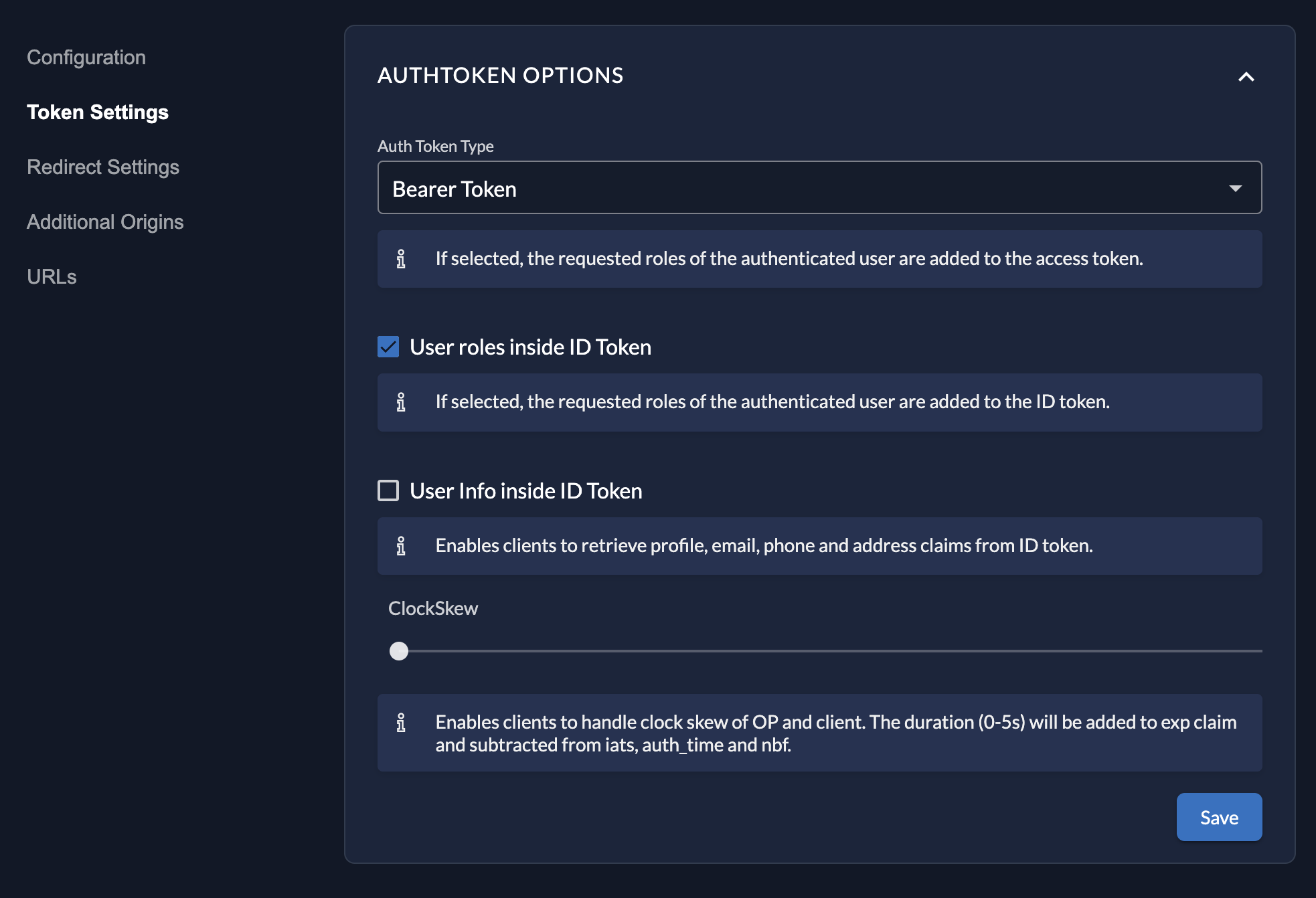
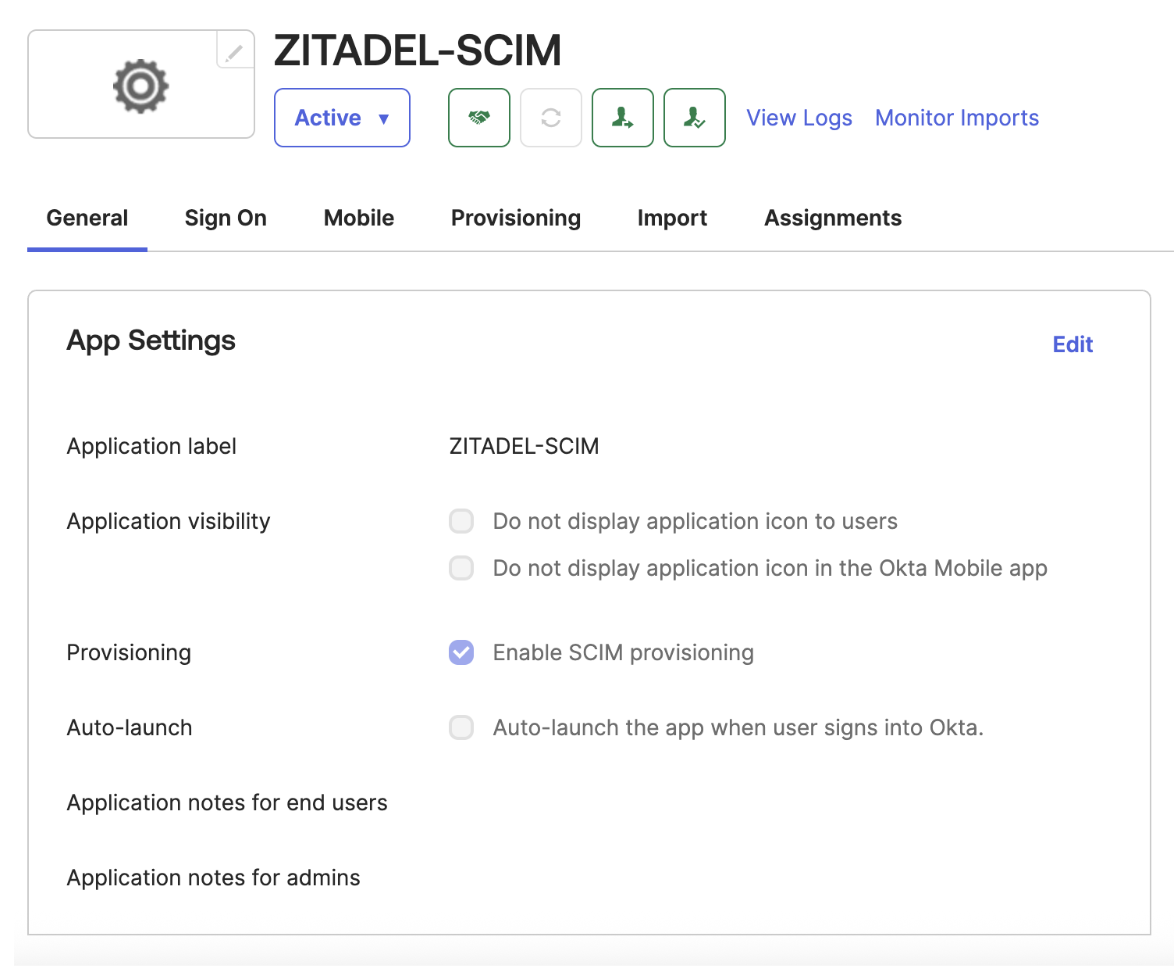
Example on github ```js reference https://github.com/zitadel/actions/blob/main/examples/custom_roles.js ```
Retrieve roles using the auth API [#retrieve-roles-using-the-auth-api] Now we will use the auth API to retrieve roles from a logged-in user using the user’s token The base URL is: **https\://`${CUSTOM_DOMAIN}`/auth/v1** Let’s start with a user who has multiple roles in different organizations in a multi-tenanted setup. You can use the logged-in user’s token or the service account’s token to retrieve the roles assigned to this user using the [APIs listed under user authorizations/grants in the auth API](/reference/api/authorization/zitadel.authorization.v2.AuthorizationService.ListAuthorizations). **Scope used:** `openid urn:zitadel:iam:org:project:id:zitadel:aud` 1. List my project roles [#1-list-my-project-roles] Returns a list of roles for the authenticated user and for the requesting project (based on the token). **URL: https\://`${CUSTOM_DOMAIN}`/auth/v1/permissions/me/\_search** **cURL request:** ```bash curl -L -X POST 'https://${CUSTOM_DOMAIN}/auth/v1/permissions/me/_search' \ -H 'Accept: application/json' \ -H 'Authorization: Bearer ' ``` **Sample response:** ```bash { "result": [ "cfo" ] } ``` 2.List my ZITADEL permissions​ [#2-list-my-zitadel-permissions] Returns a list of permissions the authenticated user has in ZITADEL based on the administrator roles the user has. (e.g: `ORG_OWNER` = `org.read`, `org.write`, ...). This request can be used if you are building a management UI. For instance, if the UI is managing users, you can show the management functionality based on the permissions the user has. Here’s an example: if the user has `user.read` and `user.write` permission you can show the edit buttons, if the user only has `user.read` permission, you can hide the edit buttons. **URL: https\://`${CUSTOM_DOMAIN}`/auth/v1/permissions/zitadel/me/\_search** **cURL Request:** ```bash curl -L -X POST 'https://${CUSTOM_DOMAIN}/auth/v1/permissions/zitadel/me/_search' \ -H 'Accept: application/json' \ -H 'Authorization: Bearer ' ``` **Sample result:** ```bash { "result": [ "org.read", "user.read", "user.global.read", "user.write", "user.delete", "user.grant.read", "user.grant.write", "user.grant.delete", "user.membership.read", "policy.read", "project.read", "project.role.read", "org.member.read", "org.idp.read", "org.action.read", "org.flow.read", "project.member.read", "project.app.read", "project.grant.read", "project.grant.member.read", "project.grant.user.grant.read", "project.read:self", "project.create" ] } ``` 3. List my role assignments [#3-list-my-role-assignments] Returns a list of roles the authenticated user has been assigned. Role assignments (referred to as user grants in the APIs) consist of an organization, a project, and roles. **URL: https\://`${CUSTOM-DOMAIN}`/auth/v1/usergrants/me/\_search** **cURL request:** ```bash curl -L -X POST 'https://${CUSTOM_DOMAIN}/auth/v1/usergrants/me/_search' \ -H 'Content-Type: application/json' \ -H 'Accept: application/json' \ -H 'Authorization: Bearer ' \ --data-raw '{ "query": { "offset": "0", "limit": 100, "asc": true } }' ``` **Sample result:** ```bash { "details": { "totalResult": "3", "processedSequence": "339", "viewTimestamp": "2023-07-19T09:20:34.371331Z" }, "result": [ { "orgId": "223279178798072065", "projectId": "223281986649719041", "userId": "223427827918176513", "roles": [ "corporate member" ], "orgName": "Org A", "grantId": "223428842084106497", "details": { "sequence": "296", "creationDate": "2023-07-18T08:46:07.692435Z", "changeDate": "2023-07-18T08:46:07.692435Z", "resourceOwner": "223279178798072065" }, "orgDomain": "org-a.user-authorizations-io8epz.zitadel.cloud", "projectName": "HR", "projectGrantId": "223282340514758913", "roleKeys": [ "corporate member" ], "userType": "TYPE_HUMAN" }, { "orgId": "223279223391912193", "projectId": "223281986649719041", "userId": "223427827918176513", "roles": [ "corporate member" ], "orgName": "Org B", "grantId": "223428980244480257", "details": { "sequence": "298", "creationDate": "2023-07-18T08:47:30.015324Z", "changeDate": "2023-07-18T08:47:30.015324Z", "resourceOwner": "223279223391912193" }, "orgDomain": "org-b.user-authorizations-io8epz.zitadel.cloud", "projectName": "HR", "projectGrantId": "223282930787549441", "roleKeys": [ "corporate member" ], "userType": "TYPE_HUMAN" }, { "orgId": "223281939119866113", "projectId": "223281986649719041", "userId": "223427827918176513", "roles": [ "cfo" ], "orgName": "Corporate", "grantId": "223428420858544385", "details": { "sequence": "293", "creationDate": "2023-07-18T08:41:56.649257Z", "changeDate": "2023-07-18T08:44:33.094117Z", "resourceOwner": "223281939119866113" }, "orgDomain": "corporate.user-authorizations-io8epz.zitadel.cloud", "projectName": "HR", "roleKeys": [ "cfo" ], "userType": "TYPE_HUMAN" } ] } ``` Retrieve roles using the management API [#retrieve-roles-using-the-management-api] Now we will use the management API to retrieve user roles under an admin user. The base URL is: **https\://`${CUSTOM_DOMAIN}`/management/v1** In [APIs listed under user grants in the management API](/reference/api/management), you will see that you can use the management API to retrieve and modify user grants. The two API paths that we are interested in to fetch user roles are given below. **Scope used:** `openid urn:zitadel:iam:org:project:id:zitadel:aud` 1. Search user grants​ [#1-search-user-grants] Returns a list of user roles that match the search queries. A user with administrator permissions will call this API and will also have to reside in the same organization as the user. **URL: https\://`${CUSTOM_DOMAIN}`/management/v1/users/grants/\_search** **cURL request:** ```bash curl -L -X POST 'https://${CUSTOM_DOMAIN}/management/v1/users/grants/_search' \ -H 'Content-Type: application/json' \ -H 'Accept: application/json' \ -H 'Authorization: Bearer ' \ --data '{ "query": { "offset": "0", "limit": 100, "asc": true }, "queries": [ { "user_id_query": { "user_id": "223427827918176513" } } ] } ``` **Sample result:** ```bash { "details": { "totalResult": "1", "processedSequence": "342", "viewTimestamp": "2023-07-19T11:24:58.769023Z" }, "result": [ { "id": "223428420858544385", "details": { "sequence": "293", "creationDate": "2023-07-18T08:41:56.649257Z", "changeDate": "2023-07-18T08:44:33.094117Z", "resourceOwner": "223281939119866113" }, "roleKeys": [ "cfo" ], "state": "USER_GRANT_STATE_ACTIVE", "userId": "223427827918176513", "userName": "david.wallace", "firstName": "David", "lastName": "Wallace", "email": "david.wallace@dundermifflin.com", "displayName": "David Wallace", "orgId": "223281939119866113", "orgName": "Corporate", "orgDomain": "corporate.user-authorizations-io8epz.zitadel.cloud", "projectId": "223281986649719041", "projectName": "HR", "preferredLoginName": "david.wallace", "userType": "TYPE_HUMAN" } ] } ``` 2. User grant by ID​ [#2-user-grant-by-id] Returns a user grant per ID. A user grant is a role a user has for a specific project and organization. **URL: https\://`${CUSTOM_DOMAIN}`/management/v1/users/:userId/grants/:grantId** **cURL request:** ```bash curl -L -X GET 'https://${CUSTOM_DOMAIN}/management/v1/users/:userId/grants/:grantId' \ -H 'Accept: application/json' \ -H 'Authorization: Bearer ' ``` Summary [#summary] The process of retrieving a user's roles involves understanding the audience scope, getting a token, and accessing the correct API endpoints based on your requirement. Following these steps will help efficiently manage roles in single and multi-tenant applications. # SCIM Provisioning from Okta This guide provides step-by-step instructions to configure SCIM provisioning from Okta into ZITADEL. Pre-requisites: [#pre-requisites] * Access to your ZITADEL Organization with an **Org Owner** role. * Access to your Okta Admin dashboard. * An existing **SAML app integration** between Okta (Identity Provider) and ZITADEL (Service Provider). Step 1: Set Up SCIM Provisioning in ZITADEL [#step-1-set-up-scim-provisioning-in-zitadel] SCIM provisioning in ZITADEL is accomplished by authenticating a Service Account with appropriate permissions. 1. **Create a Service Account**: * Follow [this guide](https://zitadel.com/docs/guides/manage/console/users-overview) to create a Service Account within your ZITADEL Organization. 2. **Assign the Role**: * Grant the Service Account the **Org User Manager** role. No higher managerial role is required. 3. **Choose an Authentication Method**: * Select one of these two supported authentication methods: * Personal Access Token - PAT * Client Credentials Grant 4. Detailed instructions to authenticate the Service Account can be found [here](https://zitadel.com/docs/guides/integrate/service-accounts/authenticate-service-accounts). Step 2: Set Up SCIM in Okta [#step-2-set-up-scim-in-okta] Follow these precise steps to configure SCIM provisioning in Okta: 1. Log in to your Okta Admin Console. 2. Navigate to **Applications** → **Application** and the existing **SAML app** linked to ZITADEL. 3. Select the **General** tab, then choose **Edit** for **App Settings**. 4. In the **Provisioning** section, select **SCIM** and then **Save**. Enable SCIM provisioning in Okta 5. Under the **General** tab, also confirm that [Federation Broker Mode](https://help.okta.com/en-us/content/topics/apps/apps-fbm-main.htm) is disabled. 6. Click on the **Provisioning** tab, then go to the **Integration** tab and select **Edit**. Select provisioning actions in Okta 7. Enter the **SCIM connector base URL** using this format: `https://${ZITADEL_DOMAIN}/scim/v2/{orgId}` Like the example in the above image: `https://test-domain-bkeog4.us1.zitadel.cloud/scim/v2/322355063156684166` *(Find more details about endpoints [here](https://zitadel.com/docs/apis/scim2#supported-endpoints)).* 8. For **Unique identifier field for users**, enter **userName**. 9. Under **Supported provisioning actions**, select ***Push New Users*** and ***Push Profile Updates***. 10. Choose your authentication method under **Authentication Mode**: * **HTTP Header** if using a Personal Access Token (PAT). * **OAuth 2** if using Client Credentials Grant. 11. Provide the authentication details according to your chosen method: * For **HTTP Header (PAT)**, enter the PAT token generated from ZITADEL. * For **OAuth 2**, provide the client credentials (Client ID, Client Secret, token URL, authorization URL). 12. Click **Test Connection Settings** to verify the integration (optional but recommended), then click **Save**. 13. Under the **Provisioning to App** settings, enable: * **Create Users** * **Update User Attributes** * **Deactivate Users** 14. Click **Save** to apply these settings. Enable provisioning to App in Okta Step 3: Attribute Mapping (Recommended) [#step-3-attribute-mapping-recommended] Review and adjust attribute mappings in Okta as needed: * Ensure standard attributes such as `userName`, `email`, `name.givenName`, and `name.familyName` are correctly mapped. Step 4: Verify SCIM Provisioning [#step-4-verify-scim-provisioning] * Assign the configured application to test users/groups in Okta. * Verify that users are automatically provisioned into ZITADEL by checking under **Users** in your ZITADEL console. * Validate attribute synchronization and lifecycle management (activation, updates, deactivation). Helpful Reference Links [#helpful-reference-links] * [Authenticate users with SAML](https://zitadel.com/docs/guides/integrate/login/saml) * [ZITADEL: Creating Service Accounts](https://zitadel.com/docs/guides/manage/console/users-overview) * [ZITADEL: Service Account Authentication](https://zitadel.com/docs/guides/integrate/service-accounts/authenticate-service-accounts) * [ZITADEL SCIM 2.0 API Endpoints](https://zitadel.com/docs/apis/scim2) * [SCIM v2.0 (Preview) docs](https://zitadel.com/docs/guides/manage/user/scim2) # Impersonation and delegation using Token Exchange import TokenExchangeTypes from "../../apis/openidoauth/_token_exchange_types.mdx"; import TokenExchangeRequest from "../../apis/openidoauth/_token_exchange_request.mdx"; import TokenExchangeResponse from "../../apis/openidoauth/_token_exchange_response.mdx"; The Token Exchange grant implements [RFC 8693, OAuth 2.0 Token Exchange](https://www.rfc-editor.org/rfc/rfc8693) and can be used to exchange tokens to a different scope, audience or subject. Changing the subject of an authenticated token is called impersonation or delegation. This guide will explain how token exchange is implemented inside ZITADEL and gives some usage examples. In this guide we assume that the application performing the token exchange is already in possession of tokens. You should already have a good understanding on the following topics before starting with this guide: * Integrate your app with the [OIDC flow](/guides/integrate/login/oidc/login-users) to obtain tokens * [Claims](/apis/openidoauth/claims) * [Scope](/apis/openidoauth/scopes) * Audience The basics [#the-basics] Token Exchange is a complex and broad subject. Before we get our hands dirty with the "how-to" part, lets first cover some basics. Token types [#token-types] Token Exchange offers a range of possibilities for providing and requesting different token types. The existence of the various `*_token_type` fields in the request and response data helps defining which tokens we are sending, which ones we wish to receive and finally which one(s) we did receive in the response. Access Token type [#access-token-type] ``` urn:ietf:params:oauth:token-type:access_token ``` Access tokens can be supplied in the request, or requested to be in the response. When supplied as `subject_token` or `actor_token` this may be an opaque token or JWT. The client does not need to care about the difference between the access token types in this case, it can pass the `access_token` value previously obtained from the token endpoint as-is. When requesting an access token, token exchange will always return an opaque token. If a JWT is required, use the `urn:ietf:params:oauth:token-type:jwt` identifier for `requested_token_type`. Refresh Token type [#refresh-token-type] ``` urn:ietf:params:oauth:token-type:refresh_token ``` At the moment we do not support sending refresh tokens as part of the Token Exchange grant. Instead, use the [`refresh_token` grant](/apis/openidoauth/endpoints#refresh-token-grant). ID Token type [#id-token-type] ``` urn:ietf:params:oauth:token-type:id_token ``` ID Tokens can be supplied as `subject_token` and `actor_token`. We currently reject any expired ID Tokens, even as `subject_token`. This might change in future. When requested as `requested_token_type`, the [response](#token-exchange-response) will carry the ID Token in the `access_token` field. The `token_type` will be set `N_A`, meaning that the returned `access_token` value cannot be used as Access Token. This is how the RFC specifies the behavior. If you want both a "real" access token and ID token, request an access token or JWT token-type and set the `openid` scope. This will return both tokens similar to the other grand types. JWT Token type [#jwt-token-type] ``` urn:ietf:params:oauth:token-type:jwt ``` The JWT token type caries a double meaning. When used as a `subject_token_type`, ZITADEL will try to verify the `subject_token` in a similar way as a JWT Profile. The `sub` field of the JWT is used to set the subject of the requested token. Currently we only allow self-signed JWT as `subject_token` in combination with a valid `actor_token` for impersonation. A self-signed JWT is not enough to obtain other token types from the Token Exchange Grant. You will need to use the [JWT Profile grant](/apis/openidoauth/endpoints#jwt-profile-grant) instead. When used as a `requested_token_type`, ZITADEL will return an access token as JWT. User ID Token type [#user-id-token-type] ``` urn:zitadel:params:oauth:token-type:user_id ``` Technically not a token and an addition to the standard. It is provided for impersonation cases where there is no token available yet for the impersonated user. This allows setting the plain zitadel user ID in the `subject_token`, along with a valid `actor_token` from the impersonator. The existence of the user is checked. Sending only the user ID in the `subject_token` is not allowed and will result in an error. Token exchange request [#token-exchange-request] The details supplied in the request changes how Token Exchange operates. While the standard is very permissive, we need to clarify how ZITADEL implements it. Subject token [#subject-token] The `subject_token` and `subject_token_type` fields come in a pair. The [token type](#token-types) describes the subject token that is passed. This tells ZITADEL how we can verify the token. The subject token is the most basic input for the token exchange. It describes for *who* we want to obtain a token. If only the `subject_token` with proper `subject_token_type` are supplied, a new access token is returned for the same user, with the same scope and the same audience. We currently allow all token types, except refresh tokens, to be used as subject token. The JWT and User ID types depend on the presence of the [`actor_token`](#actor-token) Actor token [#actor-token] The actor parameters are optional and enable impersonation and delegation. At ZITADEL we don't make any distinction between the two concepts, so we call both cases impersonation from this point.The `actor_token` and `actor_token_type` come in a pair. If the actor token is provided, the actor token type must also be specified. Currently only a valid access token or ID token are allowed as actor token. The user represented by the actor token must have the [impersonation permission](#impersonation-permissions) set, or else the request will be rejected and an error returned. Requested token type [#requested-token-type] The `requested_token_type` is an optional field that tells ZITADEL the type of token that is requested for the `access_token` response field. Note that the response can also contain ID and refresh tokens, based on [scope](#scope), even if the requested token type was an access token. Currently ZITADEL supports requesting of: * Opaque Access Token with the `urn:ietf:params:oauth:token-type:access_token` type; * JWT Access Token with the `urn:ietf:params:oauth:token-type:jwt` type; * ID Token with the `urn:ietf:params:oauth:token-type:id_token` type; Scope [#scope] [Scope](/apis/openidoauth/scopes) is an optional parameter that allows changing the scope of the supplied token, for the requested token. Scope can be entirely different from any of the supplied tokens. It can be used to extend or decrease the scope of the new token. When scope is omitted in the request, it is taken from the `subject_token`. If the `subject_token` doesn't carry any scope (some types can't), it is taken from the `actor_token`. All allowed token types for the `actor_token` typically have a scope. Audience [#audience] Audience is an optional parameter that allows to decrease the audience of the requested token. When supplied it may never contain an audience which was not already present in either the `subject_token` or `actor_token` combined. This is to prevent applications from one project or organization authorizing themselves access to applications of another project or organization and circumventing current ZITADEL authorization schemas. When audience is omitted in the request, it is taken from the `subject_token`. If the `subject_token` doesn't carry any audience (some types can't), it is taken from the `actor_token`. All allowed token types for the `actor_token` typically have an audience. Resource [#resource] The resource parameter would allow mapping a URI to a target audience. This is further defined in [RFC 8707 Resource Indicators for OAuth 2.0](https://datatracker.ietf.org/doc/html/rfc8707). ZITADEL does not yet support Resource Indicators. Supplying this parameter will always result in a `invalid_target` error. Token exchange response [#token-exchange-response] The response schema looks very similar to the model of other token endpoint responses. The RFC attempts to reuse the same fields, however they might have different contents then they lead you to believe. This can lead to confusing situations, so be sure to read this section! Access token [#access-token] The `access_token` field contains the requested token, of the requested token type. **Even if the requested token is not an access token!** For example if the `requested_token_type` is an ID Token, the `access_token` field will actually contain an ID Token. :exploding\_head: Token Type [#token-type] The `token_type` field gives us an idea of the token returned in the `access_token` field. It is not one of the `*_token_types` described above. It behaves almost like the other grand types. Normally this value is always `Bearer` but token exchange may also return `N_A` when a token cannot be used as a bearer token. For example when the requested token type is an ID token, this value will be set to `N_A`, as an ID token cannot be send to an API as bearer token. Issued token type. [#issued-token-type] The `issued_token_type` contains one of the [token types](#token-types) described above. It should match the `requested_token_type` from the request. Refresh token [#refresh-token] The `refresh_token` may contain a new refresh token that can be used to refresh the `access_token` at a later moment. ZITADEL does not allow using refresh tokens in the Token Exchange grant. Refresh tokens can be used for the [`refresh_token` grant](/apis/openidoauth/endpoints#refresh-token-grant) instead, including ones obtained through Token Exchange. A refresh token can be obtained by setting the `offline_access` [scope](#scope) in the request or applicable token. ID Token [#id-token] The `id_token` may contain an ID token. This is a non-standard field added by ZITADEL in order to match OpenID token responses. An ID Token may be obtained together with an access token or JWT token-type when the `openid` [scope](#scope) is set in the request or applicable token. Expires in [#expires-in] The `expires_in` returns the time in seconds the new `access_token` is valid. This value is given for all token types, even non-access tokens. Scope [#scope] The `scope` field contains the final scope of the obtained token. Scope might be different as the one requested, as ZITADEL validates the input. In the RFC the scope field is optional, but ZITADEL always send the value. Now that we have the basics covered, we can get started with using the Token Exchange. Simple Token Exchange examples [#simple-token-exchange-examples] First we will cover "simple" Token Exchange which only involves exchanging the `subject_token` for a new token. Preparation [#preparation] These preparation steps are needed for all Token Exchange interaction, including impersonation. Application [#application] Next we need to select an application that is allowed to perform Token Exchange. As with the other grant types, we need to enable the `urn:ietf:params:oauth:grant-type:token-exchange` grant type. ZITADEL allows any application to use Token Exchange, however we strongly recommend to only configure confidential clients (using either client credentials or JWT assertion) with the Token Exchange grant type. This is because there is some trust placed in the application when it comes to defining scope and that it obtained tokens in a legitimate way. For example, if the app possesses a token of an admin user with impersonation permissions it can obtain tokens for any other user in your instance. It is your responsibility to make sure the application can be trusted with this kind of powers. If you configure a public client with the Token Exchange grant, you risk a leaked token can be used by an attacker who knows the client ID of a granted public client. Organization layout [#organization-layout] For this example we have the following projects in our organization: * **portal** contains the end user interfaces. In this case a web-app that initiated user login and performs operations on other APIs. The web-app has the token exchange grant type enabled; * **aggregates** a project that contains APIs of low privilege which aggregate public data to return to the user; * **settings** a project that contains APIs for settings and other privileged operations; * **ZITADEL** the build-in project used for the zitadel management console and APIs; Authenticated user tokens [#authenticated-user-tokens] The *portal* web-app has been configured to include user info in the ID Token and completed a code-flow login for an user with the following scope: ``` openid profile email urn:zitadel:iam:org:project:id:259254020357488642:aud urn:zitadel:iam:org:project:id:259256588127174658:aud urn:zitadel:iam:org:project:id:zitadel:aud ``` The scope requested an access token and ID Token. The reserved scopes are used to add all of our defined projects to the audience of the token. The resulting ID Token, user info and introspection responses will provide user profile information, user email and the token audience. At the end of the code flow we have the following tokens: Opaque Access token: ``` NaUAPHy5mLFQlwUCeUGYeDyhcQYuNhzTiYgwMor9BxP_bfMy2iDdLxJ87nntUc85vNyeHOY ``` ID token: ``` eyJhbGciOiJSUzI1NiIsImtpZCI6IjI1OTM3OTQwMTIwNzA1NDMzOCIsInR5cCI6IkpXVCJ9.eyJpc3MiOiJodHRwOi8vbG9jYWxob3N0OjkwMDAiLCJzdWIiOiIyNTkyNDIwMzkzNzg0NDQyOTAiLCJhdWQiOlsiMjU5MjU0NDA5MzIwNTI5OTIyQHBvcnRhbCIsIjI1OTI5Nzc3MzUwODE2NTYzNEBwb3J0YWwiLCIyNTkyNTQzMTcwNzkzMzA4MTgiLCIyNTkyNTQwMjAzNTc0ODg2NDIiLCIyNTkyNTY1ODgxMjcxNzQ2NTgiLCIyNTc3ODY5OTEyNDcyOTQ0NjgiXSwiZXhwIjoxNzExMTQxNjcwLCJpYXQiOjE3MTEwOTg0NzAsImF1dGhfdGltZSI6MTcxMTA5ODQ2OCwiYW1yIjpbInBhc3N3b3JkIiwicHdkIl0sImF6cCI6IjI1OTI1NDQwOTMyMDUyOTkyMkBwb3J0YWwiLCJjbGllbnRfaWQiOiIyNTkyNTQ0MDkzMjA1Mjk5MjJAcG9ydGFsIiwiYXRfaGFzaCI6InQxVDc4czhSVFZrdTJzeEJnMDNSQ1EiLCJjX2hhc2giOiJQdXBDMmNyak9aQXI2X08xdVRsR2R3IiwibmFtZSI6ImVuZCB1c2VyIiwiZ2l2ZW5fbmFtZSI6ImVuZCIsImZhbWlseV9uYW1lIjoidXNlciIsIm5pY2tuYW1lIjoiZW5kLXVzZXIiLCJnZW5kZXIiOiJmZW1hbGUiLCJsb2NhbGUiOiJlbiIsInVwZGF0ZWRfYXQiOjE3MTEwMTYyOTYsInByZWZlcnJlZF91c2VybmFtZSI6ImVuZC11c2VyIiwiZW1haWwiOiJ0aW0rZW5kLXVzZXJAeml0YWRlbC5jb20iLCJlbWFpbF92ZXJpZmllZCI6dHJ1ZX0.Dw8lfQwJTksCOr9dHLfWqpSf4gJwkcTdKMZGCkLueBMDdyqzL-qR_KcYCcp-NKDkY-o9e8SxJtIBkPlWzI2x0WutIg67SqzJbwS_Be88MkDKv-sRqKy_bVnyNTcYjuUReGzu4ycufjMu6aKtqYFEivdZsB2-2Pxnj5WSs_CY7jvBe_YQtfThSU88i1LPQDucQdSZZpOpOhEV4AI5C3XXbnv2nw0PMZ-Beq6svpCYqs_3Azeg0-UgxipuRgJfnqnqEqH0zlFNCndnkRuknUoda6-peuEI2KnRg9WkX7DoYrTToPde8Ay8NI48cWipm9dhxNxQbIr4ZDWQEazmsz9SpQ ``` The ID token is a JWT and contains the following claims: ```json { "iss": "http://localhost:9000", "sub": "259242039378444290", "aud": [ "259254409320529922@portal", "259297773508165634@portal", "259254317079330818", "259254020357488642", "259256588127174658", "257786991247294468" ], "exp": 1711141670, "iat": 1711098470, "auth_time": 1711098468, "amr": ["password", "pwd"], "azp": "259254409320529922@portal", "client_id": "259254409320529922@portal", "at_hash": "t1T78s8RTVku2sxBg03RCQ", "c_hash": "PupC2crjOZAr6_O1uTlGdw", "name": "end user", "given_name": "end", "family_name": "user", "nickname": "end-user", "gender": "female", "locale": "en", "updated_at": 1711016296, "preferred_username": "end-user", "email": "tim+end-user@zitadel.com", "email_verified": true } ``` The audience contains 2 client IDs from the current project (*portal*) and the IDs of the projects we described earlier, including the ZITADEL project ID. Reduce audience and scope example [#reduce-audience-and-scope-example] Now imagine that the portal web-app needs to call an aggregate API. The API is externally developed and configured to use ZITADEL's introspection endpoint to validate access tokens. Besides that, we do not trust the API. If we were to forward the current access token in an `Authorization: Bearer` header, the untrusted API will get access to user information it might not need in order execute its business logic. Another issue is that the API might start acting malicious and it would be able to call the **settings** and **ZITADEL** APIs with the same privilege as the passed token. In this token exchange call we will reduce the scope and audience of the access token, so that we can forward the new token instead: ```bash curl -L -X POST 'http://localhost:9000/oauth/v2/token' \ -H 'Content-Type: application/x-www-form-urlencoded' \ -H 'Accept: application/json' \ -u '259254409320529922@portal:eNdXJzB5RK5CXSpa4HqEfbdDqlM7drpskEHq1RBYMby0tM1MaCidyWsWlp5mglbN' \ -d 'grant_type=urn:ietf:params:oauth:grant-type:token-exchange' \ -d 'subject_token=NaUAPHy5mLFQlwUCeUGYeDyhcQYuNhzTiYgwMor9BxP_bfMy2iDdLxJ87nntUc85vNyeHOY' \ -d 'subject_token_type=urn:ietf:params:oauth:token-type:access_token' \ -d 'scope=openid' \ -d 'audience=259254020357488642' | jq ``` This gives the following response: ```json { "access_token": "CV3iikwgHfBqeGmzFebMIlbdoo3EHEz30LbOKWa-19FL0irJxcbITiLtOvUxouG0xuqECd0", "issued_token_type": "urn:ietf:params:oauth:token-type:access_token", "token_type": "Bearer", "expires_in": 43199, "scope": "openid", "id_token": "eyJhbGciOiJSUzI1NiIsImtpZCI6IjI1OTM3OTQwMTIwNzA1NDMzOCIsInR5cCI6IkpXVCJ9.eyJpc3MiOiJodHRwOi8vbG9jYWxob3N0OjkwMDAiLCJzdWIiOiIyNTkyNDIwMzkzNzg0NDQyOTAiLCJhdWQiOlsiMjU5MjU0MDIwMzU3NDg4NjQyIiwiMjU5MjU0NDA5MzIwNTI5OTIyQHBvcnRhbCJdLCJleHAiOjE3MTExNDE4NDksImlhdCI6MTcxMTA5ODY0OSwiYXpwIjoiMjU5MjU0NDA5MzIwNTI5OTIyQHBvcnRhbCIsImNsaWVudF9pZCI6IjI1OTI1NDQwOTMyMDUyOTkyMkBwb3J0YWwiLCJhdF9oYXNoIjoiMGhqckJDcEhyLS1iYjg2ZlZtQmFjdyJ9.D7_upLZ3fEXRvdlX-EfK2x9FLgppDJZZ3QPvFHgw11rfRFgmMoZAgGmh3rNBbvBuDM8UYPw5FEcIlaEMMVaorKhTFbKQB-t0M0krZ81_uIrDa8J7svW5iPACg36Ge77PQz_aGUfbwoRcqSm26OG1Bw0Grmu3mxm7blnhqUHBFtZi5DLWmdK-EfKID6D4s7JR1JEH11nZyFT3LUY87wQ_9FQFWVcqtmvELmseVQsvENJkwifPRkzphgyABpiixMWZEh0HcoMVw7uYQBQS9-6yVyf0I4ScnTR7GtUUL650xw3yerxMTJVo3TfwDchVy7BzSXyWF9RSr46xgHY-48b1Tw" } ``` As indicated by the `token_type` the new access token can be used as Bearer. Once the web-app will make a call to one of the aggregate APIs, that API can make an [introspection](/apis/openidoauth/endpoints#introspection-endpoint) call with the access token. Note we use the credentials of the API here: ```bash curl -L -X POST 'http://localhost:9000/oauth/v2/introspect' \ -H 'Content-Type: application/x-www-form-urlencoded' \ -u '259284000017809410@aggregates:ES1i1JWgGiHNW6bBljyynZyvQIlotEpVwzbgrTIYZzndOo2KxDkwap1WvdSdBjtk' \ -d token=CV3iikwgHfBqeGmzFebMIlbdoo3EHEz30LbOKWa-19FL0irJxcbITiLtOvUxouG0xuqECd0 | jq ``` The introspection response would look like: ```json { "active": true, "scope": "openid", "client_id": "259254409320529922@portal", "token_type": "Bearer", "exp": 1711141849, "iat": 1711098649, "nbf": 1711098649, "sub": "259242039378444290", "aud": ["259254020357488642"], "iss": "http://localhost:9000", "jti": "259380204902809602" } ``` We can see that the audience and scope are reduced and we are not sharing any sensitive user information with the API. If the API tries to use the token on any API outside the aggregate project, it would be useless: ```bash curl -L -X GET 'http://localhost:9000/auth/v1/users/me' \ -H 'Accept: application/json' \ -H 'Authorization: Bearer CV3iikwgHfBqeGmzFebMIlbdoo3EHEz30LbOKWa-19FL0irJxcbITiLtOvUxouG0xuqECd0' | jq ``` ```json { "code": 16, "message": "Errors.Token.Invalid (AUTH-7fs1e)", "details": [ { "@type": "type.googleapis.com/zitadel.v1.ErrorDetail", "id": "AUTH-7fs1e", "message": "Errors.Token.Invalid" } ] } ``` Change token-type example [#change-token-type-example] We can also use Token Exchange to change the type of token we are dealing with. For example, the first opaque token after user login can be exchanged for a JWT access token, while maintaining the same scope and audience: ```bash curl -L -X POST 'http://localhost:9000/oauth/v2/token' \ -H 'Content-Type: application/x-www-form-urlencoded' \ -H 'Accept: application/json' \ -u '259254409320529922@portal:eNdXJzB5RK5CXSpa4HqEfbdDqlM7drpskEHq1RBYMby0tM1MaCidyWsWlp5mglbN' \ -d 'grant_type=urn:ietf:params:oauth:grant-type:token-exchange' \ -d 'subject_token=NaUAPHy5mLFQlwUCeUGYeDyhcQYuNhzTiYgwMor9BxP_bfMy2iDdLxJ87nntUc85vNyeHOY' \ -d 'subject_token_type=urn:ietf:params:oauth:token-type:access_token' \ -d 'requested_token_type=urn:ietf:params:oauth:token-type:jwt' | jq ``` Will give the following response: ```json { "access_token": "eyJhbGciOiJSUzI1NiIsImtpZCI6IjI1OTM3OTQwMTIwNzA1NDMzOCIsInR5cCI6IkpXVCJ9.eyJpc3MiOiJodHRwOi8vbG9jYWxob3N0OjkwMDAiLCJzdWIiOiIyNTkyNDIwMzkzNzg0NDQyOTAiLCJhdWQiOlsiMjU5MjU0NDA5MzIwNTI5OTIyQHBvcnRhbCIsIjI1OTI5Nzc3MzUwODE2NTYzNEBwb3J0YWwiLCIyNTkyNTQzMTcwNzkzMzA4MTgiLCIyNTkyNTQwMjAzNTc0ODg2NDIiLCIyNTkyNTY1ODgxMjcxNzQ2NTgiLCIyNTc3ODY5OTEyNDcyOTQ0NjgiXSwiZXhwIjoxNzExMTQyMjc0LCJpYXQiOjE3MTEwOTkwNzQsIm5iZiI6MTcxMTA5OTA3NCwianRpIjoiMjU5MzgwOTE2ODQzOTcwNTYyIn0.dsX-8bXTGaZL4d3FJ7Fmrhty4oIvSIOg5suZ16MIVXdogOZHWNpTvP3bXeyHL7zHX2prUjSxTg9EX_U9XcSnX4VeAzt4sG6_vH20pJLeXMivVbCDJBp9rv8rG2gVdEwVkfxhpK_2KHhtRzCpMj_xyjlM1eh7VbRBvEuH0m1Kqv96Gspc4w0jahl8hkDuV3v0PjTo7lB72emghVEwHyXhj6a53AKzPWzrZYOJnVSEKz0MgZeHcjT93D-nN3fYWulDw9VvTs6L65G3KnoRbB29plZtLrO5F-c0AJkVKi1W9dhd-_Yj-f8o5benxymAUxUAhWsROO2syWu89M9cdnjh9A", "issued_token_type": "urn:ietf:params:oauth:token-type:jwt", "token_type": "Bearer", "expires_in": 43199, "scope": "openid email profile urn:zitadel:iam:org:project:id:259254020357488642:aud urn:zitadel:iam:org:project:id:259256588127174658:aud urn:zitadel:iam:org:project:id:zitadel:aud", "id_token": "eyJhbGciOiJSUzI1NiIsImtpZCI6IjI1OTM3OTQwMTIwNzA1NDMzOCIsInR5cCI6IkpXVCJ9.eyJpc3MiOiJodHRwOi8vbG9jYWxob3N0OjkwMDAiLCJzdWIiOiIyNTkyNDIwMzkzNzg0NDQyOTAiLCJhdWQiOlsiMjU5MjU0NDA5MzIwNTI5OTIyQHBvcnRhbCIsIjI1OTI5Nzc3MzUwODE2NTYzNEBwb3J0YWwiLCIyNTkyNTQzMTcwNzkzMzA4MTgiLCIyNTkyNTQwMjAzNTc0ODg2NDIiLCIyNTkyNTY1ODgxMjcxNzQ2NTgiLCIyNTc3ODY5OTEyNDcyOTQ0NjgiXSwiZXhwIjoxNzExMTQyMjc0LCJpYXQiOjE3MTEwOTkwNzQsImF6cCI6IjI1OTI1NDQwOTMyMDUyOTkyMkBwb3J0YWwiLCJjbGllbnRfaWQiOiIyNTkyNTQ0MDkzMjA1Mjk5MjJAcG9ydGFsIiwiYXRfaGFzaCI6IjVVeUJ1el9rMVd3VTVPbUVNa21zSFEiLCJuYW1lIjoiZW5kIHVzZXIiLCJnaXZlbl9uYW1lIjoiZW5kIiwiZmFtaWx5X25hbWUiOiJ1c2VyIiwibmlja25hbWUiOiJlbmQtdXNlciIsImdlbmRlciI6ImZlbWFsZSIsImxvY2FsZSI6ImVuIiwidXBkYXRlZF9hdCI6MTcxMTAxNjI5NiwicHJlZmVycmVkX3VzZXJuYW1lIjoiZW5kLXVzZXIiLCJlbWFpbCI6InRpbStlbmQtdXNlckB6aXRhZGVsLmNvbSIsImVtYWlsX3ZlcmlmaWVkIjp0cnVlfQ.eXxM3hGM5_hn9Vieg-BGlt67KWNfeL3NjKkOiHyZKJNkWMYUmIO2bdk6eZC4_eEWgIMUv093UvTZ1t-xF01evrNaCQ68KROUCWVe6SW85XAaLFb2wtKCJwNAQYWYHl8IzCJdEs5JLlZ7BlU6qgTxdw5MN0npLJbjM4osI_R-9152QfDLjivJlM7F9DWOnA5DdnwBzrHHtOUU-JWvsR6BBXY9eaCZmTjNt2v9yNh6rR4FazlBOYQN-EcYc90Ybckm2Vyow0vRsAnj7moKDQlUdOSyBSwxnSs9sSMr_Nm7uPxcolJ5raIRonGD5FndYYaSc8vuKkkDzQ8yr1v2GVJMyQ" } ``` You can now inspect the access token JWT and see the following claims: ```json { "iss": "http://localhost:9000", "sub": "259242039378444290", "aud": [ "259254409320529922@portal", "259297773508165634@portal", "259254317079330818", "259254020357488642", "259256588127174658", "257786991247294468" ], "exp": 1711142274, "iat": 1711099074, "nbf": 1711099074, "jti": "259380916843970562" } ``` Doing similar request you can: * Exchange an ID token to opaque or JWT access token * Exchange an opaque access token to a JWT access token * Exchange a JWT access token to an opaque access token * Exchange any access token to an ID token Request an ID token example [#request-an-id-token-example] In the following example we exchange the initial opaque access token to a new ID token. The usefulness of this is up to the imagination of the reader, but it demonstrates the weird behavior of requesting an ID token, as defined by the RFC. You can also obtain an ID token in the `id_token` response field by requesting an access token and the `openid` scope. ```bash curl -L -X POST 'http://localhost:9000/oauth/v2/token' \ -H 'Content-Type: application/x-www-form-urlencoded' \ -H 'Accept: application/json' \ -d 'client_id=259254409320529922@portal' \ -d 'client_secret=eNdXJzB5RK5CXSpa4HqEfbdDqlM7drpskEHq1RBYMby0tM1MaCidyWsWlp5mglbN' \ -d 'grant_type=urn:ietf:params:oauth:grant-type:token-exchange' \ -d 'subject_token=eZCZcbA-lpS1UnbyLvG2Mw2p6ix7CiES3HCDKBn6KMebhMu34hwu9p86N6EgOmkN6estous' \ -d 'subject_token_type=urn:ietf:params:oauth:token-type:access_token' \ -d 'requested_token_type=urn:ietf:params:oauth:token-type:id_token' | jq ``` This gives us a response with the ID token in the `access_token` field and the `token_type` set to `N_A`: ```json { "access_token": "eyJhbGciOiJSUzI1NiIsImtpZCI6IjI1OTIzOTc0MDQxMzMxMzAyNiIsInR5cCI6IkpXVCJ9.eyJpc3MiOiJodHRwOi8vbG9jYWxob3N0OjkwMDAiLCJzdWIiOiIyNTkyNDIwMzkzNzg0NDQyOTAiLCJhdWQiOlsiMjU5MjU0NDA5MzIwNTI5OTIyQHBvcnRhbCIsIjI1OTI1NDMxNzA3OTMzMDgxOCIsIjI1OTI1NDAyMDM1NzQ4ODY0MiIsIjI1OTI1NjU4ODEyNzE3NDY1OCIsIjI1Nzc4Njk5MTI0NzI5NDQ2OCJdLCJleHAiOjE3MTEwODk2MzcsImlhdCI6MTcxMTA0NjQzNywiYXpwIjoiMjU5MjU0NDA5MzIwNTI5OTIyQHBvcnRhbCIsImNsaWVudF9pZCI6IjI1OTI1NDQwOTMyMDUyOTkyMkBwb3J0YWwiLCJuYW1lIjoiZW5kIHVzZXIiLCJnaXZlbl9uYW1lIjoiZW5kIiwiZmFtaWx5X25hbWUiOiJ1c2VyIiwibmlja25hbWUiOiJlbmQtdXNlciIsImdlbmRlciI6ImZlbWFsZSIsImxvY2FsZSI6ImVuIiwidXBkYXRlZF9hdCI6MTcxMTAxNjI5NiwicHJlZmVycmVkX3VzZXJuYW1lIjoiZW5kLXVzZXIiLCJlbWFpbCI6InRpbStlbmQtdXNlckB6aXRhZGVsLmNvbSIsImVtYWlsX3ZlcmlmaWVkIjp0cnVlfQ.N2MfKznzdH-LaEV3qWPeqHW9dxlsgEoEm-ivU3uakVbtOe7AnpNTF56aPMlt3macNizixusm1vZWFHhHc-kBczMDqlzgFvEbwzSBi1ETmF0OIfazlbzGIJL0G1PCzD3883vR1oh80mwPUvoPqLkjHvQa3UaYIZ-Z08i8Oq-Cut8D3e2PhIfn9YCK9htq65GOJCHaWfWMPJrb65M5nTm6TyM4VfYe4iQgJ1D8Kuol_UQEpIeVnb7agu6mk9h1BdjhMGwBFPJjRbxSh9Mb7glFuRvgI1LWcbmr70HMMh0n0UVxPlIQUGJbrT0Wu97aJjFBdzEq5Rof4oJ2COAmvKvwVw", "issued_token_type": "urn:ietf:params:oauth:token-type:id_token", "token_type": "N_A", "expires_in": 43199, "scope": "openid profile email urn:zitadel:iam:org:project:id:259254020357488642:aud urn:zitadel:iam:org:project:id:259256588127174658:aud urn:zitadel:iam:org:project:id:zitadel:aud" } ``` Impersonation examples [#impersonation-examples] With impersonation we can let one user assume the role of another user. Currently impersonated tokens cannot be used for the ZITADEL API. This is to prevent privilege escalation where a impersonator could become an instance owner, for example. We might enable the use of impersonated tokens in the future. Preparation [#preparation] We continue with the same application and project layout from the above examples. We will introduce a new user, the impersonator, which will assume the identity of the end user from the previous example. Impersonation security settings [#impersonation-security-settings] If you want to impersonate users by Token Exchange, the security settings of the instance must be configured to allow this. Go to "Default settings" and in the sidebar select "Security Settings". Enable the "Allow Impersonation" setting. Impersonation permissions [#impersonation-permissions] Next, we need to configure which users are allowed to impersonate other users. ZITADEL provides 4 [management roles](/guides/manage/console/administrators): | Name | Role | Description | | --------------------------- | ---------------------------- | ----------------------------------------------------------------- | | Instance Admin Impersonator | IAM\_ADMIN\_IMPERSONATOR | Allow impersonation of admin and end users from all organizations | | Instance Impersonator | IAM\_END\_USER\_IMPERSONATOR | Allow impersonation of end users from all organizations | | Org Admin Impersonator | ORG\_ADMIN\_IMPERSONATOR | Allow impersonation of admin and end users from the organization | | Org Impersonator | ORG\_END\_USER\_IMPERSONATOR | Allow impersonation of end users from the organization | In this example we will assign the `ORG_END_USER_IMPERSONATOR` role to a user: Authenticated impersonator tokens [#authenticated-impersonator-tokens] At this point the *portal* web-app must have completed a code-flow login for a user with the `ORG_END_USER_IMPERSONATOR` ZITADEL role. The impersonator does not have a profile. In this case we only need the `openid` scope. However, as we cannot extend the audience during token exchange, it is important that the project scopes are requested for the impersonator during login. ``` openid urn:zitadel:iam:org:project:id:259254020357488642:aud urn:zitadel:iam:org:project:id:259256588127174658:aud urn:zitadel:iam:org:project:id:zitadel:aud ``` At the end of the code flow we have the following tokens: Opaque access token: ``` _oFT8JOKtqpS_5M5ml03P4TEQpCj8AT1XFq2jT_iKvgIB9lzjbrOl4MHJ3o3G-RSO_y0FR4 ``` ID token: ``` eyJhbGciOiJSUzI1NiIsImtpZCI6IjI1OTM3OTQwMTIwNzA1NDMzOCIsInR5cCI6IkpXVCJ9.eyJpc3MiOiJodHRwOi8vbG9jYWxob3N0OjkwMDAiLCJzdWIiOiIyNTkyNDE5NDQ2NTQyODI3NTQiLCJhdWQiOlsiMjU5MjU0NDA5MzIwNTI5OTIyQHBvcnRhbCIsIjI1OTI5Nzc3MzUwODE2NTYzNEBwb3J0YWwiLCIyNTkyNTQzMTcwNzkzMzA4MTgiLCIyNTkyNTQwMjAzNTc0ODg2NDIiLCIyNTkyNTY1ODgxMjcxNzQ2NTgiLCIyNTc3ODY5OTEyNDcyOTQ0NjgiXSwiZXhwIjoxNzExMTQxMzcwLCJpYXQiOjE3MTEwOTgxNzAsImF1dGhfdGltZSI6MTcxMTA5ODE2OSwiYW1yIjpbInBhc3N3b3JkIiwicHdkIl0sImF6cCI6IjI1OTI1NDQwOTMyMDUyOTkyMkBwb3J0YWwiLCJjbGllbnRfaWQiOiIyNTkyNTQ0MDkzMjA1Mjk5MjJAcG9ydGFsIiwiYXRfaGFzaCI6InQ1X2dqR2k5TVNPYTNlNTBkUEdDVEEiLCJjX2hhc2giOiJnb3IzQ0tWN0ljVW8wNUpxTnd6aFp3In0.iN8LNj9VV-Kmb68frPesMM8L7PYWvwqcqlvvU4EsfNM_Q8_Upec8_8bXFk1EG7Ecg65JfrGdceQjYamldaMJyV2X9n-aZ9Db4CpyHUduJOIvWkeBQBxWDytiTFBiAaS-YhQ9L5UmDoz6b2HNrHGNlqGd_F0_rMdMZ0P4A8RQck-akNz8IntTpvQlbN6vWPC7_4Cy0xYqgWlqsCVWJkJ8v97XYLJlKPnu-tvoHQ48eZRXBgqUdrQAV8nAyp-1oglGQwJFGNzWBE-cRIkFJ5uMum7jRfuFPQGTSL8XNMQfAzRHCLOMLyFxttsL5ynMpcp2_w35DssmSY9r1J91tGdydg ``` The ID token has the following claims: ```json { "iss": "http://localhost:9000", "sub": "259241944654282754", "aud": [ "259254409320529922@portal", "259297773508165634@portal", "259254317079330818", "259254020357488642", "259256588127174658", "257786991247294468" ], "exp": 1711141370, "iat": 1711098170, "auth_time": 1711098169, "amr": [ "password", "pwd" ], "azp": "259254409320529922@portal", "client_id": "259254409320529922@portal", "at_hash": "t5_gjGi9MSOa3e50dPGCTA", "c_hash": "gor3CKV7IcUo05JqNwzhZw" } ``` Delegation by token example [#delegation-by-token-example] Let's assume that the web-app has the ability for an end-user to enable delegation. That option would make the end-user's token available to a user with impersonation permissions. The web-app will send a token exchange request with the `subject_token` of the end-user and the `actor_token` of the impersonator. In this example we will also request a JWT access token, so we can inspect it later. Any other allowed type could be used. ```bash curl -L -X POST 'http://localhost:9000/oauth/v2/token' \ -H 'Content-Type: application/x-www-form-urlencoded' \ -H 'Accept: application/json' \ -u '259254409320529922@portal:eNdXJzB5RK5CXSpa4HqEfbdDqlM7drpskEHq1RBYMby0tM1MaCidyWsWlp5mglbN' \ -d 'grant_type=urn:ietf:params:oauth:grant-type:token-exchange' \ -d 'subject_token=NaUAPHy5mLFQlwUCeUGYeDyhcQYuNhzTiYgwMor9BxP_bfMy2iDdLxJ87nntUc85vNyeHOY' \ -d 'subject_token_type=urn:ietf:params:oauth:token-type:access_token' \ -d 'actor_token=_oFT8JOKtqpS_5M5ml03P4TEQpCj8AT1XFq2jT_iKvgIB9lzjbrOl4MHJ3o3G-RSO_y0FR4' \ -d 'actor_token_type=urn:ietf:params:oauth:token-type:access_token' \ -d 'requested_token_type=urn:ietf:params:oauth:token-type:jwt' | jq ``` Will give the following response: ```json { "access_token": "eyJhbGciOiJSUzI1NiIsImtpZCI6IjI1OTM3OTQwMTIwNzA1NDMzOCIsInR5cCI6IkpXVCJ9.eyJpc3MiOiJodHRwOi8vbG9jYWxob3N0OjkwMDAiLCJzdWIiOiIyNTkyNDIwMzkzNzg0NDQyOTAiLCJhdWQiOlsiMjU5MjU0NDA5MzIwNTI5OTIyQHBvcnRhbCIsIjI1OTI5Nzc3MzUwODE2NTYzNEBwb3J0YWwiLCIyNTkyNTQzMTcwNzkzMzA4MTgiLCIyNTkyNTQwMjAzNTc0ODg2NDIiLCIyNTkyNTY1ODgxMjcxNzQ2NTgiLCIyNTc3ODY5OTEyNDcyOTQ0NjgiXSwiZXhwIjoxNzExMTQyODc1LCJpYXQiOjE3MTEwOTk2NzUsIm5iZiI6MTcxMTA5OTY3NSwianRpIjoiMjU5MzgxOTI2Mjk1NTAyODUwIiwiYWN0Ijp7ImlzcyI6Imh0dHA6Ly9sb2NhbGhvc3Q6OTAwMCIsInN1YiI6IjI1OTI0MTk0NDY1NDI4Mjc1NCJ9fQ.rz0M_r_rLN0OIf5UKOTi9Fz5-X3CFLMA4jBaZHDy1pdbBwfbnByL3LeB9UYtSjzMwaYmXJJJRlxAvO9I2bu2ReHYi97DzFo2gKX9p-rLoaEUYcAjg3HmJ0c9J1Ucvc05yXu2OXhNKDb7_qcX4IfaddpazPRvjNnpRk4NWFxKbTBLG4mpqxv5brM4iDPmzejUdoYKxSzlCH-ChZIf28vbE_ORf0HfxkptXAsZ3P9I9Fr-d_fenCmBFHAMP0u_tQ7z-IzgxDg9H54fWEm_LNrkFJf6PEPWLc1TFFOKMgU5nnGorSe0dLZGXOB_GJz6wTw6-ts8QKxJ_zajd4r3K4kKSg", "issued_token_type": "urn:ietf:params:oauth:token-type:jwt", "token_type": "Bearer", "expires_in": 43199, "scope": "openid email profile urn:zitadel:iam:org:project:id:259254020357488642:aud urn:zitadel:iam:org:project:id:259256588127174658:aud urn:zitadel:iam:org:project:id:zitadel:aud", "id_token": "eyJhbGciOiJSUzI1NiIsImtpZCI6IjI1OTM3OTQwMTIwNzA1NDMzOCIsInR5cCI6IkpXVCJ9.eyJpc3MiOiJodHRwOi8vbG9jYWxob3N0OjkwMDAiLCJzdWIiOiIyNTkyNDIwMzkzNzg0NDQyOTAiLCJhdWQiOlsiMjU5MjU0NDA5MzIwNTI5OTIyQHBvcnRhbCIsIjI1OTI5Nzc3MzUwODE2NTYzNEBwb3J0YWwiLCIyNTkyNTQzMTcwNzkzMzA4MTgiLCIyNTkyNTQwMjAzNTc0ODg2NDIiLCIyNTkyNTY1ODgxMjcxNzQ2NTgiLCIyNTc3ODY5OTEyNDcyOTQ0NjgiXSwiZXhwIjoxNzExMTQyODc1LCJpYXQiOjE3MTEwOTk2NzUsImF6cCI6IjI1OTI1NDQwOTMyMDUyOTkyMkBwb3J0YWwiLCJjbGllbnRfaWQiOiIyNTkyNTQ0MDkzMjA1Mjk5MjJAcG9ydGFsIiwiYWN0Ijp7ImlzcyI6Imh0dHA6Ly9sb2NhbGhvc3Q6OTAwMCIsInN1YiI6IjI1OTI0MTk0NDY1NDI4Mjc1NCJ9LCJhdF9oYXNoIjoiYnZPQVhzMUhkQmFZWTZqN1B6T3RqZyIsIm5hbWUiOiJlbmQgdXNlciIsImdpdmVuX25hbWUiOiJlbmQiLCJmYW1pbHlfbmFtZSI6InVzZXIiLCJuaWNrbmFtZSI6ImVuZC11c2VyIiwiZ2VuZGVyIjoiZmVtYWxlIiwibG9jYWxlIjoiZW4iLCJ1cGRhdGVkX2F0IjoxNzExMDE2Mjk2LCJwcmVmZXJyZWRfdXNlcm5hbWUiOiJlbmQtdXNlciIsImVtYWlsIjoidGltK2VuZC11c2VyQHppdGFkZWwuY29tIiwiZW1haWxfdmVyaWZpZWQiOnRydWV9.cza4Fgn73Jez29l9uzcCcG-QYGvsqjReAICGajWjFFIij7PohhSWYkJNpQuixXeyp_JD7qxLuG1yFUGcXS-IS8ui_yHpiWuXr7ik81OX00_iCwBr6Qn6Ae6Qc3LOLNieSo1jRY2vx6pTXn0ZPnXpL_AbtVU3bruyaxbBeQhhyVDZ0NOLOgB3r-0Vc43VDnziI4-7Ngl1lQpU6Jp-kRNmqar36S59Aj3upcUus77I8tCfS633T4E8PcIAlqPla8RYcpAan6Qpc3ge7ybqjdfmh_qLv672rY_rQvh3rbe3sHup0nK1XzZNr9Fl1_LeZtUiv5or7WB4c4cGpqc3SAuxow" } ``` In the access token [claims](/apis/openidoauth/claims) we can see that the subject and audience are taken from the `subject_token`. The `act` claim contains the subject and issuer of the `actor_token`, so we can always determine the impersonator that obtained the token. ```json { "iss": "http://localhost:9000", "sub": "259242039378444290", "aud": [ "259254409320529922@portal", "259297773508165634@portal", "259254317079330818", "259254020357488642", "259256588127174658", "257786991247294468" ], "exp": 1711142875, "iat": 1711099675, "nbf": 1711099675, "jti": "259381926295502850", "act": { "iss": "http://localhost:9000", "sub": "259241944654282754" } } ``` Impersonation by user ID example [#impersonation-by-user-id-example] The previous example required us to have an active token of the user we want to impersonate. There are situations where this requirement cannot be met. For example, the user does not have an active session and we still need to impersonate them. ZITADEL allows passing a user ID as the `subject_token`, along with a valid `actor_token`. This is an addition to enable this specific use-case. User ID as subject token is an experimental addition and is provided pending evaluation of our community. This method might be considered insecure and trust is fully placed into the app making the request. This might be removed in the future. In the following example we are again requesting a JWT access token. Instead of a token, we use the user ID of the end-user in the `subject_token` field and adjust the `subject_token_type` accordingly. As the user ID does not carry any scope and the impersonator / actor does not have a profile, we need to add some scopes to the request in order to receive an ID token with profile and email information. ```bash curl -L -X POST 'http://localhost:9000/oauth/v2/token' \ -H 'Content-Type: application/x-www-form-urlencoded' \ -H 'Accept: application/json' \ -u '259254409320529922@portal:eNdXJzB5RK5CXSpa4HqEfbdDqlM7drpskEHq1RBYMby0tM1MaCidyWsWlp5mglbN' \ -d 'grant_type=urn:ietf:params:oauth:grant-type:token-exchange' \ -d 'subject_token=259242039378444290' \ -d 'subject_token_type=urn:zitadel:params:oauth:token-type:user_id' \ -d 'actor_token=_oFT8JOKtqpS_5M5ml03P4TEQpCj8AT1XFq2jT_iKvgIB9lzjbrOl4MHJ3o3G-RSO_y0FR4' \ -d 'actor_token_type=urn:ietf:params:oauth:token-type:access_token' \ -d 'requested_token_type=urn:ietf:params:oauth:token-type:jwt' \ -d 'scope=openid profile email' | jq ``` This gives us the following response: ```json { "access_token": "eyJhbGciOiJSUzI1NiIsImtpZCI6IjI1OTM3OTQwMTIwNzA1NDMzOCIsInR5cCI6IkpXVCJ9.eyJpc3MiOiJodHRwOi8vbG9jYWxob3N0OjkwMDAiLCJzdWIiOiIyNTkyNDIwMzkzNzg0NDQyOTAiLCJhdWQiOlsiMjU5MjU0NDA5MzIwNTI5OTIyQHBvcnRhbCIsIjI1OTI5Nzc3MzUwODE2NTYzNEBwb3J0YWwiLCIyNTkyNTQzMTcwNzkzMzA4MTgiLCIyNTkyNTQwMjAzNTc0ODg2NDIiLCIyNTkyNTY1ODgxMjcxNzQ2NTgiLCIyNTc3ODY5OTEyNDcyOTQ0NjgiXSwiZXhwIjoxNzExMTQzNTEyLCJpYXQiOjE3MTExMDAzMTIsIm5iZiI6MTcxMTEwMDMxMiwianRpIjoiMjU5MzgyOTk0NDMzNzM2NzA2IiwiYWN0Ijp7ImlzcyI6Imh0dHA6Ly9sb2NhbGhvc3Q6OTAwMCIsInN1YiI6IjI1OTI0MTk0NDY1NDI4Mjc1NCJ9fQ.amF1wF090KItNNErpv_PaEw1t-zIQNh54IWPo_ECk7neNaWoTQjiUDQwuOBDpe8rqukP7gUnKlq9s3GOB0C5dGWyETMrezVeTQGkGEtGOhyvP21KWG8mAJ9MWP4VZ0XNXyzscioHdDC1ICPeRZPenfsGltcVKk0jzISW_wCprnJWXbVECBY_oEzZaVdopqv8kYYM2oXC-5Yi8tMBcm_R-9demCPoUUpKPHXRp524bv1jDfEti5WSziM-VbkFVWOB5VjSR1vFu7mXWmP9foRr11206EUkOrRUMewluRLUNm_aprhKADEo1nZ8WY76V3LLDH7wQ7L8v0UxqUtdw9v_kw", "issued_token_type": "urn:ietf:params:oauth:token-type:jwt", "token_type": "Bearer", "expires_in": 43199, "scope": "openid profile email", "id_token": "eyJhbGciOiJSUzI1NiIsImtpZCI6IjI1OTM3OTQwMTIwNzA1NDMzOCIsInR5cCI6IkpXVCJ9.eyJpc3MiOiJodHRwOi8vbG9jYWxob3N0OjkwMDAiLCJzdWIiOiIyNTkyNDIwMzkzNzg0NDQyOTAiLCJhdWQiOlsiMjU5MjU0NDA5MzIwNTI5OTIyQHBvcnRhbCIsIjI1OTI5Nzc3MzUwODE2NTYzNEBwb3J0YWwiLCIyNTkyNTQzMTcwNzkzMzA4MTgiLCIyNTkyNTQwMjAzNTc0ODg2NDIiLCIyNTkyNTY1ODgxMjcxNzQ2NTgiLCIyNTc3ODY5OTEyNDcyOTQ0NjgiXSwiZXhwIjoxNzExMTQzNTEyLCJpYXQiOjE3MTExMDAzMTIsImF6cCI6IjI1OTI1NDQwOTMyMDUyOTkyMkBwb3J0YWwiLCJjbGllbnRfaWQiOiIyNTkyNTQ0MDkzMjA1Mjk5MjJAcG9ydGFsIiwiYWN0Ijp7ImlzcyI6Imh0dHA6Ly9sb2NhbGhvc3Q6OTAwMCIsInN1YiI6IjI1OTI0MTk0NDY1NDI4Mjc1NCJ9LCJhdF9oYXNoIjoicXVYS1JENWY0YmxOb3YxS3Y2bnB5ZyIsIm5hbWUiOiJlbmQgdXNlciIsImdpdmVuX25hbWUiOiJlbmQiLCJmYW1pbHlfbmFtZSI6InVzZXIiLCJuaWNrbmFtZSI6ImVuZC11c2VyIiwiZ2VuZGVyIjoiZmVtYWxlIiwibG9jYWxlIjoiZW4iLCJ1cGRhdGVkX2F0IjoxNzExMDE2Mjk2LCJwcmVmZXJyZWRfdXNlcm5hbWUiOiJlbmQtdXNlciIsImVtYWlsIjoidGltK2VuZC11c2VyQHppdGFkZWwuY29tIiwiZW1haWxfdmVyaWZpZWQiOnRydWV9.kMRBX6te4bPh9PWQrKeQu7hWr13p_ehvIbOigrTs5ods3klM6PpCPTmDLuj65Ssd8SA5i_YTuNHDuoDzRlZAdvHx4X06eytF1yQQd0eME187cOaf3ffzK90ZWvuFk34N--teW41LjM0nq15wbUXMO8UWk4AStkl901nWBxAWhRLmR356ksQWNs8TAGLsSLCaG4py0pw807yUXCFy1EGwG7z-eAeA58mRmIYSxFmycU-uRqsCPzDuDSu4JD1G3sh1G3GKRF_DqwmEm4ClBx-_gNUJnH52o-xvTOX57QM40Ai6vub_Ncy5nxVFETU-PnpAXpslvNIsOz4CHwz7yDVPYg" } ``` The new access token looks similar to the last example. However, the audience is now taken from the `actor_token`. As both audiences were the same you will not see the difference here. ```json { "iss": "http://localhost:9000", "sub": "259242039378444290", "aud": [ "259254409320529922@portal", "259297773508165634@portal", "259254317079330818", "259254020357488642", "259256588127174658", "257786991247294468" ], "exp": 1711143512, "iat": 1711100312, "nbf": 1711100312, "jti": "259382994433736706", "act": { "iss": "http://localhost:9000", "sub": "259241944654282754" } } ``` In the ID Token we see the profile and email information of the end-user: ```json { "iss": "http://localhost:9000", "sub": "259242039378444290", "aud": [ "259254409320529922@portal", "259297773508165634@portal", "259254317079330818", "259254020357488642", "259256588127174658", "257786991247294468" ], "exp": 1711143512, "iat": 1711100312, "azp": "259254409320529922@portal", "client_id": "259254409320529922@portal", "act": { "iss": "http://localhost:9000", "sub": "259241944654282754" }, "at_hash": "quXKRD5f4blNov1Kv6npyg", "name": "end user", "given_name": "end", "family_name": "user", "nickname": "end-user", "gender": "female", "locale": "en", "updated_at": 1711016296, "preferred_username": "end-user", "email": "tim+end-user@zitadel.com", "email_verified": true } ``` Refresh an impersonated token example [#refresh-an-impersonated-token-example] If we use the previous example and append the `offline_access` scope, we will also receive a refresh token: ```bash curl -L -X POST 'http://localhost:9000/oauth/v2/token' \ -H 'Content-Type: application/x-www-form-urlencoded' \ -H 'Accept: application/json' \ -u '259254409320529922@portal:eNdXJzB5RK5CXSpa4HqEfbdDqlM7drpskEHq1RBYMby0tM1MaCidyWsWlp5mglbN' \ -d 'grant_type=urn:ietf:params:oauth:grant-type:token-exchange' \ -d 'subject_token=259242039378444290' \ -d 'subject_token_type=urn:zitadel:params:oauth:token-type:user_id' \ -d 'actor_token=_oFT8JOKtqpS_5M5ml03P4TEQpCj8AT1XFq2jT_iKvgIB9lzjbrOl4MHJ3o3G-RSO_y0FR4' \ -d 'actor_token_type=urn:ietf:params:oauth:token-type:access_token' \ -d 'requested_token_type=urn:ietf:params:oauth:token-type:jwt' \ -d 'scope=openid profile email offline_access' | jq ``` Response with a refresh token: ```bash { "access_token": "eyJhbGciOiJSUzI1NiIsImtpZCI6IjI1OTM3OTQwMTIwNzA1NDMzOCIsInR5cCI6IkpXVCJ9.eyJpc3MiOiJodHRwOi8vbG9jYWxob3N0OjkwMDAiLCJzdWIiOiIyNTkyNDIwMzkzNzg0NDQyOTAiLCJhdWQiOlsiMjU5MjU0NDA5MzIwNTI5OTIyQHBvcnRhbCIsIjI1OTI5Nzc3MzUwODE2NTYzNEBwb3J0YWwiLCIyNTkyNTQzMTcwNzkzMzA4MTgiLCIyNTkyNTQwMjAzNTc0ODg2NDIiLCIyNTkyNTY1ODgxMjcxNzQ2NTgiLCIyNTc3ODY5OTEyNDcyOTQ0NjgiXSwiZXhwIjoxNzExMTU5Mzg1LCJpYXQiOjE3MTExMTYxODUsIm5iZiI6MTcxMTExNjE4NSwianRpIjoiMjU5NDA5NjI1NjYzNjY4MjI2IiwiYWN0Ijp7ImlzcyI6Imh0dHA6Ly9sb2NhbGhvc3Q6OTAwMCIsInN1YiI6IjI1OTI0MTk0NDY1NDI4Mjc1NCJ9fQ.QoPVZFOZUolPVOWwTYY1PZe7CKp2j8dqV8kt8a5Xz9ij1Y4TYZeKivDor68hfvlyulfT04gT8WNc3VLPtxJjNHQaydk9KrhzIN1liovh5Jy54KKvq4-jZpMPkBSy0Zkvv-lSuGEzM9wDurIOBUUy_JKmek3uySxH7bEQU4Jt6qQ_kQTT82rqFXAl3SWMQpaaVjvGMqEmzlmZacudSa1KETLyF2_UTCqoXXFWW-1mZtNGyy4EaMiU-k0h6MC1XBSyjr1aIVO2o4uWYmQYjIydmnKAoqJJEKkd-ZmSkCMEV9fFa8bKT816Agw1UNMDKMxF3tSW540oyAdGsLKSg39uIg", "issued_token_type": "urn:ietf:params:oauth:token-type:jwt", "token_type": "Bearer", "expires_in": 43199, "scope": "openid profile email offline_access", "refresh_token": "Rh1SRrRBGkBAmyK7KxrMcHtZ0_ewzStK5-l6IDOQG5S6EmZ42gHkP9KdMP3u-cV2cgFzxcnaRHbae9ZjPq9tD0ZbPdvjgyER", "id_token": "eyJhbGciOiJSUzI1NiIsImtpZCI6IjI1OTM3OTQwMTIwNzA1NDMzOCIsInR5cCI6IkpXVCJ9.eyJpc3MiOiJodHRwOi8vbG9jYWxob3N0OjkwMDAiLCJzdWIiOiIyNTkyNDIwMzkzNzg0NDQyOTAiLCJhdWQiOlsiMjU5MjU0NDA5MzIwNTI5OTIyQHBvcnRhbCIsIjI1OTI5Nzc3MzUwODE2NTYzNEBwb3J0YWwiLCIyNTkyNTQzMTcwNzkzMzA4MTgiLCIyNTkyNTQwMjAzNTc0ODg2NDIiLCIyNTkyNTY1ODgxMjcxNzQ2NTgiLCIyNTc3ODY5OTEyNDcyOTQ0NjgiXSwiZXhwIjoxNzExMTU5Mzg1LCJpYXQiOjE3MTExMTYxODUsImF6cCI6IjI1OTI1NDQwOTMyMDUyOTkyMkBwb3J0YWwiLCJjbGllbnRfaWQiOiIyNTkyNTQ0MDkzMjA1Mjk5MjJAcG9ydGFsIiwiYWN0Ijp7ImlzcyI6Imh0dHA6Ly9sb2NhbGhvc3Q6OTAwMCIsInN1YiI6IjI1OTI0MTk0NDY1NDI4Mjc1NCJ9LCJhdF9oYXNoIjoiSmtRZ1JTZHlqVzJ5ZnZ5M3hUQUc4USIsIm5hbWUiOiJlbmQgdXNlciIsImdpdmVuX25hbWUiOiJlbmQiLCJmYW1pbHlfbmFtZSI6InVzZXIiLCJuaWNrbmFtZSI6ImVuZC11c2VyIiwiZ2VuZGVyIjoiZmVtYWxlIiwibG9jYWxlIjoiZW4iLCJ1cGRhdGVkX2F0IjoxNzExMDE2Mjk2LCJwcmVmZXJyZWRfdXNlcm5hbWUiOiJlbmQtdXNlciIsImVtYWlsIjoidGltK2VuZC11c2VyQHppdGFkZWwuY29tIiwiZW1haWxfdmVyaWZpZWQiOnRydWV9.SvSD5hgR-MkabVV41Zta0jgtHmhlhSvAbP1BQNbr7Pjzia-f-3zVRodKkPU6OkjVvI2D4Yqk2bBPO7ZUW9w76oDoScnlJoqJvZsBQDPxO8z7Gtgtj7rQAPQKC-JKU7Aeb-V072tZhOt0NG-S0yWeiObS4stMXHGrBYQbwyarboyqMO69qjYey2MkGVFmhEOVGZ9w7Np6HZPfBgs2qFUXoQ51FbBVVOxxuCF5KSUkD_QRgmjK03KFDlLI8adtvC3TUsWLJeTaiaYAmXU2VouGtEqDXfOmDzxeZI69gUxj4_io2v3tHLn3SuslMi1ulihplTircsDk3H4oAp2clqj4TA" } ``` The refresh token can be used for the `refresh_token` grant: ```bash curl -L -X POST 'http://localhost:9000/oauth/v2/token' \ -H 'Content-Type: application/x-www-form-urlencoded' \ -H 'Accept: application/json' \ -u '259254409320529922@portal:eNdXJzB5RK5CXSpa4HqEfbdDqlM7drpskEHq1RBYMby0tM1MaCidyWsWlp5mglbN' \ -d 'grant_type=refresh_token' \ -d 'refresh_token=Rh1SRrRBGkBAmyK7KxrMcHtZ0_ewzStK5-l6IDOQG5S6EmZ42gHkP9KdMP3u-cV2cgFzxcnaRHbae9ZjPq9tD0ZbPdvjgyER' | jq ``` The response now caries an opaque token again, because that is what is configured for the application: ```json { "access_token": "N4At8XdtlFySthaLzCSYX3GrEH_UmPgUzXjGF3WNLC_cl-Oy6s5G7ytZSV7zSClB3aSltYY", "token_type": "Bearer", "expires_in": 43199, "id_token": "eyJhbGciOiJSUzI1NiIsImtpZCI6IjI1OTM3OTQwMTIwNzA1NDMzOCIsInR5cCI6IkpXVCJ9.eyJpc3MiOiJodHRwOi8vbG9jYWxob3N0OjkwMDAiLCJzdWIiOiIyNTkyNDIwMzkzNzg0NDQyOTAiLCJhdWQiOlsiMjU5MjU0NDA5MzIwNTI5OTIyQHBvcnRhbCIsIjI1OTI5Nzc3MzUwODE2NTYzNEBwb3J0YWwiLCIyNTkyNTQzMTcwNzkzMzA4MTgiLCIyNTkyNTQwMjAzNTc0ODg2NDIiLCIyNTkyNTY1ODgxMjcxNzQ2NTgiLCIyNTc3ODY5OTEyNDcyOTQ0NjgiXSwiZXhwIjoxNzExMTU5NDI3LCJpYXQiOjE3MTExMTYyMjcsImF6cCI6IjI1OTI1NDQwOTMyMDUyOTkyMkBwb3J0YWwiLCJjbGllbnRfaWQiOiIyNTkyNTQ0MDkzMjA1Mjk5MjJAcG9ydGFsIiwiYWN0Ijp7ImlzcyI6Imh0dHA6Ly9sb2NhbGhvc3Q6OTAwMCIsInN1YiI6IjI1OTI0MTk0NDY1NDI4Mjc1NCJ9LCJhdF9oYXNoIjoiUVZRRm1RejFUS3hiOTgxM3Y2RUlMQSIsIm5hbWUiOiJlbmQgdXNlciIsImdpdmVuX25hbWUiOiJlbmQiLCJmYW1pbHlfbmFtZSI6InVzZXIiLCJuaWNrbmFtZSI6ImVuZC11c2VyIiwiZ2VuZGVyIjoiZmVtYWxlIiwibG9jYWxlIjoiZW4iLCJ1cGRhdGVkX2F0IjoxNzExMDE2Mjk2LCJwcmVmZXJyZWRfdXNlcm5hbWUiOiJlbmQtdXNlciIsImVtYWlsIjoidGltK2VuZC11c2VyQHppdGFkZWwuY29tIiwiZW1haWxfdmVyaWZpZWQiOnRydWV9.M-lZwJ2UKpsGARLtGVV0IMQWWeHGw--Q75XcnSIOQat3FZRswUVPpo7Ir2xqvOoi4RCaPdq2Wy8Zl34-RnLOJ0ZtgPhdjx3qLFfJxfZtm_KTCfAaeTRprlwCEjLvZ2RdDsnSZasawRb1Bg_oajtckkEj4MfPyIEhq_RYgERbSZFMNFkQ99WIWnpP6bXVekkYCx2dGpJU3ZHQKUcjt0ejYteGo0-qVRrJCRR994fQddVkB7yYk8fDP7PwNcB6be9db1plpkWJGP3tiOSC6DvBoP8LhMeda4TFM7hgh9iiCqhB-FDbhXuhDFLcGhTrF0XYrowd8LNEtHdAS_T9RNN8xw" } ``` If we inspect the ID token, we can see that the actor claim is preserved, even after token refresh: ```json { "iss": "http://localhost:9000", "sub": "259242039378444290", "aud": [ "259254409320529922@portal", "259297773508165634@portal", "259254317079330818", "259254020357488642", "259256588127174658", "257786991247294468" ], "exp": 1711159427, "iat": 1711116227, "azp": "259254409320529922@portal", "client_id": "259254409320529922@portal", "act": { "iss": "http://localhost:9000", "sub": "259241944654282754" }, "at_hash": "QVQFmQz1TKxb9813v6EILA", "name": "end user", "given_name": "end", "family_name": "user", "nickname": "end-user", "gender": "female", "locale": "en", "updated_at": 1711016296, "preferred_username": "end-user", "email": "tim+end-user@zitadel.com", "email_verified": true } ``` Impersonation by JWT profile example [#impersonation-by-jwt-profile-example] If the web-app uses client assertion with JWT, it is also possible to create a self-singed JWT as subject token. ```bash curl -L -X POST 'http://localhost:9000/oauth/v2/token' \ -H 'Content-Type: application/x-www-form-urlencoded' \ -H 'Accept: application/json' \ -d 'client_assertion=eyJhbGciOiJSUzI1NiIsImtpZCI6IjI1OTI5Nzc5ODk0MjM1OTU1NCJ9.eyJpc3MiOiIyNTkyOTc3NzM1MDgxNjU2MzRAcG9ydGFsIiwic3ViIjoiMjU5Mjk3NzczNTA4MTY1NjM0QHBvcnRhbCIsImF1ZCI6WyJodHRwOi8vbG9jYWxob3N0OjkwMDAiXSwiaWF0IjoxNzExMTAyNjU3LCJleHAiOjE3MTExMDYyNTd9.QVyS01stBxEeoMsA6FGXrEcbZebGMkj9PzuMO8-Gq-4dkk94O2SkD9LFGOU2QCgQgdUUxYyK363mfO9ihQs01CgYybwsqv8ijcpa_koAK5K2qx6Vrjtiipyr-GTB5egyoETMlxxc9JrvrI4xhtrczXUJNMJ3a4XwxNL7h8pwQCzoJmgAvZXX7JyuWzp8qToN5R9opv-mIpezziDZA4Cm9R8Uo1ASK-pdQ-Fx_DIQgvFXerEfPWAG0tRWV8Usq_bpMPedjWrFB--XeOu3aSFp7YYmo0WLJshIoWI9dJwWrfVI5oG3lHgvvuWpFmzFhi_zkOz4VXdqrPEjs9IUzGwcgQ' \ -d 'client_assertion_type=urn:ietf:params:oauth:client-assertion-type:jwt-bearer' \ -d 'grant_type=urn:ietf:params:oauth:grant-type:token-exchange' \ -d 'subject_token=eyJhbGciOiJSUzI1NiIsImtpZCI6IjI1OTI5Nzc5ODk0MjM1OTU1NCJ9.eyJpc3MiOiIyNTkyOTc3NzM1MDgxNjU2MzRAcG9ydGFsIiwic3ViIjoiMjU5MjQyMDM5Mzc4NDQ0MjkwIiwiYXVkIjpbImh0dHA6Ly9sb2NhbGhvc3Q6OTAwMCJdLCJpYXQiOjE3MTExMDI1NjAsImV4cCI6MTcxMTEwNjE2MH0.d5B-hXi36QfoiBlLxzmUev32RtbD_tSBymPiaph10a6bRvwcwp6mTP9SMFWtYt4wUiITOXRYTaFADqga8xIfa5ZmfR28kES8bqlOtXNlnfQFUH4_yYy8bw02d9v0jArVIkdYpQTVl_Zi9VyRKGcGXmkChNdQXKsF1FIigJeG78jpPTKs0sqRrTIbeDiwvAsWhiUSWPmZ1UsZThsNPrVynUgswLpMADz-f0mbNkc3MT9psDJbTF0tCI7yNTzbGPQymThd5CDVusEHkPA7abiQb4yvhbJvl4yFZxJyodkmNr0CotER-LgzcAYBeLFD07EWmf5Cwsbu3ZMIzcibJNtN5Q' \ -d 'subject_token_type=urn:ietf:params:oauth:token-type:jwt' \ -d 'actor_token=_oFT8JOKtqpS_5M5ml03P4TEQpCj8AT1XFq2jT_iKvgIB9lzjbrOl4MHJ3o3G-RSO_y0FR4' \ -d 'actor_token_type=urn:ietf:params:oauth:token-type:access_token' \ -d 'requested_token_type=urn:ietf:params:oauth:token-type:jwt' \ -d 'scope=openid profile email' | jq ``` The `client_assertion` has the following claims: ```json { "iss": "259297773508165634@portal", "sub": "259297773508165634@portal", "aud": [ "http://localhost:9000" ], "iat": 1711102657, "exp": 1711106257 } ``` And the `subject_token`: ```json { "iss": "259297773508165634@portal", "sub": "259242039378444290", "aud": [ "http://localhost:9000" ], "iat": 1711102560, "exp": 1711106160 } ``` In both cases the issuer is the web application, the audience must be the Custom Domain. For the assertion the subject is the application and for the subject token the subject is the impersonated user. Response: ```json { "access_token": "eyJhbGciOiJSUzI1NiIsImtpZCI6IjI1OTM3OTQwMTIwNzA1NDMzOCIsInR5cCI6IkpXVCJ9.eyJpc3MiOiJodHRwOi8vbG9jYWxob3N0OjkwMDAiLCJzdWIiOiIyNTkyNDIwMzkzNzg0NDQyOTAiLCJhdWQiOlsiMjU5MjU0NDA5MzIwNTI5OTIyQHBvcnRhbCIsIjI1OTI5Nzc3MzUwODE2NTYzNEBwb3J0YWwiLCIyNTkyNTQzMTcwNzkzMzA4MTgiLCIyNTkyNTQwMjAzNTc0ODg2NDIiLCIyNTkyNTY1ODgxMjcxNzQ2NTgiLCIyNTc3ODY5OTEyNDcyOTQ0NjgiXSwiZXhwIjoxNzExMTQ1OTUxLCJpYXQiOjE3MTExMDI3NTEsIm5iZiI6MTcxMTEwMjc1MSwianRpIjoiMjU5Mzg3MDg2NDYzODI3OTcwIiwiYWN0Ijp7ImlzcyI6Imh0dHA6Ly9sb2NhbGhvc3Q6OTAwMCIsInN1YiI6IjI1OTI0MTk0NDY1NDI4Mjc1NCJ9fQ.sq5lGzxcQ0YePXcl-HjfqlQ8XaDcKhgVR2NJ-t5eMcfMasBKRhAzDhTPPojS32F7RClXgcRbiW-Jgemr4SsUAeZ3abmIGQnjzTu3alDFp9vtOcN1OvWttMl6tgvhW6JzsyRUnPRbC3n4_nRX9rXFi3eg5I3mNYo-a6yOw-pKdLxC2vNBYurFn_1uUbEGG0Z1UTzSHx8PVPpAeJ2nNWd8EN-HskpjSmSpklVazknu6NJHolNvmic0WmlZz_SAQ8M4uvea4aVOw3Uw4QRaPczsUuO0nB0g_bSi8lDH9GIP7CFNuD0BeDwJ-lKdH0QV-cPMuadAgG4G9W_t4IjvXcQYYQ", "issued_token_type": "urn:ietf:params:oauth:token-type:jwt", "token_type": "Bearer", "expires_in": 43199, "scope": "openid profile email", "id_token": "eyJhbGciOiJSUzI1NiIsImtpZCI6IjI1OTM3OTQwMTIwNzA1NDMzOCIsInR5cCI6IkpXVCJ9.eyJpc3MiOiJodHRwOi8vbG9jYWxob3N0OjkwMDAiLCJzdWIiOiIyNTkyNDIwMzkzNzg0NDQyOTAiLCJhdWQiOlsiMjU5MjU0NDA5MzIwNTI5OTIyQHBvcnRhbCIsIjI1OTI5Nzc3MzUwODE2NTYzNEBwb3J0YWwiLCIyNTkyNTQzMTcwNzkzMzA4MTgiLCIyNTkyNTQwMjAzNTc0ODg2NDIiLCIyNTkyNTY1ODgxMjcxNzQ2NTgiLCIyNTc3ODY5OTEyNDcyOTQ0NjgiXSwiZXhwIjoxNzExMTQ1OTUxLCJpYXQiOjE3MTExMDI3NTEsImF6cCI6IjI1OTI5Nzc3MzUwODE2NTYzNEBwb3J0YWwiLCJjbGllbnRfaWQiOiIyNTkyOTc3NzM1MDgxNjU2MzRAcG9ydGFsIiwiYWN0Ijp7ImlzcyI6Imh0dHA6Ly9sb2NhbGhvc3Q6OTAwMCIsInN1YiI6IjI1OTI0MTk0NDY1NDI4Mjc1NCJ9LCJhdF9oYXNoIjoiMENlN0pUMExHYUVJTmxwQVRIYzFRQSIsIm5hbWUiOiJlbmQgdXNlciIsImdpdmVuX25hbWUiOiJlbmQiLCJmYW1pbHlfbmFtZSI6InVzZXIiLCJuaWNrbmFtZSI6ImVuZC11c2VyIiwiZ2VuZGVyIjoiZmVtYWxlIiwibG9jYWxlIjoiZW4iLCJ1cGRhdGVkX2F0IjoxNzExMDE2Mjk2LCJwcmVmZXJyZWRfdXNlcm5hbWUiOiJlbmQtdXNlciIsImVtYWlsIjoidGltK2VuZC11c2VyQHppdGFkZWwuY29tIiwiZW1haWxfdmVyaWZpZWQiOnRydWV9.cMWoJBIPeakjtXWzsW3SGOAjMl27E0q8iePXtUHGueSUMhPibpOn7JiKd7VaZhgMDqN6c5TCU0EErdVm-6bc4SkxqrnYFjX4YIOygoTSbNzqkiOss6ZpcAGHt_RAd-i6NGcEm2_Fqp-EUO45V7jBEWgo3O4XLHsCVV1LQFpCHaSPK0ZtmjmNw-s-UKKF-kdSLLBpYKEUNmWGSMp3MqMgKLwl0SKFOiMY_HmBb-zSDRGN6s68b9Ays6Edxt-EnQ0pfR0TYFbnVSBQCqi5VXt3AcdnV1LRFQWi8ux6YTOiU10fZ3jbOiDjfS85bEKl9Nq5mhxVn9VsO4IiynjA9ZmlLQ" } ``` And again the access token claims: ```json { "iss": "http://localhost:9000", "sub": "259242039378444290", "aud": [ "259254409320529922@portal", "259297773508165634@portal", "259254317079330818", "259254020357488642", "259256588127174658", "257786991247294468" ], "exp": 1711145951, "iat": 1711102751, "nbf": 1711102751, "jti": "259387086463827970", "act": { "iss": "http://localhost:9000", "sub": "259241944654282754" } } ``` Other usage examples [#other-usage-examples] Above we gave some of the most straightforward use cases. Of course, you can combine these examples to: * Impersonate and change the token type * Impersonate and change scope * Impersonate and reduce audience * Impersonate, change the token type, scope and audience Audit trail [#audit-trail] In the user view of the management console, we can see whenever a new access token is created for a user. The existing `Access Token created` event is also used in the case of a token exchange. When there was an `actor_token` present during token exchange, we also log a `User impersonated` event. In the [instance event list](/concepts/eventstore/overview) the `User impersonated` carries the actor in the payload: ```json { "actor": { "issuer": "http://localhost:9000", "user_id": "259241944654282754" }, "applicationId": "259297773508165634@portal", } ``` Finishing notes [#finishing-notes] The current implementation of the Token Exchange grant was our first iteration on the subject. We love to hear feedback from our users! This is a [GitHub discussion](https://github.com/zitadel/zitadel/discussions/7624) opened specifically for this purpose. # ZITADEL Cloud Production Checklist This checklist is specifically designed for teams deploying on **ZITADEL Cloud**. Following these steps ensures your managed instance is resilient, branded and recovery-ready. **Self-Hosting ZITADEL** If you are managing your own infrastructure this list does not cover host-level concerns like database maintenance, high availability, or TLS termination. Please refer to our [Self-Hosting Production Guide](/self-hosting/manage/productionchecklist) for infrastructure-specific requirements. Infrastructure [#infrastructure] Prioritize environment isolation to prevent development testing from impacting live users. * [ ] **Multi-Instance Isolation**: Never test configurations in production. Use the [ZITADEL Customer Portal](https://zitadel.com/admin/dashboard) to spin up dedicated instances for dev, test, and prod. * [ ] **Custom Domain Implementation**: Configure a custom domain (e.g., auth.yourdomain.com) to ensure brand consistency and avoid problems with domain bound authentication methods such as passkey. * [ ] **Production SMTP Server**: Replace the default ZITADEL Email Provider with your own [SMTP Provider](/guides/manage/console/default-settings#smtp) (SendGrid, Postmark, Google, Microsoft, etc) for reliable delivery of MFA codes and welcome emails. * [ ] **Verified Sender Identity**: Ensure the "From" address matches your custom domain and has valid SPF/DKIM/DMARC records to prevent emails from landing in spam. Account Lockout & Access Lost Prevention [#account-lockout-access-lost-prevention] Eliminate Single Points of Failure (SPOF) for administrative access. * [ ] **Secondary Administrator**: Invite at least one other trusted team member as [Customer Portal Administrator](https://zitadel.com/admin/users) and as an IAM Owner into your specific ZITADEL instances * **Why**: This prevents a single point of failure. If your primary account (e.g., via a lost Passkey or MFA device) is locked, the secondary admin can restore your access. * [ ] **Diverse MFA Methods**: Ensure your administrators enroll multiple MFA methods (e.g., one on a YubiKey, one on an Authenticator app) to maximize recovery options. * [ ] **Backup Service Account**: Create a dedicated Service Account with a PAT and with administrative roles (IAM\_OWNER). * **Why**: If a misconfigured "Action" or a CSS error breaks the Management Console UI, you can still revert changes or manage the instance directly via the ZITADEL Management API using this PAT. ZITADEL Setup and Configuration [#zitadel-setup-and-configuration] Finalize the user experience and security policies before going live. * [ ] **Branding**: Apply your logo, colors, fonts for your [Custom Branding](/guides/manage/customize/branding) if required * [ ] **SMS Provider**: Set up a valid [SMS Service](/guides/manage/console/default-settings#sms) such as Twilio if needed * [ ] **Terms of Service & Privacy Links**: Set your privacy policy, terms of service and a help Link if needed * [ ] **Security Policy Audit**: Review your Login Policy and Password Complexity settings. * [ ] **Token & Session Lifetimes**: Audit your [OIDC Token settings](/guides/manage/console/default-settings#oidc-token-lifetimes-and-expiration) to ensure they match your application's security needs. # ZITADEL Terraform Provider The [ZITADEL Terraform Provider](https://registry.terraform.io/providers/zitadel/zitadel/latest/docs) is a tool that allows you to manage ZITADEL resources through Terraform. In other words, it lets you define and provision infrastructure for ZITADEL using Terraform configuration files. This Terraform provider acts as a bridge, allowing you to manage various aspects of your ZITADEL instance directly through the [ZITADEL API](/apis/introduction), using Terraform's declarative configuration language. It can be used to create, update, and delete ZITADEL resources, as well as to manage the relationships between those resources. Before you start [#before-you-start] Make sure you create the following resources in ZITADEL and have [Terraform installed](https://learn.hashicorp.com/tutorials/terraform/install-cli): * [A ZITADEL Instance](../start/quickstart) * [A service account](/guides/integrate/service-accounts/authenticate-service-accounts) with [enough authorization](/guides/manage/console/administrators) to manage the desired resources Manage ZITADEL resources through terraform [#manage-zitadel-resources-through-terraform] The full documentation and examples are available on the [Terraform registry](https://registry.terraform.io/providers/zitadel/zitadel/latest/docs). To provide a small guide to where to start: 1. Create a folder where all the terraform files reside. 2. Configure the provider to use the right domain, port and token, with, for example, a `main.tf`file [as shown in the example](https://registry.terraform.io/providers/zitadel/zitadel/latest/docs). 3. Add a `zitadel_org` resource to the `main.tf` file, to create and manage a new organization in the instance, [as shown in the example](https://registry.terraform.io/providers/zitadel/zitadel/latest/docs/resources/org). 4. Add any resources to the organization in the `main.tf` file, [as an example a user](https://registry.terraform.io/providers/zitadel/zitadel/latest/docs/resources/human_user). 5. (Optional) Use Terraform in the directory with the command `terraform plan`, to see which resources would be created and how. 6. Apply the changes and start managing your resources with terraform with `terraform apply`. 7. (Optional) Delete your created resources with `terraform destroy` to clean-up. References [#references] * [Deploy ZITADEL in your infrastructure](/self-hosting/deploy/overview) * [ZITADEL CLI](/self-hosting/manage/cli/overview) * [Configuration Options in ZITADEL](/self-hosting/manage/configure) # Migrate to ZITADEL This section of guides shows you how to migrate from your current auth system to ZITADEL. The individual guides in this section should give you an overview of things to consider before you start the migration. When moving from a previous auth solution to ZITADEL, it is important to note that some decisions and features are unique to ZITADEL. Without duplicating too much content, here are some important features and patterns to consider in terms of solution architecture. You can read more about the basic structure and important concepts of ZITADEL in our [concepts section](/concepts). Multi-tenancy architecture [#multi-tenancy-architecture] Multi-tenancy in ZITADEL can be achieved through either [Instances](/concepts/structure/instance) or [Organizations](/concepts/structure/instance) or [Organizations](/guides/manage/console/organizations-overview). Where instances represent isolated ZITADEL instances, Organizations provide a more permeable approach to multi-tenancy. In most cases, when you want to achieve multi-tenancy, you use Organizations. Each organization can have their own set of Settings (eg, Security Policies, IDPs, Branding), Administrators, and Users. Please also consult our guide on [Solution Scenarios](/guides/solution-scenarios) for B2C and B2B for more details. Delegated access management [#delegated-access-management] Some solutions that offer multi-tenancy require you to copy applications and settings to each tenant and manage changes individually. ZITADEL works differently by using [Granted Projects](/concepts/structure/granted_projects). Projects can be granted to [Organization](/guides/manage/console/organizations-overview#project-grants) or even to individual users. You can think of it as a logical link to a Project, which can be used by the receiving Organization or User as if it was their own project, except privileges to modify the Project itself. Delegated access management is a great way of keeping the administration overhead low and enabling [self-service](/concepts/features/selfservice#administrators-in-delegation) for Organizations to manage their own Settings and Authorizations. Actions [#actions] ZITADEL [Actions](/guides/manage/console/actions-overview) is the key feature to customize and create workflows and change the default behavior of the platform. You define custom code that should be run on a specific Trigger. A trigger could be the creation of a new user, getting profile information about a user, or a login attempt. With the [HTTP module](/apis/actions/modules) you can even make calls to third party systems, for example, to receive additional user information from a backend system, or triggering a workflow in other systems (Webhook). You can also create custom claims or manipulate tokens and information on the userinfo endpoint by using the [Complement Token Flow](/apis/actions/complement-token). This might be required if an application expects roles/permissions in a certain format or additional attributes (eg, a backend user-id) as claims. Metadata [#metadata] You can store arbitrary key-value pairs of data on objects such as Users or Organizations. Metadata could link a user to a specific backend user-id or represent an "organizational unit" for your business logic. Metadata can be accessed directly with the correct [scopes](/apis/openidoauth/scopes#reserved-scopes) or transformed to custom claims (see above). Migrating resources [#migrating-resources] Migrating users [#migrating-users] Migrating users with minimal impact on users can be a challenging task. We provide some more information on migrating users and secrets in [this guide](./users). Migrating clients / applications [#migrating-clients-applications] After you have set up or imported your applications to ZITADEL, you need to update your client's settings, such as issuer, clientID or credentials. It is not possible to create an application with a pre-defined clientID or import existing credentials. Technical considerations [#technical-considerations] Batch migration [#batch-migration] **Batch migration** is the easiest way, if you can afford some minimal downtime to move all users and applications over to ZITADEL. See the [User guide](./users) for batch migration of users. Just-in-time migration [#just-in-time-migration] In case all your applications depend on ZITADEL after the migration date, and ZITADEL is able to retrieve the required user information, including secrets, from the legacy system, then the recommended way is to let **ZITADEL orchestrate the user migration just-in-time**: * Create a pre-authentication [Action](/guides/manage/console/actions-overview) to request user data from the legacy system and create a new user in ZITADEL. * Optionally, create a post-authentication Action to flag successfully migrated users in your legacy system For all other cases, we recommend that the **legacy system orchestrates the migration** of users to ZITADEL for more flexibility: * Update your legacy system to create a user in ZITADEL on their next login, if not already flagged as migrated, by using our APIs (you can set the password and a verified email) * Redirect migrated users with a login hint in the [auth request](https://zitadel.com/playgrounds/oidc) to ZITADEL to pre-select the user In this case the migration can also be done as an import job or also allowing to create user session in both the legacy auth solution and ZITADEL in parallel with identity brokering: * Set up ZITADEL to use your legacy system as an external identity provider (note: you can also use JWT-IDP, if you only have a token). * Configure your app to use ZITADEL, which will redirect users automatically to the external identity provider to login. * A session will be created both on the legacy system and ZITADEL * If a user does not exist already in ZITADEL, you can auto-register new users and use an Action to pull additional information (eg, Secrets) from your legacy system. Note: ZITADEL links external identity information to users, meaning you can have users use both a password and external identity providers to login with the same user. # Migrate Users Migrating users from an existing system, while minimizing impact on said users, can be a challenging task. Individual Users [#individual-users] Creating individual users can be done with this endpoint: [ImportHumanUser](/reference/api/management/zitadel.management.v1.ManagementService.ImportHumanUser). Please also consult our [guide](/guides/manage/user/reg-create-user) on how to create users. ```json { "userName": "test9@test9", "profile": { "firstName": "Road", "lastName": "Runner", "displayName": "Road Runner", "preferredLanguage": "en" }, "email": { "email": "test@test.com", "isEmailVerified": false }, "hashedPassword": { "value": "$2a$14$aPbwhMVJSVrRRW2NoM/5.esSJO6o/EIGzGxWiM5SAEZlGqCsr9DAK", "algorithm": "bcrypt" }, "passwordChangeRequired": false, "otpCode": "testotp", "requestPasswordlessRegistration": false, "idps": [ { "configId": "124425861423228496", "externalUserId": "roadrunner@mailonline.com", "displayName": "name" } ] } ``` Bulk import [#bulk-import] For bulk import use the [import endpoint](/reference/api/admin/zitadel.admin.v1.AdminService.ImportData) on the admin API: ```json { "timeout": "10m", "data_orgs": { "orgs": [ { "orgId": "104133391254874632", "org": { "name": "ACME" }, "humanUsers": [ { "userId": "104133391271651848", "user": { "userName": "test9@test9", "profile": { "firstName": "Road", "lastName": "Runner", "displayName": "Road Runner", "preferredLanguage": "de" }, "email": { "email": "test@acme.tld", "isEmailVerified": true }, "hashedPassword": { "value": "$2a$14$aPbwhMVJSVrRRW2NoM/5.esSJO6o/EIGzGxWiM5SAEZlGqCsr9DAK", "algorithm": "bcrypt" } } }, { "userId": "120080115081209416", "user": { "userName": "testuser", "profile": { "firstName": "Test", "lastName": "User", "displayName": "Test User", "preferredLanguage": "und" }, "email": { "email": "fabienne@caos.ch", "isEmailVerified": true }, "hashedPassword": { "value": "$2a$14$785Fcdbpo9rn5L7E21nIAOJvGCPgWFrZhIAIfDonYXzWuZIKRAQkO", "algorithm": "bcrypt" } } }, { "userId": "145195347319252359", "user": { "userName": "wile@test9", "profile": { "firstName": "Wile E.", "lastName": "Coyote", "displayName": "Wile E. Coyote", "preferredLanguage": "en" }, "email": { "email": "wile.e@acme.tld" } } } ] } ] } } ``` We will improve the bulk import interface for users in the future. You can show your interest or join the discussion on [this issue](https://github.com/zitadel/zitadel/issues/5524). Migrate secrets [#migrate-secrets] Besides user data you need to migrate secrets, such as password hashes, OTP seeds, and public keys for passkeys (FIDO2). The snippets in the sections below are parts from the bulk import endpoint, to clarify how the different objects can be imported. Passwords [#passwords] ZITADEL stores passwords only as irreversible hashes, never in clear text. Existing password hashes can be imported if they use a supported [hash algorithm](/concepts/architecture/secrets#hashed-secrets). Import password hashes using the import API (snippet from [bulk-import](#bulk-import)): ```json { "userName": "test9@test9", ..., "hashedPassword": { "value": "$2a$14$aPbwhMVJSVrRRW2NoM/5.esSJO6o/EIGzGxWiM5SAEZlGqCsr9DAK", "algorithm": "bcrypt" }, "passwordChangeRequired": false, ..., } ``` Upon initial login, ZITADEL validates the imported password using the appropriate verifier. In ZITADEL, a password verifier checks the validity of a password hash created with an algorithm different from the currently configured one. It acts as a translator, allowing ZITADEL to understand and validate hashes made with older algorithms like MD5 even when the system has transitioned to newer ones like Argon2. This is crucial during migrations or when importing user data. Essentially, a verifier ensures ZITADEL can work with passwords hashed using various algorithms, maintaining security while transitioning to stronger hashing methods. Regardless of the `passwordChangeRequired` setting, the password is rehashed using the configured hasher algorithm and stored. This ensures consistency and allows for automatic updates even when hasher settings are changed, such as increasing salt cost for bcrypt. To configure the default hasher for new user passwords, set the `Algorithm` of the `PasswordHasher` in the [runtime settings file](/self-hosting/manage/configure/configure#runtime-configuration-file) or by the environment variable `ZITADEL_SYSTEMDEFAULTS_PASSWORDHASHER_HASHER_ALGORITHM`, for example: ``` ZITADEL_SYSTEMDEFAULTS_PASSWORDHASHER_HASHER_ALGORITHM='pbkdf2' ``` Hasher settings updates will automatically rehash existing passwords when they are validated or changed. In case the hashes can't be transferred directly, you always have the option to create a user in ZITADEL without password and prompt users to create a new password. If your legacy system receives the passwords in clear text (eg, login form) you could also directly create users via ZITADEL API. We will explain this pattern in more detail in this guide. One-time passwords (OTP) [#one-time-passwords-otp] You can pass the OTP secret when creating users: *snippet from [bulk-import](#bulk-import) example:* ```json { "userName": "test9@test9", ..., "otpCode": "testotp", ..., } ``` Passkeys [#passkeys] When creating new users, you can trigger a workflow that prompts the users to setup a passkey authenticator. *snippet from [bulk-import](#bulk-import) example:* ```json { "userName": "test9@test9", ..., "requestPasswordlessRegistration": false, ..., } ``` For passkeys to work on the new system you need to make sure that the new auth server has the same domain as the legacy auth server. Currently it is not possible to migrate passkeys directly from another system. Users linked to an external IDP [#users-linked-to-an-external-idp] A users `sub` is bound to the external [IDP's Client ID](/guides/manage/console/default-settings#identity-providers). This means that the IDP Client ID configured in ZITADEL must be the same ID as in the legacy system. Users should be imported with their `externalUserId`. *snippet from [bulk-import](#bulk-import) example:* ```json { "userName": "test9@test9", ..., "idps": [ { "configId": "124425861423228496", "externalUserId": "roadrunner@mailonline.com", "displayName": "name" } ..., } ``` You can use an Action with [post-creation flow](/apis/actions/external-authentication#post-creation) to pull information such as roles from the old system and apply them to the user in ZITADEL. Metadata [#metadata] You can store arbitrary key-value information on a user (or Organization) in ZITADEL. Use metadata to store additional attributes of the users, such as organizational unit, backend-id, etc. Metadata must be added to users after the users were created. Currently metadata can't be added during user creation. [API reference: User Metadata](/reference/api/user) Request metadata from the userinfo endpoint by passing the required [reserved scope](/apis/openidoauth/scopes#reserved-scopes) in your auth request. With the [complement token flow](/apis/actions/complement-token), you can also transform metadata (or roles) to custom claims. Authorizations / Roles [#authorizations-roles] You can assign roles from owned or granted projects to a user. Authorizations must be added to users after the users were created. Currently metadata can't be added during user creation. [API reference: User Authorization / Grants](/reference/api/authorization) # Authentication and authorization in multi-tenancy B2B scenarios import { B2B } from "@/components/b2b"; Business to Business [#business-to-business] B2B describes the situation where an organization interacts with other organizations. This **multi-tenancy architecture** usually adds some form of complexity to an Identity and Access Management System. In ZITADEL an [organization](/guides/manage/console/organizations-overview) can represent a business partner or partner who typically has its own branding and has different access settings like an additional federated login for its users. B2B can be a simple scenario where an organization only shares one of its projects with another organization or has a more complex case where an organization is offering a portal application to all its partners with included (self)administration. Sample scenario [#sample-scenario] Octagon is a fictitious company used throughout this guide to explain the details and key concepts of such a B2B scenario. Octagon tries to solve multiple tasks in the banking field. Its portfolio includes several applications for their employees, customers, and partners. Some of which are web-based, some of which are used by service accounts only. Portal Application [#portal-application] Octagon has a **Portal application** where its employees can access their account and list all applications they are allowed to use. Employees work for a department within Octagon or for Octagon itself. Some users have enhanced features because they supervise certain teams. Those can onboard new employees and manage their roles and features. Target groups of the application can be split into: * **Employees:** users who are using the application as a starting point for their work. * **Supervisors:** users who are mainly using the application to manage users and their access of their department. * **Administrators:** users who can grant additional organizations or departments and elect supervisors. Planning considerations [#planning-considerations] To define the need of the **Portal Application**, some planning considerations about organizations have to be made: * **Login and Access:** Does a user have a preset organization to login? Does the application show the default login page, or does each organization use its own branding? * **Organizations:** Does a user have access to multiple organizations? Is a user required to use a different federated login for those organizations? * **Roles** Does the application need users to have specific roles assigned within their organizations? Which roles are needed to enable certain features of the application? Login [#login] You can decide whether an organization is preselected for the login or if the user is redirected to the default login screen. Using OpenID Connect, you can send the user to a specific organization by defining the organization in a [reserved scope](/apis/openidoauth/scopes#reserved-scopes) (Organization Domain). Settings to the branding or the login options of the organization can be made from the organization section in [Console](/guides/manage/console/console-overview). The behavior of the login branding can be set in your project detail page. You can choose the branding of the selected organization, the user's organization, or the project's organization. Organizations [#organizations] Generally a user belongs to and is managed by one organization, however, a user can be authorized to access projects in other organizations via role assignments. A user should be able to use the same identity to switch between organizations. If this feature is not desired, a separate user for each organization should be created. Adding a user from a different organization to the audience of a project can be as easy as assigning a new role to a user. A role assignment combines a user from any organization with a project and 0-N roles. Our sample scenario includes the following users: * **Dimitri:** a team leader who is employed by the Pentagon, an Octagon department. Dimitri uses his Microsoft Account in combination with a One Time Password to access the portal. Pentagon therefore has set up Microsoft as their Identity Provider. Pentagon also requires its users to secure their accounts with additional factors. * **Michael:** a trainee of the Pentagon who uses the portal to access his workspace apps. Michael uses his Google Account in combination with biometrics (e.g., his fingerprint on his Laptop). * **Bill:** is employed at Octagon as an Administrator of the Portal Application. Bill also uses a Microsoft Account in combination with a Security Key to secure his account. After having determined the constellation of the organizations and its users, all the necessary data (Portal project with roles and app, users, login requirements, identity providers, branding) should be set up in [Console](https://$\{CUSTOM_DOMAIN}.zitadel.cloud/ui/console/org). A B2B [sample application](https://github.com/zitadel/zitadel-nextjs-b2b) for NextJS can be found [here](../../examples/login/nextjs-b2b). To allow another organization to use a project, a project grant has to be created. Upon creation, roles for a grant can be limited to a subset of the total project roles. In our scenario, the Octagon creates a project grant for the Pentagon. Pentagon is limited to use `writer` and `reader` role. The `admin` role is reserved for the Octagon organization itself. Roles [#roles] This scenario involves two organizations: Octagon and Pentagon. Bill, a user from the Octagon organization, is assigned the admin role for the Portal project. Dimitri and Michael are both part of the Pentagon organization and have been assigned the `writer` and `reader` roles, respectively. > Note: Roles are intended for your application's internal business logic and require separate validation. > The users in this example cannot manage role assignments for other users unless they have an appropriate ZITADEL administrator role. If you build a dashboard for users to assign roles, you must use the Management API with the user's personal access token and not with a machine user's token. This ensures that all actions are properly recorded in the audit log. To enable this, the users performing these actions must be granted a ZITADEL manager role. Noteworthy [#noteworthy] As ZITADEL includes unlimited users, projects, and applications and comes with all security features in the FREE tier, ZITADEL can be considered a great alternative to other SaaS IAM systems such as Auth0 or Okta. In such a case with this high potential of scalability where user counts can grow explosively, ZITADEL does not become the bottleneck and therefore is the valid choice. You can learn more on ZITADELs benefits and the pricing [here](https://zitadel.com/pricing). Learn more [#learn-more] * [Creating an organization](../manage/console/organizations) * [Organization Branding](../manage/customize/branding) * [Authorization](../integrate/login/oidc/oauth-recommended-flows) # ZITADEL for B2C Scenarios import Column from "@/components/column"; Business to Consumer [#business-to-consumer] Users in general come with different needs. You may have end users, employees, or even customers from other parties (B2B). This groups of users usually don't share the same intentions and use applications differently. When planning your applications, investing time in researching your apps architecture is vital for later feature upgrades and enhancements as those changes come in with heftier price points if you have to make bigger changes. This guide introduces you to the grouping and structuring of ZITADEL projects which forms the base for all projects. This can be used as a quick start to the [B2B scenario](./b2b), which is merely focused on planning considerations if you are having projects with multiple organizations. The journey of this guide starts with creating an Organization, the outermost layer of ZITADEL within your instance, as it is the vessel for projects, roles, applications and users. Creation can be done from [ZITADEL Management Console](https://$\{CUSTOM_DOMAIN}.zitadel.cloud/ui/console/orgs/create). You can choose your current account for the organization owner or create a new one. Depending on your Software Development Life Cycle (SDLC) you can create multiple organizations or projects to keep your applications environments separated. Organization Domain [#organization-domain] Right after org creation you'll be greeted with the domain section of your organization. ZITADEL automatically creates an Organization Domain of the form `[orgname].zitadel.cloud`, but you can create your own. Depending on the settings on the [Domain Policy](../../concepts/structure/policies) it has to be verified by saving a verification file on the specified location. We recommend that you create your domains early as they create a sense of confidence and trust for your application and changes later on might create additional migration effort. You can read more about how ZITADEL handles usernames [here](../manage/console/organizations-overview#login-name-formats). Data Provisioning [#data-provisioning] ZITADEL gives you a basic storage for users and manages phone and email addresses. It also allows you to store your own application data such as preferences or external identifiers to the metadata of a user. If you are migrating an existing project and you already have an external identity store you can consider bulk importing your user datasets. Read our [Management API definitions](/reference/api/management) for more info. If the users email is not verified or no password is set, a initialization mail will be send. Requests to the management API are rate limited. Read our [Rate limit Policy](/legal/policies/rate-limit-policy) for more info. User Authentication [#user-authentication] User Authentication can be performed in multiple ways. Default method in ZITADEL is username and password with MFA enabled. ZITADEL allows you to configure Multifactor- and Passkey Authentication in order to enhance security for your users. All authentication methods are available from the FREE Tier. To setup your organizations login policy, go to your organizations detail in [Console](https://$\{CUSTOM_DOMAIN}.zitadel.cloud/ui/console/org). When planning your application consider the following questions about User Authentication: * What are the methods to authenticate your users? * Where will your users enter their credentials? * Do you offer password authentication? * What do you do to keep your users credentials safe? * Do you offer Multifactor Authentication? * Do you offer Login via Identity Provider? * Which languages do you have to provide? When looking at these questions, you may have to admit that building an Identity Management System is much more complex and complicated than you thought initially and implementing if yourself may be too much work. Particularly because you should focus building your applications. Federation [#federation] ZITADEL supports signup with OIDC Identity providers as well as JWT Identity Providers. On signup, ZITADEL imports user information to the own profile. Hosted Login [#hosted-login] ZITADEL offers a "secure by default approach" and comes with a Hosted Login which is a fixed endpoint for your users to authenticate. It's safe and secure and comes with Multifactor, Federated Login and Passkey capabilities. OIDC (OpenID Connect) opens the doors to Single Sign On (SSO). Especially if you have more than one application, you may want a central and familiar authentication experience. With SSO, ZITADEL provides a seamless experience across all your apps. Branding [#branding]
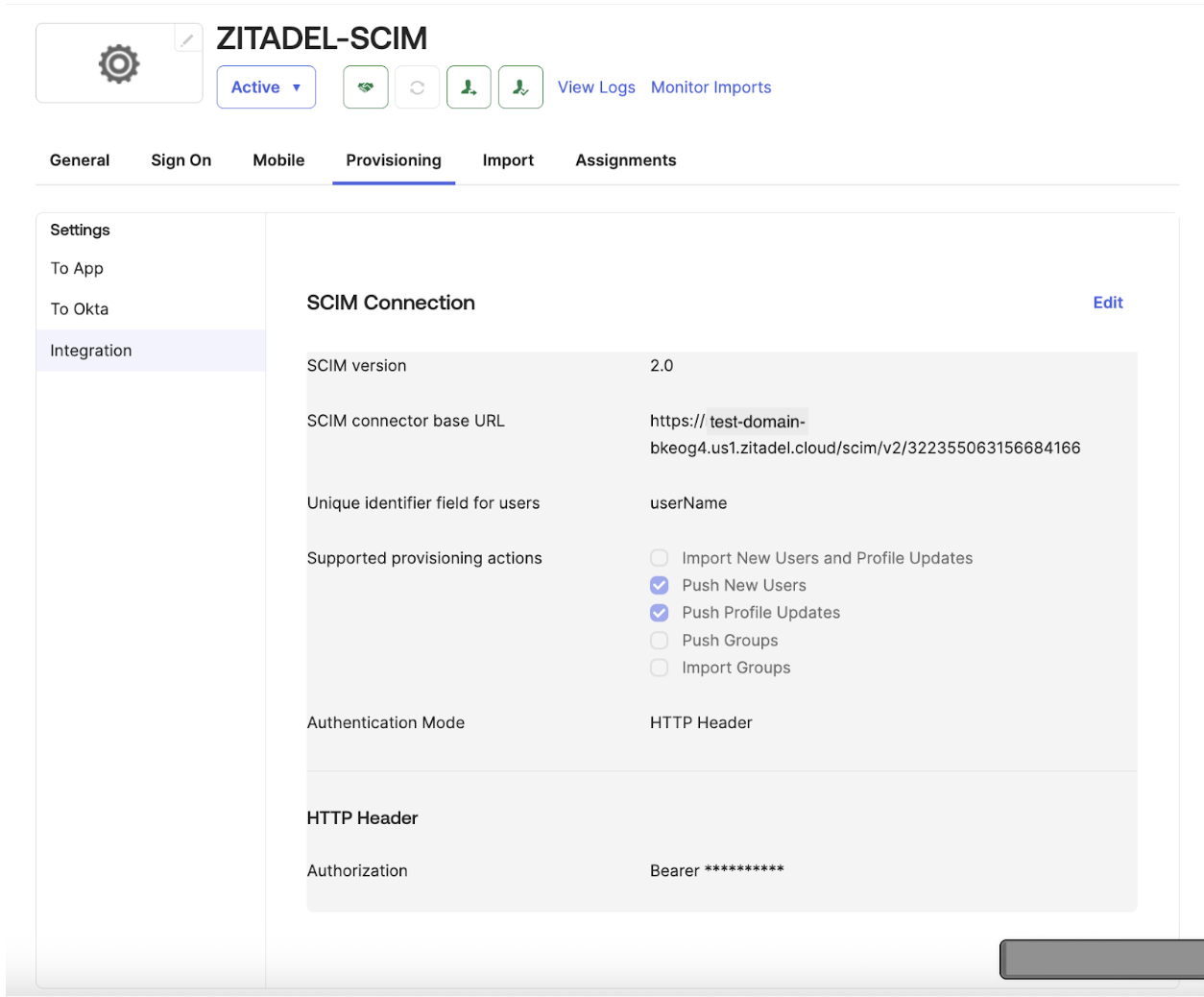
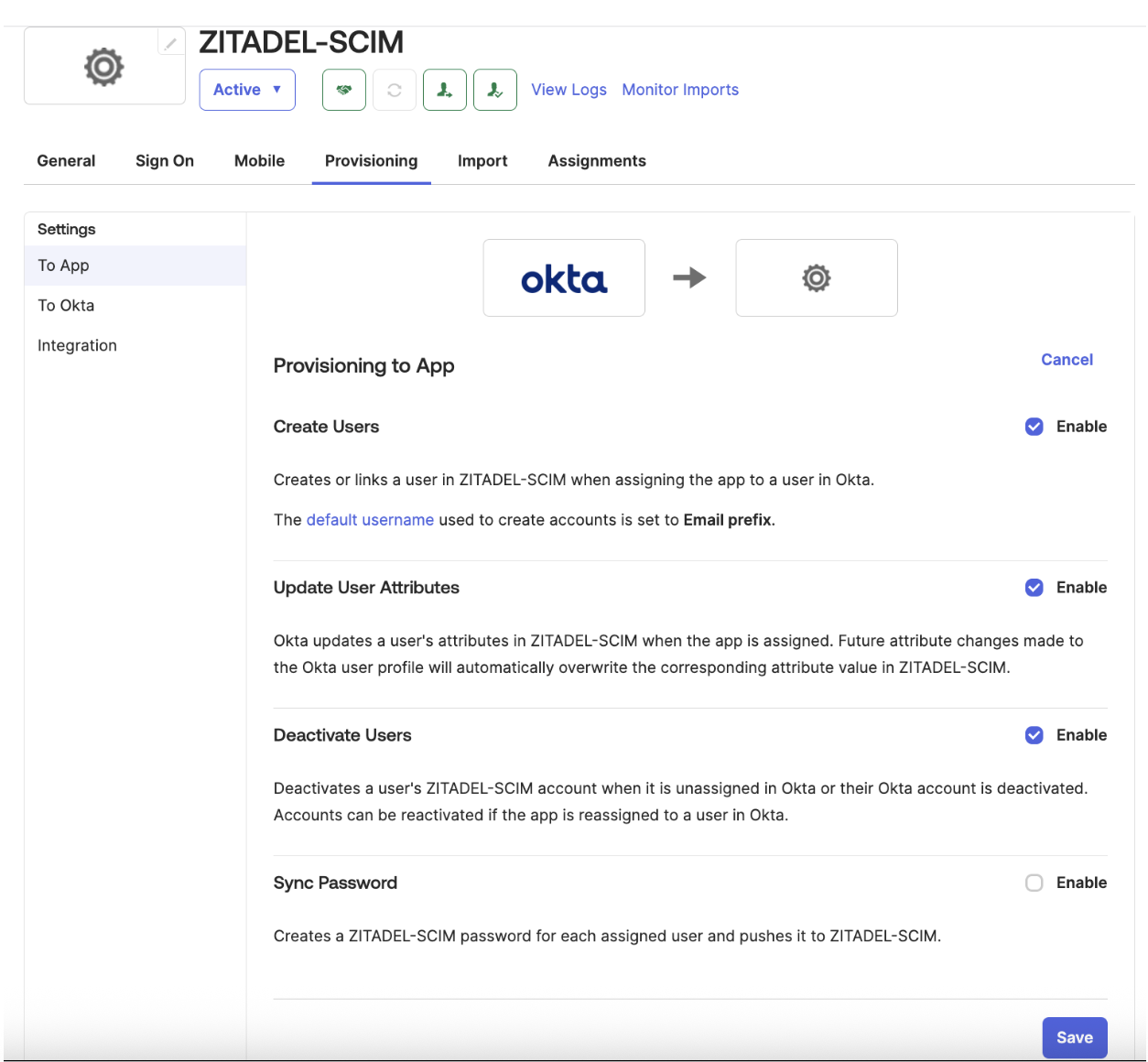
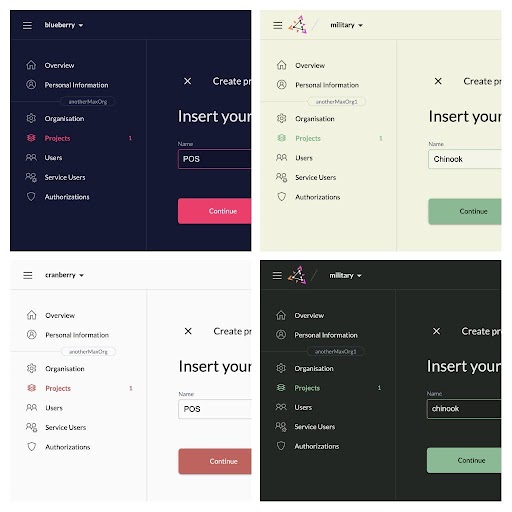
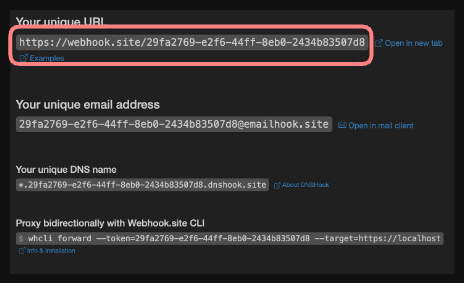
Branding and customization is a very important part of your application. With ZITADEL you can modify colors, logos, icons as well as configure your typography styles, such that you can provide a consistent design throughout your applications. In addition to visual modifications, you can edit notification texts for your users. ZITADEL gives you handlebar similar templating for variables. Of course you can define texts for any language. We'd appreciate if you could contribute to our repo with translations of your language. Read on how to contribute [here](../manage/customize/texts). > Note that your management console design changes to your design too
branding in management console
Projects and applications [#projects-and-applications] As our Hosted Login is a separate authentication screen, you have to determine how you are directing your users from your applications. ZITADEL's Applications live under ZITADEL's Projects. You may add multiple applications for your different application-types (Native, Web, User Agent, or API). When setting up your applications consider reading our guide about [Authentication Flows](../integrate/login/oidc/login-users). Access Control [#access-control] By having authenticated a user you need to ensure users and services have access to your application and APIs. This process is called Access Control and comprises User Authentication, Authorization and Policy Enforcement. Take the following considerations: * Does your application call your own APIs? * Does your application need to call third-party APIs? * Do **you** offer an API for third-party applications? The data required to check if a user has access to a certain API is stored within a user grant. This information typically is stored within roles or custom claims and can be accessed with an `access` or OIDC `id` token. Read more about Authorization in our [Guide](../integrate/login/oidc/oauth-recommended-flows). Learn more [#learn-more] * [Creating an organization](../manage/console/organizations-overview#create-a-new-organization) * [Organization Branding](../manage/customize/branding) * [Authorization](../integrate/login/oidc/oauth-recommended-flows) # Set up ZITADEL for your Scenario Each customer does have different needs and use-cases. In ZITADEL you are able to adjust settings depending on your needs. In this section we show you the different use-cases we have already experienced, that could interest you. Automatically redirect users if the organization has only one identity provider [#automatically-redirect-users-if-the-organization-has-only-one-identity-provider] You have different customers (organizations) in your ZITADEL instance and they have different needs on how to authenticate their users. One of your customers does only allow login with an external identity provider like Google, Entra ID, and so on. If a user of this organization wants to login, you don't want them to enter their username in the ZITADEL Login UI, they should be redirected directly to the identity provider without their interaction. Settings [#settings] 1. Go to the "Identity Providers" Settings of the organization 2. Set up the needed identity provider: Read this [guide](../integrate/identity-providers/introduction) if you don't know how 3. Go to the "Login Behavior and Security" settings of the organization 4. Disable "Username Password Allowed" and enable "External IDP allowed" in the Advanced Section Now your application can send either the organizations id (`urn:zitadel:iam:org:id:{id}`) or Organization Domain (`urn:zitadel:iam:org:domain:primary:{domainname}`) scope on your authorization request to identify on which organization the users should be logged in. More about the [scopes](/apis/openidoauth/scopes#reserved-scopes) Custom Application Domain per Organization [#custom-application-domain-per-organization] If you have an application that runs a dedicated domain for each customer you need to instruct ZITADEL to allow redirection for each domain specifically to safeguard against phishing attacks. Example: MyApplication: `customer-a.app.com` ZITADEL Login: `login.app.com` In the OIDC Authorization request you always have to send the redirect URI to where you like to be redirected after login. To handle this scenario it is possible to register multiple URIs on each application in ZITADEL, the only criteria is that the requested URI has to match one of the registered URIs. Read more about [applications](../manage/console/applications-overview) and the [redirect urls](../manage/console/applications-overview#redirect-uris) Trigger organization in ZITADEL login [#trigger-organization-in-zitadel-login] It is possible to trigger the organization directly with the authorization request to ZITADEL. This will have the following impacts: * Trigger organization login behavior settings * Trigger organization branding * Only allow users from selected organization to login To request the organization send either the the organization id (`urn:zitadel:iam:org:id:{id}`) or Organization Domain (`urn:zitadel:iam:org:domain:primary:{domainname}`) scope on your authentication request from your application. More about the [scopes](/apis/openidoauth/scopes#reserved-scopes) Use email to login [#use-email-to-login] There are two different possibilities to achieve login with an email. 1. Use an email address as username 2. Use the email field of the user as additional login to the username Use an email address as username [#use-an-email-address-as-username] To be able to use the email as username you have to disable the attribute "User Loginname must contain orgdomain" on your domain settings. This means that all your users will not be suffixed with the domain of your organization and you can enter the email as username. All usernames will then be globally unique within your instance. You can either set this attribute on your whole ZITADEL instance or just on some specific organizations. Use the email field of the user as additional login to the username [#use-the-email-field-of-the-user-as-additional-login-to-the-username] No matter how the username of your user does look like. You can additionally allow login with the email attribute of the user. You can find this in the "Login Behavior and Security" Setting of your instance or organizations. Go to the "Advanced" section, per default login with email address should be allowed. It is possible to disable it. Use phone number to login [#use-phone-number-to-login] There are two different possibilities to achieve login with a phone number. 1. Use a phone number as username 2. Use the phone number field of the user as additional login to the username Use a phone number as username [#use-a-phone-number-as-username] To be able to use the phone number as username you have to disable the attribute "User Loginname must contain orgdomain" on your domain settings. This means that your users will not be suffixed with the domain of an organization and you can enter the phone number as username. All usernames will then be globally unique within your instance. You can either set this attribute on your whole ZITADEL instance or just on some specific organizations. Use the phone number field of the user as additional login to the username [#use-the-phone-number-field-of-the-user-as-additional-login-to-the-username] No matter how the username of your user looks like, you can additionally allow login with the phone number attribute of the user. You can enable this feature in the "Login Behavior and Security" Setting of your instance or organizations. Go to the "Advanced" section, per default login with phone number should be allowed. It is possible to disable it. Embedding ZITADEL in an iFrame [#embedding-zitadel-in-an-i-frame] To maximize the security during login and in the Management Console UI, ZITADEL follows security best practices by setting a Content-Security-Policy (CSP), X-Frame-Options and cookies with SameSite Lax: ``` Content-Security-Policy: frame-ancestors 'none' X-Frame-Options: deny ``` These settings block the use of serving it in an iframe to prevents clickjacking attacks. Enable iFrame embedding [#enable-i-frame-embedding] This change can make you vulnerable to clickjacking attacks. If your applications need to load ZITADEL inside an iframe, e.g. for a silent login or silent refresh, you can enable the use on an instance level. 1. Navigate to the Default Settings. 2. Click on the Security Policy tab. 3. Enable the "Allow IFrame" and add the host(s) you load the iframe from. You can add further hosts later on. This will change the CSP to the following: ``` Content-Security-Policy: frame-ancestors https://custom-domain.com ``` remove the X-Frame-Options header and change the SameSite to `None`. Please note, that SameSite None requires the cookie to be flagged `secure`, which means it must be sent over TLS (HTTPS) or localhost. This also means that domains other than localhost must use TLS for this option to work. This is due to browser restrictions: [https://developer.mozilla.org/en-US/docs/Web/HTTP/Headers/Set-Cookie#none](https://developer.mozilla.org/en-US/docs/Web/HTTP/Headers/Set-Cookie#none) Disable Multi-factor (MFA) Prompt [#disable-multi-factor-mfa-prompt] To encourage the users to more security for their accounts, a multi-factor prompt is shown after a certain time, to prompt them to configure an additional factor. This prompt is shown even if multi-factor is not enforced for the users. If you do want to disable the prompt for your users, go to the login behavior settings and set the "Multifactor Init Lifetime" to 0. If the setting is not configured to 0, it means that after that time, the user will be asked again to setup a factor. # Domain Discovery in ZITADEL This guide should explain how domain discovery works and how to configure it in ZITADEL. Overview [#overview] Domain discovery is typically used in [B2B](./b2b) or [SaaS](./saas) scenarios where you have users from different organizations and you want to route them according to their login methods, which could be a user name or, depending on your settings, also an [email / phone number](./configurations#use-email-to-login). In the example there is a service provider with a ZITADEL instance running on a [Custom Domain](/guides/manage/cloud/instances#add-custom-domain) on `login.mycompany.com`. By default, all users login on the organization **CIAM** with their preferred social login provider. Users of the two business customers **Alpha** and **Beta** should log in, according to their organization login and access policy settings. In the case of Alpha, users will log in via an external identity provider (eg, [Entra ID](/guides/integrate/identity-providers/azure-ad-oidc)). Beta users must only log in with username/password and MFA instead. For this scenario you need to route the user `alice@alpha.com` to the **Alpha Organization** and `bob@beta.com` to the **Beta Organization** respectively. Follow this guide to configure your ZITADEL instance for this scenario. Instance [#instance] Default Login Page [#default-login-page] You will use the instance default settings for the login for the organization **CIAM**. When opening `login.mycompany.com` then the login policy of the instance will be applied. This means that you have to set up the [Login and Access](/guides/manage/console/default-settings#login-behavior-and-security) Policy and [Identity Providers](/guides/manage/console/default-settings#identity-providers) for the **CIAM** users on the instance itself. You can also configure these settings on the default organization (see below) and send the scope `urn:zitadel:iam:org:id:{id}` with every [auth request](https://zitadel.com/playgrounds/oidc). Default Organization [#default-organization] Set **CIAM** as [default organization](/guides/manage/console/organizations-overview#default-organization). You will find the overview of all organizations under the "Organizations" tab on the Default Settings. The default organization will hold all unmatched users, ie. all users that are not specifically in the organizations **Alpha** or **Beta** in the example. Enable Domain Discovery [#enable-domain-discovery] In the [Login Behavior and Security Settings](/guides/manage/console/default-settings#login-behavior-and-security) enable "Domain discovery allowed" Configure login with email [#configure-login-with-email] Follow this [settings guide](/guides/solution-scenarios/configurations#use-email-to-login) to allow users to login with their email address. Other considerations [#other-considerations] You can also have multiple Custom Domains pointing to the same instance as described in this [settings guide](/guides/solution-scenarios/configurations#custom-application-domain-per-organization). In our example you could also use `alpha.mycompany.com` to show the login page of your instance. The domain of your email notification can be changed by [setting up your SMTP](/guides/manage/console/default-settings#smtp). Organization [#organization] Alpha organization [#alpha-organization] Users of **Alpha** should only be allowed to authenticate with their company's identity provider. In the organization settings under Login Behavior and Access make sure the following settings are applied: * **Username Password allowed**: Disabled * **Register allowed**: Disabled - we will set this up on the external identity provider * **External IDP allowed**: Enabled Now you can set up an [external identity provider](/guides/manage/console/default-settings#identity-providers). Given you have only one external identity provider set up, when a user tries to login on that organization, then the user will be automatically redirected to the external identity provider. In case multiple providers are set up, then the user will be prompted to select an identity provider. Beta organization [#beta-organization] Users of **Beta** must create an account and login with password and 2FA. In the organization settings under `Login Behavior and Access`, make sure the following settings are applied: * **Username Password allowed**: Enabled * **Register allowed**: Disabled - you may want [Administrators](/concepts/structure/administrators) to set up accounts. * **External IDP allowed**: Disabled Make sure to [Force MFA](/guides/manage/console/default-settings#multifactor-mfa) so that users must set up a second factor for authentication. Verify domains [#verify-domains] Switch to the organization **Alpha** and navigate to the settings and "Organization Domains". Verify the domain alpha.com following the [organization guide](/guides/manage/console/organizations-overview#usernames-and-domains). Do the same for the **Beta** organization. You can also disable domain verification with acme challenge in the [default settings](/guides/manage/console/default-settings#domain-settings). Conclusion [#conclusion] You should be all setup to try out domain discovery. The user journeys for the different users would look as follows: * User (Alice, Bob, Chuck) clicks a login button in your application * Redirected to `login.mycompany.com` (ZITADEL running under a Custom Domain) Chuck 1. Select the Google button 2. Redirect to Google IDP 3. Chuck logs in with Google credentials 4. Redirected back to your application Alice 1. Alice enters [alice@alpha.com](mailto:alice@alpha.com) and clicks next 2. Redirect to Entra ID Tenant (or any other IDP) 3. Alice logs in with her company credentials 4. Redirected back to your application Bob 1. Bob enters [bob@beta.com](mailto:bob@beta.com) and clicks next 2. Bob will be redirected to a login with the branding of beta.com 3. Bob enters his password and MFA on the login screen 4. Redirected back to your application # Frontend and Back-end API Communication in ZITADEL This guide contains a use case and ZITADEL integration. In a typical web application architecture, the front-end and back-end communicate to exchange data and provide functionality to users. Let's consider a use case where a front-end application needs to communicate with a back-end API using secure authentication and authorization. Let’s explore how ZITADEL can be used to add front-end login and facilitate this communication. Single-Page Applications (SPAs) are web applications that run entirely in the browser, without a back-end server. In ZITADEL SPAs should use the Authorization Code Grant with PKCE or the Implicit Grant (if PKCE is not feasible) to obtain an access token. While APIs are vital for communication between applications and services, they don't directly participate in user authentication. Instead, they often authorize client requests based on access tokens issued by an authorization server. APIs in ZITADEL use grant types like JWT Profile or Basic Authentication to access the authorization server's introspection endpoint for token validation. A real-world scenario [#a-real-world-scenario] Suppose there is a news portal web app that allows users to browse through various news articles and personalize their news feed based on their preferences. The back-end API handles fetching and delivering news content from the database. **Front-End Login**: A user visits the news portal and opts to log in for a personalized news feed. They are redirected to the Identity Provider’s (IdP) login page, where they authenticate with their credentials. Upon successful authentication, the IdP issues access and ID tokens to the front-end app. **Back-End API Communication**: When the user browses through the news feed, the front-end app makes an API request to the back-end, including the access token in the Authorization header. The back-end API, upon receiving the request, uses the IdP’s introspection endpoint to validate the access token. Once validated, it fetches personalized news data based on the user's preferences from the news database. While it is true that the back-end API typically needs to authenticate with the IdP, in this specific use case, the back-end API can work with a client credential / JWT since it's not a public client. This means that instead of relying on user-specific authentication, the back-end API can obtain a client credential (such as a client ID and client secret) from the IdP to authenticate itself and validate the access token received from the front-end app. This approach ensures secure communication between the front-end app, the back-end API, and the IdP, while still allowing the back-end API to access user-specific data and provide personalized news feeds. A simplified example with a React frontend and a Python Flask API [#a-simplified-example-with-a-react-frontend-and-a-python-flask-api] In this example, the application is a web-based quote generator that employs a secure user authentication system via ZITADEL. The functionality of the app is outlined below: 1. Upon starting, the application provides a login button 2. The user is then redirected to ZITADEL's login page to enter their credentials. 3. Once the login is successful, the application then greets the user by extracting the user's name, thus providing a personalized experience. 4. The application presents an option for the user to generate a quote via a button. Upon pressing this button, the front-end application communicates with the back-end API using the user's access token received from ZITADEL. 5. The back-end API introspects the access token for validity using ZITADEL's introspection endpoint. If the token is valid, the API generates a quote and sends it as a response to the front-end application, which is then displayed to the user in their browser. Setting up the applications and ZITADEL [#setting-up-the-applications-and-zitadel] All code and instructions to run the sample application can be found at [https://github.com/zitadel/example-quote-generator-app/](https://github.com/zitadel/example-quote-generator-app/). You can also find the steps for the integration between the front-end, back-end API, and ZITADEL in the README.md. You can create the front-end application (User Agent) and the API in the same project or in a different project. In this example, we have created both in one. Configure the applications with appropriate settings (as instructed). User Agent and API applications in a single project Front-end login with ZITADEL [#front-end-login-with-zitadel] * You must create a User Agent application in your project to add login to your React application using the Authorization Code with PKCE flow. This allows the front-end application to integrate with ZITADEL to enable user authentication and authorization. * In the React front-end application, configure the ZITADEL OIDC client settings, including the client ID, ZITADEL URLs, redirect URIs, and required scopes. * Implement the login flow, authentication callbacks, and token handling logic in the front-end application. * When a user visits the front-end application, they are presented with a login option. * Upon clicking the login button, the frontend initiates the Authorization Code with PKCE authentication flow and redirects the user to the ZITADEL login page. The user enters their credentials and authenticates with ZITADEL. Authorization Code Flow returns an authorization code to the client application, which can then exchange it for an ID token and an access token directly. This provides the benefit of not exposing any tokens to the user agent and possibly other malicious applications with access to the user agent. * You must set up the required scopes and claims to ensure the front-end and back-end can exchange data securely. It’s important to note that when specifying the scope when calling the token API, the scope must contain the project ID of the ZITADEL project in which the API resides (to enable token validation by the back-end API):`scope:'openid profile email urn:zitadel:iam:org:project:id::aud'` * Also, we want to include user info inside the token to avoid calling the user info endpoint, so go to Token Settings in the front-end app and select User Info inside ID Token. * After a successful authentication, ZITADEL generates an access token and an ID token. * The front-end application receives these tokens and stores them securely (e.g., in browser storage). Token exchange and user information [#token-exchange-and-user-information] * Once the frontend obtains the tokens, it can extract certain information from the ID token itself (e.g., user ID, email, etc.) without making an additional request. * If more user information is required, the frontend can use the access token to call the ZITADEL User Info endpoint. This endpoint provides additional user details, such as name, profile picture, etc. Back-end API communication [#back-end-api-communication] * To communicate with the back-end API, the front-end includes the access token in the Authorization header of API requests. * The back-end API receives the request and needs to validate and authorize the token before processing the request. * The API performs token introspection using ZITADEL's introspection endpoint to validate the access token. This API uses Basic Authentication to invoke the [introspection endpoint](/apis/openidoauth/endpoints#introspection-endpoint), which means it sends its client ID and client secret along with the access token received. * If the token is valid and active, the API proceeds to handle the requested action or fetch data from the underlying data sources. # Guest users authentication In certain scenarios, requiring users to create an account *before* they can interact with core features of your product often leads to increased drop-off rates. Whether it is an e-commerce platform requiring authentication to add items to a cart, or a SaaS application requesting an email before granting dashboard access, registration barriers can negatively impact user acquisition. At the same time, backend microservices generally require cryptographically signed JSON Web Tokens (JWTs) from an Identity Provider (IdP) to authorize and secure these initial interactions. **How do you issue a valid token to an anonymous guest without introducing a login barrier?** The solution is the **Guest Account** (or Shadow Account) architecture. What is a Guest Account? [#what-is-a-guest-account] A Guest Account is a temporary identity provisioned for a user the moment they perform a high-intent action within your application, for example, adding items to the cart. Instead of treating anonymous users as "unauthenticated" entities, the application silently creates a temporary profile for them in ZITADEL. The backend then impersonates this temporary user, generating a valid authentication token that is stored securely on the client side. From the user's perspective, they are browsing anonymously. To the backend architecture, they operate as an authenticated user with a valid JWT. The Benefits of this Approach [#the-benefits-of-this-approach] Implementing guest authentication utilizing ZITADEL provides distinct advantages for both user experience and system architecture: * **Increased Engagement:** Users can interact with the application immediately. Explicit registration is deferred until a transactional commitment is required (e.g., during checkout). * **Unified Security Model:** Backend APIs do not require bifurcated authorization logic (e.g., `if (isGuest)`). Every request, regardless of the user's registration state, is authenticated via a cryptographically signed OIDC token. * **Seamless Data Retention:** Because the guest session is bound to a persistent underlying ID, all actions (such as populating a cart or setting preferences) are stateful. Upon formal registration, data migration is unnecessary; the system simply updates the existing identity record with explicit credentials. * **Automated Lifecycle Management:** By appending a timestamp via a `metadata` attribute upon creation, the IdP can systematically identify and purge abandoned guest accounts using scheduled batch jobs, mitigating database bloat. *** How It Works: The Implementation Flow [#how-it-works-the-implementation-flow] Implementing this with ZITADEL is efficient because the platform natively supports **OAuth 2.0 Token Exchange (RFC 8693)** and **User Impersonation**. Here is the high-level lifecycle of how a guest account moves from an anonymous action to a fully registered user: 1. Silent Provisioning (The Anonymous Intent) [#1-silent-provisioning-the-anonymous-intent] An unauthenticated user performs an action such as "Add to Cart." The backend intercepts this request and, utilizing a privileged **ZITADEL Service Account**, calls the ZITADEL API to silently provision a temporary user record. * *Mechanism:* The system appends a `metadata` key (e.g., `GUEST_26_02_27`) to the user profile. This attribute flags the account for future garbage collection if the session is abandoned. 2. Token Exchange & Impersonation [#2-token-exchange-impersonation] Rather than generating a localized session token, the backend requests a standard token from ZITADEL. It executes an **OAuth 2.0 Token Exchange** to trade its Service Account credentials for an **Impersonation Token** representing the newly created guest. * *Mechanism:* The frontend receives a standard, valid JWT secured in an `httpOnly` cookie. The user proceeds with their workflow without interruption. 3. The Upgrade Path (Frictionless Registration) [#3-the-upgrade-path-frictionless-registration] When the user initiates formal registration, the system bypasses standard account creation. Instead, the application updates the existing guest profile in ZITADEL with explicit credentials (Name, Email, and Password). * *Mechanism:* The `GUEST` metadata tag is deleted, protecting the account from lifecycle cleanup scripts. The temporary identity is seamlessly converted into a permanent account, retaining all historical state. 4. Edge Case Handling: Cart Merging [#4-edge-case-handling-cart-merging] If a guest user authenticates using a *pre-existing* account rather than registering a new one, the application detects a discrepancy between the `sub` claim in the guest cookie and the newly authenticated identity. * *Mechanism:* The backend merges the local guest data (e.g., cart items) into the permanent user's database record. Subsequently, it issues a `DeleteUser` API call to ZITADEL to terminate the orphaned guest account. *** Dive into the Code [#dive-into-the-code] We have developed a complete, open-source Next.js application that demonstrates this exact architecture end-to-end, including NextAuth.js configuration, ZITADEL API integrations, and data merging logic. 👉 **[Explore the GitHub Repository](https://github.com/zitadel/zitadel-guest-accounts.git)** The repository's `README.md` contains a comprehensive step-by-step guide on configuring your ZITADEL instance (enabling PKCE, Token Exchange, and Impersonation roles) alongside the exact code snippets required to execute the silent provisioning and token exchange flows. # Solution Scenarios Learn how to use ZITADEL for different scenarios. * [B2B](/guides/solution-scenarios/b2b) * [B2C](/guides/solution-scenarios/b2c) * [SaaS](/guides/solution-scenarios/saas) # Prevent users from accessing ZITADEL Management Console ZITADEL includes a management console that allows Administrators to configure all resources. All uses, including end-users, by default, view and manage their profile information. In some use cases you want to prevent users from accessing the management console, this could be: * User management is integrated into your own app * Users login via SSO and should not be able to change their data in the Management Console * Only administrators should be able to access Management Console to manage their users At the moment it is not possible to simply disable the Management Console, but with the settings described in this guide, you can prevent users from accessing the Console. Self-hosted [#self-hosted] If you are running ZITADEL self-hosted, we recommend restricting the access to ZITADEL Management Console via WAF/reverse-proxy for Non-Administrator users ZITADEL Cloud (and self-hosted) [#zitadel-cloud-and-self-hosted] Default redirect url [#default-redirect-url] One goal is to never send the end user to the ZITADEL management console. This does make sense if you build your own user profile page within your application. In that case you probably want to redirect the user to your own application, instead of to the console. Read more about how to set the default redirect URI: [Settings - Default Redirect URI](/guides/manage/console/default-settings#default-redirect-uri) Restricting Management Console in default-project [#restricting-management-console-in-default-project] With this workaround, you will limit users from accessing the [default-project](/guides/manage/console/projects-overview#the-default-project) if they are not explicitly granted to use this project. When setting the "Check for Project on Authentication" setting on a project, only users of organizations with a grant to that project can access it. By default, this setting is disabled, so all users can access the project. Start by granting the organization of your administrators that should be able to access the Management Console, the [default project](/guides/manage/console/projects-overview#the-default-project): 1. Click on the default-project > Grants > New + 2. On the next screen select the organization to which you want to give the grant 3. You can skip the screen with the role selection and click save 4. Make sure the grant is in now in the overview and marked as active. To avoid accidental lock-out, the [default project](/guides/manage/console/projects-overview#the-default-project) hides the checkbox "Check Project on Authentication" in the Management Console: Default Project You need to use the [update project API call](/reference/api/management/zitadel.management.v1.ManagementService.UpdateProject) to set the settings on the project. First, you need a user with administrator permissions to change the project settings in that organization. This means either you add the manager to the organization or you use an administrator on the instance level with "IAM-OWNER" permissions. After that create a Personal Access Token (PAT) for the administrator. More detailed information about creating a PAT and administrator roles you can find [here](/guides/integrate/service-accounts/personal-access-token) Then you have to send the following request: ```bash curl -L -X PUT "https://${CUSTOM_DOMAIN}/management/v1/projects/${PROJECT_ID}" \ -H 'Content-Type: application/json' \ -H 'Accept: application/json' \ -H "Authorization: Bearer ${PAT}" \ --data-raw '{ "name": "ZITADEL", "projectRoleAssertion": false, "projectRoleCheck": false, "hasProjectCheck": true, "privateLabelingSetting": "PRIVATE_LABELING_SETTING_UNSPECIFIED" }' ``` Where * `${CUSTOM_DOMAIN}` is your Custom Domain, f.e. mydemo.zitadel.cloud * `${PAT}` is your service account's personal access token * `${PROJECT_ID}` is the default-project's ID that can be found in Management Console see screenshot above You should now be able to log in with users of the organization that have the grant (in this example users of the organization "Customer-A"). All other users should see the following error message after authentication: # Set up a SaaS Product with Authentication and Authorization using ZITADEL This is an example architecture for a typical SaaS product. To illustrate it, a fictional organization and project is used. Example Case [#example-case] The Timing Company has a product called Time. They have two environments, the development and the production environment. In this case Time uses authentication and authorizations from ZITADEL. This means that the users and also their authorizations will be managed within ZITADEL. Organization [#organization] An organization is the ZITADEL resource that contains users, projects, applications, policies and so on. The organization manages the projects and users. You need at least one organization for your own company, in our case "The Timing Company." Your next step is to create an organization for each of your customers. Project [#project] The idea of projects is to have a vessel for all components who are closely related to each other. In this use case, we would have two different projects, one each for the Development and Production environments. Let us call them "Time Dev" and "Time Prod". These projects should be created in "The Timing Company" organization. In the project you will configure all your roles and applications (clients and APIs). Project Settings [#project-settings] Enable the `Only authorized users can authenticate` setting on the project to restrict authentication to users with at least one role assigned to this project. Project Grant [#project-grant] To grant a customer permission to a project, a project grant to the customer's organization is needed (search the granted organization by its domain). It is also possible to delegate only specific roles of the project to a certain customer. As soon as a project grant exists, the customer will see the project in the granted projects section of their organization and will be able to assign roles to their own users to the given project. Role Assignments [#role-assignments] To give a user permission to a project, a role assignment is needed. All organizations that own projects or received a grant can assign roles to users to have access to projects. It is also possible to assign roles to users outside the own company if the exact login name of the user is known. Project Login [#project-login] There are some different use cases how the login should behave and look like: 1. Restrict Organization With the Organization Domain scope the organization will be restricted to the requested domain, this means only users of the requested organization will be able to log in. The private labeling (branding) and the login policy of the requested organization will be set automatically. More about the [Scopes](/apis/openidoauth/scopes) 2. Show private labeling (branding) of the project organization You can configure on project-level which branding should be shown to users. In the default the design of the instance will be shown, but as soon as the user is identified, the policy of the users organization (if specified) will be triggered. If the setting is set to `Ensure Project Resource Owner Setting`, the private labeling of the project organization will always be triggered. The last possibility is to show the private labeling of the project organization, and as soon as the user is identified, the user organization settings will be triggered. For this the Allow User Resource Owner Setting should be set. More about [Private Labeling](/guides/manage/customize/branding) # The ZITADEL Quick Start Guide import { Tab } from 'fumadocs-ui/components/tabs'; import { FrameworkSelector } from '@/components/framework_selector'; import AppConfig from './_app_config.mdx'; import AppValues from './_app_values.mdx'; In this guide, you’ll set up a Zitadel account and configure it to work with our pre-built example applications. You can simply clone the repository, follow the console setup, and have a working authentication flow in minutes. Get Started with ZITADEL Cloud [#get-started-with-zitadel-cloud] Set up your ZITADEL account and organization to begin managing identities for your applications. 1. Create your Account and Organization [#1-create-your-account-and-organization] You first need access to the ZITADEL Cloud Customer Portal. This is the administrative hub for managing your billing, teams, and instances. 1. **Sign Up**: Go to [zitadel.com](https://zitadel.com) and select Sign Up. 2. **Onboarding**: Follow the prompts to verify your email and set up your Portal Team. * Tip: We recommend using Passkeys for a secure, passwordless login experience. 3. **Access**: Once authenticated, you will be redirected to the Customer Portal dashboard. Home Page Registration Page 2. Quick Onboarding [#2-quick-onboarding] Complete the brief onboarding questions. This data helps us prioritize the development of new features, SDKs, and integrations that matter most to our community. Onboarding Questions 3. Create your ZITADEL instance [#3-create-your-zitadel-instance] An [Instance](/concepts/structure/instance) is a fully isolated identity environment with its own users, policies, and data. Most developers use separate instances to isolate Development, Test, and Production workflows. Follow these steps to deploy your first instance: 1. **Start**: Click Create Instance on your dashboard. 2. **Identity**: Provide an Instance Name (e.g., dev-environment). This will be used to generate your default domain (e.g., dev-environment-xxxx.zitadel.cloud). 3. **Locality**: Select your Region. * Note: Choosing a region close to your users minimizes latency and helps with data residency compliance. 4. **Admin Setup**: Create your Instance Administrator. This user has "root" permissions to manage all organizations, policies, and settings within this specific instance. 5. **Deploy**: Review your settings and click Create Instance. Create Instance 4. Create your Project and Application [#4-create-your-project-and-application] In ZITADEL, [**Applications**](/guides/manage/console/applications-overview) are grouped into [**Projects**](/guides/manage/console/projects-overview). This allows multiple applications (like a React frontend and a Go backend) to share the same roles and role assignments. Launch the Management Console [#launch-the-management-console] Click **Create your app**. This opens the Management Console for your instance in a new tab. Log in using the Admin credentials you just created. Create App Step 1: Define your Project [#step-1-define-your-project] * **Name**: Enter a name (e.g., Project1). * **Framework**: Select your preferred framework * **Continue**: Click the Continue button. Project Name and Framework/Language Step 2: Review Default Settings [#step-2-review-default-settings] ZITADEL automatically configures the best security settings for your selected framework. Project Configuration Overview 5. Collect your Integration Keys [#5-collect-your-integration-keys] Integrate ZITADEL into your App [#integrate-zitadel-into-your-app] How the Authentication Flow Works [#how-the-authentication-flow-works] ZITADEL handles the complexity of the OIDC handshake so your app stays secure without manual token management. 1. **Login**: App redirects the user to ZITADEL with a PKCE challenge. 2. **Auth**: User authenticates on the ZITADEL hosted login page. 3. **Exchange**: ZITADEL returns an Auth Code, which the app exchanges for an Access Token. 4. **Tokens**: The app shows the Access and ID Token 5. **Logout**: The app clears local tokens and terminates the ZITADEL session. 1. Prerequisites [#1-prerequisites] * [Node.js](https://nodejs.org/) * [npm](https://www.npmjs.com/) * [Node.js](https://nodejs.org/) * [npm](https://www.npmjs.com/) * [.NET SDK 8 or later](https://dotnet.microsoft.com/download) * [Python](https://www.python.org/) * [Poetry](https://python-poetry.org/) * [Node.js](https://nodejs.org/) * [npm](https://www.npmjs.com/) * [Python](https://www.python.org/) * [Poetry](https://python-poetry.org/) * [Node.js](https://nodejs.org/) * [npm](https://www.npmjs.com/) * [Python](https://www.python.org/) * [Poetry](https://python-poetry.org/) * [Flutter](https://docs.flutter.dev/install) * [Go](https://go.dev/) * [Node.js](https://nodejs.org/) * [npm](https://www.npmjs.com/) * [PHP](https://www.php.net/) * [Composer](https://getcomposer.org/) * [Node.js](https://nodejs.org/) * [npm](https://www.npmjs.com/) * [Node.js](https://nodejs.org/) * [npm](https://www.npmjs.com/) * [Node.js](https://nodejs.org/) * [npm](https://www.npmjs.com/) * [Node.js](https://nodejs.org/) * [npm](https://www.npmjs.com/) * [Node.js](https://nodejs.org/) * [npm](https://www.npmjs.com/) * [Node.js](https://nodejs.org/) * [npm](https://www.npmjs.com/) * [Java Development Kit (JDK)](https://www.java.com/en/) * [Maven](https://maven.apache.org/) * [PHP](https://www.php.net/) * [Composer](https://getcomposer.org/) * [Node.js](https://nodejs.org/) * [npm](https://www.npmjs.com/) * [Node.js](https://nodejs.org/) * [npm](https://www.npmjs.com/) 2. Get the Example Project [#2-get-the-example-project] ```bash git clone https://github.com/zitadel/example-auth-angular.git cd example-auth-angular ``` ```bash git clone https://github.com/zitadel/example-auth-astro.git cd example-auth-astro ``` ```bash git clone https://github.com/zitadel/example-auth-dotnet.git cd example-auth-dotnet ``` ```bash git clone https://github.com/zitadel/example-auth-django.git cd example-auth-django ``` ```bash git clone https://github.com/zitadel/example-auth-expressjs.git cd example-auth-expressjs ``` ```bash git clone https://github.com/zitadel/example-auth-fastapi.git cd example-auth-fastapi ``` ```bash git clone https://github.com/zitadel/example-auth-fastify.git cd example-auth-fastify ``` ```bash git clone https://github.com/zitadel/example-auth-flask.git cd example-auth-flask ``` ```bash git clone https://github.com/zitadel/zitadel_flutter.git cd zitadel_flutter ``` ```bash git clone https://github.com/zitadel/zitadel-go.git cd zitadel-go ``` ```bash git clone https://github.com/zitadel/zitadel-auth-hono.git cd zitadel-auth-hono ``` ```bash git clone https://github.com/zitadel/example-auth-laravel.git cd example-auth-laravel ``` ```bash git clone https://github.com/zitadel/example-auth-nestjs.git cd example-auth-nestjs ``` ```bash git clone https://github.com/zitadel/example-auth-nextjs.git cd example-auth-nextjs ``` ```bash git clone https://github.com/zitadel/example-auth-nuxtjs.git cd example-auth-nuxtjs ``` ```bash git clone https://github.com/zitadel/example-auth-qwik.git cd example-auth-qwik ``` ```bash git clone https://github.com/zitadel/example-auth-react.git cd example-auth-react ``` ```bash git clone https://github.com/zitadel/example-auth-solidstart.git cd example-auth-solidstart ``` ```bash git clone https://github.com/zitadel/example-auth-spring.git cd example-auth-spring ``` ```bash git clone https://github.com/zitadel/example-auth-symfony.git cd example-auth-symfony ``` ```bash git clone https://github.com/zitadel/example-auth-sveltekit.git cd example-auth-sveltekit ``` ```bash git clone https://github.com/zitadel/example-auth-vuejs.git cd example-auth-vuejs ``` 3. Configure your Credentials [#3-configure-your-credentials] 1. Copy+paste the .env.example to .env 2. Update the ZITADEL\_CLIENT\_ID and ZITADEL\_DOMAIN with the client id and issuer you collected in Step 5. ```bash PORT=3000 NG_APP_ZITADEL_DOMAIN="https://your-zitadel-domain" NG_APP_ZITADEL_CLIENT_ID="your-client-id" NG_APP_ZITADEL_CALLBACK_URL="http://localhost:3000/auth/callback" NG_APP_ZITADEL_POST_LOGOUT_URL="http://localhost:3000/auth/logout/callback" NG_APP_ZITADEL_POST_LOGIN_URL="/profile" ``` 1. Copy+paste the .env.example to .env 2. Update the ZITADEL\_CLIENT\_ID, ZITADEL\_CLIENT\_SECRET and ZITADEL\_DOMAIN with the client id and issuer you collected in Step 5. ```bash NODE_ENV=development PORT=3000 SESSION_SECRET="your-very-secret-and-strong-session-key" SESSION_DURATION=3600 ZITADEL_DOMAIN="https://your-zitadel-domain" ZITADEL_CLIENT_ID="your-zitadel-application-client-id" ZITADEL_CLIENT_SECRET="your-zitadel-application-client-secret" ZITADEL_CALLBACK_URL="http://localhost:3000/api/auth/callback/zitadel" ZITADEL_POST_LOGIN_URL="/profile" ZITADEL_POST_LOGOUT_URL="http://localhost:3000/api/auth/logout/callback" NEXTAUTH_URL="http://localhost:3000" ``` 1. Copy+paste the .env.example to .env 2. Update the ZITADEL\_CLIENT\_ID, ZITADEL\_CLIENT\_SECRET and ZITADEL\_DOMAIN with the client id and issuer you collected in Step 5. ```bash PORT=3000 SESSION_DURATION=3600 ZITADEL_DOMAIN="https://your-zitadel-domain" ZITADEL_CLIENT_ID="your-zitadel-application-client-id" ZITADEL_CLIENT_SECRET="your-randomly-generated-client-secret" ZITADEL_POST_LOGOUT_URL="http://localhost:3000/auth/logout/callback" ``` 1. Copy+paste the .env.example to .env 2. Update the ZITADEL\_CLIENT\_ID and ZITADEL\_DOMAIN with the client id and issuer you collected in Step 5. ```bash PY_ENV=development PORT=3000 SESSION_SECRET="your-very-secret-and-strong-session-key" SESSION_DURATION=3600 ZITADEL_DOMAIN="https://your-zitadel-domain" ZITADEL_CLIENT_ID="your-zitadel-application-client-id" ZITADEL_CLIENT_SECRET="your-randomly-generated-client-secret" ZITADEL_CALLBACK_URL="http://localhost:3000/auth/callback" ZITADEL_POST_LOGIN_URL="/profile" ZITADEL_POST_LOGOUT_URL="http://localhost:3000/auth/logout/callback" ``` 1. Copy+paste the .env.example to .env 2. Update the ZITADEL\_CLIENT\_ID, ZITADEL\_CLIENT\_SECRET and ZITADEL\_DOMAIN with the client id and issuer you collected in Step 5. ```bash NODE_ENV=development PORT=3000 SESSION_SECRET="your-very-secret-and-strong-session-key" SESSION_DURATION=3600 ZITADEL_DOMAIN="https://your-zitadel-domain" ZITADEL_CLIENT_ID="your-zitadel-application-client-id" ZITADEL_CLIENT_SECRET="your-zitadel-application-client-secret" ZITADEL_CALLBACK_URL="http://localhost:3000/auth/callback/zitadel" ZITADEL_POST_LOGIN_URL="/profile" ZITADEL_POST_LOGOUT_URL="http://localhost:3000/auth/logout/callback" ``` 1. Copy+paste the .env.example to .env 2. Update the ZITADEL\_CLIENT\_ID, ZITADEL\_CLIENT\_SECRET and ZITADEL\_DOMAIN with the client id and issuer you collected in Step 5. ```bash PY_ENV=development PORT=3000 SESSION_SECRET="your-very-secret-and-strong-session-key" SESSION_DURATION=3600 ZITADEL_DOMAIN="https://your-zitadel-domain" ZITADEL_CLIENT_ID="your-zitadel-application-client-id" ZITADEL_CLIENT_SECRET="your-zitadel-application-client-secret" ZITADEL_CALLBACK_URL="http://localhost:3000/auth/callback" ZITADEL_POST_LOGIN_URL="/profile" ZITADEL_POST_LOGOUT_URL="http://localhost:3000/auth/logout/callback" ``` 1. Copy+paste the .env.example to .env 2. Update the ZITADEL\_CLIENT\_ID, ZITADEL\_CLIENT\_SECRET and ZITADEL\_DOMAIN with the client id and issuer you collected in Step 5. ```bash NODE_ENV=development PORT=3000 SESSION_SECRET="your-very-secret-and-strong-session-key" SESSION_DURATION=3600 ZITADEL_DOMAIN="https://your-zitadel-domain" ZITADEL_CLIENT_ID="your-zitadel-application-client-id" ZITADEL_CLIENT_SECRET="your-zitadel-application-client-secret" ZITADEL_CALLBACK_URL="http://localhost:3000/auth/callback/zitadel" ZITADEL_POST_LOGIN_URL="/profile" ZITADEL_POST_LOGOUT_URL="http://localhost:3000/auth/logout/callback" ``` 1. Copy+paste the .env.example to .env 2. Update the ZITADEL\_CLIENT\_ID, ZITADEL\_CLIENT\_SECRET and ZITADEL\_DOMAIN with the client id and issuer you collected in Step 5. ```bash PY_ENV=development PORT=3000 SESSION_SECRET="your-very-secret-and-strong-session-key" SESSION_DURATION=3600 ZITADEL_DOMAIN="https://your-zitadel-domain" ZITADEL_CLIENT_ID="your-zitadel-application-client-id" ZITADEL_CLIENT_SECRET="your-zitadel-application-client-secret" ZITADEL_CALLBACK_URL="http://localhost:3000/auth/callback" ZITADEL_POST_LOGIN_URL="/profile" ZITADEL_POST_LOGOUT_URL="http://localhost:3000/auth/logout/callback" ``` No action required for this step. The issuer and client Id will be passed directly when running the app (next step) No action required for this step. The issuer and client Id will be passed directly when running the app (next step) 1. Copy+paste the .env.example to .env 2. Update the ZITADEL\_CLIENT\_ID, ZITADEL\_CLIENT\_SECRET and ZITADEL\_DOMAIN with the client id and issuer you collected in Step 5. ```bash NODE_ENV=development PORT=3000 SESSION_SECRET="your-very-secret-and-strong-session-key" SESSION_DURATION=3600 ZITADEL_DOMAIN="https://your-zitadel-domain" ZITADEL_CLIENT_ID="your-zitadel-application-client-id" ZITADEL_CLIENT_SECRET="your-zitadel-application-client-secret" ZITADEL_CALLBACK_URL="http://localhost:3000/auth/callback/zitadel" ZITADEL_POST_LOGIN_URL="/profile" ZITADEL_POST_LOGOUT_URL="http://localhost:3000/auth/logout/callback" ``` 1. Copy+paste the .env.example to .env 2. Update the ZITADEL\_CLIENT\_ID, ZITADEL\_CLIENT\_SECRET and ZITADEL\_DOMAIN with the client id and issuer you collected in Step 5. 3. Generate app key, this will update the APP\_KEY variable in the .env file ```bash php artisan key:generate ``` ```bash APP_KEY="your-app-key" APP_ENV=local APP_DEBUG=true SERVER_URL="http://localhost:3000" SERVER_PORT=3000 DB_CONNECTION=sqlite ZITADEL_DOMAIN="https://your-zitadel-domain" ZITADEL_CLIENT_ID="your-zitadel-application-client-id" ZITADEL_CLIENT_SECRET="your-randomly-generated-client-secret" ZITADEL_POST_LOGOUT_URL="http://localhost:3000/auth/logout/callback" ``` 1. Copy+paste the .env.example to .env.local 2. Update the ZITADEL\_CLIENT\_ID, ZITADEL\_CLIENT\_SECRET and ZITADEL\_DOMAIN with the client id and issuer you collected in Step 5. ```bash NODE_ENV=development PORT=3000 SESSION_SECRET="your-very-secret-and-strong-session-key" SESSION_SALT="your-very-secret-and-strong-session-salt" SESSION_DURATION=3600 ZITADEL_DOMAIN="https://your-zitadel-domain" ZITADEL_CLIENT_ID="your-zitadel-application-client-id" ZITADEL_CLIENT_SECRET="your-zitadel-application-client-secret" ZITADEL_CALLBACK_URL="http://localhost:3000/auth/callback/zitadel" ZITADEL_POST_LOGIN_URL="/profile" ZITADEL_POST_LOGOUT_URL="http://localhost:3000/auth/logout/callback" ``` 1. Copy+paste the .env.example to .env 2. Update the ZITADEL\_CLIENT\_ID, ZITADEL\_CLIENT\_SECRET and ZITADEL\_DOMAIN with the client id and issuer you collected in Step 5. ```bash NODE_ENV=development PORT=3000 SESSION_SECRET="your-very-secret-and-strong-session-key" SESSION_DURATION=3600 ZITADEL_DOMAIN="[https://your-instance.zitadel.cloud/](https://your-instance.zitadel.cloud/)" ZITADEL_CLIENT_ID="zitadel-client-id" ZITADEL_CLIENT_SECRET="zitadel-client-secret" ZITADEL_CALLBACK_URL="http://localhost:3000/api/auth/callback/zitadel" ZITADEL_POST_LOGIN_URL="/profile" ZITADEL_POST_LOGOUT_URL="http://localhost:3000/api/auth/logout/callback" NEXTAUTH_URL="http://localhost:3000" ``` 1. Copy+paste the .env.example to .env 2. Update the ZITADEL\_CLIENT\_ID, ZITADEL\_CLIENT\_SECRET and ZITADEL\_DOMAIN with the client id and issuer you collected in Step 5. ```bash NODE_ENV=development PORT=3000 SESSION_SECRET="your-very-secret-and-strong-session-key" SESSION_DURATION=3600 ZITADEL_DOMAIN="https://your-zitadel-domain" ZITADEL_CLIENT_ID="your-zitadel-application-client-id" ZITADEL_CLIENT_SECRET="your-zitadel-application-client-secret" ZITADEL_CALLBACK_URL="http://localhost:3000/api/auth/callback/zitadel" ZITADEL_POST_LOGIN_URL="/profile" ZITADEL_POST_LOGOUT_URL="http://localhost:3000" NEXTAUTH_URL="http://localhost:3000" ``` 1. Copy+paste the .env.example to .env 2. Update the ZITADEL\_CLIENT\_ID, ZITADEL\_CLIENT\_SECRET and ZITADEL\_DOMAIN with the client id and issuer you collected in Step 5. ```bash NODE_ENV=development VITE_PORT=3000 VITE_SESSION_SECRET="your-very-secret-and-strong-session-key" VITE_SESSION_DURATION=3600 VITE_ZITADEL_DOMAIN="https://your-zitadel-domain" VITE_ZITADEL_CLIENT_ID="your-zitadel-application-client-id" VITE_ZITADEL_CLIENT_SECRET="your-zitadel-application-client-secret" VITE_ZITADEL_CALLBACK_URL="http://localhost:3000/auth/callback/zitadel" VITE_ZITADEL_POST_LOGOUT_URL="http://localhost:3000/api/auth/logout/callback" ``` 1. Copy+paste the .env.example to .env 2. Update the ZITADEL\_CLIENT\_ID and ZITADEL\_DOMAIN with the client id and issuer you collected in Step 5. ```bash NODE_ENV=development PORT=3000 VITE_ZITADEL_DOMAIN="https://your-zitadel-domain" VITE_ZITADEL_CLIENT_ID="your-client-id" VITE_ZITADEL_CALLBACK_URL="http://localhost:3000/auth/callback" VITE_ZITADEL_POST_LOGIN_URL="/profile" VITE_ZITADEL_POST_LOGOUT_URL="http://localhost:3000" ``` 1. Copy+paste the .env.example to .env 2. Update the ZITADEL\_CLIENT\_ID, ZITADEL\_CLIENT\_SECRET and ZITADEL\_DOMAIN with the client id and issuer you collected in Step 5. ```bash NODE_ENV=development PORT=3000 SESSION_SECRET="your-very-secret-and-strong-session-key" SESSION_DURATION=3600 ZITADEL_DOMAIN="https://your-zitadel-domain" ZITADEL_CLIENT_ID="your-zitadel-application-client-id" ZITADEL_CLIENT_SECRET="your-zitadel-application-client-secret" ZITADEL_CALLBACK_URL="http://localhost:3000/api/auth/callback/zitadel" ZITADEL_POST_LOGIN_URL="/profile" ZITADEL_POST_LOGOUT_URL="http://localhost:3000/api/auth/logout/callback" NEXTAUTH_URL="http://localhost:3000" ``` 1. Copy+paste the .env.example to .env 2. Update the ZITADEL\_CLIENT\_ID, ZITADEL\_CLIENT\_SECRET and ZITADEL\_DOMAIN with the client id and issuer you collected in Step 5. ```bash SPRING_PROFILES_ACTIVE=development PORT=3000 SESSION_SECRET="your-very-secret-and-strong-session-key" SESSION_DURATION=3600 ZITADEL_DOMAIN="https://your-zitadel-domain" ZITADEL_CLIENT_ID="your-zitadel-application-client-id" ZITADEL_CLIENT_SECRET="your-randomly-generated-client-secret" ZITADEL_CALLBACK_URL="http://localhost:3000/auth/callback" ZITADEL_POST_LOGOUT_URL="http://localhost:3000/auth/logout/callback" ``` 1. Copy+paste the .env.example to .env 2. Update the ZITADEL\_CLIENT\_ID, ZITADEL\_CLIENT\_SECRET and ZITADEL\_DOMAIN with the client id and issuer you collected in Step 5. ```bash APP_SECRET="your-app-secret-key" SERVER_URL="http://localhost:3000" SERVER_PORT=3000 ZITADEL_DOMAIN="https://your-zitadel-domain" ZITADEL_CLIENT_ID="your-zitadel-application-client-id" ZITADEL_CLIENT_SECRET="your-randomly-generated-client-secret" ZITADEL_POST_LOGOUT_URL="http://localhost:3000/auth/logout/callback" ``` 1. Copy+paste the .env.example to .env 2. Update the ZITADEL\_CLIENT\_ID, ZITADEL\_CLIENT\_SECRET and ZITADEL\_DOMAIN with the client id and issuer you collected in Step 5. ```bash SESSION_SECRET="your-very-secret-and-strong-session-key" SESSION_DURATION=3600 # Example: https://my-org-a1b2c3.zitadel.cloud ZITADEL_DOMAIN="https://your-zitadel-domain" ZITADEL_CLIENT_ID="your-zitadel-application-client-id" ZITADEL_CLIENT_SECRET="your-zitadel-application-client-secret" ZITADEL_CALLBACK_URL="http://localhost:3000/auth/callback/zitadel" ZITADEL_POST_LOGIN_URL="/profile" ZITADEL_POST_LOGOUT_URL="http://localhost:3000/auth/logout/callback" NEXTAUTH_URL="http://localhost:3000" ``` 1. Copy+paste the .env.example to .env 2. Update the ZITADEL\_CLIENT\_ID and ZITADEL\_DOMAIN with the client id and issuer you collected in Step 5. ```bash NODE_ENV=development PORT=3000 VITE_ZITADEL_DOMAIN="https://your-zitadel-domain" VITE_ZITADEL_CLIENT_ID="your-client-id" VITE_ZITADEL_CALLBACK_URL="http://localhost:3000/auth/callback" VITE_ZITADEL_POST_LOGIN_URL="/profile" VITE_ZITADEL_POST_LOGOUT_URL="http://localhost:3000" ``` 4. Build and Run [#4-build-and-run] ```bash make start ``` Your app will be live at `http://localhost:3000`. Angular Example App ```bash make start ``` Your app will be live at `http://localhost:3000`. Astro Example App ```bash make start ``` Your app will be live at `http://localhost:3000`. ```bash make start ``` Your app will be live at `http://localhost:3000`. Django Example App ```bash make start ``` Your app will be live at `http://localhost:3000`. Express.js Example App ```bash make start ``` Your app will be live at `http://localhost:3000`. Fastify Example App ```bash make start ``` Your app will be live at `http://localhost:3000`. FastAPI Example App ```bash make start ``` Your app will be live at `http://localhost:3000`. Flask Example App Make sure to replace the \[zitadel\_issuer] and \[zitadel\_client\_id] with your own value before running the command ```bash flutter run -d chrome --web-port=4444 --dart-define zitadel_url=[zitadel_issuer] --dart-define zitadel_client_id=[zitadel_client_id] ``` Your app will be live at `http://localhost:4444`. Flutter Example App Make sure to replace the \[zitadel\_domain] (use the domain from the issuer without the https\://) and \[zitadel\_client\_id] with your own value before running the command ```bash go run example/app/app.go --domain [zitadel_domain] --key XKv2Lqd7YAq13NUZVUWZEWZeruqyzViM --clientID [zitadel_client_id] --redirectURI http://localhost:8089/auth/callback ``` Your app will be live at `http://localhost:8089`. Go Example App ```bash make start ``` Your app will be live at `http://localhost:3000`. Hono Example App ```bash make start ``` Your app will be live at `http://localhost:3000`. Laravel Example App ```bash make start ``` Your app will be live at `http://localhost:3000`. NestJS Example App ```bash make start ``` Your app will be live at `http://localhost:3000`. Next.js Example App ```bash make start ``` Your app will be live at `http://localhost:3000`. Nuxt Example App ```bash make start ``` Your app will be live at `http://localhost:3000`. Qwik Example App ```bash make start ``` Your app will be live at `http://localhost:3000`. React Example App ```bash make start ``` Your app will be live at `http://localhost:3000`. SolidStart Example App ```bash make start ``` Your app will be live at `http://localhost:3000`. Spring Example App ```bash make start ``` Your app will be live at `http://localhost:3000`. Symfony Example App ```bash make start ``` Your app will be live at `http://localhost:3000`. Svelte Example App ```bash make start ``` Your app will be live at `http://localhost:3000`. Vue Example App Success! 🚀 [#success-🚀] You’ve successfully integrated ZITADEL into an application. Login policy settings misconfigurations that occur during the testing phase can easily lead to a [lockout](/legal/policies/account-lockout-policy). To ensure you don't lose access to your instance: 1. **Generate a backup PAT:** Create a [Service Account Personal Access Token](/guides/integrate/service-accounts/personal-access-token) with the [`IAM_OWNER`](/guides/manage/console/administrators) role to revert any login UI misconfigurations using the API. 2. **Add a second Instance Administrator:** Always designate at least one [**second instance administrator**](/guides/manage/console/administrators). What’s next? [#whats-next] * [**Example Applications**](/examples/introduction): Find more comprehensive guides and examples for the different frameworks * [**SSO**](/guides/integrate/services): Learn how to add SSO to your services * [**Customize the UI**](/guides/manage/customize/branding): Make the login page your own with Branding. * [**Explore the API**](/apis/introduction): Check out the ZITADEL API Reference for advanced integrations. Need help? Join our [Discord community](https://zitadel.com/chat) or explore the full Documentation. Happy coding! # Acceptable Use Policy Last updated on November 15, 2023 This policy is an annex to the [Terms of Service](../terms-of-service) and clarifies your obligations while using our Services. Use [#use] You will ensure that the use of our Subscription Services and Website by yourself, your customers, or third parties comply with all applicable legislation. You may not: 1. Use Subscription Services or Website for phishing, social engineering, or committing fraud or any other illegal, malicious or fraudulent activity 2. Attempt to interfere with the functionality or proper working of the Subscription Services or Website 3. Upload any materials to the Subscription Services or Website in violation of any third-party privacy or data protection rights, to store and transmit any kind of malware 4. Attempt to probe, scan, penetrate or test the vulnerability of our Subscription Services, Website, systems, or network or try to circumvent our authentication. Any penetration testing must not be conducted without prior written consent by CAOS. 5. Use any organization or domain name that includes or is confusingly similar with trademarks, or any third parties. CAOS may determine any violation at its sole discretion 6. Collecting any information about our Customers, our Customers users, or our users without the consent of the person identified. This includes phishing, social engineering, scamming, spidering or harvesting information from any Subscription Service or Website 7. Use Actions to run workloads that are unrelated to the Subscription Services and Websites, such as excessively calling unrelated third party services, crypto mining, intentionally long running code Fair use principles [#fair-use-principles] The “fair use” principle applies to the use of our services. We optimize our infrastructure in such a way that sufficient capacity is available to you even during short-term increased demand (“peaks”) and implement mitigation measures such as our [Rate Limit Policy](./rate-limit-policy). You are nonetheless required to adhere to reasonable use of our resources in order to avoid negatively affecting the services for other customers. You agree that we may delete any data on our systems or networks, if CAOS believes that this data may corrupt our systems, interfere or may compromise other customers' data. You agree to adhere to the following fair use limits: * Usage limits that were agreed by both parties in advance for the duration of the term Violations of this policy [#violations-of-this-policy] We may suspend or terminate your usage of our Services for any violation of this Acceptable Use Policy. You will not be entitled to any Financial Credit or compensation for any interruptions caused by violation of this policy. # ZITADEL Account Lockout Policy Last updated on June 25, 2025 This policy is an annex to the [Terms of Service](../terms-of-service) and outlines your responsibilities, as well as our procedures, for handling situations where you are unable to access your ZITADEL Cloud services or data. It applies specifically to cases where **ZITADEL** must restore your access to services that are otherwise operational, and does **not** cover service outages or unavailability. Why do we have this policy? [#why-do-we-have-this-policy] Users may lose access to ZITADEL services due to lost credentials or settings misconfiguration. In some cases, it may not be possible to recover access through self-service options—for example, losing access to 2FA credentials or being unable to reverse a settings misconfiguration. These situations may require support from our team to help you regain access to your data. To assist with such requests, we will require specific information and may request additional details throughout the process. **ZITADEL reserves the right to decline any access recovery request without providing a reason if the required information cannot be verified or provided.** Scope of This Policy [#scope-of-this-policy] This policy applies to the following situations: * Loss of access to your **ZITADEL Cloud Admin Account** (customer portal) * Inability to access **Instance Manager accounts** for a specific instance * Need to **undo settings changes** that caused a lockout (e.g., a misconfigured Action) Out of Scope [#out-of-scope] The following types of access recovery requests are **not** covered by this policy: * Situations where you can request access from another **Admin** or **Instance Manager** * Requests made by **end-users** who should instead contact their Admin or Manager * Issues related to **self-hosted ZITADEL instances** * **Free accounts/Instances** Process [#process] Before submitting a request to restore access to your account, please ensure that you are unable to regain access through your existing **Manager** or **Admin**, or by contacting another **Manager/Admin** within your organization. ZITADEL Cloud account (Customer Portal) [#zitadel-cloud-account-customer-portal] Please visit the [support page in the customer portal](https://zitadel.com/admin/support): * State clearly in the subject line that this is related to an account lockout for a ZITADEL Cloud account * The sender's email address must match the verified email address of the account owner * State the reason why you're not able to recover the account yourself Please allow us time to validate your request. Our support team will follow up with additional verification steps if needed. Instance Manager access recovery [#instance-manager-access-recovery] If you need to recover a Manager account to an instance, please make sure you can't recover the account via another user or service account with Manager permissions. Please visit the [support page in the customer portal](https://zitadel.com/admin/support): * State clearly in the subject line that this is related to an account lockout **for** the affected instance * The sender's email address must match the verified email address of the affected instance manager * State the reason why you're not able to recover the account yourself Please allow us time to validate your request. Our support team will follow up with additional verification steps if needed. # Use of brands and trademarks Last updated on November 15, 2023 This policy is an annex to the [Terms of Service](../terms-of-service) that clarifies how you may use our brands and trademarks under fair use. We reserve the right to object to any use or misuse of brands and trademarks in any jurisdiction worldwide. If you are unsure about the use of our logos, please contact [legal@zitadel.com](mailto:legal@zitadel.com). Conditions [#conditions] ZITADEL's brand assets and trademarks are proprietary assets owned exclusively by us. No third party may claim ownership over brand assets and trademarks or brands and trademarks that are confusingly similar. This extends to all trademarks in image, text-form, combined image and text, visual, and audio. You must not include our brands and trademarks in the name of your product or service whether commercial or non-commercial, this includes, but is not limited to, websites, blogs, informational, advertising, and personal home pages, applications. Spelling [#spelling] When referring to ZITADEL, please make sure it is spelled correctly and written in uppercase letters. Logo usage [#logo-usage] When embedding our logo, always use the official version. You must not alter the logo in any way, and avoid overlapping with other images. To ensure the logo is used as intended, we provide specific examples below and reserve the right to object to any use or misuse. Fair use [#fair-use] * Use in architecture diagrams without implying affiliation or partnership * Editorial and informational purposes such as blog posts or news articles * Linking back to our [website](https://zitadel.com), official [repositories](https://github.com/zitadel), or [documentation](https://zitadel.com/docs) * Indicating that the software is available for use or installation without implying any affiliation or endorsement Not acceptable [#not-acceptable] * Using our brands and trademarks, including our logo, or any variations for your own product or services * Modification of our brands and trademarks * Integration of our brands and trademarks into your own brands and trademarks * Suggesting affiliation, endorsement, or partnership without our consent # Feature Development Policy Last updated on September 25, 2023 This policy clarifies how we handle requests for feature prioritization and development. This policy is applicable to situations where a user wants to prioritize certain features or development for our products and services. Why to do we have this policy? [#why-to-do-we-have-this-policy] Shaping of the roadmap and prioritization of features is done by ZITADEL. You are welcome to give feedback on the [roadmap](https://zitadel.com/roadmap), and we are happy to [accept upstream pull requests](https://github.com/zitadel/zitadel/CONTRIBUTE.md) for ZITADEL. In case you can't contribute directly to the open source version of ZITADEL, but want to accelerate development, we may develop the feature on request, under the conditions laid out in this policy. Features that will be part of the publicly available ZITADEL [repositories](https://github.com/zitadel/), ZITADEL Cloud, or optional components to our products that might be available only under a commercial license. Conditions [#conditions] All intellectual property and ownership of the changes remain with ZITADEL. Changes may be published under an Open Source or commercial license. ZITADEL will guarantee maintenance and warranties according to the license and terms of services under which the changes are being released. Process [#process] 1. [Contact us](https://zitadel.com/contact) about your feature request 2. We will share the scope of the feature and acceptance criteria with you 3. As soon as you confirm the scope we will provide you with a quote containing scope, timeline, estimated effort, and price for the feature development 4. When you accept 50% of the cost is due 5. We inform you when the feature is available and provide you with instructions on how to conduct the acceptance tests 6. You will need to report any issues within 14 days, if not otherwise agreed (see below) 7. On completion (see below) the remaining cost is due Development cost [#development-cost] We will estimate the overall effort and development cost of the changes. For features that are not on the roadmap or feature requests where a defined deadline for general availability of the feature must be met, we take 100% of the development cost as base. For prioritization of a features that are already on the roadmap, we take 50% of the development cost as base. We will provide you with a quote for fixed price of the overall effort and ZITADEL will carry any overages. Cost, scope and timeline will be agreed in a formal quote. Payment [#payment] 50% of the cost will be due on accepting the quote. We will send you an invoice and expect payment within the given deadline. 50% on completion of the feature development. Completion means that the agreed scope is available according to the agreed acceptance criteria. You had 14 days to verify the acceptance criteria and report any issues. A feature is considered complete, if the outstanding issues are being solved, or a timeline for resolution of the issues has been mutually agreed, or if we haven't got any response within the last 14 days. # Policies {/* THIS FILE IS AUTO-GENERATED FROM SIDEBAR-DATA. ANY MANUAL CHANGES WILL BE OVERWRITTEN. */} import { Card, Cards } from 'fumadocs-ui/components/card'; import { FileText, Folder, Link as LinkIcon } from 'lucide-react'; } /> # Privacy Policy import { PiiTable } from "@/components/pii_table"; Last updated on October 23, 2025. This privacy policy describes how Zitadel, Inc. and its wholly owned subsidiaries and affiliates (collectively, "**Zitadel**", "**CAOS**", "**we**" or "**us**") collect, use, disclose and otherwise process your personal data in connection with the management of our business and our relationships with customers, visitors and event attendees. This privacy policy explains your rights and choices related to the personal data we collect when: * You interact with our websites, including zitadel.com, zitadel.cloud and zitadel.ch as well any other websites that we operate and that link to this privacy policy (our "**Sites**") * You visit, interact with, or use any of our offices, events, sales, marketing or other activities; and * You use our platform, including Zitadel and our software, mobile application, and other products and services (the "**Services**"). This privacy policy does not cover: * **Organizational Use**. When you use our Services on behalf of an organization (your employer), your use is administered and provisioned by your organization under its policies regarding the use and protection of personal data. If you have questions about how your data is being accessed or used by your organization, please refer to your organization's privacy policy and direct your inquiries to your organization's system administrator. * **Third Parties**. Our Sites include links to websites and/or applications operated and maintained by third parties (e.g. GitHub, LinkedIn, etc.). This privacy policy does not apply to any products, services, websites, or content that are offered by third parties and/or have their own privacy policy. If any inconsistencies arise between this privacy policy and the otherwise applicable contractual terms, framework agreement, or general terms of service, the provisions of this privacy policy shall prevail (where applicable). This privacy policy covers both existing personal data and personal data which may be collected from you in the future. Zitadel determines the purposes for and means of the processing (i.e., we are the data controller) of your personal data as described in this privacy policy, unless expressly specified otherwise. The responsible party for the data processing described in this privacy policy and contact for questions and issues regarding data protection is: **Zitadel, Inc.** Data Protection Officer 1 Embarcadero Center Suite 1200 San Francisco, CA 94111-4164 United States of America [legal@zitadel.com](mailto:legal@zitadel.com) **CAOS AG (Affiliate of Zitadel, Inc.)** Data Protection Officer Lerchenfeldstrasse 3 9014 St. Gallen Switzerland [legal@zitadel.com](mailto:legal@zitadel.com) Our representative in the EU is **VGS Datenschutzpartner GmbH** Am Kaiserkai 69 20457 Hamburg Germany [info@datenschutzpartner.eu](mailto:info@datenschutzpartner.eu) General notes [#general-notes] Based on Article 13 of the Swiss Federal Constitution and the data protection provisions of the Swiss Confederation (Data Protection Act, DSG), every person has the right to protection of their privacy as well as protection against misuse of their personal data. The operators of these websites and services take the protection of your personal data very seriously. We treat your personal data confidentially and in accordance with the legal data protection regulations as well as this data protection declaration. In cooperation with our suppliers, we make every effort to protect the databases and any of our users data as well as possible against unauthorized access, loss, misuse or falsification. We point out that data transmission over the internet in general may result in security risks. A complete protection of the data against access by third parties is not possible. This website uses TLS encryption for security reasons and to protect the transmission of confidential content, such as requests that you send to us as the website operator. You can recognize an encrypted connection by the fact that the address line of the browser changes from "http\://" to "https\://". Data Privacy Framework (DPF) Adherence Statement [#data-privacy-framework-dpf-adherence-statement] Zitadel complies with the EU-U.S. Data Privacy Framework (EU-U.S. DPF), the UK Extension to the EU-U.S. DPF, and the Swiss-U.S. Data Privacy Framework (Swiss-U.S. DPF) as set forth by the U.S. Department of Commerce. Zitadel has certified to the U.S. Department of Commerce that it adheres to the EU-U.S. Data Privacy Framework Principles (EU-U.S. DPF Principles) with regard to the processing of personal data received from the European Union in reliance on the EU-U.S. DPF and from the United Kingdom (and Gibraltar) in reliance on the UK Extension to the EU-U.S. DPF. Zitadel has also certified to the U.S. Department of Commerce that it adheres to the Swiss-U.S. Data Privacy Framework Principles (Swiss-U.S. DPF Principles) with regard to the processing of personal data received from Switzerland in reliance on the Swiss-U.S. DPF. If there is any conflict between the terms in this privacy policy and the EU-U.S. DPF Principles and/or the Swiss-U.S. DPF Principles, the Principles shall govern. To learn more about the Data Privacy Framework (DPF) program, and to view our certification, please visit [https://www.dataprivacyframework.gov/](https://www.dataprivacyframework.gov/) Transfers of Employee Data [#transfers-of-employee-data] Zitadel also commits to apply the DPF Principles to personal data of its employees collected in the context of their employment relationship with zitadel, where such data is transferred from the EU, UK, or Switzerland to the United States. In this regard, Zitadel commits to cooperate with the EU data protection authorities (DPAs), the UK Information Commissioner's Office (ICO) (and the Gibraltar Regulatory Authority (GRA)), and the Swiss Federal Data Protection and Information Commissioner (FDPIC) and comply with the advice given by these authorities with regard to such data. Processing of personal data, legal basis, storage period [#processing-of-personal-data-legal-basis-storage-period] **Personal data** is any information that relates to an identified or identifiable person. A **data subject** is a person about whom personal data is processed. Processing includes any handling of personal data, regardless of the means and procedures used, in particular the storage, disclosure, acquisition, deletion, storage, modification, destruction and use of personal data. We process personal data in accordance with Swiss data protection law. In addition, we process - to the extent and insofar as the EU Data Protection Regulation is applicable - personal data in accordance with the following legal bases within the meaning of Art. 6 (1) DSGVO: * Insofar as we obtain the consent of the data subject for processing operations, Art. 6 (1) a) DSGVO serves as the legal basis. * When processing personal data for the fulfillment of a contract with the data subject as well as for the implementation of corresponding pre-contractual measures, Art. 6 para. 1 lit. b DSGVO serves as the legal basis. * To the extent that processing of personal data is necessary to comply with a legal obligation to which we are subject under any applicable law of the EU or under any applicable law of a country in which the GDPR applies in whole or in part, Art. 6 para. 1 lit. c GDPR serves as the legal basis. * For the processing of personal data in order to protect vital interests of the data subject or another natural person, Art. 6 para. 1 lit. d DSGVO serves as the legal basis. * If personal data is processed in order to protect the legitimate interests of us or of third parties and if the fundamental freedoms and rights and interests of the data subject do not override our interests and the interests of third parties, Article 6 (1) (f) of the GDPR serves as the legal basis. Legitimate interests are in particular our business interest in being able to provide our website and our products, information security, the enforcement of our own legal claims and compliance with Swiss law. We will retain personal data for the period of time necessary for the particular purpose for which it was collected and where we have an ongoing legitimate business need to do so (for example to comply with applicable legal, tax or accounting requirements). Subsequently, they are either deleted or made anonymous, unless we need them for a longer period of time in exceptional cases, e.g. due to legal storage and documentation obligations or our legitimate interests, such as the protection of rights to which we are entitled or the defense of claims. Processing of personal data when using the website, contact forms and in connection with newsletters [#processing-of-personal-data-when-using-the-website-contact-forms-and-in-connection-with-newsletters] Our websites can generally be visited without registration. Each time one of our website is requested, data such as content of the requested page, name of the requested file, IP address, date and time are automatically stored in log files on the server. This data is processed to enable correct delivery and functioning of the website. In addition, we use the data to optimize the website and to ensure the security of our systems. Personal data, in particular name, address or e-mail address are collected as far as possible on a voluntary basis, for example when you contact us via a contact form or by e-mail. Without your consent, the data will not be passed on to third parties, unless otherwise stated in this privacy policy. If you send us inquiries via contact form, your data from the form, including any data you provided, will be stored by us for the purpose of processing the inquiry and in case of follow-up questions. We do not pass on this data without your consent, except insofar as this is shown in this privacy policy. If you would like to receive newsletters offered on our Sites, we require an e-mail address from you as well as information that allows us to verify that you are the owner of the specified e-mail address and agree to receive the newsletter. Further data will not be collected. We use this data exclusively for sending the requested information and do not pass it on to third parties, except as described in this privacy policy. You can revoke your consent to the storage of the data, the e-mail address and their use for sending the newsletter at any time, for example via the "unsubscribe link" in the newsletter. Processing of personal data when applying for a job with us [#processing-of-personal-data-when-applying-for-a-job-with-us] Our Sites can generally be visited without registration. If you apply for a job with us, we may collect and process according to the [Privacy policy for the Zitadel employer branding and recruitment](https://jobs.zitadel.com/privacy-policy). You may request and delete your data with the links on our [data & privacy page](https://jobs.zitadel.com/data-privacy). Processing of personal data in connection with the use of our Services [#processing-of-personal-data-in-connection-with-the-use-of-our-services] The use of our services is generally only possible with registration. During registration and in the course of using the services, we collect and process various personal data. In particular, the following personal data are part of the processing: Unless otherwise mentioned, the nature and purpose of the processing is as follows: The data is uploaded by customers in our Services or collected by us based on requests from users. The personal data is processed by us exclusively for the provision of the requested Services or the use of the agreed Services. The fulfillment of the contract includes in particular, but is not limited to, the processing of personal data for the purpose of: * Authentication and authorization of users * Storage and processing of user actions in the audit trail * Processing of personal data and login information * Verification of communication means * Communication regarding service interruptions or service changes Disclosure to third parties [#disclosure-to-third-parties] Third party sub-processors [#third-party-sub-processors] We use third-party services to provide the website and our offers. An up-to-date list of all the providers we use and their areas of activity can be found on our [Trust Center](https://zitadel.com/trust). External payment providers [#external-payment-providers] This Site uses external payment service providers through whose platforms users and we can make payment transactions. For example, via [Stripe](https://stripe.com/ch/privacy). As an alternative, we offer customers the option to pay by invoice instead of using external payment providers. However, this may require a positive credit check in advance. The data processed by the payment service providers includes personal data, such as the name and address, bank data, such as account numbers or credit card numbers, passwords, TANs and checksums, as well as the contract, totals and recipient-related information. The information is necessary to carry out the transactions. However, the data entered is only processed by the payment service providers and stored with them. We as the operator do not receive any information about (bank) account or credit card, but only information to confirm (accept) or reject the payment. Under certain circumstances, the data is transmitted by the payment service providers to credit agencies. The purpose of this transmission is to check the identity and creditworthiness of the payment service provider. In this regard, we refer to the terms and conditions and data protection information of the payment service providers. For payment transactions, the terms and conditions and the data protection notices of the respective payment service providers apply, which can be accessed within the respective website or transaction applications. We also refer to these for the purpose of further information and assertion of revocation, information and other rights concerned. Law enforcement [#law-enforcement] We disclose personal data to law enforcement agencies, investigative authorities or in legal proceedings to the extent we are required to do so by law or when necessary to protect our rights or the rights of users. Cookies [#cookies] Our Sites use cookies. These are small text files that make it possible to store specific information related to the user on the user's terminal device while the user is using the website. Cookies enable us, in particular, to offer a single sign-on procedure, to control the performance of our Services, but also to make our offer more customer-friendly. Cookies remain stored beyond the end of a browser session and can be retrieved when the user visits the site again. When you use our Services, we may collect information about your visit, including via cookies, beacons, invisible tags, and similar technologies (collectively "cookies") in your browser and on emails sent to you. This information may include personal data, such as your IP address, web browser, device type, and the web pages that you visit just before or just after you use the Services, as well as information about your interactions with the Services, such as the date and time of your visit, and where you have clicked. Necessary cookies [#necessary-cookies] Some cookies are strictly necessary to make our Services available to you. We cannot provide you with our Services without this type of cookies. Necessary cookies provide basic functionality such as: * Session Management * Single Sign-On * Rate Limiting * DDoS Mitigation * Remembering Preferences Analytical cookies [#analytical-cookies] We use cookies for website analytics purposes in order to operate, maintain, and improve the Services for you. We use third-party providers, mentioned in our [List of Subprocessors](https://trust.zitadel.com/subprocessors), that collect and process certain analytics data on our behalf. These third-party providers helps us understand how you engage with the Services and may also collect information about your use of other websites, applications, and online resources. You can opt out by managing your cookie consent through our Services or a third-party tool of your choice. If you do not want us to use cookies during your visit, you can disable their use in your browser settings. In this case, certain parts of our Sites (e.g. language selection) may not function or may not function fully. Where required by applicable law, we obtain your consent to use cookies. How we protect personal data [#how-we-protect-personal-data] Personal data is maintained on our servers or those of our service providers, and is accessible by authorized employees, representatives, and agents as necessary for the purposes described in this privacy policy. We maintain a range of physical, electronic, and procedural safeguards designed to help protect personal data. While we attempt to protect your personal data in our possession, we cannot guarantee at all times the security of the data as no method of transmission over the internet or security system is perfect. If you choose to remain logged in, you should be aware that anyone with access to your device will be able to access your account and we therefore strongly recommend that you take appropriate steps to protect against unauthorized access to, and use, of your account. Please also notify us as soon as possible if you suspect any unauthorized use of your account or password. Rights of data subjects [#rights-of-data-subjects] Depending on your location and subject to applicable law, you may have the following rights regarding the personal data we process: Right to information [#right-to-information] You have the right to know what personal data we hold and process about you and to access such personal data. Right to rectification [#right-to-rectification] You have the right to request the correction of inaccurate personal data concerning you. Right to erasure (right to be forgotten) [#right-to-erasure-right-to-be-forgotten] You have the right to request the deletion or erasure of the personal data concerning you. Right to restrict processing [#right-to-restrict-processing] You have the right to request to restrict the processing of your personal data in certain cases. Right to data portability [#right-to-data-portability] You have the right to receive the personal data concerning you in a structured, common and machine-readable format, and to have this data transferred to another data processor if the legal requirements are met. Right to object [#right-to-object] Depending on the circumstances, you have the right to object to the processing of personal data concerning you, insofar as we base the processing of your personal data on a balancing of interests. This is the case if the processing is not necessary, for example, to fulfill a contract or a legal obligation. To exercise such an objection, please indicate your reasons why we should not process your personal data as we have done. We will then review the situation and either stop or adjust the data processing or explain our reasons for continuing the processing. Right to revoke consent under data protection law [#right-to-revoke-consent-under-data-protection-law] Insofar as our processing is based on consent, you have the right to revoke your consent at any time with effect. Withdrawing your consent will not affect the lawfulness of any processing we conducted prior to your withdrawal, nor will it affect processing of your personal data conducted in reliance on lawful processing grounds other than consent. Assertion of rights by the data subjects [#assertion-of-rights-by-the-data-subjects] If you wish to exercise your rights, you may do so by contacting the above-mentioned contact person. You can opt out of receiving marketing emails from us by following the unsubscribe link in the emails or by emailing us. If you choose to no longer receive marketing information, we may still communicate with you regarding such things as your security updates, product functionality, responses to service requests, or other transactional, non-marketing purposes. If you have a concern about how we collect and use personal data, please contact us using the contact details provided at the beginning of this privacy policy. You also have the right to contact your local data protection authority if you prefer, such as: * Data protection authorities in the European Economic Area (EEA): [https://edpb.europa.eu/about-edpb/board/members\_en](https://edpb.europa.eu/about-edpb/board/members_en); * Swiss data protection authorities: [https://www.edoeb.admin.ch/edoeb/en/home/deredoeb/kontakt.html](https://www.edoeb.admin.ch/edoeb/en/home/deredoeb/kontakt.html); * UK data protection authority: [https://ico.org.uk/global/contact-us/](https://ico.org.uk/global/contact-us/). Recourse, Enforcement, and Liability [#recourse-enforcement-and-liability] Zitadel, Inc. is committed to addressing any concerns regarding its compliance with the Data Privacy Framework Principles. Commitment to Resolve Complaints [#commitment-to-resolve-complaints] Zitadel commits to resolving complaints about our collection or use of your DPF-covered personal information. Individuals from the EU, UK, or Switzerland with inquiries or complaints regarding our DPF policy should first contact Zitadel Inc. at the address given in this policy. Zitadel will investigate and attempt to resolve DPF-related complaints and disputes within 45 days of receipt. Alternative Dispute Resolution (ADR) [#alternative-dispute-resolution-adr] In compliance with the EU-U.S. DPF and the UK Extension to the EU-U.S. DPF and the Swiss-U.S. DPF, Zitadel Inc. commits to refer unresolved complaints concerning our handling of personal data received in reliance on the EU-U.S. DPF and the UK Extension to the EU-U.S. DPF and the Swiss-U.S. DPF to JAMS Mediation, Arbitration and ADR Services ("JAMS"), an alternative dispute resolution provider based in the United States. If you do not receive timely acknowledgment of your DPF Principles-related complaint from us, or if we have not addressed your DPF Principles-related complaint to your satisfaction, please visit [https://www.jamsadr.com/dpf-dispute-resolution](https://www.jamsadr.com/dpf-dispute-resolution) for more information or to file a complaint. The services of JAMS are provided at no cost to you. Binding Arbitration [#binding-arbitration] Under certain conditions, more fully described on the [Data Privacy Framework website](https://www.dataprivacyframework.gov/framework-article/ANNEX-I-introduction), you may be entitled to invoke binding arbitration for DPF complaints not resolved by any of the other DPF mechanisms. This option serves as an ultimate recourse for individuals if other avenues for resolution have been exhausted. Liability in Cases of Onward Transfers [#liability-in-cases-of-onward-transfers] Zitadel is committed to the Data Privacy Framework (DPF) Principles, which includes accountability for personal data that it subsequently transfers to a third party acting as an agent on its behalf. Zitadel remains liable under the DPF Principles if an agent processes such personal data in a manner inconsistent with the Principles, unless Zitadel proves that it is not responsible for the event giving rise to the damage. U.S. Regulatory Oversight [#u-s-regulatory-oversight] Zitadel's compliance with the Data Privacy Framework Principles is subject to the investigatory and enforcement powers of the U.S. Federal Trade Commission (FTC). The FTC has jurisdiction over Zitadel's adherence to its DPF commitments. This oversight by a U.S. regulatory authority is a key component of the DPF's enforcement structure. Cooperation with Data Protection Authorities [#cooperation-with-data-protection-authorities] Zitadel commits to cooperate with the EU DPAs, the UK ICO (and GRA), and the Swiss FDPIC in the investigation and resolution of complaints brought under the DPF and will comply with the advice given by these authorities with regard to data transferred from the EU, UK, and Switzerland. Additional Information for U.S. Residents [#additional-information-for-u-s-residents] Categories of personal data we collect and our purposes for collection and use You can find a list of the categories of personal data that we collect in the section above titled "Processing of personal data, legal basis, storage period". In the last 12 months, we collected the following categories of personal data depending on the Services used: * Identifiers and account information, such as the username and email address; * Commercial information, such as information about transactions undertaken with us; * Internet or other electronic network activity information, such as information about activity on our Site and Services. * Geolocation information based on the IP address. * Audiovisual information in pictures, audio, or video content that you may choose to submit to us. * Professional or employment-related information or demographic information, but only if you explicitly provide it to us, such as by filling out a survey or by applying for a job with us. * Inferences we make based on other collected data, for purposes such as recommending content and analytics. For details regarding the sources from which we obtain personal data, please see the "Processing of personal data, legal basis, storage period" section above. We collect and use personal data for the business or commercial purposes described in the "Processing of personal data, legal basis, storage period" section above. Categories of personal data disclosed and categories of recipients [#categories-of-personal-data-disclosed-and-categories-of-recipients] We disclose the following categories of personal data for business or commercial purposes to the categories of recipients listed below: * We disclose identifiers with businesses, service providers, and third parties, such as analytics providers and social media networks. * We disclose Internet or other network activity with businesses, service providers, and third parties, such as analytics providers and social media networks. * We disclose geolocation information with businesses, service providers, and third parties such as advertising networks, analytics, and social media. * We disclose payment information with businesses and service providers who process payments. * We disclose commercial information with businesses, service providers, and third parties, such as analytics providers and social media networks. * We disclose audiovisual information with businesses and service providers who help administer customer service and fraud or loss prevention services. * We disclose inferences with businesses and service providers who help administer marketing and personalization. Privacy rights [#privacy-rights] Right to Opt-Out of Cookies and Sale/Sharing: Although we do not sell personal data for monetary value, our use of cookies and automated technologies may be considered a "sale" / "sharing" in certain states, such as California. Visitors to our US website can opt out of such third parties by clicking the "Manage cookie preferences" link at the bottom of our Site. The categories of personal data disclosed that may be considered a "sale" / "sharing" include identifiers, device information, Internet or other network activity, geolocation data, and commercial data. The categories of third parties to whom personal data was disclosed that may be considered "sale"/ "sharing" include data analytics providers and social media networks. We do not have actual knowledge that we sell or share the personal data of individuals under 16 years of age. If you are a resident of the State of Nevada, Chapter 603A of the Nevada Revised Statutes permits a Nevada resident to opt out of future sales of certain covered information that a website operator has collected or will collect about the resident. Although we do not currently sell covered information, please contact us to submit such a request. Right to Limit the Use of Sensitive Personal Information: We only collect sensitive personal information, as defined by applicable privacy laws, for the purposes allowed by law or with your consent. We do not use or disclose sensitive personal information except to provide you the Services or as otherwise permitted by law. We do not collect or process sensitive personal information for the purpose of inferring characteristics. Right to Access, Correct, and Delete Personal Data: Depending on your state of residence in the U.S., you may have: (i) the right to request access to and receive details about the personal data we maintain and how we have processed it, including the categories of personal data, the categories of sources from which personal data is collected, the business or commercial purpose for collecting, selling, or sharing personal data, the categories of third parties to whom personal data is disclosed, and the specific pieces of personal data collected; (ii) the right to delete personal data collected, subject to certain exceptions; (iii) the right to correct inaccurate personal data. When you make a request, we will verify your identity by asking you to sign into your account or if necessary by requesting additional information from you. You may also make a request using an authorized agent. If you submit a rights request through an authorized agent, we may ask such agent to provide proof that you gave a signed permission to submit the request to exercise privacy rights on your behalf. We may also require you to verify your own identity directly with us or confirm to us that you otherwise provided such agent permission to submit the request. Once you have submitted your request, we will respond within the time frame permitted by the applicable law. If you have any questions or concerns, you may reach us by contacting using one of the contact details listed at the beginning of this privacy policy. Depending on your state of residence, you may be able to appeal our decision to your request regarding your personal data. To do so, please contact us by using one of the contact details listed at the beginning of this privacy policy. We respond to all appeal requests as soon as we reasonably can, and no later than legally required. We do not discriminate against customers who exercise any of their rights described in our privacy policy. California Shine the Light: Customers who are residents of California may request information concerning the categories of personal data (if any) we disclose to third parties or affiliates for their direct marketing purposes. If you would like more information, please submit a written request to us by using one of the contact details listed at the beginning of this privacy policy. Do Not Track signals: Most modern web browsers give you the option to send a 'Do Not Track' signal to the sites you visit, indicating that you do not wish to be tracked. However, there is currently no accepted standard for how a site should respond to this signal, and we do not take any action in response to this signal.‍ Note on international data transfers [#note-on-international-data-transfers] Our Sites and Services make use of tools from companies based in countries outside of Switzerland or the EU/EEA, namely those based in the USA. When these tools are active, your personal data may be transferred to the servers of the respective companies abroad. If you are using the Site or Services from outside the United States, your personal data may be processed in a foreign country, where privacy laws may be less stringent than the laws in your country. In these cases, we only transfer personal data after we have implemented the legally required measures for this, such as concluding standard contractual clauses on data protection or obtaining the consent of the data subjects. If interested, the documentation on these measures can be obtained from the contact person mentioned above. By submitting your personal data to us you agree to the transfer, storage, and processing of your personal data in a country other than your country of residence including, but not necessarily limited to, the United States. We actively try to minimize the use of tools from companies located in countries without equivalent data protection, however, due to the lack of alternatives, this is currently not always feasible without major inconvenience. If you have any concerns, please contact us directly and we will try to find a mutual solution for your needs. Children's Privacy [#childrens-privacy] Our Site is not intended for or directed to children under the age of 14. We do not knowingly collect personal data directly from children under the age of 14 without parental consent. If we become aware that a child under the age of 14 has provided us with personal data, we will delete the information from our records. Changes to this Privacy Policy [#changes-to-this-privacy-policy] We may revise this privacy policy from time to time and will post the date it was last updated at the top of this privacy policy. We will provide additional notice to you if we make any changes that materially affect your privacy rights. Please subscribe to updates in our [Trust Center](https://trust.zitadel.com/updates) to receive future notices and updates. Contact us [#contact-us] If you have any questions about our data processing, please email us or contact us by using the contact details listed at the beginning of this privacy notice. # Rate Limit Policy Last updated on February 24, 2025 This policy is an annex to the [Terms of Service](../terms-of-service) and clarifies your obligations while using our Services, specifically how we will use rate limiting to enforce certain aspects of our [Acceptable Use Policy](./acceptable-use-policy). Why do we rate limit [#why-do-we-rate-limit] To ensure the availability of our Services and to avoid slow or failed requests by our Customers, due to overloads, we impose rate limits on certain API. These limits helps us guarantee the performance and availability of ZITADEL Cloud. How is the rate limit implemented [#how-is-the-rate-limit-implemented] ZITADEL Clouds rate limit is built around a `IP` oriented model. Please be aware that we also utilize a service for DDoS mitigation. So if you simply change your `IP` address and run the same request again and again you might get blocked at some point. If you are blocked you will receive a `http status 429`. You should consider to implement [exponential backoff](https://en.wikipedia.org/wiki/Exponential_backoff) into your application to prevent a blocking loop. We understand that there are certain scenarios where your users access ZITADEL from shared IP Addresses. For example if you use a corporate proxy or Network Address Translation NAT. Please [get in touch](https://zitadel.com/contact) with us to discuss your requirements, and we'll find a solution. What rate limits do apply [#what-rate-limits-do-apply] For ZITADEL Cloud, we have dedicated rate limits for the user interfaces (login, register, management console,...) and the APIs. Rate limits are implemented with the following rules: | Path | Description | Rate Limiting | One Minute Banning | | --------------- | -------------------------------------- | ------------------------------------ | ------------------------------------- | | /ui/\* | Global Login, Register and Reset Limit | 10 requests per second over a minute | 15 requests per second over 3 minutes | | All other paths | All gRPC-, REST and OAuth APIs | 50 requests per second over a minute | 50 requests per second over 3 minutes | Load Testing [#load-testing] If you would like to conduct load testing of ZITADEL Cloud or a managed instance, you MUST request to do so with a minimum of 2 weeks notice before the test by contacting us at [support@zitadel.com](mailto:support@zitadel.com). You MUST NOT conduct load testing without prior approval by us. Without prior approval and setup there is a high risk of being flagged by our DDoS solution as malicious traffic. This can have a severe impact on your service quality or result in termination of your agreement. # Vulnerability Disclosure Policy Last updated on March 16, 2023 At ZITADEL we are extremely grateful for security aware people who disclose vulnerabilities to us and the open source community. All reports will be investigated by our team and we will work with you closely to validate and fix vulnerabilities reported to us. We require that you keep vulnerabilities confidential until we are able to address them, since public disclosure of security vulnerabilities could put the ZITADEL community at risk. ZITADEL (CAOS Ltd.) will not take legal action against you or terminate your access to our services, conditional that you report vulnerabilities in accordance to this policy. Scope [#scope] The scope of this policy applies to all Websites and Services operated by ZITADEL. All security issues that concern our Product in form of Software in our [open source repositories](https://github.com/zitadel), should be reported according to [Security Policy](https://github.com/zitadel/zitadel/blob/main/SECURITY.md). When in doubt about the scope of your vulnerability, please follow the process outlined in this policy. Discovering a vulnerability [#discovering-a-vulnerability] Responsible security research on our Websites, Products, and Services is encouraged and we allow you to conduct testing on our services to which you have authorized access. You must not do research or testing that involves * Any activity that violates applicable law * Modify or destroy any data that does not belong to you * Accessing or attempt to access data that does not belong to you * Executing denial of service attacks * Executing load testing Exceptions may be granted after your initial report by a member of our security team. Reporting a vulnerability [#reporting-a-vulnerability] To file an incident, please disclose it by e-mail to [security@zitadel.com](mailto:security@zitadel.com) including the following details of the vulnerability: * Target: ZITADEL, Website (zitadel.com), ZITADEL Cloud (zitadel.cloud), Other (please describe) * Type: For example DoS, authentication bypass, information disclosure, broken authorization, ... * Description: Provide a detailed explanation of the issue, steps to reproduce, and assumptions you have made * URL / Location (optional): The URL of the vulnerability * Contact details (optional): In case we should contact you on a different channel At the moment GPG encryption is no yet supported, however you may sign your message at will. Your email will be acknowledged within 48 hours. We will follow-up within the next 3 business days indicating next steps in handling your report. If you haven't received a response within 48 hours, or you didn't get a reply from our security team within the last 5 days, please contact [support@zitadel.com](mailto:support@zitadel.com). Please inform us in your report whether we should mention your contribution. We will not publish this information by default to protect your privacy. What not to report [#what-not-to-report] * Disclosure of known public files or directories, e.g. robots.txt, files under .well-known, or files that are included in our public repositories (eg, go.mod) * DoS of users when [Lockout Policy is enabled](/guides/manage/console/default-settings#lockout) * Suggestions on Certificate Authority Authorization (CAA) rules * Suggestions on DMARC/DKIM/SPF settings * Suggestions on DNSSEC settings * Phishing or Social Engineering Attacks * Lack of security flags on non-sensitive cookies Disclosure Process [#disclosure-process] Our security team will follow the disclosure process: 1. We will acknowledge the receipt of your vulnerability report 2. Our security team will try to verify, reproduce, and determine the impact of your report 3. A member of our team will respond to either confirm or reject your report, including an explanation 4. Code will be audited to assess if the report uncovers similar issues 5. Fixes are prepared for the latest release 6. On the date that the fixes are applied, we will create a CVE and publish a [security advisory](https://github.com/zitadel/zitadel/security/advisories). Affected users of our Product, Services, or Website will be informed of the fix and required actions. We think it is crucial to publish advisories `ASAP` as mitigations are ready. But due to the unknown nature of the disclosures the time frame can range from 7 to 90 days. Bug Bounty / Compensation [#bug-bounty-compensation] At this moment, we do not pay out monetary compensation for reporting security vulnerabilities. Please inform us in your report whether we should mention your contribution. We will not publish this information by default to protect your privacy. In case we have confirmed your report, we may compensate you, given prior written approval by ZITADEL, for costs * incurred during research for using our paid services * on time & material spend on analysis after confirming your report # Service description for ZITADEL Cloud and ZITADEL Enterprise Last updated on April 5, 2024 This annex of the [Framework Agreement](../terms-of-service) describes the services offered by us. Services offered [#services-offered] ZITADEL Cloud [#zitadel-cloud] [ZITADEL Cloud](https://zitadel.com) is a fully managed cloud service of the [ZITADEL software](https://github.com/zitadel). You will benefit from the same software as the open-source project, but we take care of the hosting, maintenance, backup, scaling, and operational security. The cloud service is managed and maintained by the team that also develops the software. When creating a new instance, you are able to choose a [data location](#data-location). We follow a single-provider strategy by minimizing the involved [sub-processors](../subprocessors) to increase security, compliance, and performance of our services. [Billing](https://help.zitadel.com/pricing-and-billing-of-zitadel-services) is based on effective usage of our services. Enterprise license / self-hosted [#enterprise-license-self-hosted] The ZITADEL Enterprise license allows you to use the [ZITADEL software](https://github.com/zitadel) on your own data center or private cloud. You will benefit from the transparency of the open source and the hyper-scalability of the same software that is being used to operate [ZITADEL Cloud](#zitadel-cloud). Benefits over using open source / community license [#benefits-over-using-open-source-community-license] * [Enterprise supported features](https://help.zitadel.com/zitadel-support-states#enterprise) are only supported under an Enterprise license * Individual [onboarding support](./support-services#onboarding-support) tailored to your needs and team * Get access to our support with a [Service Level Agreement](./support-services#service-level-agreement) that is tailored to your needs * Benefit from personal [technical account management](./support-services#technical-account-manager) provided by our engineers to help you with architecture, integration, migration, and operational improvements of your setup Benefits over ZITADEL Cloud [#benefits-over-zitadel-cloud] You can reduce your supply-chain risks by removing us as sub-processor of personal information about your users. Support staff will have no access to your infrastructure and will only provide technical support. Operation and direct maintenance of ZITADEL will be done by you. You can freely choose the infrastructure and location to host ZITADEL. Responsibilities [#responsibilities] Your obligations while operating and using ZITADEL are detailed in our [terms of service](/legal/terms-of-service#your-obligations) given the provisions in our [acceptable use policy](/legal/policies/acceptable-use-policy). When using ZITADEL Cloud, we may process data on behalf according to the [data processing agreement](/legal/data-processing-agreement). In a self-hosted setup, you will be responsible for the cost, operations, and availability of your infrastructure. For DDoS, bot, and threat detection and protection we rely on external services in ZITADEL Cloud. In a self-hosted setup, it is your responsibility to secure the infrastructure to protect confidentiality, integrity, and availability of your data. ZITADEL Cloud comes with pre-configured SMTP service, SMS service, and a generated domain name. The SMTP service and SMS service are limited in use. You should configure your own service providers for production use cases. In a self-hosted setup, you will be responsible for SMTP / SMS services, domains and certificates. | Responsibility | ZITADEL Cloud | Self-Hosted | | ---------------------- | ------------------------- | ----------- | | Data / Information | Customer | Customer | | User Access | Customer | Customer | | SMTP Service | Customer (trial: ZITADEL) | Customer | | SMS Service | Customer (trial: ZITADEL) | Customer | | Custom Domain / TLS | Customer (trial: ZITADEL) | Customer | | DDoS & Bot protection | ZITADEL | Customer | | WAF / Threat detection | ZITADEL | Customer | | [Backup](#backup) | ZITADEL | Customer | | Networking | ZITADEL | Customer | | Compute / Scaling | ZITADEL | Customer | | Database | ZITADEL | Customer | | Application | ZITADEL | ZITADEL | Data location [#data-location] Data location refers to a region, consisting of one or many countries or territories, where the customer's data is being hosted. We can not guarantee that during transit the data will only remain within this region. We take measures, as outlined in our [privacy policy](../policies/privacy-policy), to protect your data in transit and in rest. Backup [#backup] Our backup strategy executes daily full backups and differential backups on much higher frequency. In a disaster recovery scenario, our goal is to guarantee a recovery point objective (RPO) of 1h, and a higher but similar recovery time objective (RTO). Under normal operations, RPO and RTO goals are below 1 minute. If you have different requirements we provide you with a flexible approach to back up, restore, and transfer data (f.e. to a self-hosted setup) through our APIs. Please consult the [migration guides](/guides/migrate/introduction) for more information. # Service description {/* THIS FILE IS AUTO-GENERATED FROM SIDEBAR-DATA. ANY MANUAL CHANGES WILL BE OVERWRITTEN. */} import { Card, Cards } from 'fumadocs-ui/components/card'; import { FileText, Folder, Link as LinkIcon } from 'lucide-react'; } /> } external /> # Service level description for ZITADEL Cloud Last updated on November 15, 2023 This annex of the [Framework Agreement](../terms-of-service) describes the service levels offered by us for our Services (ZITADEL Cloud). Definitions [#definitions] Monthly Uptime Percentage [#monthly-uptime-percentage] Monthly Uptime Percentage means total number of minutes in a month, minus the number of minutes of Downtime suffered from all Downtime Periods in a month, divided by the total number of minutes in a month. Downtime Period [#downtime-period] Downtime Period means a period of one or more consecutive minutes of Downtime. Partial minutes or intermittent Downtime for a period of less than one minute will not count towards any Downtime Period. Downtime [#downtime] Downtime means any period of time in which Core Services are not Available within the Region of the customer’s organization. Downtime excludes any time in which ZITADEL Cloud is not Available because of * [Announced maintenance work](https://help.zitadel.com/zitadel-software-release-cycle#maintenance) * Emergency maintenance * Force majeure events. Available [#available] Available means that Core Services of ZITADEL Cloud respond to Customer Requests in such a way that results in a Successful Minute. The Availability of Core Services will be monitored from CAOS’ facilities from black-box monitoring jobs. Customer Requests [#customer-requests] Customer Requests means an HTTP request made by a Customer or a Customers’ users to Core Services within the Customer’s organization’s region. Successful Minute [#successful-minute] Successful Minute means a minute in which ZITADEL Cloud is not repeatedly returning Failed Customer Requests and includes minutes in which no Customer Requests were made. Failed Customer Request means Customer Requests that * Returns an server error; or * is received by ZITADEL Cloud and results in no response where one is expected This excludes specifically: * Failed Customer Requests due to malformed requests, client-side application errors outside ZITADEL Cloud’s control * Customer Requests that do not reach ZITADEL Cloud Core Services Core Services [#core-services] Core Services means the following ZITADEL Cloud Services and API’s: * **Authentication API** Endpoints including the session endpoints * **OpenID Connect 1.0 / OAuth 2.0 API** Endpoints * **SAML 2.0** Endpoints * **Login Service** means the graphical user interface of ZITADEL Cloud for users to Login, Self-Register, and conduct a Password Reset. * **Identity Brokering Service** means the component of ZITADEL Cloud that handles federated authentication of users with third-party identity provider, excluding any failure or settings misconfiguration by the third party Financial Credit [#financial-credit] **Financial Credit** means the percent of the monthly subscription fee applicable to the month in which the guaranteed service level was not met, according to the actual achieved monthly uptime percentage, as shown in the following table | Achieved vs. Guaranteed | 99.50% | 99.90% | 99.95% | | ------------------------ | ------ | ------ | ------ | | 99.5% - \< 99.9% | n/a | n/a | 10% | | 99.0% - \< 99.5% | n/a | 10% | 25% | | 95.0% - \< 99.0% | 10% | 25% | 50% | | \< 95.0% | 50% | 50% | 50% | Service Levels [#service-levels] Availability Objective [#availability-objective] 1. During the term of the subscription agreement under which CAOS has agreed to provide ZITADEL Cloud to Customer, the Core Services will provide a Monthly Uptime Percentage to Customer conditional on the subscription plan as follows (the “SLO”): | Option | Monthly Uptime Percentage | | ------------ | ------------------------- | | Default | 99.50% | | Extended SLA | 99.95% | 1. If CAOS Ltd. does not meet the guaranteed service level, Customer might be eligible to receive Financial Credit as described in this document. Financial Credit shall be the sole and exclusive remedy for breach of this SLA. 2. The Customer must request Financial Credit and must notify CAOS Support in writing within 30 days of becoming eligible for Financial Credit and must prove Failed Customer Requests during Downtime Periods. Financial Credit will be made in the form of a monetary credit applied to the next possible subscription invoice of ZITADEL Cloud, may only be used to book services in the future, and will in no case be paid as a cash equivalent. No further guarantees are provided. 3. The Service Level commitments apply only to organizations with a subscription plan where a Service Level is applicable and does not include any other organizations of the same customer. The Customer is not entitled to any Financial Credit, if it is in breach of the Agreement at the time of the occurrence of the event giving rise to the credit. # Support service description for ZITADEL Last updated on November 15, 2023 This annex of the [Framework Agreement](../terms-of-service) and the [Support Service Terms and Conditions](../annex-support-services) describes the support services offered by us for our Services. Support Services for products and services provided by ZITADEL is offered to customers according to the terms and conditions outlined in this document. The customer may purchase support services from ZITADEL (CAOS Ltd.) directly. Service Level Agreement [#service-level-agreement] ZITADEL provides a Service Level Agreement for support of the [services offered](./cloud-service-description#services-offered). Depending on your subscription plan you might be eligible to the following support service level agreement. ZITADEL Cloud [#zitadel-cloud] Based on your subscription plan you may be eligible for the support services as outlined in this document. You may purchase additional premium support plans which replace the default support features. Support in subscription plans [#support-in-subscription-plans] Support features for ZITADEL Cloud subscriptions are as follows: | Subscription Plans | Free | Production | Enterprise Cloud | | ------------------------------------------------------------------------------------------- | -------------- | ----------------- | ------------------------- | | [Support hours](#support-hours) | Business hours | Business hours | bespoke (up to 24x7) | | [Response Time](#slo---initial-response-time) (Severity 1) | n/a | 48 business hours | bespoke (as low as 30min) | | [Community support](#community-support) | yes | yes | yes | | [Professional support](#professional-support) | no | yes | yes | | [Enterprise supported features](https://help.zitadel.com/zitadel-support-states#enterprise) | no | no | yes | | [Technical Account Management](#technical-account-manager) | no | no | bespoke | Extended support [#extended-support] Extended support can be added to ZITADEL Cloud subscription plans. The default support features will be replaced as follows: | Extended support | Default | | ------------------------------------------------------------------------------------------- | --------------------------------- | | [Support hours](#support-hours) | [Extended hours](#extended-hours) | | [Response Time](#slo---initial-response-time) (Severity 1) | 1 business hour | | [Community support](#community-support) | yes | | [Professional support](#professional-support) | yes | | [Enterprise supported features](https://help.zitadel.com/zitadel-support-states#enterprise) | no | | [Technical Account Management](#technical-account-manager) | no | ZITADEL Enterprise / self-hostable [#zitadel-enterprise-self-hostable] With ZITADEL Enterprise you become eligible for support plans according to your purchase order for self-hosting ZITADEL. Please refer to the [service description](./cloud-service-description#enterprise-license-self-hosted) for an overview of ZITADEL Enterprise. | ZITADEL Enterprise self-hostable | Default | | ------------------------------------------------------------------------------------------- | ------------------------- | | [Support hours](#support-hours) | bespoke (up to 24x7) | | [Response Time](#slo---initial-response-time) (Severity 1) | bespoke (as low as 30min) | | [Community support](#community-support) | yes | | [Professional support](#professional-support) | yes | | [Enterprise supported features](https://help.zitadel.com/zitadel-support-states#enterprise) | yes | | [Technical Account Management](#technical-account-manager) | bespoke | Description of support services [#description-of-support-services] Support hours [#support-hours] Business hours [#business-hours] Business hours means 08:00-17:00 Monday - Friday Switzerland time (or as per agreement with the customer). All times exclude public holidays in Switzerland / Canton St. Gallen. Extended hours [#extended-hours] Extended hours means 07:00-19:00 Monday - Friday Switzerland time (or as per agreement with the customer). All times exclude public holidays in Switzerland / Canton St. Gallen. Ticket [#ticket] Ticket means a discrete technical or non-technical issue that was submitted by the customer and exists in the support portal. A ticket includes a record of all communication associated with the issue. SLO - Initial response time [#slo-initial-response-time] ZITADEL service level objective (SLO) for Support Services is defined in terms of initial response time to a support request, as outlined in the table below per plan. ZITADEL will use reasonable efforts to resolve support requests, but does not guarantee a work-around, resolution or resolution time. | Subscription Plans | Default | Extended SLA | Custom | | ------------------ | ----------- | ---------------- | ----------------- | | Severity 1 | Best effort | 1 business hour | up to 30min | | Severity 2 | Best effort | 2 business hour | 2 business hours | | Severity 3 | Best effort | 12 business hour | 12 business hours | | Severity 4 | Best effort | 24 business hour | 24 business hours | If we fail to provide the initial response time objective, you will be entitled to service credits. For every 15 minutes exceeding the state objective, 1 day will be added as extension to the current term. Communication [#communication] Community support [#community-support] Community support for ZITADEL is available on our website, our [public chat](https://zitadel.com/chat), and [GitHub](https://github.com/zitadel/). We do only guarantee response times to Tickets reported via [professional support](#professional-support) channels only. If you are an eligible customer, please use Tickets for critical or urgent issues. Professional support [#professional-support] * Support is available in English * Default contact: Whenever customers require support, Customers should consult the documentation of the service or product or post a question to our community * When Customer is eligible for support services through a Subscription Plan, Customer may contact ZITADEL support via the following channels | Support Feature | Contact information | | --------------- | ------------------------------------------------------------------------------------------------- | | Ticket | Submit an issue via the [customer portal](https://zitadel.com/admin/support) | | eMail Support | [support@zitadel.com](mailto:support@zitadel.com) | | Chat Support | Private chat channel between ZITADEL and Customer that is opened when Subscription becomes active | | Phone Support | +41 43 215 27 34 | * ZITADEL Cloud system status, incidents and maintenance windows will be communicated via [our status page](https://zitadelstatus.com). * Questions regarding pricing, billing, and invoicing of our services should be addressed to [billing@zitadel.com](mailto:billing@zitadel.com) * Security related questions and incidents can also be directly addressed to [security@zitadel.com](mailto:security@zitadel.com) Technical account manager [#technical-account-manager] ZITADEL will enhance its support offering by providing eligible clients with a Technical Account Manager (TAM), who will perform the following tasks for up to the agreed amount of time during the term of service: * Provide support and advice regarding best practices on platform, product and settings covered by the applicable Support Services; * Participate in review calls every other week at mutually agreed times addressing customer’s operational challenges or complex support requests; * Walk-through of new features and customer feedback. We offer TAM services only bundled with specific subscription plans, and the option to add more TAM hours per period to these plans. If you require consulting for your projects, please request a quote via our [website](https://zitadel.com/contact). Onboarding support [#onboarding-support] Our onboarding support should help you, as a new customer, to get a better understanding on how to integrate ZITADEL into your solution, how to tackle the migration, and ensure a highly-available day-to-day operation. Onboarding support services can be offered to customers that enter a ZITADEL Cloud or a ZITADEL Enterprise subscription. If you intend to use the open-source version exclusively then please join our community chat or GitHub. Your questions might help other people in the community and will make our project better over time. Please [contact us](https://zitadel.com/contact) for a quote and to get started with onboarding support. Below you will find topics covered and scope of the offered services. Proof of value [#proof-of-value] Within a short time-frame, f.e. 3 weeks, we can show the value of using our services and have the ability to establish the proof a of working setup for your most critical use cases. We may offer to support you during an initial period to evaluate next steps. Before the start of the period we may ask you to provide a description of your critical use cases and a high-level overview of your planned integration architecture. During this period you should make sure that you have the necessary resources on your side to complete the proof of value. Onboarding term [#onboarding-term] With the onboarding support we provide the initial knowledge transfer to configure and operate ZITADEL. During the term you will get direct access to our engineering team via [Technical Account Management](#technical-account-manager). Duration is typically 3 months but this could vary depending on your requirements. We offer an onboarding term in combination with ZITADEL Enterprise subscriptions. Topics covered [#topics-covered] The scope will be tailored to your requirements. Topics of the onboarding term may include * Administration * DevOps (Operation) * Architecture * Integration * Migration * Security Best Practices & Go-Live Checkup
  • Instance Settings
  • Walk-though all features
  • Users / Manuals
  • Authentication & Management APIs
  • Validation of tokens
  • Client integration best-practices
  • Event types
  • Database schemas and compute models
  • Accessing database
  • Observability (Logs, Errors, Metrics, Tracing)
  • Operations best practices (Deployment, Backup, Networking etc.)
  • Check prerequisites and architecture
  • Troubleshoot installation and configuration of ZITADEL
  • Troubleshoot and configuration connectivity to the database
  • Functional testing of the ZITADEL instance
  • Performance testing
  • Setting up or maintaining backup storage
  • Running multiple ZITADEL instances on the same cluster
  • Integration into internal monitoring and alerting
  • Multi-cluster architecture deployments
  • DNS, Network and Firewall configuration
  • Customer-specific Kubernetes configuration needs
  • Non-production environments
  • Production deployment
  • Application-side coding, configuration, or tuning
Support [#support] Support request [#support-request] ZITADEL agrees to handle support incidents in the following scenarios: 1. Service, product or settings as provided by ZITADEL contains errors or critical security-related issues 2. Service or product requires upgrades or changes through the customer 3. Service or product has incorrect or missing documentation Support features include: * Answer questions regarding usage of specific features or settings * Provide high-level suggestions regarding appropriate usage, features or settings * Assist in troubleshooting of issues to isolate potential root cause * Document and advise alternative solutions for reported defects Excluded are broader consulting & customer-specific engineering requests regarding use of our products and services. Moreover support requests from Customer’s end users must be handled by the Customer directly. Support service process [#support-service-process] The customer may submit support requests (“ticket”) through any means of eligible communication channels, consisting of * Single discrete problem, issue, or request * Initial severity level and impact statement for assessment * Description of the issue and if possible a description of the observed and expected behavior, steps to reproduce the issue, evidence that issue is not caused by connectivity / compute, relevant anonymized log-files etc. * All information requested by ZITADEL as we resolve the ticket (e.g. system logs) ZITADEL will review the case information and determine the severity level (see below), working with the customer to assess the urgency of the request and use reasonable efforts to respond to support requests within the initial response time. ZITADEL will use reasonable efforts to resolve support request as defined below, but does not guarantee a workaround, resolution or resolution time. | Severity Level | Description | | ------------------------------------------------------------------------------------------------------------------------------------------------------------------------------------------- | -------------------------------------------------------------------------------------------------------------------------------------------------------------------------------------------------------------------------------------------------------------------------------------------------- | | **Severity 1**
Critical / Service down |

Widespread failure or complete unavailability of ZITADEL Core Services.

ZITADEL will use continuous effort to provide a workaround or permanent solution. When Core Services are available, the severity will be lowered to the new appropriate level.

| | **Severity 2**
Core functionality unavailable or severely degraded |

Core Services of ZITADEL software continue to operate in severely restricted fashion, yet long-term productivity may be impacted.

When Core Services are no longer severely degraded (eg, through a viable workaround or release), the severity level will be lowered to Severity 3.

| | **Severity 3**
Standard support request |

Partial and non-critical loss of ZITADEL software functionality or major software defect, yet a workaround exists for viable long-term operation.

ZITADEL will continue to work on developing permanent resolution.

| | **Severity 4**
Non-urgent request | Defined as follows:
  • Request for information or general query
  • Feature request
  • Performance issues and little to none functional impact
  • Defects with workarounds and little to low functional impact
| |

ZITADEL will continue to work on developing permanent resolution and response to general requests. ZITADEL does not provide a timeline or guarantee to include any feature requests.

| | Escalation [#escalation] The customer may escalate support requests following the escalation process: 1. For non-urgent needs, the client may request management escalation within the ticket. A manager will review the request and provide a response within one business day. 2. For urgent needs, the client may escalate directly by calling +41 71 560 28 06 and emailing to [hi@zitadel.com](mailto:hi@zitadel.com). A manager will review the request and provide response within two business hours. If we fail to provide a response to the escalation, you will be entitled to service credits. For every 15 minutes exceeding the state objective, 1 day will be added as extension to the current term. # Java Client
java logo This guide covers the official Zitadel Management API Client for the JVM (Java 11+), which allows you to programmatically manage resources in your Zitadel instance.
**This is a Management API Client, not an Authentication SDK.** This library is designed for server-to-server communication to manage your Zitadel instance (e.g., creating users, managing projects, and updating settings). It is **not** intended for handling end-user login flows in your web application. For user authentication, you should use a standard OIDC library like Spring Security. The Zitadel Java Client provides an idiomatic way to access the full gamut of Zitadel's v2 Management APIs from your JVM-based backend applications. > Please be aware that this client library is currently in an **incubating stage**. > While it is available for use, the API and its functionality may evolve, potentially introducing > breaking changes in future updates. We advise caution when considering it for production environments. Installation [#installation] You can add the client library to your project using Maven by adding the following dependency to your `pom.xml` : ```xml io.github.zitadel client 4.0.0-beta-1 ``` Using the SDK [#using-the-sdk] Your SDK offers three ways to authenticate with Zitadel. Each method has its own benefits—choose the one that fits your situation best. 1. Private Key JWT Authentication [#1-private-key-jwt-authentication] **What is it?** You use a JSON Web Token (JWT) that you sign with a private key stored in a JSON file. This process creates a secure token. **When should you use it?** * **Best for production:** It offers strong security. * **Advanced control:** You can adjust token settings like expiration. **How do you use it?** 1. Save your private key in a JSON file. 2. Build the authenticator using the helper method. **Example:** ```java class Demo { public static void main(String[] args) throws ApiException { Zitadel zitadel = Zitadel.withPrivateKey("https://example.us1.zitadel.cloud", "path/to/jwt-key.json"); UserServiceAddHumanUserResponse response = zitadel.users.userServiceAddHumanUser( new UserServiceAddHumanUserRequest() .username("john.doe") .profile(new UserServiceSetHumanProfile() .givenName("John") .familyName("Doe")) .email(new UserServiceSetHumanEmail() .email("john@doe.com")) ); System.out.println("User created: " + response); } } ``` 2. Client Credentials Grant [#2-client-credentials-grant] **What is it?** This method uses a client ID and client secret to get a secure access token, which is then used to authenticate. **When should you use it?** * **Simple and straightforward:** Good for server-to-server communication. * **Trusted environments:** Use it when both servers are owned or trusted. **How do you use it?** 1. Provide your client ID and client secret. 2. Build the authenticator using the helper method. **Example:** ```java class Demo { public static void main(String[] args) throws ApiException { Zitadel zitadel = Zitadel.withClientCredentials("https://example.us1.zitadel.cloud", "id", "secret"); UserServiceAddHumanUserResponse response = zitadel.users.addHumanUser( new UserServiceAddHumanUserRequest() .username("john.doe") .profile(new UserServiceSetHumanProfile() .givenName("John") .familyName("Doe")) .email(new UserServiceSetHumanEmail() .email("john@doe.com")) ); System.out.println("User created: " + response); } } ``` 3. Personal Access Tokens (PATs) [#3-personal-access-tokens-pa-ts] **What is it?** A Personal Access Token (PAT) is a pre-generated token that you can use to authenticate without exchanging credentials every time. **When should you use it?** * **Easy to use:** Great for development or testing scenarios. * **Quick setup:** No need for dynamic token generation. **How do you use it?** 1. Obtain a valid personal access token from your account. 2. Build the authenticator using the helper method. **Example:** ```java class Demo { public static void main(String[] args) throws ApiException { Zitadel zitadel = Zitadel.withAccessToken("https://example.us1.zitadel.cloud", "token"); UserServiceAddHumanUserResponse response = zitadel.users.addHumanUser( new UserServiceAddHumanUserRequest() .username("john.doe") .profile(new UserServiceSetHumanProfile() .givenName("John") .familyName("Doe")) .email(new UserServiceSetHumanEmail() .email("john@doe.com")) ); System.out.println("User created: " + response); } } ``` *** Choose the authentication method that best suits your needs based on your environment and security requirements. For more details, please refer to the [Zitadel documentation on authenticating service accounts](https://zitadel.com/docs/guides/integrate/service-accounts/authenticate-service-accounts). Versioning [#versioning] The client library's versioning is aligned with the Zitadel core project. The major version of the client corresponds to the major version of Zitadel it is designed to work with. For example, v2.x.x of the client is built for and tested against Zitadel v2, ensuring a predictable and stable integration. Resources [#resources] * [GitHub Repository](https://github.com/zitadel/client-java): For source code, examples, and to report issues. * [Maven Package](https://central.sonatype.com/artifact/io.github.zitadel/client): The official package artifact for Maven. # Node.js Client
node.js logo This guide covers the official Zitadel Management API Client for Node.js (20+), which allows you to programmatically manage resources in your Zitadel instance.
**This is a Management API Client, not an Authentication SDK.** This library is designed for server-to-server communication to manage your Zitadel instance (e.g., creating users, managing projects, and updating settings). It is **not** intended for handling end-user login flows in your web application. For user authentication, you should use a standard OIDC library with your Node.js framework of choice. The Zitadel Node.js Client provides an idiomatic way to access the full gamut of Zitadel's v2 Management APIs from your Node.js backend. > Please be aware that this client library is currently in an **incubating stage**. > While it is available for use, the API and its functionality may evolve, potentially introducing > breaking changes in future updates. We advise caution when considering it for production environments. Installation [#installation] This package is **published on GitHub Packages**, not on the public npm registry. Create or update a `.npmrc` file in your project root with: ```ini @zitadel:registry=https://npm.pkg.github.com ``` You can add the client library to your project using npm, pnpm, or yarn: ```bash npm install @zitadel/zitadel-node # or pnpm add @zitadel/zitadel-node # or yarn add @zitadel/zitadel-node ``` Using the SDK [#using-the-sdk] Your SDK offers three ways to authenticate with Zitadel. Each method has its own benefits—choose the one that fits your situation best. 1. Private Key JWT Authentication [#1-private-key-jwt-authentication] **What is it?** You use a JSON Web Token (JWT) that you sign with a private key stored in a JSON file. This process creates a secure token. **When should you use it?** * **Best for production:** It offers strong security. * **Advanced control:** You can adjust token settings like expiration. **How do you use it?** 1. Save your private key in a JSON file. 2. Use the provided method to create an authenticator. **Example:** ```ts const client = await Zitadel.withPrivateKey( "https://example.us1.zitadel.cloud", "path/to/jwt-key.json", ); try { const response = await client.users.addHumanUser({ userServiceAddHumanUserRequest: { username: "john.doe", profile: { givenName: "John", familyName: "Doe" }, email: { email: "john.doe@example.com" }, }, }); console.log("User created:", response); } catch (e) { if (e instanceof ApiException) { console.error("Error:", e.message); } } ``` 2. Client Credentials Grant [#2-client-credentials-grant] **What is it?** This method uses a client ID and client secret to get a secure access token, which is then used to authenticate. **When should you use it?** * **Simple and straightforward:** Good for server-to-server communication. * **Trusted environments:** Use it when both servers are owned or trusted. **How do you use it?** 1. Provide your client ID and client secret. 2. Use the provided method to create an authenticator. **Example:** ```ts const client = await Zitadel.withClientCredentials( "https://example.us1.zitadel.cloud", "id", "secret", ); try { const response = await client.users.addHumanUser({ userServiceAddHumanUserRequest: { username: "john.doe", profile: { givenName: "John", familyName: "Doe" }, email: { email: "john.doe@example.com" }, }, }); console.log("User created:", response); } catch (e) { if (e instanceof ApiException) { console.error("Error:", e.message); } } ``` 3. Personal Access Tokens (PATs) [#3-personal-access-tokens-pa-ts] **What is it?** A Personal Access Token (PAT) is a pre-generated token that you can use to authenticate without exchanging credentials every time. **When should you use it?** * **Easy to use:** Great for development or testing scenarios. * **Quick setup:** No need for dynamic token generation. **How do you use it?** 1. Obtain a valid personal access token from your account. 2. Use the provided method to create an authenticator. **Example:** ```ts const client = await Zitadel.withAccessToken( "https://example.us1.zitadel.cloud", "token", ); try { const response = await client.users.addHumanUser({ userServiceAddHumanUserRequest: { username: "john.doe", profile: { givenName: "John", familyName: "Doe" }, email: { email: "john.doe@example.com" }, }, }); console.log("User created:", response); } catch (e) { if (e instanceof ApiException) { console.error("Error:", e.message); } } ``` *** Choose the authentication method that best suits your needs based on your environment and security requirements. For more details, please refer to the [Zitadel documentation on authenticating service accounts](https://zitadel.com/docs/guides/integrate/service-accounts/authenticate-service-accounts). Versioning [#versioning] The client library's versioning is aligned with the Zitadel core project. The major version of the client corresponds to the major version of Zitadel it is designed to work with. For example, v2.x.x of the client is built for and tested against Zitadel v2, ensuring a predictable and stable integration. Resources [#resources] * [GitHub Repository](https://github.com/zitadel/zitadel-node): For source code, examples, and to report issues. * [npm Package](https://github.com/zitadel/zitadel-node/pkgs/npm/zitadel-node): The official package artifact for npm. # PHP Client
php logo This guide covers the official Zitadel Management API Client for PHP, which allows you to programmatically manage resources in your Zitadel instance.
**This is a Management API Client, not an Authentication SDK.** This library is designed for server-to-server communication to manage your Zitadel instance (e.g., creating users, managing projects, and updating settings). It is **not** intended for handling end-user login flows in your web application. For user authentication, you should use a standard OIDC library with your PHP framework of choice. The Zitadel PHP Client provides an idiomatic way to access the full gamut of Zitadel's v2 Management APIs from your PHP backend. > Please be aware that this client library is currently in an **incubating stage**. > While it is available for use, the API and its functionality may evolve, potentially introducing > breaking changes in future updates. We advise caution when considering it for production environments. Installation [#installation] You can add the client library to your project using Composer: ```bash composer require zitadel/client:"^4.0.0-beta1" ``` Using the SDK [#using-the-sdk] Your SDK offers three ways to authenticate with Zitadel. Each method has its own benefits—choose the one that fits your situation best. 1. Private Key JWT Authentication [#1-private-key-jwt-authentication] **What is it?** You use a JSON Web Token (JWT) that you sign with a private key stored in a JSON file. This process creates a secure token. **When should you use it?** * **Best for production:** It offers strong security. * **Advanced control:** You can adjust token settings like expiration. **How do you use it?** 1. Save your private key in a JSON file. 2. Use the provided method to load this key and create a JWT-based authenticator. **Example:** ```php use \Zitadel\Client\Zitadel; $zitadel = Zitadel::withPrivateKey("https://example.us1.zitadel.cloud", "path/to/jwt-key.json"); try { $response = $zitadel->users->userServiceAddHumanUser([ 'username' => 'john.doe', 'profile' => [ 'givenName' => 'John', 'familyName' => 'Doe' ], 'email' => [ 'email' => 'john@doe.com' ] ]); echo "User created: " . print_r($response, true); } catch (ApiException $e) { echo "Error: " . $e->getMessage(); } ``` 2. Client Credentials Grant [#2-client-credentials-grant] **What is it?** This method uses a client ID and client secret to get a secure access token, which is then used to authenticate. **When should you use it?** * **Simple and straightforward:** Good for server-to-server communication. * **Trusted environments:** Use it when both servers are owned or trusted. **How do you use it?** 1. Provide your client ID and client secret. 2. Build the authenticator **Example:** ```php use Zitadel\Client\Zitadel; use Zitadel\Client\Model\UserServiceAddHumanUserRequest; use \Zitadel\Client\Model\UserServiceAddHumanUserRequest; use \Zitadel\Client\Model\UserServiceSetHumanProfile; use \Zitadel\Client\Model\UserServiceSetHumanEmail; $zitadel = Zitadel::withClientCredentials("https://example.us1.zitadel.cloud", "id", "secret"); try { $response = $zitadel->users->addHumanUser((new UserServiceAddHumanUserRequest()) ->setUsername('john.doe') ->setProfile( (new UserServiceSetHumanProfile()) ->setGivenName('John') ->setFamilyName('Doe') ) ->setEmail( (new UserServiceSetHumanEmail()) ->setEmail('john@doe.com') )); echo "User created: " . print_r($response, true); } catch (ApiException $e) { echo "Error: " . $e->getMessage(); } ``` 3. Personal Access Tokens (PATs) [#3-personal-access-tokens-pa-ts] **What is it?** A Personal Access Token (PAT) is a pre-generated token that you can use to authenticate without exchanging credentials every time. **When should you use it?** * **Easy to use:** Great for development or testing scenarios. * **Quick setup:** No need for dynamic token generation. **How do you use it?** 1. Obtain a valid personal access token from your account. 2. Create the authenticator with: `PersonalAccessTokenAuthenticator` **Example:** ```php use \Zitadel\Client\Zitadel; use Zitadel\Client\Zitadel; use Zitadel\Client\Model\UserServiceAddHumanUserRequest; use \Zitadel\Client\Model\UserServiceAddHumanUserRequest; use \Zitadel\Client\Model\UserServiceSetHumanProfile; use \Zitadel\Client\Model\UserServiceSetHumanEmail; $zitadel = Zitadel::withAccessToken("https://example.us1.zitadel.cloud", "token"); try { $response = $zitadel->users->addHumanUser( (new UserServiceAddHumanUserRequest()) ->setUsername('john.doe') ->setProfile( (new UserServiceSetHumanProfile()) ->setGivenName('John') ->setFamilyName('Doe') ) ->setEmail( (new UserServiceSetHumanEmail()) ->setEmail('john@doe.com') ) ); echo "User created: " . print_r($response, true); } catch (ApiException $e) { echo "Error: " . $e->getMessage(); } ``` *** Choose the authentication method that best suits your needs based on your environment and security requirements. For more details, please refer to the [Zitadel documentation on authenticating service accounts](https://zitadel.com/docs/guides/integrate/service-accounts/authenticate-service-accounts). Versioning [#versioning] The client library's versioning is aligned with the Zitadel core project. The major version of the client corresponds to the major version of Zitadel it is designed to work with. For example, v2.x.x of the client is built for and tested against Zitadel v2, ensuring a predictable and stable integration. Resources [#resources] * [GitHub Repository](https://github.com/zitadel/client-php): For source code, examples, and to report issues. * [Packagist Package](https://packagist.org/packages/zitadel/client): The official package artifact for Composer. # Python Client
python logo This guide covers the official Zitadel Management API Client for Python (3.9+), which allows you to programmatically manage resources in your Zitadel instance.
**This is a Management API Client, not an Authentication SDK.** This library is designed for server-to-server communication to manage your Zitadel instance (e.g., creating users, managing projects, and updating settings). It is **not** intended for handling end-user login flows in your web application. For user authentication, you should use a standard OIDC library with your Python framework of choice, such as `mozilla-django-oidc` for Django or `Authlib` for Flask. The Zitadel Python Client provides an idiomatic way to access the full gamut of Zitadel's v2 Management APIs from your Python backend. > Please be aware that this client library is currently in an **incubating stage**. > While it is available for use, the API and its functionality may evolve, potentially introducing > breaking changes in future updates. We advise caution when considering it for production environments. Installation [#installation] You can add the client library to your project using pip: ```bash pip install --pre zitadel-client ``` Using the SDK [#using-the-sdk] Your SDK offers three ways to authenticate with Zitadel. Each method has its own benefits—choose the one that fits your situation best. 1. Private Key JWT Authentication [#1-private-key-jwt-authentication] **What is it?** You use a JSON Web Token (JWT) that you sign with a private key stored in a JSON file. This process creates a secure token. **When should you use it?** * **Best for production:** It offers strong security. * **Advanced control:** You can adjust token settings like expiration. **How do you use it?** 1. Save your private key in a JSON file. 2. Use the provided method to load this key and create a JWT-based authenticator. **Example:** ```python import zitadel_client as zitadel from zitadel_client.exceptions import ApiError from zitadel_client.models import ( UserServiceAddHumanUserRequest, UserServiceSetHumanEmail, UserServiceSetHumanProfile, ) zitadel = zitadel.Zitadel.with_private_key("https://example.us1.zitadel.cloud", "path/to/jwt-key.json") try: request = UserServiceAddHumanUserRequest( username="john.doe", profile=UserServiceSetHumanProfile( givenName="John", familyName="Doe" ), email=UserServiceSetHumanEmail( email="john@doe.com" ), ) response = zitadel.users.add_human_user(request) print("User created:", response) except ApiError as e: print("Error:", e) ``` 2. Client Credentials Grant [#2-client-credentials-grant] **What is it?** This method uses a client ID and client secret to get a secure access token, which is then used to authenticate. **When should you use it?** * **Simple and straightforward:** Good for server-to-server communication. * **Trusted environments:** Use it when both servers are owned or trusted. **How do you use it?** 1. Provide your client ID and client secret. 2. Build the authenticator **Example:** ```python import zitadel_client as zitadel from zitadel_client.exceptions import ApiError from zitadel_client.models import ( UserServiceAddHumanUserRequest, UserServiceSetHumanEmail, UserServiceSetHumanProfile, ) zitadel = zitadel.Zitadel.with_client_credentials("https://example.us1.zitadel.cloud", "id", "secret") try: request = UserServiceAddHumanUserRequest( username="john.doe", profile=UserServiceSetHumanProfile( givenName="John", familyName="Doe" ), email=UserServiceSetHumanEmail( email="john@doe.com" ), ) response = zitadel.users.add_human_user(request) print("User created:", response) except ApiError as e: print("Error:", e) ``` 3. Personal Access Tokens (PATs) [#3-personal-access-tokens-pa-ts] **What is it?** A Personal Access Token (PAT) is a pre-generated token that you can use to authenticate without exchanging credentials every time. **When should you use it?** * **Easy to use:** Great for development or testing scenarios. * **Quick setup:** No need for dynamic token generation. **How do you use it?** 1. Obtain a valid personal access token from your account. 2. Create the authenticator with: `PersonalAccessTokenAuthenticator` **Example:** ```python import zitadel_client as zitadel from zitadel_client.exceptions import ApiError from zitadel_client.models import ( UserServiceAddHumanUserRequest, UserServiceSetHumanEmail, UserServiceSetHumanProfile, ) zitadel = zitadel.Zitadel.with_access_token("https://example.us1.zitadel.cloud", "token") try: request = UserServiceAddHumanUserRequest( username="john.doe", profile=UserServiceSetHumanProfile( givenName="John", familyName="Doe" ), email=UserServiceSetHumanEmail( email="john@doe.com" ), ) response = zitadel.users.add_human_user(request) print("User created:", response) except ApiError as e: print("Error:", e) ``` *** Choose the authentication method that best suits your needs based on your environment and security requirements. For more details, please refer to the [Zitadel documentation on authenticating service accounts](https://zitadel.com/docs/guides/integrate/service-accounts/authenticate-service-accounts). Versioning [#versioning] The client library's versioning is aligned with the Zitadel core project. The major version of the client corresponds to the major version of Zitadel it is designed to work with. For example, v2.x.x of the client is built for and tested against Zitadel v2, ensuring a predictable and stable integration. Resources [#resources] * [GitHub Repository](https://github.com/zitadel/client-python): For source code, examples, and to report issues. * [PyPI Package](https://pypi.org/project/zitadel-client): The official package artifact for pip. # Ruby Client
ruby logo This guide covers the official Zitadel Management API Client for Ruby (3.1+), which allows you to programmatically manage resources in your Zitadel instance.
**This is a Management API Client, not an Authentication SDK.** This library is designed for server-to-server communication to manage your Zitadel instance (e.g., creating users, managing projects, and updating settings). It is **not** intended for handling end-user login flows in your web application. For user authentication, you should use a standard OIDC library with your Ruby framework of choice. The Zitadel Ruby Client provides an idiomatic way to access the full gamut of Zitadel's v2 Management APIs from your Ruby backend. > Please be aware that this client library is currently in an **incubating stage**. > While it is available for use, the API and its functionality may evolve, potentially introducing > breaking changes in future updates. We advise caution when considering it for production environments. Installation [#installation] You can add the client library to your project using RubyGems. Add this line to your application's Gemfile: ```ruby gem install zitadel-client --pre ``` Using the SDK [#using-the-sdk] Your SDK offers three ways to authenticate with Zitadel. Each method has its own benefits—choose the one that fits your situation best. 1. Private Key JWT Authentication [#1-private-key-jwt-authentication] **What is it?** You use a JSON Web Token (JWT) that you sign with a private key stored in a JSON file. This process creates a secure token. **When should you use it?** * **Best for production:** It offers strong security. * **Advanced control:** You can adjust token settings like expiration. **How do you use it?** 1. Save your private key in a JSON file. 2. Use the provided method to create an authenticator. **Example:** ```ruby require 'zitadel-client' require 'securerandom' client = Zitadel::Client::Zitadel.with_private_key("https://example.us1.zitadel.cloud", "path/to/jwt-key.json") begin response = client.users.add_human_user( Zitadel::Client::UserServiceAddHumanUserRequest.new( username: SecureRandom.hex, profile: Zitadel::Client::UserServiceSetHumanProfile.new( given_name: 'John', family_name: 'Doe' ), email: Zitadel::Client::UserServiceSetHumanEmail.new( email: "john.doe@example.com" ) ) ) puts "User created: #{response}" rescue StandardError => e puts "Error: #{e.message}" end ``` 2. Client Credentials Grant [#2-client-credentials-grant] **What is it?** This method uses a client ID and client secret to get a secure access token, which is then used to authenticate. **When should you use it?** * **Simple and straightforward:** Good for server-to-server communication. * **Trusted environments:** Use it when both servers are owned or trusted. **How do you use it?** 1. Provide your client ID and client secret. 2. Use the provided method to create an authenticator. **Example:** ```ruby require 'zitadel-client' require 'securerandom' client = Zitadel::Client::Zitadel.with_client_credentials("https://example.us1.zitadel.cloud", "id", "secret") begin response = client.users.add_human_user( Zitadel::Client::UserServiceAddHumanUserRequest.new( username: SecureRandom.hex, profile: Zitadel::Client::UserServiceSetHumanProfile.new( given_name: 'John', family_name: 'Doe' ), email: Zitadel::Client::UserServiceSetHumanEmail.new( email: "john.doe@example.com" ) ) ) puts "User created: #{response}" rescue StandardError => e puts "Error: #{e.message}" end ``` 3. Personal Access Tokens (PATs) [#3-personal-access-tokens-pa-ts] **What is it?** A Personal Access Token (PAT) is a pre-generated token that you can use to authenticate without exchanging credentials every time. **When should you use it?** * **Easy to use:** Great for development or testing scenarios. * **Quick setup:** No need for dynamic token generation. **How do you use it?** 1. Obtain a valid personal access token from your account. 2. Use the provided method to create an authenticator. **Example:** ```ruby require 'zitadel-client' require 'securerandom' client = Zitadel::Client::Zitadel.with_access_token("https://example.us1.zitadel.cloud", "token") begin response = client.users.add_human_user( Zitadel::Client::UserServiceAddHumanUserRequest.new( username: SecureRandom.hex, profile: Zitadel::Client::UserServiceSetHumanProfile.new( given_name: 'John', family_name: 'Doe' ), email: Zitadel::Client::UserServiceSetHumanEmail.new( email: "john.doe@example.com" ) ) ) puts "User created: #{response}" rescue StandardError => e puts "Error: #{e.message}" end ``` *** Choose the authentication method that best suits your needs based on your environment and security requirements. For more details, please refer to the [Zitadel documentation on authenticating service accounts](https://zitadel.com/docs/guides/integrate/service-accounts/authenticate-service-accounts). Debugging [#debugging] The SDK supports debug logging, which can be enabled for troubleshooting and debugging purposes. You can enable debug logging by setting the `debug` flag to `true` when initializing the `Zitadel` client, like this: ```ruby zitadel = zitadel.Zitadel("your-zitadel-base-url", 'your-valid-token', lambda config: config.debug = True) ``` When enabled, the SDK will log additional information, such as HTTP request and response details, which can be useful for identifying issues in the integration or troubleshooting unexpected behavior. Versioning [#versioning] The client library's versioning is aligned with the Zitadel core project. The major version of the client corresponds to the major version of Zitadel it is designed to work with. For example, v2.x.x of the client is built for and tested against Zitadel v2, ensuring a predictable and stable integration. Resources [#resources] * [GitHub Repository](https://github.com/zitadel/client-ruby): For source code, examples, and to report issues. * [RubyGems Package](https://rubygems.org/gems/zitadel-client): The official package artifact for RubyGems. # Set up ZITADEL with Docker Compose import NoteInstanceNotFound from './troubleshooting/_note_instance_not_found.mdx'; import DefaultUser from './_defaultuser.mdx' import Next from './_next.mdx' This guide takes you from zero to a running ZITADEL instance in minutes and then shows you how to harden it for a homelab or semi-production deployment. Prerequisites [#prerequisites] * Docker Engine 24+ with the Compose plugin (`docker compose`) * A machine with at least 2 GB RAM See [Requirements](/self-hosting/manage/requirements) for supported database, cache, and proxy versions. Stage 1 — Quickstart (2 minutes) [#stage-1-quickstart-2-minutes] Download the two required files, copy the example config, and start: ```shell mkdir zitadel-compose && cd zitadel-compose # Download the compose file and example environment curl -fsSLO https://raw.githubusercontent.com/zitadel/zitadel/main/deploy/compose/docker-compose.yml && curl -fsSLO https://raw.githubusercontent.com/zitadel/zitadel/main/deploy/compose/.env.example # Create your environment file and start cp .env.example .env docker compose up -d --wait ``` That's it. Visit [http://localhost:8080](http://localhost:8080) to open the login screen. The base stack runs: **Traefik** ([reverse proxy](/self-hosting/manage/reverseproxy/reverse_proxy)) → **ZITADEL API** (Go) + **ZITADEL Login** (Next.js) → **PostgreSQL**. All routing, including [gRPC over HTTP/2](/self-hosting/manage/http2), is handled automatically by Traefik — no extra configuration needed. Stage 2 — Homelab / Semi-Production [#stage-2-homelab-semi-production] Use your own domain [#use-your-own-domain] Edit `.env` and set your real domain (see [Custom Domains](/self-hosting/manage/custom-domain) for details): ```dotenv ZITADEL_DOMAIN=auth.example.com ``` Enable TLS [#enable-tls] Pick a TLS mode and download the matching overlay file: | Mode | Overlay file | When to use | | ------------- | -------------------------------------- | ------------------------------------------------------- | | Let's Encrypt | `docker-compose.mode-letsencrypt.yml` | Public domain, automatic certs | | External TLS | `docker-compose.mode-external-tls.yml` | Behind a load balancer, CDN, or WAF that terminates TLS | | Local TLS | `docker-compose.mode-local-tls.yml` | Self-signed certs for LAN-only access | Download the overlay you need, then start with both files: ```shell # Download the overlay (replace with your chosen mode) curl -fsSLO https://raw.githubusercontent.com/zitadel/zitadel/main/deploy/compose/docker-compose.mode-letsencrypt.yml # Start with the overlay docker compose --env-file .env \ -f docker-compose.yml \ -f docker-compose.mode-letsencrypt.yml \ up -d --wait ``` Set `LETSENCRYPT_EMAIL` in `.env` to receive certificate expiry notifications. Harden secrets [#harden-secrets] The masterkey [encrypts sensitive data at rest](/concepts/architecture/secrets). Once ZITADEL has been initialized with a masterkey, it **cannot be changed** without losing access to encrypted data. Generate it **before first start** and store it safely. ```shell # Generate a secure masterkey (must be exactly 32 characters) ZITADEL_MASTERKEY=$(tr -dc A-Za-z0-9 > .env # Set strong database passwords echo "POSTGRES_ADMIN_PASSWORD=$(tr -dc A-Za-z0-9 > .env echo "POSTGRES_ZITADEL_PASSWORD=$(tr -dc A-Za-z0-9 > .env ``` External URL settings [#external-url-settings] These three settings **must match your public endpoint exactly**: | Setting | Meaning | Example | | ------------------------ | --------------------------------- | ----------------------- | | `ZITADEL_DOMAIN` | The public domain users type in | `auth.example.com` | | `ZITADEL_EXTERNALPORT` | The port visible to users | `443` for HTTPS | | `ZITADEL_EXTERNALSECURE` | Whether the public URL uses HTTPS | `true` for any TLS mode | If these don't match reality, ZITADEL returns **"Instance not found"** errors. This is the most common deployment issue — see [TLS Modes](/self-hosting/manage/tls_modes) for details. Enable caching with Redis [#enable-caching-with-redis] See [Cache Configuration](/self-hosting/manage/cache) for all available options. Add these to `.env`: ```dotenv ZITADEL_CACHES_CONNECTORS_REDIS_ENABLED=true ZITADEL_CACHES_INSTANCE_CONNECTOR=redis ZITADEL_CACHES_MILESTONES_CONNECTOR=redis ZITADEL_CACHES_ORGANIZATION_CONNECTOR=redis ``` Then start with the `cache` profile: ```shell docker compose --env-file .env -f docker-compose.yml --profile cache up -d --wait ``` Stage 3 — Beyond Compose [#stage-3-beyond-compose] Production-like init/setup/start split [#production-like-init-setup-start-split] For controlled upgrades, separate [database initialization from the running API](/self-hosting/manage/updating_scaling): ```shell curl -fsSLO https://raw.githubusercontent.com/zitadel/zitadel/main/deploy/compose/docker-compose.prodlike.yml && docker compose --env-file .env \ -f docker-compose.yml \ -f docker-compose.prodlike.yml \ up -d --wait ``` This creates three ZITADEL containers: 1. `zitadel-init` — runs database migrations (one-shot) 2. `zitadel-setup` — configures the instance (one-shot) 3. `zitadel-api` — starts the API server (long-running) Enable observability [#enable-observability] Set in `.env`: ```dotenv ZITADEL_INSTRUMENTATION_TRACE_EXPORTER_TYPE=grpc ``` Download the collector configuration and start with the `observability` profile: ```shell curl -fsSLO https://raw.githubusercontent.com/zitadel/zitadel/main/deploy/compose/otel-collector-config.yaml && docker compose --env-file .env -f docker-compose.yml --profile observability up -d --wait ``` Traces are logged to the collector's stdout by default (`docker compose logs otel-collector`). To forward traces to your own backend (Grafana Tempo, Jaeger, OpenObserve, etc.), set `OTEL_BACKEND_ENDPOINT` in `.env` and uncomment the `otlp` exporter in `otel-collector-config.yaml`. See [Metrics](/self-hosting/manage/metrics/overview) for Prometheus scraping and available metric types. Scale API replicas [#scale-api-replicas] Scaling requires the **prodlike overlay** so that migrations run once in `zitadel-init` instead of on every replica. ```shell docker compose --env-file .env \ -f docker-compose.yml \ -f docker-compose.prodlike.yml \ up -d --scale zitadel-api=3 ``` Updating ZITADEL [#updating-zitadel] Edit `ZITADEL_VERSION` in `.env`, then: ```shell docker compose --env-file .env -f docker-compose.yml pull docker compose --env-file .env -f docker-compose.yml up -d --wait ``` `ZITADEL_FIRSTINSTANCE_*` and `ZITADEL_DEFAULTINSTANCE_*` environment variables are only applied during the **initial setup**. To change settings on an existing installation, use the Admin Console or Admin API. Moving to Kubernetes [#moving-to-kubernetes] Docker Compose is ideal for getting started and homelab deployments. For production workloads, review the [Production Checklist](/self-hosting/manage/productionchecklist) and deploy with the official [Helm chart for Kubernetes](/self-hosting/deploy/kubernetes). The compose pack and the Helm chart share the same application configuration model (`ZITADEL_*` environment variables), so migration is straightforward. # Developing ZITADEL with Dev Containers Dev containers provide a convenient way to set up a development environment for ZITADEL with all the necessary dependencies pre-configured. This allows you to start contributing or working on ZITADEL locally with minimal setup. Prerequisites [#prerequisites] * Docker installed on your machine. You can find installation instructions for Docker on their official website: [https://docs.docker.com/engine/install/](https://docs.docker.com/engine/install/) * A code editor or IDE with remote container development capabilities (optional, but recommended). [Visual Studio Code](https://code.visualstudio.com) with the [Remote Containers extension](https://marketplace.visualstudio.com/items?itemName=ms-vscode-remote.remote-containers) is a popular option. Setting Up Dev Container [#setting-up-dev-container] ZITADEL provides a `.devcontainer` folder that configures the development environment within a container. Here's how to get started: 1. Clone the ZITADEL repository from GitHub: ```bash git clone https://github.com/zitadel/zitadel.git ``` 2. Navigate to the project directory: ```bash cd zitadel ``` 3. Open the project in your code editor or IDE (if using one with remote container support). 4. Follow the instructions provided by your code editor/IDE to initiate the development container. This typically involves opening the "Command Palette" or similar functionality and searching for commands related to "Dev Containers" or "Remote Containers". The quick start guide for VS Code can found [here](https://code.visualstudio.com/docs/devcontainers/containers#_quick-start-open-an-existing-folder-in-a-container) **Note**: The first time you run this command, it might take some time to download the container image. Using Dev Container [#using-dev-container] Once the container is running, you will have a development environment set up with all the necessary dependencies pre-installed. You can then follow the instructions in the ZITADEL [contribution guide](https://github.com/zitadel/zitadel/blob/main/CONTRIBUTING.md#developing-zitadel-with-dev-containers) to build and run ZITADEL, or develop the ZITADEL Management Console application. # Install Zitadel on Linux import Disclaimer from "./_disclaimer.mdx"; import DefaultUser from "./_defaultuser.mdx"; import Next from "./_next.mdx"; import NoteInstanceNotFound from "./troubleshooting/_note_instance_not_found.mdx"; Be aware! This guide does not work for the newly updated version of Zitadel 4! [Learn more](https://github.com/zitadel/zitadel/issues/10526) Please use Docker version if you want to use Zitadel 4. Install PostgreSQL [#install-postgre-sql] Download a `postgresql` binary as described [in the PostgreSQL docs](https://www.postgresql.org/download/linux/). Zitadel is tested against PostgreSQL latest stable tag and latest Ubuntu LTS. Run PostgreSQL [#run-postgre-sql] ```bash sudo systemctl start postgresql sudo systemctl enable postgresql ``` Install Zitadel [#install-zitadel] Download the Zitadel release according to your architecture from [Github](https://github.com/zitadel/zitadel/releases/latest), unpack the archive and copy zitadel binary to /usr/local/bin ```bash LATEST=$(curl -i https://github.com/zitadel/zitadel/releases/latest | grep location: | cut -d '/' -f 8 | tr -d '\r'); ARCH=$(uname -m); case $ARCH in armv5*) ARCH="armv5";; armv6*) ARCH="armv6";; armv7*) ARCH="arm";; aarch64) ARCH="arm64";; x86) ARCH="386";; x86_64) ARCH="amd64";; i686) ARCH="386";; i386) ARCH="386";; esac; wget -c https://github.com/zitadel/zitadel/releases/download/$LATEST/zitadel-linux-$ARCH.tar.gz -O - | tar -xz && sudo mv zitadel-linux-$ARCH/zitadel /usr/local/bin ``` Run Zitadel [#run-zitadel] ```bash ZITADEL_DATABASE_POSTGRES_HOST=localhost ZITADEL_DATABASE_POSTGRES_PORT=5432 ZITADEL_DATABASE_POSTGRES_DATABASE=zitadel ZITADEL_DATABASE_POSTGRES_USER_USERNAME=zitadel ZITADEL_DATABASE_POSTGRES_USER_PASSWORD=zitadel ZITADEL_DATABASE_POSTGRES_USER_SSL_MODE=disable ZITADEL_DATABASE_POSTGRES_ADMIN_USERNAME=root ZITADEL_DATABASE_POSTGRES_ADMIN_PASSWORD=postgres ZITADEL_DATABASE_POSTGRES_ADMIN_SSL_MODE=disable ZITADEL_EXTERNALSECURE=false zitadel start-from-init --masterkey "MasterkeyNeedsToHave32Characters" --tlsMode disabled ``` VideoGuide [#video-guide]